Cursor vs GitHub Copilot: A Developer's Honest Take
After using both Cursor and GitHub Copilot for real projects, here's what the difference actually feels like — beyond the feature comparison tables.
On this page
Feature comparison tables make Cursor and GitHub Copilot look similar. In practice, the experience is meaningfully different. Here’s an honest account of what that difference feels like.
What both tools do well
Both Cursor and Copilot make autocomplete fast and genuinely useful. Both explain code well when you ask. Both suggest boilerplate competently. For simple, file-level tasks, the gap between them is small.
Where Cursor pulls ahead
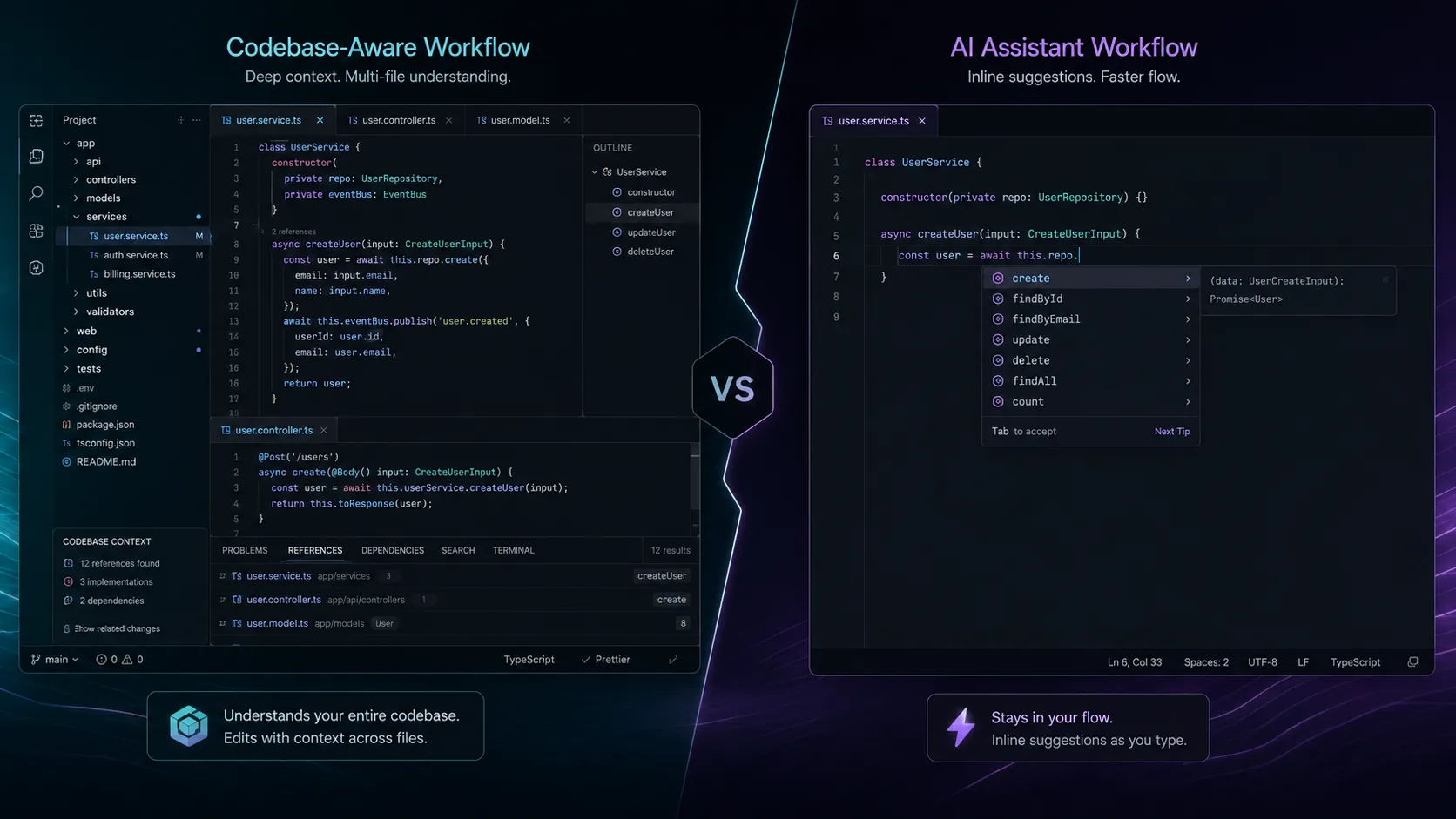
The difference emerges on tasks that span multiple files or require understanding context beyond the current file.
Example: “Refactor this function to use the error handling pattern we use in the rest of the codebase.”
With Copilot, this requires you to manually provide the context of how you handle errors elsewhere. With Cursor, the codebase indexing means it already knows your patterns — the output is more consistent with your existing code without extra prompting.
This is not a small difference. For a large, well-established codebase, Cursor’s context awareness compresses debugging and refactoring work significantly.
Where Copilot is the right choice
If you use JetBrains IDEs (IntelliJ, PyCharm, WebStorm), Cursor is not an option. Copilot integrates natively into the full JetBrains ecosystem. For this audience, the comparison is irrelevant — Copilot is the right answer.
Even on VS Code, some developers prefer Copilot’s lower cognitive overhead. Cursor’s composer mode and agent mode are powerful but add complexity. If you want AI completions without thinking about prompt engineering, Copilot’s simpler model may suit you better.
The real question: is it worth switching editors?
Cursor is a VS Code fork. The switching cost is low — your extensions work, your keybindings transfer, your settings import. For most VS Code users, the practical switching cost is one evening of setup.
The question is whether Cursor’s advantages are worth even that small cost. For developers working on large codebases with complex multi-file refactoring needs: yes. For developers doing smaller projects or wanting the path of least resistance: Copilot is fine.
Pricing
Both have free tiers with 2,000 completions/month. Copilot Individual is $10/mo; Cursor Pro is $20/mo. The price difference is real but small relative to developer time savings if either tool is actually used.
The honest take
Cursor is the better product for developers who can use it (VS Code users on large codebases). GitHub Copilot is the right choice for JetBrains users and for those who want AI assistance without changing their workflow.
Most developer teams would benefit from trying Cursor’s free tier for a week before deciding. The free tier is enough to evaluate whether the codebase context feature changes your workflow.
See our full Cursor vs GitHub Copilot comparison for a detailed breakdown.