 D
D Descript
Text-based audio and video editor for podcasts, clips, and creator workflows
Quick answer
Choose Descript if you want to edit podcasts, interviews, tutorials, and creator videos by editing words instead of wrestling with a traditional timeline first. It is especially useful when transcription, filler-word removal, captions, Studio Sound, screen recording, and clips belong in the same workflow. Skip it if your main need is advanced audio mastering, complex multi-track mixing, or high-end video finishing.
Descript is easy to start, but the right plan depends on media hours, AI credits, export quality, team size, and whether you need 4K exports, translation, avatars, Brand Studio, or enterprise controls. Buyers should verify the billing toggle, media minute limits, AI credit usage, top-up costs, language support, and voice or avatar rights before relying on it for production work.
What is Descript?
Descript is a text-based audio and video editor for creators and teams. You record or import media, Descript transcribes it, and then you can cut the recording by editing the transcript. The platform also includes screen recording, captions, podcast editing, Studio Sound, filler-word removal, AI speech, voice cloning, clips, translation, and newer AI video tools under its Underlord assistant.
Who Descript fits best
Best for creators who want fast transcript-led editing without building a full professional editing stack first.
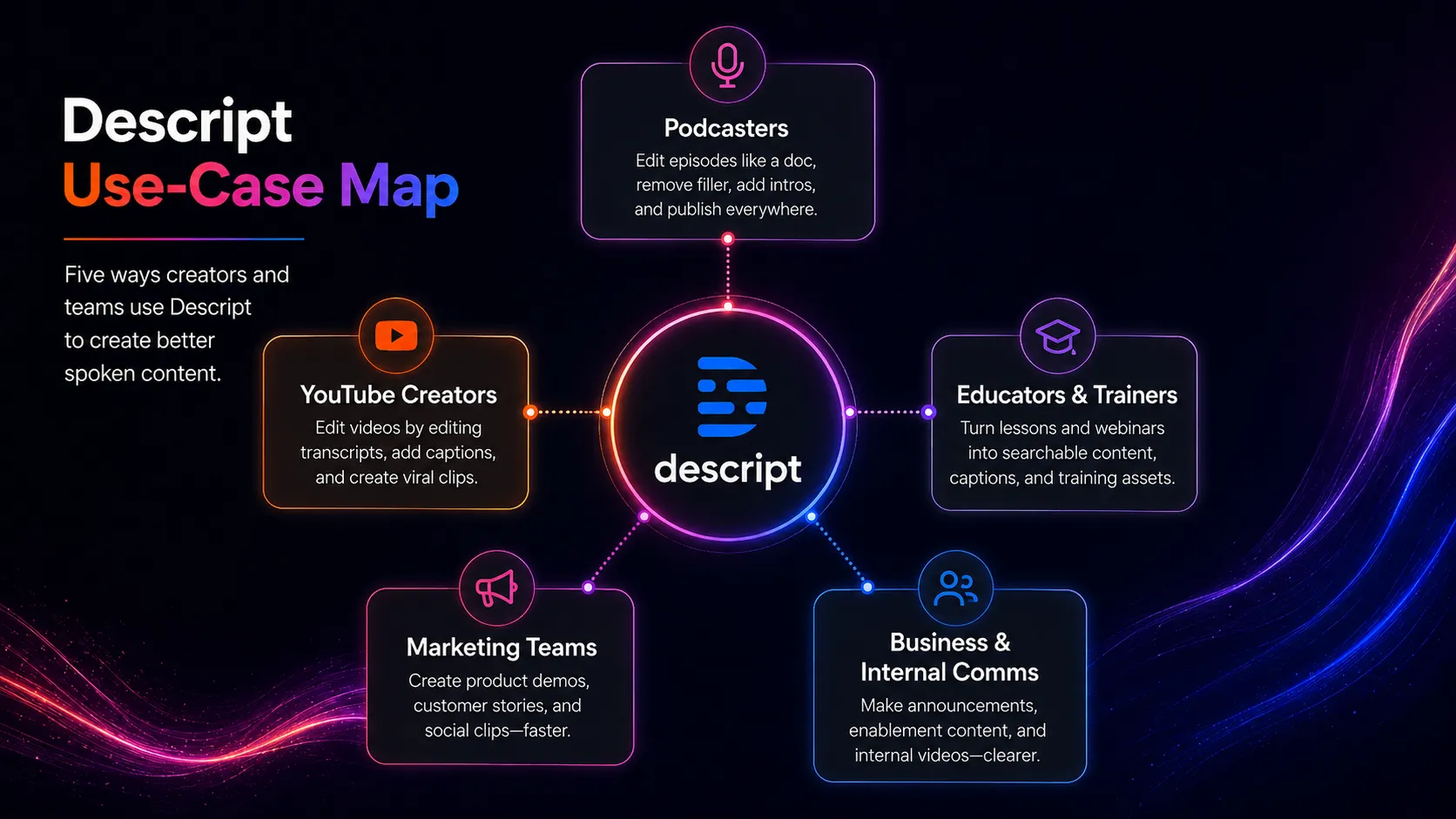
- ✓Podcasters who want to edit episodes by transcript and remove filler words faster
- ✓YouTube creators who need captions, clips, screen recording, and quick cleanup
- ✓Course creators recording tutorials, lessons, walkthroughs, and explainer videos
- ✓Marketing and customer teams turning webinars or interviews into shorter assets
Not ideal for
- •Audio engineers who need detailed mastering, mixing, and restoration controls
- •Video editors who need advanced timeline effects, grading, and motion graphics
- •Teams with heavy enterprise governance needs that have not reviewed Enterprise terms
- •Buyers who only need low-cost transcription without editing, clips, or AI tools
Main use cases
Podcast editing by transcript
Descript fits podcasters who want to cut mistakes, remove filler words, improve spoken audio, and edit episodes by changing the transcript. It works best when speed and collaboration matter more than deep studio mastering.
YouTube tutorial and screen recording workflow
Descript can record screens, transcribe tutorials, clean audio, add captions, and help cut the final video. It is useful for creators who publish explainers, product walkthroughs, software demos, and educational videos.
Clip creation from long recordings
Descript helps turn webinars, interviews, podcasts, and long videos into shorter clips with captions and edits. Teams should still review hooks, accuracy, and brand tone before publishing.
AI audio cleanup and speech workflow
Descript includes Studio Sound, AI speech, custom voice cloning, and speech-related editing tools. Buyers should verify voice rights, credit usage, and plan access before making AI speech central to a client workflow.
Where Descript fits in the AI stack
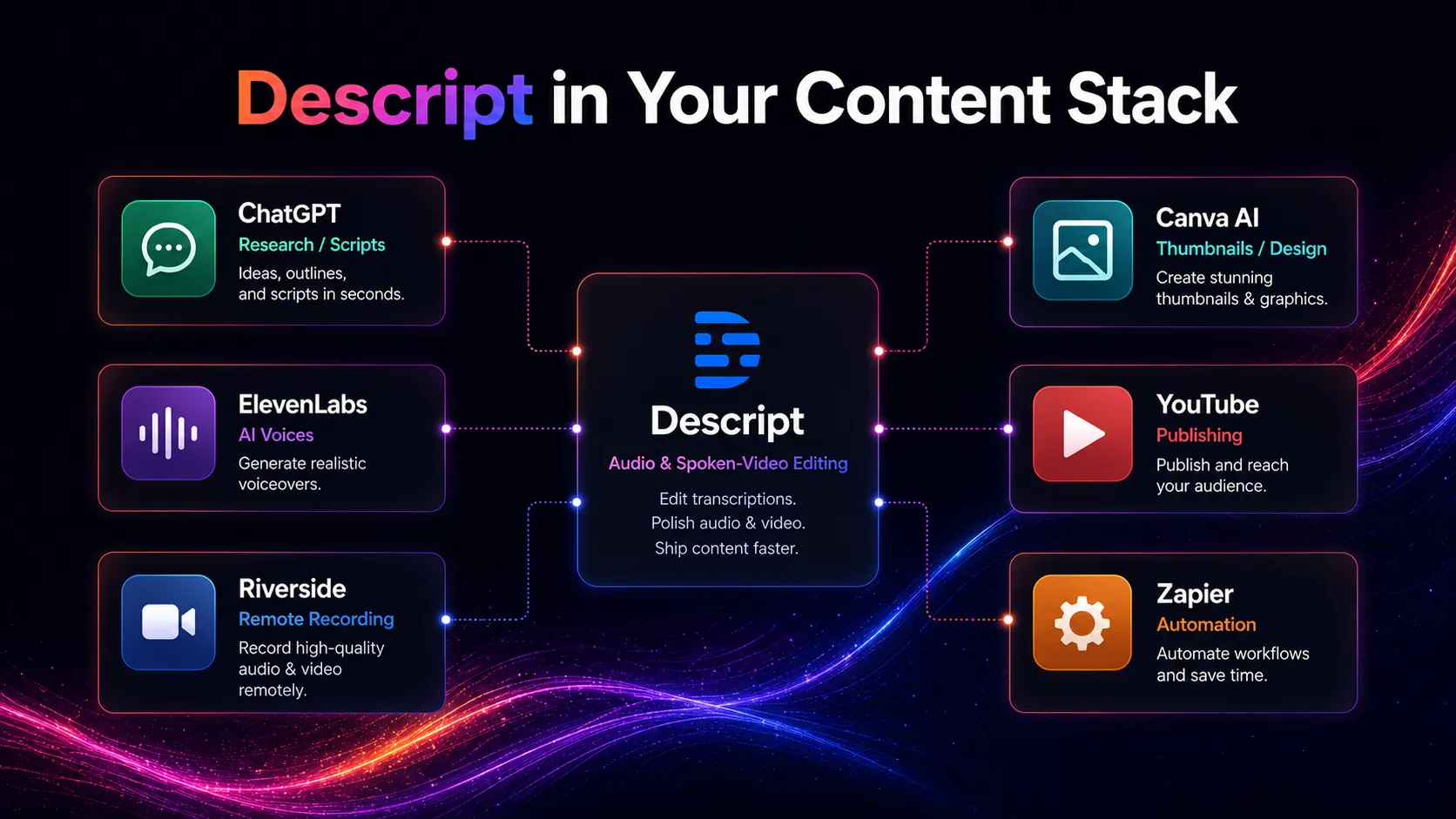
Descript sits after recording and before publishing. It helps creators transcribe, edit, clean, caption, clip, and export audio or video faster. It does not replace strong scripts, good recording habits, a publishing channel, advanced post-production, or human review.
Stack role
AI audio and text-based editing layer
Best paired with
ElevenLabs, ChatGPT, YouTube
Strongest layer
Podcast editing + Tutorial and screen recording
| Stack layer | Fit | What to know |
|---|---|---|
| Podcast editing | strong | Descript is a strong fit when podcast editing needs transcription, filler-word removal, Studio Sound, and fast transcript-led cuts. |
| Tutorial and screen recording | strong | Descript works well for screen recordings, product walkthroughs, educational videos, captions, and quick cleanup. |
| Social clip production | medium | Descript can help create clips from longer recordings, but dedicated short-form editors may still be better for mobile-first effects. |
| Professional audio mastering | weak | Descript is not a full mastering suite or detailed multi-track engineering environment. |
Best stack combinations
Podcaster
descript + elevenlabs + chatgpt + podcast-host
Use ChatGPT for show notes and outlines, Descript for transcript-led editing, ElevenLabs for higher-end voice assets when needed, and a podcast host for distribution.
YouTube educator
descript + canva-ai + youtube + google-drive
Use Descript for recording, captions, cleanup, and clips, Canva AI for thumbnails, Google Drive for asset handoff, and YouTube for publishing.
Marketing team
descript + chatgpt + hubspot + slack
Use Descript to turn webinars or interviews into clips, ChatGPT for copy and summaries, HubSpot for campaign context, and Slack for team review.
What Descript can replace
- · Some manual transcript cleanup
- · Some basic podcast editing
- · Some filler-word removal and spoken audio cleanup
- · Some captioning and clip creation work
What it still needs
- · script-planning: Strong outline, talking points, and episode structure before recording
- · recording-setup: Clear source audio, lighting, mic placement, and screen capture quality
- · human-editor: Accuracy checks, pacing, story structure, and final publishing judgment
- · publishing-platform: YouTube, podcast host, LMS, or social platform for distribution after editing
Add it to your stack if
- · You edit podcasts, interviews, tutorials, or talking-head videos regularly.
- · You want transcription, captions, cleanup, clips, and screen recording in one workflow.
- · You value speed and collaboration more than advanced professional editing control.
Skip it if
- · You need studio-grade mastering or complex timeline-heavy editing.
- · You only need cheap transcription and will not use editing features.
- · You are not ready to review voice rights and AI speech usage rules.
Choose your next step
Pricing
→Check Free, Hobbyist, Creator, Business, Enterprise, media hours, AI credits, export quality, and annual billing savings.
Alternatives
→Compare Descript with ElevenLabs, Adobe Podcast, Riverside, CapCut, and other audio or video production tools.
Compare options
→Use this comparison if you are choosing between transcript-led editing and AI voice generation.
Stack fit
→See how Descript fits with YouTube, ChatGPT, Canva AI, voice tools, and publishing workflows.
Review
→Read the full editorial review before using Descript as your main audio and video editing platform.
Pricing summary
This is a profile-level summary. Use the pricing page for deeper plan checks.
Starting path
Free plan available, paid plans from $16 per person per month billed annually
Free plan
Yes
Free trial
No
Descript's current pricing page lists Free at $0, Hobbyist at $16 per person per month billed annually, Creator at $24 per person per month billed annually, Business at $50 per person per month billed annually, and Enterprise as custom pricing. The same page shows monthly prices beside annual prices and says annual billing can save up to 35 percent. Buyers should verify the active billing toggle, included media hours, AI credits, export quality, team seats, language support, and feature access before checkout.
Best starting path: Start with Free if you only need to test text-based editing, transcription, and basic AI tools. Hobbyist is the first paid option for watermark-free 1080p exports and more monthly media hours. Creator is better for serious creators who need 4K exports, more AI credits, royalty-free stock, and more media hours. Business is the safer choice for teams that need Brand Studio, translation, custom avatars, priority support, and collaboration features.
Related stack page
YouTube Creator Stack
→Role: Text-based editing, captions, cleanup, screen recording, and clip creation layer
Descript fits a YouTube creator stack when videos are built from recordings, interviews, tutorials, and voice-led content. It speeds up editing and repurposing, but creators still need strong scripts, thumbnails, publishing discipline, and human review.
Podcast Creator Stack
→Role: Transcript-led podcast editing and audio cleanup layer
For podcasters, Descript can reduce editing friction by turning audio editing into transcript editing. It is strongest for dialogue cleanup, show notes, captions, and fast publishing workflows.
Top alternatives
See all →
Adjacent tools in the same stack

ChatGPT can write scripts, summaries, and descriptions, but it does not replace Descript's media editing workspace.

Canva AI can create thumbnails, social graphics, and simple video assets, but it is not a transcript-led podcast editor.
Related comparisons
FAQ
What is Descript best for?
Descript is best for editing podcasts, interviews, tutorials, screen recordings, captions, and creator videos by editing the transcript. It is useful when transcription, cleanup, clips, and simple publishing workflow belong together.
Does Descript have a free plan?
Yes. The current pricing page lists a Free $0 plan with 60 minutes of media per month and 100 one-time AI credits. Free is best for testing the workflow rather than serious ongoing production.
How much does Descript cost?
The current pricing page lists Hobbyist from $16 per person per month billed annually, Creator from $24 per person per month billed annually, Business from $50 per person per month billed annually, and Enterprise as custom pricing.
Is Descript good for podcast editing?
Yes, Descript is a strong fit for podcast editing when you want transcript editing, filler-word removal, Studio Sound, speaker labels, captions, and quick repurposing. It is less suitable for detailed studio mastering.
Is Descript a replacement for a professional video editor?
Not always. Descript is excellent for text-based edits, screen recordings, captions, clips, and creator workflows. Advanced color grading, motion graphics, complex sound design, and high-end finishing may still need a professional editing suite or editor.
How TopAIStacks evaluates Descript
Verified Descript against the current official homepage and pricing page, then used G2 for the public rating signal. The YAML updates older task input by reflecting the current Free, Hobbyist, Creator, Business, and Enterprise pricing structure, annual billing savings, media hour limits, AI credit limits, and current Underlord-led AI editing positioning.
Last checked: May 2026 · Source confidence: high