 C
C ChatGPT
ChatGPT is a general-purpose AI assistant best for individuals and teams who need a broad, capable tool for writing, coding, research, and agentic workflows across one subscription. Its free tier now shows ads in some regions and has tighter usage limits than paid tiers.
Quick answer
ChatGPT is a general-purpose AI assistant best for individuals and teams who need a broad, capable tool for writing, coding, research, and agentic workflows across one subscription. Its free tier now shows ads in some regions and has tighter usage limits than paid tiers.
ChatGPT's pricing structure has grown complex, with seven tiers plus a separate API billing system. The Go plan ($8/mo) includes ads and lacks advanced features — most professionals should evaluate Plus instead. Model access and usage caps per tier change frequently; verify current details before choosing a plan.
What is ChatGPT?
ChatGPT is OpenAI's conversational AI platform, offering access to GPT-family models through a chat interface, voice mode, image generation, web search, and agentic task execution (Agent Mode). The free tier provides basic access with usage limits and ads in the US. Plus at $20/mo is the standard paid entry point, removing ads and adding Deep Research, image generation, Canvas, and Codex. Business and Enterprise add team workspaces, SSO, admin controls, and compliance features. Model access, usage limits, and feature availability vary significantly by plan — verify current plan details on the official pricing page before committing, as OpenAI has updated tiers and pricing multiple times in 2026.
Who ChatGPT fits best
ChatGPT fits best for individual professionals, developers, and teams who want a single, well-supported AI assistant covering writing, coding, research, and image generation, where broad ecosystem integrations and OpenAI's model lineup matter more than maximum context length or constitutional AI training approach.
- ✓Individual professionals who need a capable everyday AI assistant for writing, research, and coding
- ✓Developers building with OpenAI's model ecosystem via the API or using Codex for agentic coding
- ✓Marketing and content teams who want image generation, canvas editing, and copy drafting in one tool
- ✓Teams needing shared workspaces, admin controls, and SSO on Business or Enterprise plans
Not ideal for
- •Users who need the largest available context window for very long document analysis (verify current limits vs alternatives)
- •Teams deeply embedded in Google Workspace who may find Gemini more natively integrated
- •Casual users who only need occasional queries and will encounter usage limits on the free tier
- •Organizations in regulated industries needing data residency guarantees without an Enterprise contract
Main use cases
Everyday Writing and Research Assistance
Professionals use ChatGPT Plus for drafting emails, reports, and content, and for summarizing documents or running web-connected research queries. Deep Research mode synthesizes multi-source research into structured reports; verify current monthly run limits per plan before relying on it for regular workflows.
Coding and Agentic Development with Codex
Developers use Codex within ChatGPT for multi-step coding tasks, debugging, and code generation from natural language. Agent Mode allows ChatGPT to execute multi-step tasks autonomously; verify current Codex usage limits and Agent Mode availability per plan on the official page.
Image Generation and Visual Content
ChatGPT Plus and above include access to image generation for creating visuals from text prompts. This covers moderate creative and marketing image needs; verify current generation limits and available styles per plan.
Team Collaboration and Knowledge Workflows
Business and Enterprise teams use shared workspaces, custom GPTs, and admin controls to standardize AI workflows across functions. Enterprise adds compliance, data residency, and SCIM provisioning for regulated or large-scale deployments.
Where ChatGPT fits in the AI stack
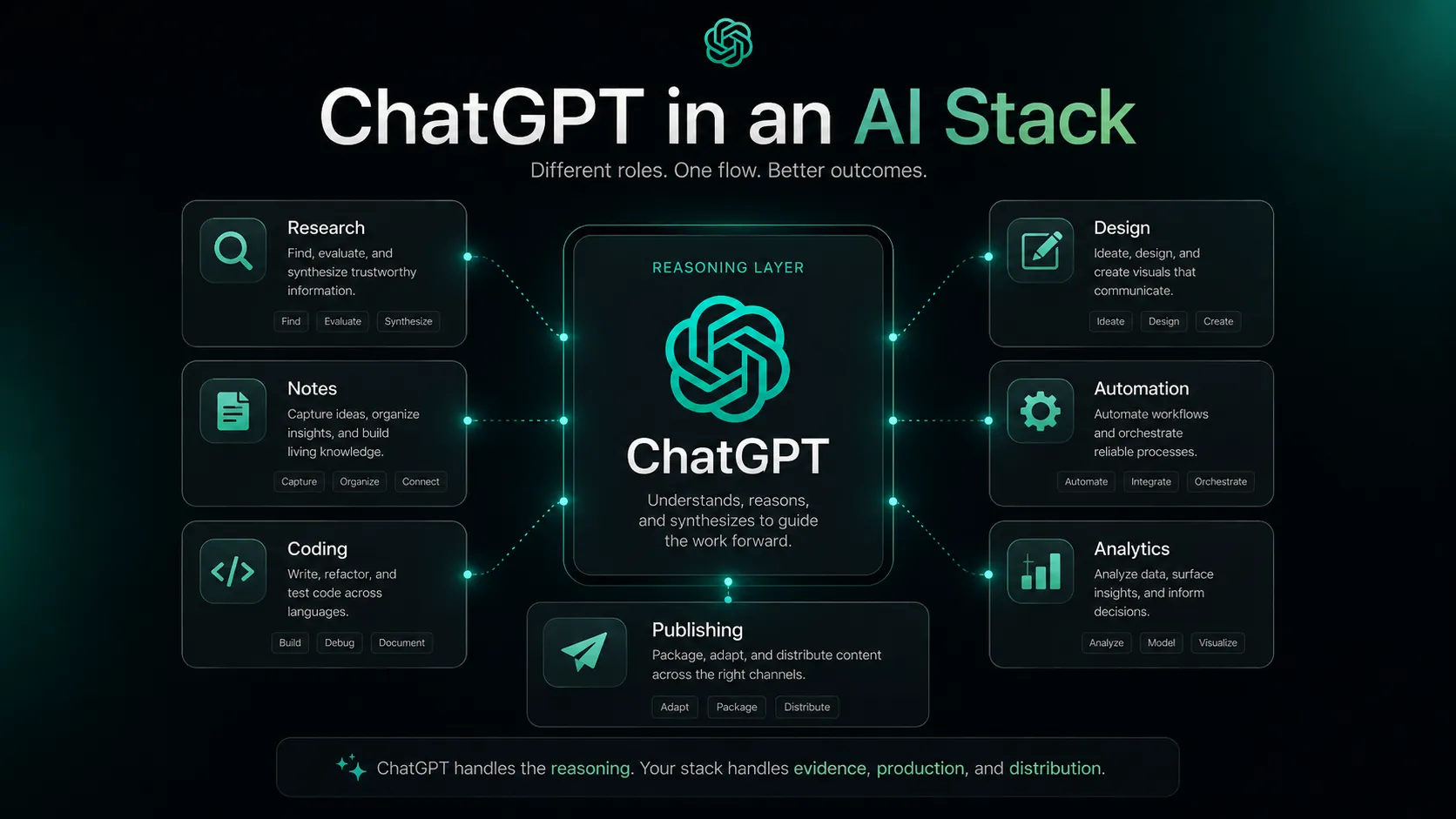
ChatGPT operates as the primary reasoning, writing, research, and coding layer in most individual and team AI stacks. Its broad feature set — writing, image generation, web search, Codex, and Agent Mode — covers more workflow surface area than most single AI tools. It does not replace version control, deployment platforms, design tools, or SEO research platforms, which still require dedicated tools alongside it.
Stack role
General-Purpose AI Assistant and Reasoning Layer
Best paired with
Cursor, Canva AI, Ahrefs
Strongest layer
Writing and Content Drafting + Research and Summarization + Coding and Agentic Tasks
| Stack layer | Fit | What to know |
|---|---|---|
| Writing and Content Drafting | strong | Core strength across Plus and above; handles short and long-form with web context on paid plans |
| Research and Summarization | strong | Deep Research mode synthesizes multi-source research; verify monthly run limits per plan |
| Coding and Agentic Tasks | strong | Codex and Agent Mode cover multi-step coding; best on Plus and above; verify current usage caps |
| Image Generation | medium | Image generation available on Plus and above; generation limits apply; not suited for high-volume creative production |
| SEO and Search Intelligence | weak | Web search provides basic lookup but no keyword tracking, backlink analysis, or rank monitoring |
| Design and Brand Production | weak | ChatGPT does not produce template-based brand assets; requires Canva AI or Figma alongside it |
Best stack combinations
Solo developers and technical founders
ChatGPT + Cursor + GitHub
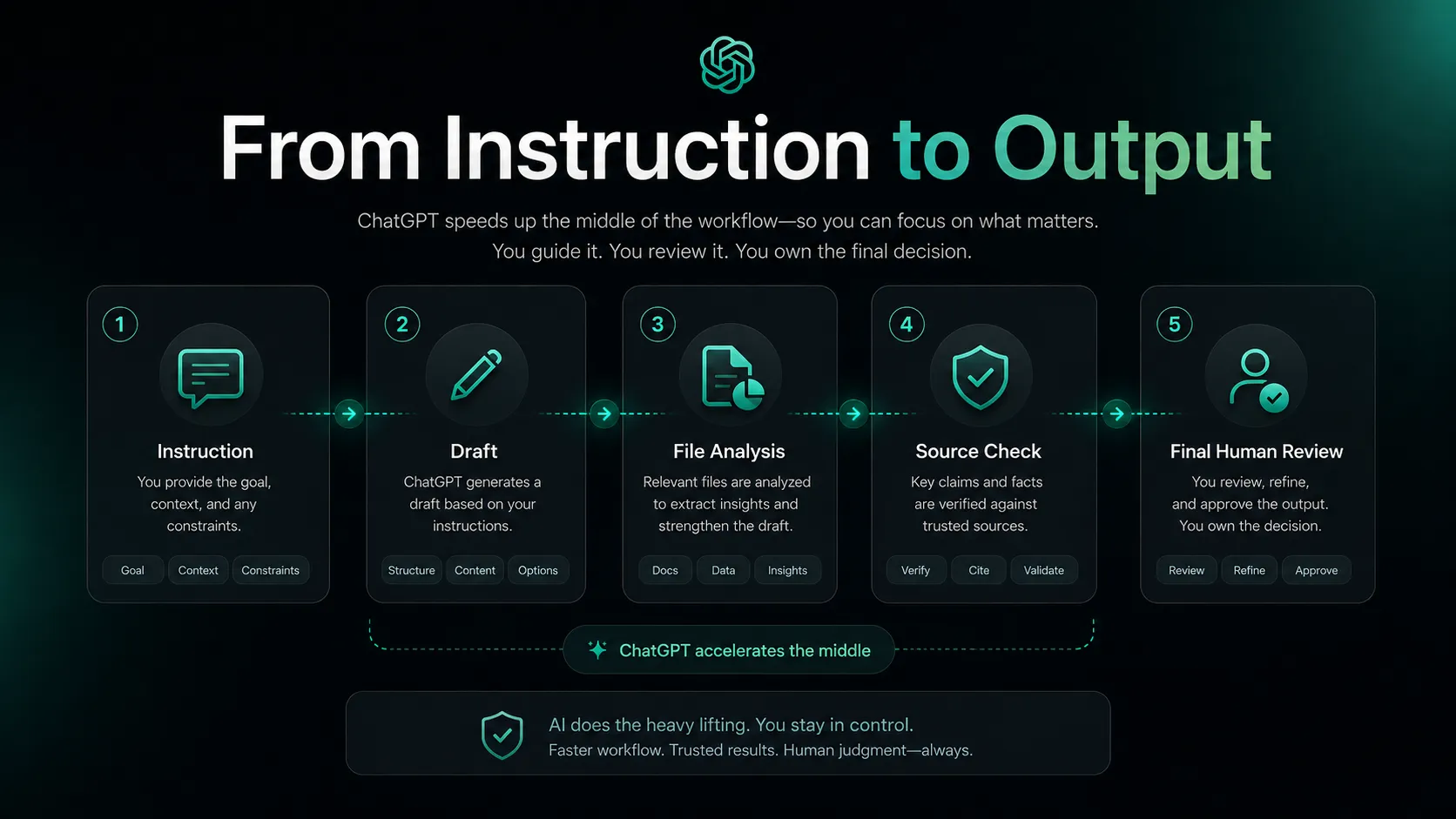
ChatGPT handles research and planning; Cursor covers IDE coding; GitHub manages version control and deployment.
Content and marketing teams
ChatGPT + Canva AI + Ahrefs
Ahrefs identifies topics; ChatGPT writes copy and briefs; Canva AI designs and publishes assets.
Researchers and knowledge workers
ChatGPT + Claude
ChatGPT for broad research and web-connected queries; Claude for long-document analysis and reasoning-heavy tasks.
What ChatGPT can replace
- · Basic search engine queries for many research and summarization tasks
- · Simple text editors for first-draft writing workflows
- · Standalone image generation tools for moderate creative needs on paid plans
- · Fragmented tool combinations for writing, research, and coding at the individual level
What it still needs
- · GitHub or version control: Storing and managing code produced by Codex or Agent Mode
- · Canva AI or Figma: Template-based design and brand production that ChatGPT cannot output
- · Ahrefs or SEO platform: Keyword research, backlink analysis, and rank tracking beyond web search
- · Deployment platform (Vercel, AWS, etc.): Shipping applications built with ChatGPT or Codex assistance
Add it to your stack if
- · You need a broad AI assistant covering writing, research, coding, and image generation in one subscription
- · Your team needs shared workspaces, admin controls, and SSO on Business or Enterprise plans
- · You are building products on OpenAI's API and want consistent model access across chat and API
Skip it if
- · Your primary need is very long document analysis where context window length is critical — verify current limits vs alternatives
- · Your team is deeply embedded in Google Workspace and Gemini's native integration is more practical
- · You only need occasional simple queries and the free tier usage limits will frustrate daily workflows
Choose your next step
Pricing
→Compare Free, Go, Plus, Pro, Business, and Enterprise plans with current model access and limits.
Alternatives
→Compare ChatGPT to Claude, Gemini, and other AI assistants for your workflow.
Compare options
→Compare ChatGPT and Claude across pricing, context length, and use case fit.
Stack fit
→See how ChatGPT fits inside a full developer productivity workflow.
Deal
→Check available savings, trial, or deal paths.
Review
→See whether ChatGPT is worth it for your workflow.
Pricing summary
This is a profile-level summary. Use the pricing page for deeper plan checks.
Starting path
Freemium — Plus from $20/mo; Go from $8/mo
Free plan
Yes
Free trial
No
ChatGPT has seven tiers as of May 2026. Free ($0, with ads in US), Go ($8/mo, with ads), Plus ($20/mo, no ads, most features), Pro $100/mo, Pro $200/mo (highest limits), Business ($20/seat/mo annual or $25/mo monthly, min 2 users), and Enterprise (custom). API billing is separate from all subscriptions. Pricing and plan structure have changed multiple times in 2026 — verify current tiers, model access, and usage limits on the official pricing page before buying.
Best starting path: Most individual professionals will find Plus at $20/mo the right entry point for full feature access without ads. Verify current model access and usage caps for each tier before committing, as these change frequently.
Related stack page
Top alternatives
See all →Direct alternatives

Strongest direct alternative; often preferred for long-document analysis and more measured reasoning; different context window and training approach — compare current plan limits before choosing.

Google's AI assistant; strongest alternative for teams embedded in Google Workspace with native Docs, Sheets, and Drive integration.
Adjacent tools in the same stack

AI-native code editor that often runs OpenAI models; complements ChatGPT Codex for IDE-native coding tasks.

Real-time research and source-cited search that fills the live-data retrieval gap; does not replace ChatGPT for writing or coding.

Visual design and brand production layer that pairs with ChatGPT copy output; not a reasoning replacement.
Related comparisons
FAQ
What is ChatGPT best for?
ChatGPT is best for professionals who need a broad AI assistant covering writing, research, coding, and image generation in one tool. Plus at $20/mo is the practical entry point for full feature access; the free tier has usage limits and now shows ads in the US.
Is ChatGPT enough as a full AI stack on its own?
For individuals, ChatGPT Plus covers most everyday tasks. A complete team stack still needs version control (GitHub), a design tool (Canva AI), SEO research (Ahrefs), and a deployment platform for shipping code. ChatGPT is a strong core layer but not a complete replacement for specialised tools.
What tools should I use with ChatGPT?
Cursor for IDE-native coding, Canva AI for visual design and brand assets, and Ahrefs for SEO research are the most common pairings. For long-document analysis workflows, Claude is often added alongside ChatGPT for its different reasoning approach and context handling.
What is the best alternative to ChatGPT?
Claude is the closest direct alternative for general-purpose use, with a different training approach and strong long-document handling. Gemini is the most practical alternative for Google Workspace teams. Compare current context window sizes, model access, and pricing before choosing.
Who should not use ChatGPT?
Teams who need very long context windows for large document analysis (verify current limits), users deeply embedded in Google Workspace who may prefer Gemini's native integration, and casual users likely to hit free tier limits without wanting to pay $20/mo for Plus.
Does ChatGPT have a free plan?
Yes. The free plan provides GPT access with usage limits and, as of February 2026, shows ads in the US. There is no free trial for paid plans. Verify current free tier limits, ad policy by region, and paid plan features on the official ChatGPT pricing page before deciding.
How TopAIStacks evaluates ChatGPT
Pricing sourced from official ChatGPT pricing page and cross-checked against multiple independent guides updated April-May 2026. Plan structure has changed significantly in 2026 (new Go plan, Pro $100 tier, Business price drop, ads on Free/Go) — cautious language used throughout. Stack role, workflow fit, and alternatives based on official positioning and market context. No hands-on testing, absolute model claims, coupons, or unsupported claims included.
Last checked: May 2026 · Source confidence: medium