
Cursor Review
Practical Cursor review covering workflow fit, pricing value, privacy concerns, and when GitHub Copilot or Windsurf is the better pick for your stack.
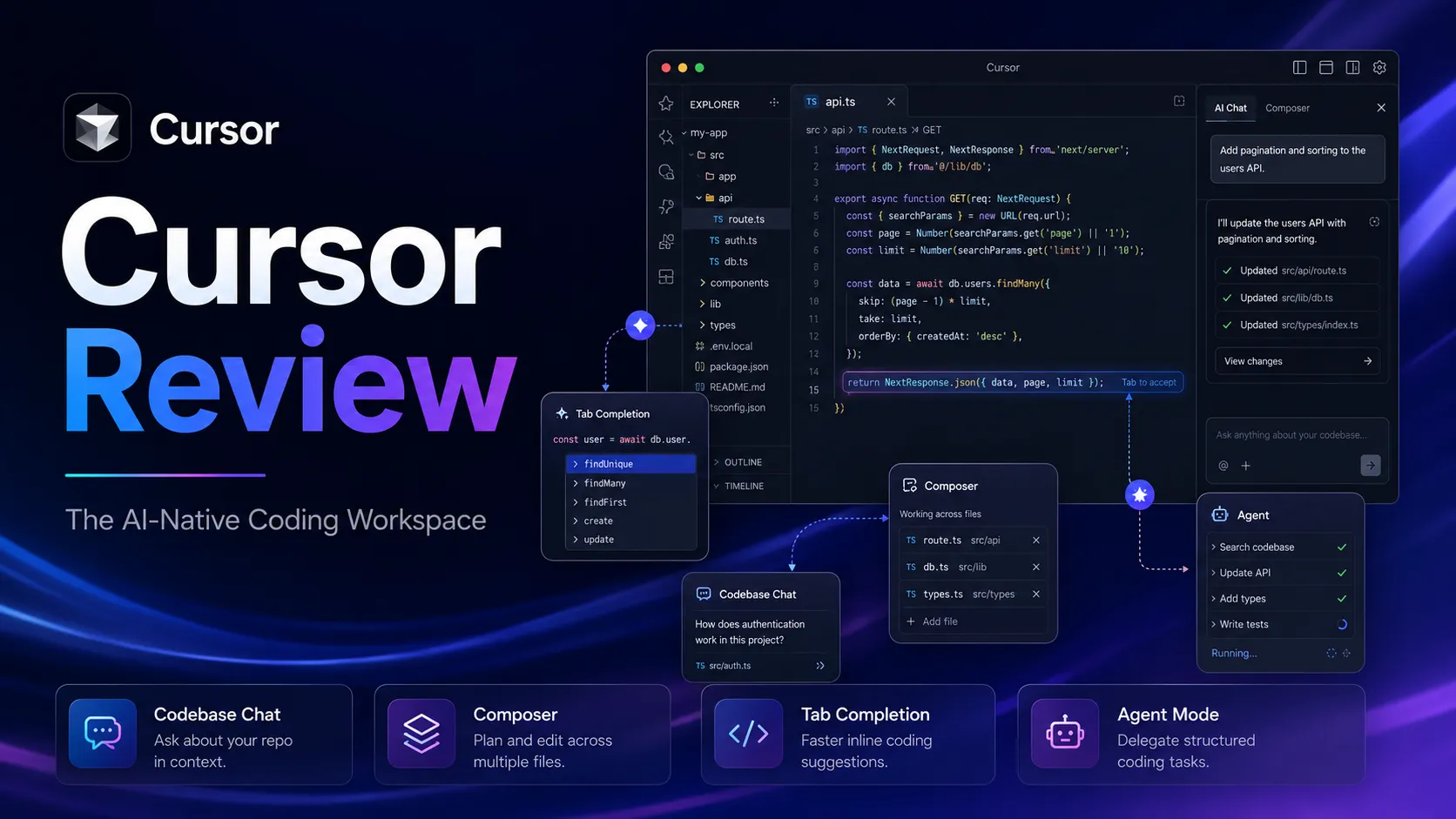
Strong fit for developers using AI as a core part of their daily coding workflow
Use it if…
- ✓ Coding is a daily workflow and you want AI assistance inside the editor itself.
- ✓ You work on existing codebases where multi-file context matters.
- ✓ You are on VS Code and open to switching to a VS Code-based fork.
- ✓ You want Agent mode to handle multi-file refactoring tasks.
Skip it if…
- – Your team requires JetBrains, Visual Studio, or another specific IDE.
- – You only need occasional help explaining or writing small code snippets.
- – Your codebase has strict data compliance requirements you cannot fully verify with Cursor's current policy.
- – Your primary use case is app generation or prototyping, not editor-based development.
Review scorecard
Scored by workflow fit, ease of use, value, and stack compatibility. Weights reflect importance for typical buyers.
| Criteria | Score | ||
|---|---|---|---|
| Codebase understanding | 9.0 | ||
| Multi-file editing | 8.8 | ||
| Tab completion quality | 8.5 | ||
| Workflow integration | 7.8 | ||
| Pricing value | 7.5 | ||
| Privacy and data handling | 7.2 | ||
| Weighted overall | 8.4 / 10 | ||
On this page
Quick verdict
Cursor is easy to misunderstand. Review it as “ChatGPT inside a code editor” and the analysis becomes too shallow. The better question is whether you are ready to move part of your coding workflow into an AI-native workspace — and whether that shift is worth the friction of switching editors.
For developers who code daily, the answer is often yes. The codebase awareness and multi-file editing are genuinely different from what you get with assistant-style tools. For developers who only need occasional help, or who are locked into a specific IDE, the case is weaker.
Cursor is worth considering if writing and editing code is already a core part of your daily work. It is less compelling if you mainly need AI help to explain things, generate occasional snippets, or stay inside an IDE that Cursor cannot replace.
Who should use Cursor
Cursor fits developers for whom the friction of copying code into a separate chat window has become a recurring annoyance. A solo developer working through an existing codebase — navigating multiple files, refactoring across components, asking questions that require understanding the full project — has a different need from someone asking an AI to explain a small function.
Cursor is built more for the first person than the second.
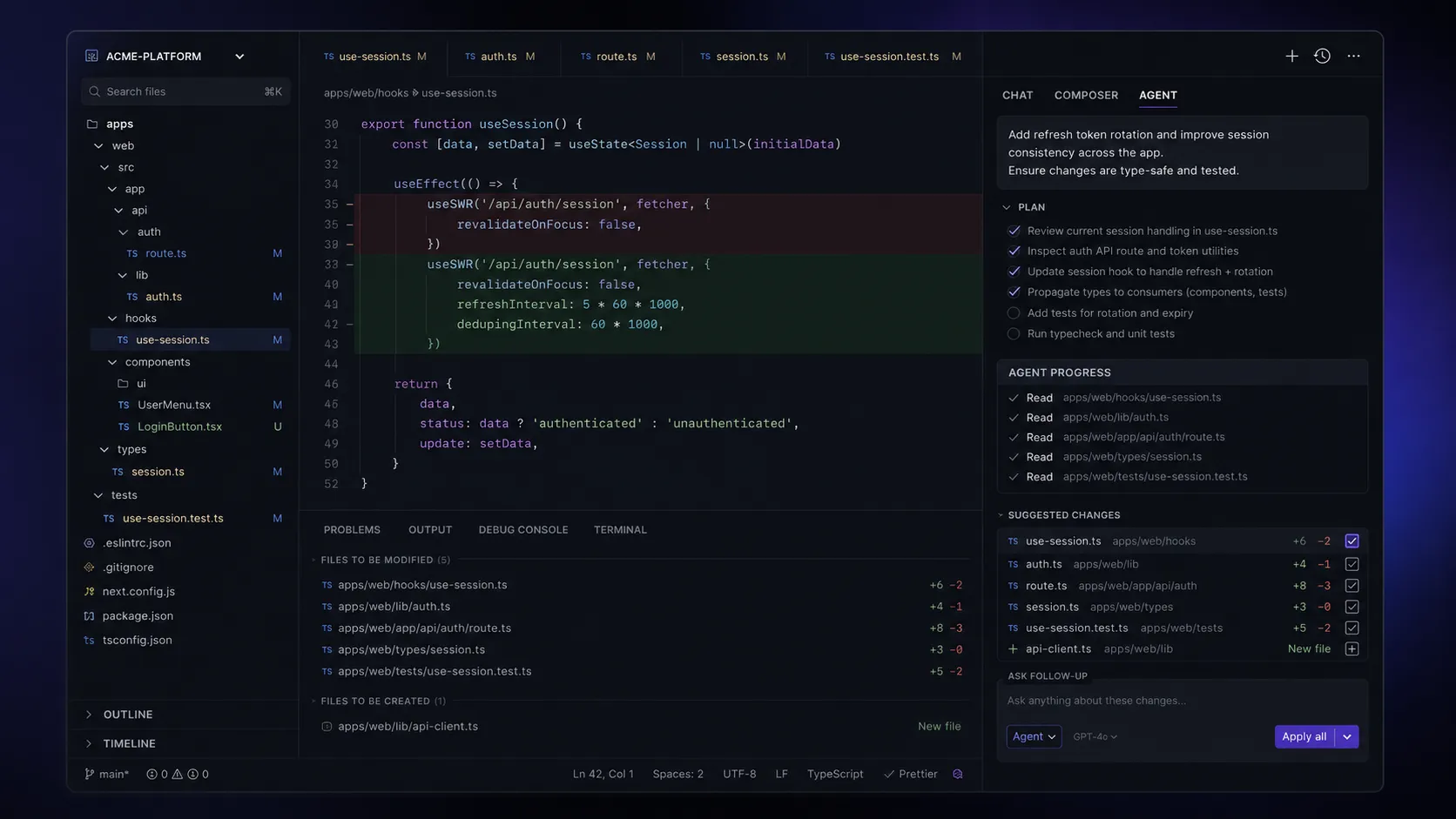
The strongest use cases are: building features that touch multiple files, refactoring existing codebases where context matters, and using Agent mode to plan and execute changes with AI handling the coordination. If any of these describe your daily work, Cursor is worth serious evaluation.
Who should skip Cursor
Skip Cursor if your development workflow is already locked into JetBrains, Visual Studio, or another IDE that your team or project requires. Cursor is built on VS Code. If your fingers know JetBrains shortcuts by muscle memory and your debugging setup depends on IntelliJ, the switching cost is real and the productivity gain is not guaranteed to offset it.
Also skip it if you mainly need AI help for occasional questions or small snippet generation. A general AI assistant — Claude, ChatGPT, or even GitHub Copilot at half the price — may cover that use case without the editor commitment.
For teams with strict data compliance requirements: verify the current data handling policy carefully before deploying. Privacy Mode provides zero data retention guarantees with model providers, but compliance decisions require current documentation, not a review summary.
Real workflow fit
The moment Cursor starts to make sense is when copying code into a separate chatbot becomes the recurring friction. That usually signals the AI assistance needs to live closer to the codebase.
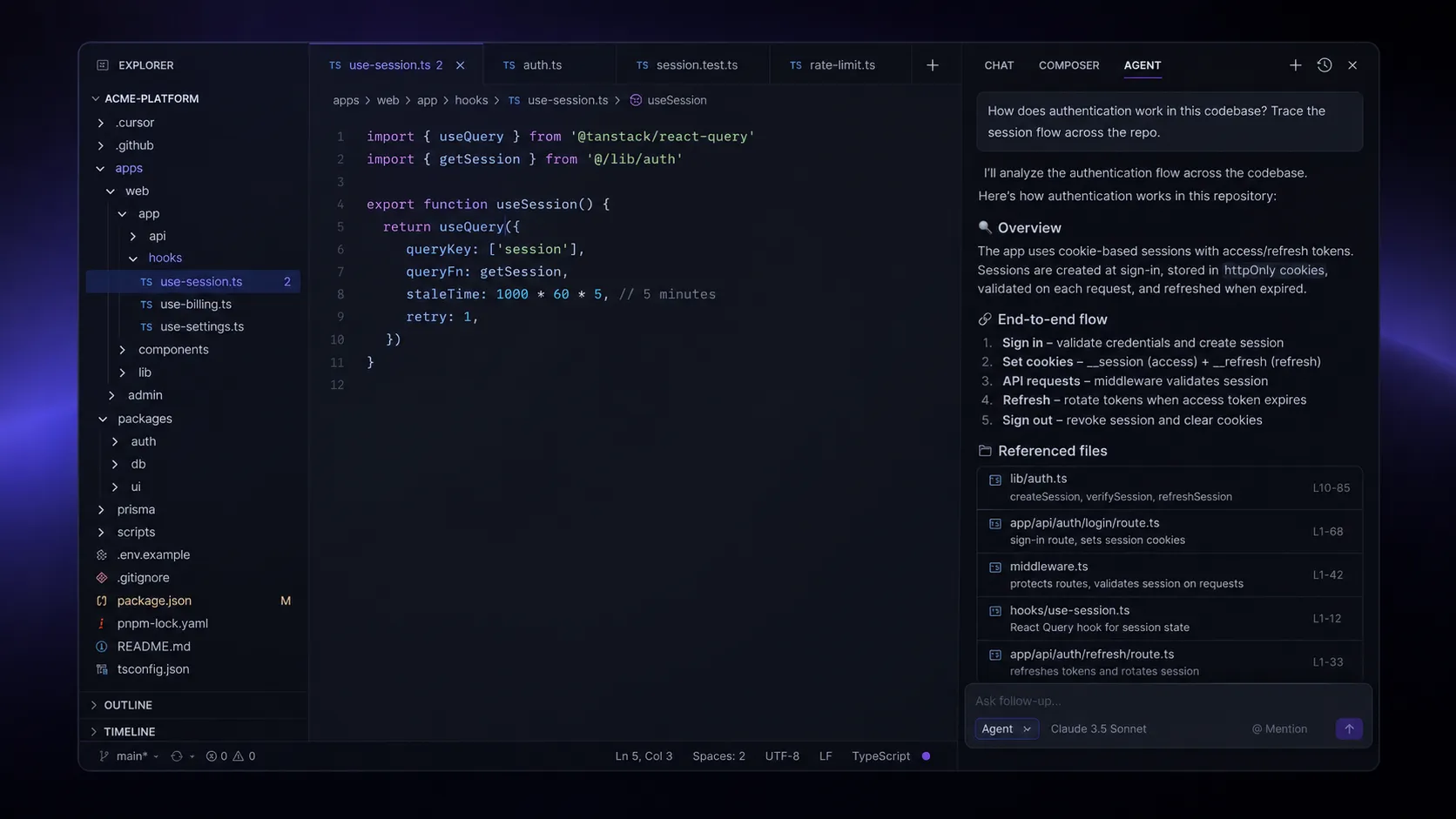
Cursor’s value is not just that it can generate code. Many tools can do that. Its stronger case is for situations where the coding question cannot be answered without understanding the surrounding context — what other files exist, what the function is called elsewhere, what dependencies are involved. That is where the codebase understanding earns its place.
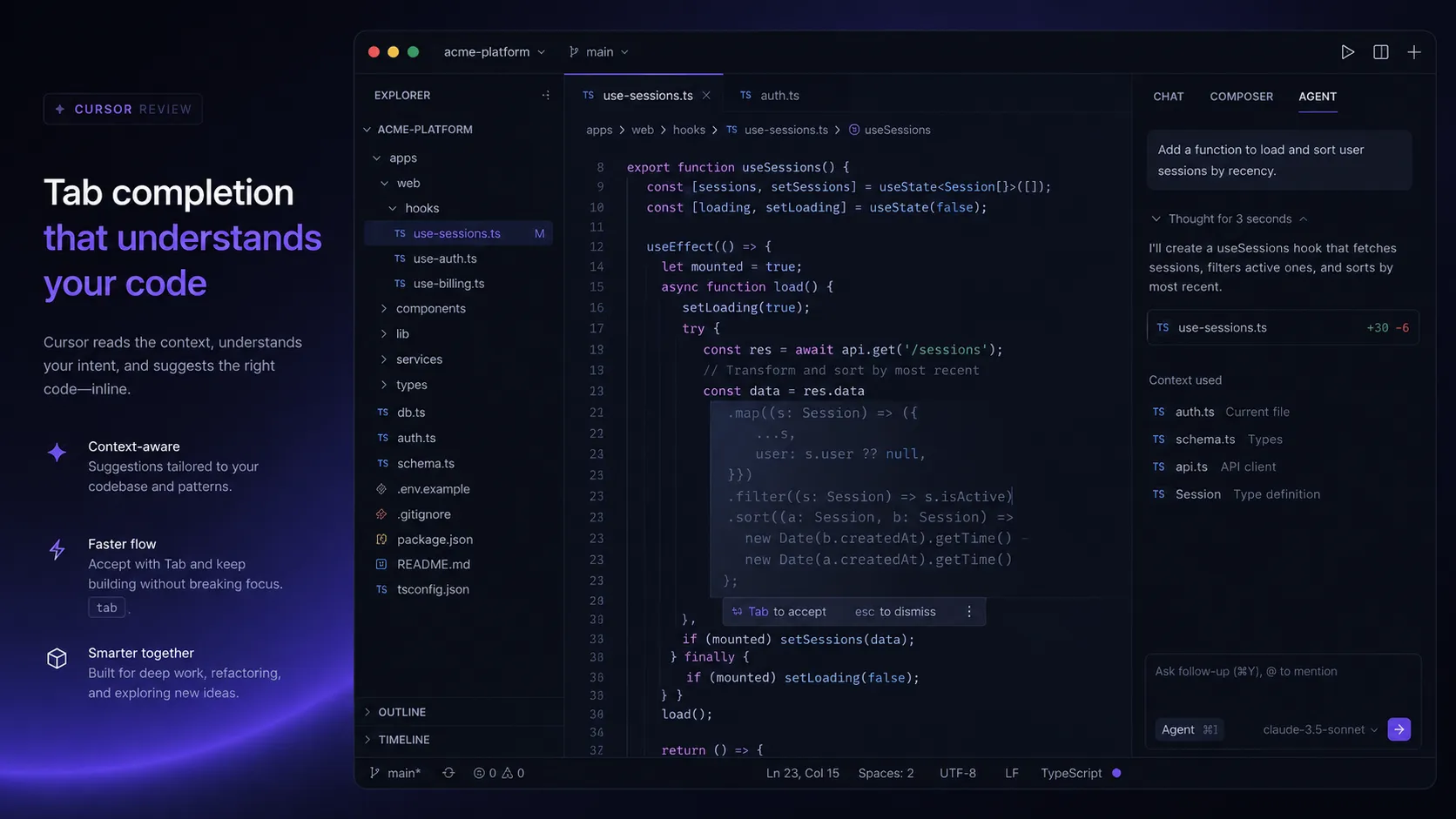
Tab completion is unlimited on Pro and noticeably more context-aware than generic autocomplete.
Agent mode can plan and execute changes across multiple files. Cloud agents, available on Pro, can run tasks in the background while you work on something else. These are real workflow improvements, not demo features.
The tradeoff is that Cursor asks for a workflow shift. It is not a plugin that enhances your existing editor. It replaces it. Teams that are not ready to make Cursor the primary coding environment for their developers will find the value harder to quantify.
Where Cursor fits in an AI stack
The right way to think about Cursor is as the coding workspace layer, not as a replacement for the tools around it.
It can replace VS Code as a primary editor for AI-assisted development. It can replace some of the manual workflow of copying code between editors and chat windows. It cannot replace GitHub for version control, Claude or ChatGPT for broader reasoning and architecture discussions, or deployment and monitoring tools.
In a developer stack, Cursor belongs in the hands. General reasoning assistants belong in the thinking phase. The two complement each other rather than compete.
What Cursor does well
Codebase-aware assistance is the main reason Cursor deserves attention. Coding questions rarely live inside one isolated file. Developers working on real projects need AI help that understands surrounding files, dependencies, and context. This is where Cursor is meaningfully stronger than pasting code into a chat window.
Multi-file editing via Composer and Agent mode allows Cursor to plan and execute changes across an entire feature, not just the function you are looking at. For refactoring or adding a new capability to an existing codebase, this is where the time savings are most concrete.
Tab completion quality on the Fusion model is better than most alternatives for context-aware suggestions, and unlimited on Pro. This matters more than it sounds for day-to-day use — the completions feel like they understand what you are building, not just what you typed.
Where Cursor falls short
The editor commitment is real. Cursor is a VS Code fork, which means it works well for VS Code users who can make the switch. It does not work for developers who use JetBrains, Visual Studio, Vim, or any other required environment. This is not a limitation that can be worked around — it is a fundamental requirement of the product.
The credit model is confusing. The June 2025 shift from request-based to credit-based billing was handled poorly by Cursor — the CEO issued a public apology, and a portion of the developer community migrated to Windsurf as a result. Auto mode is unlimited, but manual model selection pulls from a monthly credit pool. Understanding this split matters before paying. It is not hard once you understand it, but it is not explained clearly on the pricing page.
Privacy Mode requires explicit action. Without enabling Privacy Mode, Cursor may use code data to train its own models. Privacy Mode provides zero data retention guarantees, but it is not the default for individual accounts. Teams considering Cursor for sensitive codebases need to verify the current data policy and enforce Privacy Mode across all users.
Overage risk on lower tiers. If you manually select frontier models frequently, you can exhaust your credit pool before the end of the month. Cursor now offers a usage meter, but overage behavior should be verified before committing to a plan tier.
Pricing judgment
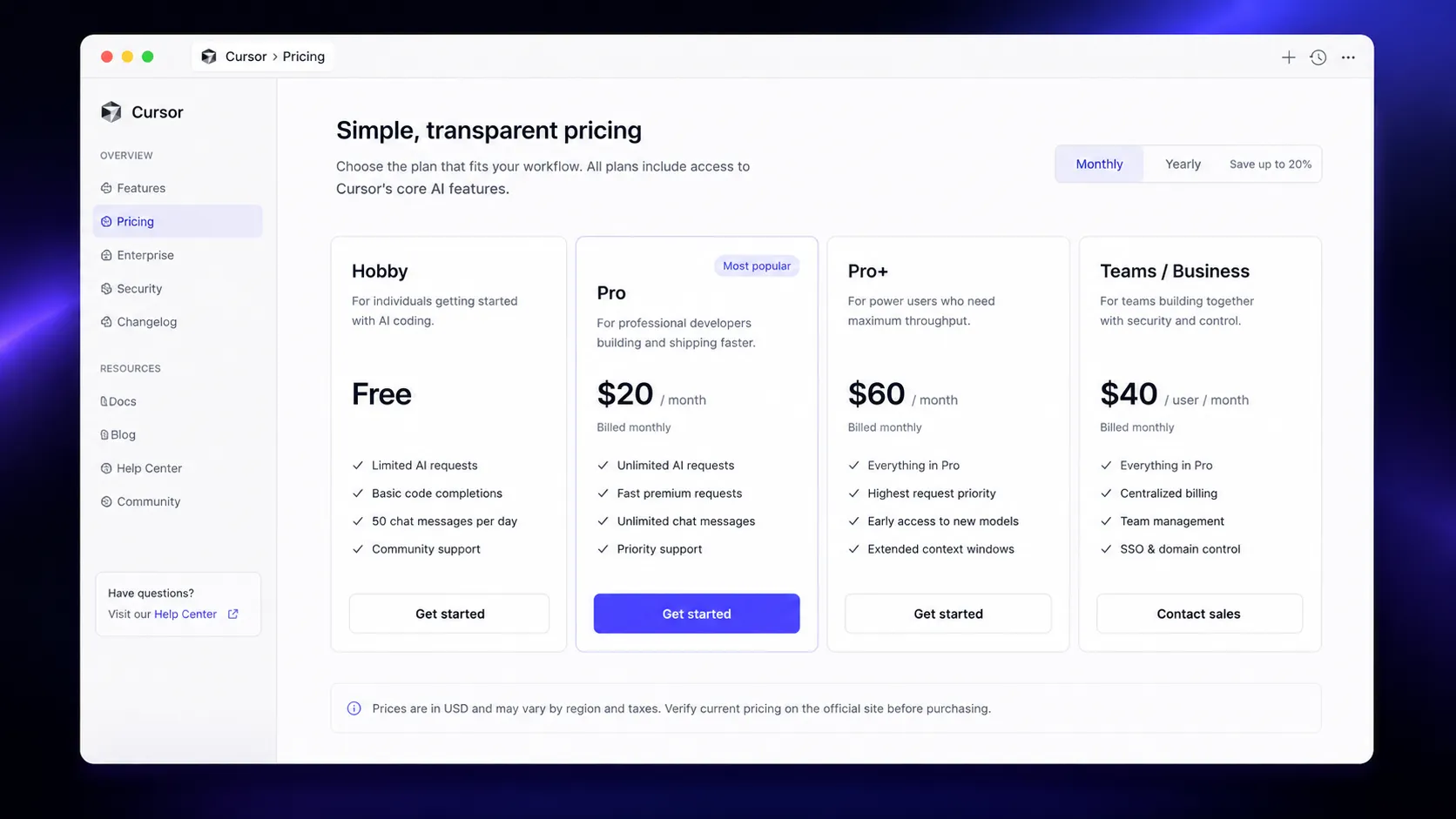
Pro at $20/month is fair for daily coding use. The annual billing option brings it to approximately $16/month — worth taking if you commit to making Cursor your primary editor.
The practical question before paying is not whether Cursor is capable. It is: does your coding workflow justify $20/month over GitHub Copilot at $10/month, or over a free general AI assistant? If you code every day and want AI embedded in the editor, the answer is usually yes. If you code a few hours a week or mainly need explanations, the free Hobby tier or a cheaper alternative may be sufficient.
Pay for Cursor Pro when it becomes part of your daily coding routine. Start with the Hobby plan and the one-week Pro trial to test it on an actual repository before committing. Upgrade only when the editor becomes genuinely hard to work without. Verify current pricing and credit behavior on the official pricing page before upgrading.
Best alternatives to compare
GitHub Copilot is the cleaner comparison for most developers. It works inside your existing IDE — VS Code, JetBrains, Neovim — without switching editors. Pro is $10/month, half the price of Cursor Pro. The tradeoff is weaker codebase understanding and less mature multi-file editing. If staying in your current IDE matters, Copilot is the right comparison.
Windsurf is a direct Cursor competitor that moved to $20/month Pro pricing in early 2026, making it cost-equivalent. It has a more generous free tier and simpler pricing. Worth testing alongside Cursor if the credit model concerns you or you want to compare the two on a real project.
Claude or ChatGPT are not editor replacements. They are reasoning layers — strong for architecture discussions, code explanation, and thinking through design decisions outside the editor. Most serious developers use both an AI editor and a general reasoning assistant in their stack.
Final decision
Add Cursor to your stack if coding is a daily workflow, you are on VS Code and open to switching, and you want AI embedded directly in the editor where codebase context matters.
Compare GitHub Copilot first if you want AI assistance inside your existing IDE without switching editors, or if $10/month versus $20/month is a meaningful difference for your use case.
Skip Cursor for now if your workflow requires JetBrains or another specific IDE, you only need occasional code help, or you are not yet sure whether an AI-native coding workspace fits your actual working pattern.
Frequently asked questions
Is Cursor worth it in 2026?
What is the difference between Cursor free and Pro?
Is Cursor better than GitHub Copilot?
Is Cursor safe to use with proprietary code?
How does Cursor's credit system work?
Where Cursor fits in a stack
AI-native coding workspace
Does not replace
- – GitHub — version control, pull requests, CI/CD
- – General reasoning assistant (Claude, ChatGPT) for architecture
- – Deployment and monitoring tools
- – Project management tools
Head-to-head comparisons
Top alternatives to consider
If Cursor is not the right fit, these are the most common alternatives.

Better fit if you want AI assistance without switching editors. Works in VS Code, JetBrains, and more. Pro is $10/month — half the price of Cursor Pro.
Direct Cursor competitor with more generous free tier. Pro moved to $20/month in early 2026, making it price-equivalent. Worth comparing if Cursor's credit model concerns you.

Not an editor replacement. Strongest for reasoning through architecture, explaining complex code, and thinking through design decisions outside the editor.
Review methodology
This review is based on public product information, official pricing documentation, official security and privacy pages, positioning across community sources, and comparison with adjacent tools in the same workflow category. Pricing verified against multiple independent sources as of May 2026.
We do not claim private hands-on testing. This review focuses on public evidence, pricing, positioning, workflow fit, community feedback patterns, and stack comparison.
Not covered: Private benchmark testing · Enterprise contract terms · Long-term team deployment experience