 G
G GitHub Copilot
AI coding assistant built into GitHub and popular developer editors
Quick answer
GitHub Copilot is best for developers who want AI help inside the tools they already use. It is strongest as an editor and GitHub workflow assistant, not as a replacement for code review, tests, or software design judgment.
Copilot can speed up everyday development, but it still needs human review. Buyers should check plan limits, premium request or credit rules, data training settings, organization controls, IP policy, security review, and whether generated code is tested before merging.
What is GitHub Copilot?
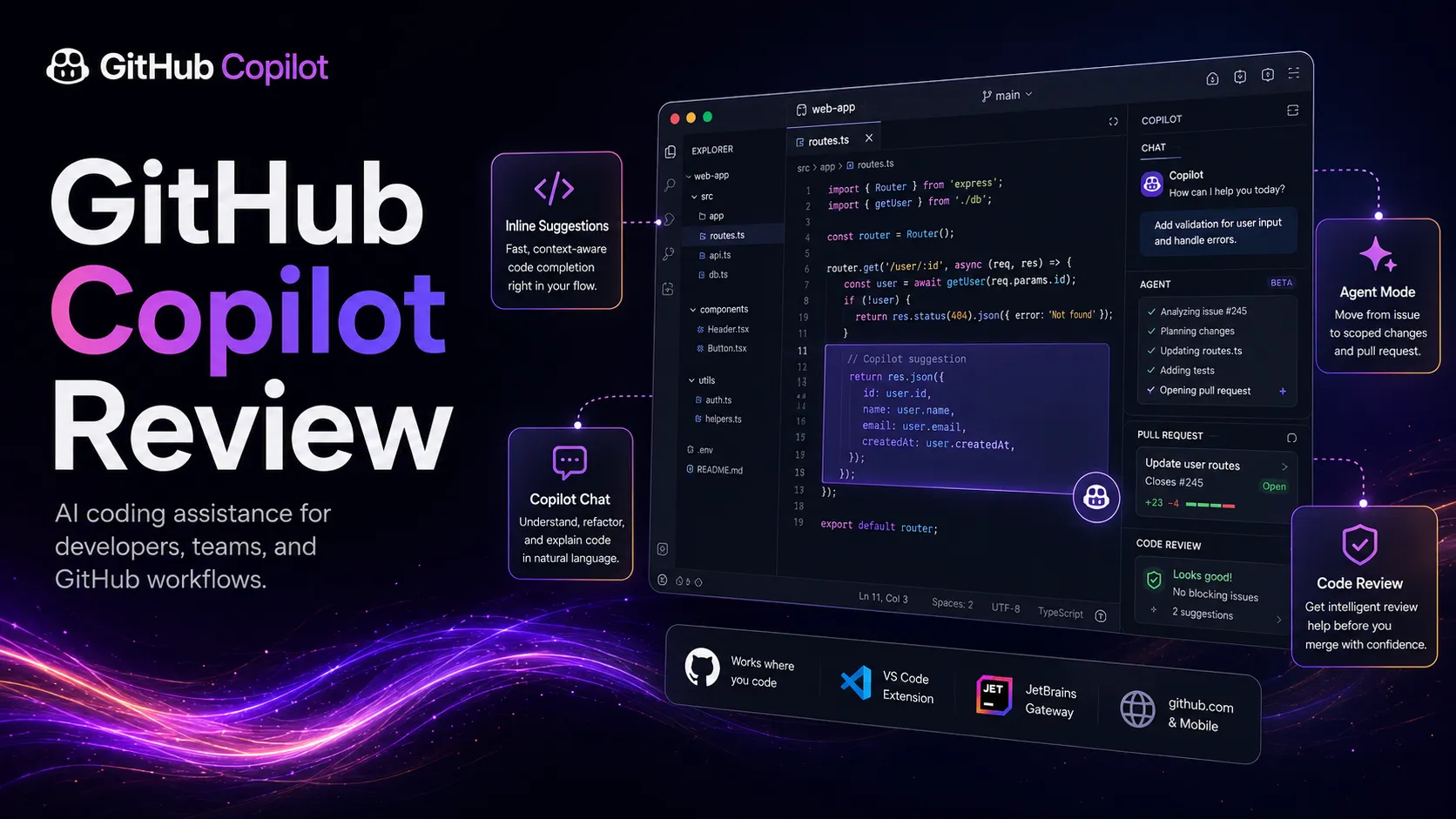
GitHub Copilot is an AI coding assistant from GitHub that works across popular editors, GitHub.com, mobile, and command-line workflows. It suggests inline code, answers coding questions, explains files, helps with refactors, proposes edits, supports code review workflows, and increasingly connects with coding agents. In a developer stack, it sits close to the repo and IDE, where it can reduce boilerplate, speed up repetitive tasks, and keep developers from leaving their coding environment for every syntax or implementation question.
Who GitHub Copilot fits best
Best for developers and engineering teams that want AI assistance in the coding flow rather than a separate chat-only tool.
- ✓A developer works in VS Code, JetBrains, Visual Studio, Neovim, or GitHub and wants code suggestions without leaving the editor.
- ✓An engineering team wants AI help for boilerplate, tests, refactors, explanations, pull requests, and code review prompts.
- ✓A freelancer or student wants a low-friction coding assistant while learning a new language, framework, or API.
- ✓A GitHub-centered team wants AI support tied to repositories, pull requests, issues, CLI workflows, and admin controls.
Not ideal for
- •A non-developer wants to generate a complete app without understanding code, tests, deployment, or repository workflow.
- •A team works in a highly restricted environment and has not approved cloud-based code context sharing.
- •A developer expects perfect multi-file architecture decisions without reading, testing, or reviewing the output.
- •A buyer mainly wants a standalone AI IDE with deeper codebase indexing and chat-first navigation.
Main use cases
Inline code completion
Use Copilot to suggest functions, boilerplate, tests, and implementation drafts while coding. It is most useful when the developer already understands the goal and can review the suggestion quickly.
Code explanation and refactoring help
Ask Copilot to explain code, propose refactors, summarize files, or help translate intent into edits. Human review is still needed for architecture, edge cases, and maintainability.
Pull request and code review support
Use Copilot around pull requests, review comments, and suggested improvements to reduce repetitive review work. Teams should keep ownership clear so AI output does not replace accountable engineering review.
CLI and GitHub workflow assistance
Use Copilot in GitHub and command-line workflows to reduce context switching around issues, repositories, commands, and project tasks. It works best when paired with version control discipline and tests.
Where GitHub Copilot fits in the AI stack
GitHub Copilot sits in the developer productivity layer of an AI stack. It assists in the editor, on GitHub, and in related coding workflows, helping with completions, explanations, refactors, code review, and CLI tasks. It does not replace repository strategy, architecture decisions, testing, deployment, or accountable human review.
Stack role
AI coding workspace layer
Best paired with
GitHub, Cursor, Claude
Strongest layer
Inline code completion + Editor chat and explanations + GitHub pull request workflow
| Stack layer | Fit | What to know |
|---|---|---|
| Inline code completion | strong | Copilot is strongest when it suggests code close to the cursor inside supported editors. |
| Editor chat and explanations | strong | It works well for explaining files, proposing edits, and answering implementation questions inside the developer environment. |
| GitHub pull request workflow | strong | Its GitHub-native position makes it useful around pull requests, issues, review prompts, and repository context. |
| Large codebase architecture decisions | medium | Copilot can help explore code, but human architecture review and project context still matter for complex decisions. |
| No-code app building | weak | Copilot is a developer assistant and does not remove the need to understand code, testing, deployment, and maintenance. |
Best stack combinations
Frontend developers
github-copilot + github + vercel + cursor
Use Copilot for coding help, GitHub for pull requests, Vercel for preview deployments, and Cursor when deeper codebase chat is needed.
Backend and API teams
github-copilot + github + postman + linear
Use Copilot for implementation drafts, GitHub for review, Postman for API checks, and Linear for issue planning.
Solo builders and learners
github-copilot + chatgpt + github + replit
Use Copilot inside the editor, ChatGPT for broader explanations, GitHub for version control, and Replit for quick experiments.
What GitHub Copilot can replace
- · Some manual autocomplete
- · Some boilerplate writing
- · Some unit test drafting
- · Some code explanation searches
What it still needs
- · version-control-workflow: Tracks changes, branches, pull requests, and accountability for generated code
- · test-suite: Validates generated or edited code before merge and deployment
- · security-review: Checks generated code for vulnerabilities, secrets, licensing, and unsafe dependencies
- · human-code-review: Confirms architecture, maintainability, correctness, and product fit before shipping
Add it to your stack if
- · Your daily work happens in GitHub, VS Code, JetBrains, Visual Studio, Neovim, Xcode, or a supported editor.
- · You want faster boilerplate, tests, explanations, refactors, and code review prompts without leaving the coding workflow.
- · Your team can review, test, and govern generated code instead of accepting suggestions blindly.
Skip it if
- · You are not comfortable with cloud-based AI assistance touching code context or editor activity.
- · You need a no-code product builder rather than a coding assistant for developers.
- · Your team has no testing, review, or security process to catch weak AI-generated code.
Choose your next step
Check GitHub Copilot pricing
→Compare Free, Pro, Pro+, Business, and Enterprise paths before deciding whether Copilot limits, credits, and organization controls fit your workflow.
Compare GitHub Copilot alternatives
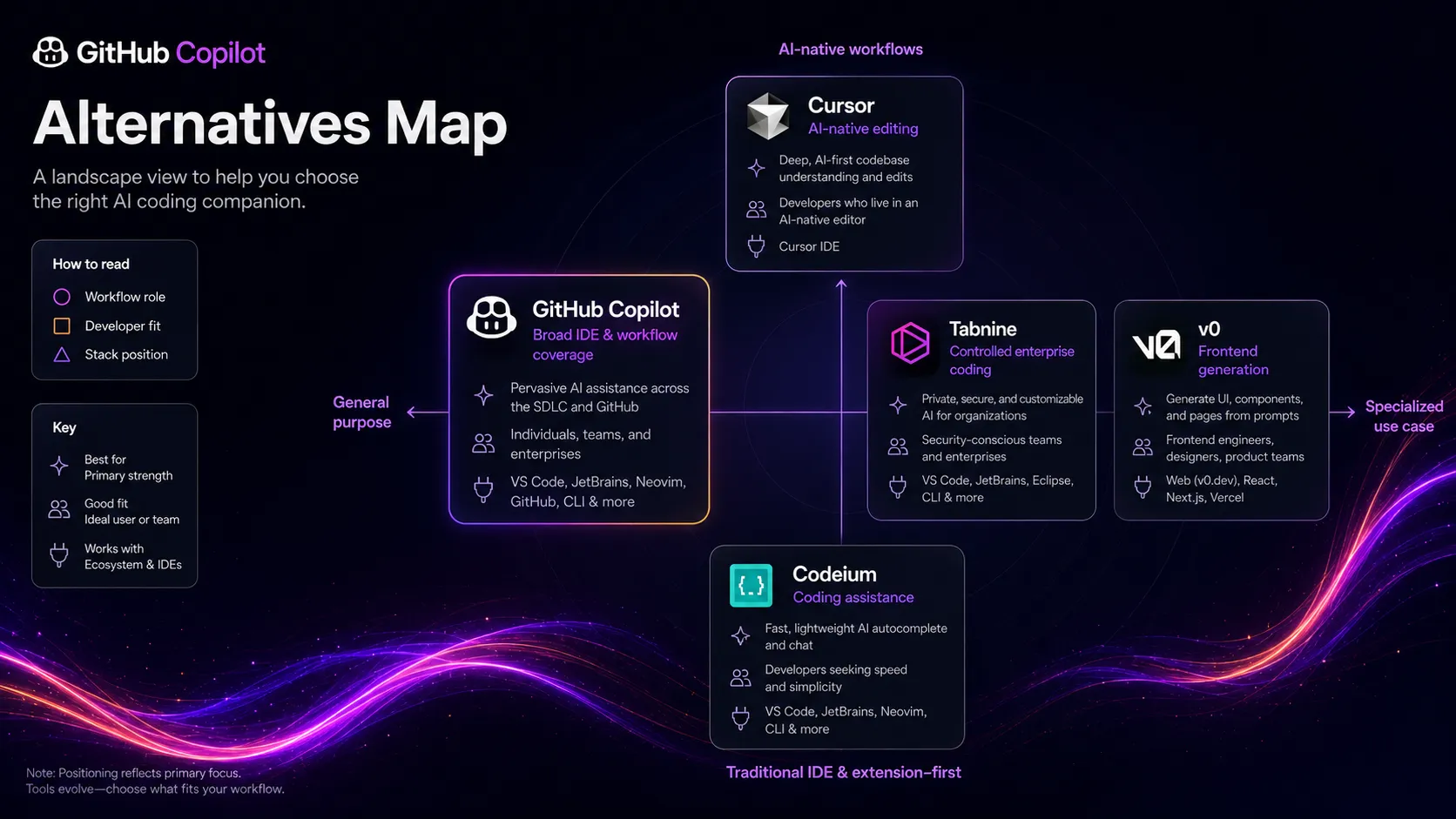
→Review Cursor, Codeium, Tabnine, and adjacent AI coding tools if you need deeper codebase chat, different privacy controls, or a different editor experience.
Compare Cursor vs GitHub Copilot
→Use the direct comparison when the main decision is between an AI-first editor and a GitHub-native coding assistant.
See the developer productivity stack
→Place GitHub Copilot beside repositories, issue tracking, testing, deployment, security review, and documentation tools.
Read the GitHub Copilot review
→Use the review when you need a deeper buyer breakdown of coding fit, pricing limits, governance, and real workflow tradeoffs.
Pricing summary
This is a profile-level summary. Use the pricing page for deeper plan checks.
Starting path
Free plan, Copilot Pro from $10/user/mo
Free plan
Yes
Free trial
No
Based on the current public Copilot page, GitHub Copilot has a Free tier with limited chat and completion usage. Copilot Pro is listed at $10 per user per month, and Copilot Pro+ is listed at $39 per user per month. Organization pricing and included AI usage should be verified in the GitHub billing flow because Copilot usage and credit rules are changing.
Best starting path: Start with Free to test editor fit and suggestion quality. Move to Pro if Copilot becomes part of daily coding, and use Business or Enterprise when seat management, policy controls, IP protection, and organization governance matter.
Related stack page
Developer Productivity Stack
→Role: AI coding assistant layer
GitHub Copilot fits a developer productivity stack when the goal is to reduce repetitive coding, explain code, support refactors, and keep developers in the editor and repository workflow. It should sit beside version control, issue tracking, testing, deployment, and security review.
Developer Productivity Stack
→Role: Editor and repository assistant
Copilot is one of the default choices for teams that want AI help directly in GitHub and popular IDEs. It is especially relevant when the team already uses GitHub as the source of truth.
Top alternatives
See all →Direct alternatives

Adjacent tools in the same stack


Related comparisons
FAQ
What is GitHub Copilot best used for?
GitHub Copilot is best used for inline code suggestions, coding chat, explanations, refactoring help, pull request support, and command-line assistance. It fits developers who already work in GitHub and supported editors, and it still needs human review, tests, and security checks.
Does GitHub Copilot have a free plan?
Yes. The current public Copilot page lists a Free plan with limited monthly completions and chat or agent requests. Buyers should verify the current request limits and model access before relying on the free tier for daily development.
How much does GitHub Copilot cost?
The current public page lists Copilot Pro at $10 per user per month and Pro+ at $39 per user per month. Organization pricing, AI credits, and usage-based billing rules should be verified in GitHub billing before a team rollout.
Is GitHub Copilot better than Cursor?
It depends on the workflow. GitHub Copilot is usually stronger for teams that already live in GitHub and want IDE-native assistance. Cursor may fit better when the buyer wants an AI-first editor with deeper workspace chat and codebase navigation.
Can GitHub Copilot generate unsafe or wrong code?
Yes. Copilot suggestions can be incomplete, outdated, insecure, or logically wrong, especially in complex or sensitive code. Teams should keep tests, code review, static analysis, dependency checks, and security review in place before merging generated code.
What should teams check before buying GitHub Copilot?
Teams should check IDE support, GitHub integration needs, seat management, organization policies, data training settings, premium usage rules, IP policy, and security review requirements. The best fit depends on both coding workflow and governance comfort.
How TopAIStacks evaluates GitHub Copilot
This profile uses the official GitHub Copilot page and GitHub documentation as the source of truth for positioning, Free, Pro, Pro+, feature scope, supported editor workflow, and plan differences. G2 was used only for public rating and review count. Third-party reporting was used only to flag the current billing transition and should be refreshed before a pricing page is published.
Last checked: May 2026 · Source confidence: medium