
GitHub Copilot Review
GitHub Copilot review for developers comparing Free, Pro, Business, cloud agent, code review, privacy, and Cursor alternatives.
Strong fit for developers who want AI help inside existing GitHub and IDE workflows, with real privacy and plan-selection caveats.
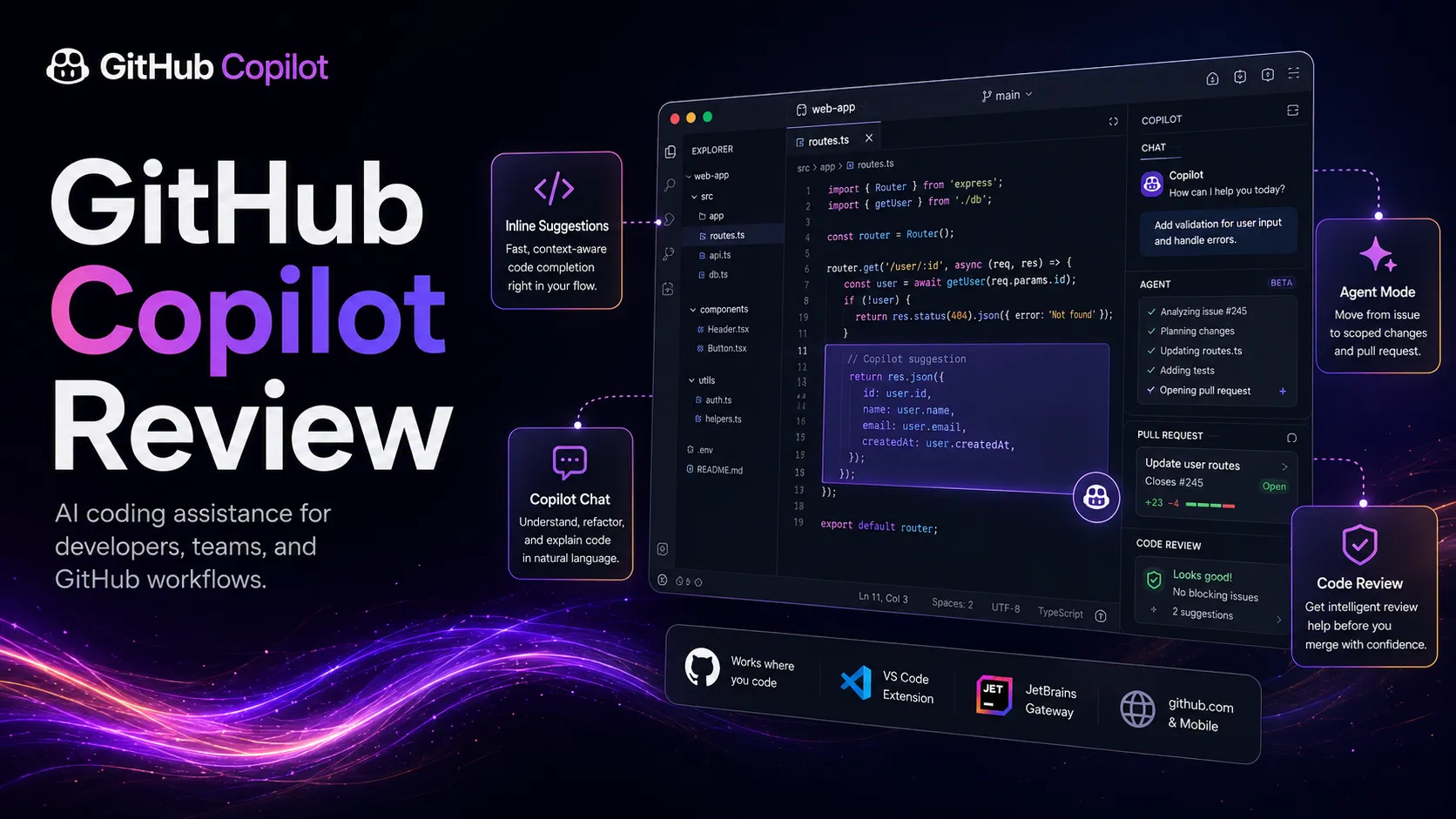
Use it if…
- ✓ Your development work already runs through GitHub, a supported IDE, and pull request review.
- ✓ You want AI help for boilerplate, explanations, refactors, tests, and review without replacing your editor.
- ✓ Your team needs a mainstream AI coding layer that can be managed through GitHub plans and policies.
- ✓ You want to experiment with cloud agent workflows for scoped issues, documentation updates, and test coverage tasks.
Skip it if…
- – You want an AI-first coding workspace that treats chat, editing, and multi-file changes as the center of the editor.
- – Your codebase privacy policy does not allow individual-tier AI model improvement or cloud prompt processing without review.
- – Your team expects AI-generated pull requests to merge without human code review and test discipline.
- – You only code occasionally and the free tier or a general AI assistant already covers your needs.
Review scorecard
Scored by workflow fit, ease of use, value, and stack compatibility. Weights reflect importance for typical buyers.
| Criteria | Score | ||
|---|---|---|---|
| Editor workflow fit | 9.0 | ||
| Repository and agent workflow | 8.4 | ||
| Governance and team controls | 8.2 | ||
| Pricing clarity | 7.4 | ||
| Stack value | 8.5 | ||
| Weighted overall | 8.4 / 10 | ||
On this page
Quick verdict
GitHub Copilot is still a sensible first paid AI coding assistant if your work already happens in GitHub and a supported editor. The practical question is not whether Copilot can write code. It can. The question is whether it removes enough daily friction to justify another AI subscription and another data-policy decision.
My practical take is simple: Copilot belongs in the stack when coding support needs to live beside your code, your branches, your issues, and your pull requests. It is less compelling if you want the editor itself rebuilt around AI, or if your team cannot allow sensitive code and prompts to move through cloud AI systems without stricter controls.
Who should use GitHub Copilot
You are in VS Code or JetBrains all day, writing the same kind of glue code, tests, refactors, and API calls again and again. In that situation, Copilot feels less like a separate AI tool and more like a helper that shortens the small pauses between intent and code.
GitHub Copilot is strongest for developers who already trust GitHub as the center of their workflow. If your team lives in issues, branches, pull requests, and code reviews, the value is not just inline suggestions. It is the way Copilot can show up in the editor, on GitHub, in the CLI, and in agent workflows without asking the whole team to move to a new coding environment.
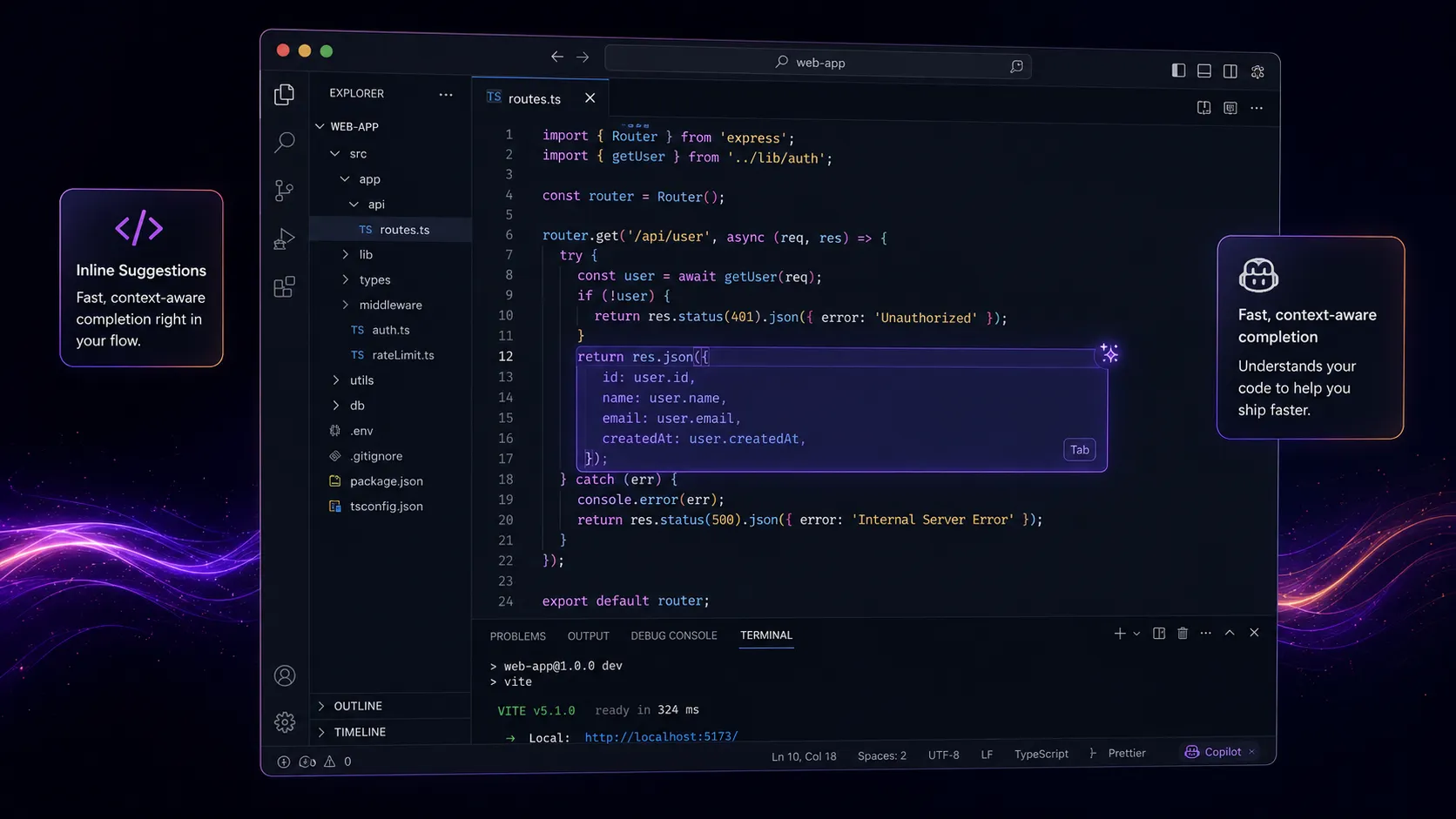
It also fits teams that want broad adoption. A tool like Cursor may feel more powerful for a developer who wants an AI-first editor. Copilot is easier to standardize across mixed teams because it works across mainstream IDEs and GitHub itself. That matters when some developers want AI help and others only want lightweight autocomplete.
Who should skip GitHub Copilot
Skip Copilot if your real goal is an AI-native coding workspace. Copilot has expanded far beyond autocomplete, but it still feels like a layer added to familiar tools. If you want chat, multi-file editing, repository reasoning, and agent work to become the center of the editor, Cursor deserves the first comparison.
This is also where I would be careful with sensitive code. GitHub’s public documentation says individual-tier interactions may be used to improve AI models unless the user opts out. For hobby projects, that may be acceptable. For client code, regulated code, private research, or proprietary infrastructure, you should review privacy settings and team policy before turning Copilot loose.
The other reason to skip is unrealistic expectation. Copilot can suggest, summarize, review, and now work through scoped agent tasks. It still does not own the architecture, the tests, the security model, or the decision to merge.
Real workflow fit
The normal Copilot workflow starts with a small moment. You know what function you need, but writing it from scratch feels boring. Copilot completes the pattern, you accept the parts that make sense, then you edit. That is the mature use case. The win is not magic. The win is reducing the number of blank-page moments in routine coding.
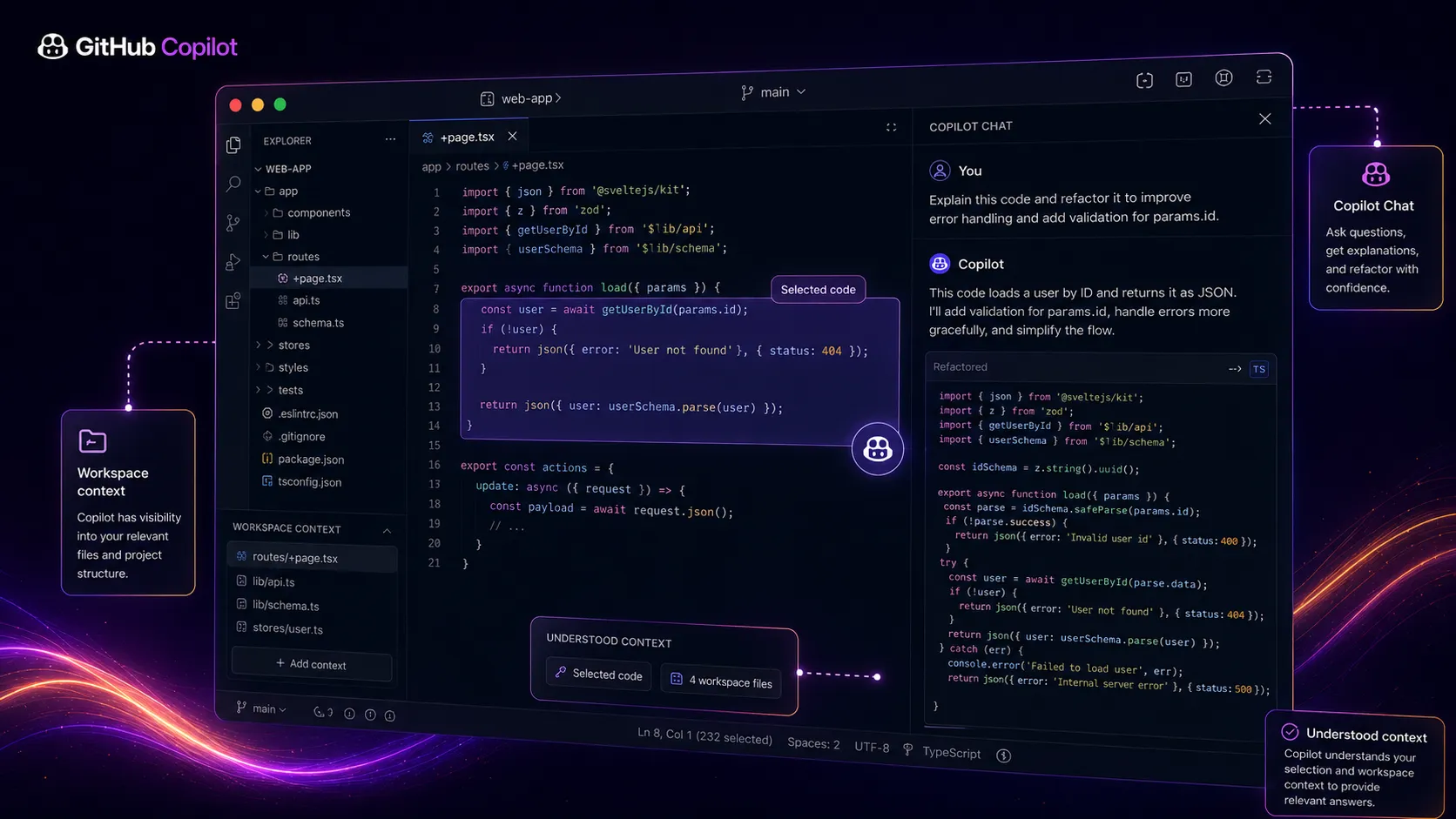
The newer story is cloud agent work. GitHub’s documentation describes Copilot cloud agent as a way to research a repository, create an implementation plan, make changes on a branch, and optionally open a pull request. That changes the buyer question. You are no longer asking only whether Copilot helps while you type. You are asking whether some issue-level work can move into a reviewable branch flow.
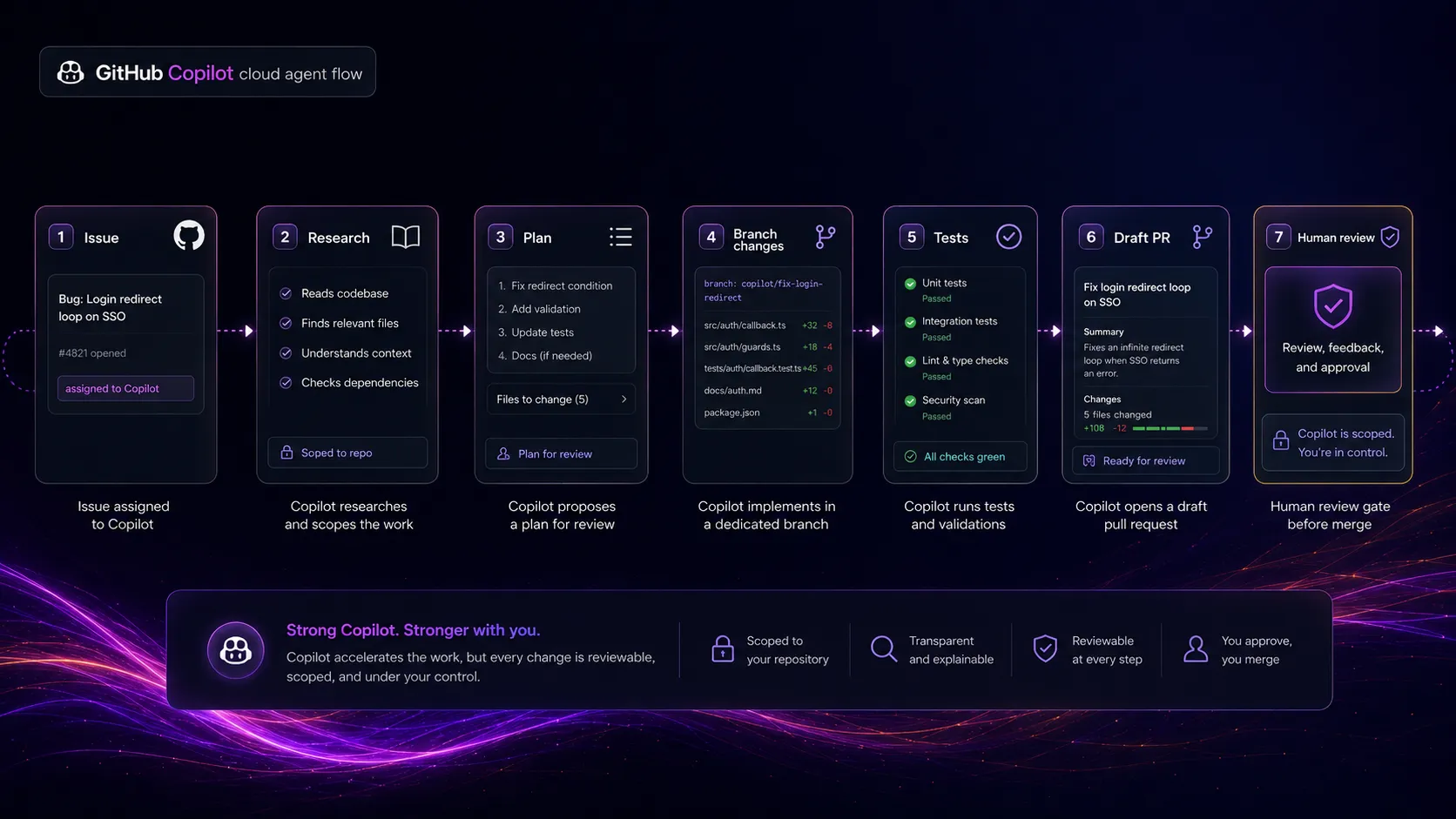
The friction is that agent work creates a new review burden. A pull request from an AI assistant can look productive, but it still needs the same engineering discipline as a junior developer’s first pass: tests, diffs, ownership, and rollback thinking. If your team already has strong review habits, the cloud agent can be useful. If your team merges quickly and reviews lightly, it can create quiet risk.
Where GitHub Copilot fits in an AI stack
The right way to think about GitHub Copilot is as the coding layer of your AI stack, not as your whole AI stack. It replaces some autocomplete work, some boilerplate writing, some first-pass explanations, some pull request summaries, and some scoped backlog work. It does not replace architectural judgment, product direction, repository governance, QA ownership, or security review.
For many developers, the best stack is still mixed. Use Copilot inside the editor and GitHub. Use Claude or ChatGPT for larger reasoning, planning, or explaining an unfamiliar design. Use v0 for UI generation if your main job is frontend scaffolding. Use Cursor if you decide the entire editor should become AI-first.
What GitHub Copilot does well
The first strength is adoption friction. If a developer already uses VS Code, JetBrains, Visual Studio, Xcode, Vim, Neovim, or GitHub, Copilot does not ask for a major behavior change. That sounds ordinary, but it is a serious advantage. Many AI coding tools fail because the developer has to move work somewhere unnatural.
The second strength is review flow. Copilot can help with code review assistance and pull request context, which matters because real engineering happens after code is generated. A good AI coding tool should not end at the suggestion. It should help the team understand, challenge, and clean up the change.
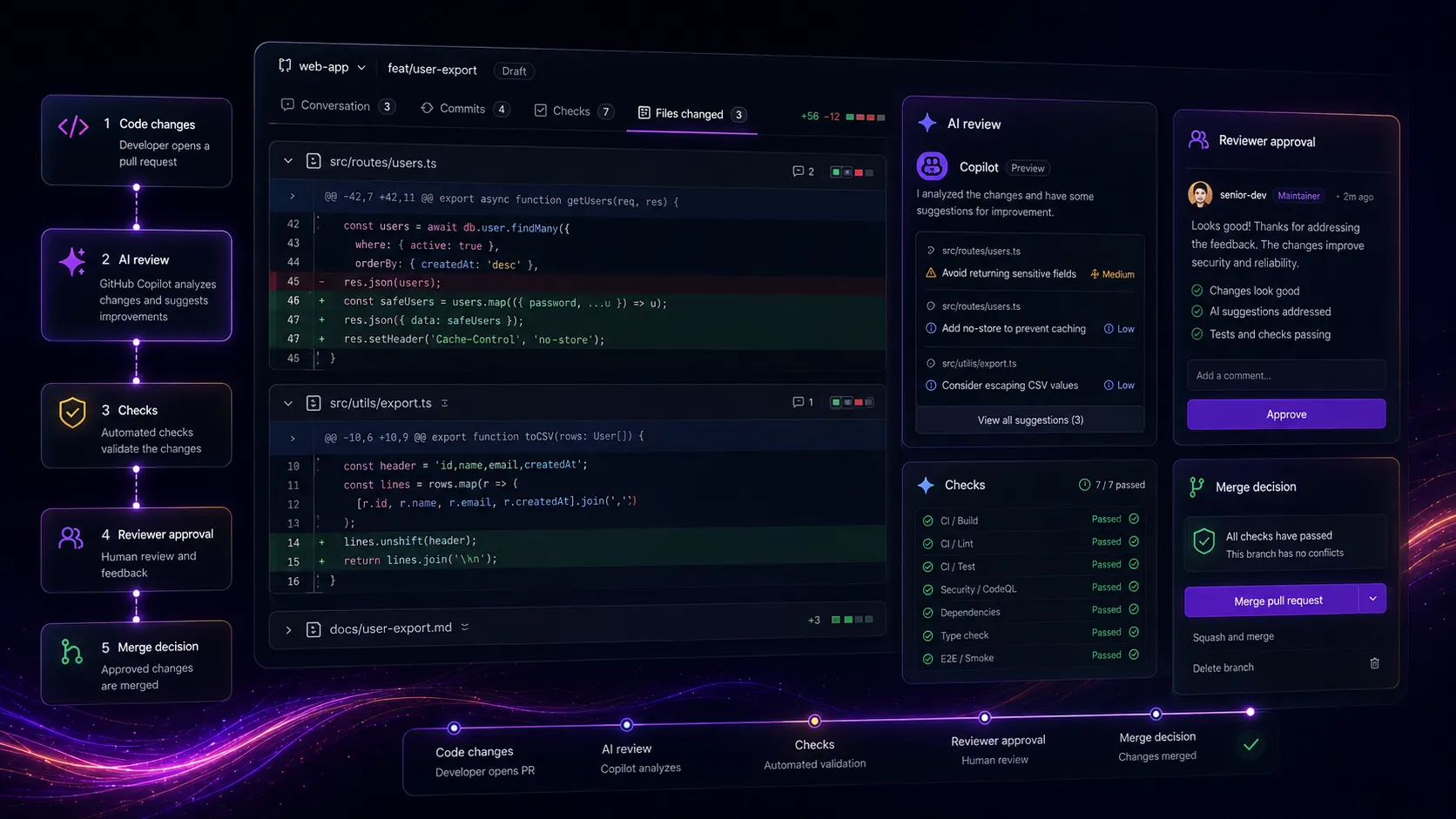
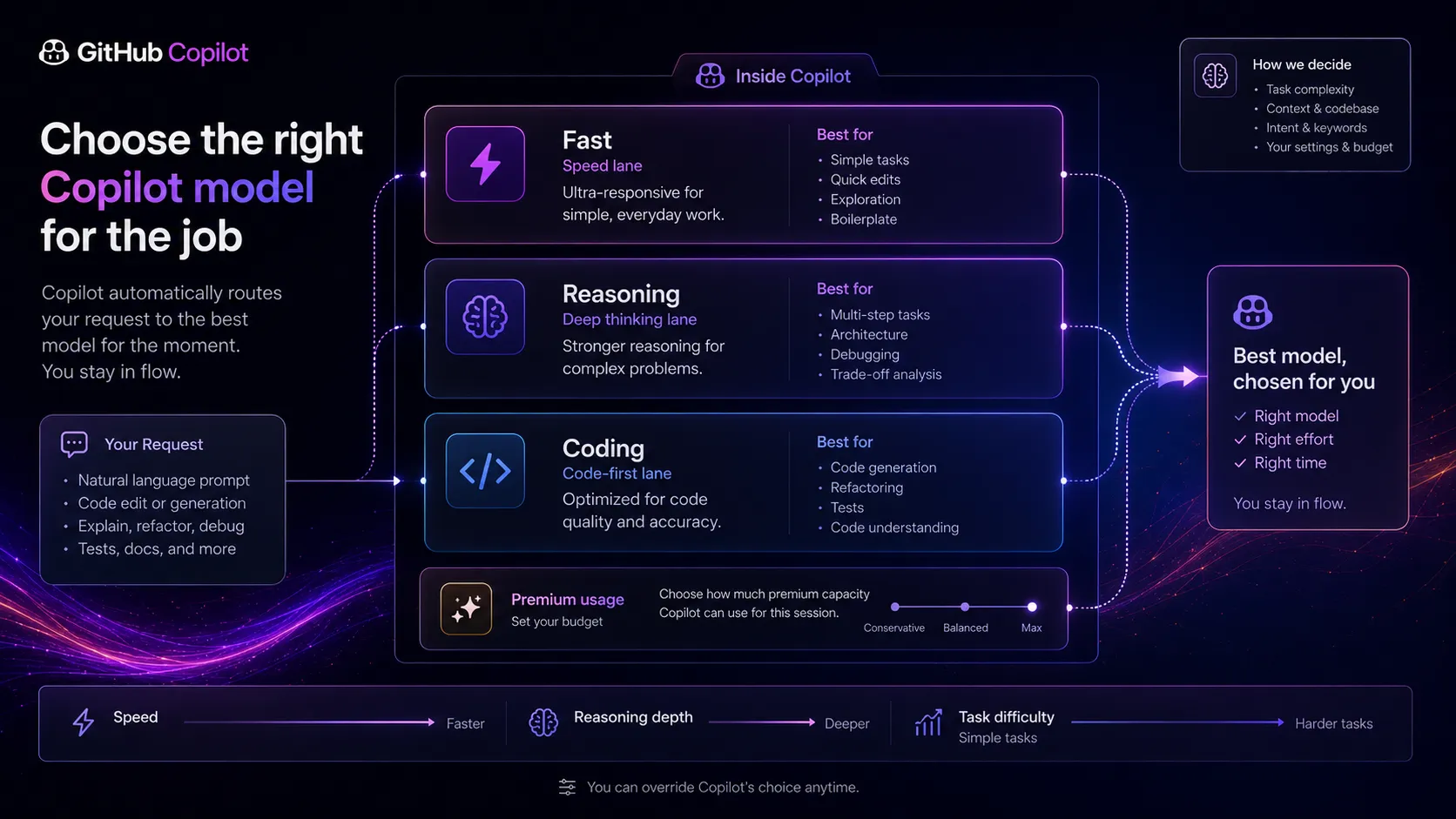
The third strength is model choice. GitHub’s public pages now position Copilot around multiple model providers and different capabilities. That is attractive for buyers who do not want their coding workflow tied to one model brand. The practical catch is that premium requests and plan limits start to matter once the strongest models become part of your routine.
What surprised me in the current public information is how much Copilot has shifted from autocomplete to workflow orchestration. It is no longer just a small editor helper. It is slowly becoming GitHub’s AI layer across issues, branches, pull requests, terminal work, code review, and agents.
Where GitHub Copilot falls short
The first weakness is that Copilot can feel less focused than AI-native coding tools. It has many entry points now, which is good for adoption, but it can also make the product feel spread across editor, GitHub, mobile, CLI, chat, agents, and policies. A solo developer who wants one intense coding cockpit may prefer Cursor.
The second weakness is trust. Generated code can be useful and still wrong. It can pass a quick glance and fail an edge case. It can look idiomatic but introduce security or maintenance debt. This is not unique to Copilot, but Copilot’s smooth editor experience can make acceptance too easy.
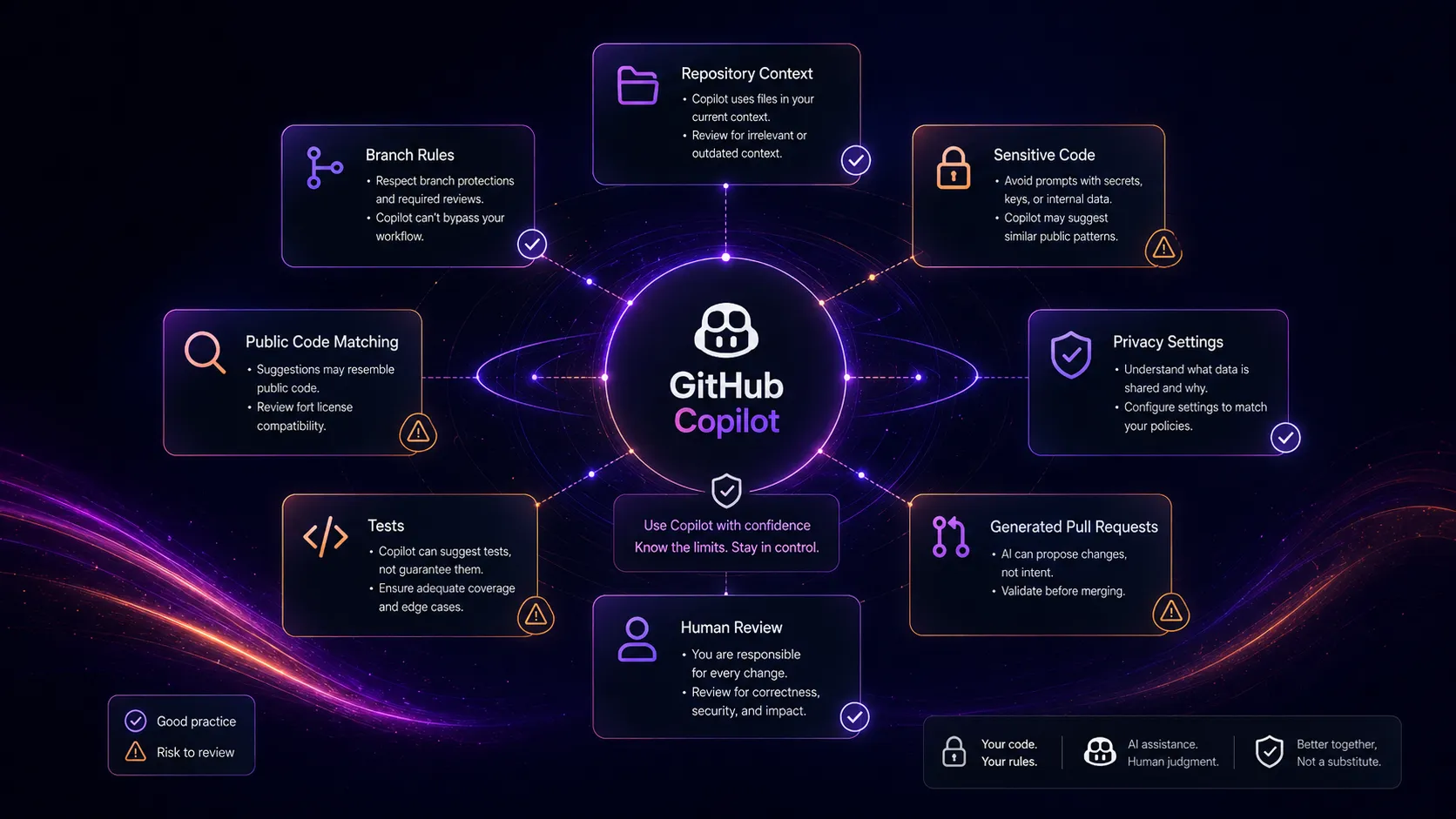
The third weakness is policy complexity. Individual users need to check data settings. Teams need to understand Business and Enterprise controls. Cloud agent users need to understand repository access, branch rules, actions usage, and premium requests. The tool looks easy from the outside. The buying decision gets more serious once private repositories and team policies enter the picture.
Pricing judgment
GitHub’s public plan information currently includes a Free path, Pro at $10 per month, Pro Plus at $39 per month, Business at $19 per granted seat per month, and Enterprise at $39 per granted seat per month. The buyer wrinkle is that GitHub Docs also note temporary pauses for some new self-serve signups starting in April 2026, plus premium request allowances and extra request pricing.
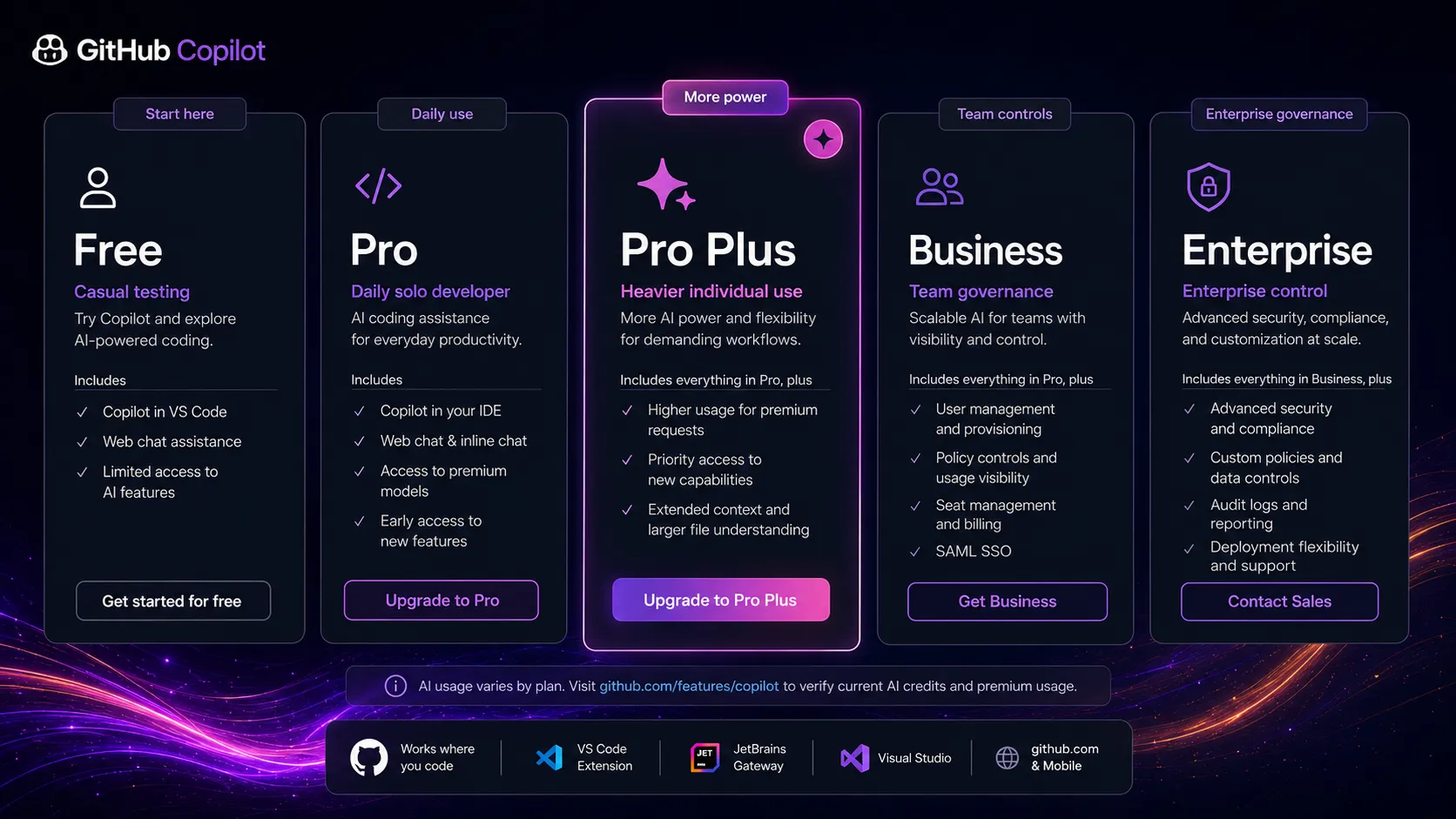
Stay free if you only want to test inline suggestions and occasional chat. Pay for Pro when Copilot is part of your daily coding rhythm and you want broader access to completions, chat, premium models, cloud agent, and review support. Look at Business or Enterprise when the real need is not more code generation, but control: seats, policies, organization settings, audit visibility, and safer team rollout.
Verify current pricing on the official pricing page.
Best alternatives to compare
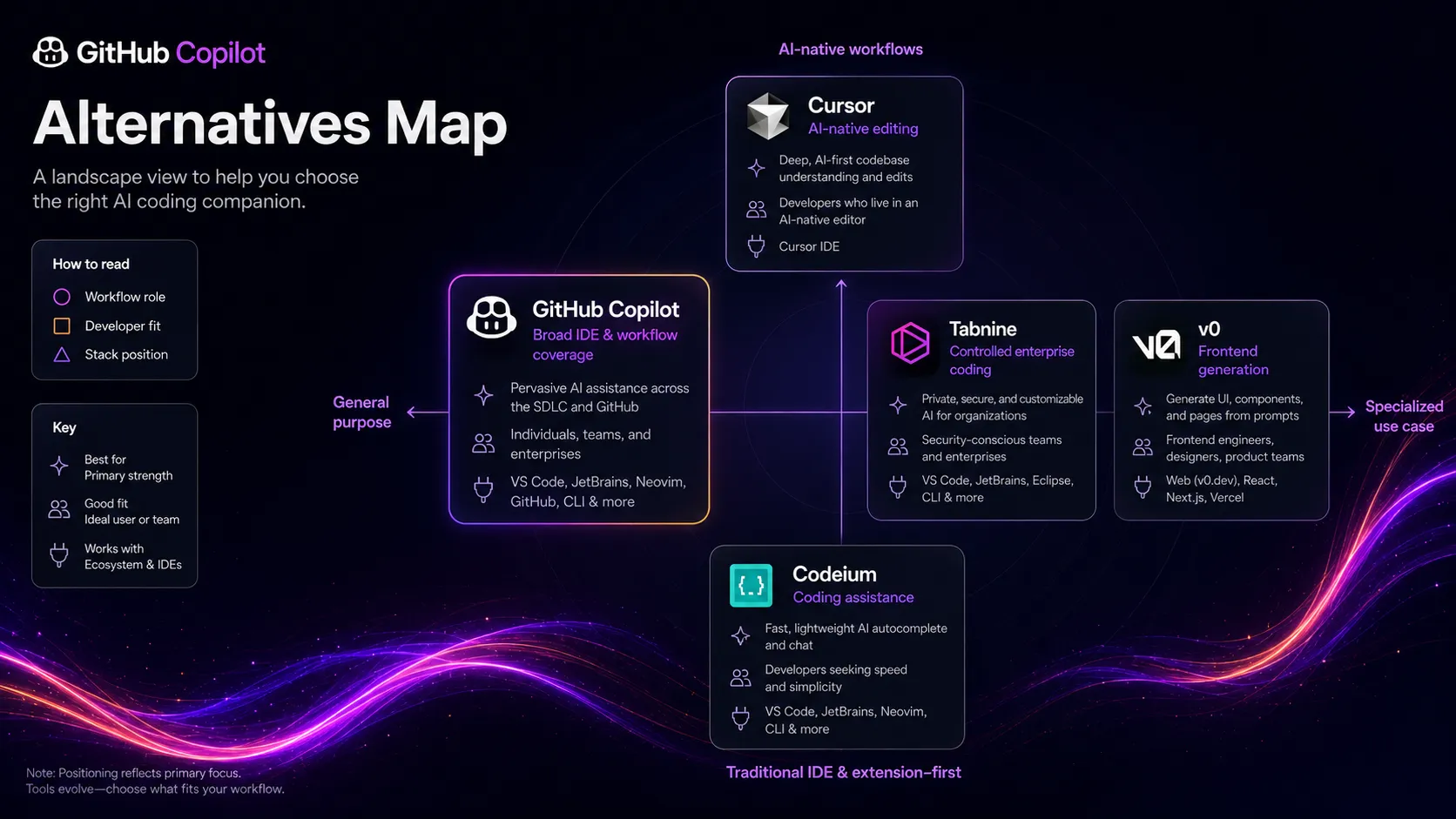
Cursor is the first serious comparison if you want the coding environment rebuilt around AI. Copilot is the safer adoption path for mixed teams and mainstream IDE users. Cursor is the stronger fit for developers who want deeper editor-level AI behavior and are willing to move work into that environment.
v0 is not a Copilot replacement for general coding, but it is a better tool to compare if your work is mostly frontend UI generation. If the task is turning prompts into usable interface starting points, v0 may give you faster first drafts than a general coding assistant.
Claude and ChatGPT are adjacent helpers. They are better for planning, explanation, code reasoning, and architecture discussion outside the editor. They do not replace Copilot’s native IDE and GitHub integration, but they can make the overall stack smarter when the task is bigger than a local code suggestion.
Final decision
Add GitHub Copilot to your stack if your daily development already runs through GitHub and supported IDEs, and you want AI assistance to reduce routine coding, review, and issue-handling friction.
Compare Cursor first if you want the editor itself to become AI-native, with deeper multi-file steering and a more focused coding cockpit.
Skip GitHub Copilot for now if your code privacy rules are not clear, your team does not have strong review habits, or your coding volume is too low to justify paying beyond the free tier.
Frequently asked questions
Is GitHub Copilot worth it in 2026?
Does GitHub Copilot have a free plan?
What is the difference between GitHub Copilot and Cursor?
Can GitHub Copilot cloud agent create pull requests?
Is GitHub Copilot safe for private code?
Where GitHub Copilot fits in a stack
AI coding assistance layer for autocomplete, IDE chat, GitHub pull request workflows, code review support, and scoped agent tasks
Does not replace
- – Senior code review and architecture judgment
- – Repository governance, secrets handling, and data policy review
- – Full QA, security testing, and production incident ownership
- – A product manager or engineer deciding what should be built
Pairs well with
Head-to-head comparisons
Top alternatives to consider
If GitHub Copilot is not the right fit, these are the most common alternatives.

Cursor is the stronger comparison if the buyer wants an AI-native editor where chat, multi-file editing, and codebase context are central to the workspace.

v0 is not a direct all-purpose coding assistant, but it is a better comparison for frontend teams trying to generate UI from prompts and move quickly from idea to component.

Claude is an adjacent coding helper rather than an IDE assistant. It is useful for reasoning through architecture, debugging ideas, or long explanations outside the editor.
Review methodology
Editorial review based on current public product pages, official GitHub documentation, pricing information, cloud agent documentation, public reporting, and research coverage. No hands-on testing was conducted.
This review is based on public product information and research, not direct hands-on testing in a private codebase.
Not covered: Hands-on benchmark testing across languages or repositories · Private enterprise contract terms · Security audit of Copilot-generated code · Private team productivity measurement