 L
L Loom
Loom works best when a short screen recording can replace a meeting, long email, or unclear Slack thread. It fits remote teams, agencies, product teams, and educators that need fast visual explanations without building a full video production workflow.
Quick answer
Loom works best when a short screen recording can replace a meeting, long email, or unclear Slack thread. It fits remote teams, agencies, product teams, and educators that need fast visual explanations without building a full video production workflow.
The free Starter plan is useful for light use, but it has limits on video count and recording length. Teams that rely on Loom for client work, onboarding, or internal documentation should check Business, Business + AI, privacy settings, retention needs, and annual billing before standardizing on it.
What is Loom?
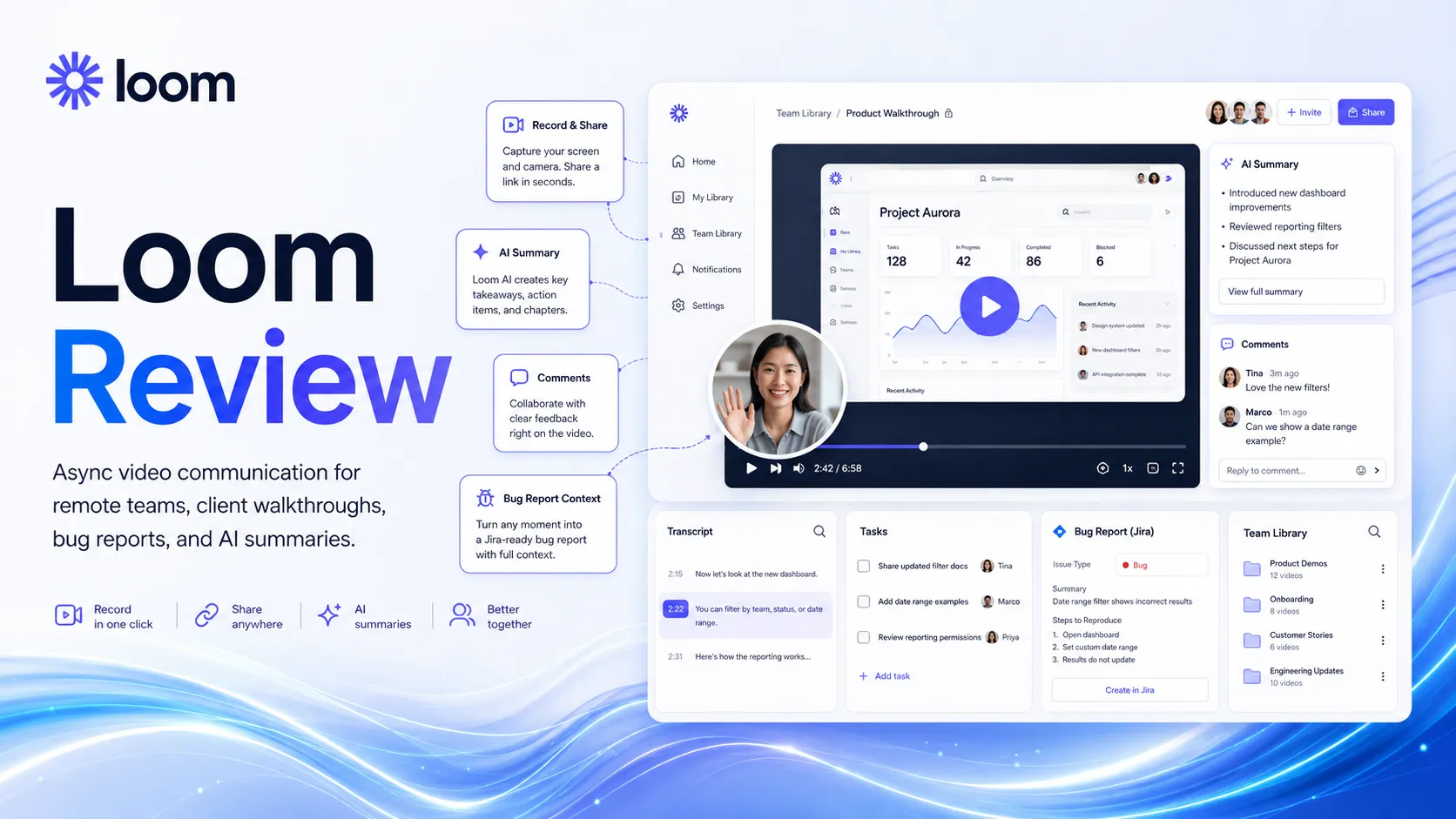
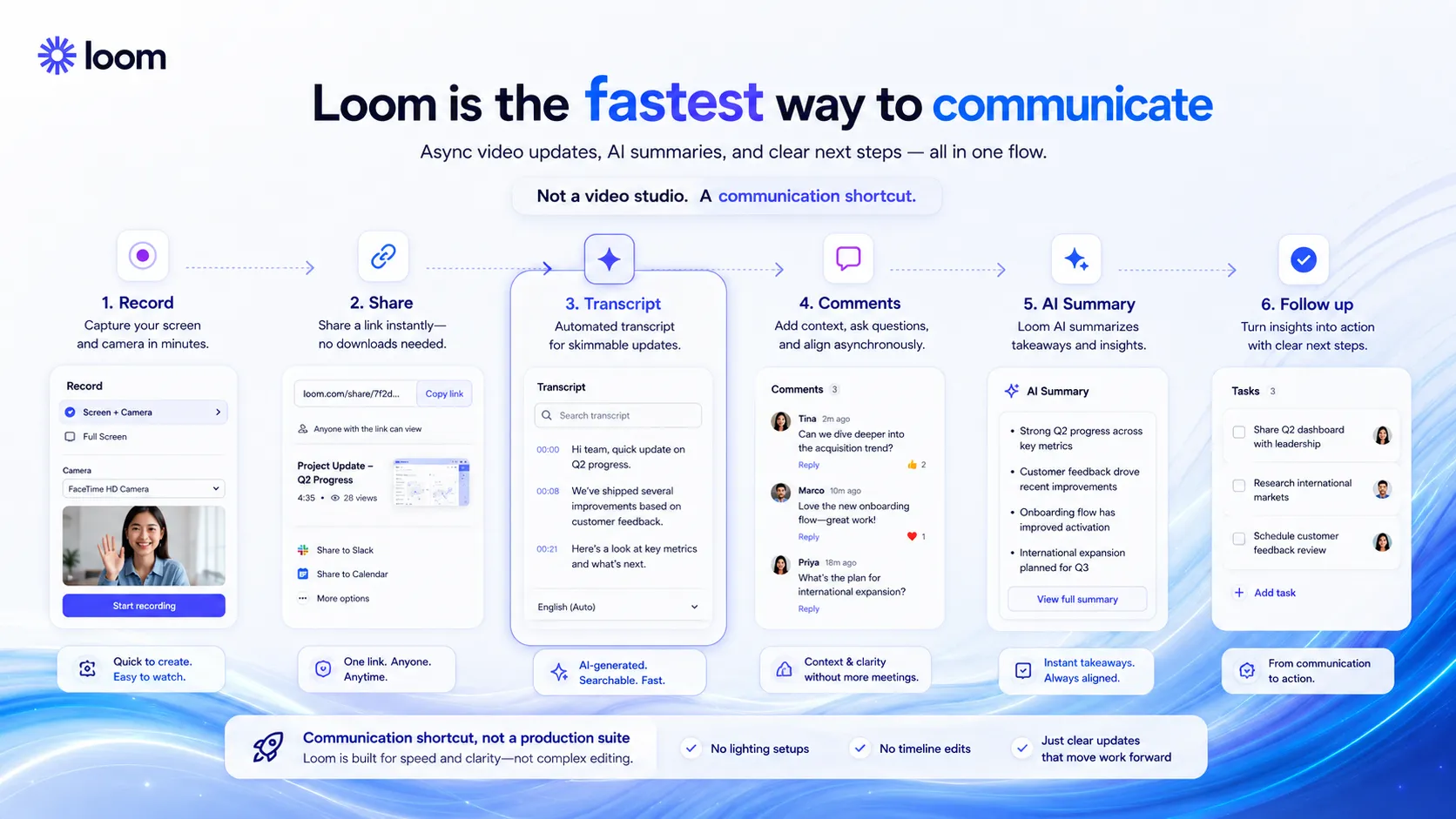
Teams use Loom to record screen, camera, and microphone videos, then share them through a link for async updates, feedback, walkthroughs, bug reports, onboarding, and client communication. Its AI layer can help with titles, summaries, chapters, tasks, meeting notes, and video cleanup on the current paid AI path. Loom belongs in the productivity and communication layer of a stack, not the creative video generation layer.
Who Loom fits best
Best for teams that explain work visually and want fewer live meetings, fewer repeated walkthroughs, and a searchable library of short updates.
- ✓Remote teams replacing status meetings with short screen and camera updates.
- ✓Agencies giving client feedback, website walkthroughs, and project handoff videos.
- ✓Product and engineering teams recording bug reports, feature demos, and async context.
- ✓Managers documenting onboarding steps, recurring processes, and team announcements.
Not ideal for
- •Creators producing polished public marketing videos or cinematic edits.
- •Teams that need avatar video generation instead of human screen recordings.
- •Buyers who only need automatic meeting transcription without async video sharing.
- •Organizations with strict retention, privacy, or admin needs that have not reviewed Enterprise terms.
Main use cases
Async team updates
Loom can replace routine status meetings with short screen and camera updates. It works best when teammates need context but not a live call.
Client feedback and walkthroughs
Agencies can record website audits, design notes, campaign feedback, and project handoffs. The buyer value comes from reducing unclear written back and forth.
Product demos and bug reports
Product teams can capture what happened on screen and share it with engineers, support teams, or stakeholders. Loom is useful when screenshots alone do not explain the issue.
Onboarding and internal documentation
Teams can build a library of process videos for repeat questions and recurring workflows. Human organization is still needed so videos stay easy to find.
Where Loom fits in the AI stack
Loom sits in the async communication layer of an AI productivity stack. It can replace some meetings, repeated walkthroughs, bug explanation calls, and long email threads, but it does not replace project management, documentation structure, video editing, or approval workflows. Pair it with workspace, calendar, chat, and automation tools.
Stack role
Productivity and knowledge workflow layer
Best paired with
Slack, Notion, Google Workspace
Strongest layer
Quick explanation + Async collaboration
| Stack layer | Fit | What to know |
|---|---|---|
| Quick explanation | strong | Works well when a short visual recording explains the issue faster than text. |
| Async collaboration | strong | Useful for remote teams that need context across time zones without booking another meeting. |
| Public video production | weak | Loom is not the main tool for polished marketing videos, avatar content, or cinematic editing. |
| Knowledge management | medium | The recording is useful, but teams still need a system for naming, storing, and revisiting videos. |
Best stack combinations
Remote product teams
loom + slack + notion + linear
Use Loom for visual context, Slack for discussion, Notion for documentation, and Linear for follow-up work.
Agencies and client service teams
loom + google-workspace + zapier + descript
Use Loom for walkthroughs, Google Workspace for supporting files, Zapier for handoffs, and Descript when recordings need deeper editing.
Internal enablement teams
loom + notion + zoom + chatgpt
Use Loom for reusable walkthroughs, Notion for the library, Zoom for live training, and ChatGPT for drafting outlines and summaries.
What Loom can replace
- · Some recurring update meetings
- · Some long explanatory emails
- · Some repeated client walkthrough calls
- · Some visual bug report explanations
What it still needs
- · project-management-system: Ownership, deadlines, tasks, and decisions after a video is shared
- · knowledge-base: Organized storage so useful videos do not disappear in chat history
- · human-review: Review for client-sensitive, private, or public-facing recordings
- · video-editor: Deeper edits when the recording needs to become polished content
Add it to your stack if
- · Your team spends too much time repeating the same explanations in calls or chat.
- · Client feedback, bug reports, or product walkthroughs are easier to show than describe.
- · Remote teammates need context without waiting for a live meeting.
- · You want a lightweight async video layer before investing in heavier video production tools.
Skip it if
- · Your main need is professional video editing or avatar video generation.
- · You only need meeting transcription and do not plan to record async walkthroughs.
- · Your organization cannot use external video links without a privacy and retention review.
- · Written documentation already solves the problem with less friction.
Choose your next step
Pricing
→Check Loom plan limits, AI features, annual billing, and whether Starter, Business, or Business + AI fits your team.
Alternatives
→Compare Loom with async video, meeting recording, and video editing tools before choosing a team workflow.
Compare options
→Compare Loom and Descript for screen recording, editing depth, team communication, and repurposing needs.
Stack fit
→See where Loom fits beside docs, chat, meetings, automation, and knowledge management tools.
Review
→Read the full Loom review before making it a default async video layer for your team.
Pricing summary
This is a profile-level summary. Use the pricing page for deeper plan checks.
Starting path
Free Starter plan, paid plans from $18/user/mo
Free plan
Yes
Free trial
Yes
Based on the current public pricing page, Loom offers a free Starter plan with limits, Business at $18 per user per month, Business + AI at $24 per user per month, and Enterprise through sales. Loom also shows a paid-plan trial path and annual billing savings up to 17 percent, but buyers should verify the live checkout terms before rollout.
Best starting path: Starter is enough for occasional async clips. Business fits teams that need unlimited videos, while Business + AI is the better route when summaries, chapters, tasks, and cleanup features matter.
Related stack page
AI Productivity Stack
→Role: Async video communication and visual context layer
Loom fits an AI productivity stack as the visual explanation layer. It helps teams reduce meetings and clarify work before tasks, docs, and automations take over.
Agency Stack
→Role: Client walkthrough and feedback layer
Agencies can use Loom to explain audits, revisions, reporting, and handoffs in a way clients can replay without another call.
Top alternatives
See all →Direct alternatives
Adjacent tools in the same stack

Related comparisons
FAQ
Is Loom free?
Yes. Loom currently has a free Starter plan with limits on video count and recording length. It is useful for testing async video communication, but teams that record often should review Business and Business + AI plan limits on the official pricing page.
What is Loom best used for?
Loom is best for short screen and camera recordings that explain work faster than text. Common uses include async updates, client walkthroughs, product demos, bug reports, onboarding clips, and internal process documentation.
Does Loom include AI features?
Loom currently lists AI features such as auto titles, summaries, chapters, tasks, meeting notes, recaps, filler word removal, and silence removal on its AI path. Buyers should verify which features are included in the plan they choose.
Is Loom a replacement for Zoom?
Loom can reduce some meetings, but it does not replace live discussion when the team needs debate, decisions, or sensitive conversation. A practical stack often uses Loom for context and Zoom for meetings that still need real-time interaction.
Is Loom good for public marketing videos?
Loom is better for fast communication than polished public video production. For marketing videos, teams may still need tools such as Descript, HeyGen, Canva AI, or a full video editor depending on the style and quality bar.
How TopAIStacks evaluates Loom
This profile uses Loom's official homepage and pricing page as the source of truth for positioning, plan names, public pricing, free plan limits, trial signals, annual billing note, and AI feature placement. No hands-on testing, refund claim, coupon code, or enterprise contract detail is assumed.
Last checked: May 2026 · Source confidence: high