 n
n n8n
Self-hostable AI workflow automation for technical teams
Quick answer
n8n is best for technical teams that want visual workflow automation without giving up code, self-hosting, custom API calls, and deeper control. It can be excellent for AI agents and internal automations, but it is not the simplest first automation tool for non-technical users.
n8n gives builders a lot of power, but that also means buyers should treat it like an operational system, not just a simple no-code toy. Before using it for production workflows, confirm hosting approach, credentials, execution volume, error handling, monitoring, and who owns fixes when automations fail.
What is n8n?
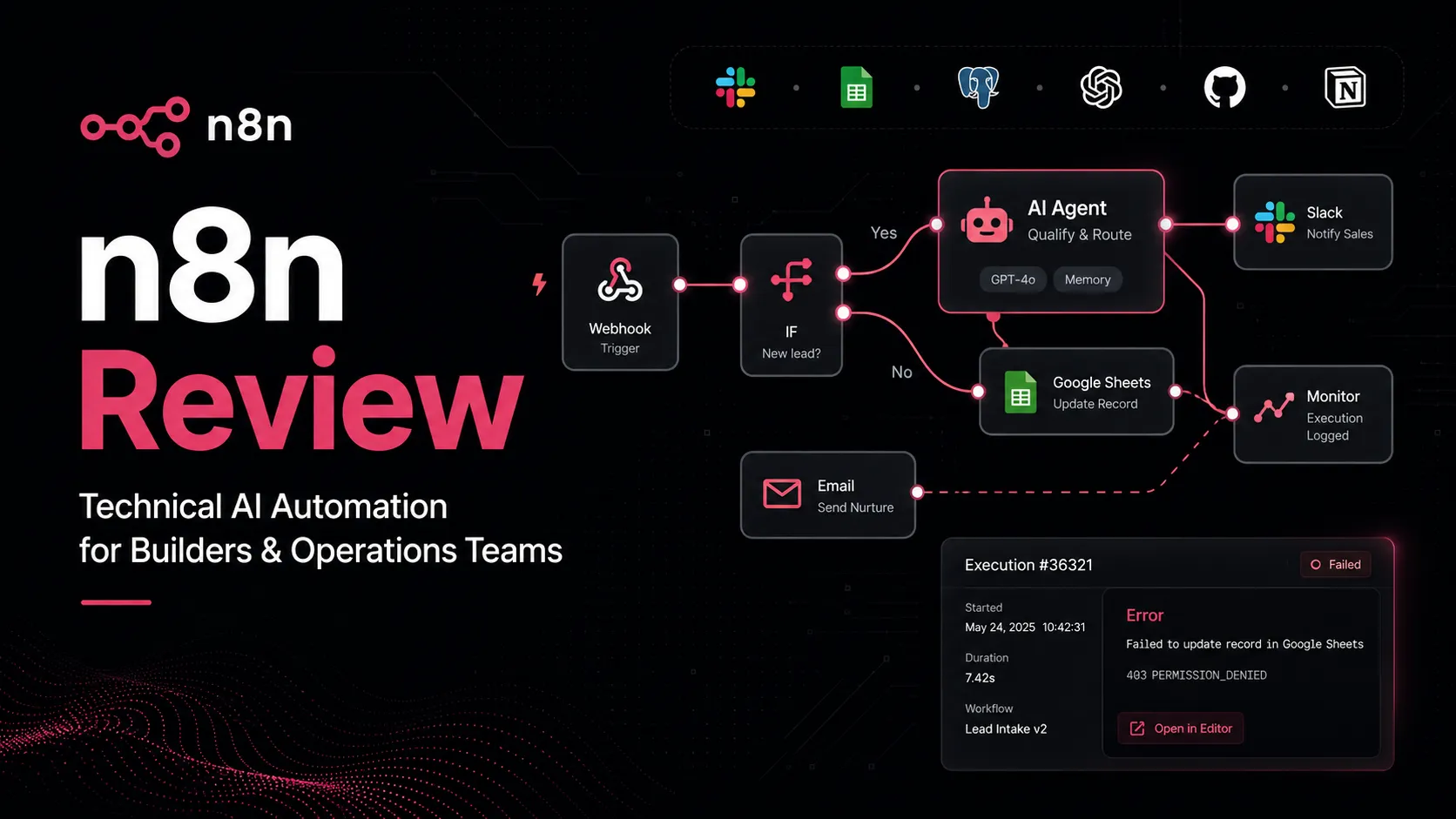
n8n is a workflow automation platform where users connect apps, APIs, data sources, AI models, and approval steps on a visual canvas. It can run as a hosted cloud service or as a self-hosted Community Edition, which makes it attractive for teams that care about data control, custom logic, and infrastructure flexibility.
Who n8n fits best
Best for developers, automation engineers, RevOps teams, AI builders, and technical operators who want visual workflow automation with self-hosting and code-friendly escape hatches.
- ✓Developers building internal automations around APIs, webhooks, databases, and AI models.
- ✓Technical RevOps or marketing ops teams that need flexible routing, enrichment, and approval workflows.
- ✓Security, IT, and DevOps teams that want to keep automations closer to their own infrastructure.
- ✓AI agent builders who need traceable workflows, human-in-the-loop steps, and multiple connected systems.
Not ideal for
- •Beginners who want a guided Zapier-style setup with minimal technical choices.
- •Teams without someone responsible for workflow maintenance, credentials, and failure recovery.
- •Buyers who need enterprise support, SSO, SAML, LDAP, audit logging, or SLA before checking plan limits.
- •Users who only need a simple two-step automation and do not want to learn execution concepts.
Main use cases
AI agent orchestration
n8n can connect AI models, internal data, APIs, and human approvals into traceable workflows. It is useful when teams need more control than a black-box agent builder.
Self-hosted internal automation
Technical teams can deploy n8n on their own infrastructure when data control, credentials, or internal network access matter. This requires operational ownership.
API and app integration workflows
n8n is useful for connecting SaaS tools, databases, webhooks, custom API requests, and business systems in one automation canvas.
RevOps and support handoffs
Teams can enrich leads, route tickets, update CRMs, notify Slack, and create internal follow-up tasks. The workflow should include logging and exception handling.
Where n8n fits in the AI stack
n8n sits in the automation connector layer of an AI stack. It connects apps, APIs, databases, AI models, and human review points into workflows that can run on n8n Cloud or self-hosted infrastructure. It can replace some manual handoffs and custom scripts, but it does not replace process design, infrastructure ownership, credential security, monitoring, or human approval for sensitive actions.
Stack role
Workflow automation connector layer
Best paired with
ChatGPT, Google Sheets, Airtable
Strongest layer
Self-hosted automation + AI agent workflows
| Stack layer | Fit | What to know |
|---|---|---|
| Self-hosted automation | strong | n8n is especially strong when technical teams want self-hosting, infrastructure control, and source-available workflow automation. |
| AI agent workflows | strong | It fits AI workflows that need visible reasoning steps, data connections, custom logic, model calls, and human approvals. |
| Simple beginner automation | medium | Basic workflows are possible, but non-technical users may find Zapier or Make easier for first automations. |
| Enterprise governance | medium | Business and Enterprise features cover governance needs, but buyers should verify SSO, environments, support, logging, and deployment requirements before procurement. |
Best stack combinations
AI builders and technical operators
n8n + chatgpt + airtable + slack
Use n8n to orchestrate model calls, structured records, notifications, and human approvals across AI workflows.
RevOps and sales operations teams
n8n + hubspot + google-sheets + slack
Use n8n for lead enrichment, CRM updates, reporting, and escalation workflows where custom logic matters.
Developer productivity teams
n8n + github + linear + slack
Use n8n to connect issue tracking, code workflows, alerts, deployment events, and internal process automation.
What n8n can replace
- · Some custom app-to-app integration scripts
- · Some manual data transfer between SaaS tools
- · Some scheduled reporting and alerting workflows
- · Some lightweight AI agent orchestration glue code
What it still needs
- · hosting-plan: A clear decision on cloud versus self-hosted deployment
- · credential-policy: Secure handling of API keys, OAuth connections, secrets, and internal app permissions
- · monitoring-system: Error logging, retry strategy, and ownership when production workflows fail
- · human-approval: Review gates for customer-facing, financial, security, or publishing actions
Add it to your stack if
- · You want self-hostable workflow automation with code-friendly flexibility.
- · Your AI workflows need custom API calls, webhooks, human approval, and traceable steps.
- · You have someone technical who can own deployment, monitoring, and debugging.
- · Per-step automation pricing feels limiting for your expected workflow complexity.
Skip it if
- · You need the easiest possible beginner automation tool.
- · Your team cannot manage credentials, hosting, updates, and failed execution handling.
- · Your workflow is a simple two-step trigger and action.
- · You have not reviewed Business or Enterprise terms for security-sensitive production workflows.
Choose your next step
Pricing
→Check Community Edition, cloud plan pricing, trial terms, workflow execution limits, and self-hosted Business or Enterprise requirements.
Alternatives
→Compare n8n with Zapier, Make, Activepieces, and adjacent workflow tools before choosing your automation layer.
Compare options
→Compare n8n and Zapier for self-hosting, technical control, setup simplicity, app coverage, and workflow scale.
Stack fit
→See where n8n fits beside AI assistants, APIs, spreadsheets, CRMs, issue trackers, and team communication tools.
Review
→Read the full n8n review before using it as the default workflow automation backbone in your stack.
Pricing summary
This is a profile-level summary. Use the pricing page for deeper plan checks.
Starting path
Community Edition, cloud plans from 20€/mo billed annually
Free plan
Yes
Free trial
14 days
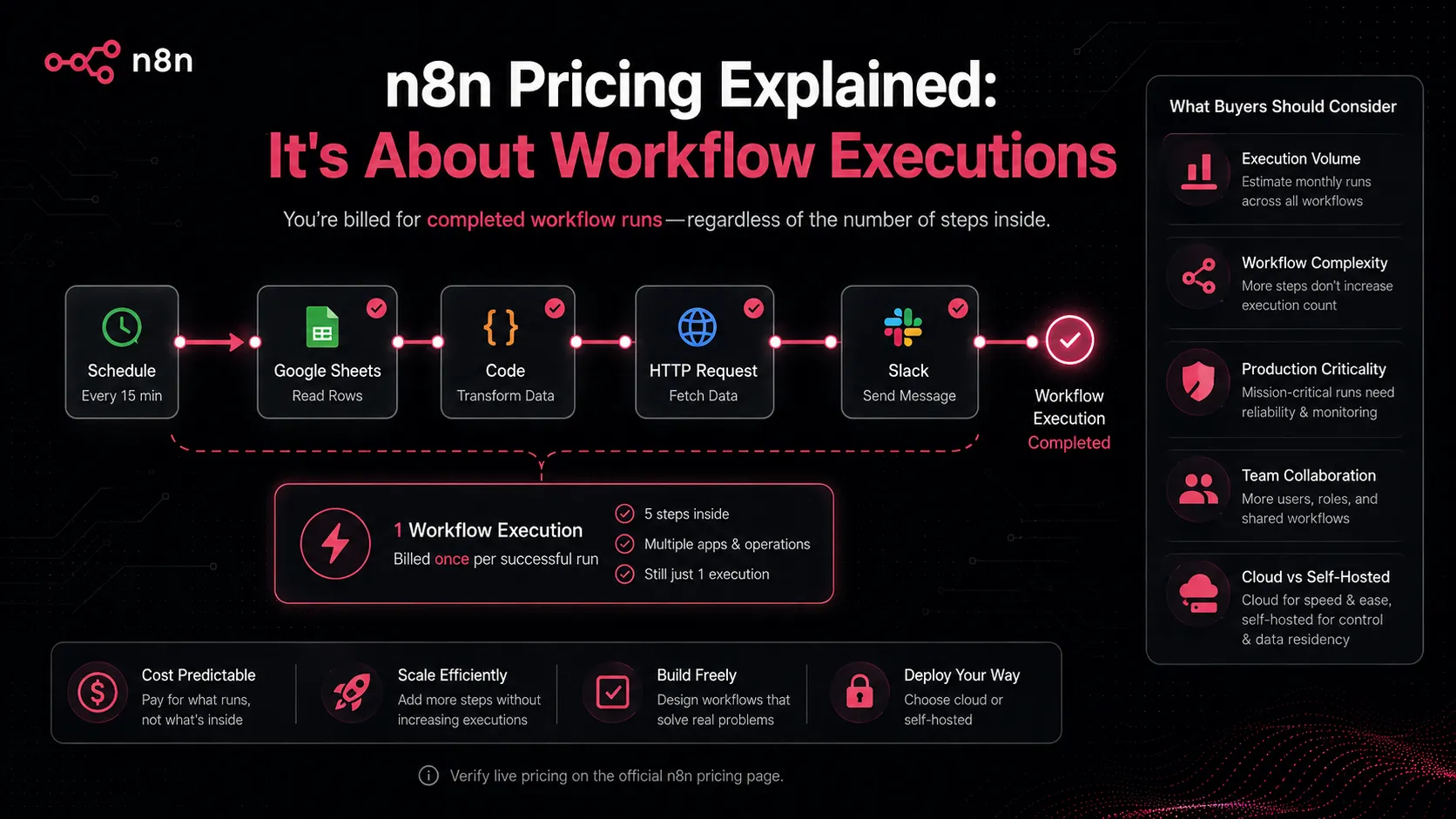
n8n currently lists a Community Edition for self-hosting and paid n8n Cloud plans priced by workflow executions rather than per step. The pricing page shows Starter at 20€/mo billed annually for 2.5K workflow executions, Pro at 50€/mo billed annually for 10K executions, Business at 667€/mo billed annually, and Enterprise as custom. Buyers should verify billing currency, execution tiers, trial terms, and plan limits on the live pricing page before upgrading.
Best starting path: Community Edition is the natural starting point for technical users who can self-host. Starter or Pro fit managed cloud usage, while Business and Enterprise should be reviewed when governance, self-hosted licensing, support, SSO, environments, or scale matter.
Related stack page
Developer Productivity Stack
→Role: Technical workflow automation backbone
n8n fits a developer productivity stack when teams need to connect APIs, internal tools, code-friendly workflow logic, alerts, tickets, and AI steps without writing every integration from scratch.
AI Automation Stack
→Role: AI workflow and agent orchestration layer
n8n fits an AI automation stack when the workflow needs model calls, data retrieval, tool use, human approvals, logging, and deployment control in one visible system.
Top alternatives
See all →Direct alternatives

Zapier is the closest mainstream alternative for non-technical users who want easier guided app automation.

Make overlaps with n8n for visual workflow automation but is more managed and often easier for no-code operators.

Related comparisons
FAQ
Is n8n free?
n8n lists a Community Edition that can be self-hosted, while n8n Cloud is a paid hosted service with trial options. The free route is best for technical users who can manage deployment, updates, credentials, and monitoring themselves.
What is n8n best used for?
n8n is best for technical workflow automation across apps, APIs, AI models, databases, webhooks, and internal systems. It is especially useful when teams need custom logic, self-hosting, or human-in-the-loop AI workflows.
Is n8n easier than Zapier?
Not usually for beginners. Zapier is often easier for simple automations, while n8n gives more control for technical users who want self-hosting, code steps, custom APIs, and deeper workflow logic.
Does n8n support AI workflows?
Yes. n8n positions itself around AI agents and workflows, with AI Workflow Builder credits, AI use cases, model connections, human-in-the-loop decisions, and support for data-connected automations. Buyers should verify feature availability by plan.
What should buyers verify before upgrading n8n?
Buyers should verify hosting model, execution volume, billing currency, plan limits, shared projects, concurrency, insights retention, SSO or governance needs, support level, and whether self-hosted licensing terms fit the intended use.
How TopAIStacks evaluates n8n
This profile uses n8n's official homepage and pricing page as the source of truth for positioning, plan names, execution-based pricing, self-hosted Community Edition, trial wording, annual billing signal, deployment options, and feature placement. G2 was used for the public 0-5 rating and review count, plus sentiment patterns around flexibility and learning curve. No hands-on testing, coupon code, refund claim beyond the pricing FAQ, or enterprise contract detail is assumed.
Last checked: May 2026 · Source confidence: high