
n8n Review
n8n review for 2026 buyers: workflow fit, self-hosting, pricing, AI agents, limits, alternatives, and who should use it.
Excellent for technical automation and AI workflows, but not the lowest-friction choice for non-technical teams.
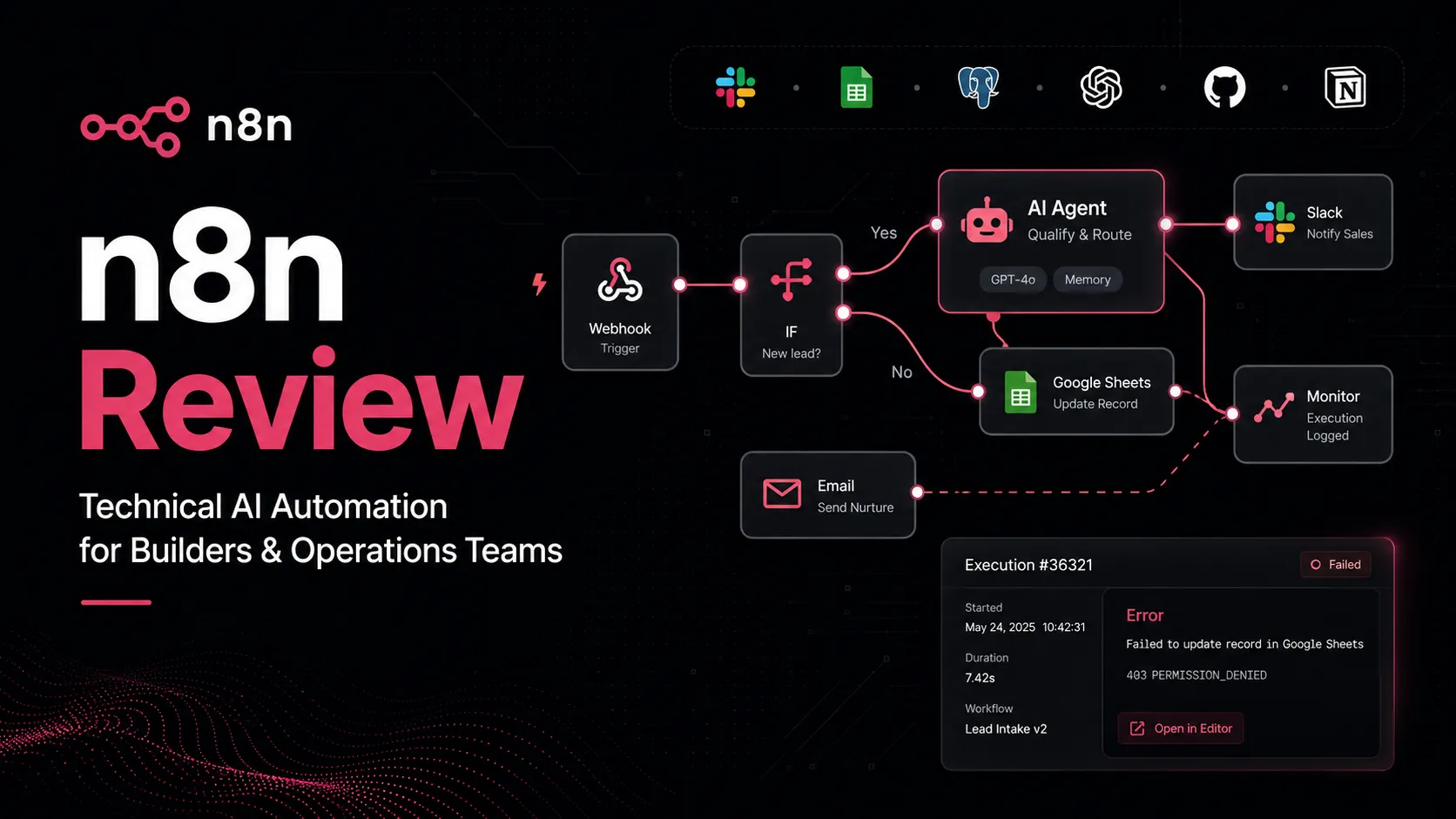
Use it if…
- ✓ You need automation workflows that combine app triggers, API calls, conditional logic, AI nodes, data transformation, and human approval points.
- ✓ You want the option to deploy automation on your own infrastructure or choose n8n Cloud when hosting is not worth the operational load.
- ✓ You are building AI agents or AI-assisted workflows where visibility into each step matters more than one-click simplicity.
- ✓ You have at least one technical owner who can troubleshoot credentials, API failures, rate limits, execution history, and workflow design.
Skip it if…
- – Your team wants the simplest possible setup for a few basic business automations.
- – You do not have anyone who can manage self-hosting risks or debug workflow failures.
- – You need a turnkey automation platform with minimal technical language and hand-holding for every connector.
- – Your commercial plan depends on embedding or reselling n8n functionality without checking license and enterprise terms.
Review scorecard
Scored by workflow fit, ease of use, value, and stack compatibility. Weights reflect importance for typical buyers.
| Criteria | Score | ||
|---|---|---|---|
| Workflow control | 9.1 | ||
| AI automation fit | 8.8 | ||
| Pricing and deployment flexibility | 8.4 | ||
| Ease of adoption | 7.4 | ||
| Governance and scaling fit | 8.3 | ||
| Weighted overall | 8.5 / 10 | ||
On this page
What this means in practice
n8n is not just another “connect app A to app B” automation tool. That is the simple version of the story, and it undersells why technical users like it.
The real reason to look at n8n is control. You can build workflows visually, but you are not locked into only lightweight recipes. You can connect apps, call APIs, transform data, add conditional branches, run AI nodes, route exceptions, involve humans, and decide whether the workflow should live on n8n Cloud or your own infrastructure.
That makes n8n a serious option for AI workflows. A basic AI chat tool can answer a question, but it usually does not own the operational chain after that answer. n8n is the layer that can take an input, call a model, check data, write back to a system, notify a person, and wait for approval before the next step.
The tradeoff is also real: n8n gives you more power, but it asks for more ownership. If nobody on your team understands credentials, API errors, workflow runs, hosting, logs, or failure recovery, n8n can become intimidating quickly.
Who should use n8n
n8n makes the most sense for builders who are comfortable thinking in systems. That could mean a developer, a technical founder, an operations person who already works with APIs, or a marketer who has crossed from simple automation into real process design.
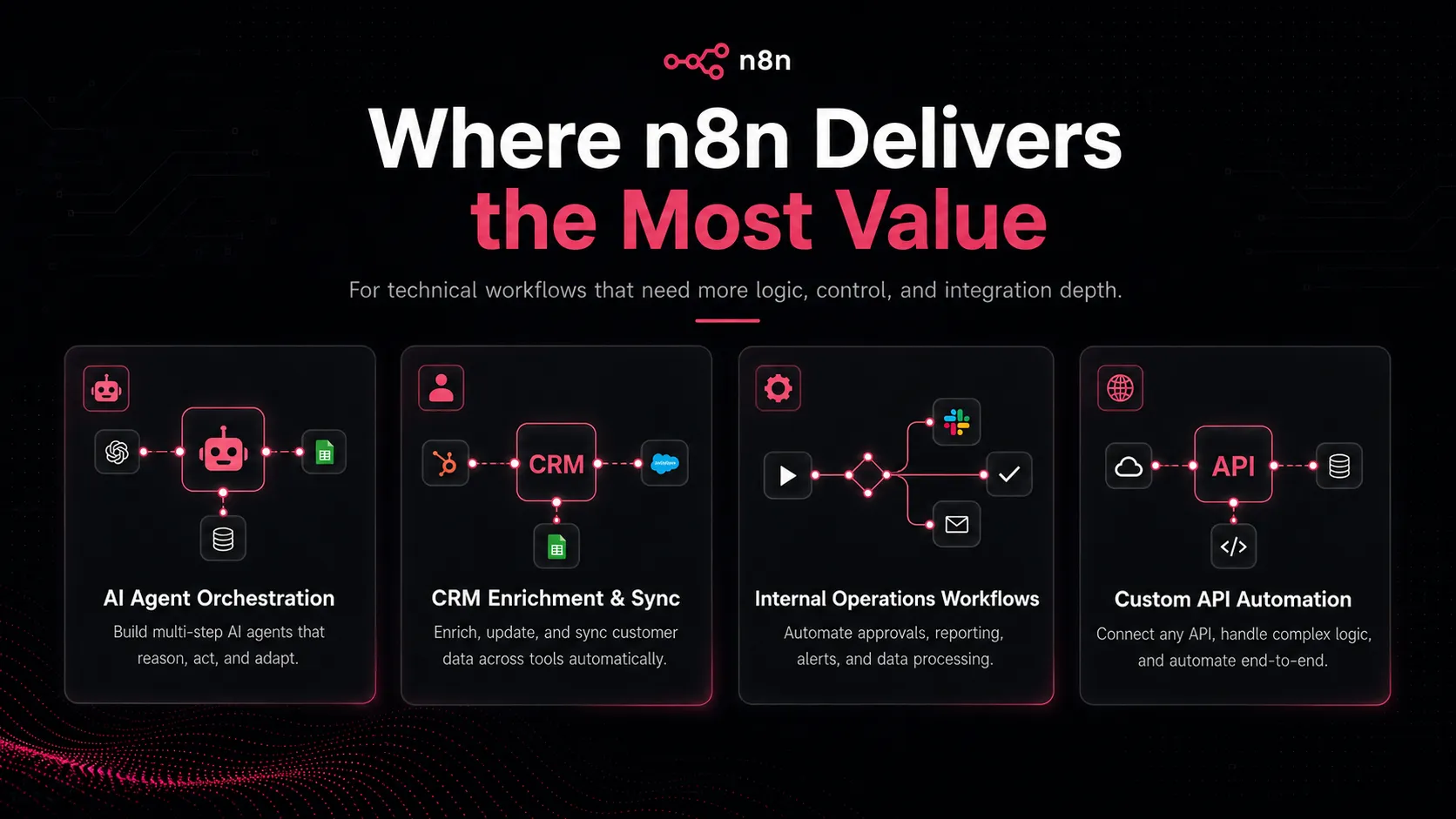
Good use cases include CRM enrichment, lead routing, content production workflows, Slack alerts, database syncs, AI-assisted research pipelines, internal approval flows, support-ticket triage, spreadsheet cleanup, webhook-based automations, and custom workflows that would feel awkward in a basic no-code tool.
The strongest buyer is not necessarily a full-time engineer. It is the person who wants to understand the workflow, not just click a template and hope. If that sounds like your team, n8n can become the backbone of your automation stack.
It also fits teams that care about deployment choice. Some buyers want a managed cloud product because they do not want hosting work. Others want self-hosting because data control, internal infrastructure, or cost structure matters. n8n gives both routes, which is a meaningful advantage over automation tools that are cloud-only.
Who should skip n8n
Skip n8n if the main goal is fast, simple, non-technical automation. If you only need “new form submission → send email → add row to sheet,” and nobody wants to think about API responses, credentials, execution logs, or hosting, Zapier may feel calmer.
Also skip self-hosting unless somebody can own it properly. Self-hosting is attractive on paper, especially if you are comparing monthly software prices. But a production automation system is not just software. It needs a server, updates, credentials, backups, security, monitoring, and someone who knows what to do when a workflow fails at the wrong time.
The license point matters too. n8n is commonly discussed as an open-source-style automation tool, but the safer wording is source-available or fair-code. If your use case involves embedding n8n, reselling hosted access, or building a product where n8n functionality becomes part of what customers pay for, review the current license language before making plans.
Real workflow fit
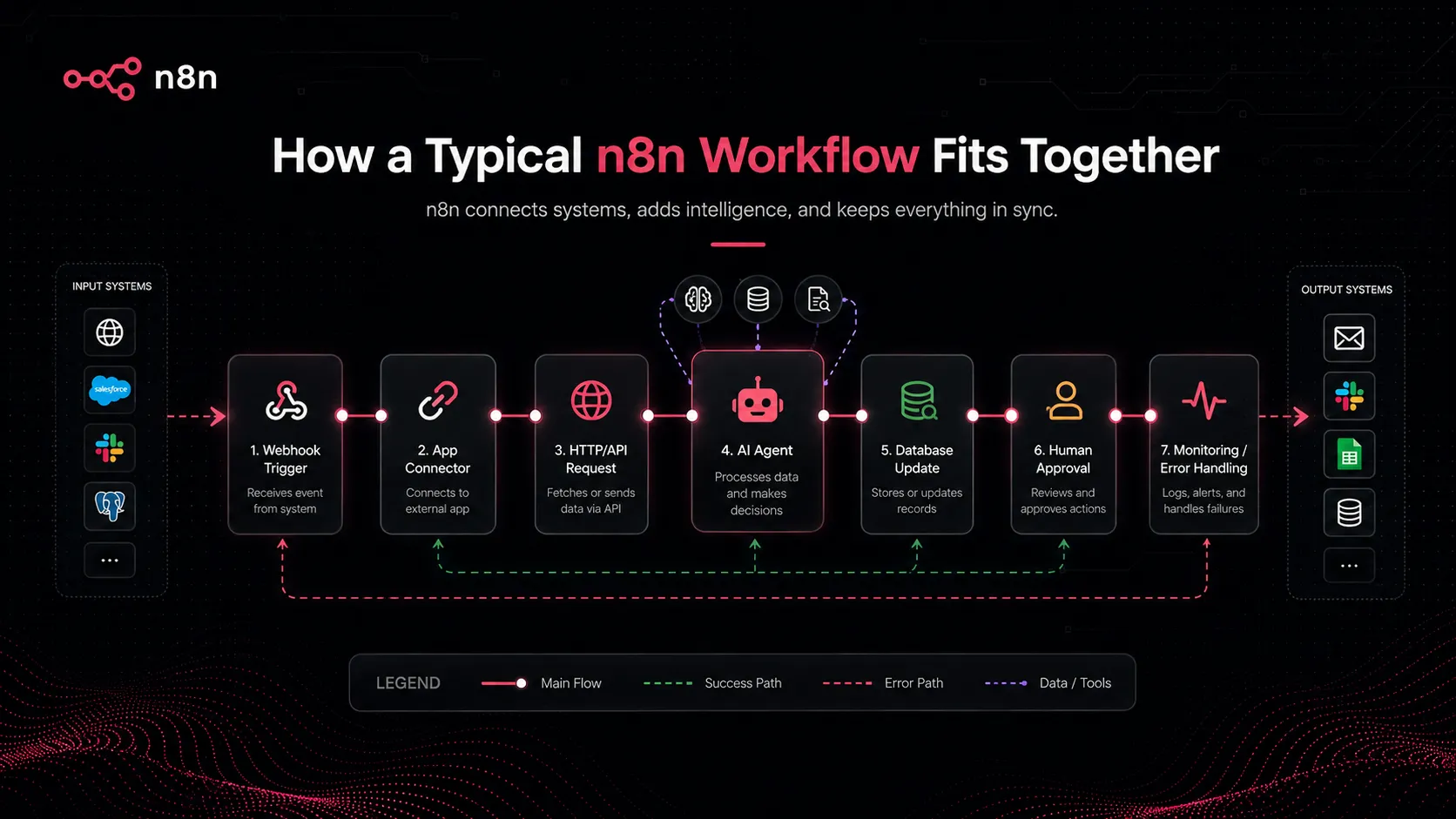
n8n sits in the middle of the stack. It is not the AI model, not the CRM, not the database, and not the final human decision. It is the connector and orchestration layer.
A practical workflow might look like this: a form comes in, n8n cleans the data, checks the lead against a CRM, calls an AI model to summarize intent, enriches the company record, sends a Slack alert, waits for a human approval, and then creates a follow-up task. A general AI assistant can help you think through that workflow. n8n can actually run it.
That is why n8n feels especially relevant now. AI tools are useful, but many teams still struggle to turn AI output into a reliable business process. n8n helps close that gap by letting teams connect model output to real systems with visible workflow steps.
The key is not to automate everything immediately. Start with one process that already has clear rules. Then add AI only where it improves classification, summarization, routing, extraction, or draft generation. For risky actions, keep a human checkpoint.
Pricing and plan fit
n8n pricing needs to be read carefully because there are two different buyer paths: n8n Cloud and self-hosted n8n.
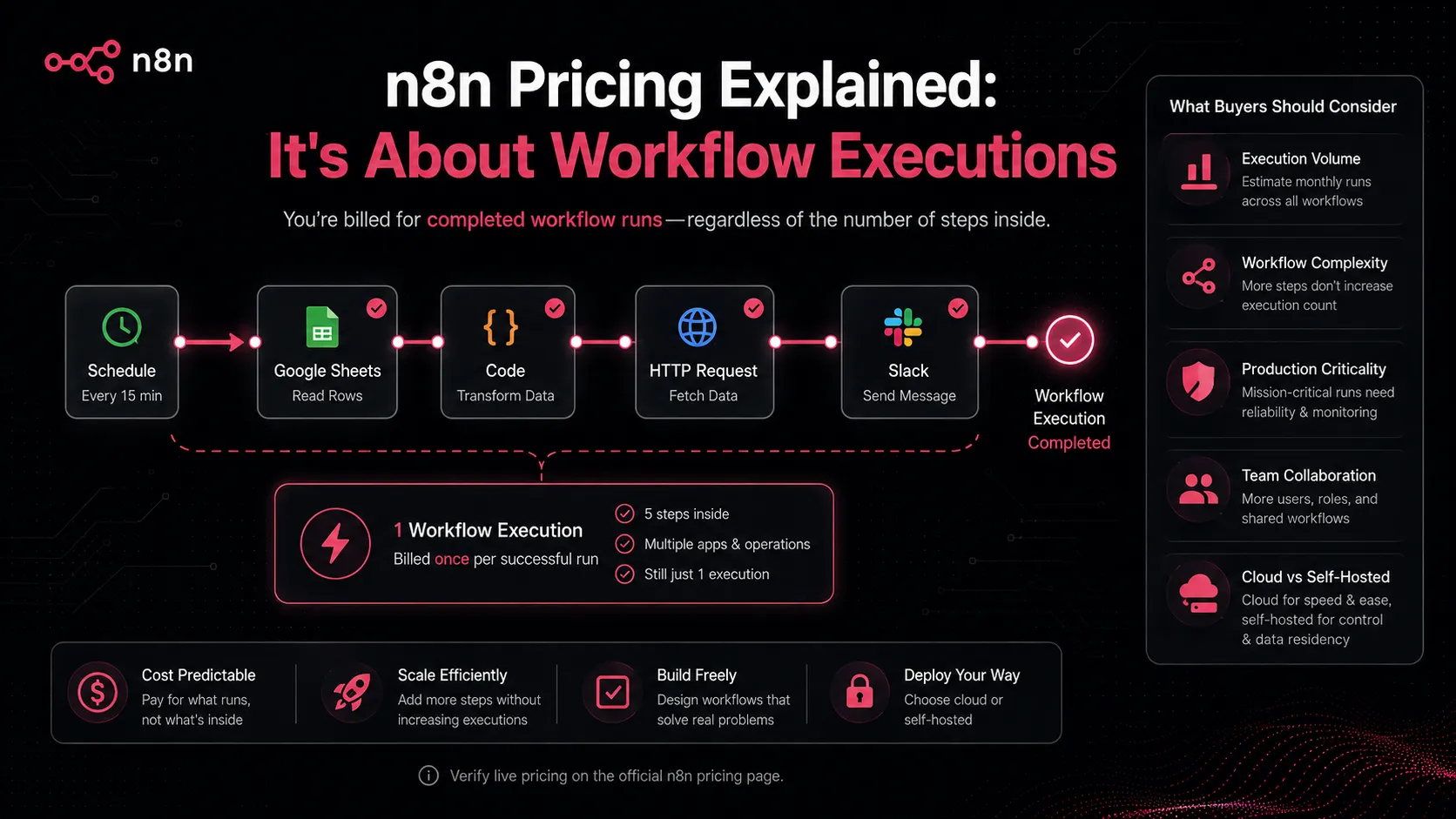
The official pricing page currently presents Cloud plans with unlimited users and workflows, while pricing is based on monthly workflow executions rather than charging for every individual step. At the time checked, the page showed annual pricing in euros for Starter, Pro, and Business, plus an Enterprise route with custom pricing. Because the pricing page has monthly and annual toggles, buyers should verify the live currency, billing period, execution allowance, AI Workflow Builder credits, and plan feature boundaries before purchase.
The self-hosted route is where many buyers get excited. The official docs list a free self-hosted community edition, and that can be compelling for technical teams. But “free software” is not the same as “free automation.” If the workflow matters, you still need hosting, backups, updates, credential security, monitoring, and someone accountable for downtime.
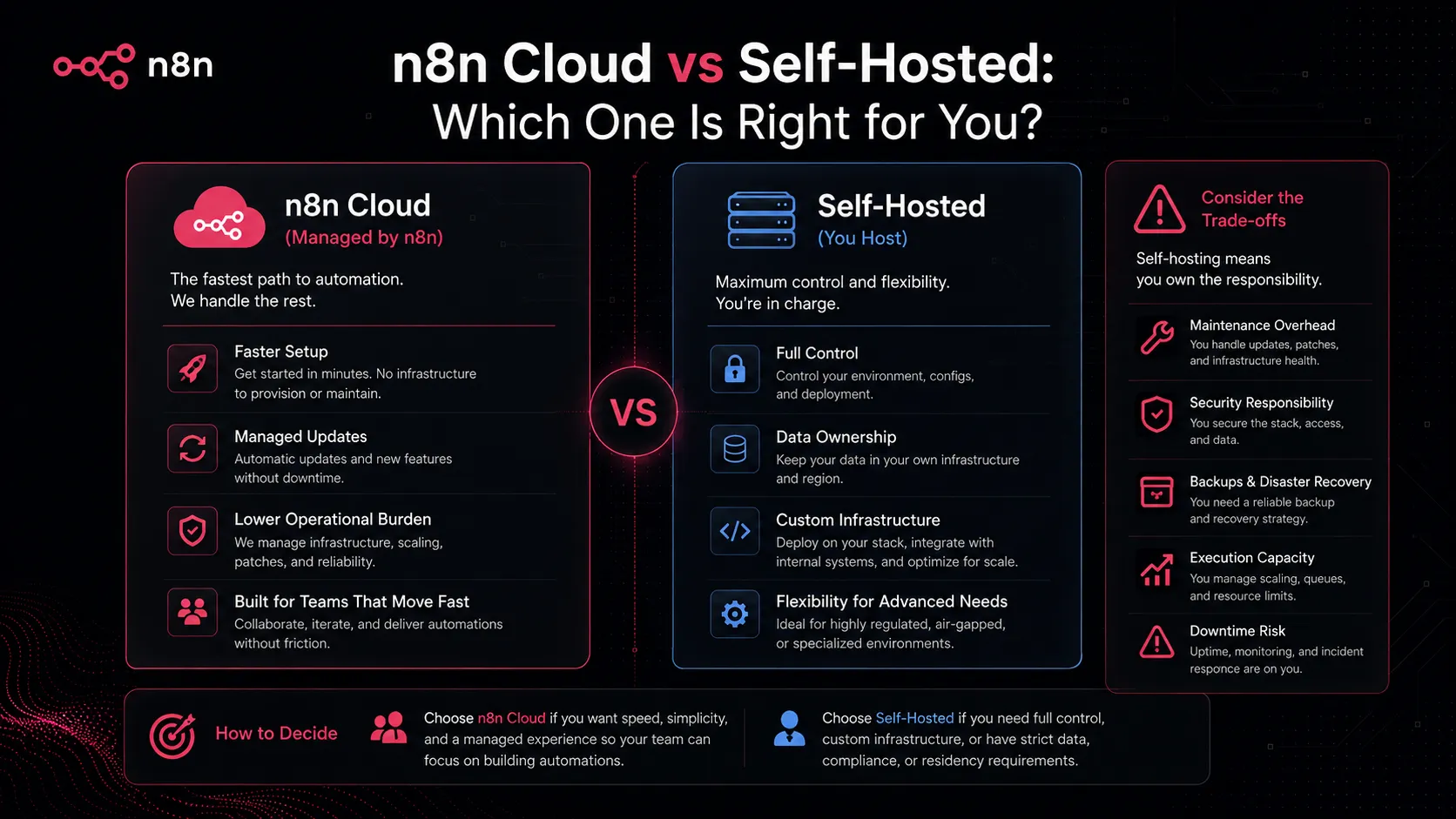
For a solo technical builder, self-hosting may be the smartest route. For a small team that wants automation without infrastructure responsibility, n8n Cloud can be cleaner. For a larger company, the right question is not only price. It is governance, SSO, environments, auditability, support, execution history, and who owns workflow reliability.
Strengths
The first strength is flexibility. n8n does not feel trapped inside a narrow automation recipe model. It gives technical users enough room to build workflows that reflect how messy real business processes are.
The second strength is AI workflow fit. n8n is well positioned for the shift from “ask an AI question” to “let AI participate in a business process.” The official documentation includes AI workflow concepts, AI Agent nodes, chat inputs, model connections, tool use, and memory-related ideas. That makes n8n more relevant for builders who want to operationalize AI instead of just generating content.
The third strength is deployment choice. Cloud is easier. Self-hosting gives more control. Many automation tools force buyers into one model. n8n gives more room to choose based on the process.
The fourth strength is execution-based pricing logic. Buyers still need to verify current plan limits, but charging by completed workflow executions rather than every step can be attractive for complex multi-step workflows.
Finally, n8n pairs well with the tools teams already use. It is not trying to replace ChatGPT, Claude, Notion, Google Sheets, Slack, Airtable, or your CRM. It is the workflow layer that can move data and decisions between them.
Weak spots
The biggest weakness is the learning curve. n8n is visual, but it is not automatically simple. Once you deal with credentials, JSON payloads, API responses, rate limits, errors, and branching logic, you are closer to lightweight engineering than casual no-code.
The second weakness is self-hosting responsibility. Buyers often compare a self-hosted tool against paid SaaS pricing and feel they have found a bargain. Sometimes they have. But if the workflow is important, the cost of a broken workflow can be higher than the subscription savings.
The third weakness is that the license deserves careful reading. n8n’s fair-code model is generous for many internal business uses, but it is not the same as a permissive OSI open-source license. That distinction matters if you are building a commercial product or hosted service around n8n.
The fourth weakness is workflow sprawl. n8n gives you power, and power can create mess. Without naming conventions, owners, documentation, error handling, and review, a team can end up with mission-critical automations nobody fully understands.
Alternatives worth considering
The most obvious alternative is Zapier. Use Zapier when the team is less technical, speed matters more than control, and the automation is mostly straightforward app-to-app work.
Make is the other major comparison. It can feel more visual and approachable for scenario building while still offering more flexibility than basic recipes. It is a strong option for teams that want richer no-code automation without running infrastructure.
Activepieces is worth tracking if you are comparing source-available automation platforms. It may fit buyers who want a similar control-oriented category but prefer a different ecosystem or product direction.
ChatGPT and Claude are not direct alternatives. They can design workflows, debug logic, write code snippets, summarize API docs, and help think through automation. But they do not replace the automation runtime that actually moves data and triggers actions.
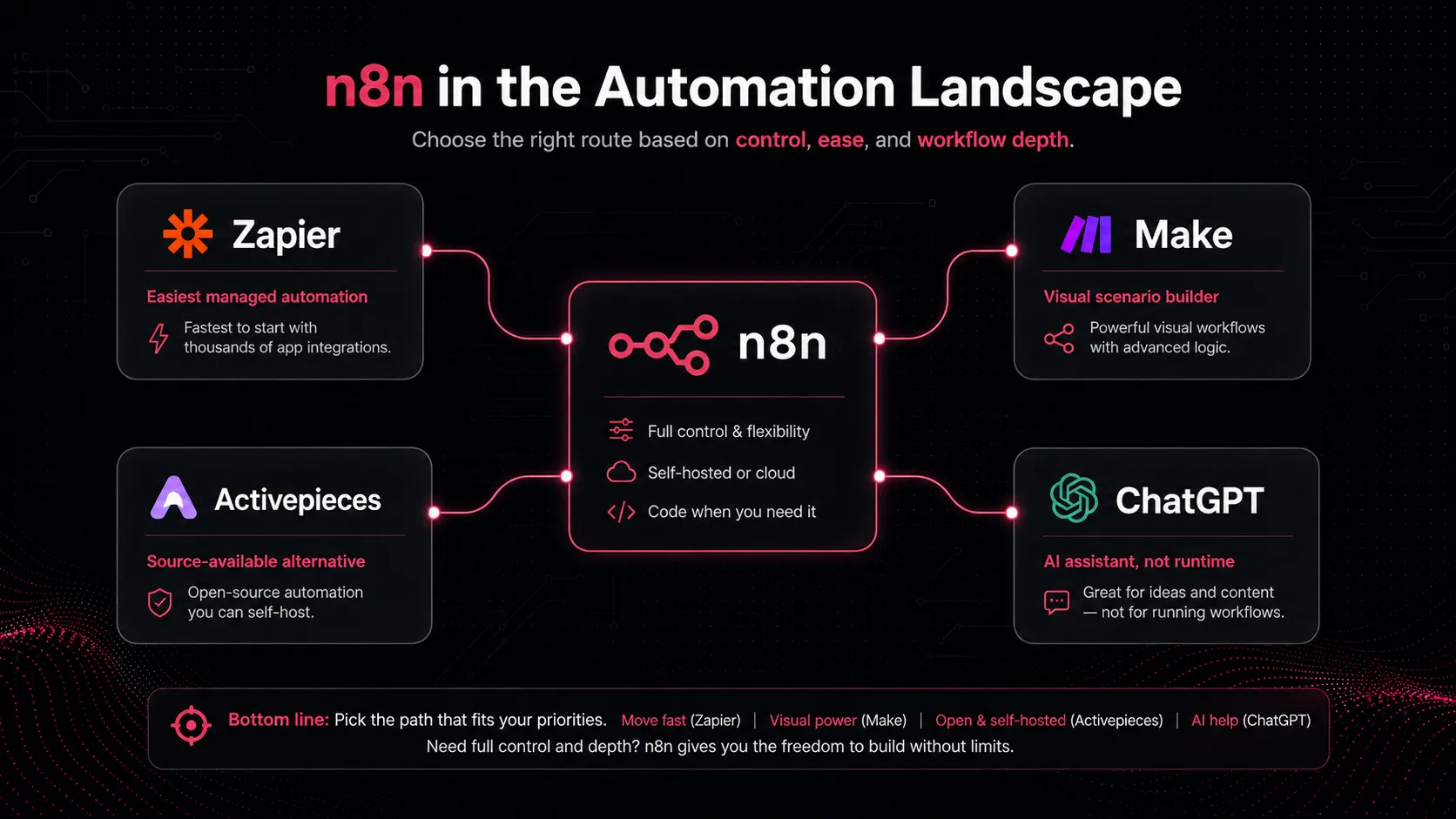
So the decision is not “which tool has the most integrations?” It is: who will own the workflow, how complex the logic is, how much hosting control matters, and what happens when the automation fails.
Final verdict
n8n is a strong choice for buyers who have moved past basic automation. If your team wants AI workflows, app orchestration, custom logic, self-hosting options, and deeper process control, n8n deserves serious consideration.
But it is not the lazy choice. That is not a criticism; it is the point. n8n is best when someone wants to understand and own the workflow. If you want the least technical path, start with Zapier or Make. If you want more control and you have the skill to manage it, n8n can become one of the most important layers in your AI stack.
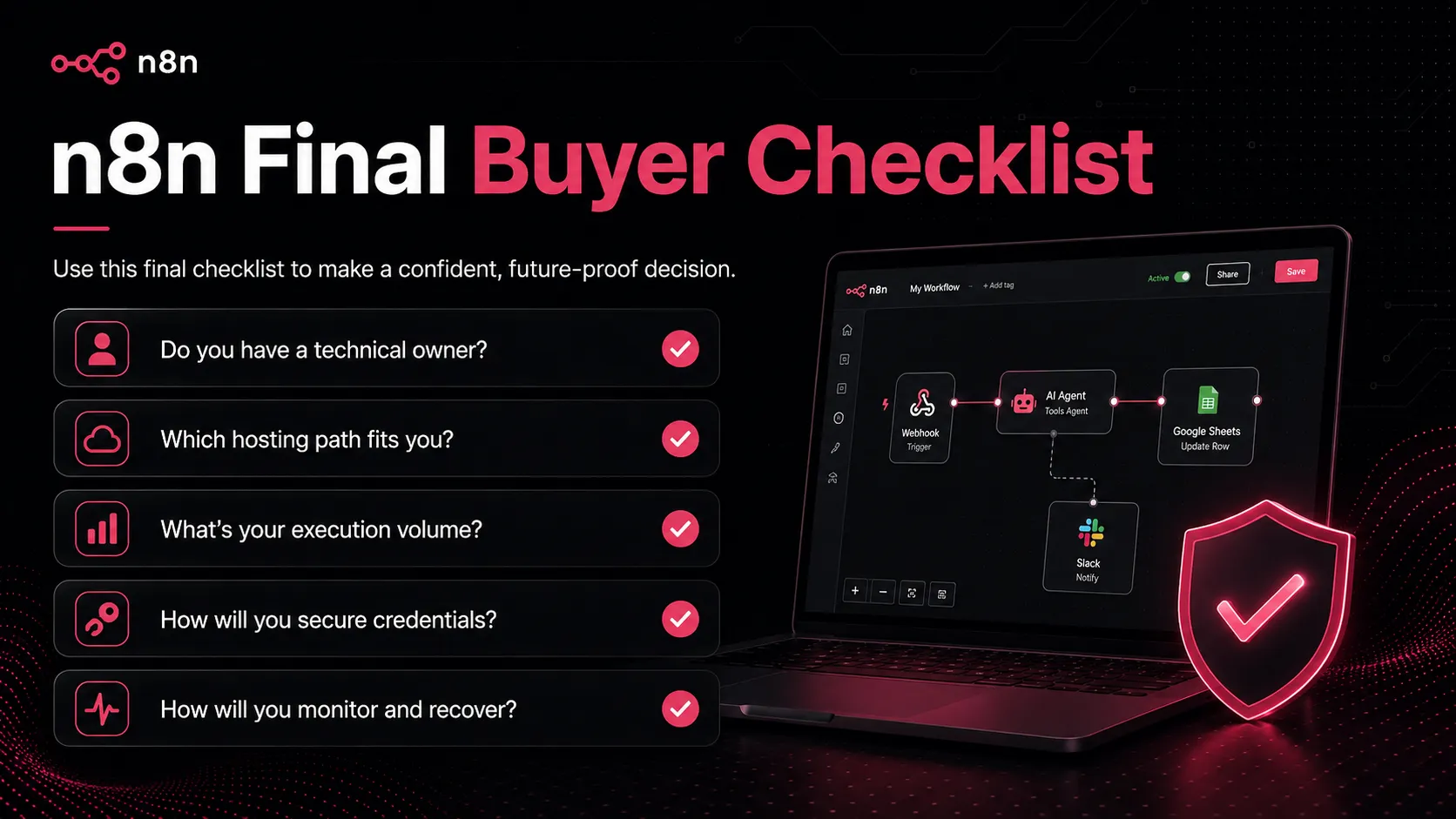
My practical recommendation is simple: use n8n if you have a real workflow owner, a clear process, and a reason to need more control than simple no-code automation gives you. Do not choose it only because self-hosting sounds cheaper. Choose it because the workflow is important enough to deserve proper design, testing, monitoring, and ownership.
Frequently asked questions
Is n8n worth it in 2026?
Does n8n have a free plan?
Is n8n open source?
Is n8n better than Zapier?
Can n8n build AI agents?
Should I use n8n Cloud or self-host n8n?
Where n8n fits in a stack
Workflow automation connector and AI agent orchestration layer
Does not replace
- – Clean source data and process ownership
- – Security review for credentials and self-hosted infrastructure
- – Human approval for risky business actions
- – Product engineering for customer-facing app features
- – Monitoring, rollback, and incident response for critical workflows
Head-to-head comparisons
Top alternatives to consider
If n8n is not the right fit, these are the most common alternatives.

Zapier is usually easier for non-technical teams that want a large app directory and simple business automations without managing infrastructure.

Make is a strong visual automation alternative for teams that want flexible scenario building without taking on full self-hosting responsibility.
Activepieces may appeal to buyers looking for another source-available automation route with a different product philosophy and connector ecosystem.
Review methodology
Editorial review based on current official n8n product pages, pricing page, documentation, license documentation, AI workflow tutorial materials, and current public video and market context. No hands-on benchmark testing was conducted.
This review is based on public product information and current research, not direct hands-on testing.
Not covered: Hands-on workflow benchmark testing · Security audit of a self-hosted instance · Enterprise contract review · Legal review of license use for a specific commercial product