When to Use ChatGPT vs Claude: A Task-Based Guide
A task-based guide to when ChatGPT or Claude fits better for writing, coding, research, image generation, long documents, and everyday AI workflows.
On this page
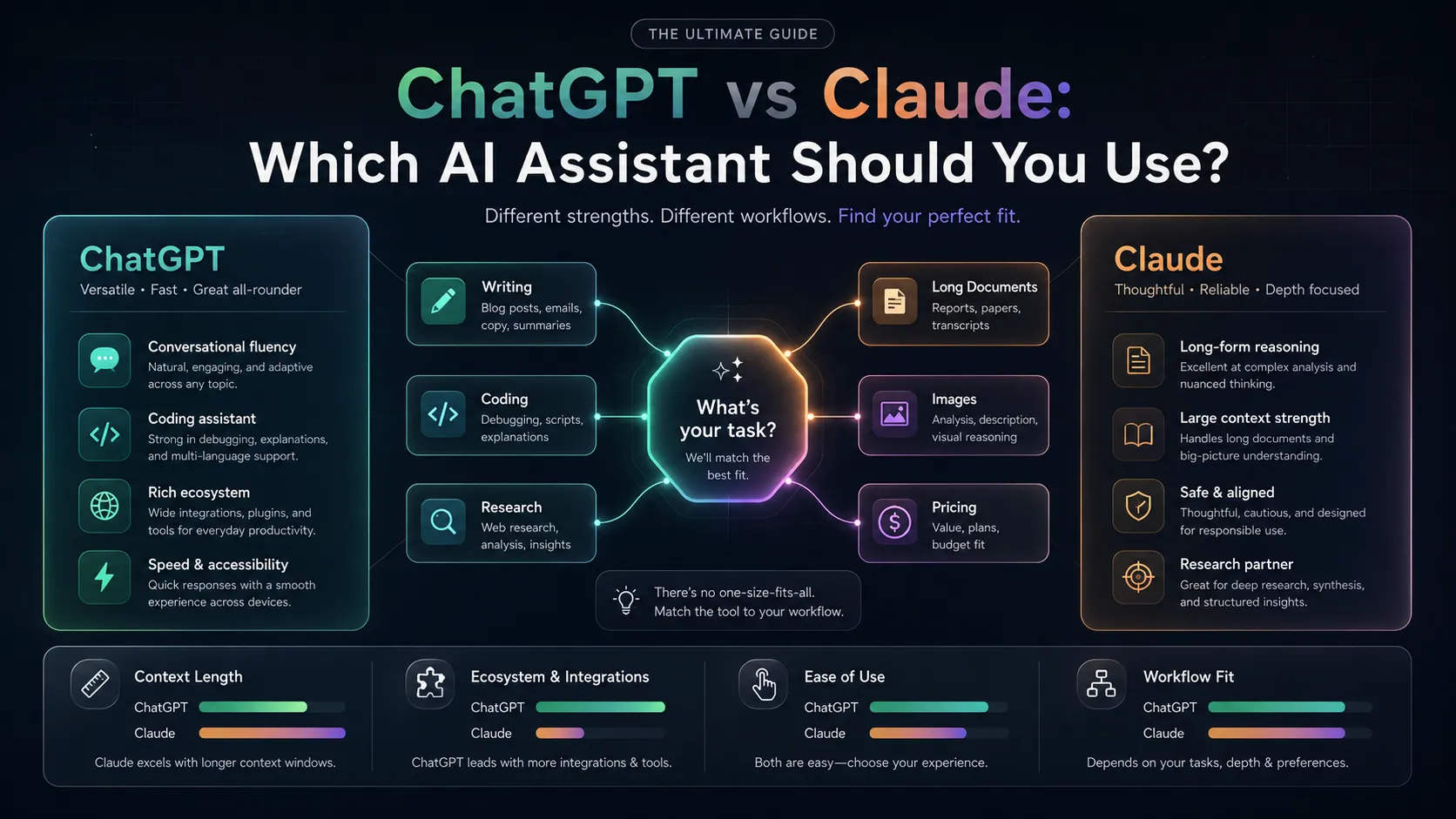
The honest answer is: both are excellent, and the right choice depends on the specific task. This guide is a task-based workflow guide: it focuses on when to use ChatGPT or Claude in real work, not just which product has more features.
For the stricter head-to-head table, pricing notes, and feature-by-feature winner, see the full ChatGPT vs Claude comparison.
The core difference in one sentence
ChatGPT has more breadth (plugins, DALL-E, browsing, a larger ecosystem); Claude has better depth on long documents and nuanced reasoning.
Task-by-task breakdown
Long document analysis and summarization
→ Claude
Claude’s 200K token context window means you can upload an entire book, a long legal contract, or a large codebase and work with it as a single input. ChatGPT’s 128K window is smaller and performs less consistently at high context lengths.
Use Claude for: reading and summarizing long PDFs, analyzing large codebases, working with multi-document research sets.
Image generation
→ ChatGPT (DALL-E 3)
Claude does not generate images. ChatGPT Plus includes DALL-E 3, which is particularly good at text rendering in images and following complex compositional prompts.
Use ChatGPT for: creating images from text descriptions, generating visual mockups, illustrations.
Coding assistance
→ ChatGPT (slightly)
Both are capable coding assistants, but ChatGPT’s integration with the broader OpenAI ecosystem (Code Interpreter, plugins, function calling in the API) gives it a slight edge for developer workflows. Claude is excellent for code review and explanation but has fewer integrations.
Use either for: debugging, code explanation, writing functions. Use ChatGPT for: complex multi-step code projects with tool use.
Writing and editing
→ Tie, with nuance
For short-form writing, both perform well. For long-form editing — revising a full draft, restructuring an essay, maintaining tone across 5,000+ words — Claude is more consistent. Claude is less prone to “flattening” voice and more likely to preserve your original intent during edits.
Use Claude for: editing long drafts, rewriting for tone, complex revision tasks. Use ChatGPT for: short-form copy, marketing text, generating many variants.
Research with current information
→ ChatGPT (with browsing)
ChatGPT with web browsing retrieves and cites live web results. Claude’s browsing is more limited. For research that requires current data — recent events, updated statistics, live pricing — ChatGPT with browsing is more reliable.
Use Perplexity AI instead of either when citations are critical.
Nuanced or sensitive topics
→ Claude
Claude is notably more thoughtful about nuanced ethical, political, and sensitive topics. It’s less likely to produce overconfident or inappropriately definitive responses on gray-area subjects. For legal, medical, or complex policy discussions, Claude’s more careful framing is often preferable.
Pricing and free tiers
| ChatGPT | Claude | |
|---|---|---|
| Free plan | Yes — GPT-4o mini | Yes — with limits |
| Paid plan | $20/mo (Plus) | $20/mo (Pro) |
| What free gives you | Capable for most tasks | Capable for most tasks |
| What paid unlocks | GPT-4o, DALL-E, browsing | Claude 3.7, higher limits |
Both free tiers are genuinely useful. You don’t need to pay for either to evaluate whether they fit your workflow.
The “use both” case
Many power users subscribe to both ($40/mo total) and context-switch:
- Drafting and editing → Claude
- Quick research and browsing → ChatGPT
- Image generation → ChatGPT
- Long document work → Claude
- Short-form copy → either
If $40/mo is too much, start with ChatGPT — its breadth makes it the safer single-tool choice. Add Claude when you regularly hit its limitations on long documents or nuanced reasoning.
What about Gemini?
Gemini is the right choice primarily if your workflow is centered on Google Workspace — you want AI inside Gmail, Docs, and Sheets. As a standalone assistant, ChatGPT and Claude are both stronger for most tasks.
See our full ChatGPT vs Claude comparison for a more detailed breakdown.
Tools to check next

ChatGPT
ChatGPT is a general-purpose AI assistant best for individuals and teams who need a broad, capable tool for writing, coding, research, and agentic workflows across one subscription. Its free tier now shows ads in some regions and has tighter usage limits than paid tiers.

Claude
Claude is an AI assistant built by Anthropic, best for professionals, developers, and enterprise teams who need reliable long-context reasoning, agentic coding, and document-heavy workflows without sycophantic behavior. Its free plan has daily usage limits, and the full agentic and coding capabilities require a Pro or Team subscription.

Gemini
Gemini is Google's AI assistant best for users and teams already in the Google ecosystem who need AI assistance directly inside Gmail, Docs, Drive, and Search. It is a weaker fit for teams outside Google Workspace or those needing deep coding assistance or strict brand voice control.

Perplexity AI
AI answer engine for fast research with source citations