
Midjourney Review
Midjourney review for 2026 buyers: image quality, pricing, workflow fit, commercial-use cautions, strengths, limits, and alternatives.
Excellent creative image quality, but buyers need to understand plan limits, privacy requirements, and production-control tradeoffs.
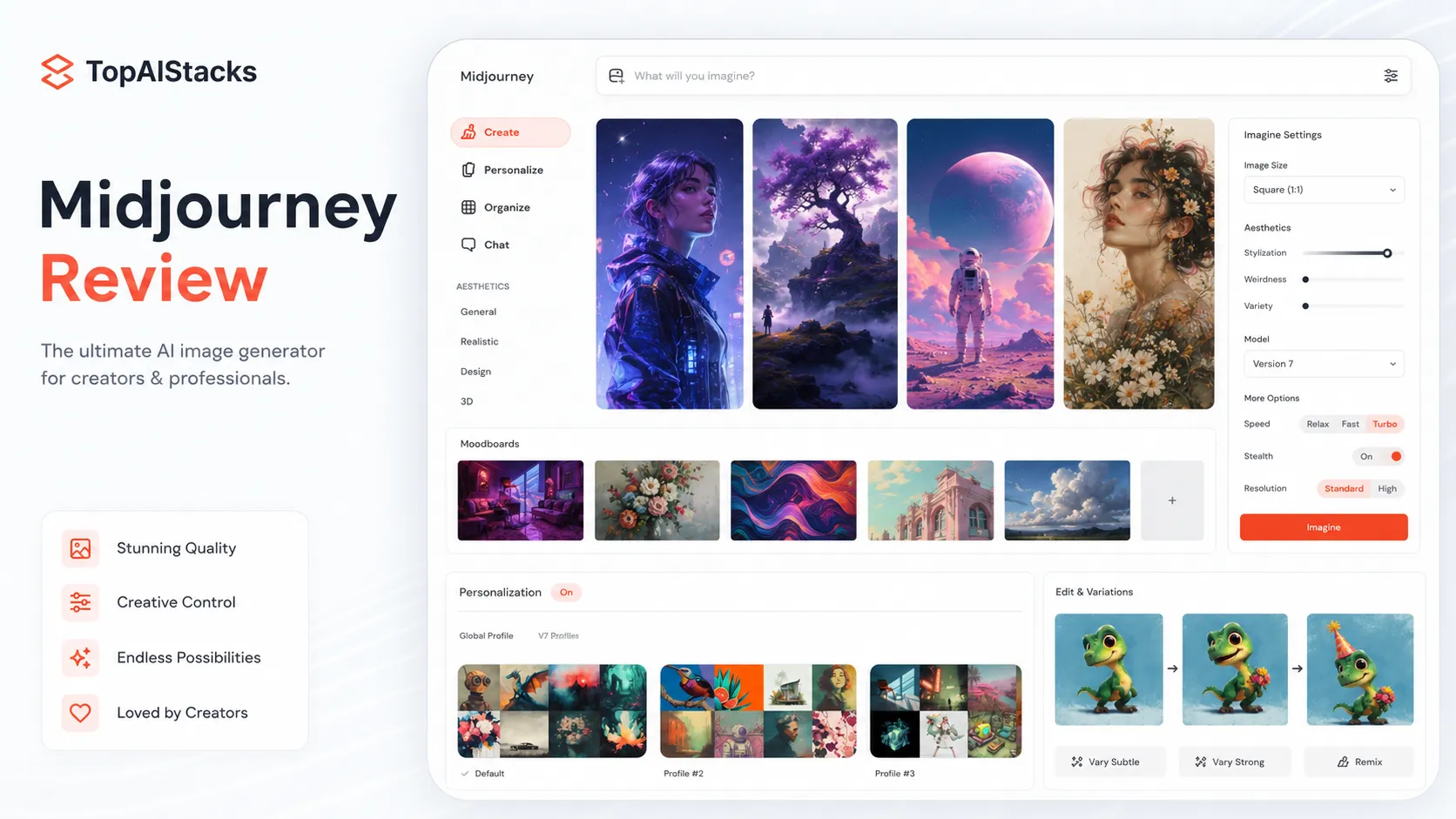
Use it if…
- ✓ You care more about visual quality, style, mood, and creative exploration than exact production repeatability.
- ✓ You need concept art, moodboards, campaign visuals, social imagery, editorial art, or brand-direction references.
- ✓ You are willing to review commercial-use terms, plan limits, and privacy settings before using outputs in serious client or company work.
- ✓ You already have editing, design review, and publishing tools around the image-generation step.
Skip it if…
- – You need exact product shots, locked brand systems, or repeatable catalog imagery with strict object consistency.
- – You need a fully free workflow or a simple casual image generator bundled into a general AI assistant.
- – Your organization needs private-by-default generation but does not want to pay for the plans that unlock Stealth Mode.
- – Your main requirement is editable marketing templates, accurate text in designs, or deep Adobe Creative Cloud integration.
Review scorecard
Scored by workflow fit, ease of use, value, and stack compatibility. Weights reflect importance for typical buyers.
| Criteria | Score | ||
|---|---|---|---|
| Creative output quality | 9.2 | ||
| Workflow fit | 8.0 | ||
| Pricing and plan clarity | 7.6 | ||
| Commercial readiness | 7.4 | ||
| Alternatives fit | 8.1 | ||
| Weighted overall | 8.2 / 10 | ||
On this page
What this means in practice
Midjourney is not the tool I would describe as a quiet utility. It is more like a visual direction engine. You give it a creative brief, test several directions, choose the strongest look, then bring that output into a real production workflow for editing, approval, and publishing.
That makes the buying decision fairly clear. If you want beautiful concept visuals, campaign mood, cinematic art direction, or scroll-stopping creative assets, Midjourney deserves a serious look. If you want exact product photos, locked brand templates, editable design systems, or a cheap casual image toy, it may frustrate you faster than it helps.
The safest way to think about Midjourney is this: it helps you find the visual direction faster. It does not remove the need for a designer, editor, rights review, or final production process.
Who should use Midjourney
Midjourney is best for creators and teams that need strong images before they have a fully produced asset. A solo creator can use it to explore thumbnail concepts. A marketer can test several campaign moods. A designer can turn a rough idea into visual references. A founder can create early brand atmosphere before hiring a full creative team.
It is especially useful when the final answer is not known yet. You may not know whether a landing page needs a dark cinematic hero, a playful editorial illustration, or a clean futuristic product scene. Midjourney is good at helping you explore those directions quickly.
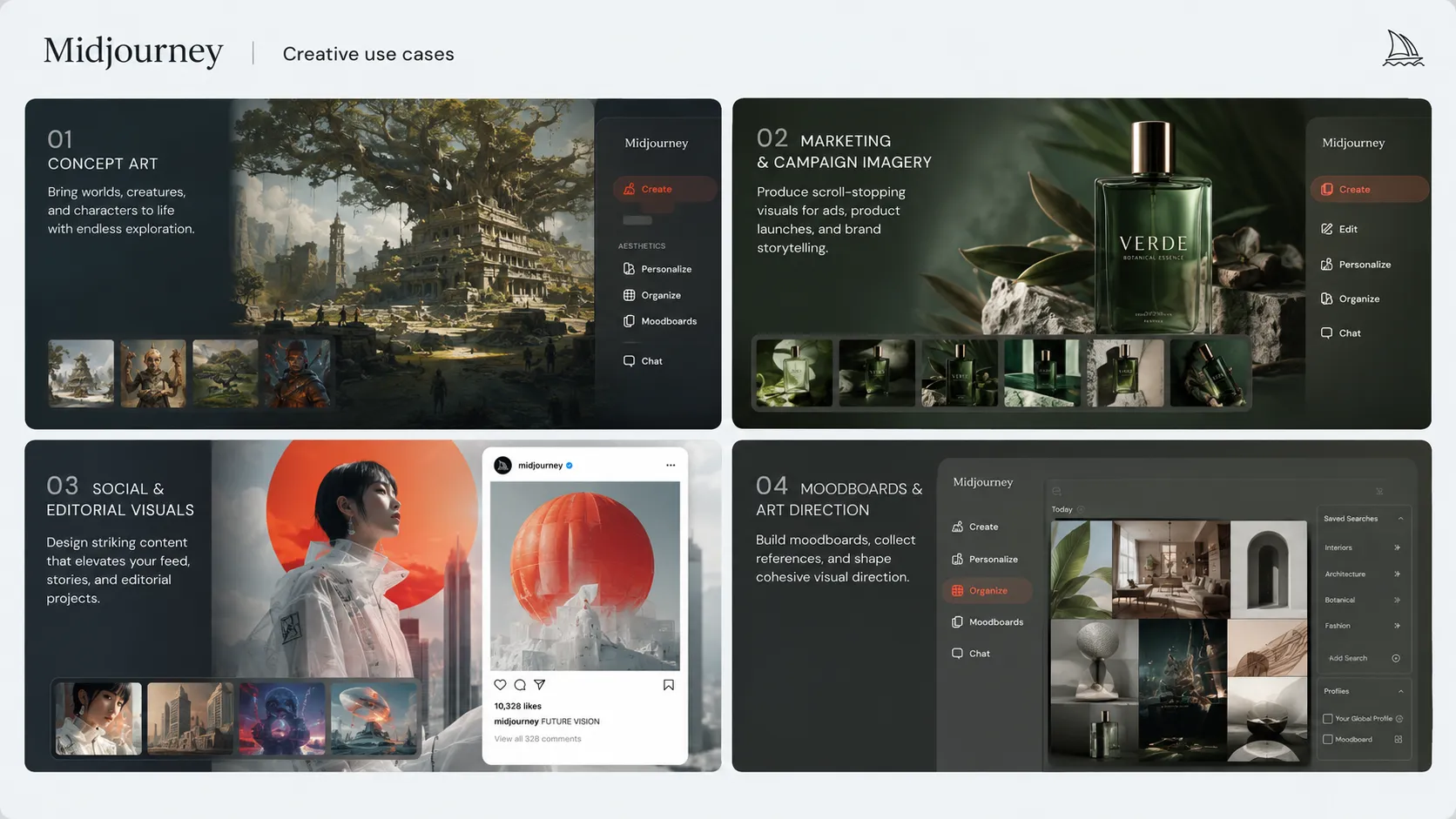
The strongest fit is creative exploration, not final production control. That distinction matters. Midjourney can produce excellent-looking images, but a serious team still needs a process for checking brand fit, usage rights, visual accuracy, and whether the asset is appropriate for the channel where it will appear.
Who should skip Midjourney
Skip Midjourney if your main need is exact repeatability. Product photography, marketplace catalog images, packaging visuals, and brand-controlled ad sets often require details that an image model can make look convincing without being truly reliable.
It is also not the cleanest path for buyers who need a free plan. Midjourney’s current official plan structure is built around paid subscriptions, and the practical value depends on how much image generation you do each month.
Privacy is another decision point. If you are creating sensitive client concepts or unreleased campaign visuals, do not assume every plan is equally private. Review Midjourney’s current visibility and Stealth Mode rules before using it for confidential work.
Real workflow fit
Midjourney fits best in the early and middle part of a visual workflow. It can help with idea generation, concept variations, art direction, campaign moodboards, and creative references. After that, most serious teams still move into editing, layout, brand review, legal review, or publishing tools.
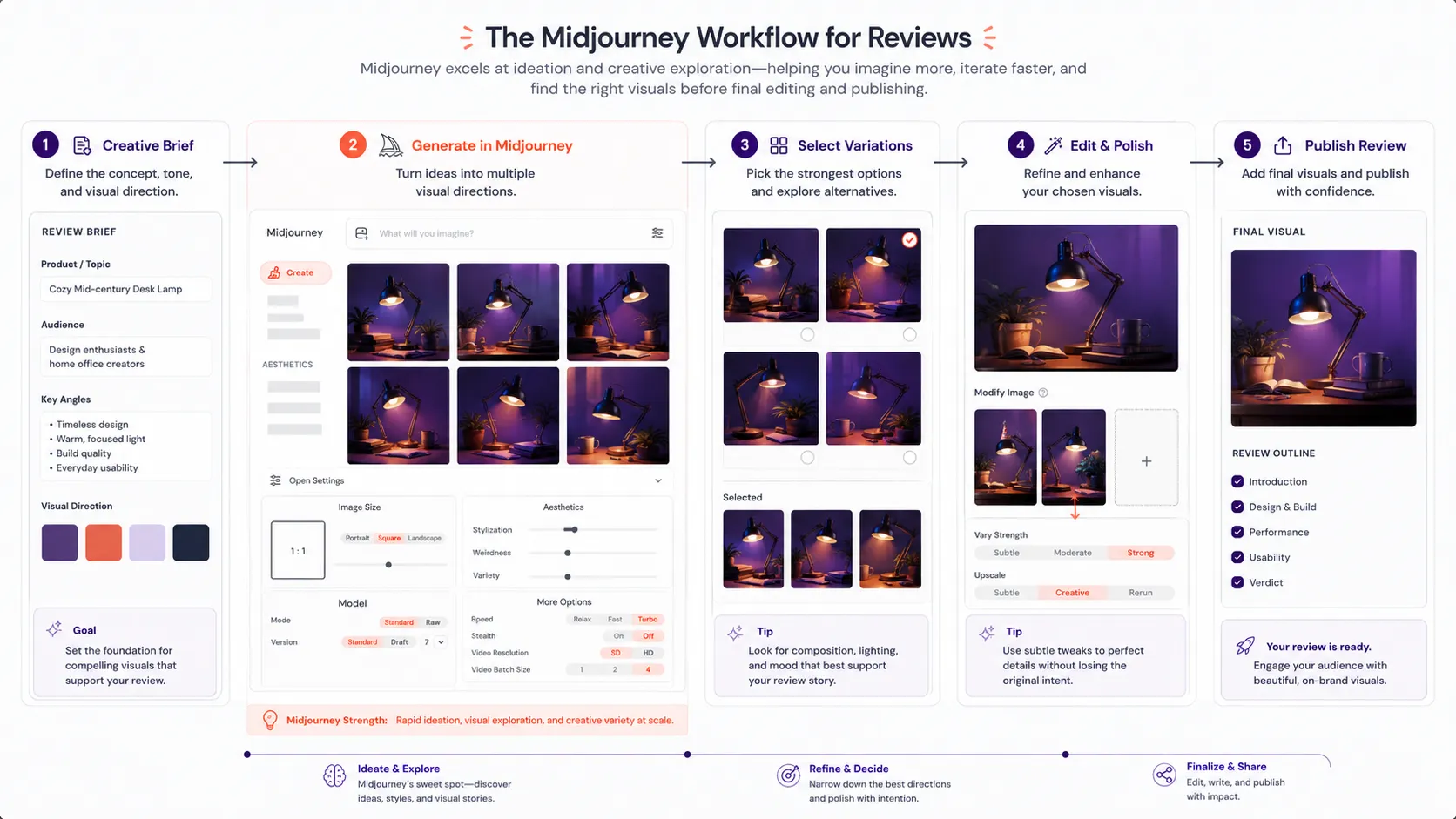
The current Midjourney experience also matters because buyers can work through the website and, depending on their setup, Discord. For many creatives, that is fine. For some business teams, it may feel less structured than tools built around templates, folders, approvals, or brand kits.
The first workflow question is not whether Midjourney can make impressive images. It can. The better question is whether your team has a place to take those images after generation. Canva, Photoshop, Adobe Express, a CMS, a social scheduler, or an editorial review process will usually still be part of the stack.
Pricing and plan fit
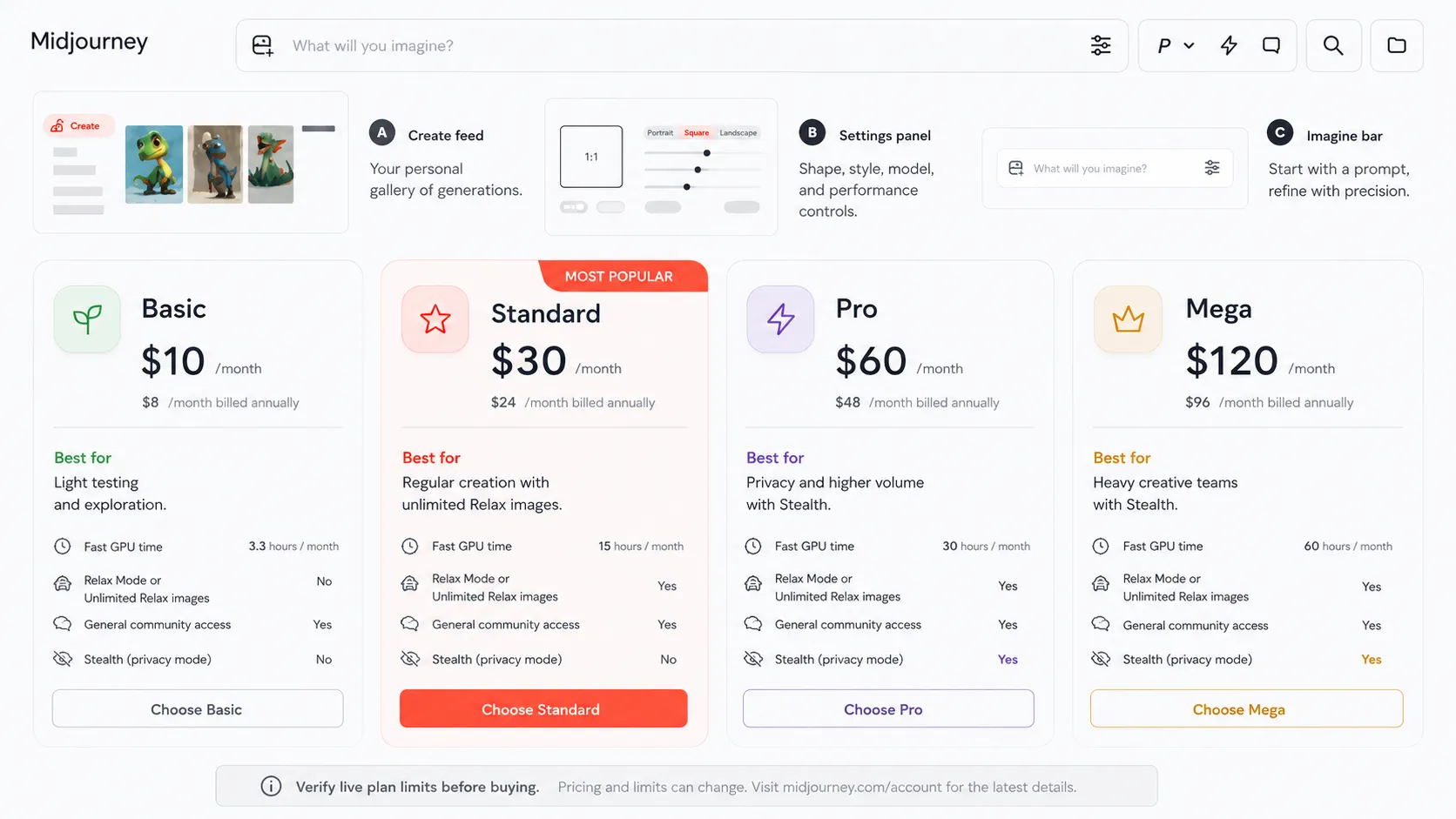
Midjourney’s official documentation currently lists four paid subscription tiers: Basic, Standard, Pro, and Mega. The public plan comparison shows monthly pricing at $10, $30, $60, and $120 respectively, with lower effective monthly pricing for annual subscriptions. The plan decision is not only about the headline price, though.
The real buying variables are GPU time, Relax Mode, video needs, privacy needs, and generation volume. Basic may make sense for light testing. Standard is more practical for regular image creation because official documentation ties unlimited Relax Mode image generation to Standard and higher. Pro and Mega become more relevant when privacy, higher concurrency, or larger usage needs matter.
Video adds another layer. Midjourney documentation describes image-to-video creation and explains that video uses more GPU time than regular images. Buyers who plan to use video should not judge the plan only by image needs.
Privacy also changes the math. Midjourney documentation states that Stealth Mode is available only on Pro and Mega. If your team creates client concepts, unreleased campaign visuals, or sensitive brand directions, that may push the practical plan choice upward.
Strengths
Midjourney’s biggest strength is visual taste. That sounds subjective, but in a buying decision it matters. Many tools can generate an image. Midjourney is often chosen because the image feels more composed, cinematic, textured, and emotionally convincing.
It is also strong when the buyer wants variation. You can explore different moods, angles, materials, lighting styles, and artistic directions without commissioning every option manually. For early creative work, that speed can be valuable.
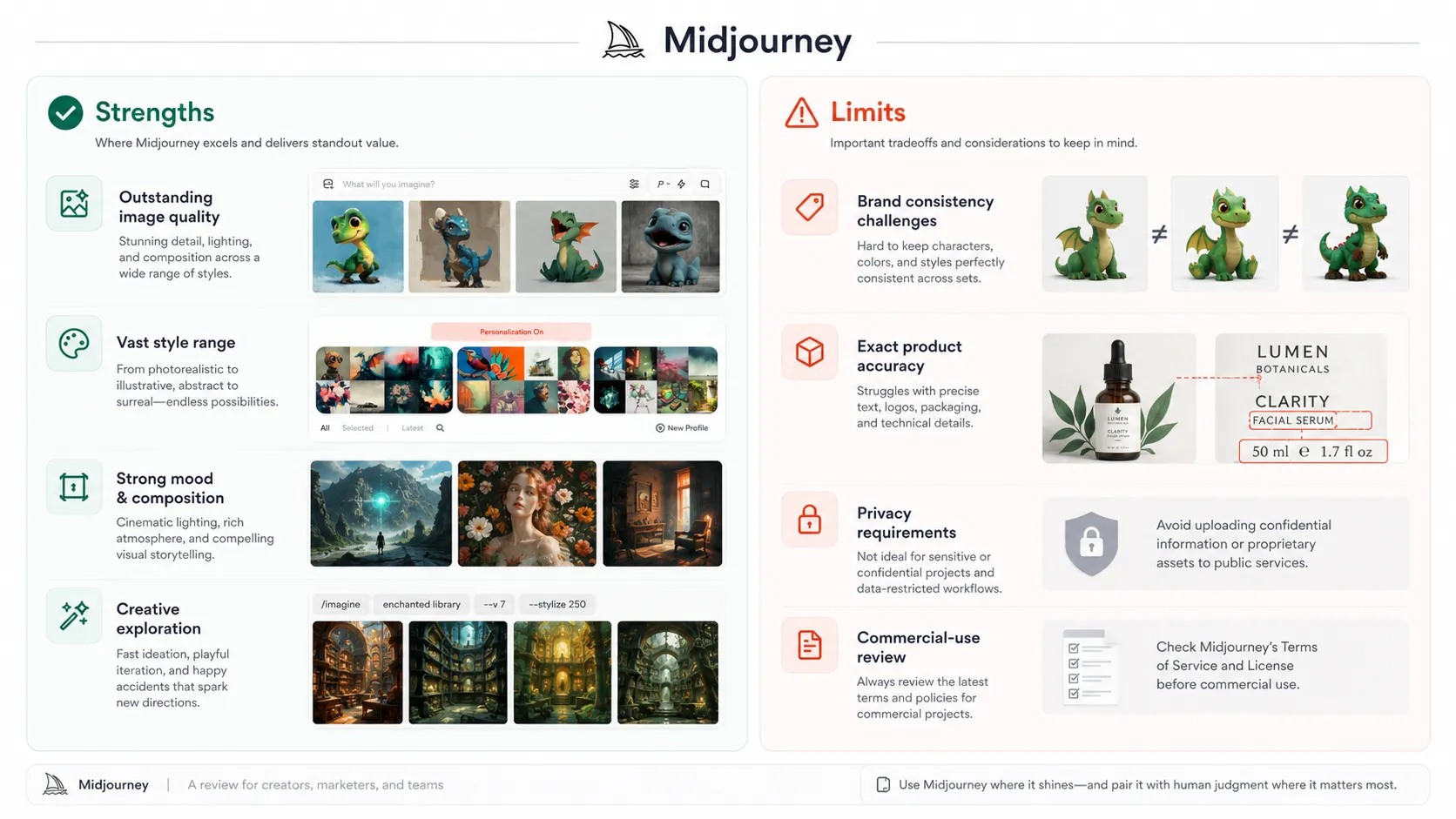
The other strength is focus. Midjourney is not trying to be a full office suite, CRM, or all-purpose assistant. Its reason to exist is visual creation. That makes the product easier to evaluate: choose it when the visual output matters enough to justify a dedicated image tool.
Weak spots
Midjourney’s weak spots usually appear when buyers confuse creative quality with production certainty. A beautiful output is not the same as an approved brand asset. It can still have detail errors, inconsistent objects, visual artifacts, unclear rights questions, or weak fit with a specific campaign system.
The product is also not ideal for buyers who need exact text inside graphics, reliable product label reproduction, or precise brand templates. In those cases, a tool like Canva AI, Adobe Firefly, Photoshop, or a specialist product-visual platform may be safer depending on the job.
Commercial use deserves extra attention. Midjourney documentation gives users broad ownership language with exceptions, including a requirement that companies above the stated revenue threshold use Pro or Mega for company commercial use. That does not mean every generated asset is automatically low-risk. Buyers should still review current terms, avoid protected characters or trademarks, and get legal guidance for sensitive campaigns.
Alternatives worth considering
The best Midjourney alternative depends on the job. DALL-E is often better when the buyer wants image generation inside ChatGPT and does not want to learn a separate creative workflow. Adobe Firefly is more natural for teams that already work in Adobe’s ecosystem. Stable Diffusion is better for technical users who want custom models, local workflows, or deeper control. Canva AI is better for non-designers who need templates and fast publishing.
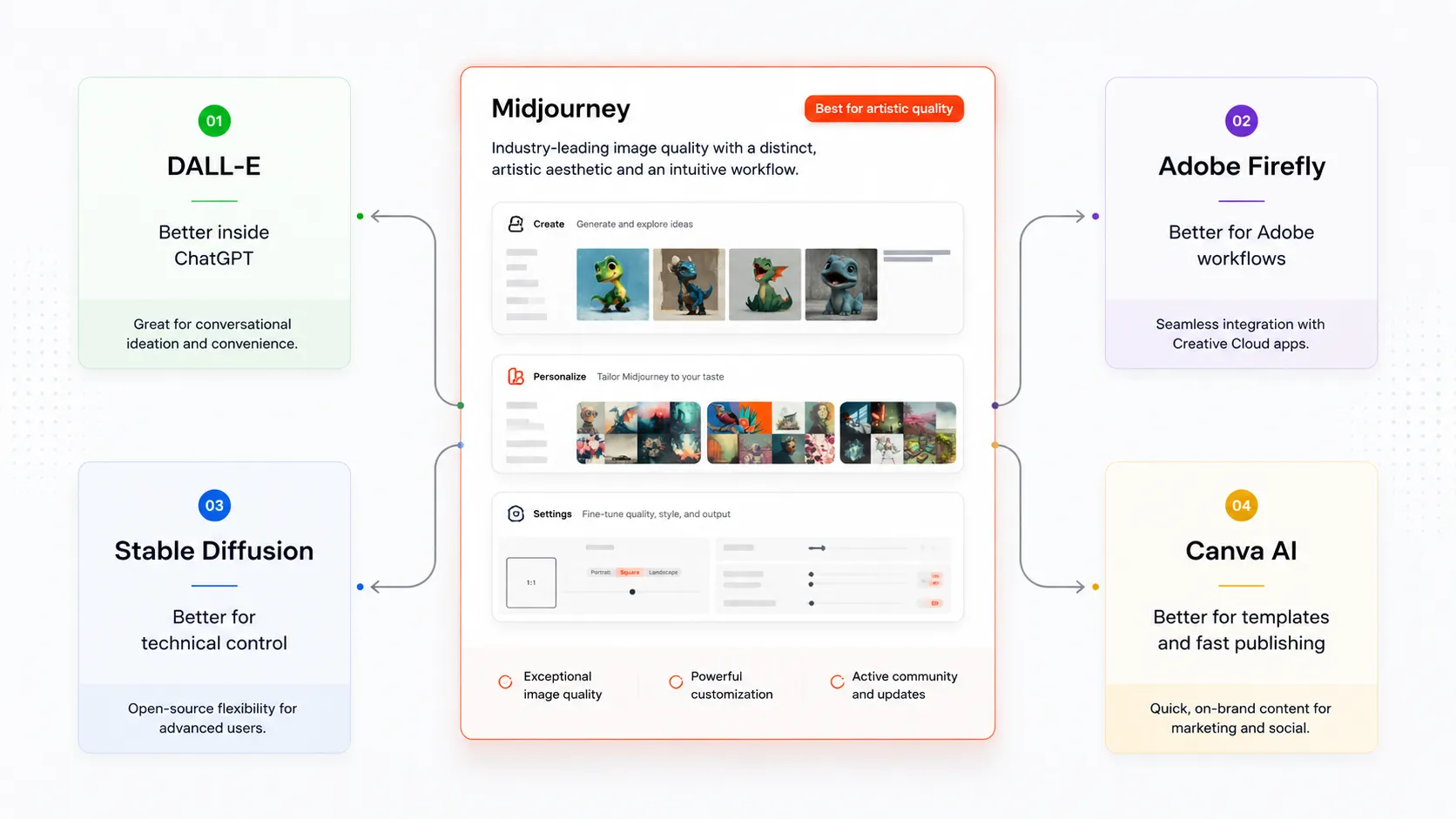
For most buyers, the comparison should not start with a feature checklist. Start with the final asset you need. If the final asset is a striking visual concept, Midjourney belongs near the top. If the final asset is a branded Instagram carousel, Canva may be more practical. If the final asset needs Adobe editing and licensing comfort, Firefly may be a better fit. If the final asset needs self-hosted control, Stable Diffusion deserves a look.
Final verdict
Midjourney is still one of the clearest picks for creative image quality in 2026. I would put it near the top for concept art, moodboards, campaign exploration, stylized social visuals, and creative direction work.
I would be more careful with it for final commercial assets, exact product visuals, privacy-sensitive client work, and large-company usage. Those use cases are not impossible, but they require more review than simply choosing the best-looking image.
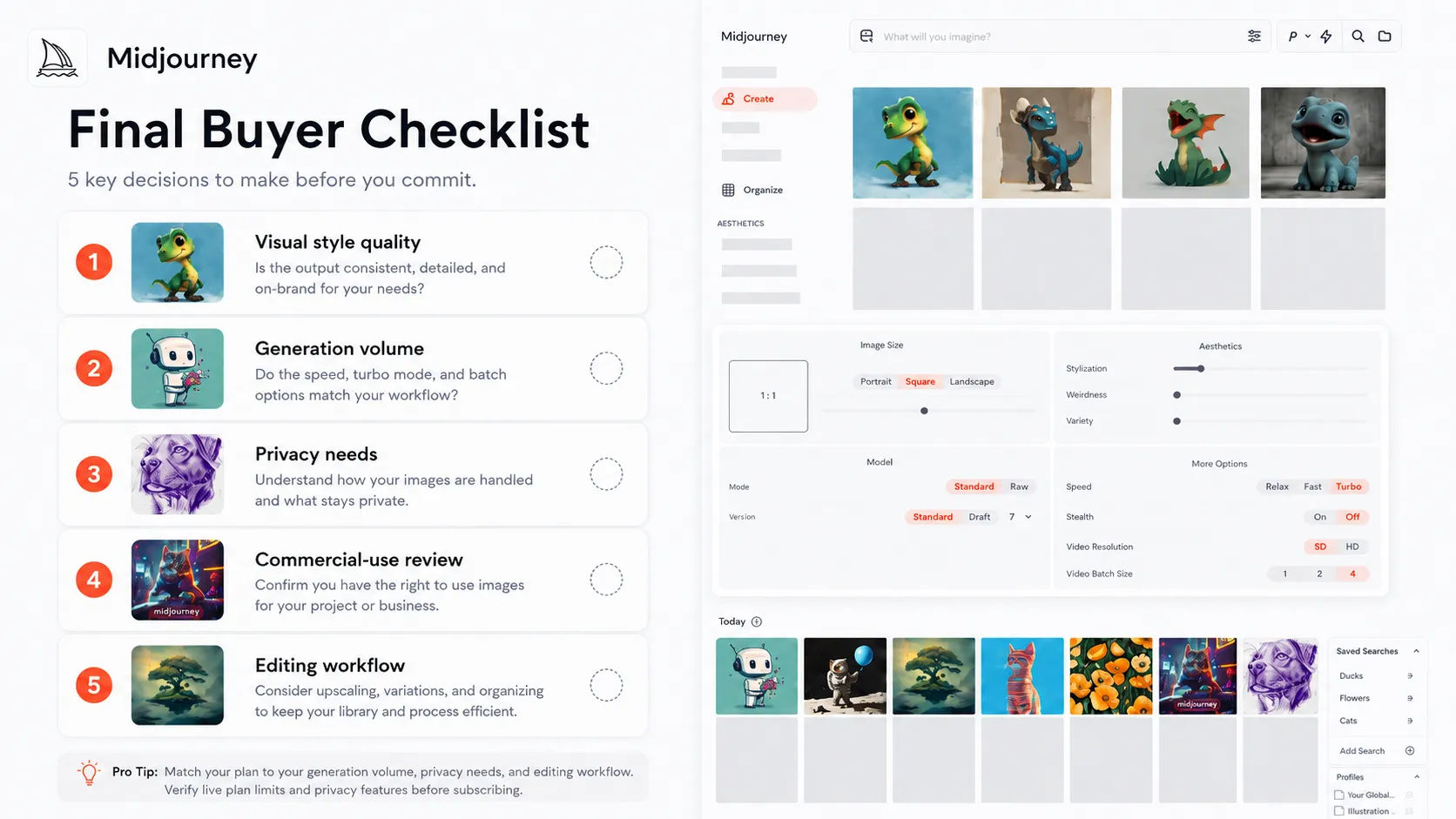
The practical recommendation is simple: use Midjourney when you need visual imagination and strong creative direction. Pair it with human review, editing tools, and a clear rights-check process before using the output in serious business work.
Frequently asked questions
Is Midjourney worth it in 2026?
Does Midjourney have a free plan?
Which Midjourney plan should most creators start with?
Can businesses use Midjourney images commercially?
What is the best Midjourney alternative?
Where Midjourney fits in a stack
AI image generation and creative concept layer
Does not replace
- – Professional design judgment
- – Brand-system governance
- – Legal review for sensitive commercial assets
- – Product photography workflows that require exact object and label consistency
- – Final editing tools such as Photoshop, Canva, or Adobe Express
Pairs well with
Head-to-head comparisons
midjourney vs dall e →
Midjourney is stronger for artistic visual quality; DALL-E is more convenient for ChatGPT-first image workflows.
adobe firefly vs midjourney →
Firefly is more natural for Adobe production workflows; Midjourney is stronger for broad creative exploration and stylized concept visuals.
Top alternatives to consider
If Midjourney is not the right fit, these are the most common alternatives.

DALL-E is usually a better fit when a buyer wants image generation inside ChatGPT and values simple conversational control over maximum artistic polish.

Adobe Firefly is a stronger route for buyers already working inside Adobe tools and prioritizing Adobe's commercial-safe positioning.
Stable Diffusion is better for technical users who want deeper control, custom models, local workflows, or self-managed generation infrastructure.
Review methodology
Editorial review based on current official Midjourney product pages, Midjourney documentation, billing and plan documentation, commercial-use guidance, public video resources, and current third-party coverage. No hands-on benchmark testing was conducted.
This review is based on public product information and research, not direct hands-on testing.
Not covered: Hands-on image benchmark testing · Legal review of specific generated assets · Enterprise contract negotiation · Private client workflow audit