 S
S Stable Diffusion
Open image generation model family for local, API, and custom creative workflows
Quick answer
Choose Stable Diffusion when you want control over image generation rather than a simple hosted creative app. It is strongest for technical users who can handle setup, model choice, GPU or API costs, and output review.
The main friction is practical setup cost, not the license headline alone. Buyers need to understand licensing, hardware, deployment, safety review, and output usage rights before using generated images in client or commercial work. A local setup can be inexpensive in software terms, but it still needs GPU resources, technical maintenance, and human review.
What is Stable Diffusion?
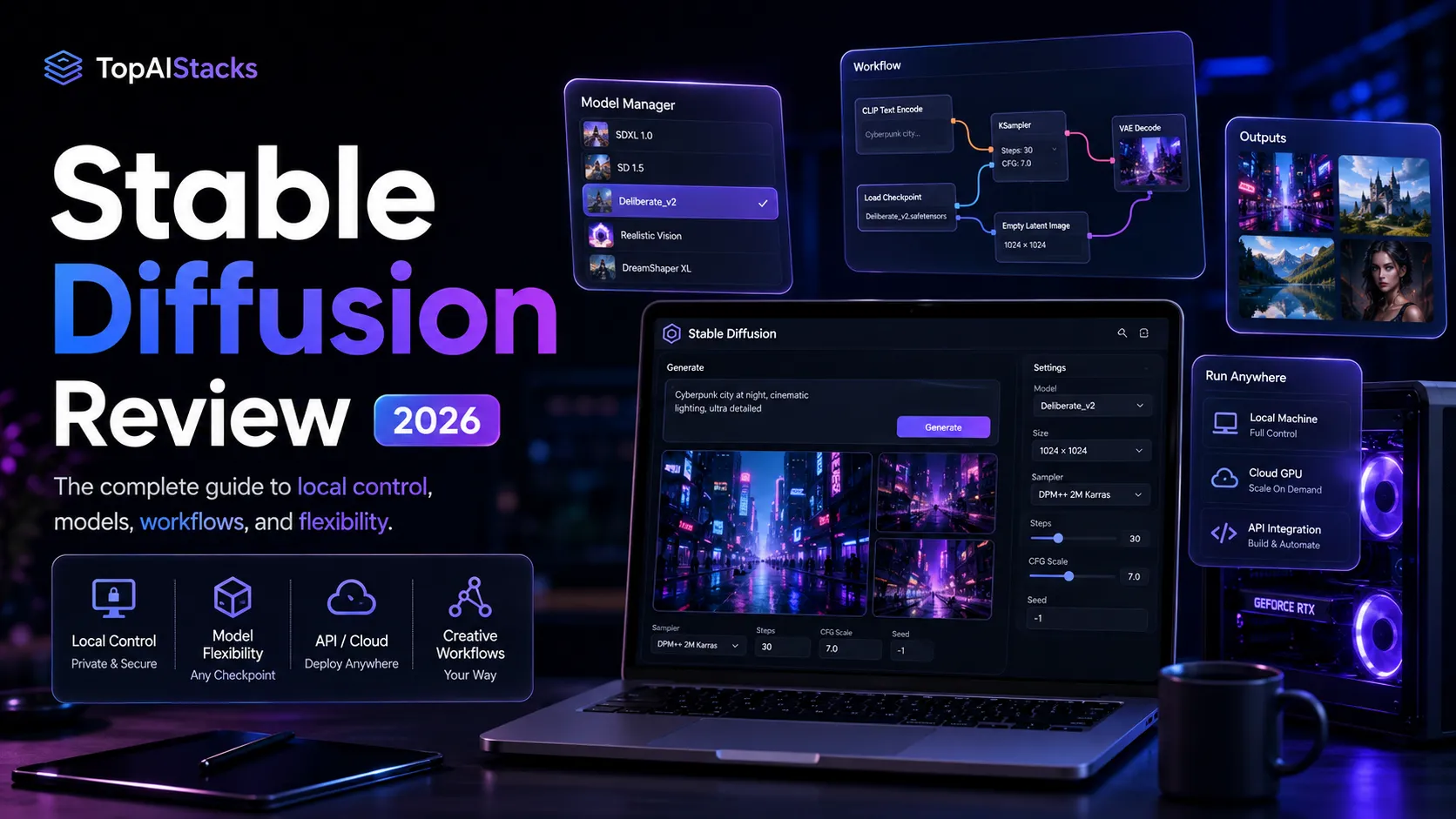
Teams use Stable Diffusion as a model layer for text-to-image generation, image editing, style exploration, local experimentation, and custom creative pipelines. Stability AI currently positions Stable Diffusion 3.5 as its main image model family, with Large, Turbo, and Medium options, plus deployment paths through self-hosting, API, cloud partners, and web-based applications. In a practical stack, Stable Diffusion usually sits before design cleanup, brand review, asset management, and publishing.
Who Stable Diffusion fits best
Best for technical creators, developers, and advanced creative teams that value control more than a guided SaaS experience.
- ✓Technical creators building local image workflows with ComfyUI or similar tools
- ✓Developers adding image generation or editing into an app through an API
- ✓Creative teams that need control over model choice, style, and deployment path
- ✓Privacy-conscious teams that prefer self-hosted workflows when the license fits
Not ideal for
- •Non-technical marketers who need templates, brand kits, and guided editing
- •Teams without GPU resources, engineering support, or API budget planning
- •Buyers who want simple monthly plan limits and support like a normal SaaS tool
- •Commercial projects where legal, brand, or client usage rules are unclear
Main use cases
Local image generation experiments
Stable Diffusion fits users who want to run image generation locally or through community tools. This path gives more control, but it also adds setup, hardware, and maintenance work.
Custom creative pipelines
Developers can use Stable Diffusion as a generation layer inside larger workflows for product visuals, concept art, style exploration, or internal creative tools. The model is only one part of the pipeline.
Image editing and variation workflows
Stability AI also presents image editing, upscale, and control services around its model ecosystem. Buyers should treat these as workflow tools that still need design review and publishing checks.
Self-hosted or privacy-aware production
Some teams consider Stable Diffusion when they want more control over where generation happens. Licensing, infrastructure, and security requirements should be reviewed before making this a production dependency.
Where Stable Diffusion fits in the AI stack
Stable Diffusion belongs in the image generation and custom visual pipeline layer of an AI design stack. It can replace some prompt-based visual ideation, stock-image exploration, and custom image generation tasks. It does not replace art direction, licensing review, brand systems, image editing, asset management, or publishing workflows.
Stack role
AI image generation layer
Best paired with
ChatGPT, Canva AI, Adobe Firefly
Strongest layer
Local and custom generation + API image generation
| Stack layer | Fit | What to know |
|---|---|---|
| Local and custom generation | strong | Stable Diffusion is strongest when the buyer wants model control, local workflows, or custom generation pipelines. |
| Plug-and-play design work | weak | The setup is too technical for buyers who mainly need templates, guided editing, and simple brand assets. |
| API image generation | strong | Stability AI exposes deployment paths for API use, cloud partners, and self-hosted licensing. |
| Brand-ready publishing | medium | Generated images still need editing, rights review, brand approval, and final export work before publication. |
Best stack combinations
Technical creators building a local image workflow
stable-diffusion + chatgpt + photoshop + canva-ai
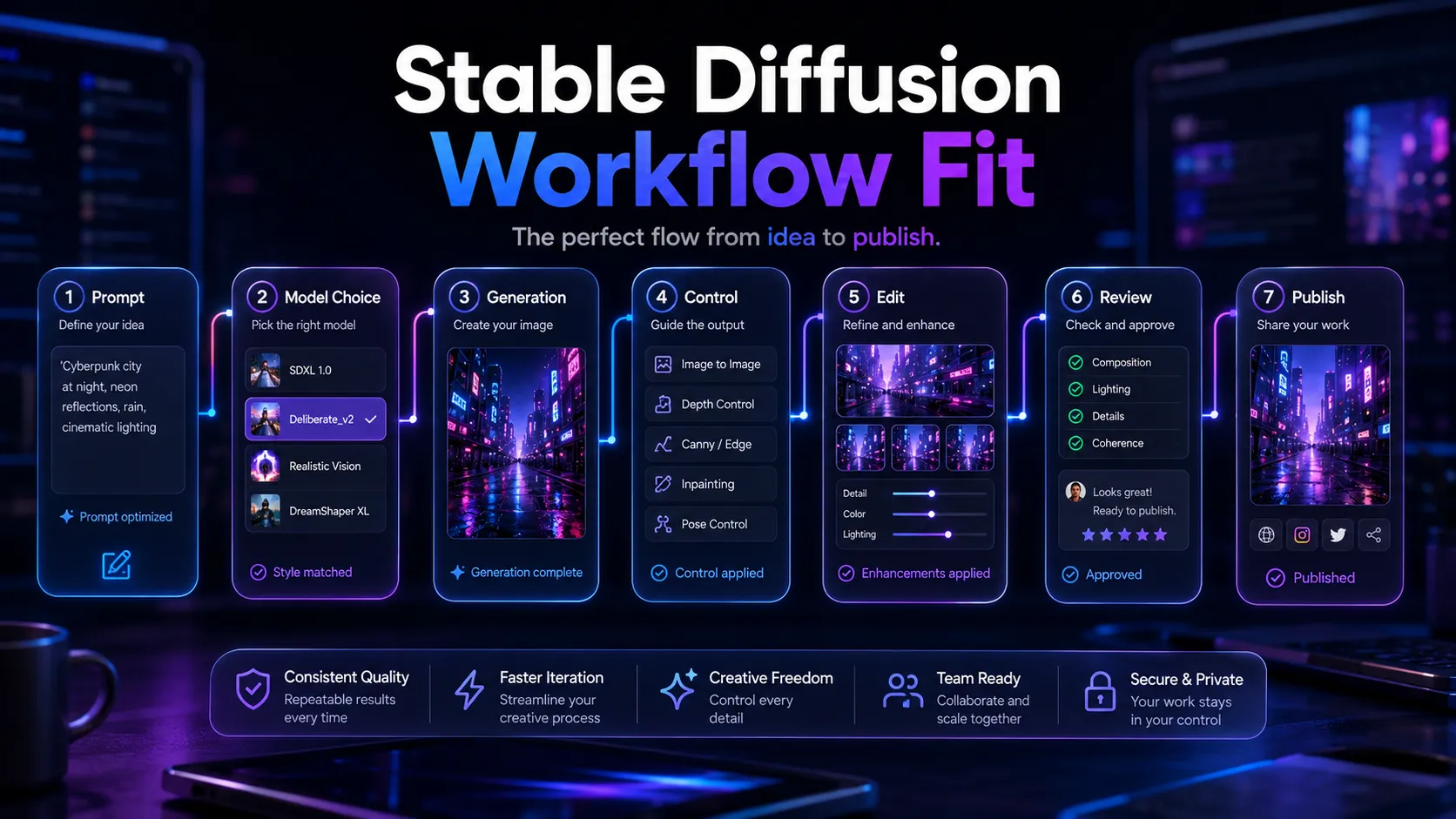
Use ChatGPT to plan prompts, Stable Diffusion for image generation, Photoshop for cleanup, and Canva AI for layout or social-ready versions.
Developers adding image generation to an app
stable-diffusion + github + vercel + cloud-storage
Use Stable Diffusion or the Stability AI API as the image generation layer, GitHub for workflow code, Vercel for the app interface, and cloud storage for generated assets.
Creative teams comparing hosted and local image tools
stable-diffusion + midjourney + adobe-firefly + canva-ai
Compare Stable Diffusion for control, Midjourney for fast visual exploration, Adobe Firefly for Adobe-centered work, and Canva AI for template-based finishing.
What Stable Diffusion can replace
- · Some stock image search and visual ideation
- · Some concept art exploration
- · Some prompt-based image generation tasks
- · Some image variation and experimental style workflows
What it still needs
- · design-review: Human judgment for composition, brand fit, and visual quality
- · licensing-review: Usage-rights checks before client or commercial publishing
- · image-editor: Cleanup, compositing, cropping, and export preparation
- · asset-management: Storage, naming, versioning, and publishing workflow control
Add it to your stack if
- · You need control over model choice, local setup, API access, or custom image pipelines.
- · Your team can handle licensing, infrastructure, and output review before publishing.
- · You want an image generation layer that can sit behind a broader creative workflow.
Skip it if
- · You want a simple design app with templates, brand kits, and a gentle learning curve.
- · You cannot support GPU, API, or engineering requirements.
- · You need clear legal and commercial guarantees without reviewing current terms.
Choose your next step
Pricing
→Review community license, API pricing, and enterprise routes before choosing a deployment path.
Alternatives
→Compare Stable Diffusion with Midjourney, DALL-E 3, Adobe Firefly, and other image tools.
Compare options
→Use this comparison if you are choosing between model control and a simpler hosted image workflow.
Stack fit
→See how Stable Diffusion fits beside prompt planning, editing, brand review, and publishing tools.
Review
→Read the full editorial review before making Stable Diffusion part of a production creative workflow.
Pricing summary
This is a profile-level summary. Use the pricing page for deeper plan checks.
Starting path
Free eligible community license, API and enterprise options vary
Free plan
Yes
Free trial
No
Stable Diffusion pricing depends on how the model is used. The Community License currently allows eligible individuals, researchers, creators, small businesses, and organizations under the stated revenue threshold to use core models at no license cost. API, cloud, enterprise, and managed deployment routes may involve separate usage-based or custom pricing, so buyers should verify current terms before production use.
Best starting path: Start with the Community License only if your use case fits the current license terms and your team can handle setup. Use the API or enterprise route when you need production support, scale, managed deployment, or business terms beyond the free community path.
Related stack page
AI Design Stack
→Role: Custom image generation and model-control layer
Stable Diffusion fits the AI design stack when the buyer needs more control than a standard hosted image tool gives. It works best when paired with prompt planning, image editing, brand review, and asset management.
Developer Productivity Stack
→Role: API and self-hosted model layer for app builders
Developers can use Stable Diffusion through API, cloud, or self-hosted paths when image generation becomes part of a product or internal tool. The implementation still needs monitoring, storage, cost control, and safety review.
Top alternatives
See all →Direct alternatives

Midjourney is a hosted image generation tool that gives non-technical creators faster visual output with less setup.

DALL-E 3 is a hosted image generation option tied to OpenAI workflows and is easier for ChatGPT users to access.

Adobe Firefly is a hosted creative AI option for buyers who already use Adobe tools and want a more guided commercial creative workflow.
Adjacent tools in the same stack

Canva AI helps turn generated visuals into social posts, presentations, and marketing layouts, but it does not replace model-level control.

ChatGPT can help plan prompts and creative briefs, but it does not replace the image generation model layer.
Related comparisons
Stable Diffusion vs Midjourney
Local and customizable image generation compared with hosted visual exploration.
Stable Diffusion vs DALL-E 3
Open model workflows compared with OpenAI image generation.
Adobe Firefly vs Stable Diffusion
Adobe-centered creative production compared with model-level control.
FAQ
What is Stable Diffusion best for?
Stable Diffusion is best for technical image generation workflows where control matters. It fits local generation, API use, custom pipelines, style experimentation, and privacy-aware setups, but it still needs human design review, licensing checks, and editing before publishing.
Is Stable Diffusion free to use?
The self-hosted community license path currently appears free for eligible individuals, creators, researchers, and organizations under the stated revenue threshold. API, cloud, enterprise, and managed deployment routes may involve separate pricing or custom terms.
Does Stable Diffusion need a GPU?
Local Stable Diffusion workflows usually benefit from a compatible GPU and technical setup. Users who do not want to manage hardware can look at API, cloud partner, or hosted application routes, then verify current pricing and usage limits.
Is Stable Diffusion better than Midjourney?
Stable Diffusion is usually better for control, local workflows, customization, and developer pipelines. Midjourney is usually easier for non-technical creators who want fast visual exploration without managing models, hardware, or deployment details.
Can Stable Diffusion be used commercially?
Commercial use depends on the current Stability AI license, revenue threshold, deployment route, and client requirements. Buyers should review the official license and terms before using outputs in paid campaigns, products, or client work.
How TopAIStacks evaluates Stable Diffusion
Verified current positioning from Stability AI's image model and license pages, including Stable Diffusion 3.5, self-hosted license direction, API route, cloud partners, and web application access. Public rating fields were left at 0 because no single reliable normalized review source was found during this pass. Third-party legal and research sources were used only for buyer caution and technical context.
Last checked: May 2026 · Source confidence: medium