Stable Diffusion Review
Stable Diffusion review for buyers comparing local AI image generation, API use, pricing, control, setup friction, and alternatives.
Powerful and flexible for technical image workflows, but too complex for buyers who want a simple hosted creator tool.
Use it if…
- ✓ You need more control than a hosted text-to-image box gives you.
- ✓ You can manage local setup, hosted API use, or a technical creative workflow.
- ✓ You want to experiment with model variants, repeatable workflows, or custom image pipelines.
- ✓ You are willing to trade convenience for lower marginal generation cost and deeper control.
Skip it if…
- – You want a simple AI image tool that works well without setup.
- – Your team cannot review licensing and model usage terms before commercial use.
- – You need brand-safe creative workflows without extra governance or editorial review.
- – You do not have time to maintain prompts, models, extensions, or a local generation environment.
Review scorecard
Scored by workflow fit, ease of use, value, and stack compatibility. Weights reflect importance for typical buyers.
| Criteria | Score | ||
|---|---|---|---|
| Creative control | 9.1 | ||
| Ease of adoption | 5.8 | ||
| Cost flexibility | 8.4 | ||
| Commercial and licensing clarity | 7.2 | ||
| Stack fit | 8.3 | ||
| Weighted overall | 7.9 / 10 | ||
On this page
Quick verdict
If you are comparing Stable Diffusion because you want the cheapest AI image generator, pause for a second. The practical question is not only price. It is whether you want control badly enough to accept setup work.
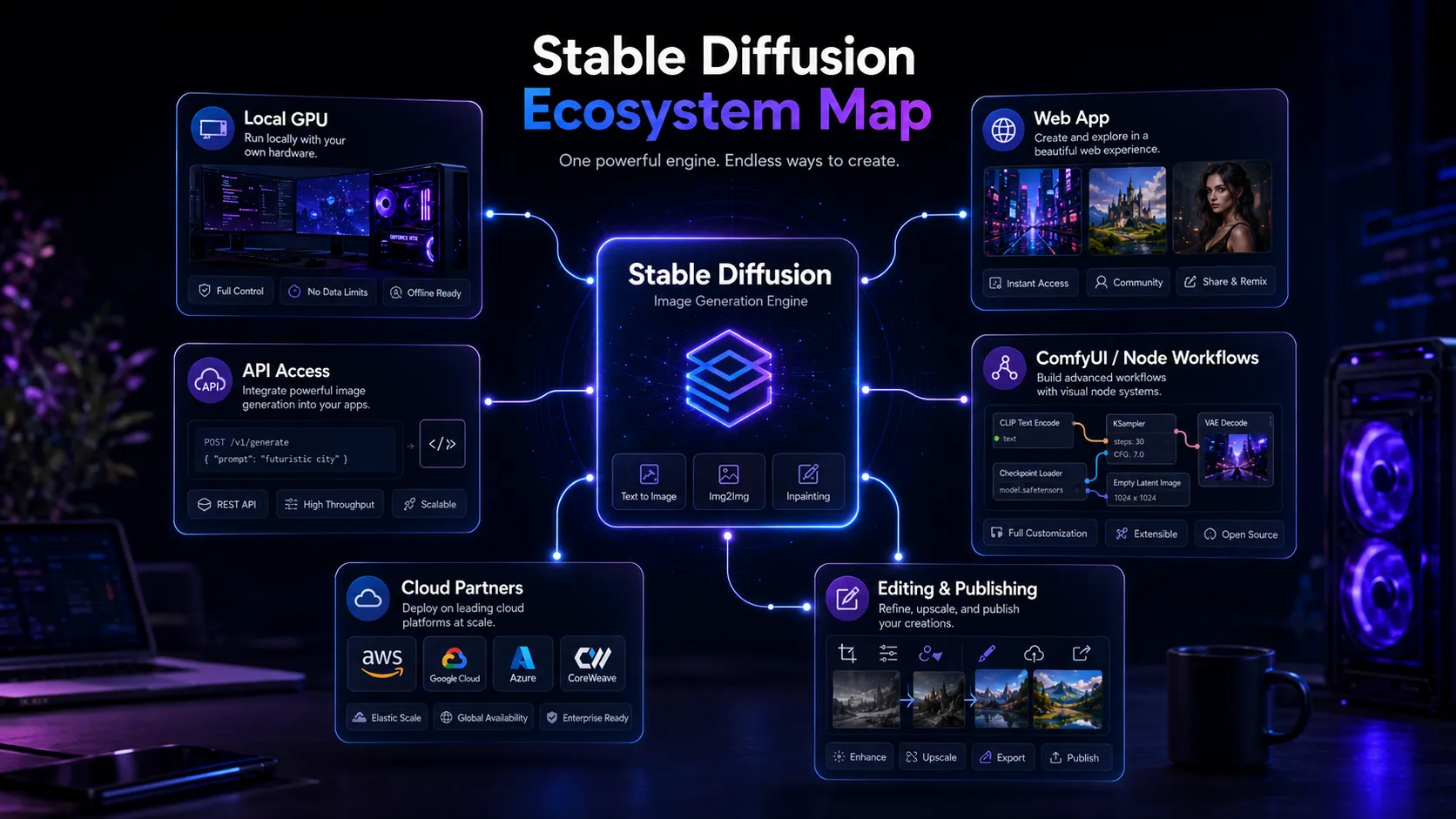
Stable Diffusion is strongest when your stack needs a real image generation engine, not just a nice text-to-image box. It can sit behind local workflows, API products, internal creative tools, custom model experiments, and private generation pipelines. That is a serious advantage for technical users.
It is also the reason many buyers should not start here. If you want a clean SaaS experience, simple billing, brand-safe defaults, and fast results with minimal decisions, Midjourney, DALL-E 3, Adobe Firefly, or Canva AI will feel easier.
Who should use Stable Diffusion
You are building a repeatable visual workflow, not just asking for one picture. Maybe you need a local environment for privacy. Maybe you want to run variations at volume. Maybe your creative process depends on model choice, LoRA-style customization, instruction control, or node-based workflows.
That is where Stable Diffusion starts to make sense. It belongs in a stack when the buyer already understands that image generation is only one layer. You still need instruction planning, asset review, editing, brand checks, and publishing. Stable Diffusion can power the generation layer, but it does not replace the whole creative operation.
It is especially compelling for technical creators, developers, advanced designers, privacy-conscious teams, and anyone who sees model control as a feature rather than a chore.
Who should skip Stable Diffusion
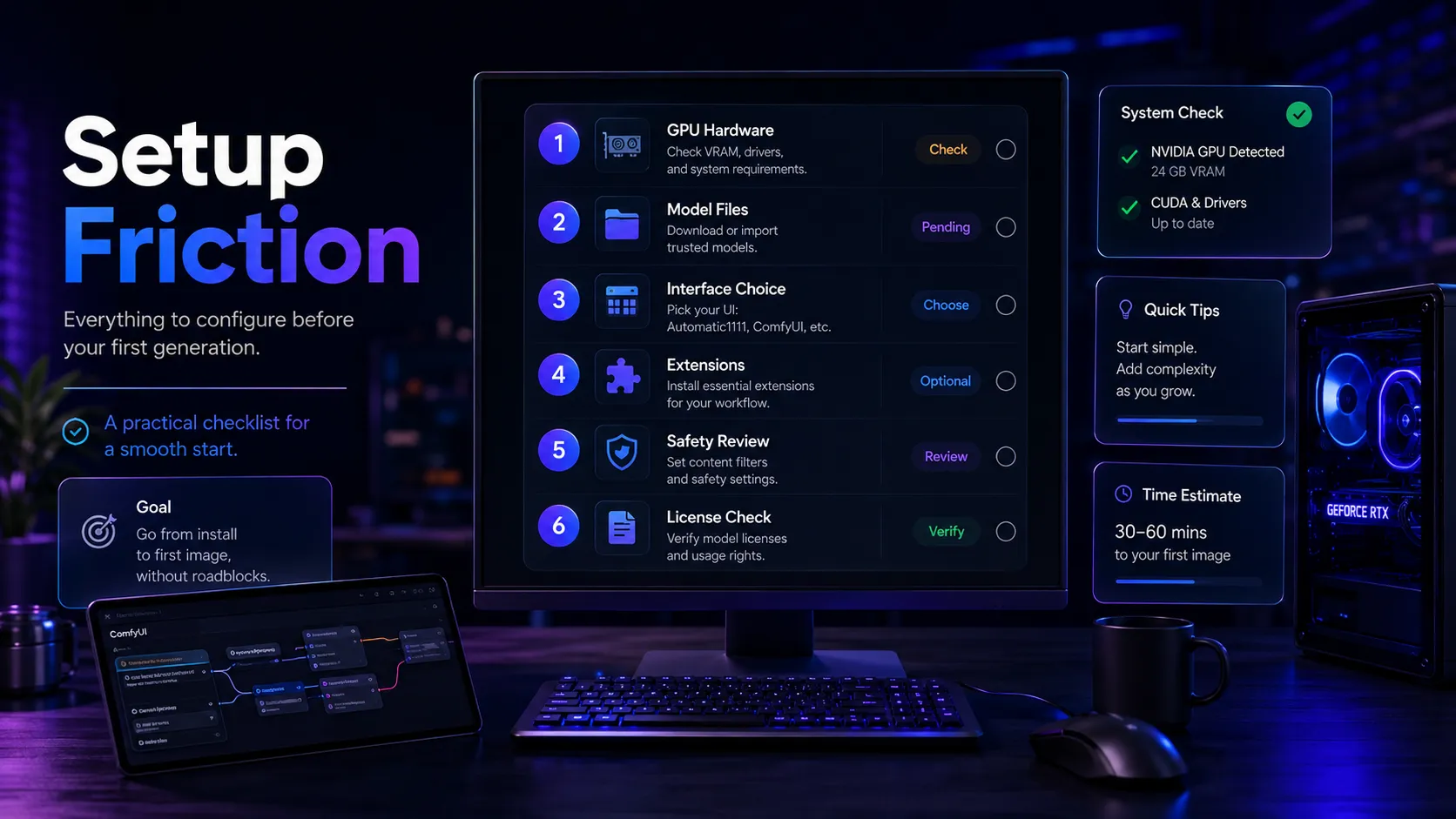
Skip Stable Diffusion if you want a tool that behaves like a polished design app. The friction is real. You may need to think about GPU hardware, model files, interface choice, samplers, extensions, licenses, and output review before the workflow feels dependable.
It is also a poor first choice if your team needs a predictable brand-safe environment with clear permissions and minimal setup. In that case, the safer move is usually Adobe Firefly for commercial creative workflows, Canva AI for layout-led design, or DALL-E 3 if your team already lives inside ChatGPT.
Real workflow fit
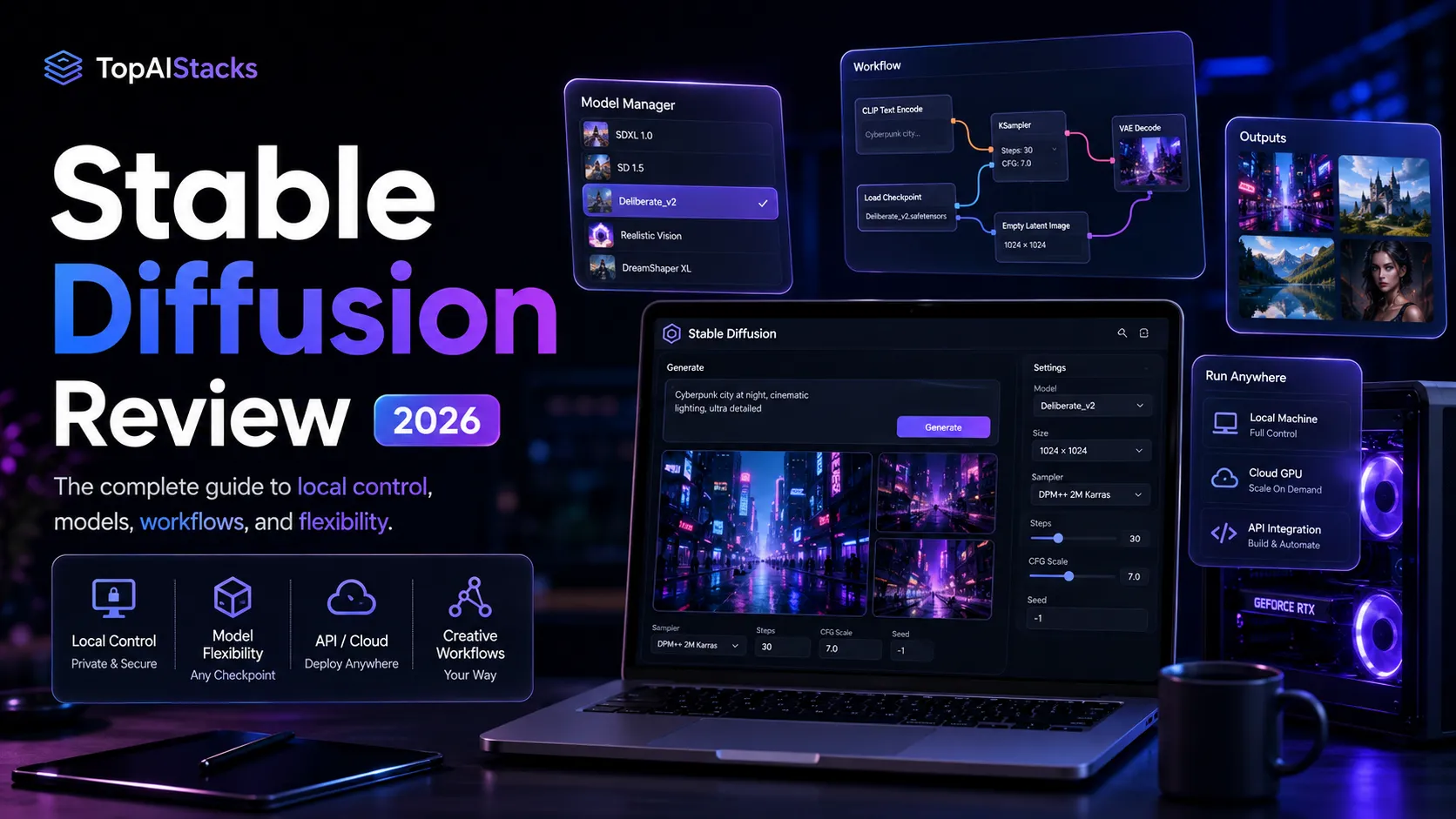
The best Stable Diffusion workflow usually starts before the image request. You define the creative job, choose a model path, generate candidates, control or refine the result, then move into editing and review. The tool creates leverage when that process repeats often enough to justify the setup.
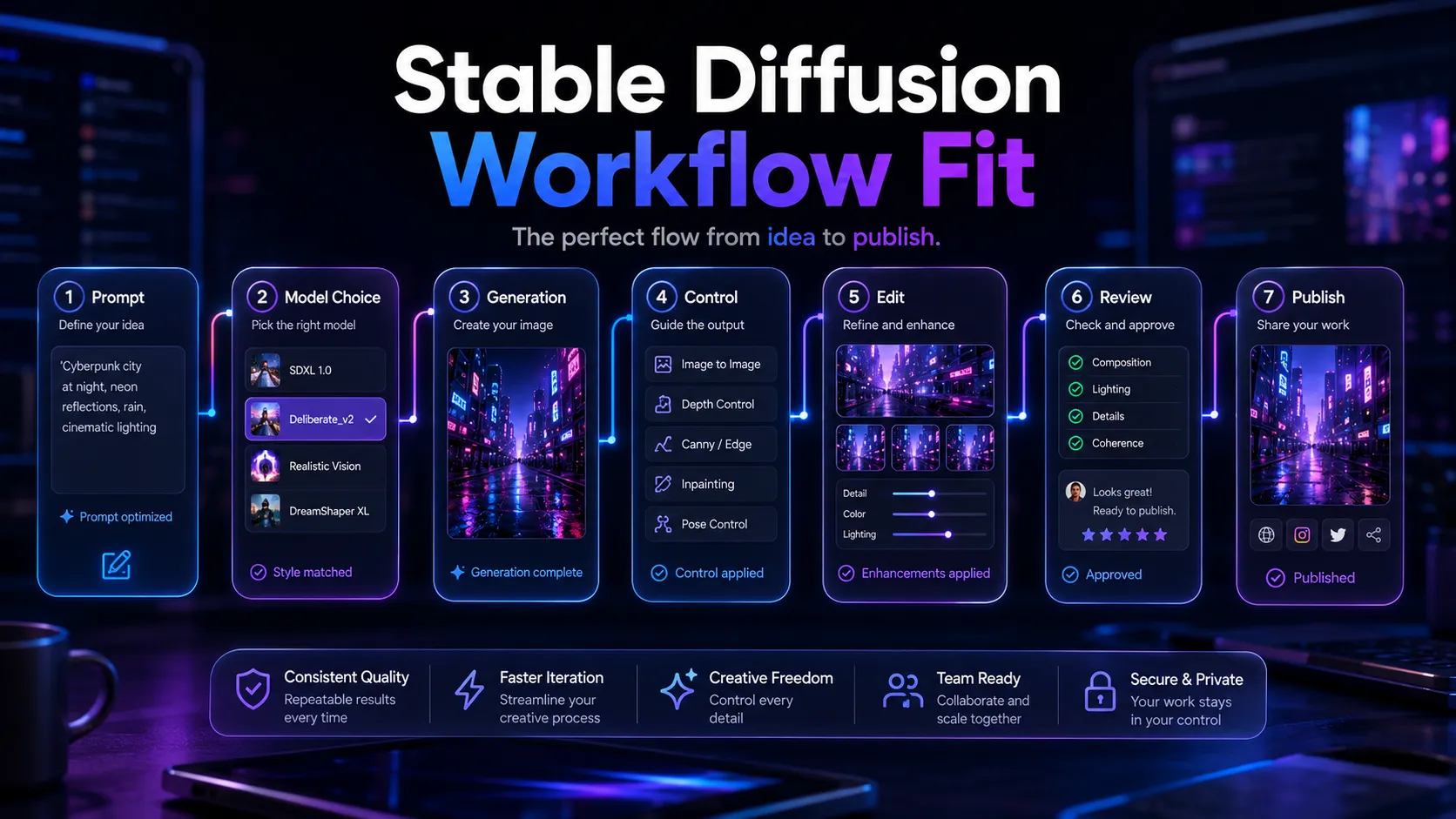
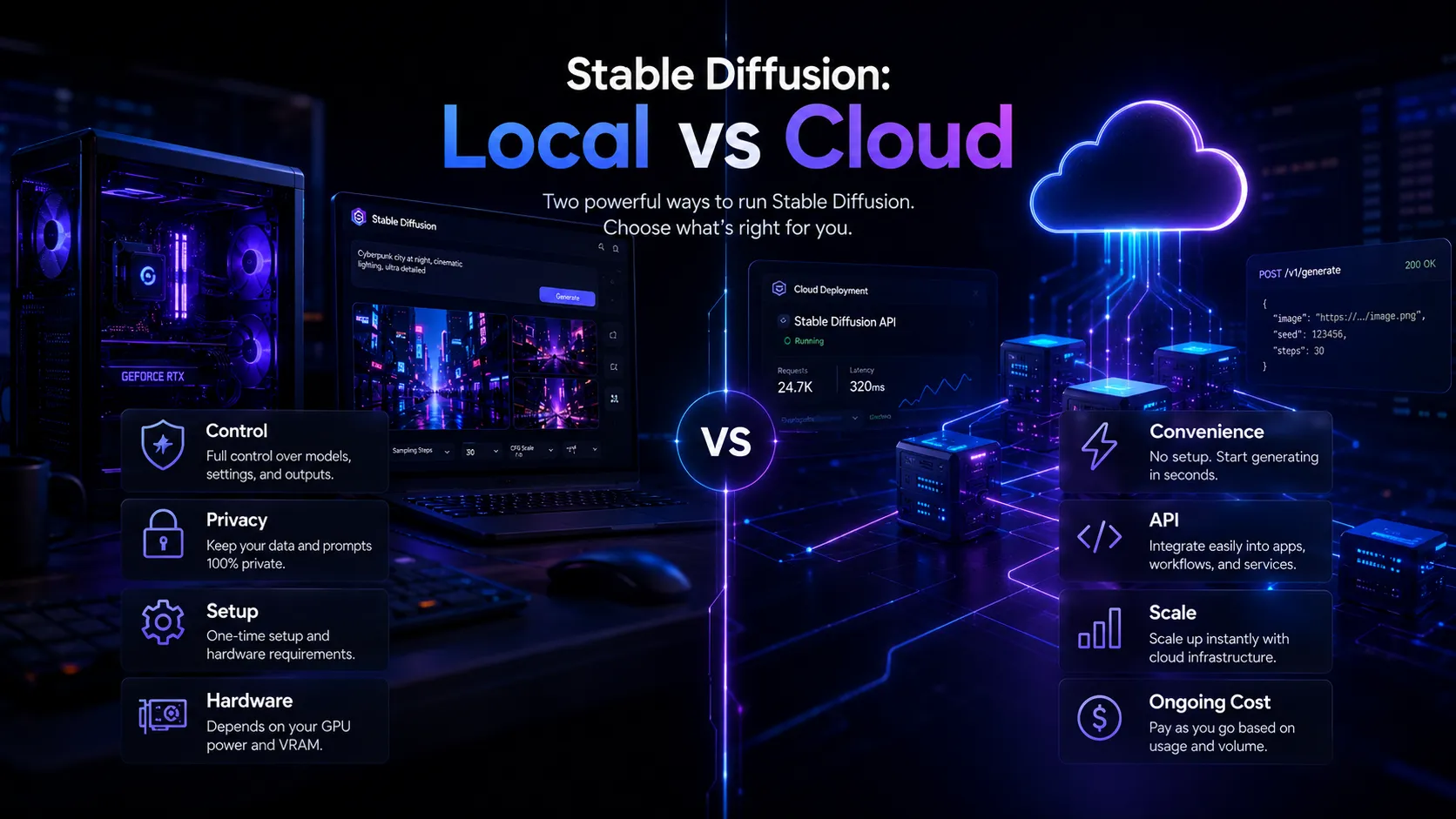
The local versus cloud decision is the first real fork. Local generation gives you more control over data flow and marginal cost, but it pushes responsibility onto your hardware and operator. API or cloud access reduces setup work, but it brings credit costs, platform dependence, and usage limits back into the decision.
Where Stable Diffusion fits in an AI stack
I would treat Stable Diffusion as a lower-level image generation engine. It pairs well with ChatGPT for instruction planning, Canva AI or Photoshop for final layout and editing, and workflow tools when you need repeatable generation steps.
It does not replace design judgment, brand direction, legal review, or final editing. That distinction matters. Stable Diffusion can produce visual options, but your stack still needs a human decision layer before those images become public assets.
What Stable Diffusion does well
You might hit a wall in a hosted tool when you want the same character style, a tighter image-to-image workflow, a custom model, or a more controlled generation pipeline. Stable Diffusion is built for that buyer tension.
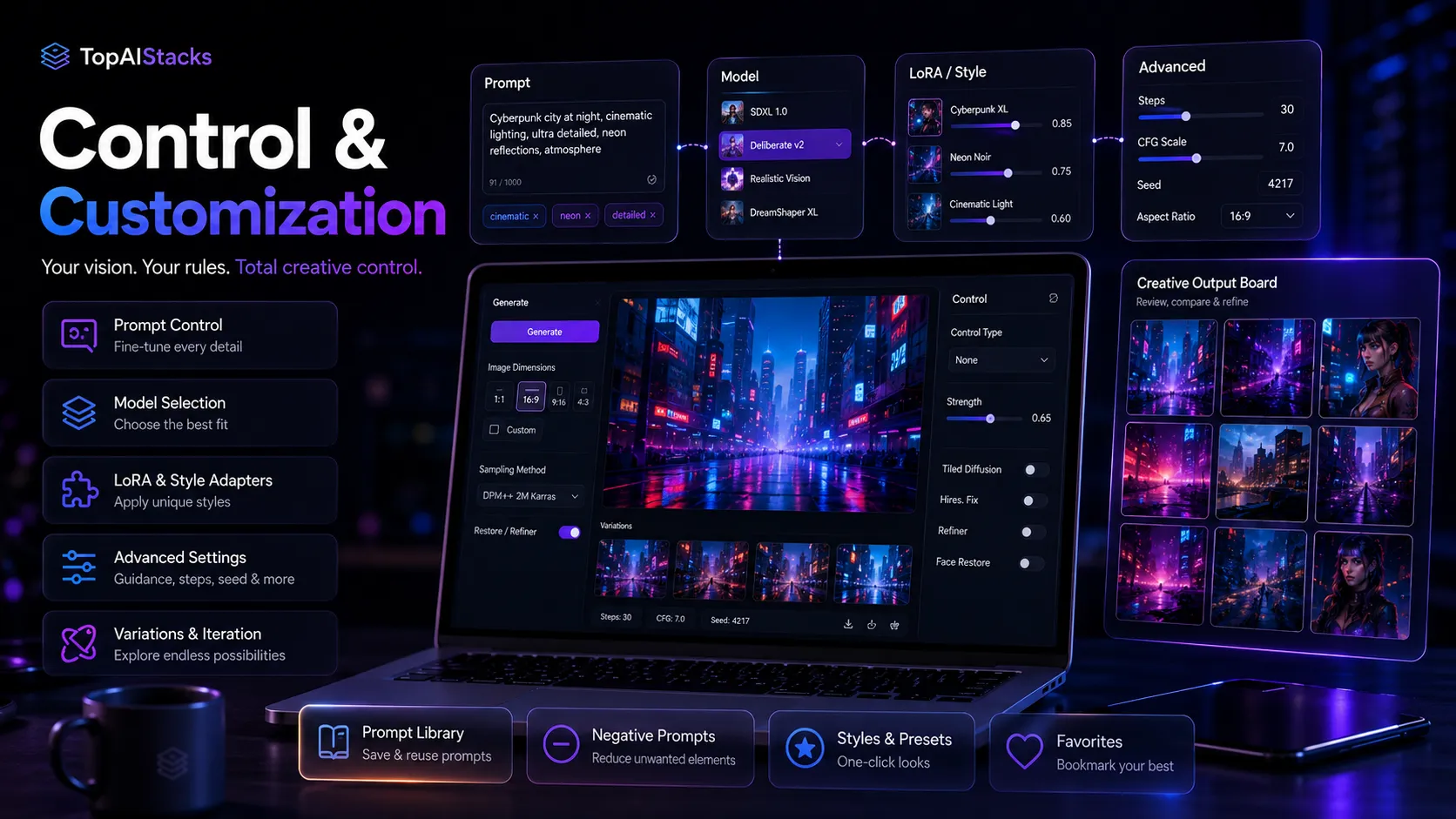
The first strength is control. Stable Diffusion gives technical users room to choose models, refine workflows, connect tools, and build around the generation engine. That flexibility is the reason it still matters even as easier image generators keep improving.
The second strength is deployment choice. Stability AI presents self-hosted licensing, API access, cloud partner deployment, and web-based access paths. That gives buyers several ways to adopt the model family depending on privacy, scale, and technical comfort.
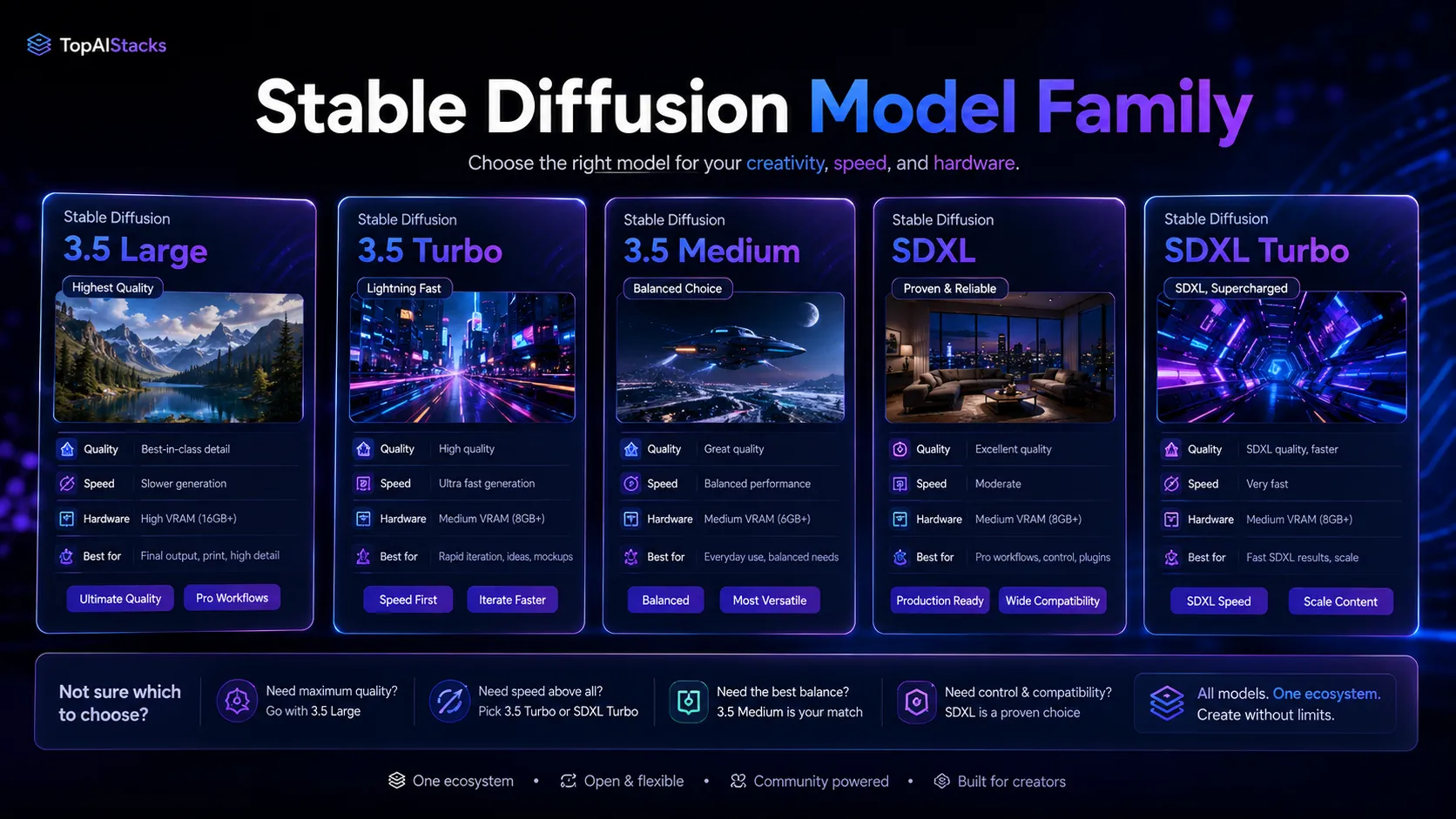
The third strength is the ecosystem. A single hosted app gives you one route. Stable Diffusion gives you many. That is powerful, but it is also why the buying decision can become messy.
Where Stable Diffusion falls short
The main frustration is that Stable Diffusion can be both free and expensive at the same time. The software or model access may not be the bill that hurts. The real cost can be your GPU, setup time, workflow debugging, licensing review, and the person who has to keep the whole thing working.
The second weak point is quality consistency. Stable Diffusion can produce excellent images, but results depend heavily on model choice, settings, prompts, interface, and operator skill. A non-technical buyer may see worse results than they would get from a simpler hosted tool.
The third weak point is governance. If your organization cares about commercial use, brand safety, model provenance, or output review, you need a more careful workflow than simply generating images and publishing them.
Pricing judgment
Stable Diffusion should not be judged like a normal SaaS plan. Community and self-hosted use can be free for eligible users, but official licensing separates community use from enterprise use, and API or hosted access can introduce usage costs. For larger organizations, the license conversation matters before the image quality conversation.
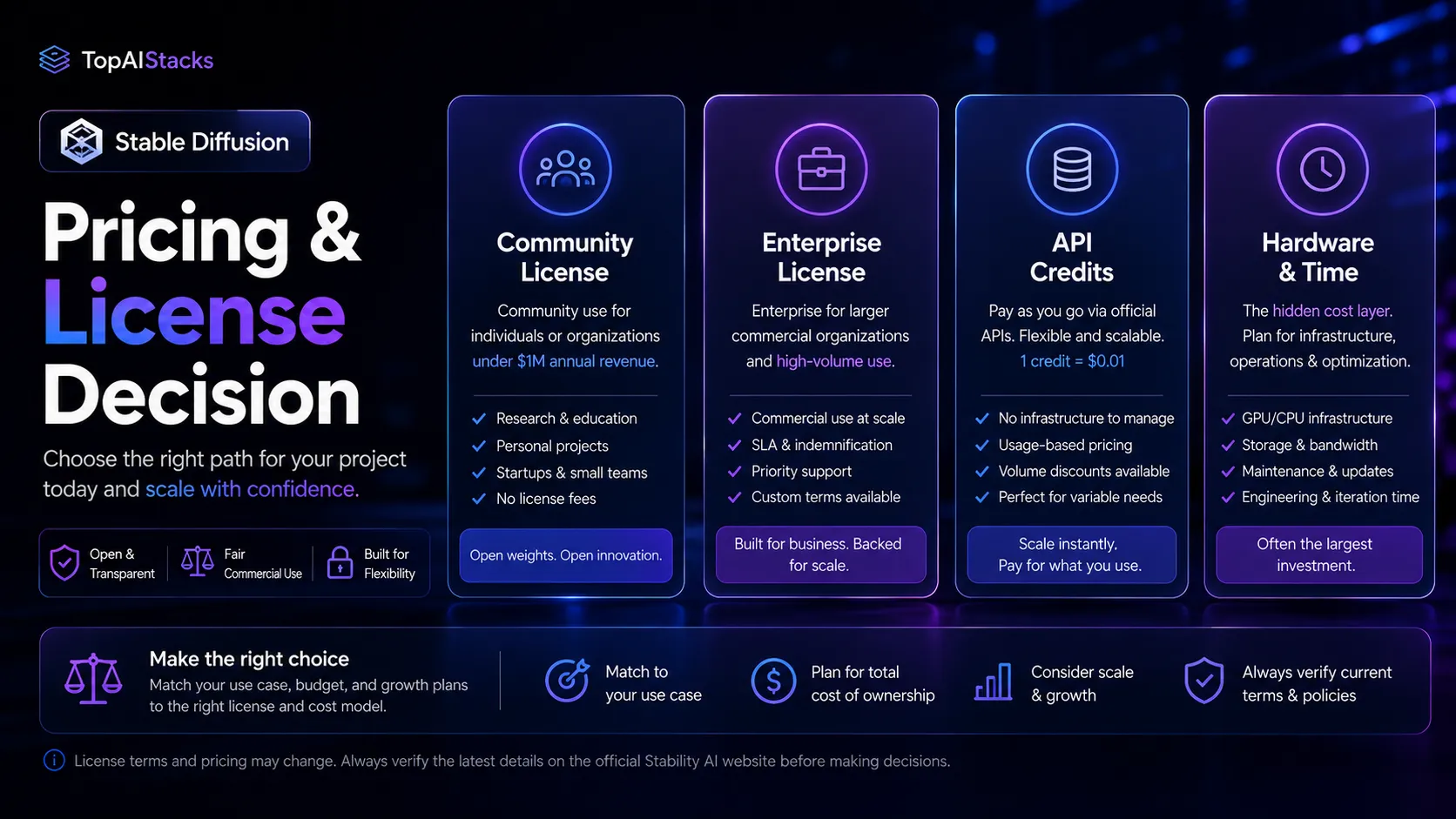
The main reason to pay for a hosted or API route is convenience, scale, or integration. The main reason to self-host is control. If you are a solo technical creator, self-hosted Stable Diffusion may be the best value. If you are a marketing team with no technical operator, the hidden cost may be higher than a paid design or image tool. Verify current pricing on the official pricing page.
Best alternatives to compare
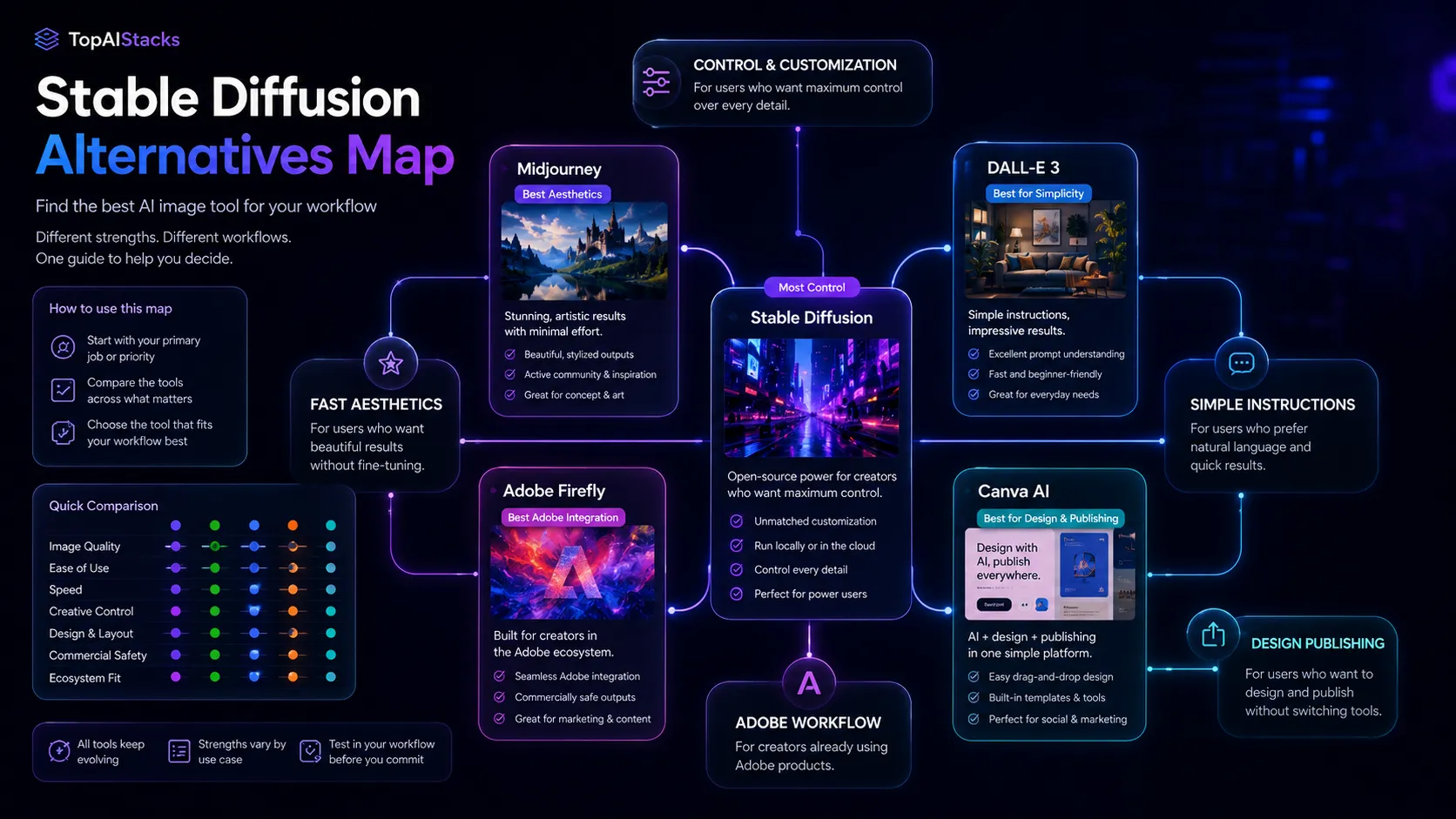
Compare Midjourney first if your real goal is fast, attractive image output with less setup. Midjourney is easier to adopt, but it gives you less local control and less ownership over the generation workflow.
Compare DALL-E 3 first if you already work in ChatGPT and need simple instruction-following image generation. It is a better fit for general users who do not want to choose models or manage interfaces.
Compare Adobe Firefly first if your creative workflow already sits inside Adobe tools and you care about commercial production review. Firefly is less flexible than Stable Diffusion, but easier to explain to a design team.
Compare Canva AI if the end job is not model control, but published assets. For social posts, presentations, and marketing graphics, Canva may solve more of the actual workflow even if its image generation layer is less advanced.
Final decision
Add Stable Diffusion to your stack if you need local control, custom image workflows, model flexibility, or privacy-sensitive generation and you have the technical capacity to support it.
Compare Midjourney first if your main goal is fast visual quality with less setup and you do not need deep model or workflow control.
Skip Stable Diffusion for now if your team wants a simple design app, predictable governance, and polished results without managing hardware, licenses, models, or interfaces.
Frequently asked questions
Is Stable Diffusion worth it in 2026?
Is Stable Diffusion free to use?
Who should use Stable Diffusion instead of Midjourney?
Does Stable Diffusion need a powerful computer?
Can businesses use Stable Diffusion commercially?
What are the best Stable Diffusion alternatives?
Where Stable Diffusion fits in a stack
Local and customizable AI image generation layer
Does not replace
- – Brand direction
- – Professional design review
- – Commercial legal review
- – Image editing and publishing workflow
- – A simple non-technical design platform for teams
Pairs well with
Head-to-head comparisons
Top alternatives to consider
If Stable Diffusion is not the right fit, these are the most common alternatives.

Midjourney is usually the better first comparison for buyers who want beautiful outputs quickly without managing models, nodes, or local hardware. It trades control for ease and aesthetic consistency.

DALL-E 3 is a better fit for buyers already working in ChatGPT who want instruction-following image generation without a technical setup path. It is less of a local control engine.

Adobe Firefly is the safer comparison for creative teams already invested in Adobe workflows and commercial production review. It is less flexible than Stable Diffusion, but easier to position inside a design department.
Review methodology
Editorial review based on Stability AI product pages, licensing pages, public pricing routes, official model documentation where available, and current public third-party context. No hands-on benchmark testing was conducted.
This review is based on current public information and buyer workflow analysis, not direct hands-on testing of local installations, API throughput, or model output quality.
Not covered: Hands-on output quality benchmarks · Enterprise legal review · Testing of every community checkpoint, LoRA, or third-party interface