
Notion AI Review
Notion AI review for teams deciding if workspace-native AI is worth using inside docs, databases, meetings, and knowledge workflows.
Strong for Notion-centered teams, less compelling as a standalone AI assistant.
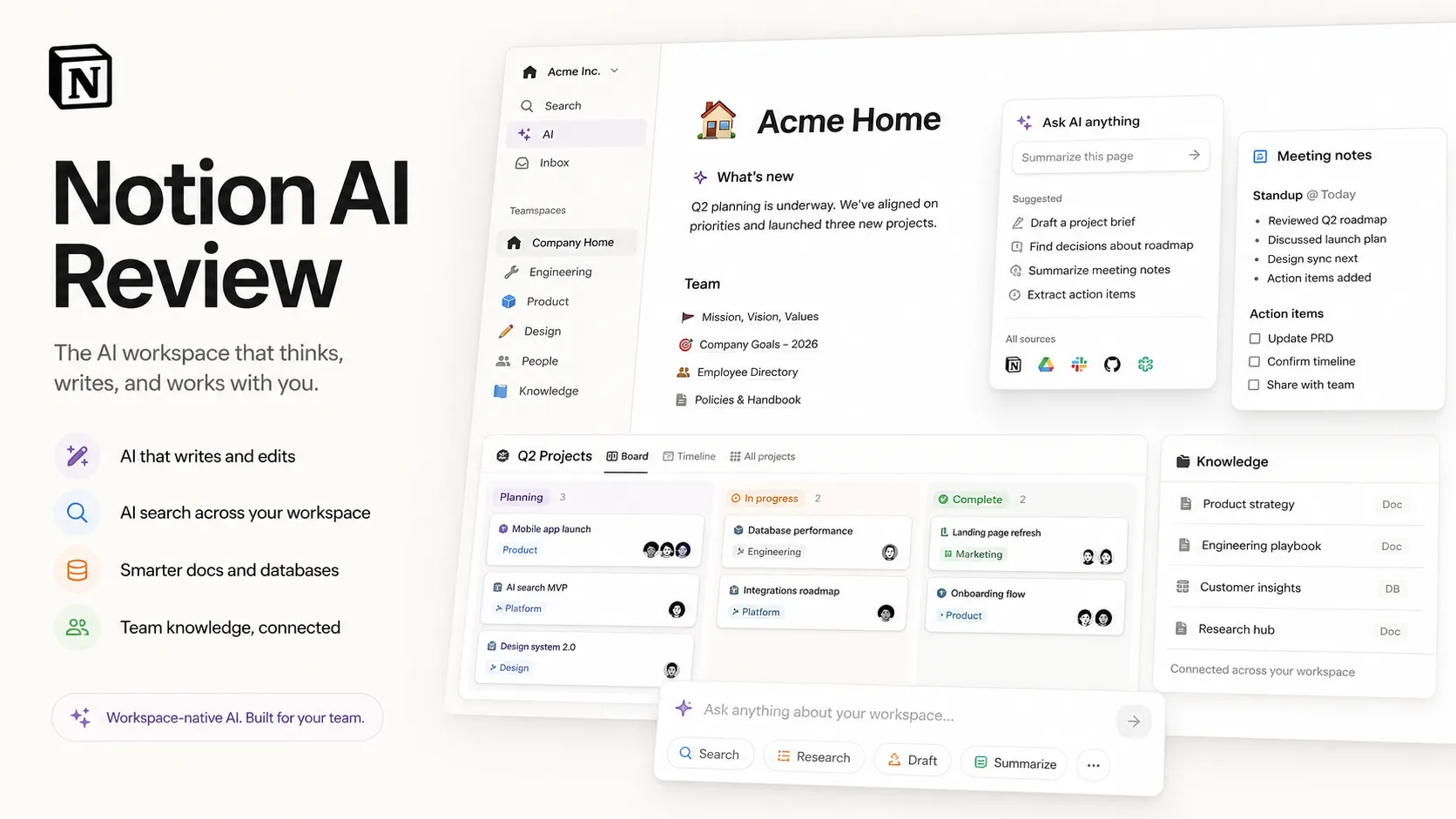
Use it if…
- ✓ Your Notion workspace already contains useful docs, projects, meeting notes, and team knowledge.
- ✓ You want AI to help summarize, search, autofill, and organize work where the work already lives.
- ✓ You are comparing a workspace AI layer against adding more external chat tools.
Skip it if…
- – Your team knowledge is scattered across many tools and Notion is not the main source of truth.
- – You mainly need a standalone chatbot for research, coding, or broad creative work.
- – You need to confirm retention, admin, or compliance requirements before connecting sensitive company knowledge.
Review scorecard
Scored by workflow fit, ease of use, value, and stack compatibility. Weights reflect importance for typical buyers.
| Criteria | Score | ||
|---|---|---|---|
| Workflow fit | 8.6 | ||
| Output usefulness | 7.8 | ||
| Ease of use | 8.4 | ||
| Pricing clarity | 7.2 | ||
| Stack value | 8.0 | ||
| Weighted overall | 8.0 / 10 | ||
On this page
Quick verdict
Notion AI is not the first AI tool I would recommend to everyone. That sounds harsh, but it is actually the fairest way to look at it.
If your workspace is already alive with meeting notes, product specs, project pages, team decisions, databases, and weekly updates, Notion AI can sit close to the work and save real time. It can help draft inside pages, summarize messy notes, answer questions from workspace context, autofill databases, and turn recurring knowledge work into something less manual.
If your Notion account is mostly a few half-finished planning pages and old notes, the value feels thinner. You may be paying for AI to stare at a weak source of truth.
So the real question is not only, “Is Notion AI good?” The better question is, “Is your Notion workspace good enough for AI to help?”
Who should use Notion AI
You should look seriously at Notion AI if Notion is already the place where your team thinks. Product teams, founders, operations leads, content managers, and knowledge-heavy teams can get the most value because their work usually creates a trail of docs, tasks, decisions, and follow-ups.
The biggest fit is a team that already has the habit. Someone writes meeting notes in Notion. Someone keeps roadmaps there. Someone stores research, specs, and decisions there. In that situation, AI is not floating outside the workflow. It is working near the material.
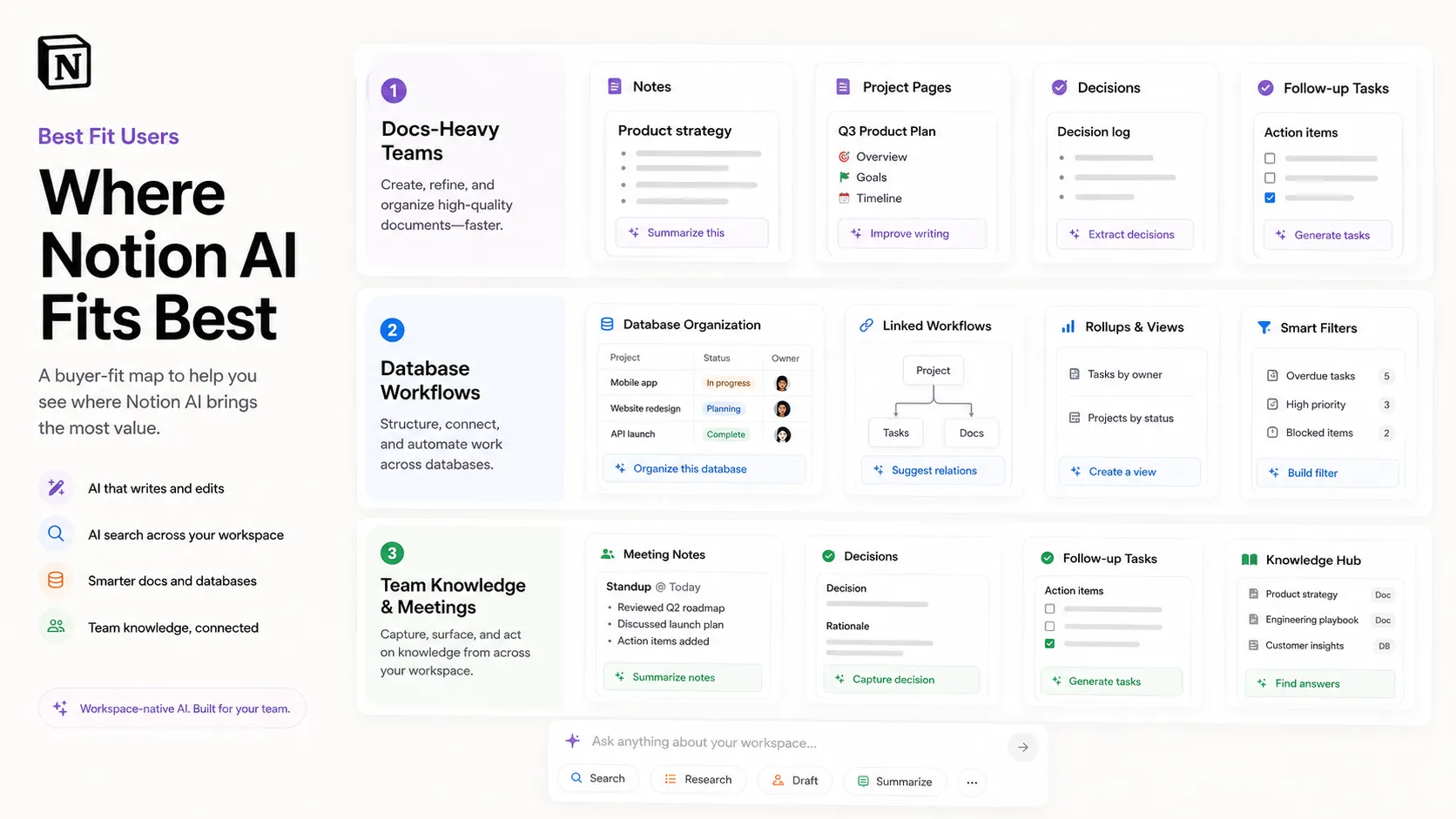
The practical use cases are not magical. They are boring in a useful way. Summarize a meeting. Turn a rough project note into a cleaner brief. Ask what happened across a set of pages. Autofill a database property. Draft a follow-up. Pull scattered notes into something your team can read without hunting through ten tabs.
That is where Notion AI feels more like a workflow layer than a generic chatbot.
Who should skip Notion AI
Skip it if your team does not really use Notion. I know that sounds obvious, but this is where many buyers make the wrong comparison.
A standalone assistant like ChatGPT or Claude can help even when your workspace is a mess because you bring the context manually. Notion AI depends more on the quality of what is already inside Notion and what you allow it to access.
You should also be careful if your main work is long-form SEO content, technical coding help, deep research outside your company workspace, or polished marketing copy at scale. Notion AI can help draft and organize, but it is not trying to replace dedicated content tools, coding tools, or broad AI assistants.
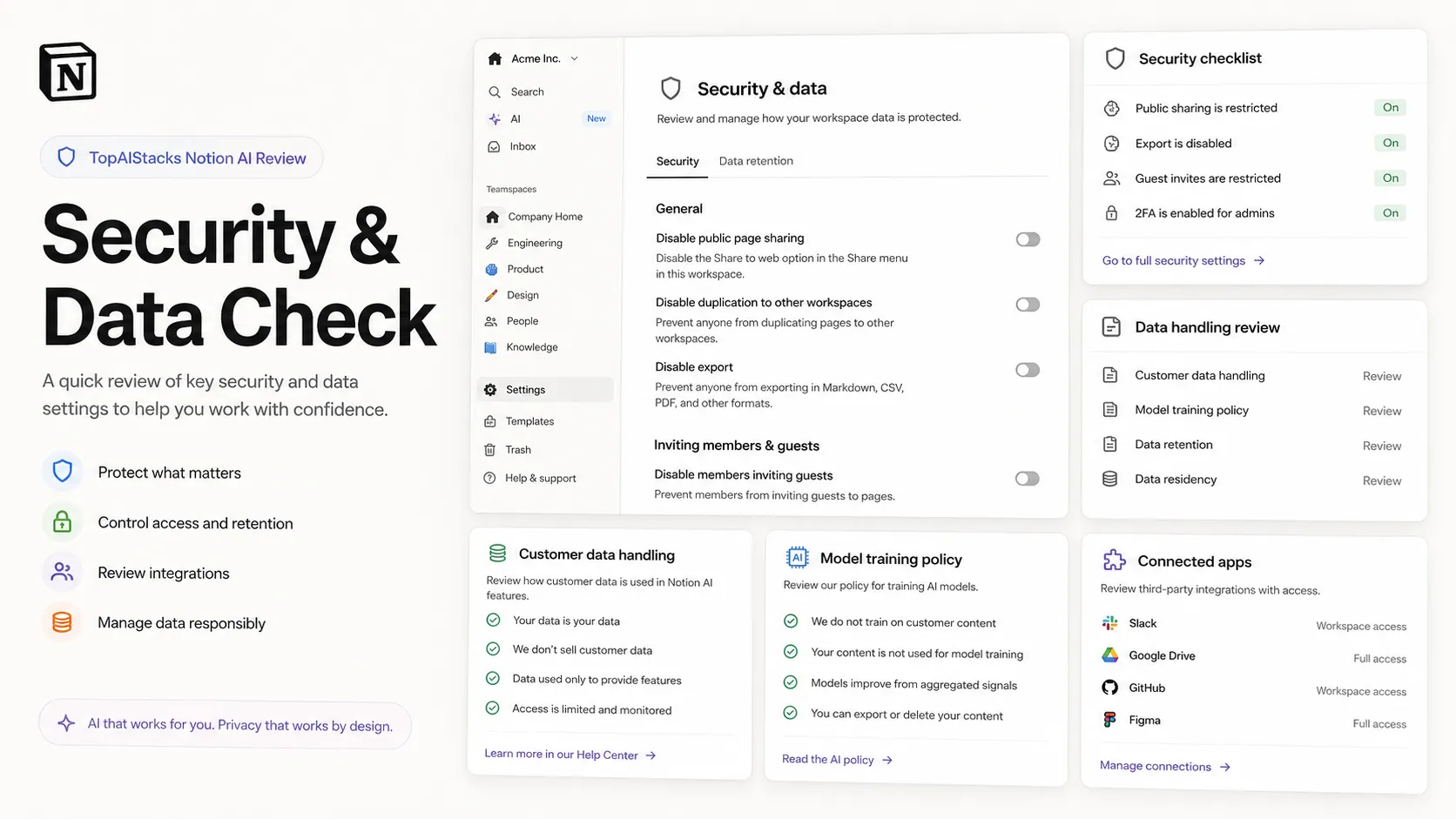
The other skip case is data sensitivity. Notion publishes security and privacy information for AI, including language around customer data and AI subprocessors, but your team still needs to check retention, permissions, connected apps, and enterprise controls before putting sensitive internal knowledge into AI flows.
Real workflow fit
The easiest way to understand Notion AI is to stop thinking about it as another blank chat box.
It is better understood as AI inside a workspace. The value comes from proximity. Your docs, tasks, databases, meeting notes, and connected tools are already part of the environment. AI can help because the work is close by.
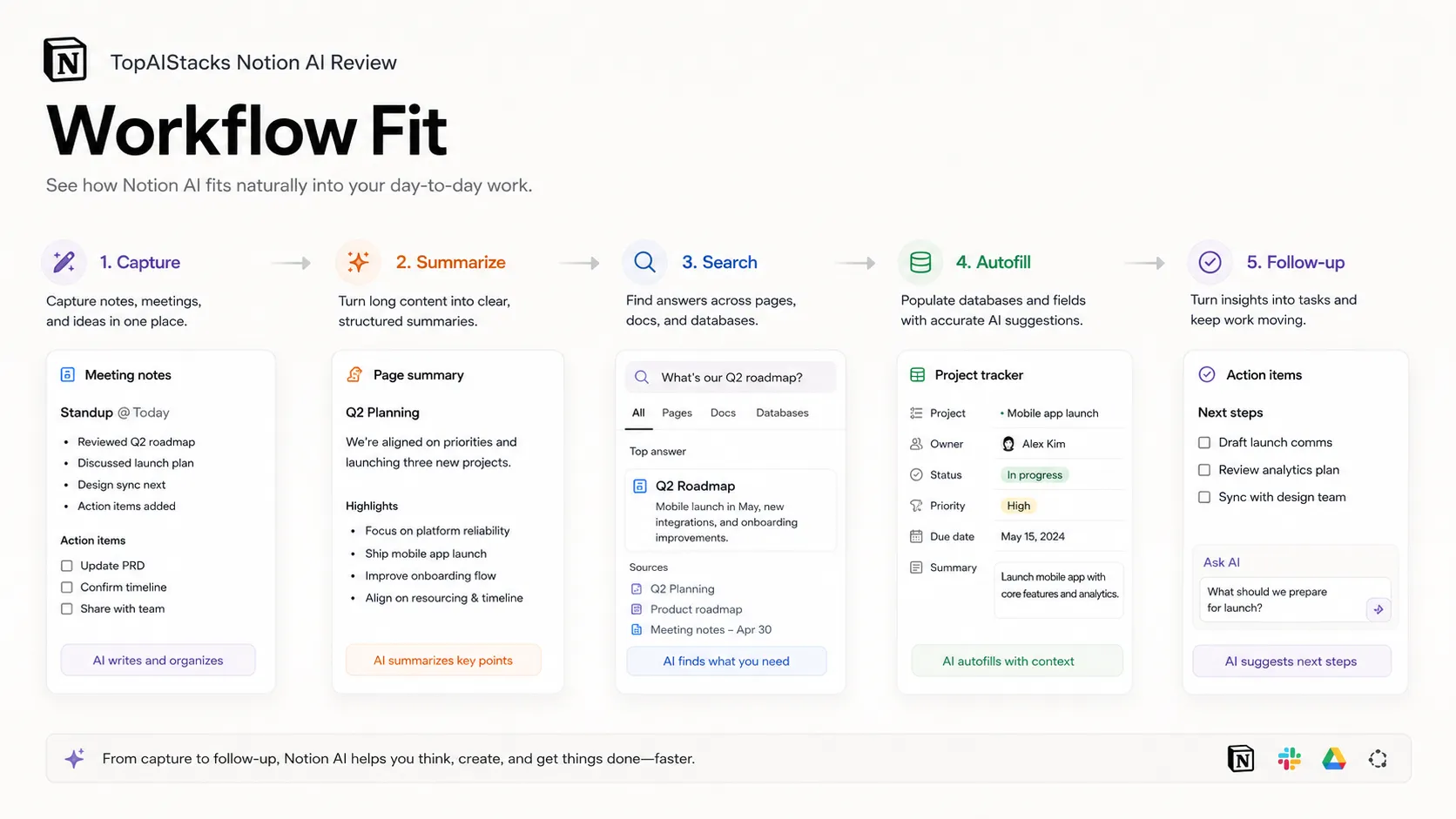
A normal workflow might look like this. A team has a messy meeting. Notion AI helps create notes and action items. A product manager turns those into a project page. A database gets updated. Later, someone asks what the team decided last week. Instead of searching manually, they use AI to find the answer or generate a summary.
That is useful. It is also fragile. If people do not write things down, if databases are poorly structured, or if important work lives outside Notion, the AI has less to work with.
This is why Notion AI feels strongest for teams with process discipline. It rewards teams that already treat knowledge as something worth organizing.
Where Notion AI fits in an AI stack
In a practical AI stack, Notion AI is not the brain for every task. It is the workspace memory and action layer.
ChatGPT or Claude can still be better for broad reasoning, quick ideation, or large document analysis outside Notion. Zapier, Make, or n8n can still be better for cross-app automation. Slack and Google Workspace may still hold important conversations and files.
Notion AI sits in the middle when Notion is your operating layer.
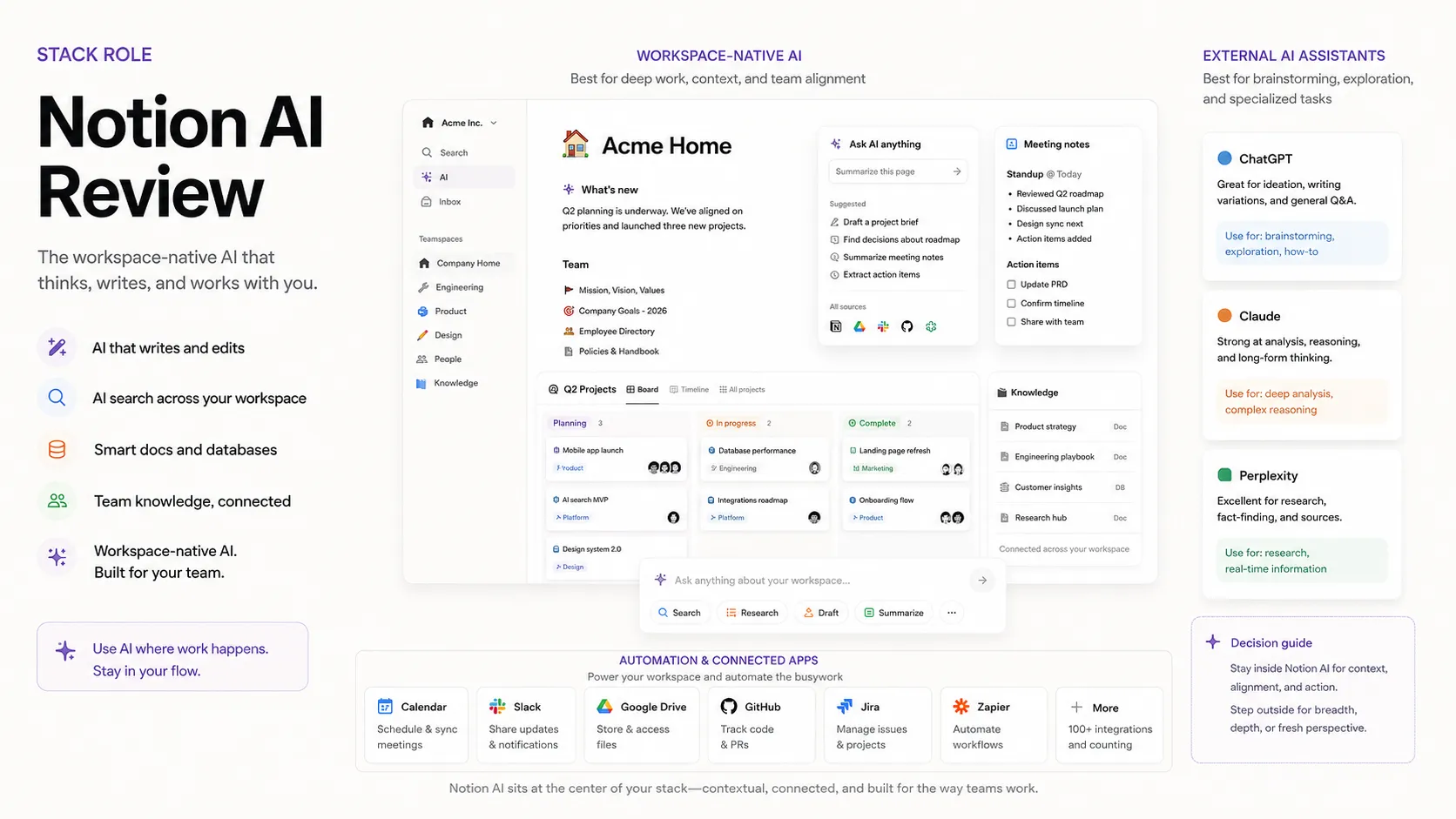
That stack position matters because it prevents overbuying. You do not need to make Notion AI compete with every AI assistant. You need to decide whether it solves the workspace problem better than copying text into another tool all day.
If your team often asks, “Where is the latest version?”, “What did we decide?”, “Can someone summarize this?”, or “Can we turn this meeting into tasks?”, Notion AI belongs on the shortlist.
If your team mostly asks, “Can this model write a full article?”, “Can it code?”, or “Can it do open-ended research better than my current assistant?”, compare it against ChatGPT and Claude first.
What Notion AI does well
Notion AI does well when the task is close to existing team knowledge.
It can help with summaries, drafting, rewriting, database autofill, meeting notes, research-style summaries, and workspace questions. The official product page also positions newer AI features around agents, enterprise search, meeting notes, admin controls, and connected app context.
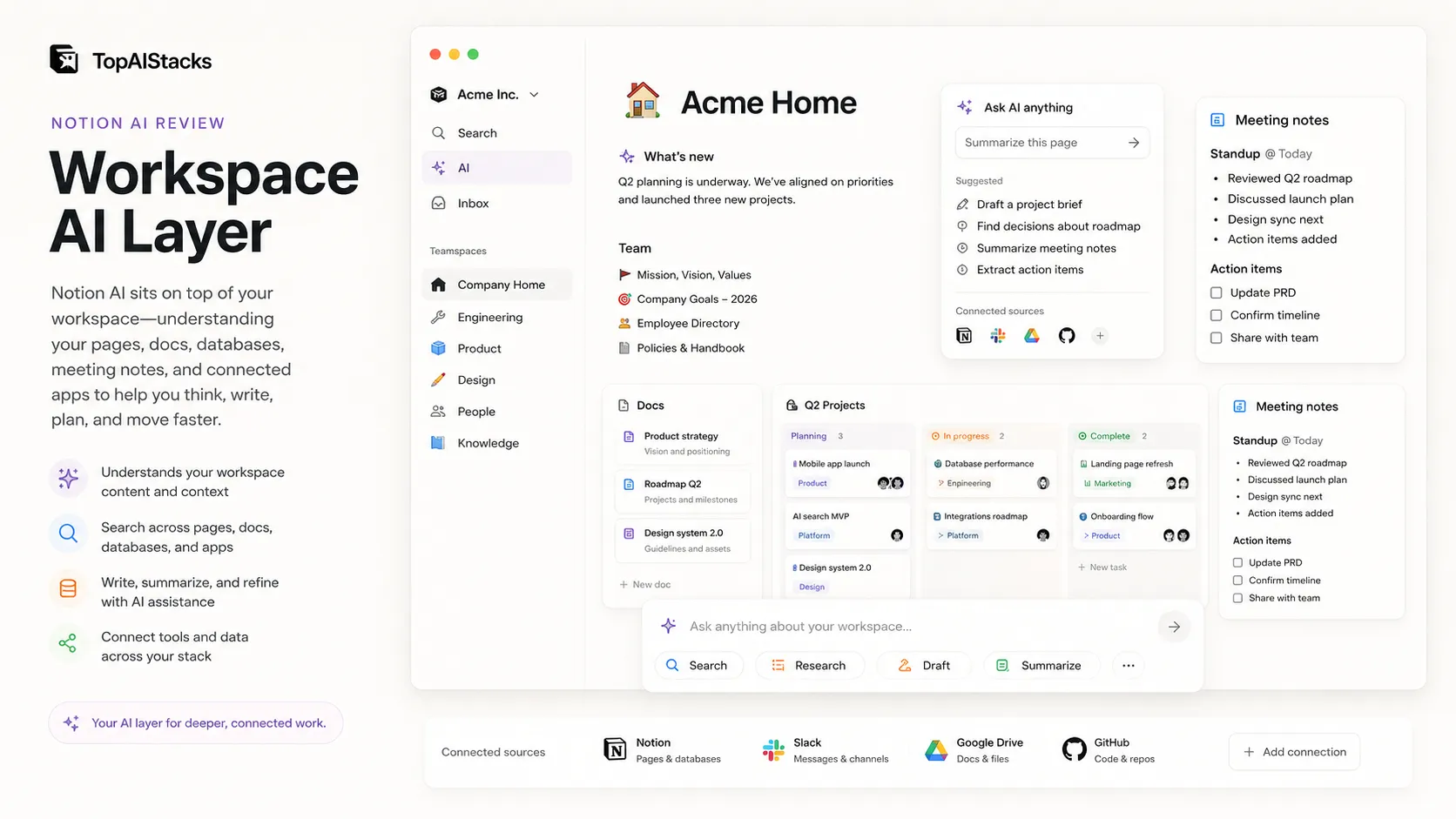
The underrated strength is not the writing itself. Many AI tools can write. The stronger angle is that Notion AI can help turn unstructured workspace material into something more useful.
A rough meeting becomes a follow-up. A database gets filled faster. A pile of notes becomes a report. A question gets answered without asking three coworkers. That is not glamorous, but it is the kind of work that quietly eats a week.
The other strength is adoption. Existing Notion users do not need to learn a totally new surface. The AI sits where the page already is.
Where Notion AI falls short
Notion AI falls short when the workspace is weak.
A messy Notion system can make AI feel impressive for one-off summaries but disappointing for repeat work. If pages are duplicated, databases are inconsistent, permissions are unclear, and teams do not trust the workspace, AI cannot magically repair the operating system.
It also falls short as a general-purpose assistant. You can ask it to write and summarize, but I would not choose it over ChatGPT or Claude for broad reasoning, coding help, long-form editorial work, or open-ended problem solving outside Notion.
There is also a pricing and governance question. The current public pages describe trial AI capabilities on Free and Plus, deeper AI features on Business and Enterprise, and Notion credits for Custom Agents. That means a buyer should not rely on old add-on pricing memories. Check the live pricing page and admin controls before making a team-wide call.
Pricing judgment
The old Notion AI pricing story was simple: treat AI as an add-on. The current public pricing story is more tied to Notion’s broader workspace plans.
As of this review, Notion’s pricing page shows trial AI capabilities on Free and Plus. It also presents Business as the plan where AI features become more central, including Notion Agent, AI Meeting Notes, and Enterprise Search Beta. Enterprise adds stronger control language such as zero data retention with LLM providers. Custom Agents are tied to Notion credits for eligible plans.
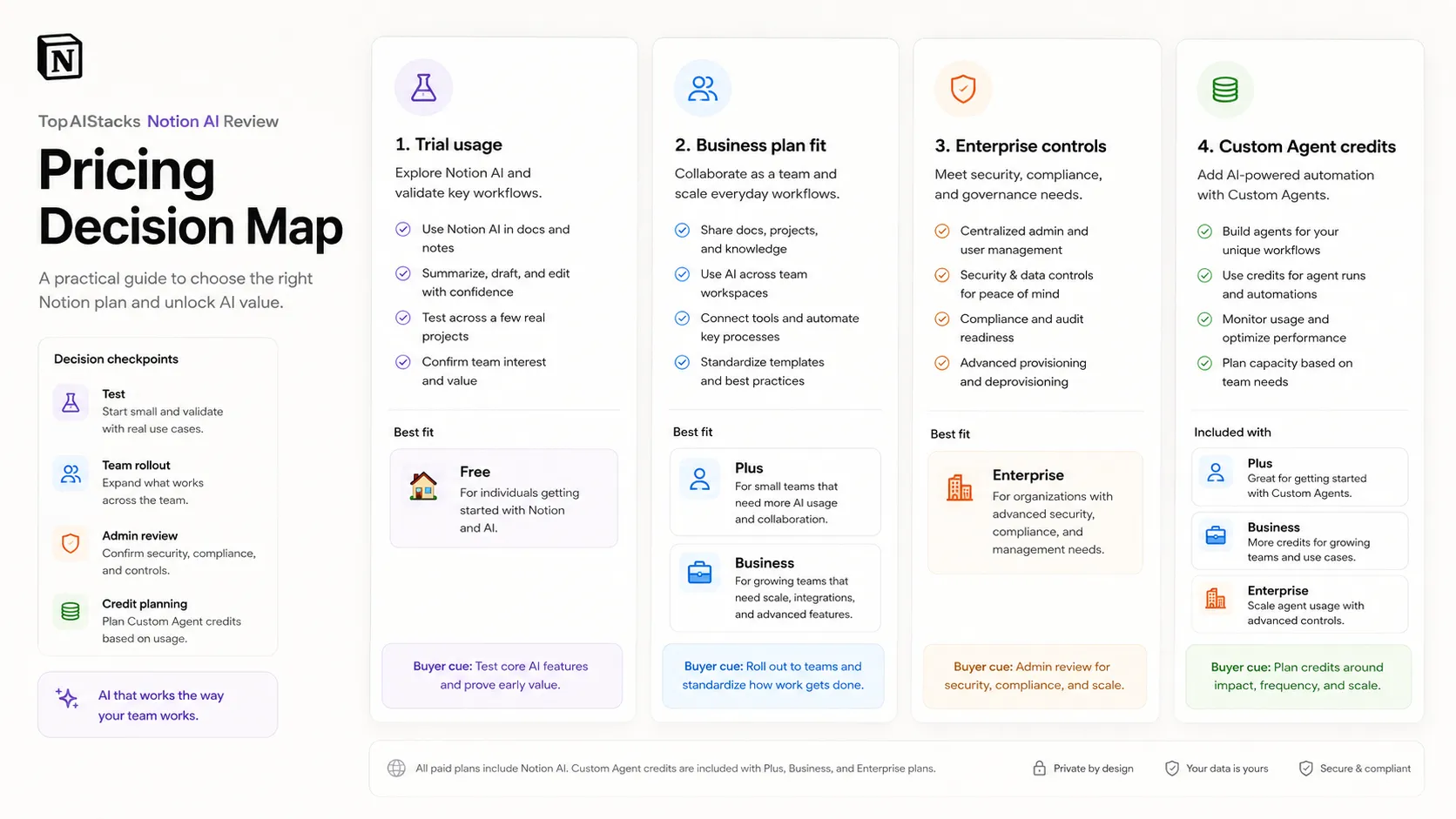
The buyer-safe read is this: do not judge Notion AI by the cheapest way to touch the feature. Judge it by the plan your team would actually need if AI became part of your workflow.
For an individual, the trial can help you see whether the experience fits. For a small team, the serious question is whether Business makes sense for the broader workspace, not only for AI. For an enterprise, the decision moves toward data retention, permissions, connected apps, admin controls, and rollout governance.
The pricing only works if the workspace work is real. Paying more for AI on top of a workspace nobody trusts is a bad purchase.
Best alternatives to compare
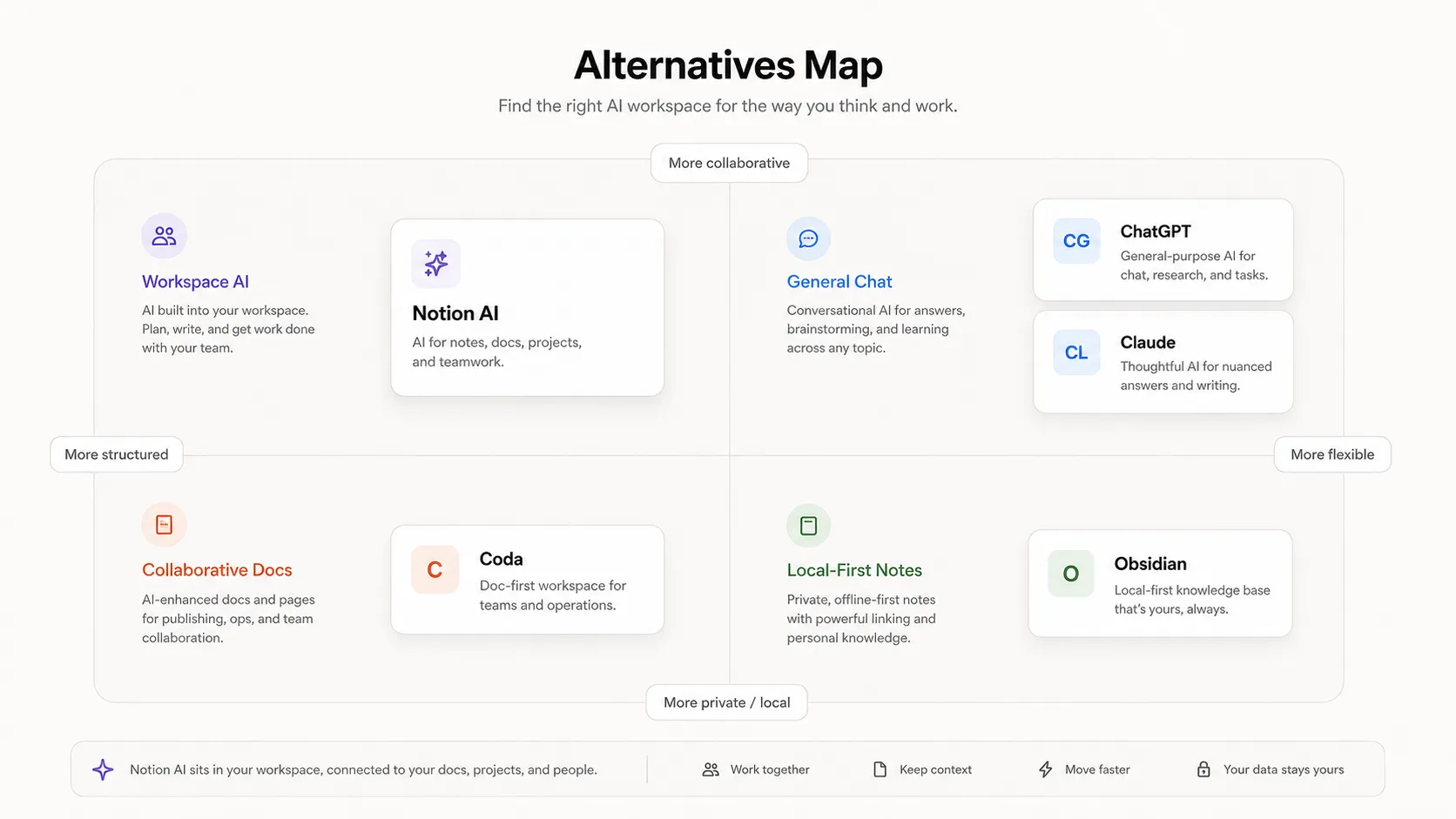
Compare Notion AI by job, not by logo.
ChatGPT is the better comparison if you want a flexible assistant that can help with many tasks outside your company workspace. It is easier to use as a blank canvas and often better for broad ideation.
Claude is the stronger comparison if your work involves long documents, nuanced writing, and reasoning through complicated material that is not already organized inside Notion.
Coda is worth comparing if you want docs that behave more like internal apps, with strong table logic and workflow design.
Base Notion is also an alternative in a practical sense. If your workspace is not organized yet, the best upgrade may be better Notion structure before AI.
My honest view: Notion AI competes less with ChatGPT than people think. ChatGPT is your general assistant. Notion AI is your workspace assistant. The overlap exists, but the buying decision is different.
Final decision
Use Notion AI if your Notion workspace already contains the raw material of your work. Notes, docs, tasks, roadmaps, databases, decisions, and meeting history. That is the situation where it can reduce searching, summarizing, rewriting, and follow-up friction.
Skip it if you are buying AI before fixing the workspace. A weak Notion system with AI added on top is still a weak system.
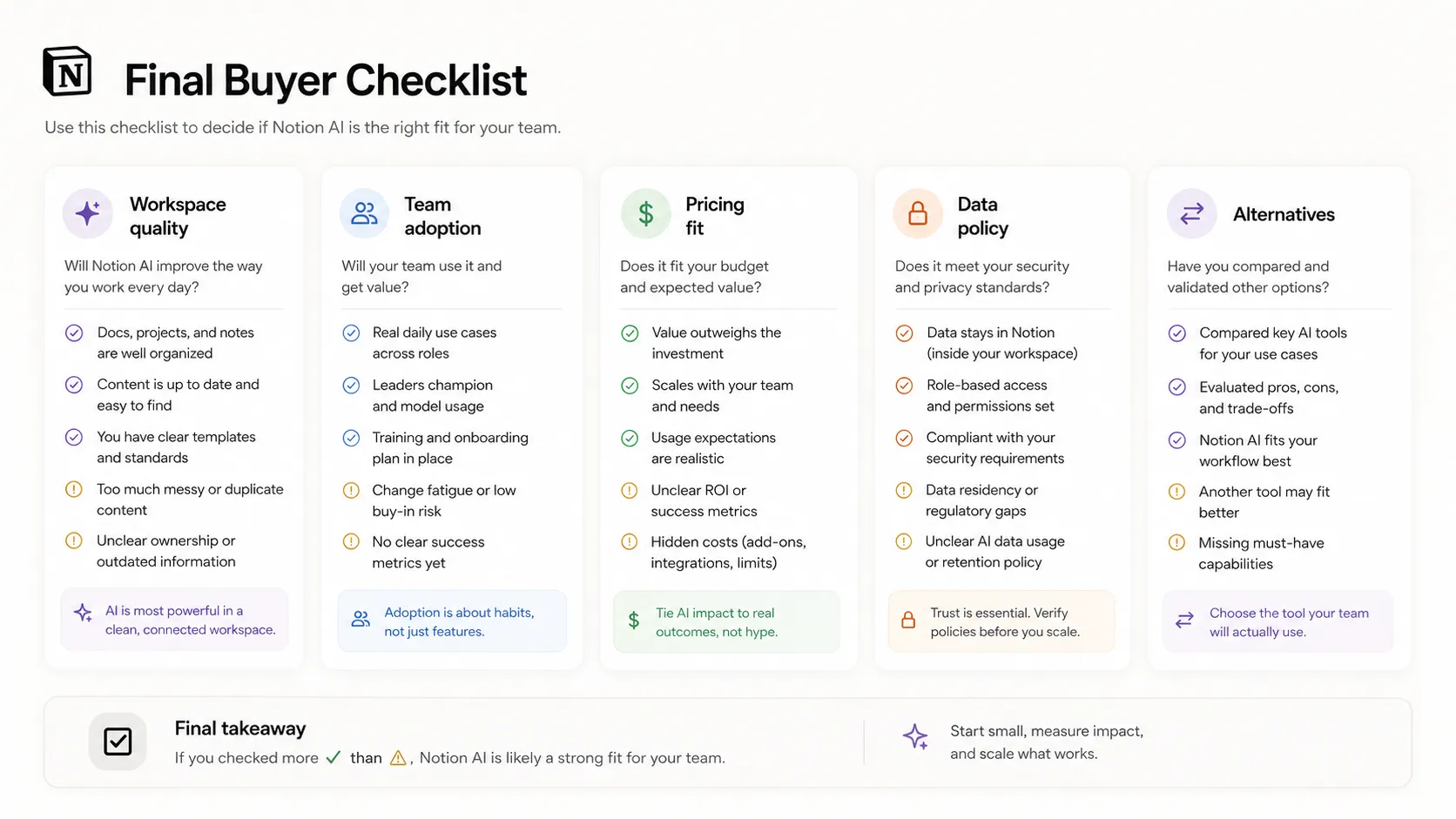
The simple rule is this: if your team already says, “Check Notion,” then Notion AI is worth testing. If your team still says, “Where did we put that?”, fix the source of truth first.
Frequently asked questions
Is Notion AI worth it?
Does Notion AI have a free plan?
Who should use Notion AI?
Is Notion AI better than ChatGPT?
Where Notion AI fits in a stack
Workspace AI layer
Does not replace
- – A clean Notion information architecture
- – Human review of sensitive or strategic work
- – General-purpose AI assistants for broad research and coding
- – Dedicated project management or automation systems for complex workflows
Head-to-head comparisons
Top alternatives to consider
If Notion AI is not the right fit, these are the most common alternatives.

ChatGPT is better if the buyer wants a flexible standalone assistant for broad writing, ideation, coding help, and general problem solving outside a Notion workspace.

Claude is stronger for long document reasoning and nuanced writing when the work does not need to stay inside Notion databases and team pages.
Coda is worth comparing when the buyer wants docs with app-like tables, workflows, and team systems rather than a Notion-first workspace.
Review methodology
Editorial review based on current public product information, official Notion AI pages, official pricing pages, security and privacy help resources, product demo resources, and current third-party coverage. No hands-on testing was conducted.
This review is based on public product information and research, not direct hands-on testing.
Not covered: Hands-on benchmark testing · Private enterprise contract terms · Internal model performance testing