
v0 by Vercel Review
v0 by Vercel review for buyers comparing AI app prototyping, React UI generation, pricing credits, workflow fit, and alternatives.
Strong for fast React and full-stack app prototyping, but not a replacement for engineering judgment or production ownership.
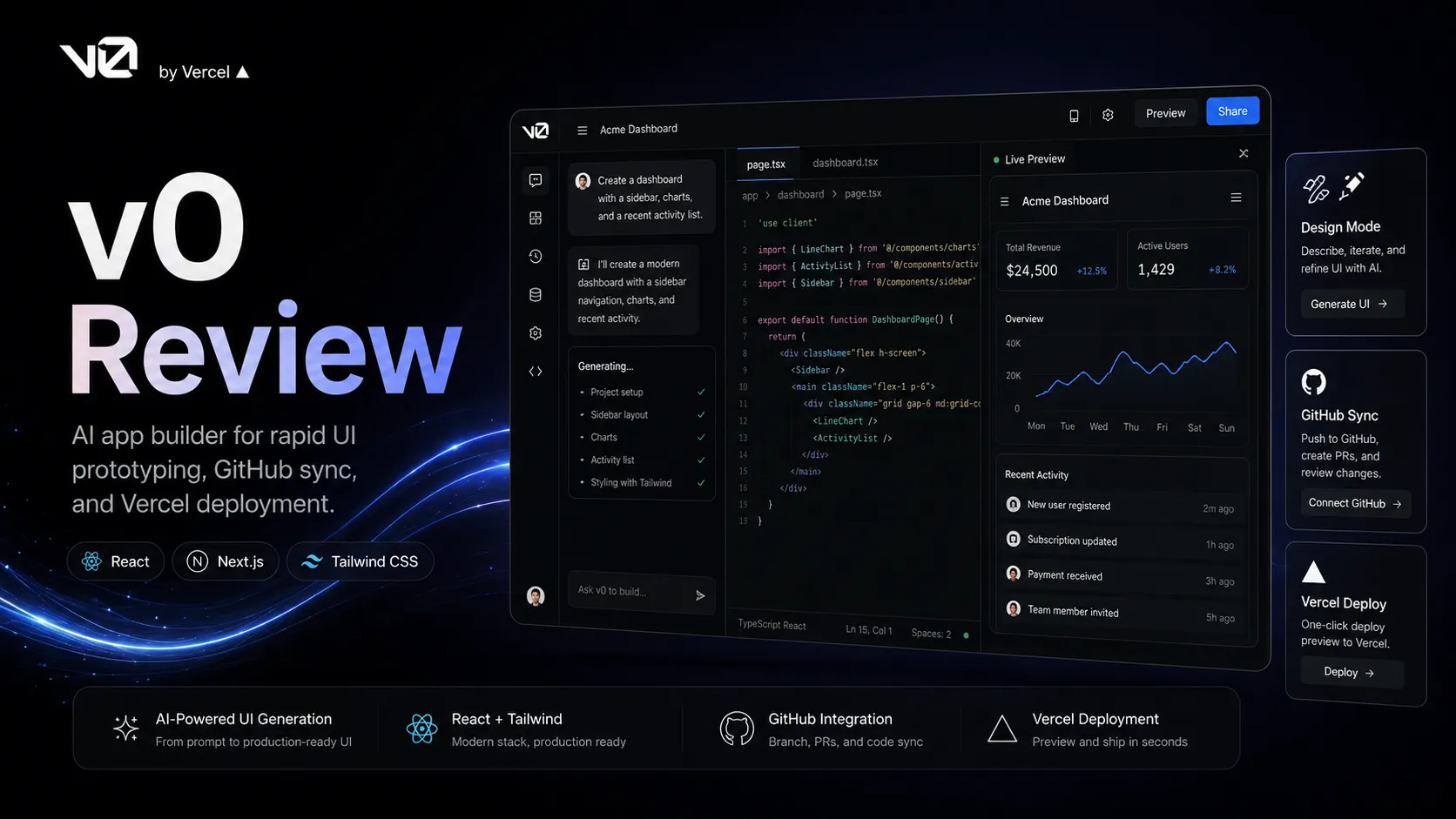
Use it if…
- ✓ You need to turn product ideas into working frontend prototypes quickly.
- ✓ Your stack already includes React, Next.js, Tailwind, shadcn/ui, GitHub, and Vercel.
- ✓ Your team wants a faster bridge between product, design, and engineering review.
- ✓ You are comfortable reviewing, editing, and testing generated code before shipping.
Skip it if…
- – You mainly need backend architecture, database design, or infrastructure automation.
- – Your team does not use React or does not want to move closer to Vercel's ecosystem.
- – You need strict cost predictability and do not want to manage credits or model usage.
- – You expect the tool to remove the need for engineering review.
Review scorecard
Scored by workflow fit, ease of use, value, and stack compatibility. Weights reflect importance for typical buyers.
| Criteria | Score | ||
|---|---|---|---|
| Workflow fit | 8.7 | ||
| Prototype speed | 8.8 | ||
| Production readiness | 7.2 | ||
| Pricing clarity | 7.4 | ||
| Stack value | 8.0 | ||
| Weighted overall | 8.1 / 10 | ||
On this page
Quick verdict
v0 by Vercel is strongest when you need a fast path from idea to working app draft. That sounds simple, but the practical buyer question is more specific: do you need a faster way to create interface-heavy React and Vercel-ready work that can be reviewed, refined, synced, and deployed?
If yes, v0 belongs on the shortlist. It can reduce the dead zone between a product discussion and something people can actually click. For founders, product managers, designers, and frontend developers, that is real leverage.
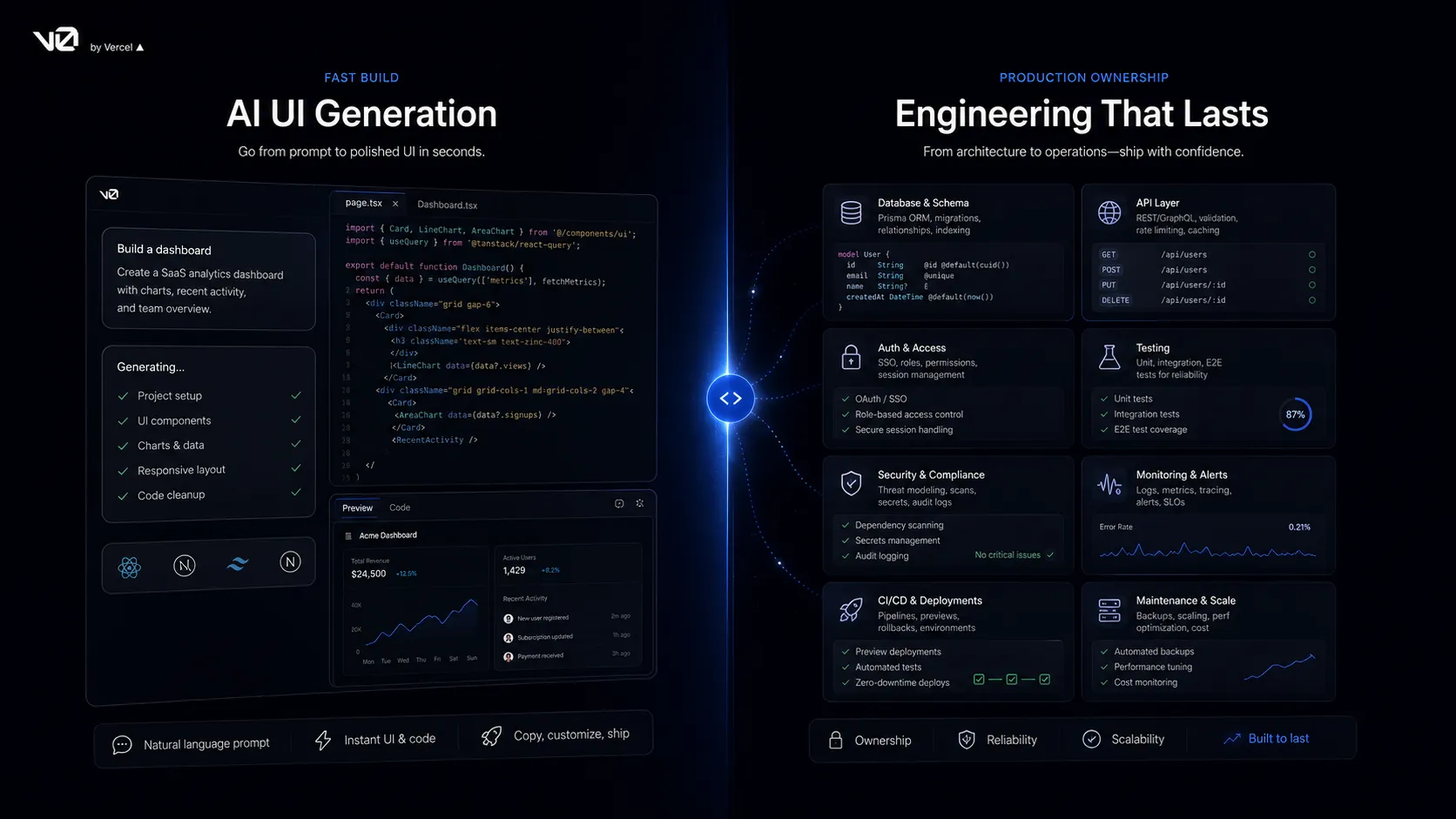
The tradeoff is ownership. v0 can help create real code, but it does not remove the need to understand what the code does, how data flows, whether the app is secure, whether accessibility is acceptable, or who maintains the project after launch. The safer way to treat v0 is as an app-building acceleration layer, not as a finished engineering department.
Who should use v0 by Vercel
v0 makes the most sense for teams that already think in modern web app workflows. If your stack includes React, Next.js, Tailwind-style interfaces, GitHub, and Vercel deployment, the product feels close to the natural path from idea to reviewable build.
Frontend developers can use it to get past blank-page work faster. Product managers can use it to turn a feature idea into something stakeholders can react to. Designers can use it to move from static layout thinking into working interaction. Founders can use it to make early MVP screens without turning every small idea into a full engineering request.
It is also useful for marketing and growth teams that need custom landing pages, campaign pages, dashboards, calculators, or simple product experiences. The value is not that v0 magically makes every project production-ready. The value is that it makes more ideas concrete enough to evaluate.
Who should skip v0 by Vercel
Skip v0 if your main bottleneck is not frontend or app prototyping. Backend-heavy products still need architecture, data modeling, authentication decisions, permissions, logging, security review, and ongoing maintenance. v0 can help produce parts of the project, but it should not be treated as the person responsible for the system.
It is also a weaker fit if your team does not want to live near the Vercel ecosystem. The product can still be useful as an idea-to-code tool, but the strongest workflow is clearly connected to GitHub and Vercel deployment. If your organization uses a different framework, hosting setup, review process, or compliance path, the friction may outweigh the speed.
Buyers who want predictable pricing should also be careful. v0 has a free plan and paid plans, but usage is connected to credits and model pricing. That is not bad, but it does mean a serious team should monitor usage instead of assuming the seat price is the whole cost story.
Real workflow fit
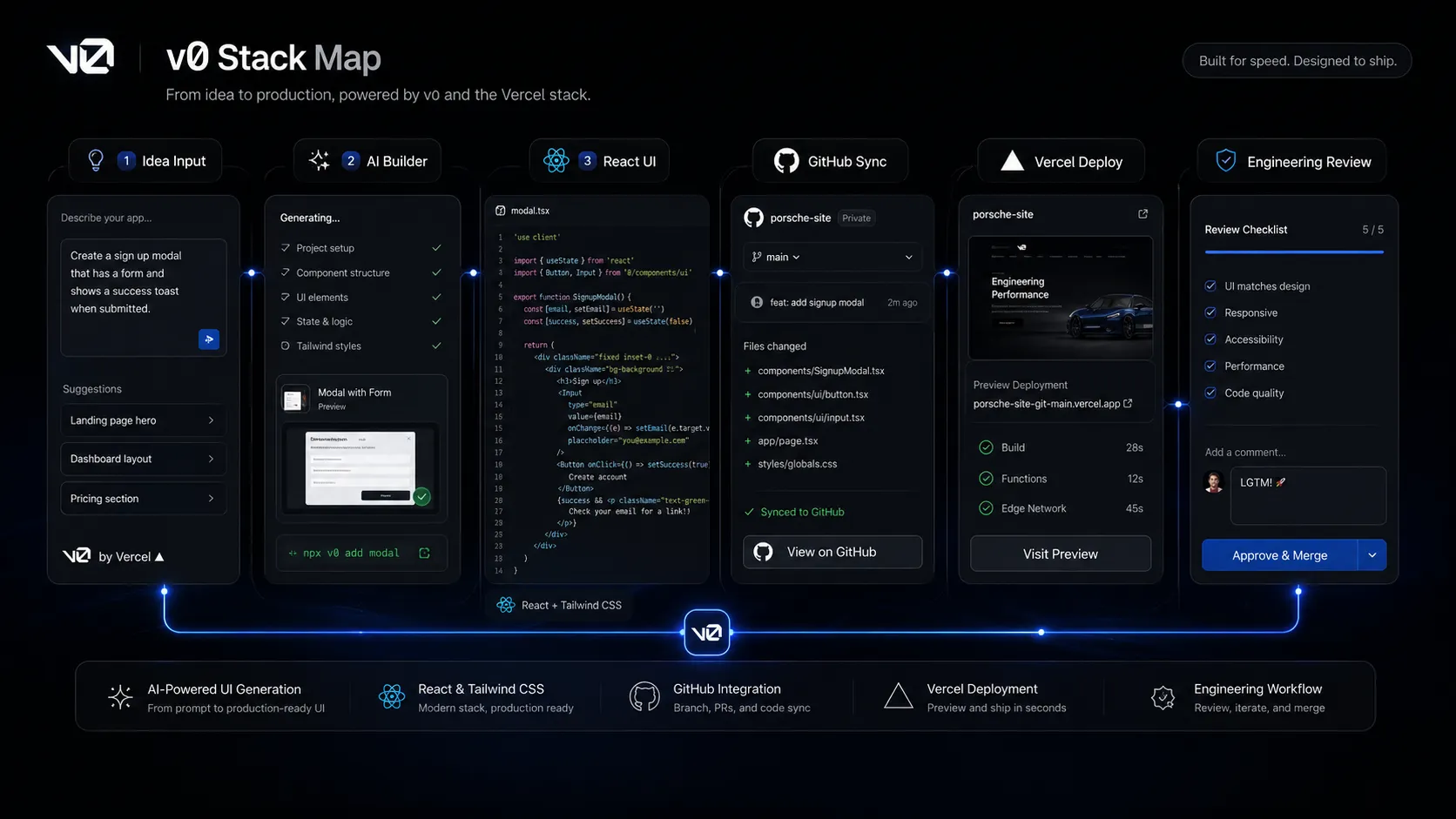
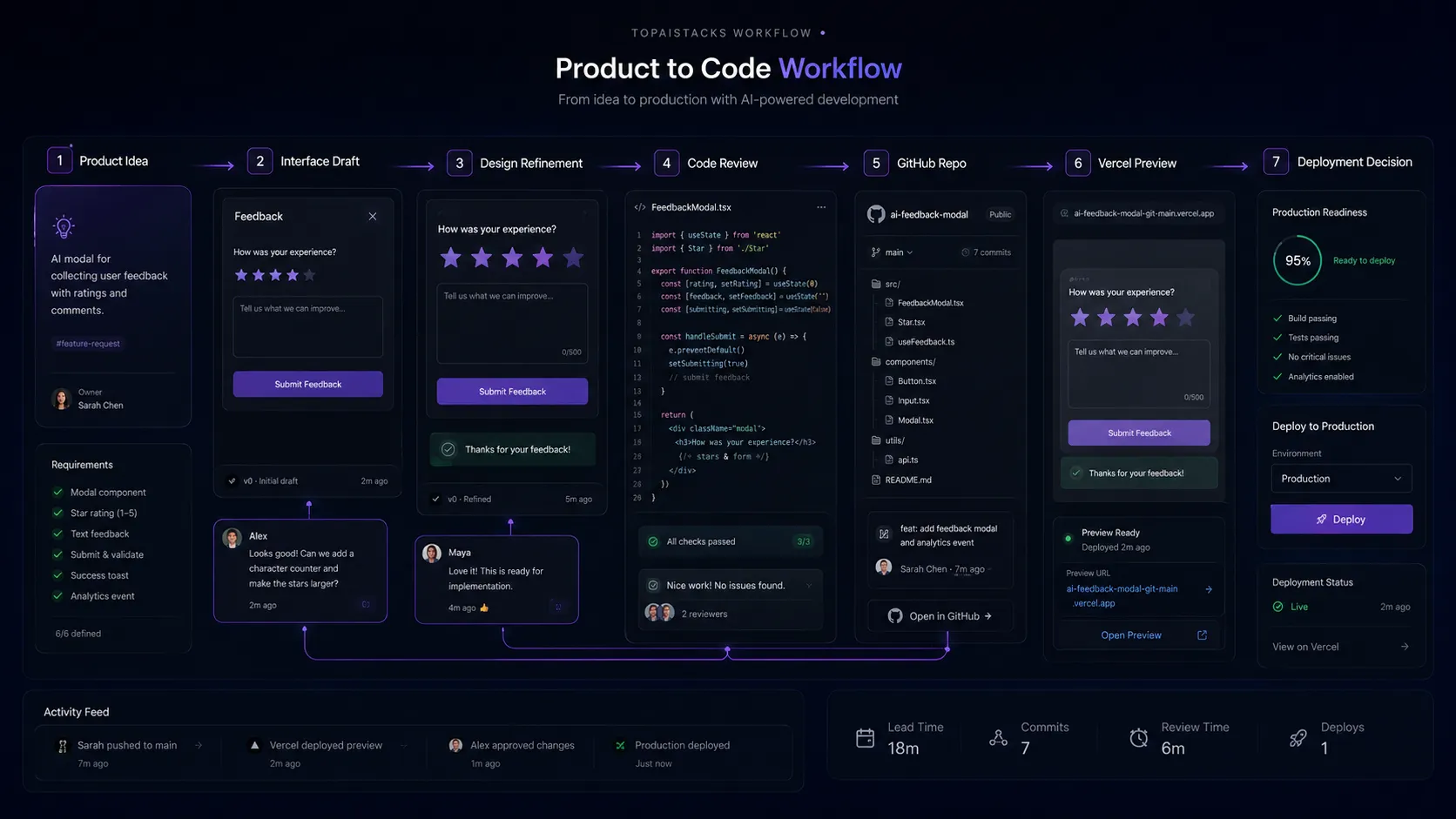
The practical workflow is idea, draft, refine, review, sync, deploy. v0 is useful because it can make that loop shorter. Instead of writing a product spec, waiting for design, waiting for a developer, then waiting for a preview link, the team can produce a working draft earlier and decide whether the idea deserves more investment.
That is especially useful in messy early product work. A rough dashboard, onboarding flow, settings screen, pricing calculator, or campaign page can expose problems faster than another meeting. Once people can click the idea, they can argue about real details instead of abstract taste.
The weak point is the handoff after the first useful draft. If nobody reviews the code, cleans the structure, checks accessibility, tests behavior, and makes ownership clear, the speed becomes risk. v0 makes the start faster. It does not guarantee the finish is responsible.
Where v0 by Vercel fits in an AI stack
I would place v0 between AI chat tools and developer editors. ChatGPT or Claude can help think through a feature. Cursor or GitHub Copilot can help inside an existing codebase. v0 is better positioned when you want the idea to become a working app draft quickly, especially when UI, interaction, and deployable preview matter.
That means v0 pairs well with GitHub, Vercel, Cursor, GitHub Copilot, Claude, ChatGPT, and a product tool like Linear. It is not trying to replace all of them. It gives the team a faster starting point and a more visual review surface.
For TopAIStacks, the clean role is: AI app prototyping and frontend shipping layer. It sits close to the moment where an idea stops being text and starts becoming code.
What v0 by Vercel does well
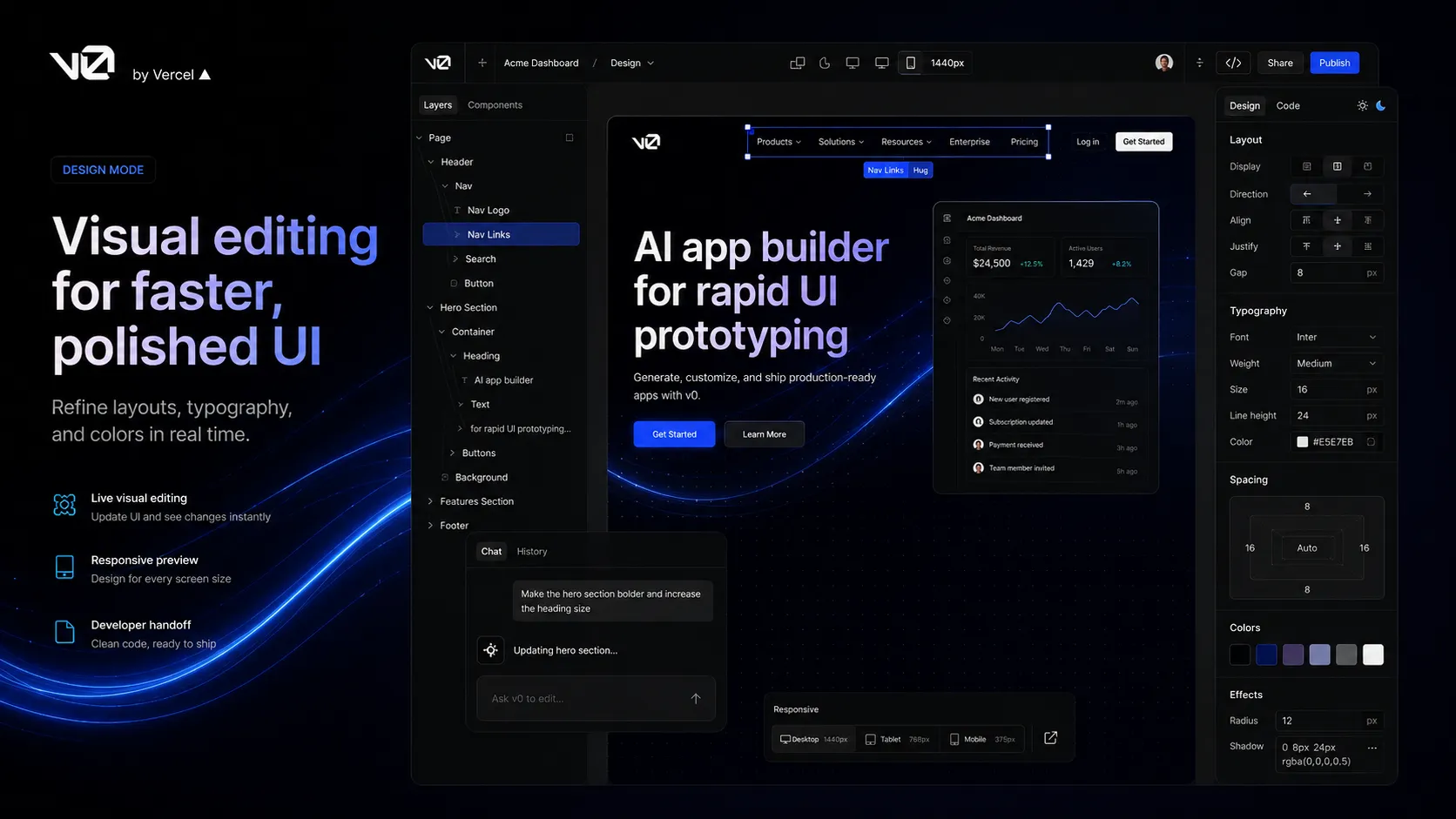
The main strength is making app ideas reviewable. A product team can move from discussion to a working visual draft faster than a normal design-to-development cycle. That helps when the goal is not perfection, but clarity.
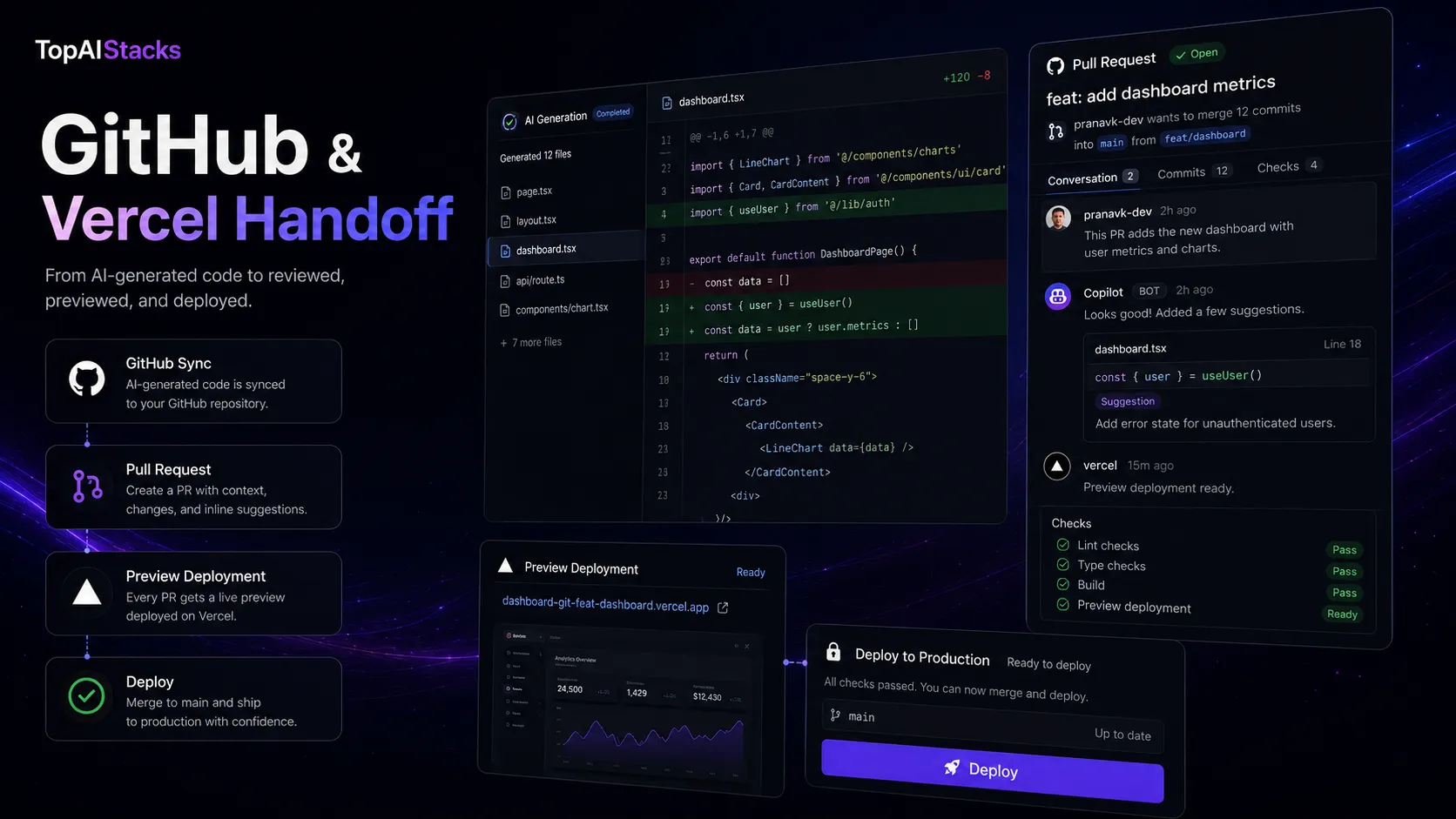
The second strength is ecosystem fit. Vercel understands the modern frontend workflow better than most generic AI tools. v0’s public positioning around real code, app creation, GitHub sync, visual editing, and Vercel deployment gives it a sharper lane than a broad chatbot.
The third strength is collaboration. Product managers, designers, engineers, marketers, and founders can all understand a working app draft more easily than a long document. That can make v0 useful even when the final production work still moves to a developer.
Where v0 by Vercel falls short
The biggest weakness is also the biggest temptation: speed can feel like certainty. A working app draft is not the same as a maintainable product. Generated code still has to be read. Data flows still have to be understood. Security still has to be checked. Performance still has to be measured. Accessibility still has to be reviewed.
v0 is also not the best tool for every coding job. If you are deep inside an existing codebase, Cursor may be the better daily workspace. If you want lightweight assistance inside VS Code or JetBrains, GitHub Copilot may be enough. If the product needs serious backend design, v0 may help with pieces but not the whole decision.
The other caution is cost interpretation. A buyer can see plan prices, but serious usage also depends on credits, model choice, daily limits, and extra usage. Teams should test usage patterns before rolling it out casually across many people.
Pricing judgment
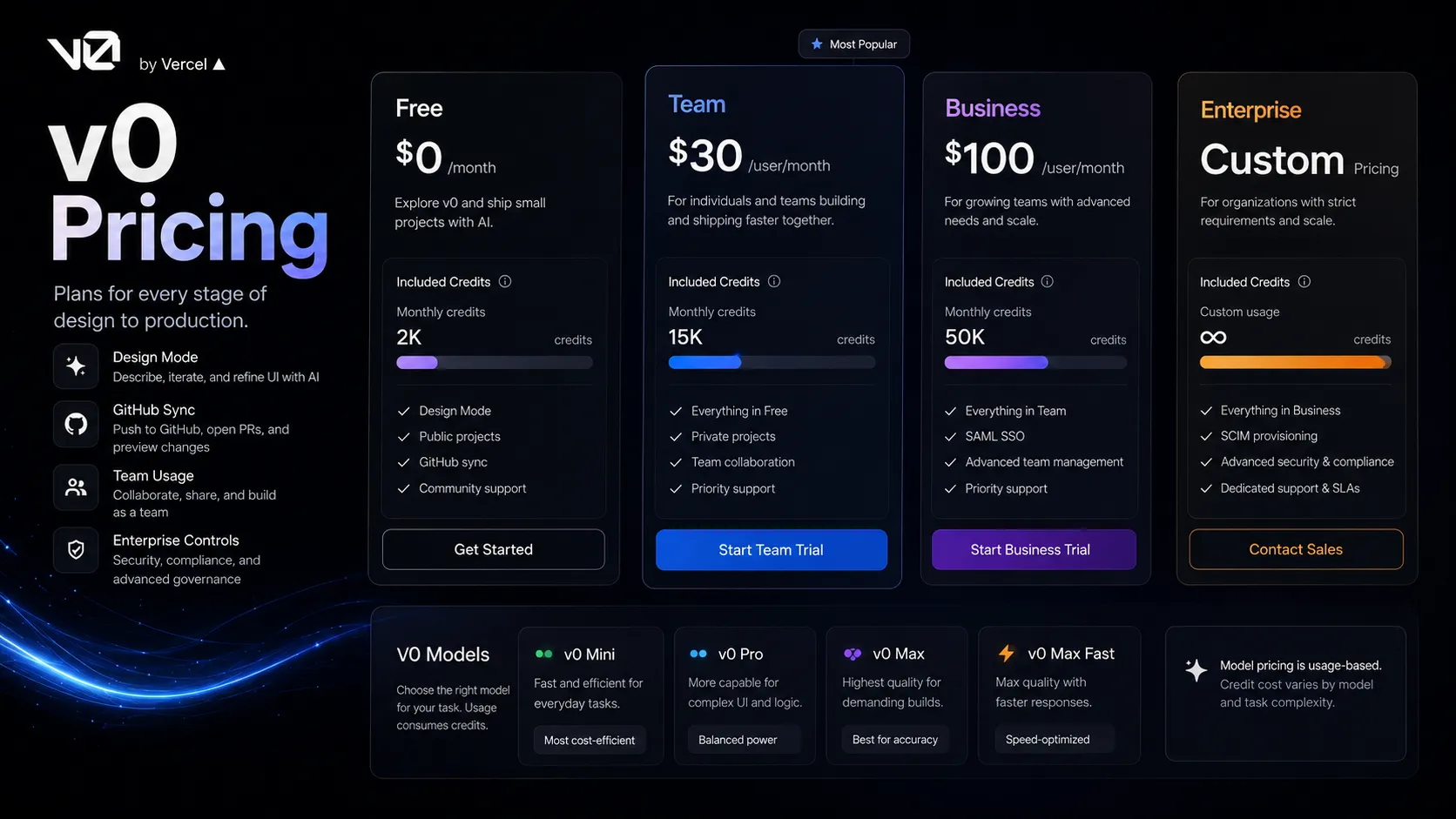
The public pricing page currently lists a Free plan, Team plan, Business plan, and Enterprise route. The free path is useful because it lets a buyer test the fit before making v0 a team workflow. The Team and Business plans matter more when collaboration, shared usage, and organizational controls become part of the decision.
The more important detail is that v0 pricing is tied to credits and model usage. The public page lists included credits and separate model pricing for v0 Mini, v0 Pro, v0 Max, and v0 Max Fast. That makes sense for an AI app builder, but it also means the buyer should not evaluate cost only as a monthly seat price.
My practical take: start with the free path to test whether v0 actually changes your workflow. Upgrade when your team repeatedly uses it to create reviewable app drafts, not just because the demo feels impressive.
Best alternatives to compare
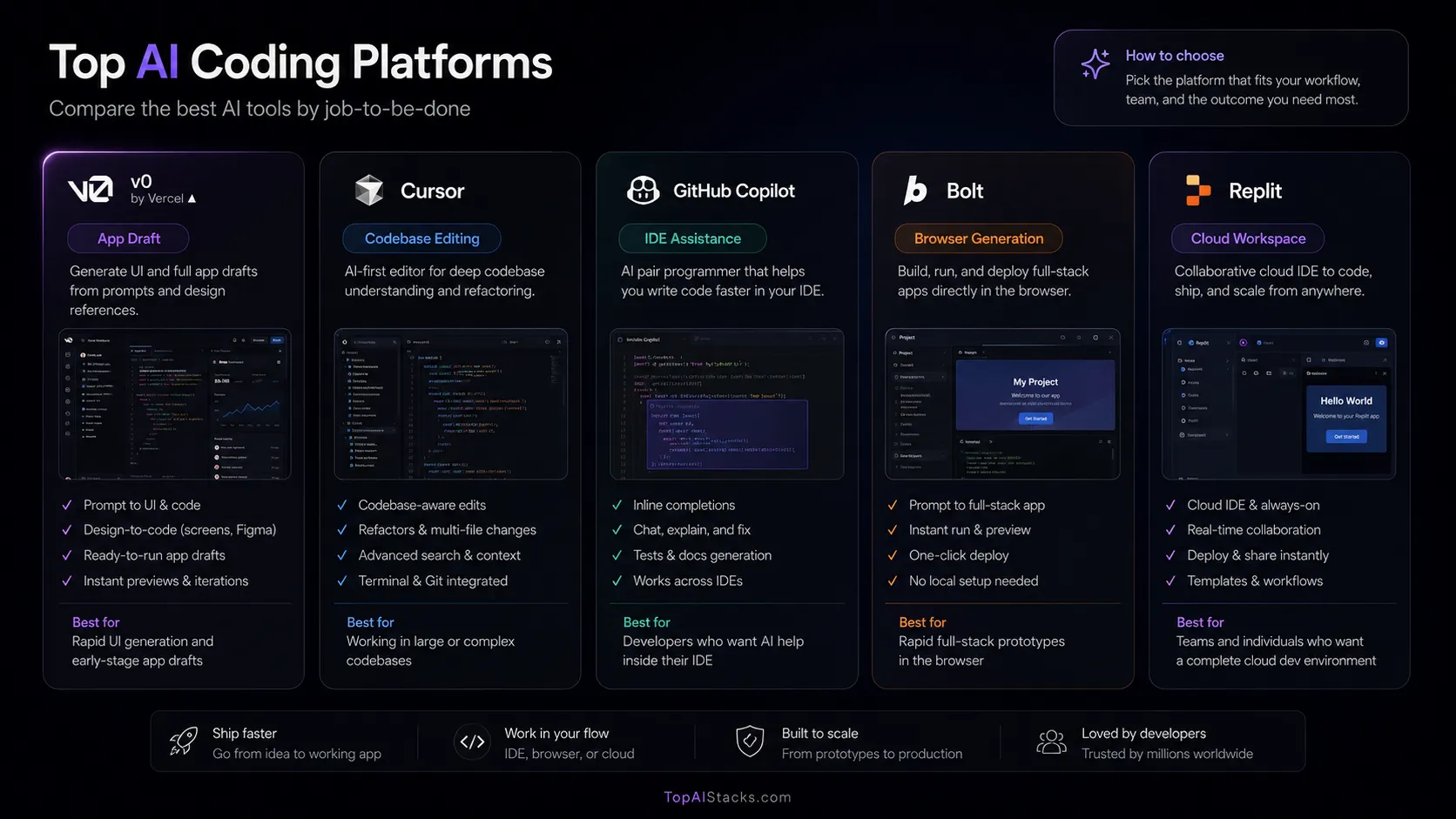
Compare v0 with Cursor if your real question is ongoing development inside a codebase. Cursor is closer to the daily editor workflow. v0 is closer to the first app draft and product review workflow.
Compare it with GitHub Copilot if your team already has a normal development environment and only wants AI help while coding. Copilot is less of an app-building workspace and more of an assistant inside the tools developers already use.
Compare it with Bolt or Replit if you want browser-based building and cloud coding alternatives. Those tools may fit buyers who want a different balance between app generation, hosting, coding environment, and collaboration.
Final decision
Add v0 to your stack if your team needs to create app drafts, interface flows, landing pages, dashboards, or MVP screens faster and you already work near the Vercel ecosystem.
Compare it first if your daily work happens inside an existing codebase. In that case, Cursor or GitHub Copilot may be a better first upgrade, with v0 used only for early product drafting.
Skip it for now if your main bottleneck is backend architecture, compliance, data modeling, or long-term system maintenance. v0 can help start the build, but it should not be the only layer responsible for making the product safe, maintainable, and ready for real users.
Frequently asked questions
Is v0 by Vercel worth it?
Does v0 have a free plan?
How much does v0 cost?
Is v0 better than Cursor?
Can v0 replace a developer?
Who should skip v0?
Where v0 by Vercel fits in a stack
AI app prototyping and frontend development acceleration layer
Does not replace
- – Product strategy
- – Engineering architecture
- – Backend security review
- – Code review and testing
- – Version control discipline
- – Long-term maintenance ownership
Pairs well with
Head-to-head comparisons
Top alternatives to consider
If v0 by Vercel is not the right fit, these are the most common alternatives.

Cursor is the stronger comparison when the buyer wants AI help inside a full coding editor and already owns the codebase context.

GitHub Copilot is the cleaner fit for developers who want AI assistance inside existing IDE workflows rather than a product-building workspace.
Bolt is worth comparing when the buyer wants browser-based app generation and fast prototype flow without committing as strongly to the Vercel path.
Review methodology
Editorial review based on v0's official homepage, Vercel/v0 documentation, public pricing page, and current public market context. No hands-on benchmark testing was conducted.
This review is based on current public product information and buyer workflow analysis, not direct hands-on testing inside a paid v0 account.
Not covered: Hands-on generated code benchmarks · Private account usage testing · Security audit of generated applications · Enterprise contract terms