
Canva AI Review
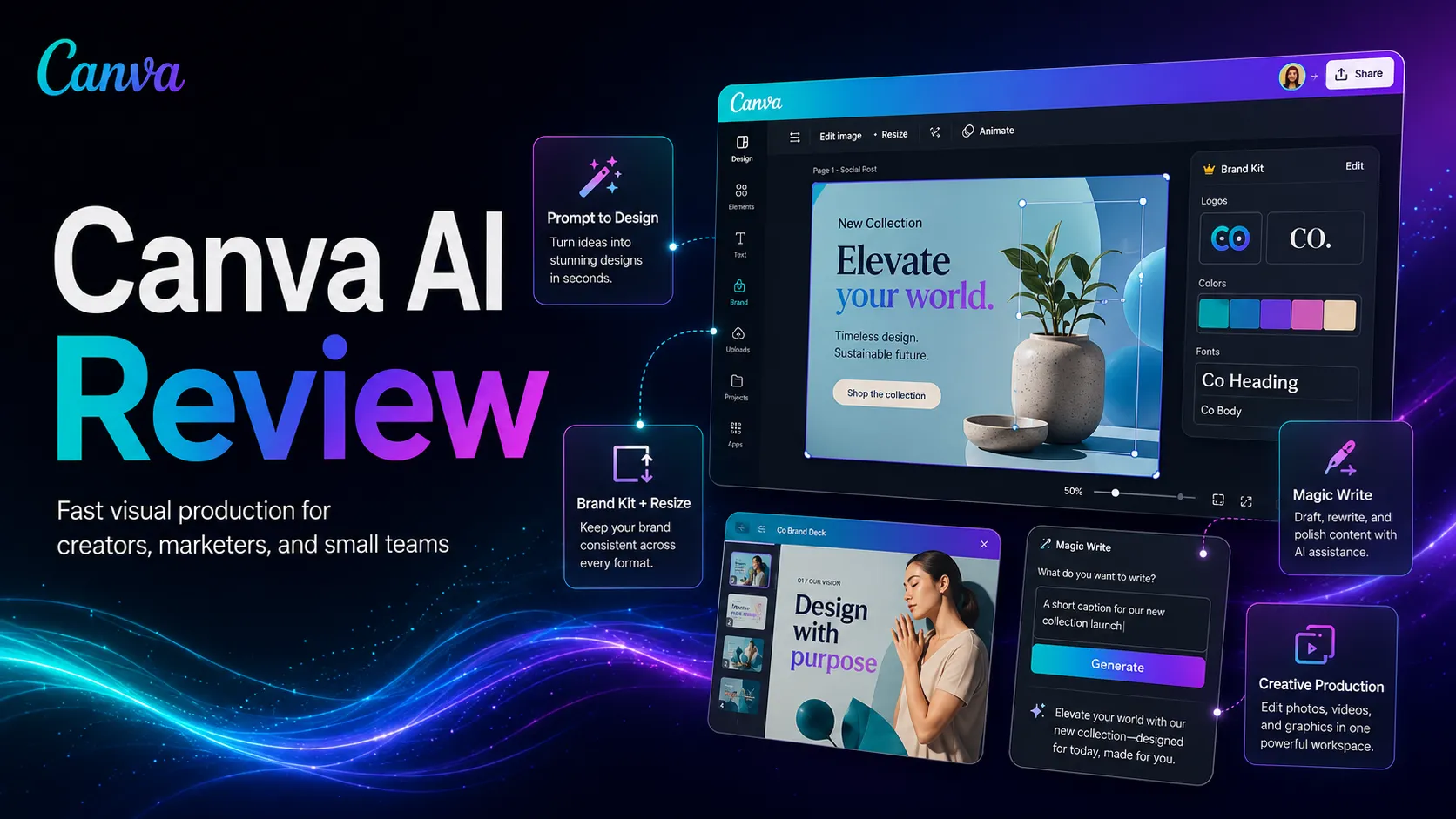
Canva AI review for creators, marketers, and small teams. See workflow fit, pricing judgment, limits, alternatives, and stack role.
Strong for creators and small teams that need fast editable visual output, with clear limits for advanced design work.
Use it if…
- ✓ Your team publishes recurring visual formats and needs faster draft-to-export cycles.
- ✓ You want AI help inside the same place where you edit, resize, brand, and export assets.
- ✓ You need a practical design layer for social, presentations, light video, and marketing visuals.
- ✓ You value editable templates more than raw generative image quality.
Skip it if…
- – Your main job is advanced interface design, prototyping, or design-system maintenance.
- – You need specialist illustration control comparable to dedicated image-generation workflows.
- – You are not willing to review template licenses, asset sources, and brand approval before publishing.
- – You only need occasional simple graphics and the free plan already covers the job.
Review scorecard
Scored by workflow fit, ease of use, value, and stack compatibility. Weights reflect importance for typical buyers.
| Criteria | Score | ||
|---|---|---|---|
| Everyday visual production speed | 9.2 | ||
| Ease of use for non-designers | 9.0 | ||
| Brand and campaign workflow fit | 8.5 | ||
| AI feature breadth | 8.1 | ||
| Rights, safety, and governance clarity | 7.8 | ||
| Pricing value | 8.2 | ||
| Weighted overall | 8.6 / 10 | ||
On this page
Quick verdict
Canva AI is worth considering if your visual content work is frequent, repetitive, and close to publishing. The practical question is not whether it can make a nice-looking asset. The question is whether it saves enough small steps across your week to deserve a paid place in your stack.
I would treat Canva AI as a production layer for creators, marketers, educators, and small teams. It helps most when the work is social posts, presentations, thumbnails, simple campaign visuals, and quick variants. It is less useful if your real problem is product design, strict brand governance, advanced illustration, or legal review of commercial assets.
Who should use Canva AI
You are trying to ship a campaign and the assets are slowing you down: one LinkedIn graphic, one presentation slide, a resized Instagram version, a short promo visual, and a thumbnail. That is the kind of messy everyday workflow where Canva AI makes sense.
Use Canva AI if you need a fast bridge between idea and editable design. Canva’s official AI page frames Canva AI 2.0 as a creative partner that can start from text or voice, connect to your context, refine designs through conversation, generate elements, and keep work closer to brand rules. The important part is editability. A static AI image is often the beginning of more work. A Canva asset can be adjusted, resized, and handed to a teammate.
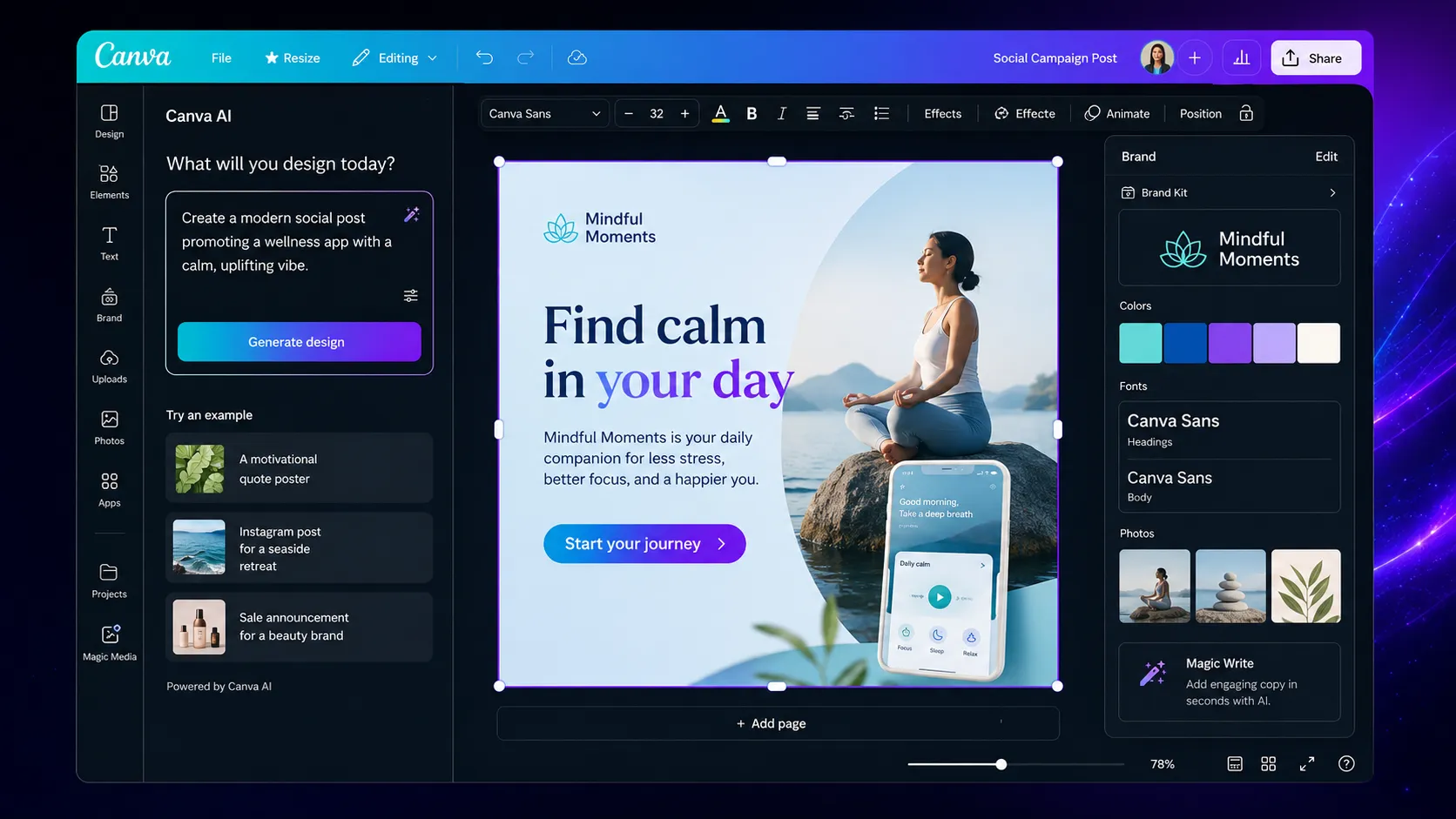
It is especially useful for non-designers who publish often. A social media manager, course creator, founder, or affiliate publisher can get value because the output does not have to be museum-level design. It has to be good enough, on-brand enough, and ready fast enough.
Who should skip Canva AI
Skip Canva AI if the work demands advanced product design. Figma is still the better home for components, prototyping, design systems, and developer handoff. Canva can make product mockups look presentable, but that is not the same as maintaining a real interface design workflow.
Also skip it as your primary creative tool if you need deep control over illustration style, model behavior, or visual experimentation. Midjourney and Adobe Firefly are better comparisons for those jobs. Canva AI is broad by design. That breadth is useful for production, but it can feel shallow when the task needs specialist control.
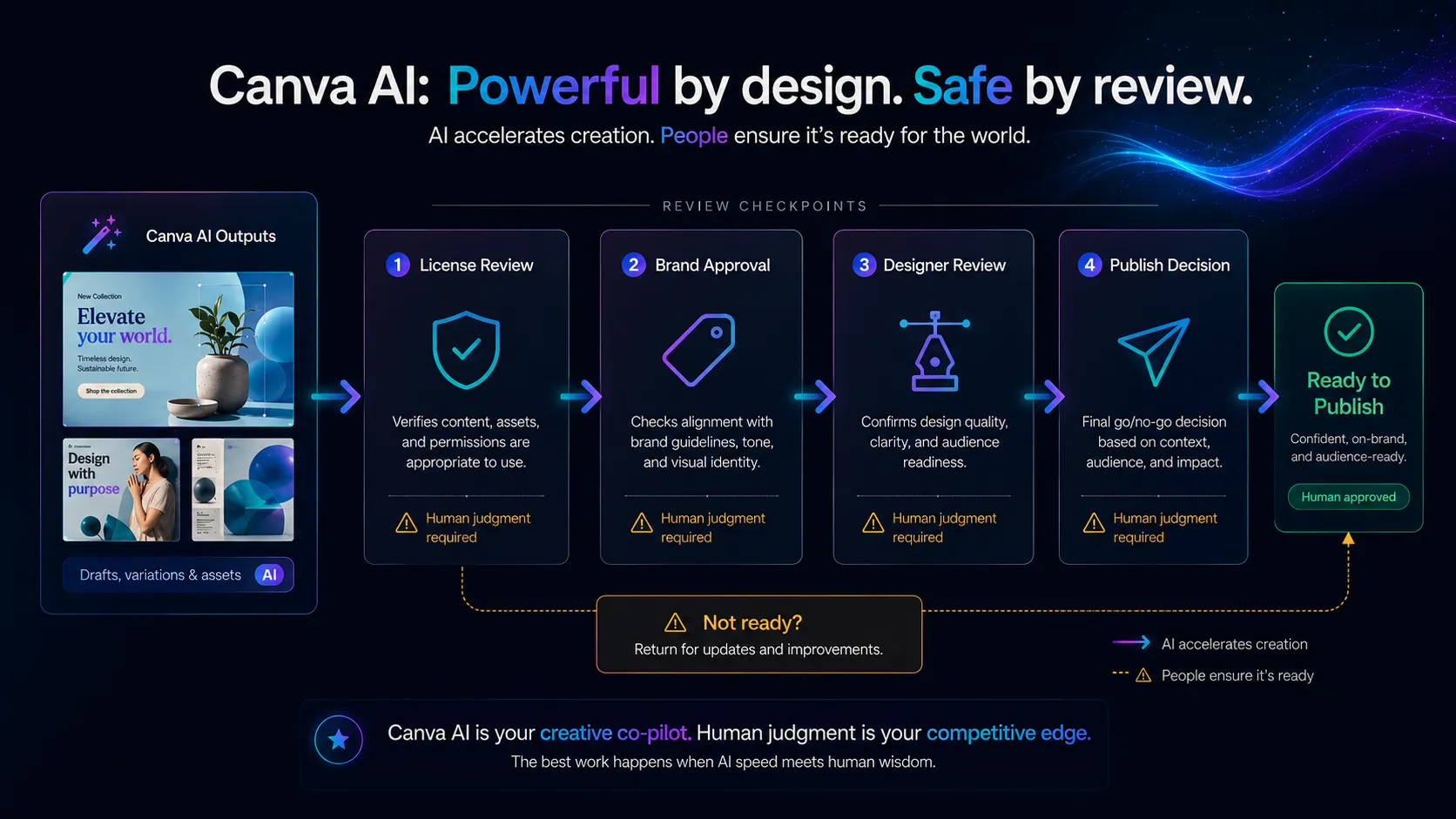
The other reason to pause is governance. If your organization needs strict approval around licenses, AI usage, brand safety, and commercial rights, Canva AI can still be useful, but it should sit behind a review process. Fast does not mean automatically approved.
Real workflow fit
The strongest Canva AI workflow starts before the design looks polished. You have a rough idea, maybe a campaign angle or a few bullet points, and you need something visual enough to judge. Canva AI helps by keeping the AI step inside the same workspace where the asset will be edited.
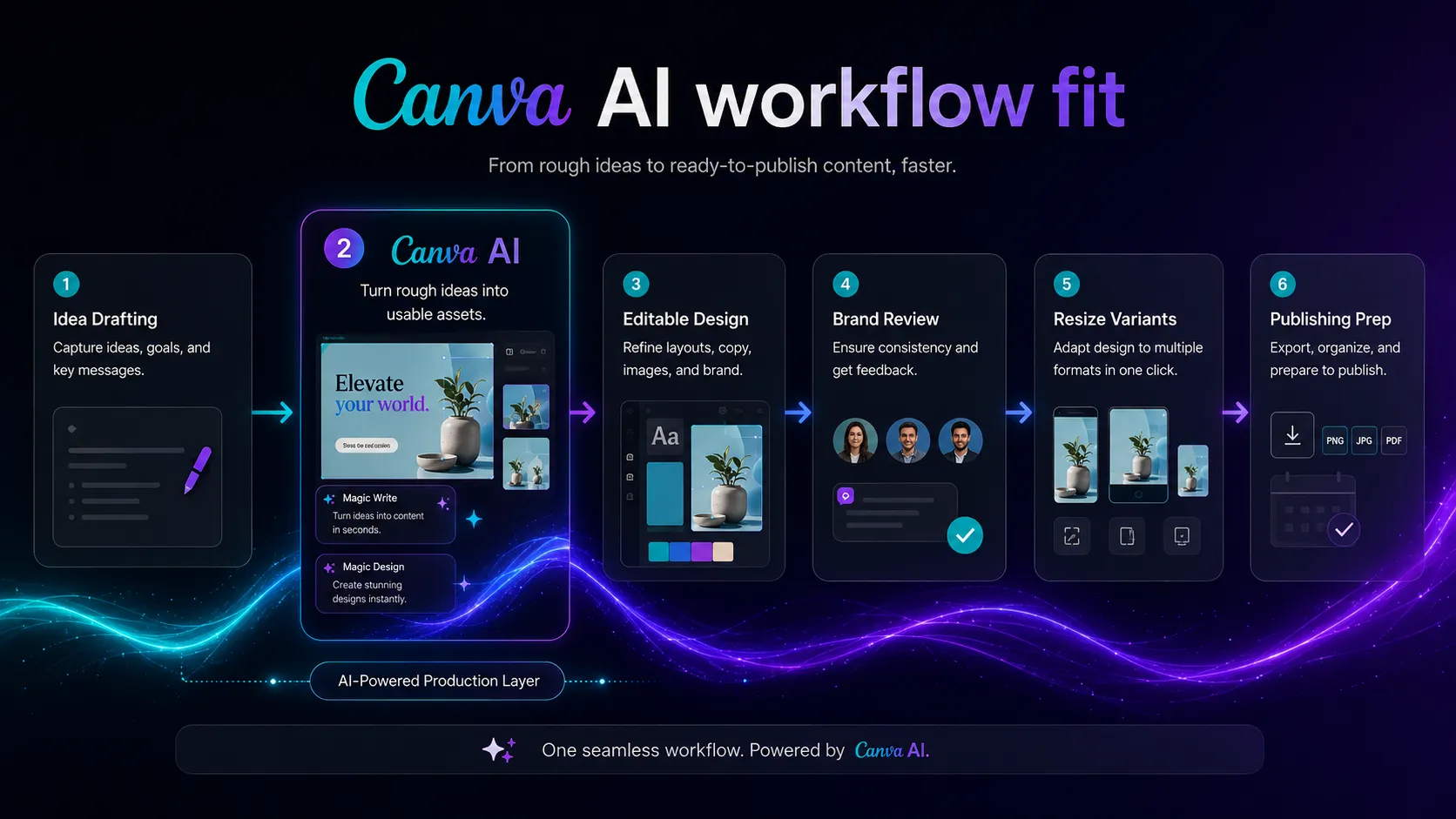
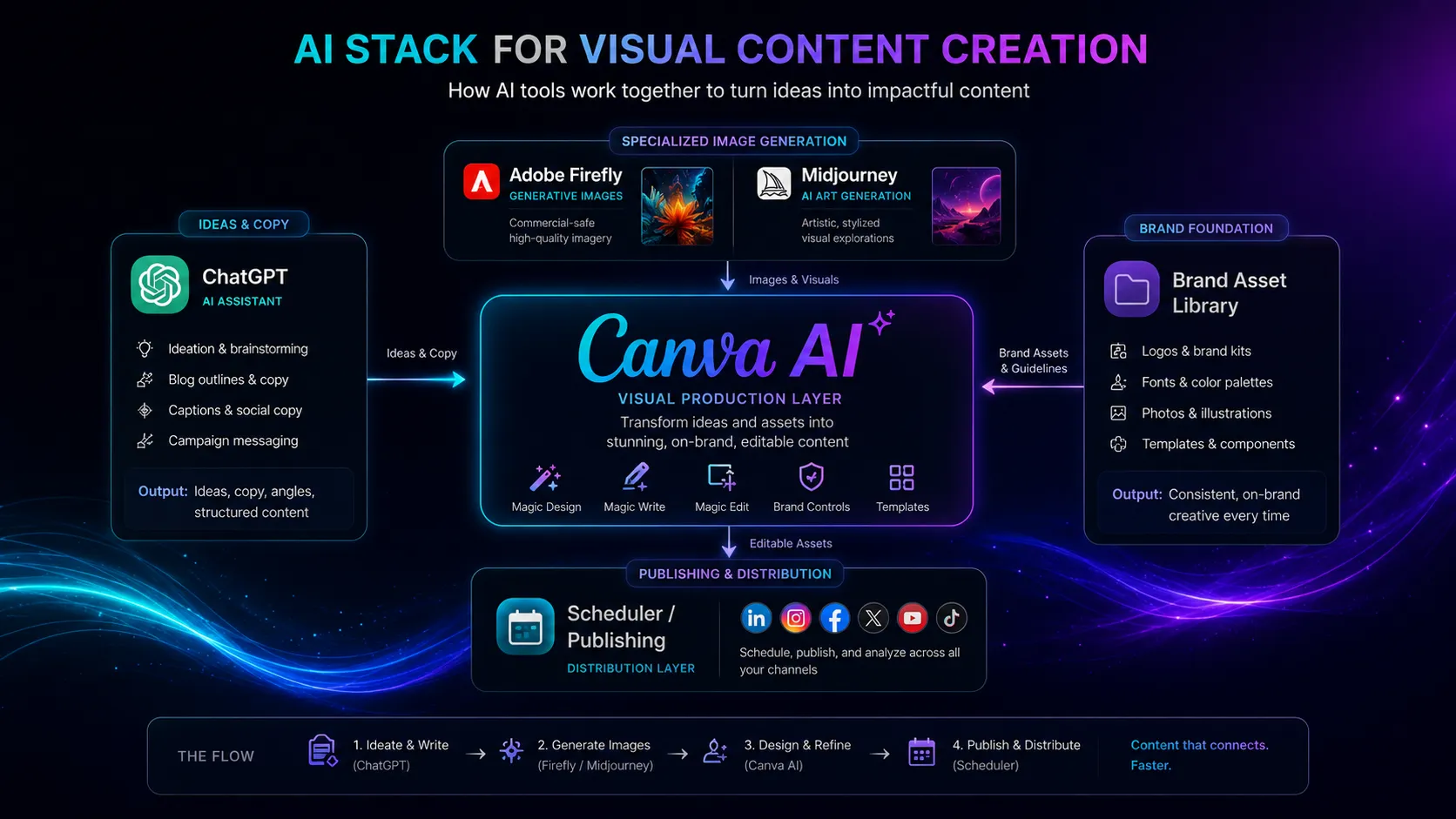
This matters if your current stack already includes ChatGPT or Claude for copy, a design tool for layout, a folder of brand assets, and a scheduler for publishing. Canva AI does not replace all of that. It reduces the messy middle: creating a first visual draft, resizing it, applying brand rules, and preparing versions for different channels.
There is a real friction point here. Because Canva is adding more AI features, the product can feel wider than a buyer actually needs. The safer move is to map your weekly asset types first. If the same three to five content formats keep appearing, Canva AI becomes easier to justify.
Where Canva AI fits in an AI stack
The right way to think about Canva AI is as the visual production layer, not as the strategy layer. ChatGPT or Claude can help you shape campaign ideas and copy. Canva AI helps turn those ideas into editable visual assets. A scheduler, CMS, or social tool still handles publishing.
In a practical stack, Canva AI pairs well with ChatGPT for campaign angles, Adobe Firefly or Midjourney for more specialized images, Notion for planning, and Zapier or Make for handoffs. It replaces some simple layout, resizing, and cleanup tasks. It does not replace a designer, a brand system, a license review, or a publishing calendar.
What Canva AI does well
Canva AI does well when the asset needs to be edited after the AI step. That is a bigger deal than it sounds. Many AI image tools give you a result that looks impressive but becomes awkward when you need to change the headline, adapt the layout, or resize it for another channel.
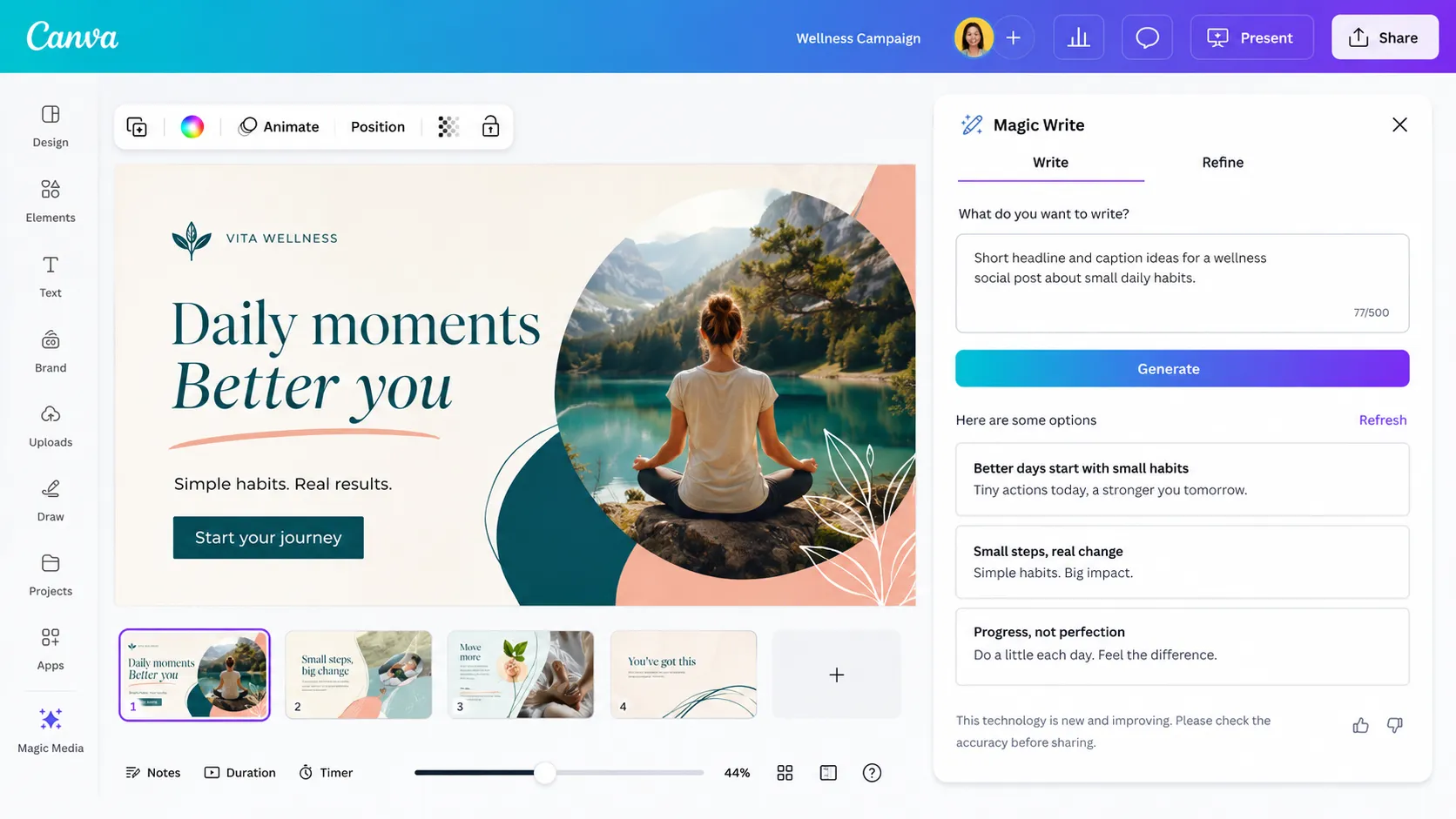
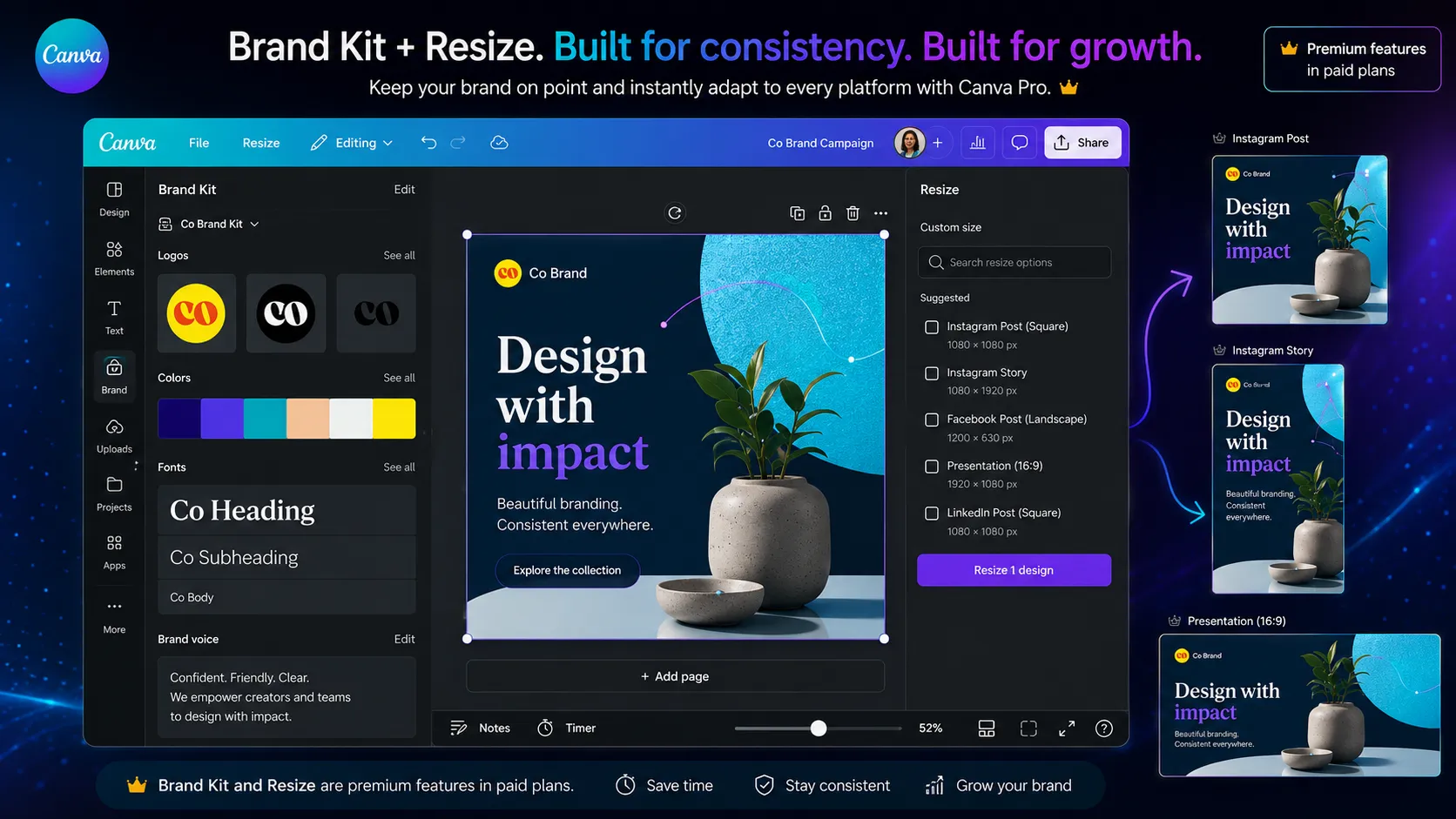
It also works well for campaign speed. The combination of writing help, templates, image editing, Brand Kit, and resize tools makes sense for people who publish repeatedly. The feature list is broad, but the buyer value is simple: fewer jumps between writing, design, and export.
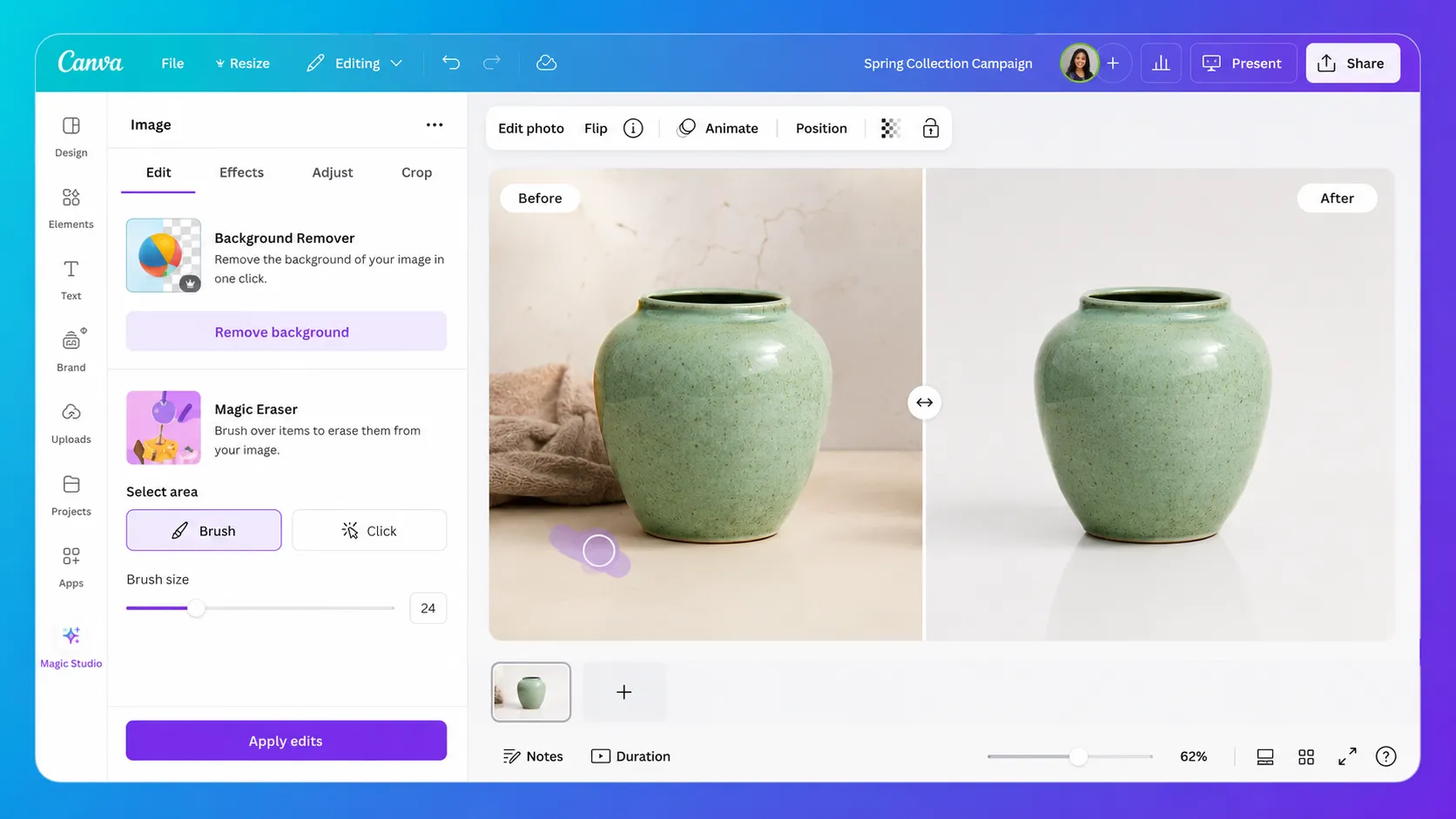
What is actually interesting here is the restraint in the best use case. Canva AI does not need to beat a specialist image model to be valuable. It needs to help a non-designer get a presentable asset into a familiar editor faster than starting from a blank page.
Where Canva AI falls short
The first limitation is precision. Canva AI can help you create attractive assets, but it is not the same as a product design environment. If your work depends on reusable components, exact spacing systems, developer handoff, or interface states, Canva AI is the wrong center of gravity.
The second limitation is creative depth. For art direction, concept exploration, and style-heavy image generation, a dedicated image tool will usually be a better place to start. Canva AI is more practical than expressive. That is good for marketing production, but not always enough for creative teams.
The third limitation is trust review. Canva publishes AI terms, content license terms, and privacy controls, which is helpful. Still, a buyer should not assume every generated asset or template-backed output is automatically safe for every commercial use. The asset source and usage context matter.
Pricing judgment
Pay for Canva AI when visual production becomes routine. If you are creating assets every week and repeatedly need premium content, Brand Kit, resizing, background tools, and heavier AI usage, a paid Canva plan can be easy to justify. If you make one graphic once in a while, stay free until the limits become annoying.
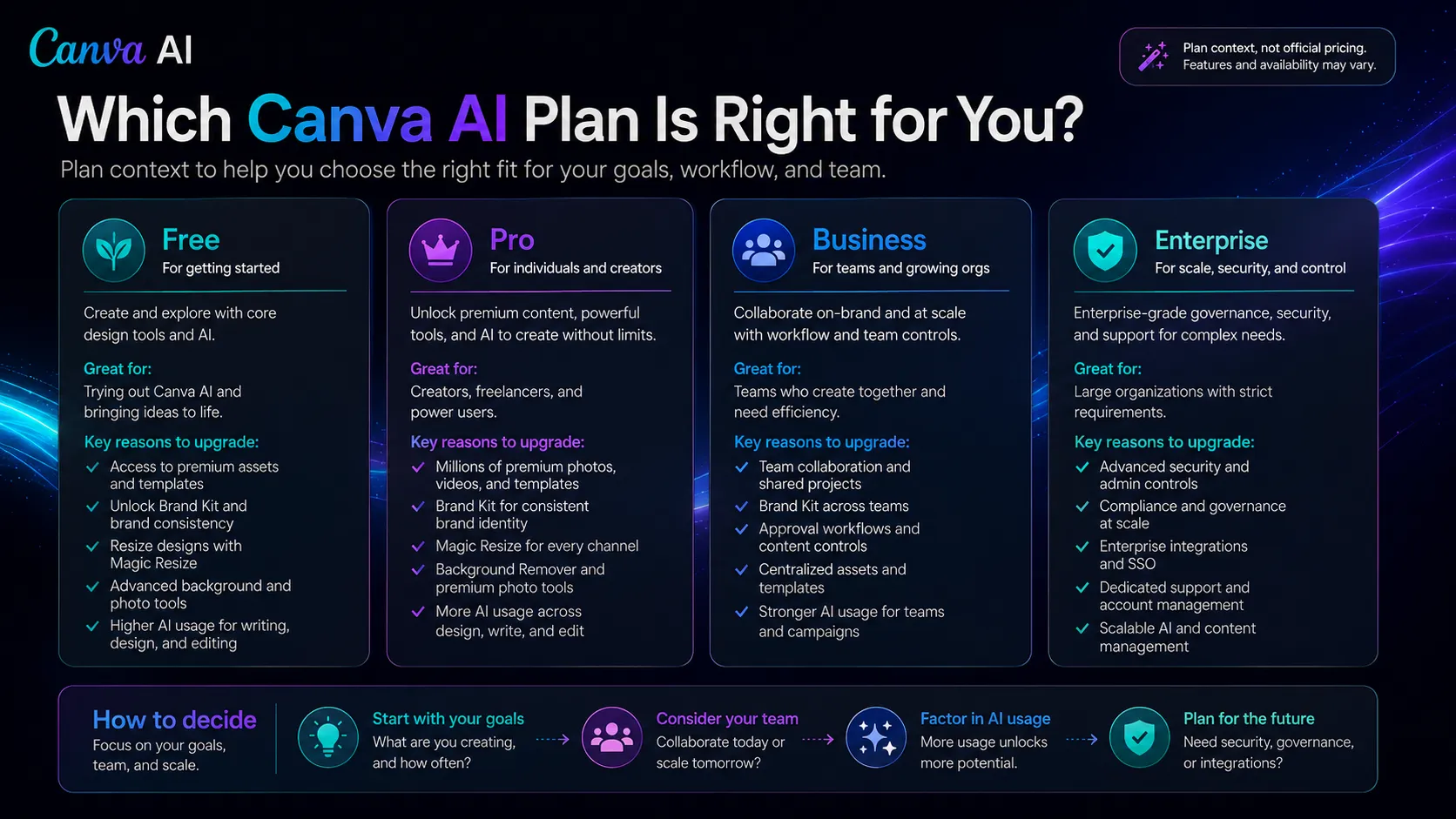
The pricing caution is real because Canva’s plan packaging and team pricing have changed before, and AI features can affect perceived value. I would not upgrade just because the AI demo looks good. Upgrade when the workflow saves measurable time on assets you publish often. Verify current pricing on the official pricing page.
Best alternatives to compare
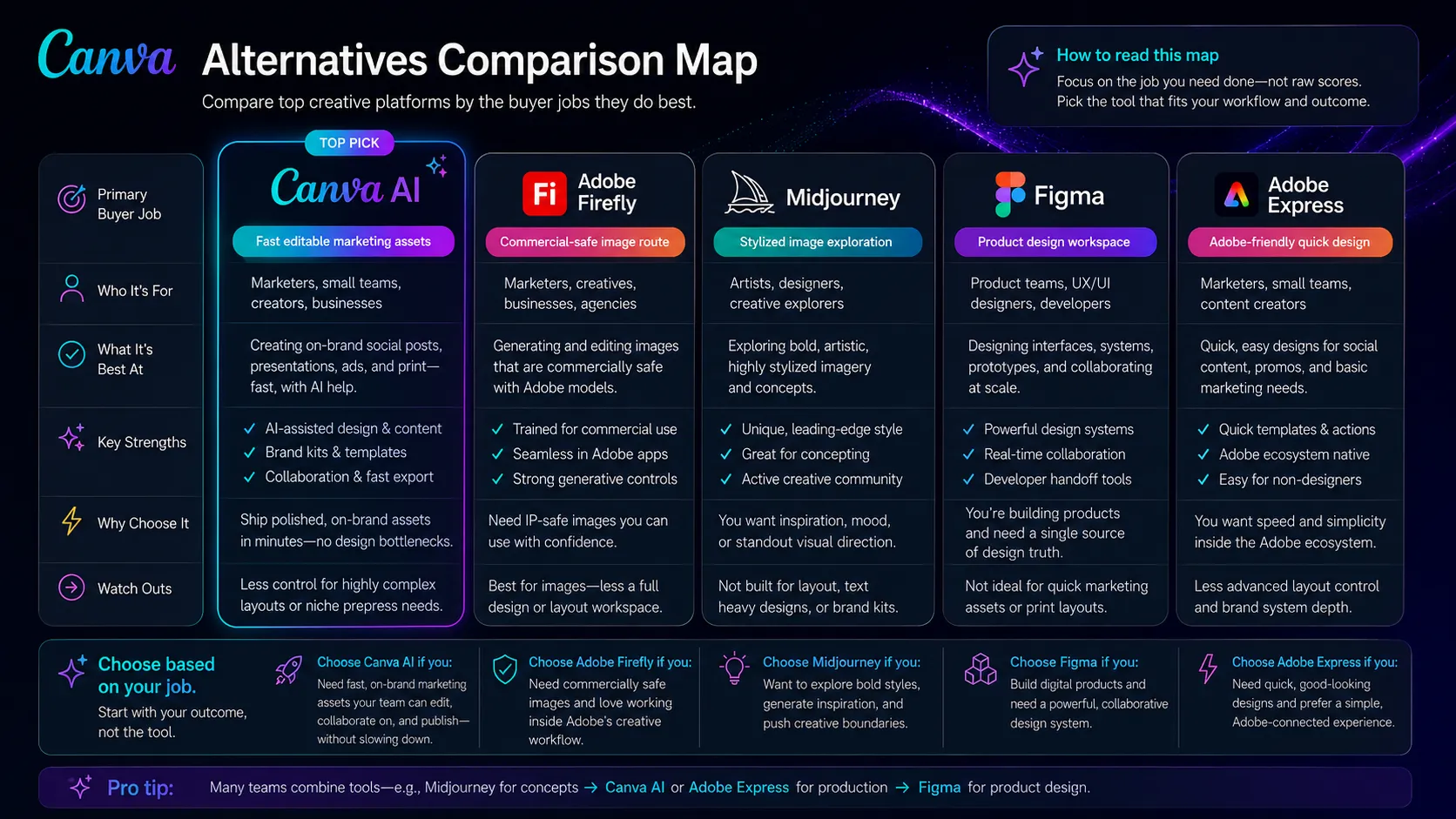
Adobe Firefly is the first comparison if your main concern is generative image provenance, commercial-safe creative work, and Adobe Creative Cloud fit. It is less of a direct replacement for Canva’s template and publishing workflow, but stronger when image generation confidence is the main job.
Midjourney is the better comparison if the asset starts with visual art direction. It can be stronger for stylized images and concept exploration, but you will still need a layout and publishing workflow after generation.
Figma is the better comparison if your team is designing products, not marketing assets. It is not trying to be Canva AI. It wins when components, collaboration, prototypes, and developer handoff matter.
Final decision
Add Canva AI to your stack if you publish recurring visual assets and want AI help inside the same place where you edit, brand, resize, and export them.
Compare Adobe Firefly first if your main concern is commercial-safe image generation, Adobe workflow fit, or more focused control over generated visuals.
Skip Canva AI for now if you need product design systems, advanced illustration control, or strict governance where every asset requires legal and brand review before use.
Frequently asked questions
Is Canva AI worth paying for?
Can Canva AI replace a designer?
Is Canva AI good for social media content?
What are the best Canva AI alternatives?
Can I use Canva AI images commercially?
Where Canva AI fits in a stack
Visual design and creative production layer
Does not replace
- – A senior brand designer
- – Figma-style product design systems
- – Professional illustration direction
- – Legal review of image and template licensing
- – A full campaign strategy or publishing calendar
Pairs well with
Head-to-head comparisons
Top alternatives to consider
If Canva AI is not the right fit, these are the most common alternatives.

Adobe Firefly is the better comparison if commercial-safe generative images and Adobe Creative Cloud workflows matter more than Canva's template-first production flow.

Midjourney is the stronger visual-art comparison when the goal is stylized image quality, concept art, and creative exploration rather than editable Canva layouts.
Figma is not a direct Canva AI replacement for social graphics, but it is the better tool when interface design, components, prototypes, and product collaboration are the real job.
Review methodology
This review was written from a workflow-fit and buyer-decision perspective using Canva AI product pages, Canva pricing context, official policy and trust materials, product demo material, and current public coverage. It focuses on whether Canva AI deserves a role in an AI stack, not on private benchmark testing.
This is not a hands-on lab test. The evaluation is based on public product information, official documentation, pricing pages, licensing and privacy materials, and current market context.
Not covered: Private hands-on output-quality testing · Enterprise procurement or custom contract analysis · Legal advice about commercial content rights · Benchmarking against every Canva app or plugin