
Gemini Review
Gemini review for Google users: Workspace fit, AI plans, privacy tradeoffs, alternatives, and when it belongs in your stack.
Strong fit for Google-first users and multimodal workflows, but less clean for buyers who want a neutral standalone AI assistant.
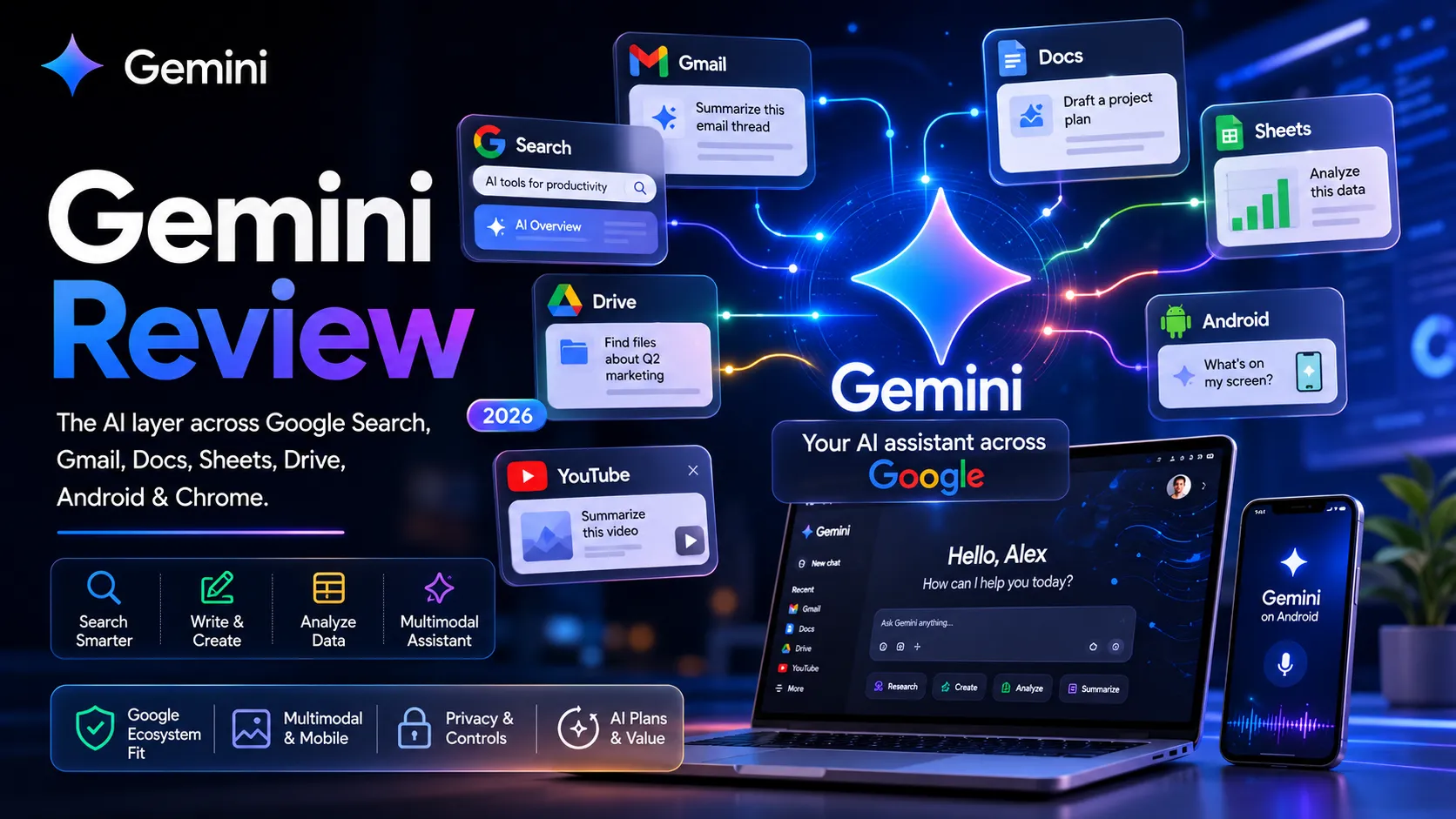
Use it if…
- ✓ Your work already moves through Google Search, Gmail, Docs, Sheets, Drive, Chrome, or Android every day.
- ✓ You want a general AI assistant that can connect to Google context instead of staying isolated in a chat window.
- ✓ You regularly use images, mobile context, files, research, and Workspace drafting in the same week.
- ✓ You are comfortable checking activity settings, plan limits, and regional availability before relying on advanced features.
Skip it if…
- – Your primary workflow is Microsoft 365, Apple apps, Notion, or developer tools rather than Google services.
- – You need the strongest writing assistant for long editorial drafts and voice-sensitive content.
- – Your team requires strict data governance that you have not verified against Google's Gemini Apps privacy controls.
- – You only need occasional AI help and already pay for another assistant that covers the job well.
Review scorecard
Scored by workflow fit, ease of use, value, and stack compatibility. Weights reflect importance for typical buyers.
| Criteria | Score | ||
|---|---|---|---|
| Google ecosystem fit | 9.1 | ||
| General assistant usefulness | 8.2 | ||
| Multimodal and mobile context | 8.8 | ||
| Pricing and plan clarity | 7.2 | ||
| Privacy and control | 7.0 | ||
| Stack flexibility | 8.0 | ||
| Weighted overall | 8.3 / 10 | ||
On this page
Quick verdict
If your day already starts in Gmail, moves through Docs, checks a Sheet, searches Google, and ends on an Android phone, Gemini deserves a serious look. The practical question is not whether it beats ChatGPT or Claude in every task. It is whether the Google layer in your life is already thick enough that a Google-native assistant removes real friction.
I would treat Gemini as a strong Google workflow assistant, not as a universal replacement for every AI tool in your stack. It is useful for quick research, drafting, summarizing, image understanding, mobile context, and Workspace-adjacent work. It becomes less compelling when you need careful long-form editorial judgment, a clean non-Google workflow, or simple plan boundaries.
The part that makes me careful is the bundle. Google AI plans can include storage, Workspace help, NotebookLM, Flow, Search, AI Studio, and other benefits. That is powerful if you use those products. It is also easy to pay for a bundle when you only needed one assistant.
Who should use Gemini
You are already working inside Google tabs all day. A client email is in Gmail, the brief is in Docs, the numbers are in Sheets, and the research trail starts in Search. In that situation, Gemini feels less like another app to remember and more like a layer that sits near the work you already do.
Gemini makes the most sense for people who want AI help inside existing Google habits. That includes writing first replies, tightening Docs drafts, summarizing research, exploring visual prompts, asking questions about images, and using mobile context. The value is strongest when you stop judging Gemini as a blank chat box and start judging it as a companion to Google products.
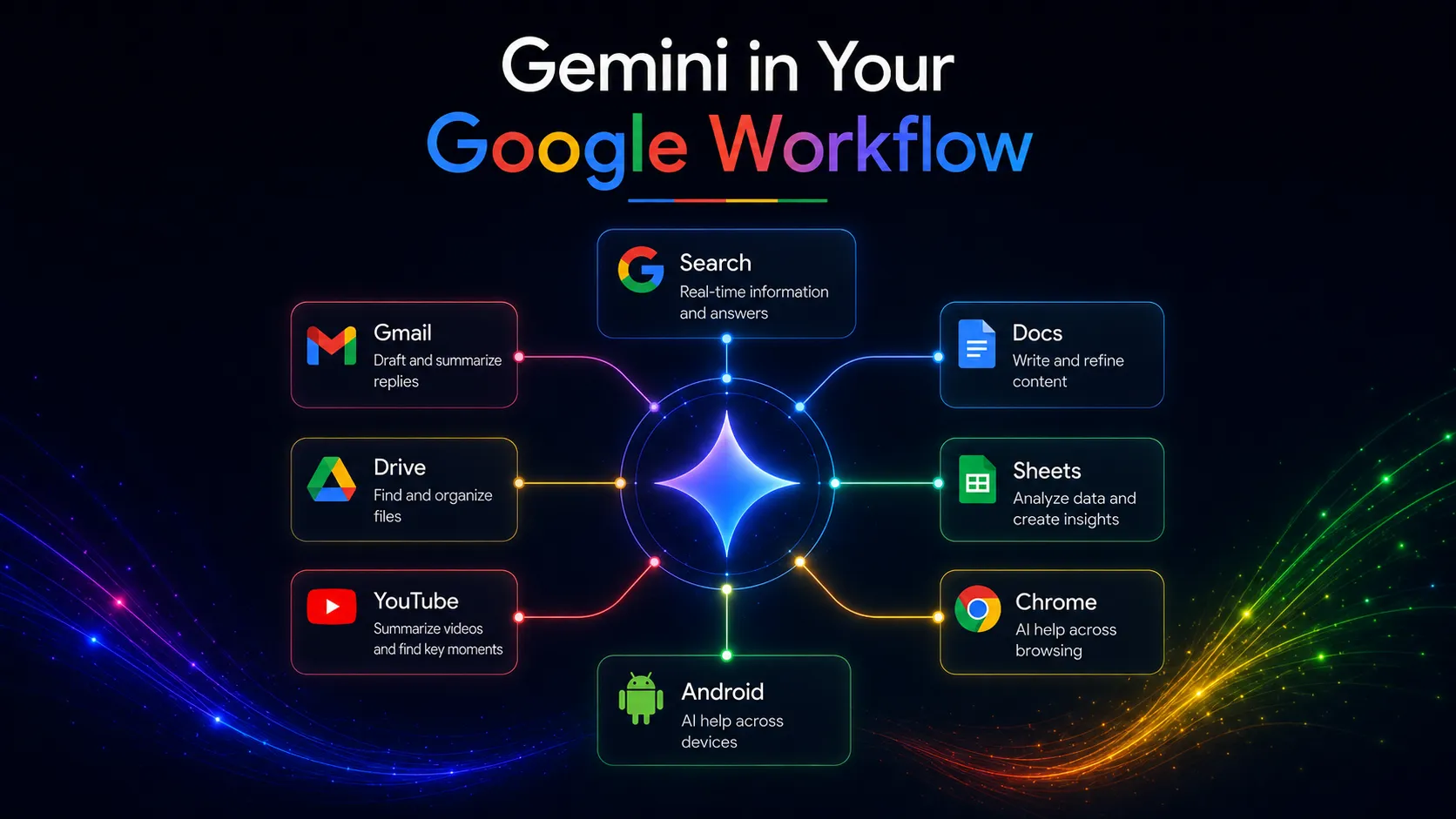
This matters if your AI assistant has to move between research, communication, documents, spreadsheets, and mobile questions. Gemini is not always the best specialist in each lane. Its advantage is proximity to the Google lanes many users already rely on.
Who should skip Gemini
Skip Gemini if your daily stack is not Google-centered. If your workplace runs on Microsoft 365, Teams, Outlook, SharePoint, and Excel, Microsoft Copilot may sit closer to your real work. If you write long, delicate editorial drafts, Claude may feel more controlled. If you want a broad neutral assistant with many custom workflows, ChatGPT may be easier to build around.
This is also where privacy and control deserve attention. Gemini can work with connected apps and account context, but that means you need to understand activity settings, retention, and what happens when you share files, screens, or personal content. If your team has strict data rules and nobody has checked the policy side, do not treat Gemini as approved just because it is convenient.
Real workflow fit
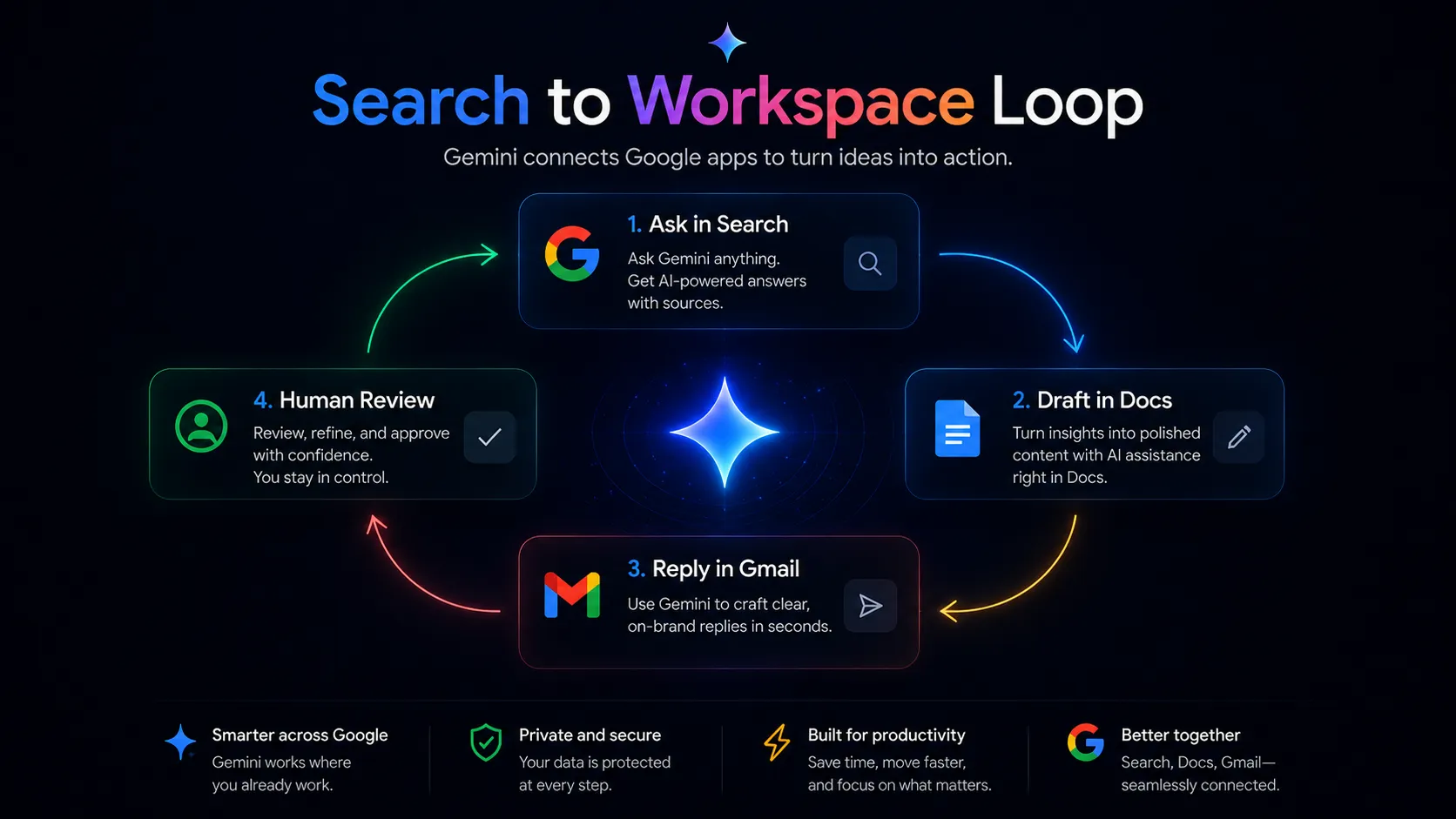
The real Gemini workflow usually starts with a messy question, not a polished prompt. You might ask for a summary of a topic, turn that into a Docs outline, adjust it for an email, then check a few sources before sending. The assistant is useful because it can live close to search and productivity work.
The workflow gets more interesting on mobile. Voice, camera, screen context, and local intent are all natural Google territory. If you often ask AI about what you are seeing, reading, or trying to do on a phone, Gemini has a real path to usefulness beyond standard desktop chat.
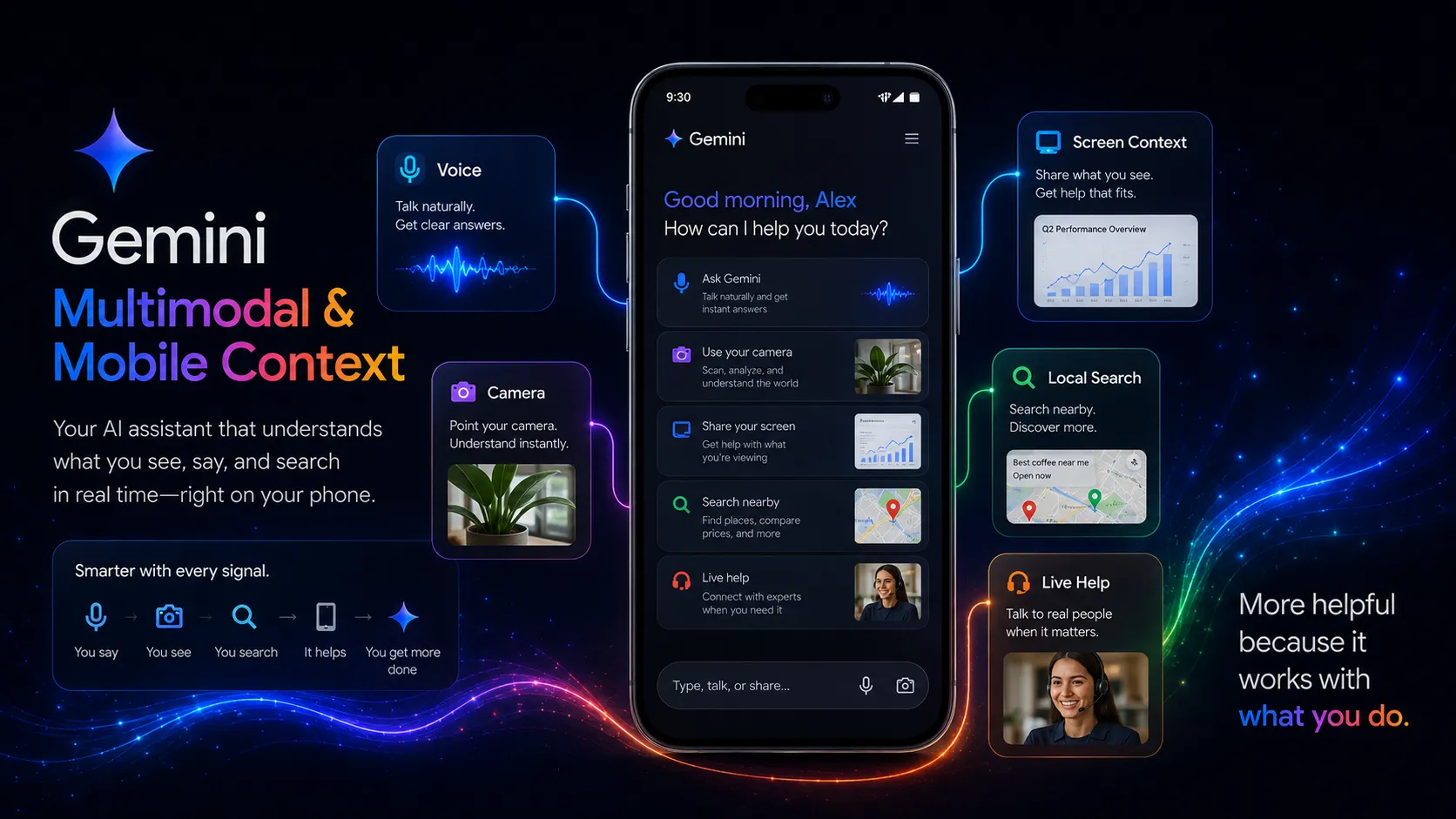
The official multimodal demo is worth watching because it explains why Gemini should not be evaluated only as a text assistant. The buyer question is whether visual and contextual input solves problems you hit often, or whether it is just impressive once.
Where Gemini fits in an AI stack
The right way to think about Gemini is as the Google-first reasoning and productivity layer. It can help with search, summarization, drafting, images, mobile context, and Workspace tasks. It does not replace your source of truth, your editorial review process, your project management system, or specialist tools built for coding, SEO, meetings, or design.
It belongs in the stack when Google context matters every week. Pair it with NotebookLM for source-grounded document work, Perplexity for source-led research, ChatGPT or Claude for neutral assistant comparison, and Zapier or Make when the job moves from thinking to automation. The mistake is expecting Gemini to be the only AI tool. The better role is to let it cover the Google-native layer and compare specialists for the rest.
What Gemini does well
You are replying to a long email, preparing a Docs draft, and checking a spreadsheet before a meeting. This is where Gemini’s product direction makes sense. It is not asking you to move your whole workflow somewhere else. It tries to meet the work where Google already owns the surface.
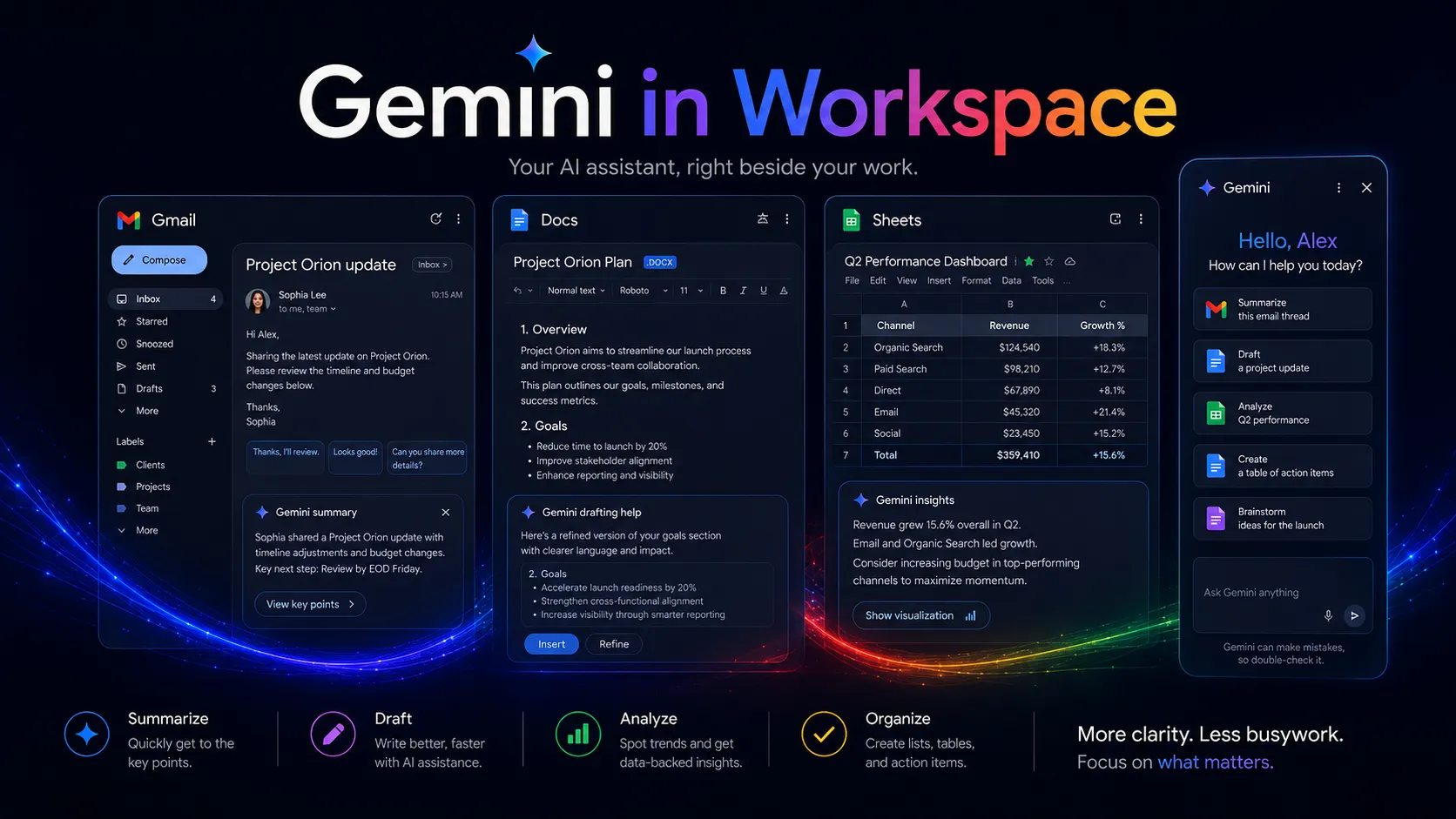
The first strength is ecosystem proximity. Gmail, Docs, Sheets, Search, Drive, Android, Chrome, YouTube, NotebookLM, Flow, AI Studio, and related Google products give Gemini a wider surface area than many standalone assistants. That does not make every feature better. It does make the assistant easier to justify if those surfaces are already routine.
The second strength is multimodal direction. Gemini is built around text, images, files, voice, video-adjacent creative tools, and mobile context. This matters if your questions often involve more than text. A screenshot, a photo, a document, or a research trail can be part of the task.
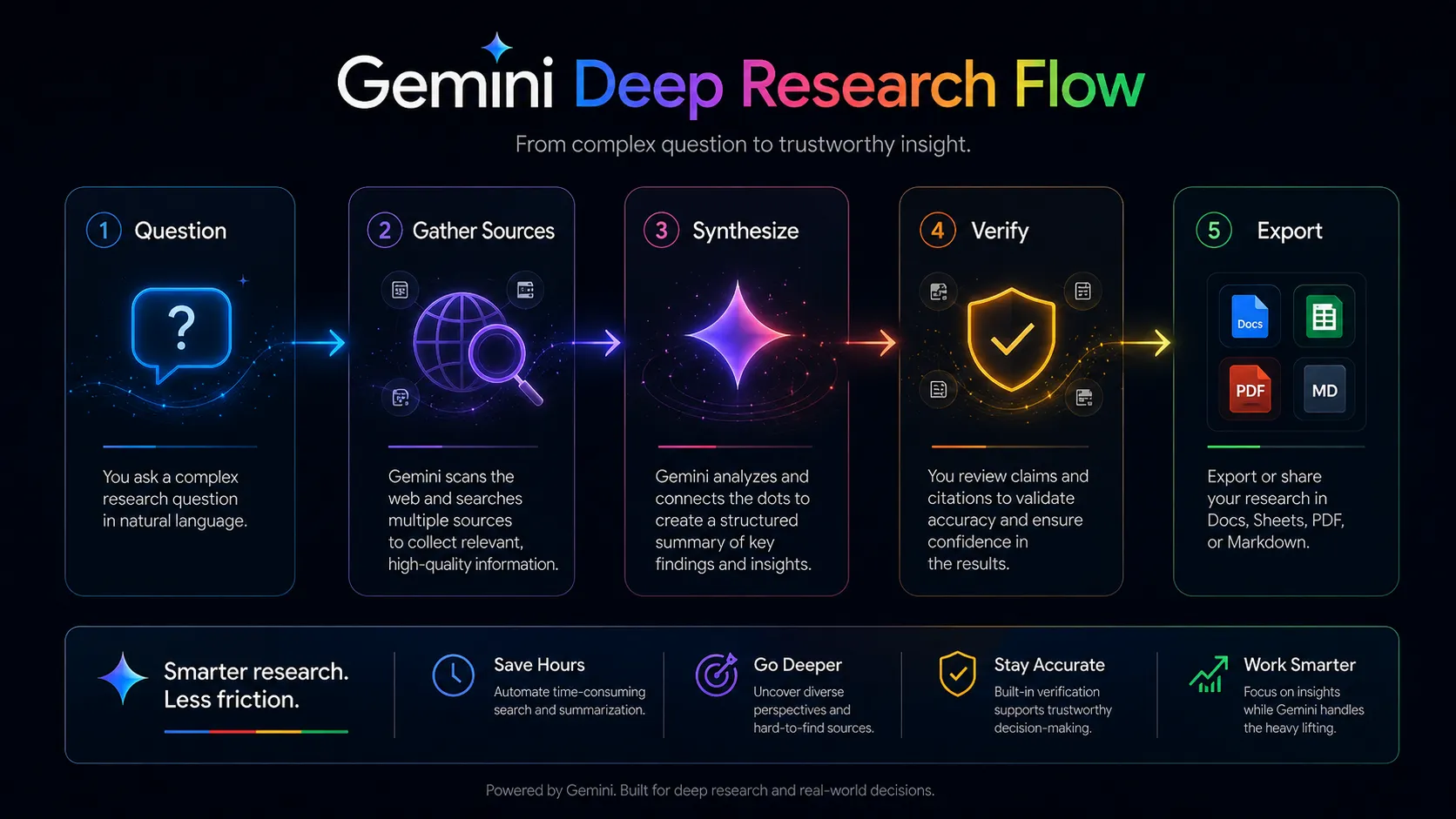
The third strength is research flow. Deep Research and Search-adjacent features can reduce source-gathering time. This is useful, but it also creates a friction moment. The report may look finished before the judgment is finished. You still need to check sources, dates, claims, and context before relying on the output.
Where Gemini falls short
Gemini becomes weaker when the Google ecosystem is not your center of gravity. If your drafts live in Notion, your communication sits in Slack, your files live in Dropbox, and your company runs on Microsoft identity, the Google advantage becomes less persuasive. You may still like the model, but the stack fit is thinner.
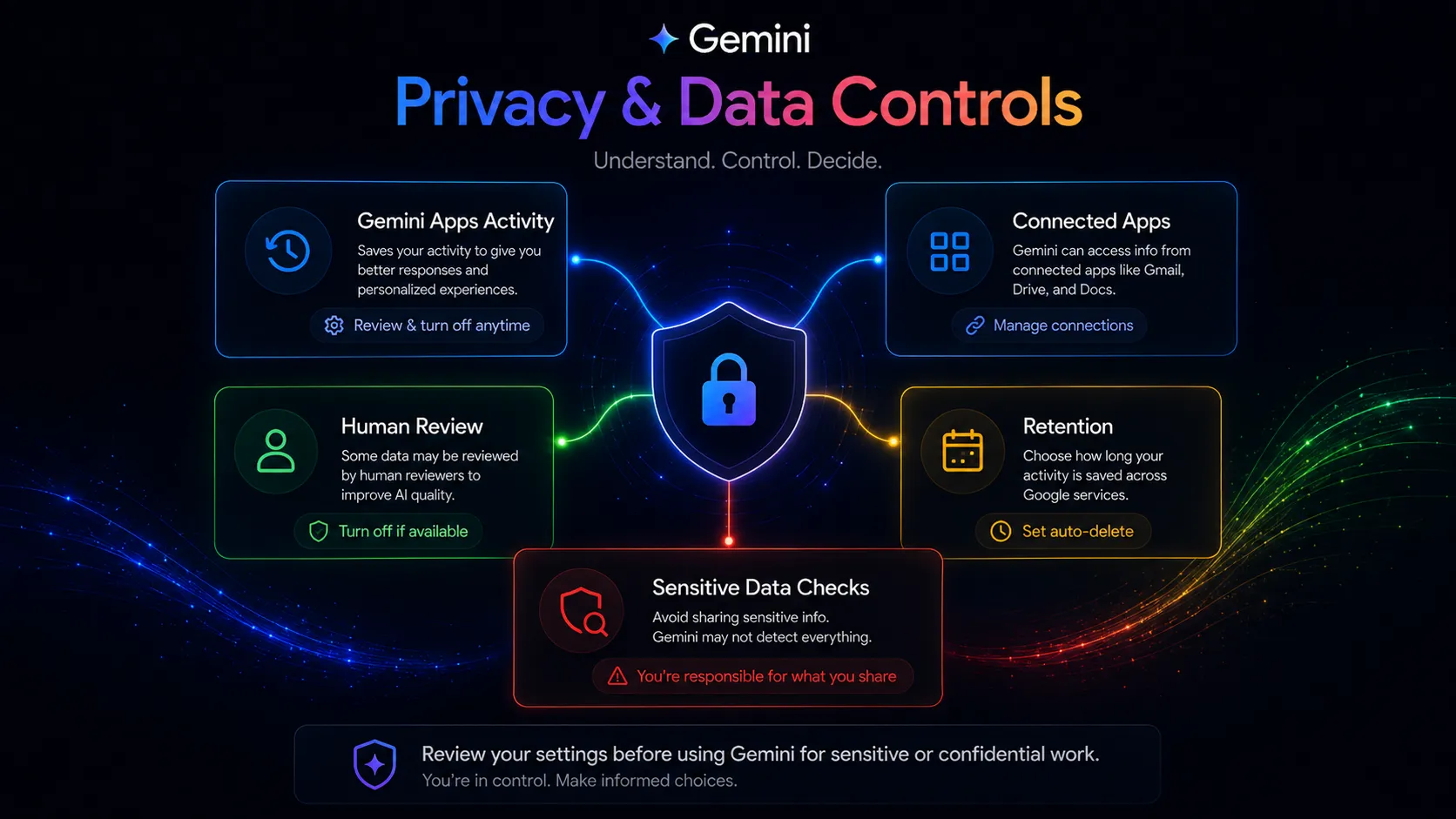
The privacy layer also asks for more attention than casual users expect. Google’s privacy hub explains activity settings, human review, retention, connected apps, audio, screenshare, and controls. That is useful documentation. It is also a reminder that convenience and account context are not free of tradeoffs.
The last weakness is plan complexity. Google AI plans can bundle model access, storage, NotebookLM, Flow, Workspace features, AI Studio, Search, Chrome, YouTube benefits, and regional restrictions. For power users, that can be a good bundle. For simple chatbot users, it can be more than they need.
Pricing judgment
The safer move is to start with free Gemini access and upgrade only when the paid plan maps to work you repeat. Do not pay because the feature list is long. Pay when the plan unlocks a recurring bottleneck, such as more advanced Gemini access, Workspace assistance, Deep Research, NotebookLM, AI Studio, Flow, storage, or other Google AI benefits you actually use.
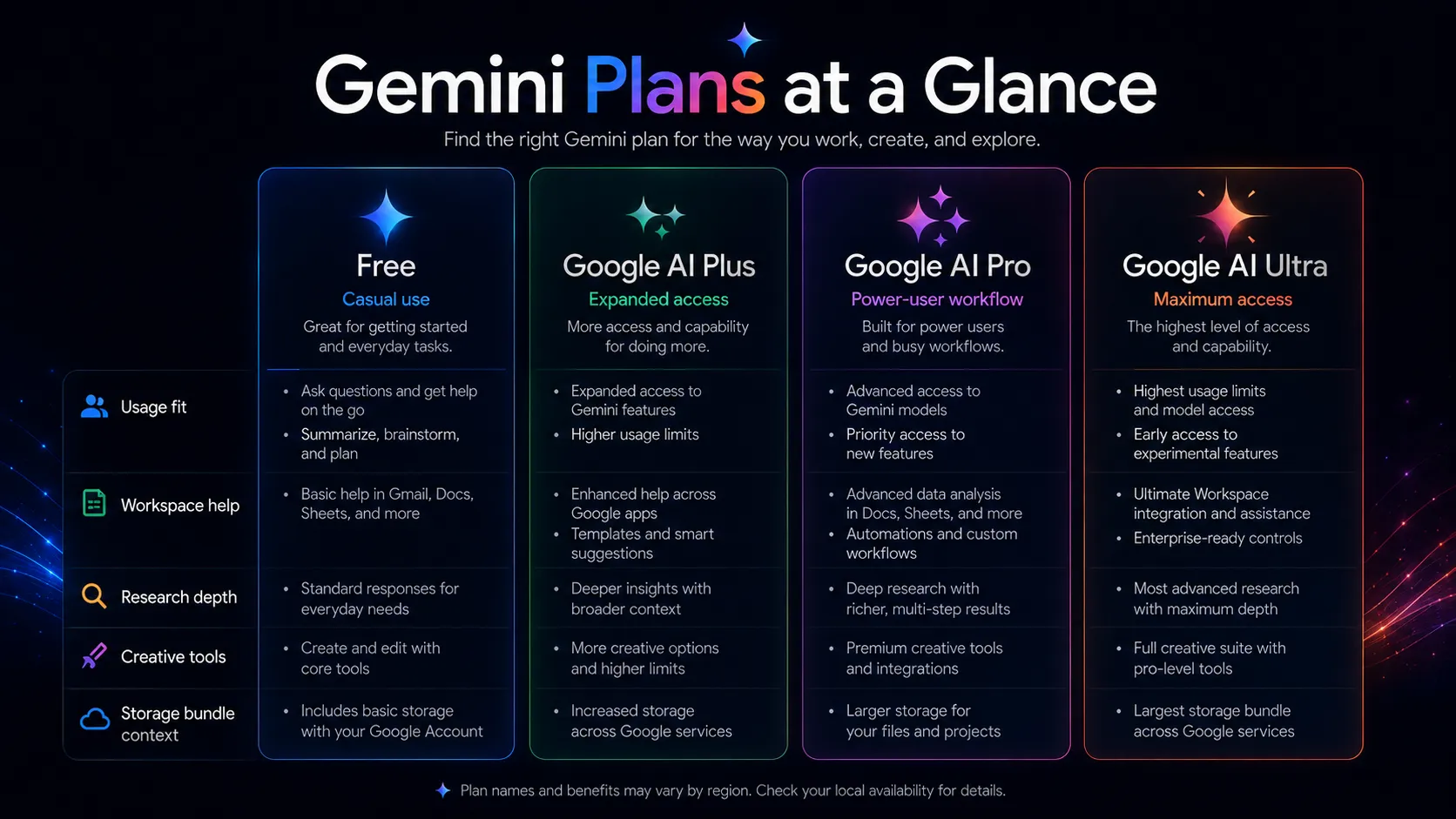
For most individual users, the first paid decision is whether Google AI Pro or a lower regional plan is enough. Ultra-level plans should be treated as specialist plans for people who need higher limits, advanced models, creative tools, developer benefits, or bundled Google services. If you only want occasional writing help, compare ChatGPT, Claude, and the free Gemini experience before paying. Verify current pricing on the official pricing page.
Best alternatives to compare
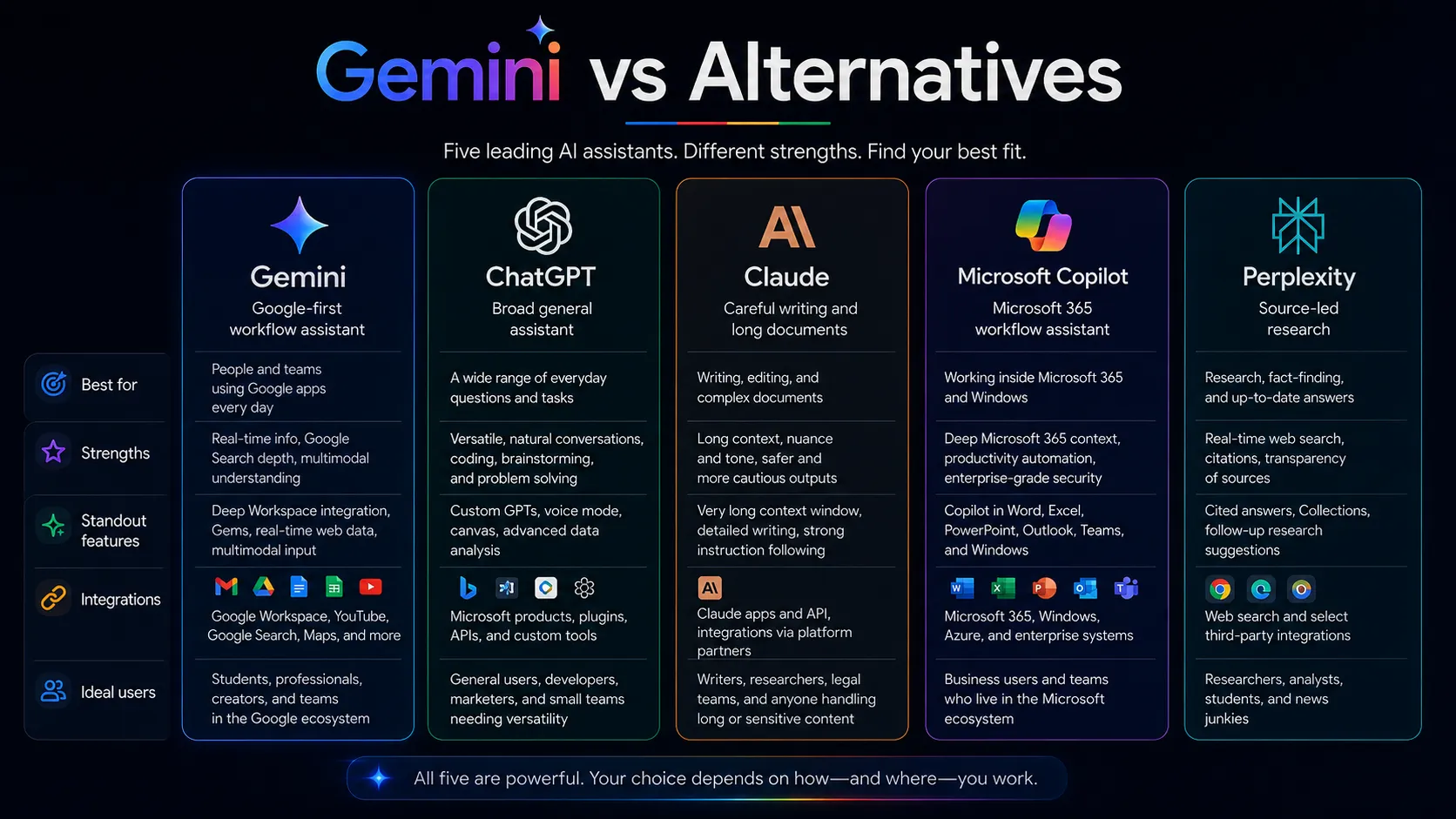
ChatGPT is the direct comparison for users who want a neutral general assistant. It is usually the safer first comparison if you do not care about Gmail, Docs, Android, or Search integration. Choose ChatGPT first if your stack is mixed and you want a broad assistant that does not depend on Google surfaces.
Claude is the better comparison for long documents, writing quality, and careful editing. If your main work is reading, rewriting, reviewing, and shaping nuanced text, Claude deserves a close look before Gemini. The tradeoff is that Claude does not have the same native Google ecosystem position.
Microsoft Copilot is the better comparison for Microsoft 365 teams. If your organization works through Outlook, Teams, Word, Excel, SharePoint, and Microsoft identity, Copilot may be closer to the actual workflow than Gemini.
Perplexity is an adjacent comparison, not a full replacement. It is stronger when the job is source-led research and quick citation-aware exploration. Gemini is stronger when the job blends Google account context, productivity surfaces, and multimodal assistant work.
Final decision
Add Gemini to your stack if your real work already runs through Google Search, Gmail, Docs, Sheets, Drive, Chrome, Android, or YouTube, and you want AI support close to those surfaces.
Compare ChatGPT, Claude, or Microsoft Copilot first if you want a neutral general assistant, a stronger long-form writing partner, or an assistant that fits Microsoft 365 better than Google Workspace.
Skip Gemini for now if you only need occasional AI help, dislike bundle complexity, or have not reviewed the privacy and connected app settings required for your work.
Frequently asked questions
Is Gemini worth it in 2026?
Does Gemini have a free plan?
Is Gemini better than ChatGPT?
Is Gemini good for writing?
Should teams use Gemini with sensitive company data?
What are the best Gemini alternatives?
Where Gemini fits in a stack
Google-first AI reasoning, search, productivity, and multimodal assistant layer
Does not replace
- – Human fact-checking and editorial judgment
- – Dedicated writing systems for brand voice governance
- – Coding-first tools like Cursor and GitHub Copilot
- – Specialized research databases and citation workflows
- – Project management, CRM, or publishing systems
Pairs well with
Head-to-head comparisons
Top alternatives to consider
If Gemini is not the right fit, these are the most common alternatives.

ChatGPT is the cleanest direct comparison if you want a broad general assistant with a large plugin, tool, and custom GPT ecosystem rather than a Google-first workflow.

Claude is the better comparison if your work is long-document analysis, careful writing, nuanced editing, or complex reasoning without needing deep Google account context.

Microsoft Copilot is the better comparison if your workplace is built around Microsoft 365, Outlook, Teams, Word, Excel, and enterprise Microsoft identity.
Review methodology
Editorial review based on Gemini's official product pages, Google AI plan information, Gemini Apps privacy documentation, an official Gemini demo video, current public coverage, and stack-fit analysis. No hands-on testing was conducted.
This review is based on public product information and current research, not direct hands-on testing.
Not covered: Hands-on benchmark testing · Enterprise legal or data-processing review · Private Workspace admin testing · API cost modeling for developers