
Make Review
A practical Make review for teams comparing visual automation, AI agents, credits, pricing, and Zapier alternatives.
Excellent for visual workflow automation, but less friendly for casual beginners than simpler automation tools.
Use it if…
- ✓ You need visual automation logic across multiple apps, not just simple trigger-action recipes.
- ✓ You want to connect AI tools, spreadsheets, forms, CRMs, Slack, Notion, and internal systems in one workflow layer.
- ✓ You are comfortable planning data flow, error handling, and usage volume before scaling automation.
Skip it if…
- – You want the easiest possible automation builder and do not care about advanced routing or data mapping.
- – Your team has no one who can maintain automations after launch.
- – You are comparing tools only by lowest sticker price without estimating credit usage.
Review scorecard
Scored by workflow fit, ease of use, value, and stack compatibility. Weights reflect importance for typical buyers.
| Criteria | Score | ||
|---|---|---|---|
| Workflow fit | 8.5 | ||
| Output quality | 8.0 | ||
| Ease of use | 7.0 | ||
| Pricing clarity | 7.5 | ||
| Stack value | 8.5 | ||
| Weighted overall | 7.9 / 10 | ||
On this page
Quick verdict
Make is a strong automation platform when your workflow is already more complicated than a simple trigger and action. It is the tool I would compare when someone says, “Zapier works, but I need more control over what happens between steps.”
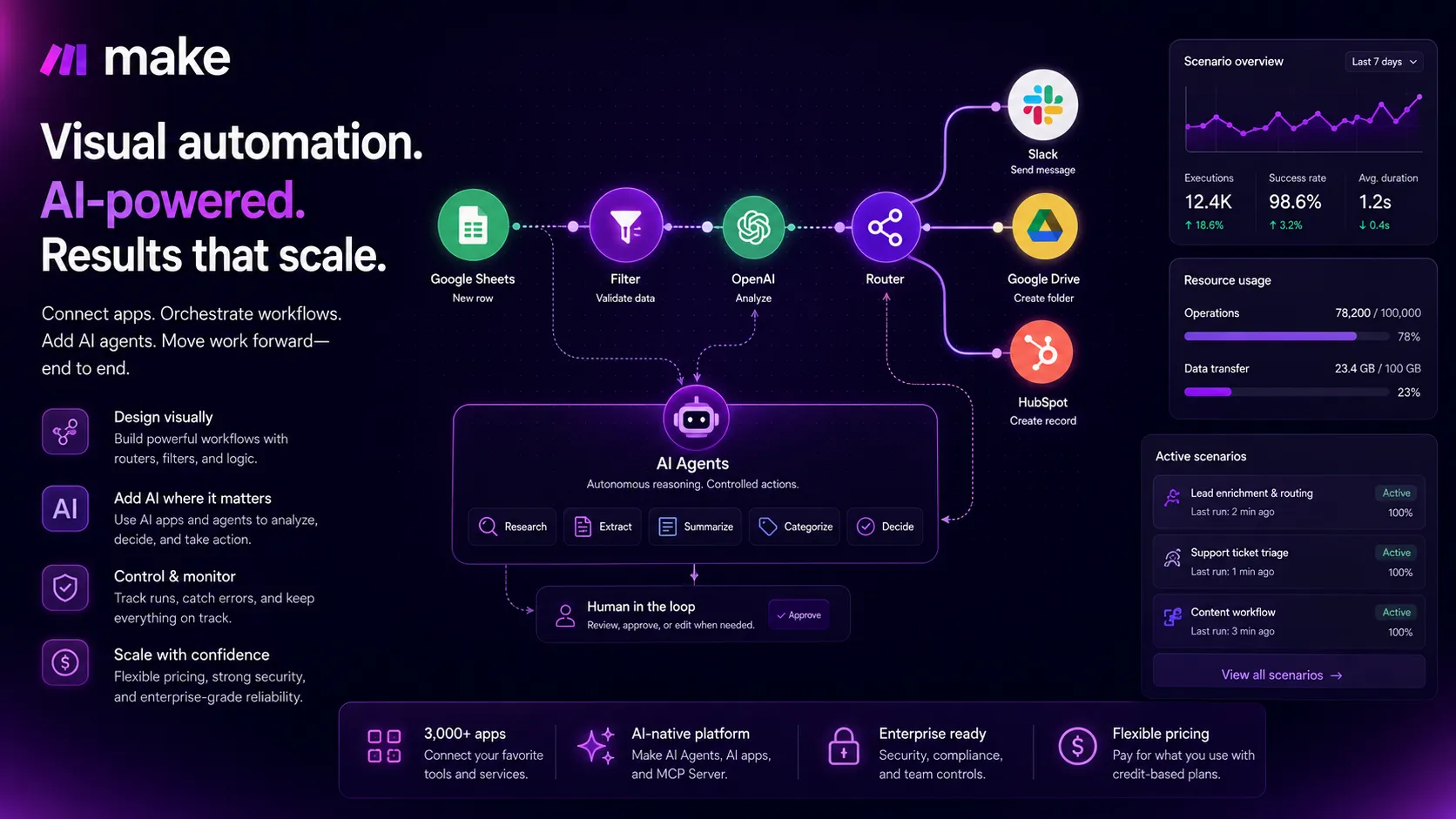
The reason to use Make is not that it magically makes automation easy. The reason is that it gives you a visual way to build real workflows: routers, filters, scheduled runs, data mapping, app actions, API-style logic, and now AI-connected orchestration. That matters if your stack has forms, spreadsheets, CRMs, Slack, Notion, AI tools, and approval steps that need to move in a predictable order.
The tradeoff is maintenance. Make can get powerful quickly, but it can also get messy quickly. A team that does not name scenarios clearly, monitor errors, estimate credit usage, and decide who owns each workflow may end up with a beautiful visual canvas that nobody wants to touch six weeks later.
Who should use Make
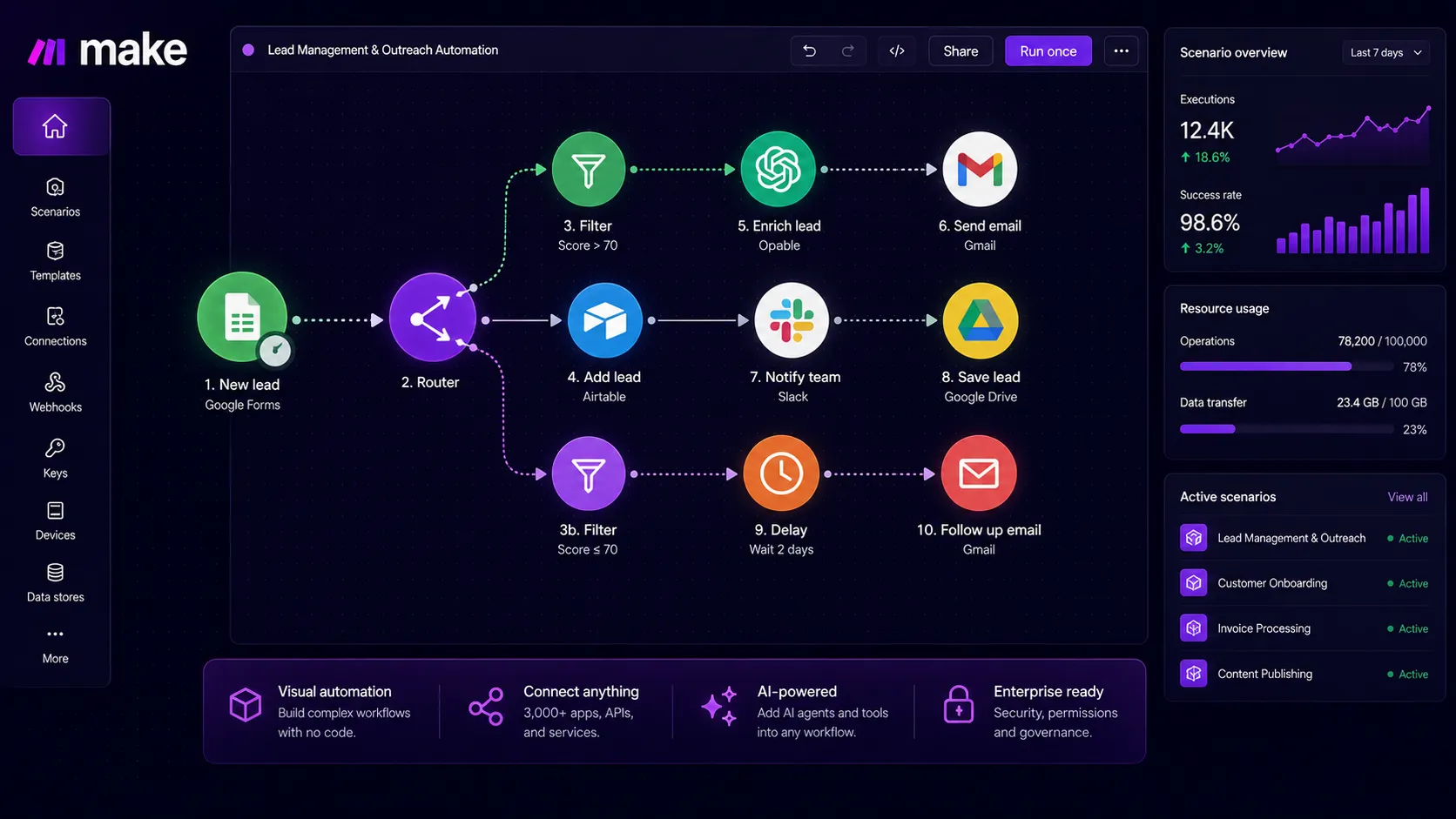
Use Make if you are building automations that need logic, not just connection. A simple example is sending a form lead to a spreadsheet. A more Make-shaped example is taking that form lead, checking the company size, enriching the record, routing enterprise leads to sales, sending smaller leads to a nurture path, creating a task in Notion, notifying Slack, and logging the result.
That second workflow is where Make starts to feel useful. The visual builder lets you see the business process instead of hiding it inside a list of isolated steps. For operators, agencies, solo builders, growth teams, sales operations teams, and technical marketers, that visibility can be the difference between a workflow you trust and a workflow you are scared to edit.
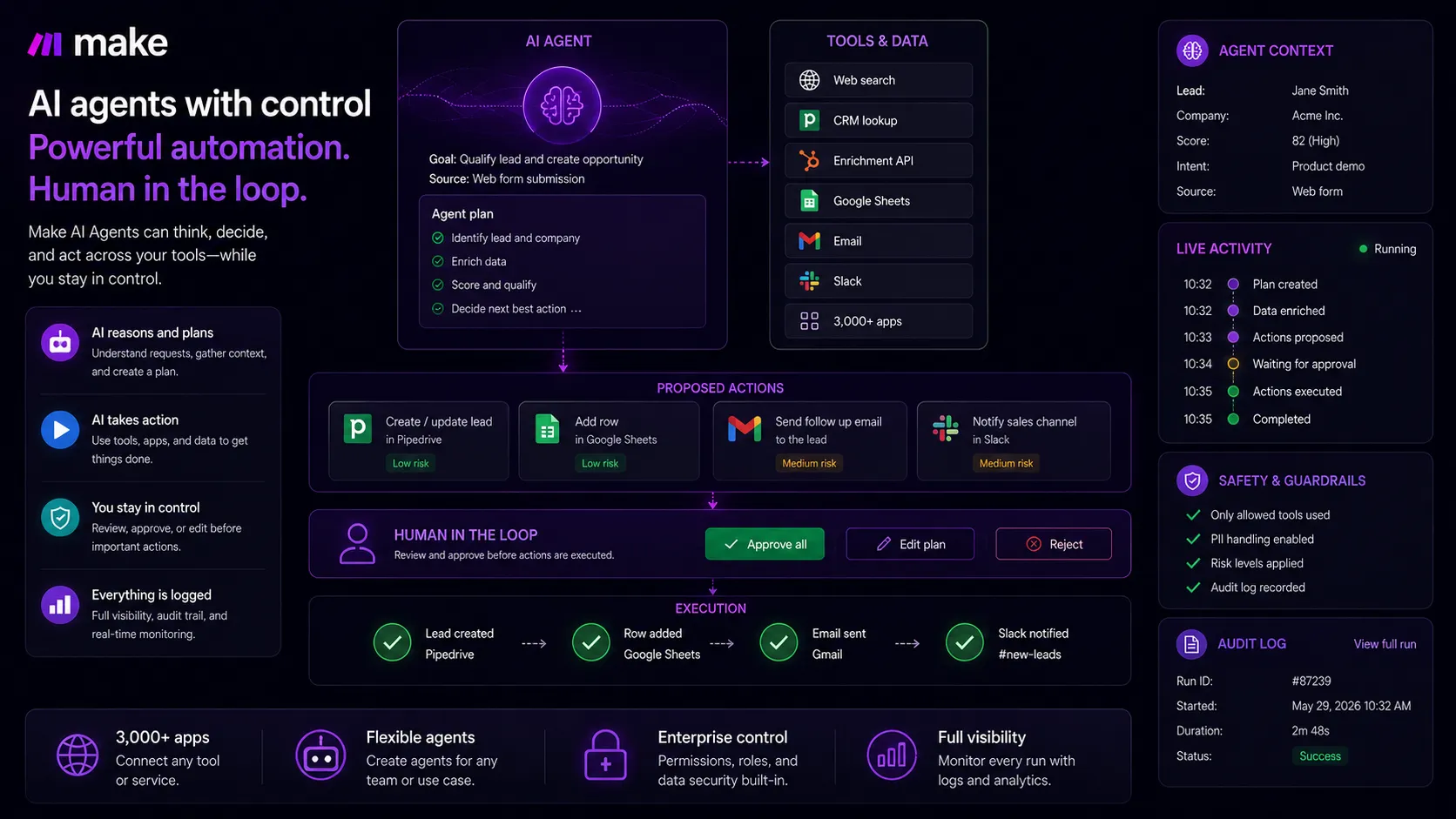
Make also fits teams experimenting with AI in a practical way. Instead of treating AI as a chat window, you can connect an AI step to real business inputs and outputs. The key is to keep human review where the decision is risky. AI can classify, summarize, extract, draft, and route. It should not silently approve refunds, send sensitive messages, or change customer records without guardrails.
Who should skip Make
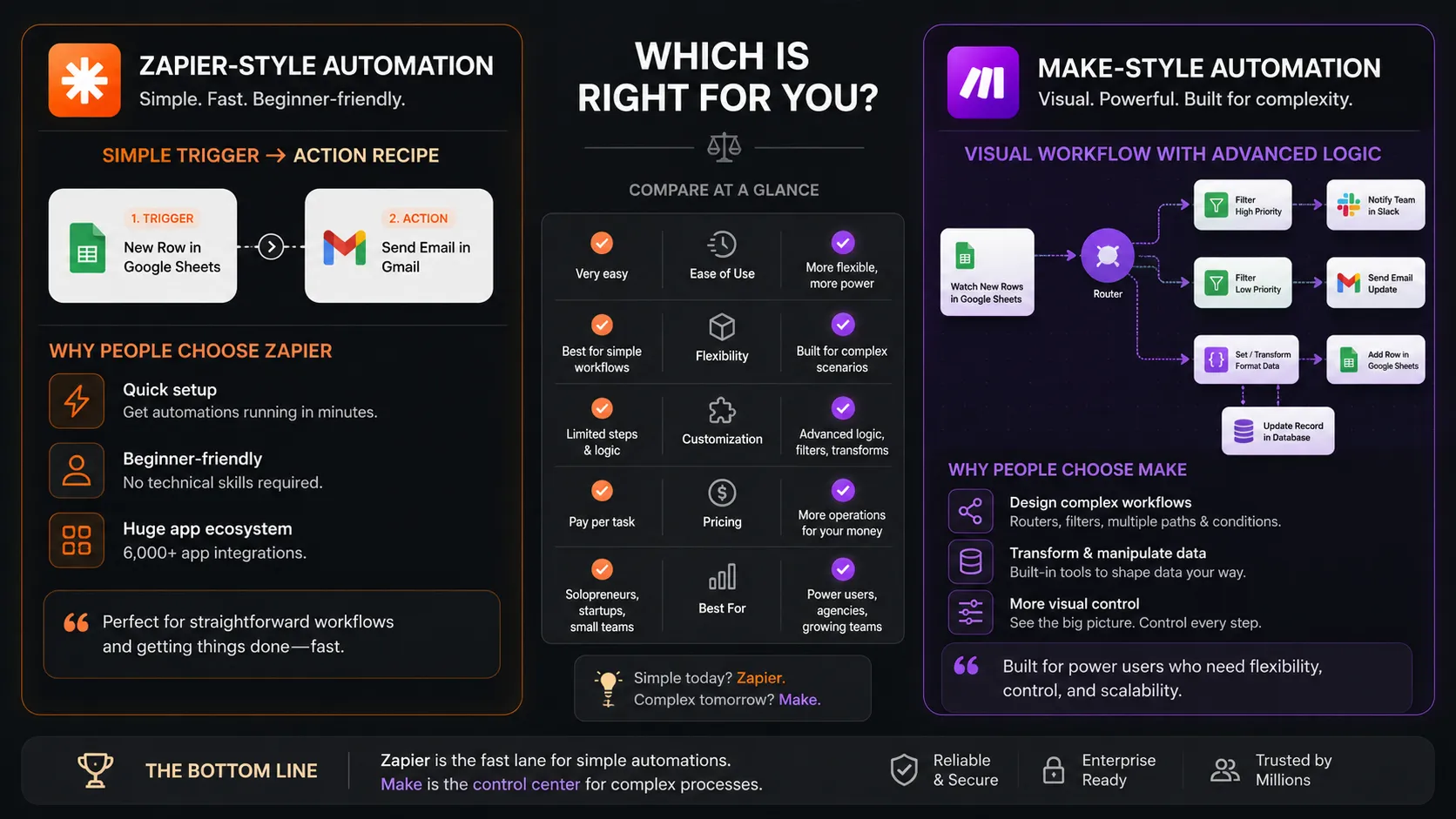
Skip Make if your priority is the easiest possible automation experience. If you want to connect Gmail to Slack, Typeform to Google Sheets, or Stripe to a notification channel without thinking much about data shape, Zapier may feel easier at the beginning.
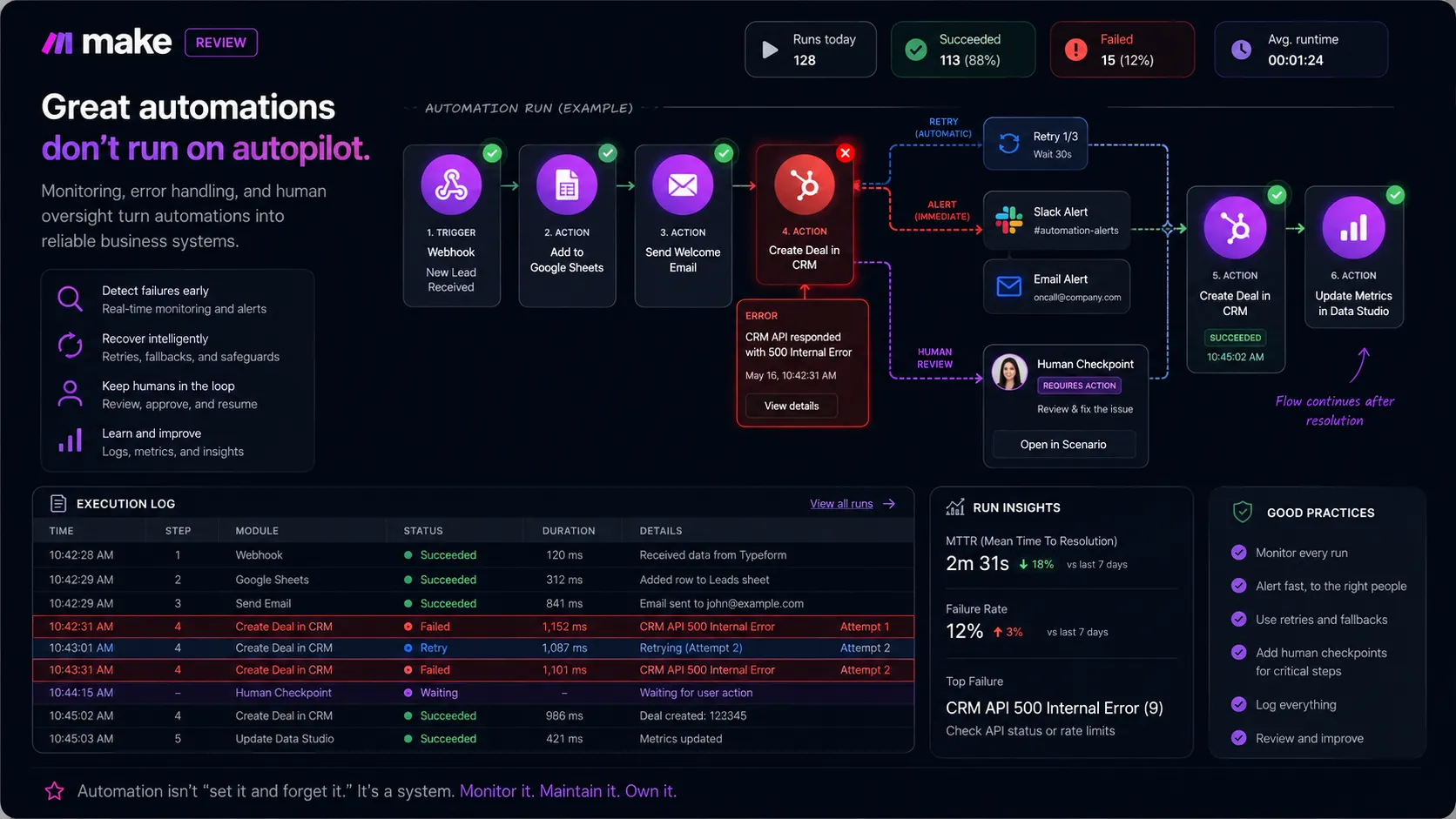
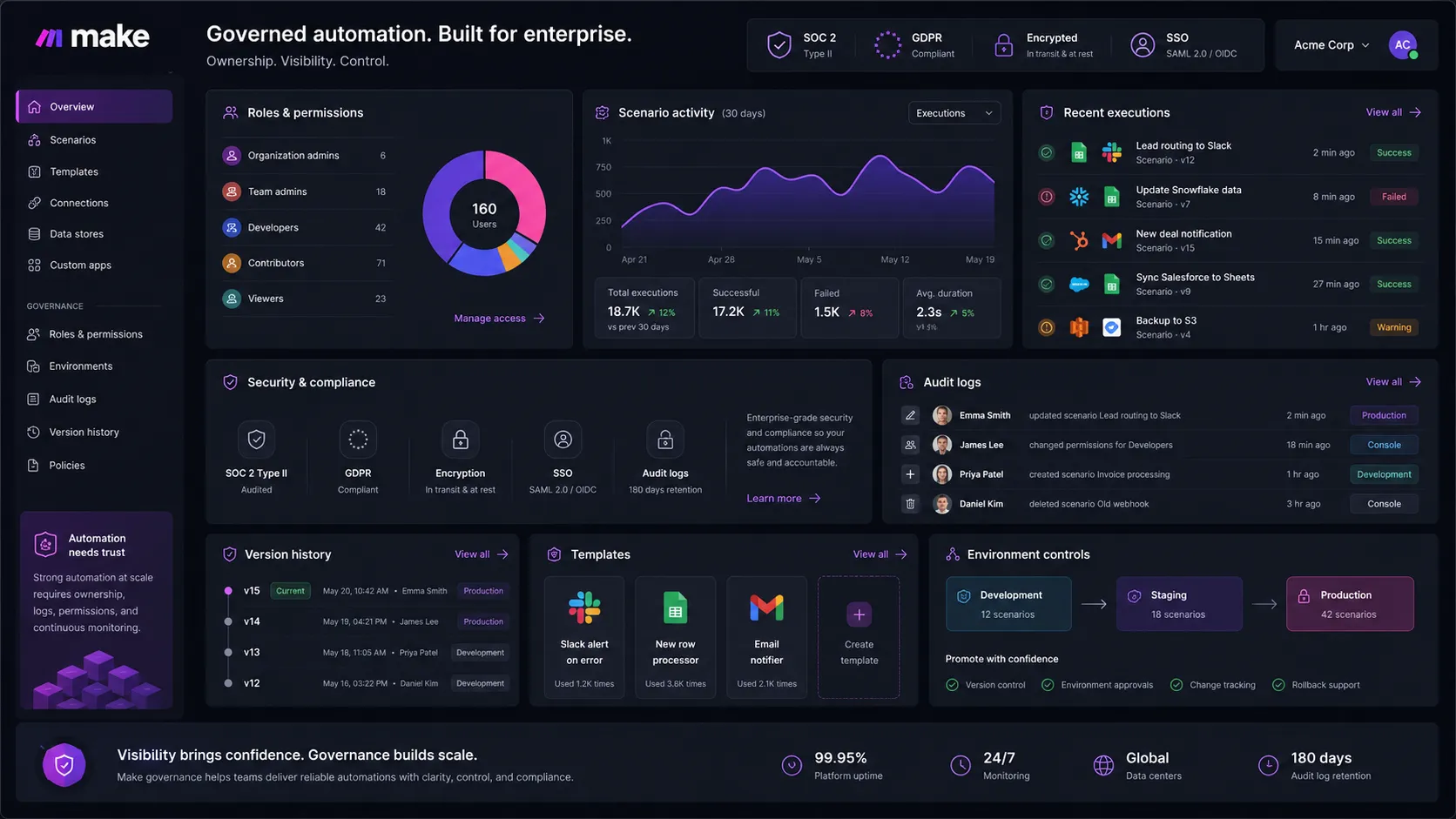
Also skip it if your team has no workflow owner. This is the boring part, but it matters. Automations fail because an app permission changes, a field gets renamed, an API response changes, a spreadsheet column moves, or a teammate edits a scenario without understanding why a filter exists. Make gives you the tools to build and monitor sophisticated workflows, but it does not remove the need for ownership.
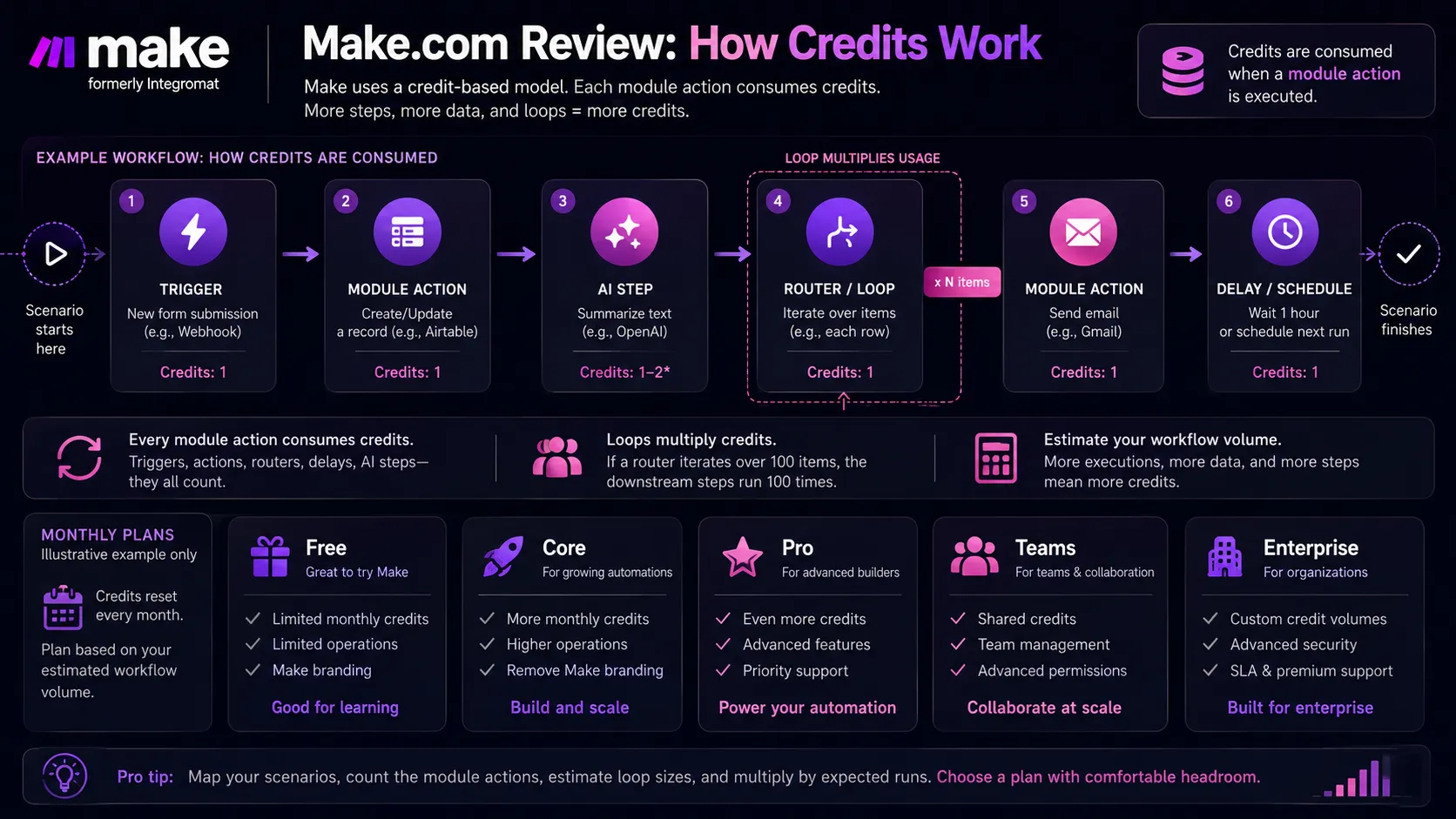
The other group that should pause is anyone who hates usage estimation. Make’s pricing is based on credits, and each module action in a scenario counts. That can be cost-effective, especially compared with some task-based tools, but only if you understand the volume and structure of your workflows.
Real workflow fit
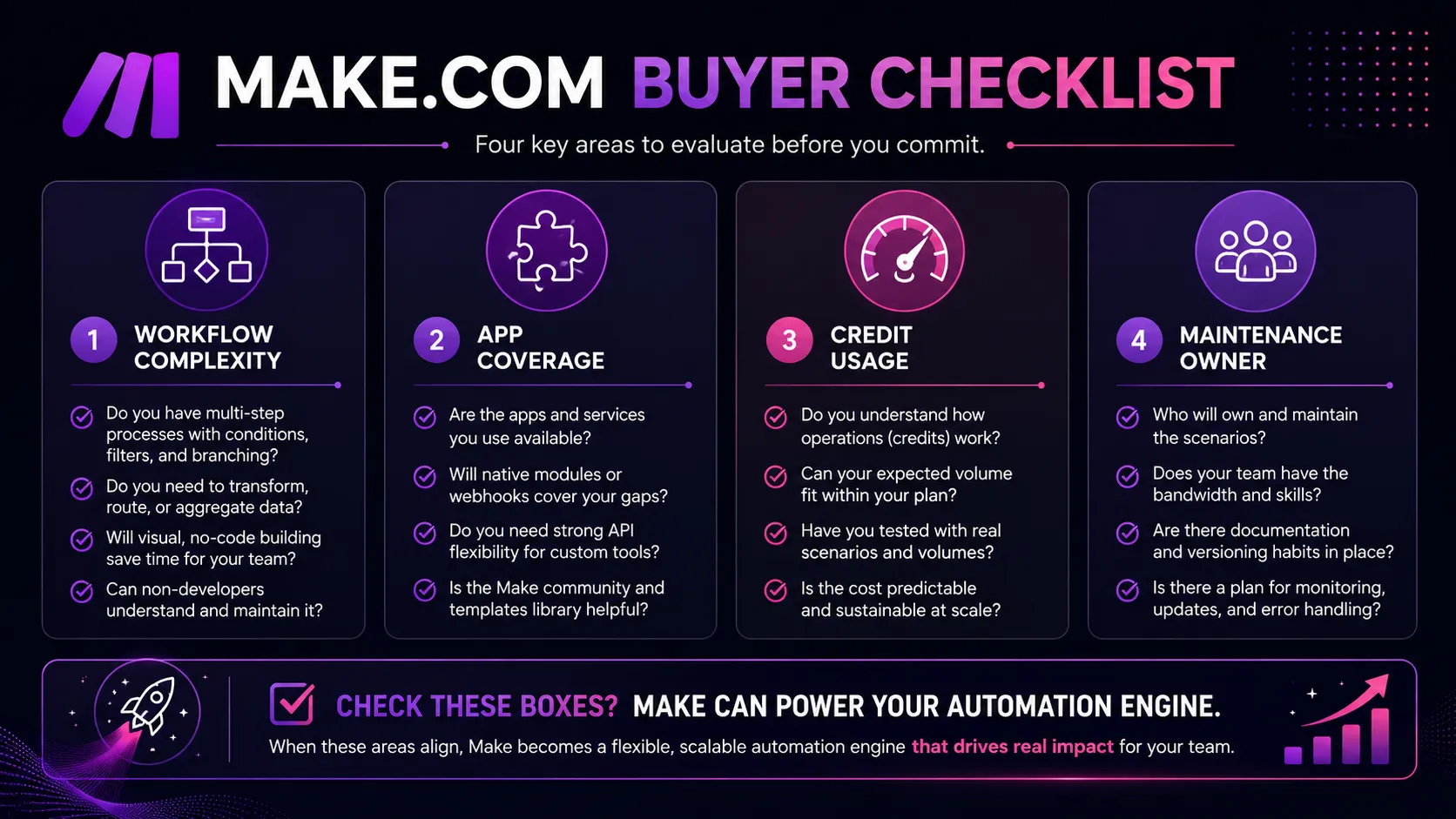
Make is best thought of as a workflow engine for the messy middle of work. It is not your CRM, database, note system, AI model, or analytics suite. It is the connective tissue between them.
A practical AI content workflow might look like this: collect an approved topic from Airtable, generate a brief with Claude, send the draft to a human editor, create an asset task in Notion, publish a Slack reminder, and log the final URL in Google Sheets. A support workflow might summarize a ticket, classify urgency, draft a reply, wait for approval, and update the customer record.
The friction point is that every extra branch adds responsibility. The more Make does, the more you need naming rules, error routes, test records, and a rollback plan. This is where beginners often get disappointed. They expected automation to remove process work. In reality, Make rewards people who are willing to define the process clearly.
Where Make fits in an AI stack
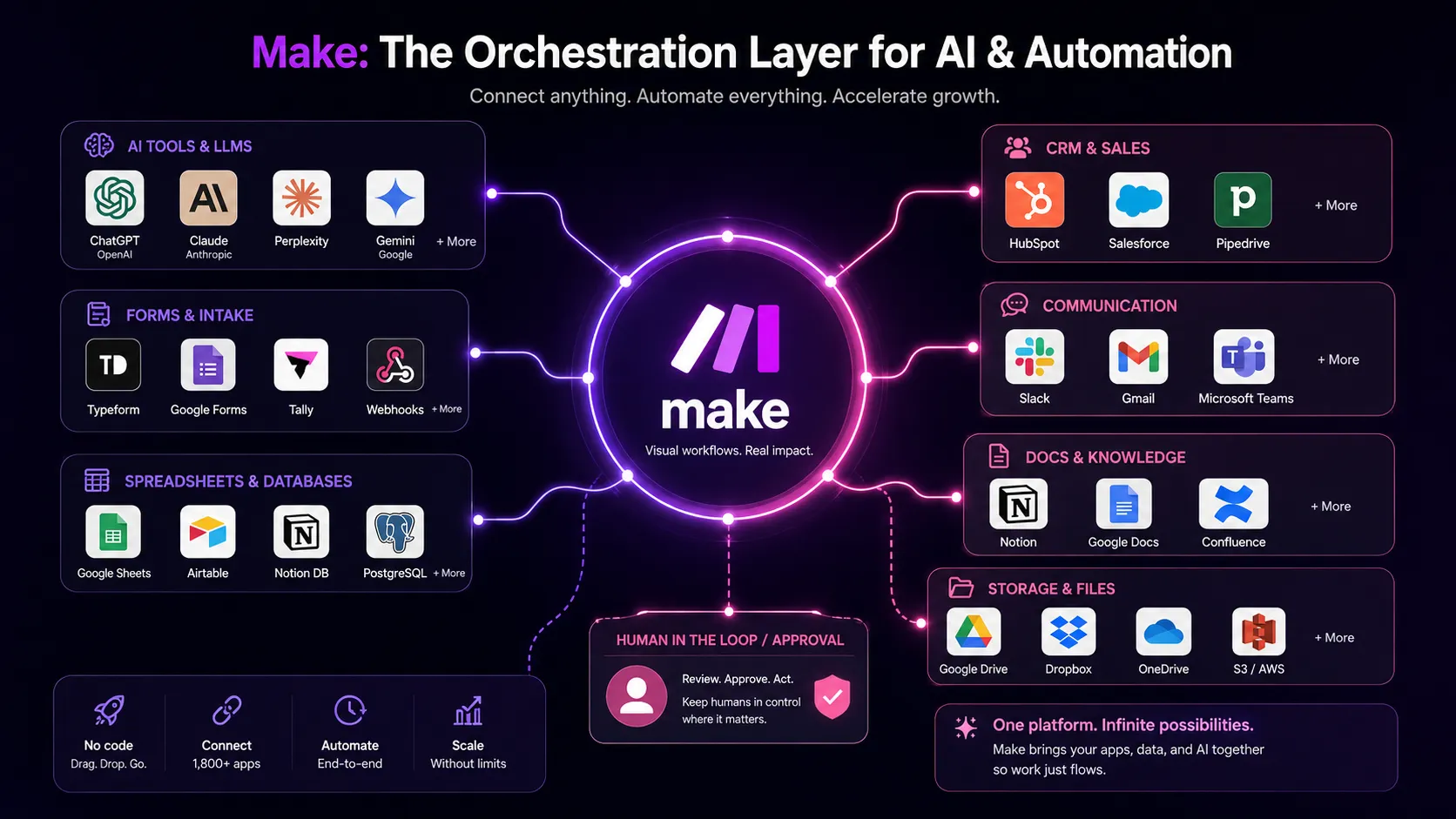
In an AI stack, Make should sit between your AI tools and your operating tools. ChatGPT, Claude, Gemini, and other models can reason or generate. Google Sheets, Airtable, Notion, Slack, CRMs, help desks, and databases hold the work. Make connects the two.
That makes Make especially useful for teams moving from “AI helps me draft” to “AI helps our workflow move.” This distinction matters. A chat assistant can help one person. A workflow automation layer can move information across the team.
Make’s current public positioning also leans heavily into AI automation. The platform promotes AI apps, Make AI Agents, the Make MCP Server, AI Web Search, AI Content Extractor, and the Make AI Toolkit. That does not mean every buyer needs agents immediately. It does mean Make is increasingly a platform for controlled AI actions, not just app-to-app automation.
What Make does well
Make’s strongest advantage is visual control. You can map out a process in a way that feels closer to a workflow diagram than a settings form. For multi-step workflows, that matters because you can see what happens when a record passes one condition but fails another.
It is also strong for power users who care about data transformation. If you have ever tried to move messy data between a form, a spreadsheet, a CRM, and a content system, you know the problem is rarely the first connection. The problem is the mismatch between fields, formats, arrays, conditions, and timing. Make gives builders more room to handle that complexity.
The pricing can also be attractive at lower and mid usage levels. The public pricing page lists a Free plan with 1,000 credits per month, Core at $9 per month for 10,000 credits, Pro at $16 per month for 10,000 credits, Teams at $29 per month for 10,000 credits, and custom Enterprise pricing. Those numbers are only meaningful after you estimate your scenario volume, but the entry point is approachable.
Where Make falls short
Make’s biggest weakness is not capability. It is cognitive load. The moment you add routers, filters, webhooks, data transformation, AI steps, and error handling, you are building a small system. That is powerful, but it asks more from the buyer than a beginner automation tool does.
There is also a risk of false economy. A plan may look cheap, but an inefficient scenario can burn more credits than expected. A workflow that loops through many records, calls multiple modules, and uses AI steps can cost more than the buyer expected if nobody models the usage first.
The app ecosystem is broad, but app count alone should not decide the purchase. You should check the exact apps and actions you need, not just whether an app logo exists somewhere in the directory. For important systems, test the actual trigger, action, field mapping, and permission flow before migrating production work.
Pricing judgment
Make’s pricing is buyer-friendly at the entry level, but it is not a simple flat subscription. The right plan depends on credits, scenario complexity, run frequency, file size, execution time, logs, support needs, and governance requirements.
The Free plan is useful for learning because it has 1,000 credits per month and no time limit. Core is the first serious step if you need unlimited active scenarios, one-minute scheduling, higher data transfer, and Make API access. Pro makes more sense when you need priority execution, custom variables, and better log search. Teams is for shared workflow ownership. Enterprise is where security, support, custom functions, enterprise integrations, and overage protection become more relevant.
My practical advice is simple: before paying, sketch your three most important workflows and estimate monthly runs. Then count the modules. Then add a margin. That will tell you more than comparing plan names.
Best alternatives to compare
The most obvious comparison is Zapier. Choose Zapier first if you want speed, simplicity, and a familiar automation builder for common app connections. Choose Make first if the workflow needs branching paths, transformations, visible scenario logic, and more control over how data moves.
n8n is the other serious comparison. It is more interesting for technical teams that want self-hosting, open-source flexibility, and deeper infrastructure control. Make is easier to adopt for many operations teams because it keeps the visual builder and hosted platform experience more front and center.
Activepieces can also be worth checking if you want a lighter open-source automation option. It will not always match Make’s depth for visual power users, but it may fit teams that want a simpler open automation layer.
Final decision
Add Make to your stack if you need visible workflow logic, app-to-app orchestration, AI-connected actions, data transformation, and enough control to maintain real business processes. It is a strong fit for operators and builders who think in systems.
Compare it first if you are choosing between Make, Zapier, and n8n. The decision is not about which one is objectively best. It is about whether your team values ease of setup, visual workflow control, self-hosting, app coverage, governance, or cost predictability most.
Skip it for now if you only need two-step automations, do not have a workflow owner, or cannot estimate credit usage. Make is powerful, but it is not a replacement for process discipline.
Frequently asked questions
Is Make worth it in 2026?
Does Make have a free plan?
How does Make pricing work?
Is Make better than Zapier?
Can Make build AI agents?
Where Make fits in a stack
Workflow automation connector layer
Does not replace
- – Clear process design
- – Data quality control
- – Human approvals for risky decisions
- – A full engineering platform for custom internal systems
Head-to-head comparisons
Top alternatives to consider
If Make is not the right fit, these are the most common alternatives.

Zapier is usually easier for beginners and teams that want a larger mainstream app marketplace with simpler setup.

n8n is stronger for technical teams that want open-source flexibility, self-hosting, and deeper control over infrastructure.
Activepieces may fit teams that want a simpler open-source automation option before committing to heavier workflow systems.
Review methodology
Editorial review based on current public product information, official documentation, pricing pages, security pages, and product positioning. No hands-on testing was conducted unless explicitly stated.
This review is based on public product information and research, not direct hands-on testing.
Not covered: Hands-on scenario benchmark testing · Enterprise contract terms · Private app connection testing