
Perplexity AI Review
Perplexity AI review for buyers comparing cited research, Pro pricing, team controls, source quality, and safer alternatives.
Excellent for cited research and discovery, weaker as a final authority or all-purpose writing assistant.
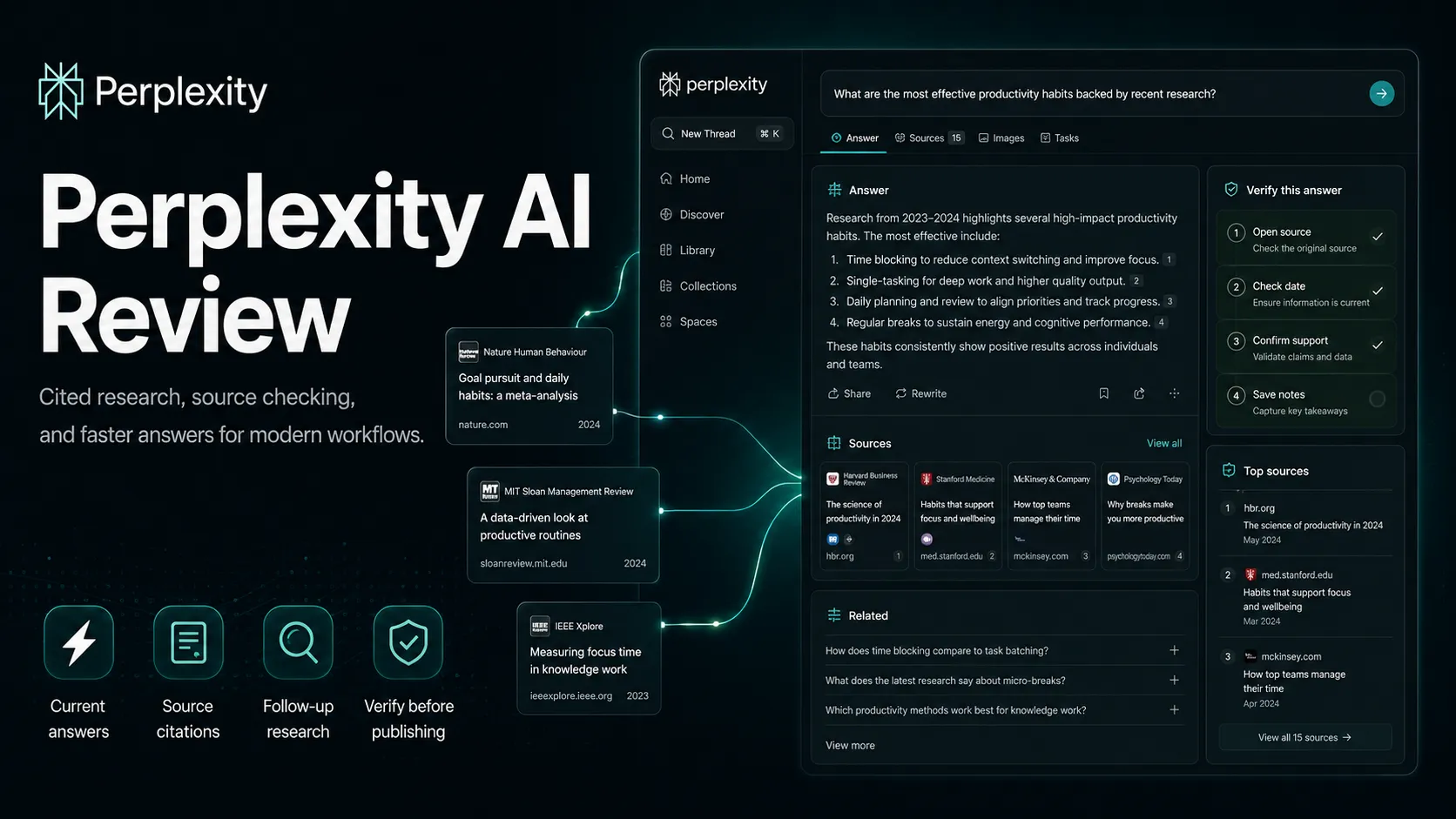
Use it if…
- ✓ You want faster web research with source trails instead of a blank search results page.
- ✓ You often compare current tools, pricing pages, policy pages, or market claims.
- ✓ You are willing to click citations and verify the answer before publishing or acting.
Skip it if…
- – You mainly need long-form writing, brand voice, or structured document editing.
- – You will treat cited AI answers as final facts without source checking.
- – Your team has strict legal or publisher-risk requirements and needs deeper governance before adoption.
Review scorecard
Scored by workflow fit, ease of use, value, and stack compatibility. Weights reflect importance for typical buyers.
| Criteria | Score | ||
|---|---|---|---|
| Research workflow fit | 9.2 | ||
| Source transparency | 8.6 | ||
| Pricing and value | 8.0 | ||
| Stack compatibility | 8.4 | ||
| Risk and governance | 7.6 | ||
| Weighted overall | 8.4 / 10 | ||
On this page
Quick verdict
Perplexity AI scores 8.4/10 for buyers who need fast, source-backed research. That score is high because the product is not trying to be a blank-page writing assistant first. It is trying to shorten the messy part before writing: finding sources, comparing claims, asking follow-up questions, and turning the open web into something you can actually inspect.
The catch is simple. You still have to inspect it.
A Perplexity answer with citations feels more grounded than a plain chatbot answer, but a cited answer is not the same thing as a verified conclusion. For real buyer work, I would use Perplexity before drafting, before comparing tools, before writing market notes, and before building a source list. I would not use it as the final authority for legal, medical, financial, reputation-sensitive, or publisher-sensitive decisions.
Who should use Perplexity AI
Perplexity AI makes the most sense if you often start with a question and need a sourced path quickly. Think market researchers, content strategists, students, analysts, newsletter writers, product marketers, affiliate site operators, and anyone who keeps opening ten tabs just to understand a simple topic.
The first time it feels useful is not when it gives you a polished answer. It is when it gives you enough sources that you can decide what to read next. That is the small friction point Google search can still create: you get links, snippets, ads, forum pages, SEO pages, and maybe one official page if you are lucky. Perplexity compresses that first pass.
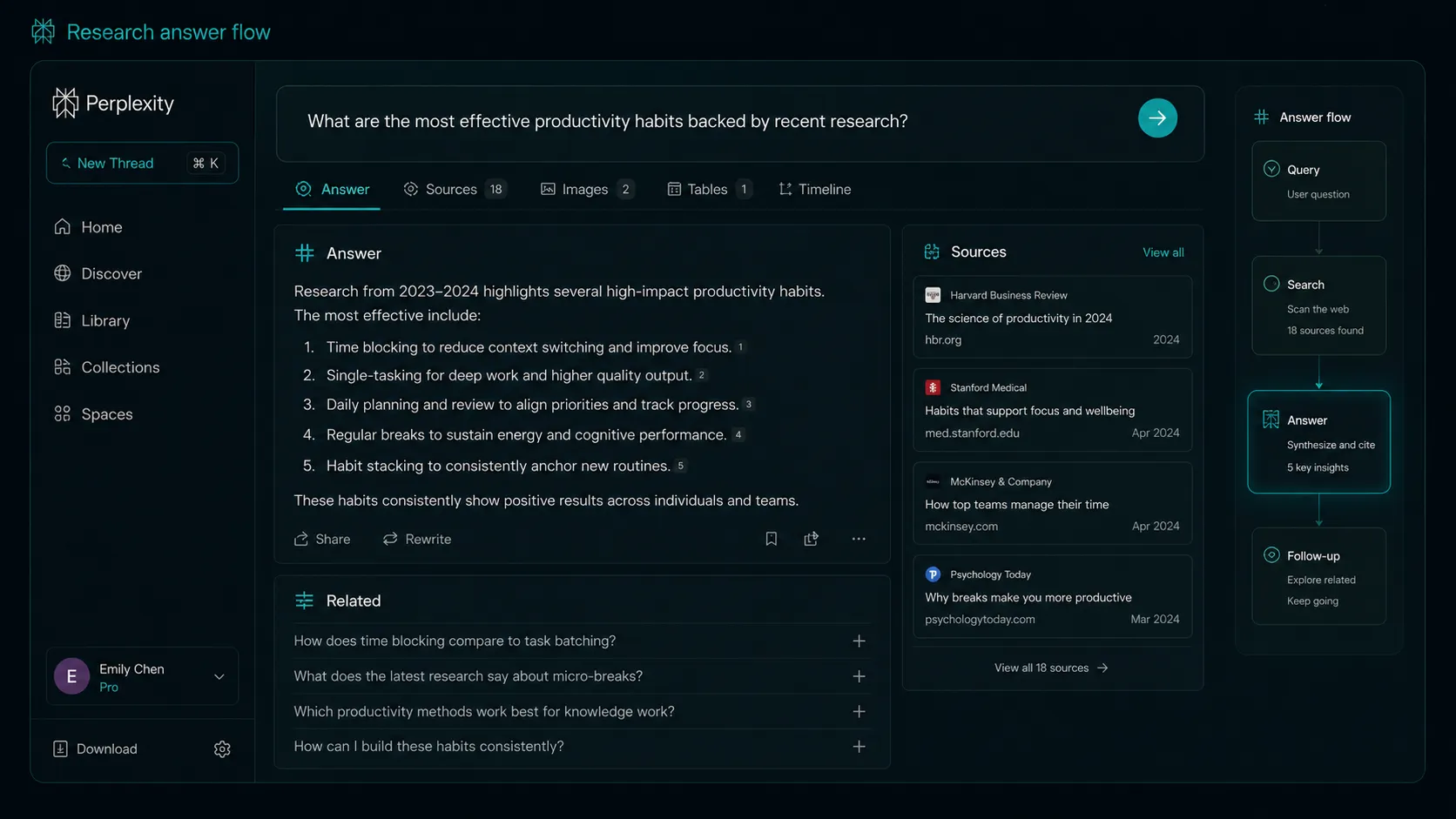
Use it if you want a research layer before ChatGPT, Claude, Notion, Google Docs, or a CMS. Use it when the question is current. Use it when freshness matters. Use it when you need to compare pricing pages, docs, public policies, or fast-changing product positioning.
Who should skip Perplexity AI
Skip Perplexity if your real bottleneck is writing, editing, formatting, or brand voice. It can produce text, but that is not the reason I would add it to a serious AI stack. A writer who already has clean sources may get more value from Claude or ChatGPT. A team with a large internal knowledge base may get more value from Notion AI, NotebookLM, Gemini in Google Workspace, or a private knowledge system.
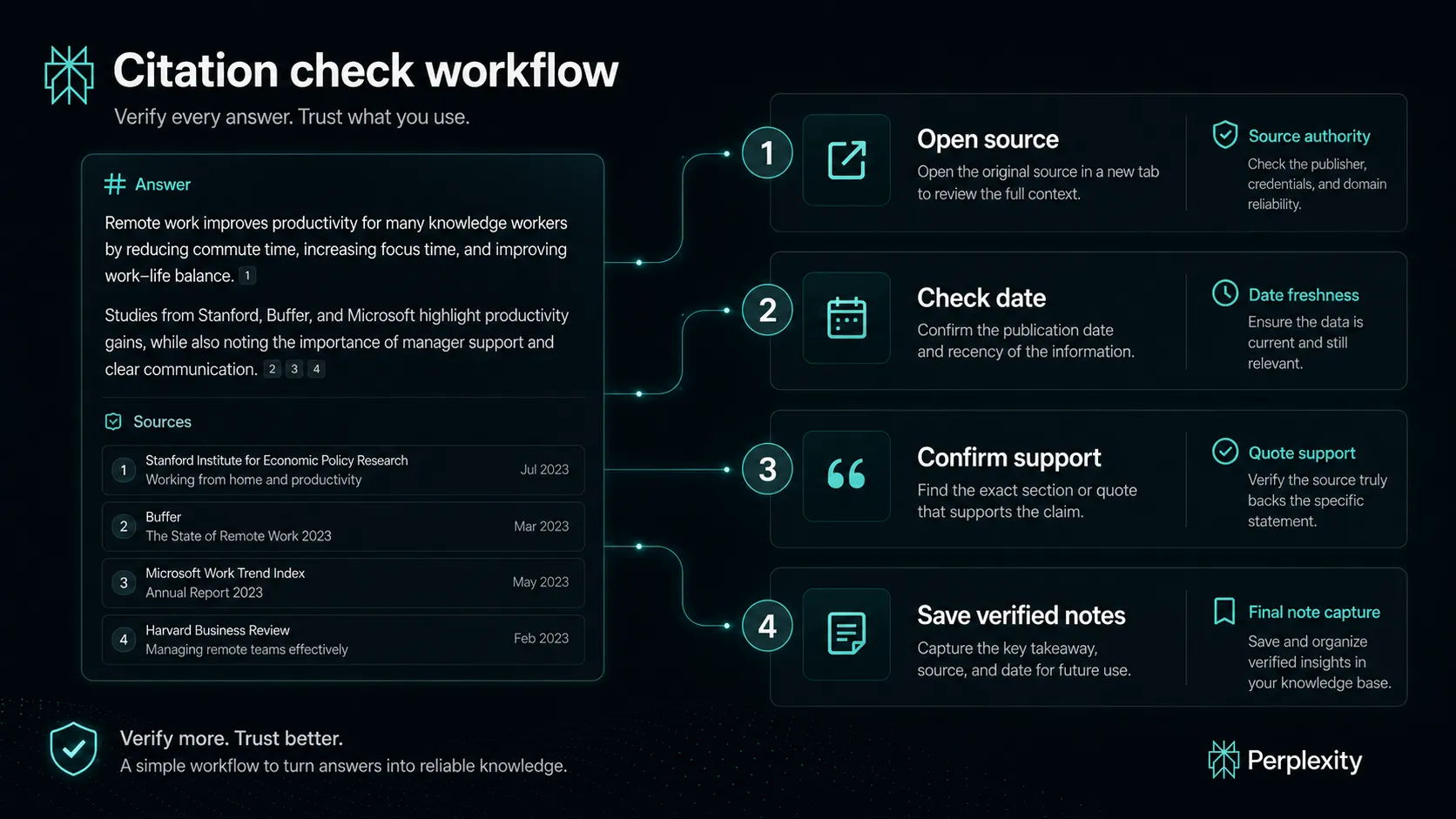
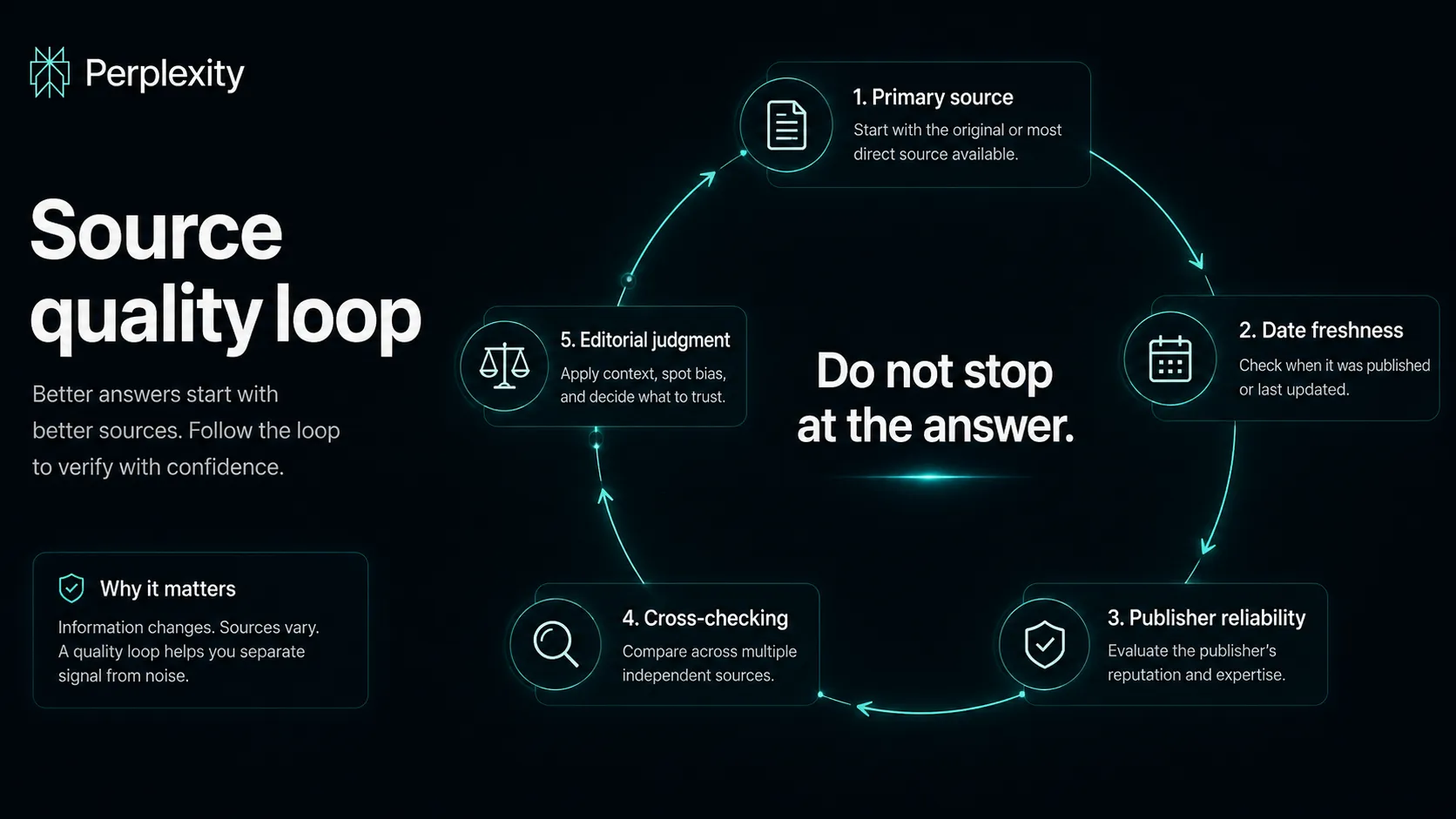
You should also be careful if you are the kind of user who sees citations and relaxes. That is backwards. Citations should make you more active, not less active. Open them. Check dates. Read the page. Ask whether the cited source actually supports the sentence you are about to use.
There is another buyer caution. Perplexity has drawn legal and publisher scrutiny around content use and scraping claims. That does not mean a normal user should panic, but it does mean teams in media, education, legal, or regulated industries should review policies and use cases before making it a default research layer.
Real workflow fit
The best workflow is not “ask Perplexity, copy answer, publish.” That is the lazy version, and it is the version most likely to burn you.
A better workflow looks like this: ask a focused question, scan the answer, open the strongest citations, compare at least two sources, save the useful notes, then move the clean material into your writing or decision tool. In that flow, Perplexity is not replacing your judgment. It is reducing the amount of cold-start search work.
For content work, I would use it to find official pages, pricing pages, help docs, recent product updates, and high-quality third-party context. For research work, I would use it to build a first map of the topic. For product comparisons, I would use it to locate the source trail, then verify the pages myself.
The tool is strongest when your question has a discoverable answer on the public web. It is weaker when the answer depends on private context, judgment calls, unindexed documents, or sensitive internal information.
Where Perplexity AI fits in an AI stack
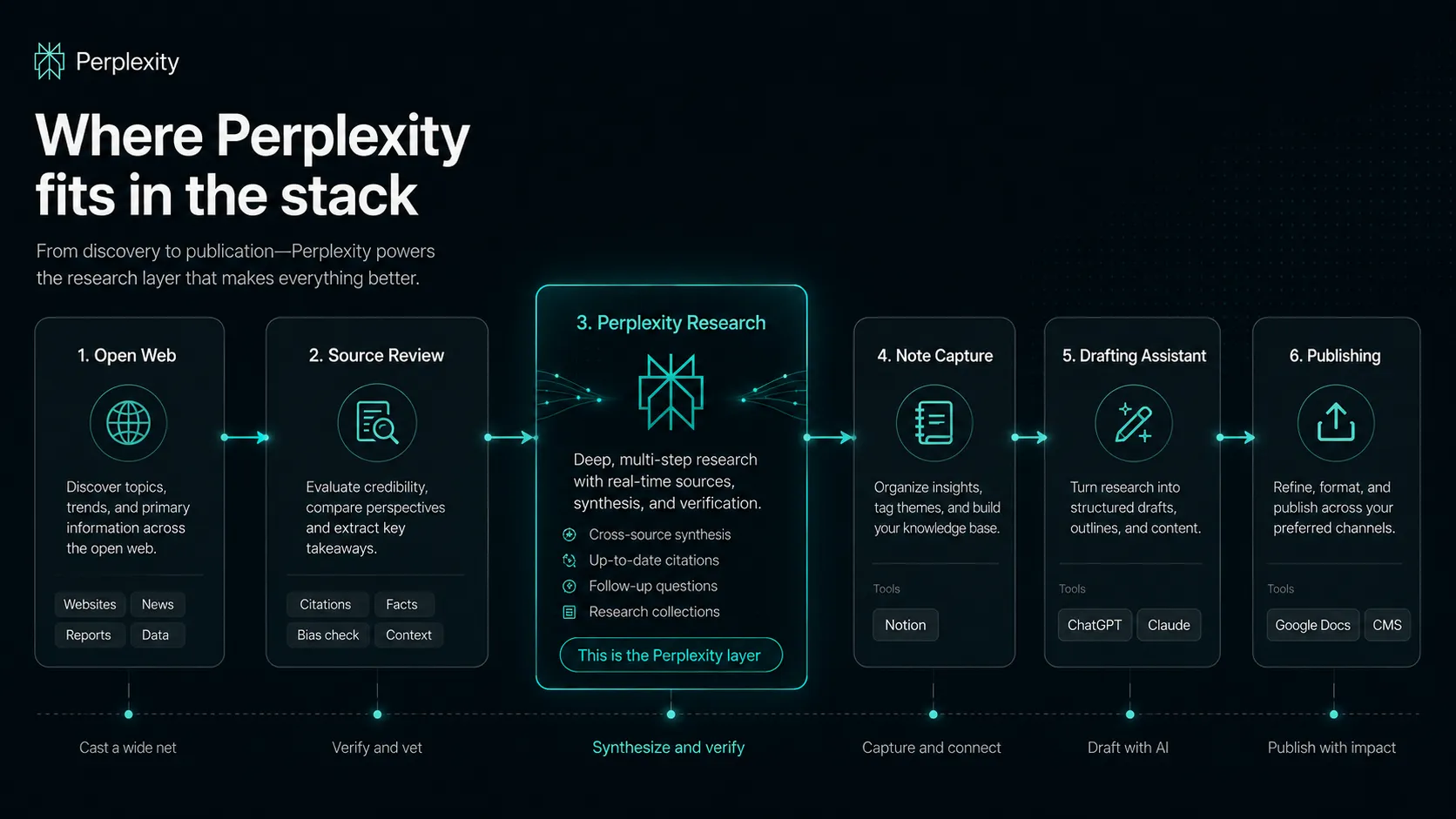
Perplexity fits near the front of the stack. It should sit before the writing assistant, before the note system, and before the final editorial pass.
A practical stack might look like this: Perplexity for source discovery, NotebookLM or Notion for organizing known materials, Claude for long-document analysis, ChatGPT for flexible drafting and ideation, and Google Docs or WordPress for final editing and publishing. You could use fewer tools, of course, but that separation matters when quality matters.
Perplexity does not replace Google Search completely either. Classic search still wins when you need maps, local intent, shopping pages, exact official navigation, or transactional paths. Perplexity is better when you want an answer plus a source trail. Google is often better when you already know the destination.
What Perplexity AI does well
Perplexity is good at turning vague research into a usable first pass. You ask a question, get a summarized answer, see sources, and can keep asking follow-ups in context. That sounds small until you compare it with the normal loop of search, open, skim, back button, rewrite query, open another page, and repeat.
It also makes source discovery feel less scattered. For a buyer comparing AI tools, it can surface official pricing pages, product docs, current news, and competing viewpoints faster than a generic chatbot. For a researcher, the follow-up questions often help reveal angles you did not think to search.
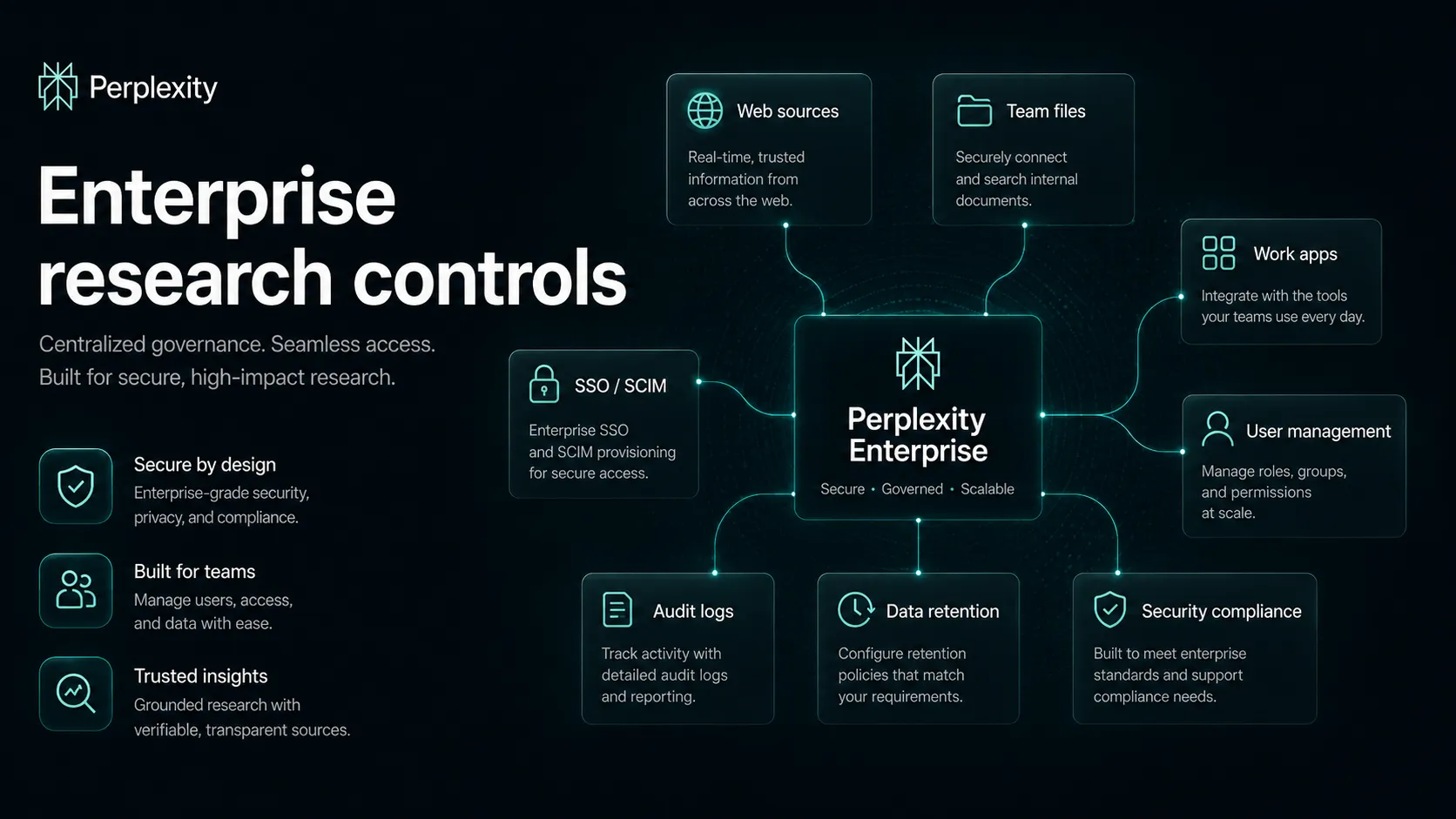
Enterprise positioning is also becoming more serious. Perplexity describes team research across web sources, files, and connected work apps, with controls like SSO, SCIM, user management, audit logs, retention options, and security commitments on higher tiers. Those details matter if a company wants research speed without turning every employee into a separate unmanaged AI account.
The broader strength is mental speed. Perplexity is good at getting you from “I have no map” to “I know the source trail I need to inspect.” That is a real job.
Where Perplexity AI falls short
The weakness is also obvious: the answer can look more finished than it really is.
A cited answer can still miss context. It can lean on a weak source. It can summarize a page in a way that overstates what the page proves. It can feel current while skipping a better primary source. If you are writing a buyer guide, legal note, policy summary, health article, investment memo, or anything reputation-sensitive, you should slow down.
Perplexity is also not a full writing workspace. It is not where I would manage a long editorial calendar, polish a final article, build a brand voice system, or organize a reusable knowledge base. It can help with research, but you still need somewhere for notes, drafts, review, and publishing.
There is also the trust layer. Publisher disputes and scraping allegations around Perplexity are part of the public context now. Individual users may mainly care about answer quality, but organizations should care about data governance, source ethics, acceptable use, and how the tool fits their own policies.
Pricing judgment
The pricing decision is not just “free versus paid.” It is really about how often research bottlenecks your work.
The public pricing page currently lists Pro at $20/month or $200/year, Enterprise Pro at $40/month per seat or $400/year, and Enterprise Max at $325/month per seat or $3,250/year. The same page also describes annual savings, query limits, Deep Research limits, file uploads, video generation, Spaces collaboration, Comet Agent, Computer credits, and enterprise controls.
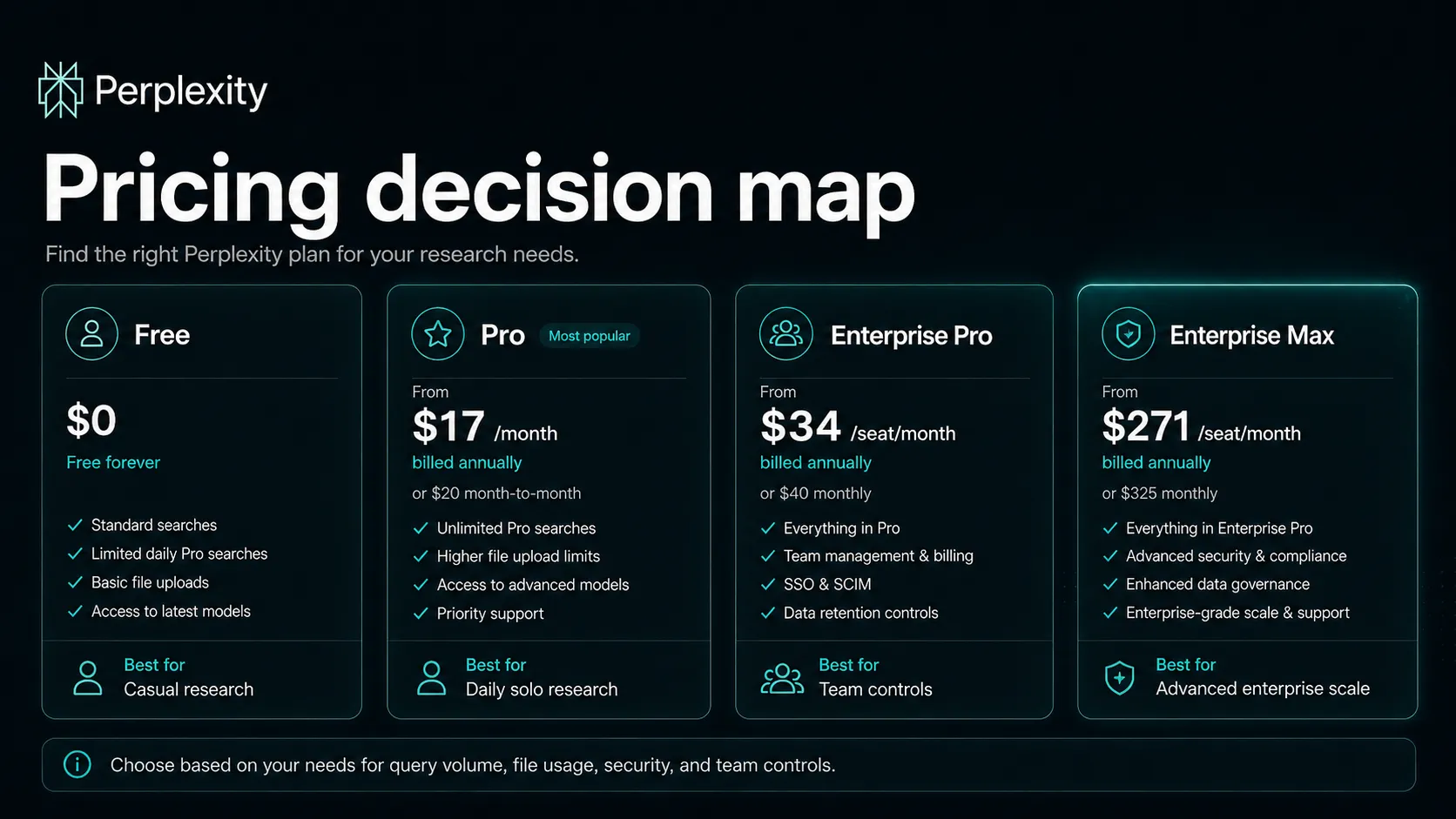
For casual users, free may be enough. For solo researchers, writers, analysts, and operators who use Perplexity daily, Pro is easier to justify. For companies, Enterprise Pro or Enterprise Max only makes sense if the team needs security controls, app and file workflows, higher limits, team management, and governance.
My practical buying rule: do not pay just because Perplexity feels clever. Pay when it saves enough research time that you can name the workflow it improves.
Best alternatives to compare
Compare Perplexity by job, not by brand popularity.
Choose ChatGPT if you want a broad assistant for drafting, brainstorming, coding help, and flexible task work. Choose Claude if your work depends on nuanced writing or long document reasoning. Choose Gemini if your organization lives in Google Workspace. Choose Notion AI if your main problem is using internal notes and project knowledge. Choose Google Search if you already know what kind of page you need and just want to navigate there.
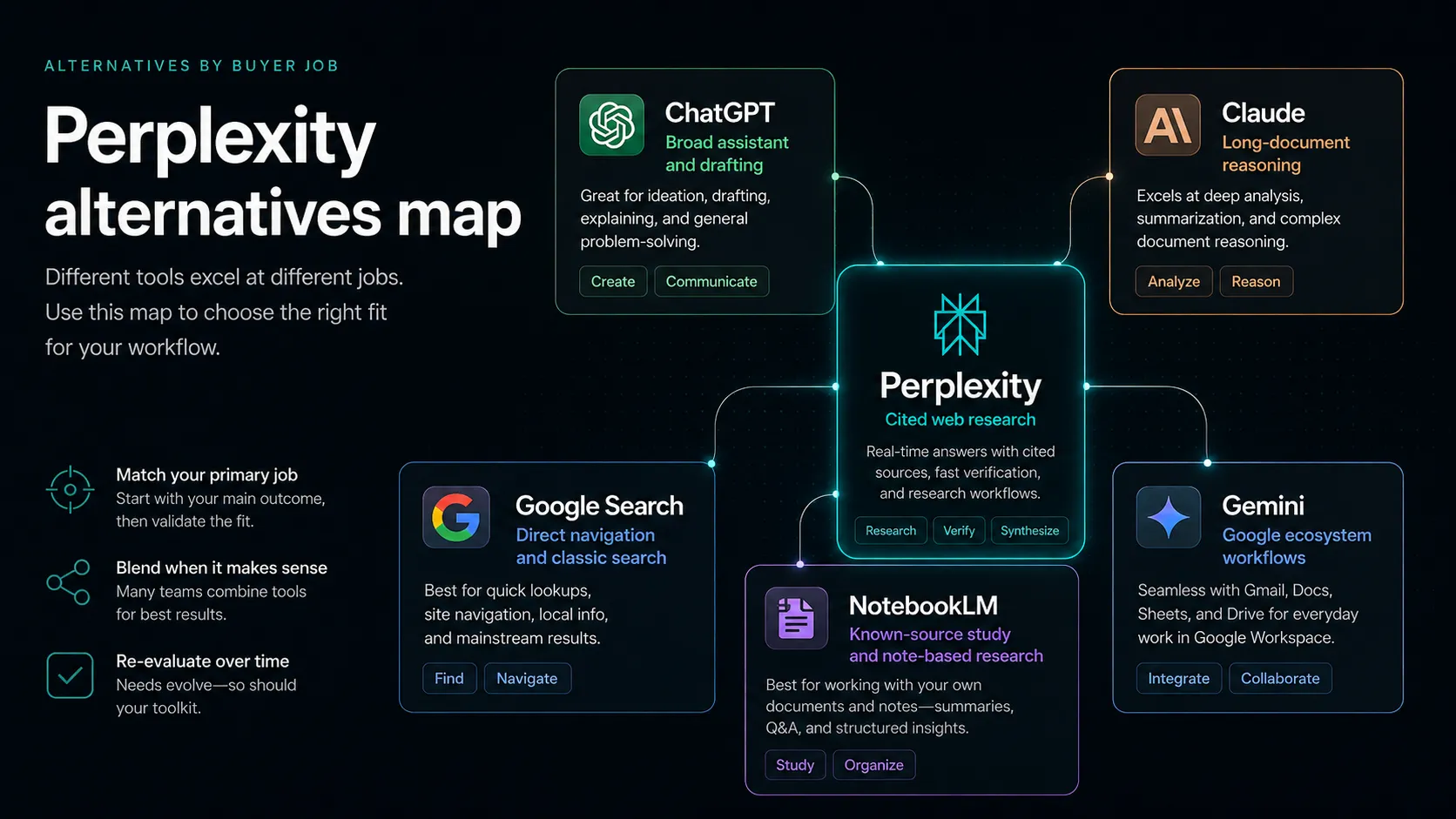
Perplexity is the most interesting option when the buyer question is: “Can I get a current answer with enough citations to investigate faster?” If the question is “Can I write the best final draft?” it is probably not the only tool you need.
Final decision
Perplexity AI is worth using if research is a repeated bottleneck in your work. It is fast, citation-first, and genuinely useful for turning open-ended questions into a source trail. I would put it in the research layer of an AI stack before a writing assistant and before a final editorial process.
I would not treat it as a source of truth by itself. The better habit is to let Perplexity find the path, then let your own verification decide what belongs in the final work.
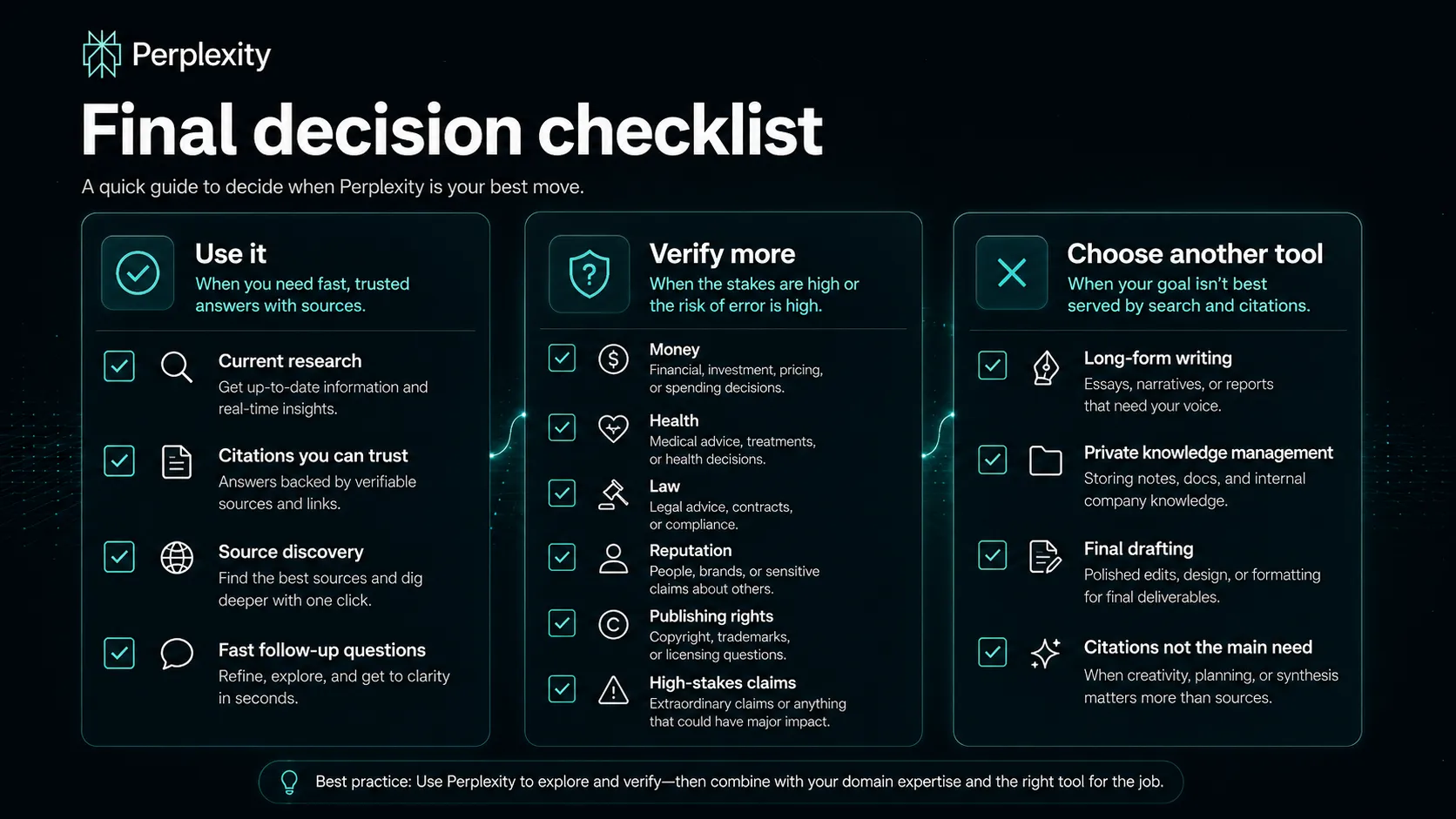
So the recommendation is conditional but clear: use Perplexity if you care about current research and citations. Skip it if you mostly need writing, private knowledge management, or a tool you can trust without opening the sources. The product is strongest when you stay curious and a little skeptical. That is exactly how research tools should be used.
Frequently asked questions
Is Perplexity AI worth it?
Does Perplexity AI have a free plan?
Is Perplexity AI better than ChatGPT?
Can I trust Perplexity AI citations?
Where Perplexity AI fits in a stack
AI research and answer engine layer
Does not replace
- – Primary-source judgment
- – Long-form editorial writing
- – Legal review
- – Specialist databases
- – A structured note system
Head-to-head comparisons
Top alternatives to consider
If Perplexity AI is not the right fit, these are the most common alternatives.

ChatGPT is usually stronger when the buyer needs drafting, brainstorming, coding help, or a broad AI workspace rather than citation-first web research.

Claude is a better comparison when the work involves long document analysis, nuanced writing, and reasoning over provided materials.

Gemini is more natural for buyers who already live in Google Workspace and want assistant features tied to Gmail, Docs, Drive, and Search.
Review methodology
Editorial review based on official Perplexity product and pricing pages, public enterprise documentation, current third-party coverage, and the active TopAIStacks review criteria. No hands-on benchmark testing was conducted.
This review is based on public product information and current research, not direct hands-on testing.
Not covered: Hands-on benchmark testing · Enterprise contract negotiation · Private security review · Legal advice on publisher disputes