 S
S Synthesia
AI avatar video platform for business training and enablement workflows
Quick answer
Choose Synthesia when your team needs repeatable business videos with avatars, scripts, translations, and brand controls. It is better for training, enablement, HR, and product education than for artistic video generation or social-first video editing.
Synthesia can reduce the need to record every training or enablement update, but it still depends on script quality, brand review, compliance approval, and audience fit. Buyers should verify credit limits, video minute allowances, avatar options, download rights, localization features, and plan-level collaboration controls before committing.
What is Synthesia?
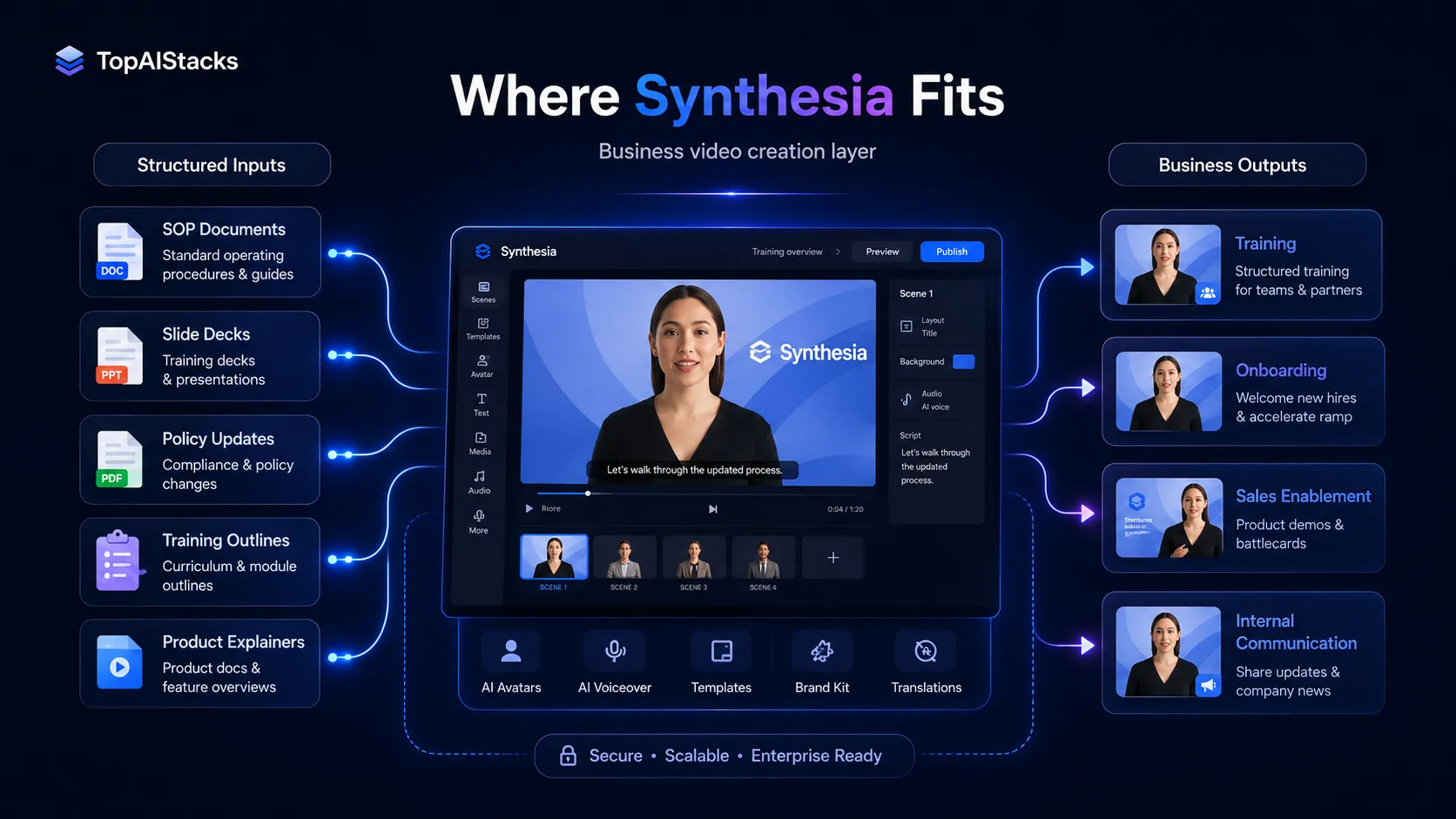
Synthesia is an AI video platform built around avatar-led business videos. Its public site positions it for creating, localizing, managing, publishing, and analyzing AI videos with avatars and voiceovers in many languages. In a practical stack, Synthesia sits after script planning and before LMS, internal comms, sales enablement, or customer education distribution.
Who Synthesia fits best
Best for teams that make business video repeatedly, not for one-off creators chasing cinematic visuals.
- ✓Learning and development teams turning scripts into training videos
- ✓HR teams creating onboarding, compliance, and policy updates
- ✓Sales enablement teams building product and process explainers
- ✓Global teams that need to localize internal or customer-facing videos
Not ideal for
- •Creators who need cinematic text-to-video generation
- •Teams that mainly edit filmed footage, podcasts, or social clips
- •Buyers with no script, review, or approval workflow around video
- •Very small teams that only need an occasional one-minute avatar demo
Main use cases
Employee training videos
Synthesia fits onboarding, compliance, process walkthroughs, and learning content where the script is structured and updates are expected over time. It is strongest when the team already has learning objectives and review steps.
Sales enablement and product explainers
Teams can turn product scripts, FAQs, and sales training notes into avatar-led videos. This works best for clear explanations, not for creative campaigns that need original filming or cinematic visual direction.
Multilingual video localization
Synthesia is useful when one core message needs versions across languages. Buyers should verify plan-level dubbing, translation, player, and publishing features before making localization a core workflow.
Internal communication updates
Business teams can use Synthesia for repeatable updates where recording a person each time would slow the process. Human review still matters for tone, policy accuracy, and sensitive internal messaging.
Where Synthesia fits in the AI stack
Synthesia belongs in the structured video creation layer of a business content stack. It can replace some camera recording, avatar recording, basic localization, and repeated training video production. It does not replace script strategy, legal or HR review, LMS operations, customer education planning, or final quality control.
Stack role
AI avatar video creation layer
Best paired with
ChatGPT, Canva AI, Descript
Strongest layer
Corporate training and onboarding + Multilingual enablement content
| Stack layer | Fit | What to know |
|---|---|---|
| Corporate training and onboarding | strong | Synthesia is strongest when teams need repeatable avatar-led videos for training, HR, onboarding, and compliance updates. |
| Multilingual enablement content | strong | Current product positioning emphasizes video translation, dubbing, and multilingual workflows, which makes it useful for global teams. |
| Social-first video editing | weak | Synthesia is less suitable when the main need is trend-based short clips, manual timeline editing, or creator-style social video formats. |
| Cinematic video generation | weak | Tools like Runway are a better match when the buyer wants generative footage, stylized scenes, or film-like experimentation. |
Best stack combinations
Learning and development team
synthesia + chatgpt + google-drive + lms
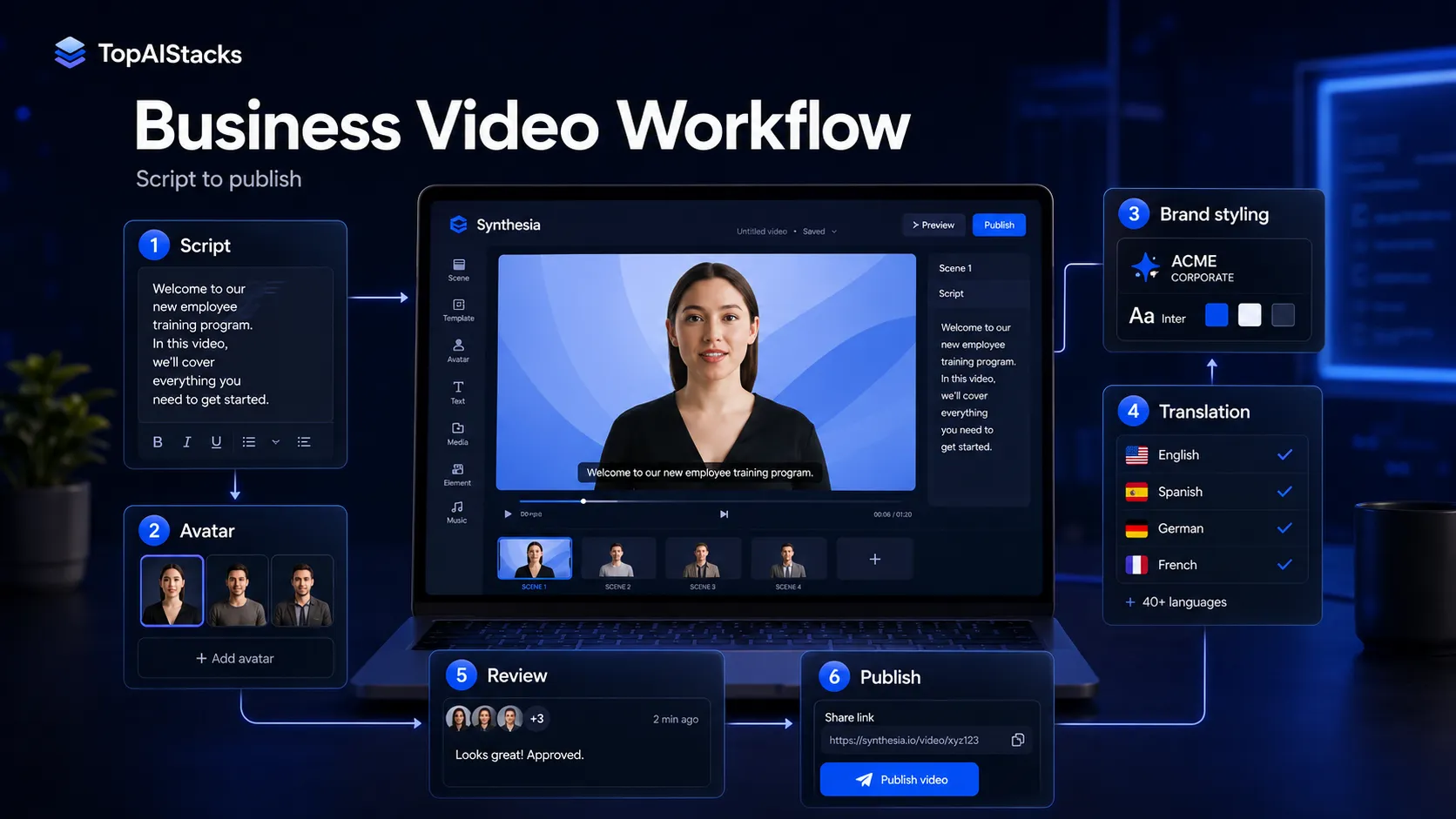
Use ChatGPT to outline training scripts, Google Drive for approval, Synthesia for avatar video creation, and an LMS to distribute and track the final course content.
Product marketing team
synthesia + canva-ai + descript + youtube
Use Canva AI for supporting visual assets, Synthesia for avatar-led explainers, Descript for final edits or repurposing, and YouTube or a landing page for distribution.
Global enablement team
synthesia + notion + slack + google-drive
Use Notion for enablement scripts, Drive for assets, Synthesia for localized video versions, and Slack to collect feedback from regional teams before rollout.
What Synthesia can replace
- · Some talking-head training recordings
- · Some basic video localization tasks
- · Some repeated internal update recordings
- · Some simple product explainer production steps
What it still needs
- · script-planning: Clear message, audience, sequence, and learning objective before video generation
- · brand-review: Visual, tone, logo, legal, and policy approval before publishing
- · lms-or-video-hosting: Distribution, access control, learner tracking, and long-term content management
- · human-editor: Final review for factual accuracy, pacing, tone, and sensitive messaging
Add it to your stack if
- · You create training, HR, enablement, or product education videos regularly.
- · You need avatar-led videos that can be updated without scheduling new recordings.
- · Your team cares about localization, collaboration, publishing, and business video governance.
Skip it if
- · You mainly need cinematic AI footage or artistic video generation.
- · You only need to edit recorded podcasts, webinars, or social clips.
- · You do not have a script approval and review process for business video.
Choose your next step
Pricing
→Check Basic, Starter, Creator, and Enterprise pricing, plus credits, video minutes, billing terms, and avatar limits.
Alternatives
→Compare Synthesia with HeyGen, Runway, InVideo AI, Descript, and ElevenLabs based on video workflow fit.
Compare options
→Use this comparison if you are choosing between two avatar video platforms for training, marketing, or localization.
Stack fit
→See how Synthesia fits with scripting, design assets, review workflows, video hosting, and client delivery.
Review
→Read the full editorial review before making Synthesia part of a business video workflow.
Pricing summary
This is a profile-level summary. Use the pricing page for deeper plan checks.
Starting path
Basic free plan, paid plans from $18 per month billed yearly
Free plan
Yes
Free trial
No
Synthesia's current public pricing page shows a Basic free plan, Starter at $18 per month when billed yearly, Creator at $64 per month when billed yearly, and Enterprise with tailored pricing. Monthly pricing is also shown for Starter and Creator. Buyers should verify the billing toggle, annual discount, included credits, video minute assumptions, avatar limits, and whether any plan-specific features matter before checkout.
Best starting path: Basic is the safest test path for exploring avatar video. Starter is the first practical paid plan for download-ready branded videos, while Creator is more suitable when team work, dubbing, API access, multiple avatars per scene, or interactive video features matter. Enterprise should be considered when security, onboarding, governance, or larger deployment needs are central.
Related stack page
Agency Stack
→Role: Client training, product explainer, and internal video production layer
Synthesia fits agencies and service teams when repeatable explainer or training videos are part of the deliverable. It should be supported by scripting, client review, brand assets, and a distribution plan.
YouTube Creator Stack
→Role: Avatar-led explainer and repurposed education layer
Synthesia can support educational YouTube or faceless explainer workflows, but it is more business-oriented than social-first video tools. Creators still need hooks, thumbnails, editing, and publishing systems.
Top alternatives
See all →Direct alternatives
HeyGen is a close avatar-video alternative for marketing, localization, and talking-head style content.

Runway is a better fit for generative video footage, creative experimentation, and visual video generation rather than corporate avatar training.
InVideo AI focuses more on prompt-to-video and social or YouTube video creation using stock-style assets and scripts.
Adjacent tools in the same stack
Descript is useful for transcript-based audio and video editing, but it is not primarily an AI avatar video platform.

ElevenLabs can support voice generation and dubbing workflows, but it does not replace Synthesia's avatar video creation layer.

Canva AI can create supporting visuals and simple video assets, but it is not a full avatar-led training video platform.
Related comparisons
HeyGen vs Synthesia
Avatar video tools compared for marketing, training, localization, and business workflows.
Synthesia vs Runway
Corporate avatar video compared with creative generative video production.
Synthesia vs InVideo AI
Business avatar videos compared with prompt-to-video content creation for social and YouTube workflows.
FAQ
What is Synthesia best for?
Synthesia is best for business videos such as training, HR onboarding, internal updates, product explainers, and multilingual enablement content. It is less suited to cinematic AI footage or social-first editing.
Does Synthesia have a free plan?
Yes. The current public pricing page lists a Basic free plan with no credit card required. It also lists paid Starter, Creator, and Enterprise options with different credits, video limits, avatar features, and collaboration controls.
How much does Synthesia cost?
The current pricing page shows Starter from $18 per month when billed yearly and $29 on monthly billing, Creator from $64 per month when billed yearly and $89 on monthly billing, plus Enterprise with tailored pricing. Verify the live pricing page before checkout.
Is Synthesia better than HeyGen?
Synthesia is usually stronger for structured business training, enterprise workflows, and internal enablement. HeyGen is often considered when marketing avatar videos, localization, or a more creator-friendly workflow matters. The better choice depends on team use case and plan limits.
Does Synthesia replace video editing software?
No. Synthesia can reduce recording work for avatar-led videos, but teams may still need editing tools, design assets, audio cleanup, hosting, LMS distribution, and human review.
How TopAIStacks evaluates Synthesia
Verified product positioning, use cases, free plan status, current plan names, pricing labels, credits, and billing notes against Synthesia's official homepage and pricing page. Public rating uses the G2 rating and review count displayed on Synthesia's official pages, with third-party review pages listed for follow-up verification.
Last checked: May 2026 · Source confidence: high