Synthesia Review
A practical Synthesia review for training, onboarding, localization, pricing fit, alternatives, and where it belongs in an AI video stack.
Strong for structured business video workflows, weaker for creative or cinematic video production.
Use it if…
- ✓ You need to create and update business videos repeatedly without booking cameras, studios, presenters, and voiceover sessions each time.
- ✓ Your strongest use case is training, onboarding, compliance, product education, or sales enablement rather than entertainment content.
- ✓ You need multilingual video versions and want a workflow that supports translation, review, and publishing.
Skip it if…
- – You want cinematic generative video, realistic B-roll, or highly art-directed campaign visuals.
- – You only need occasional social clips and would rather use a simpler creator video tool.
- – Your team cannot put AI-generated presenter content through human review before publishing.
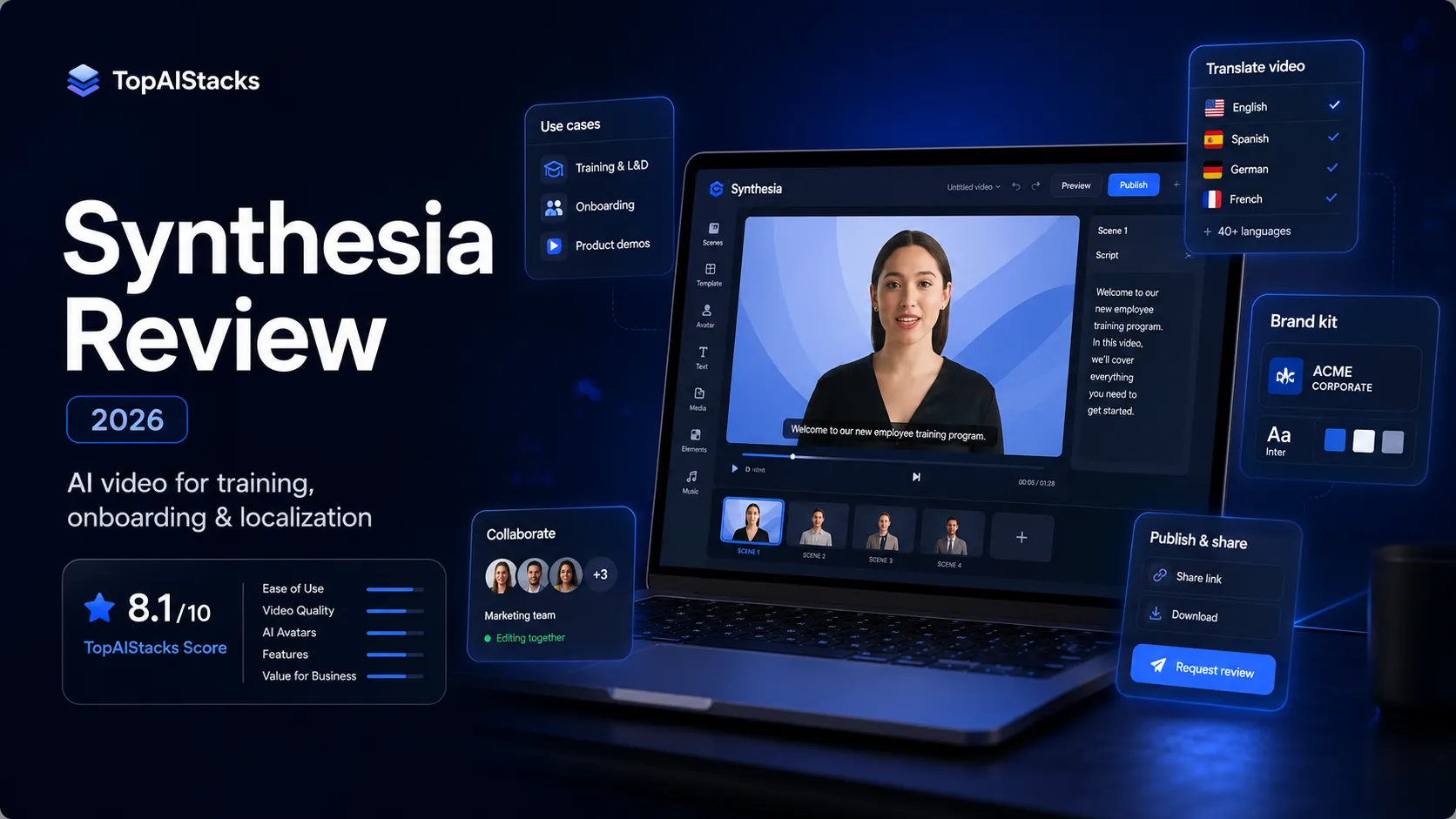
Review scorecard
Scored by workflow fit, ease of use, value, and stack compatibility. Weights reflect importance for typical buyers.
| Criteria | Score | ||
|---|---|---|---|
| Business video workflow fit | 9.0 | ||
| Localization and scale | 8.8 | ||
| Creative flexibility | 6.8 | ||
| Pricing clarity | 7.2 | ||
| Stack replaceability | 7.8 | ||
| Buyer risk | 7.7 | ||
| Weighted overall | 8.1 / 10 | ||
On this page
Quick verdict
Synthesia is one of the clearer AI video tools to place in a stack because its real job is not mysterious: it turns structured business messages into avatar-led videos that can be reused, localized, reviewed, and published without arranging a normal production cycle every time.
That makes it a strong fit for training teams, HR, sales enablement, internal communications, and product education. If a company has a script, a policy update, a course module, or a product explainer that needs to become video repeatedly, Synthesia can reduce a lot of production friction.
The tradeoff is that this is not the same thing as creative video generation. Synthesia is not where I would start for cinematic scenes, creator-style shorts, visual storytelling, or heavily art-directed social campaigns. It is better understood as an AI business video platform than as a general AI video toy.
Who should use Synthesia
Synthesia makes the most sense for teams that already know what they want to say but do not want to rebuild the whole video production process every time they need to say it.
That includes L&D teams creating onboarding modules, compliance refreshers, internal process videos, and product training. It also includes sales enablement teams that need consistent explainers across regions, and HR teams that want more polished internal communication without filming a presenter for every update.
The practical question is not “Can Synthesia make a video?” It can. The better question is “Do we have enough repeatable business communication to justify a dedicated AI video workflow?” If the answer is yes, Synthesia becomes much easier to justify.
Who should skip Synthesia
Skip Synthesia if your real need is cinematic video generation, high-energy social content, or manual creative control. In those cases, Runway, InVideo AI, CapCut, Descript, or a normal editing workflow may fit better.
Also skip it if you only need one or two videos a year. The tool becomes more valuable when video is a repeated workflow, not a novelty. If the content is rare, sensitive, executive-facing, or emotionally high-stakes, a human presenter and proper production may still be the safer route.
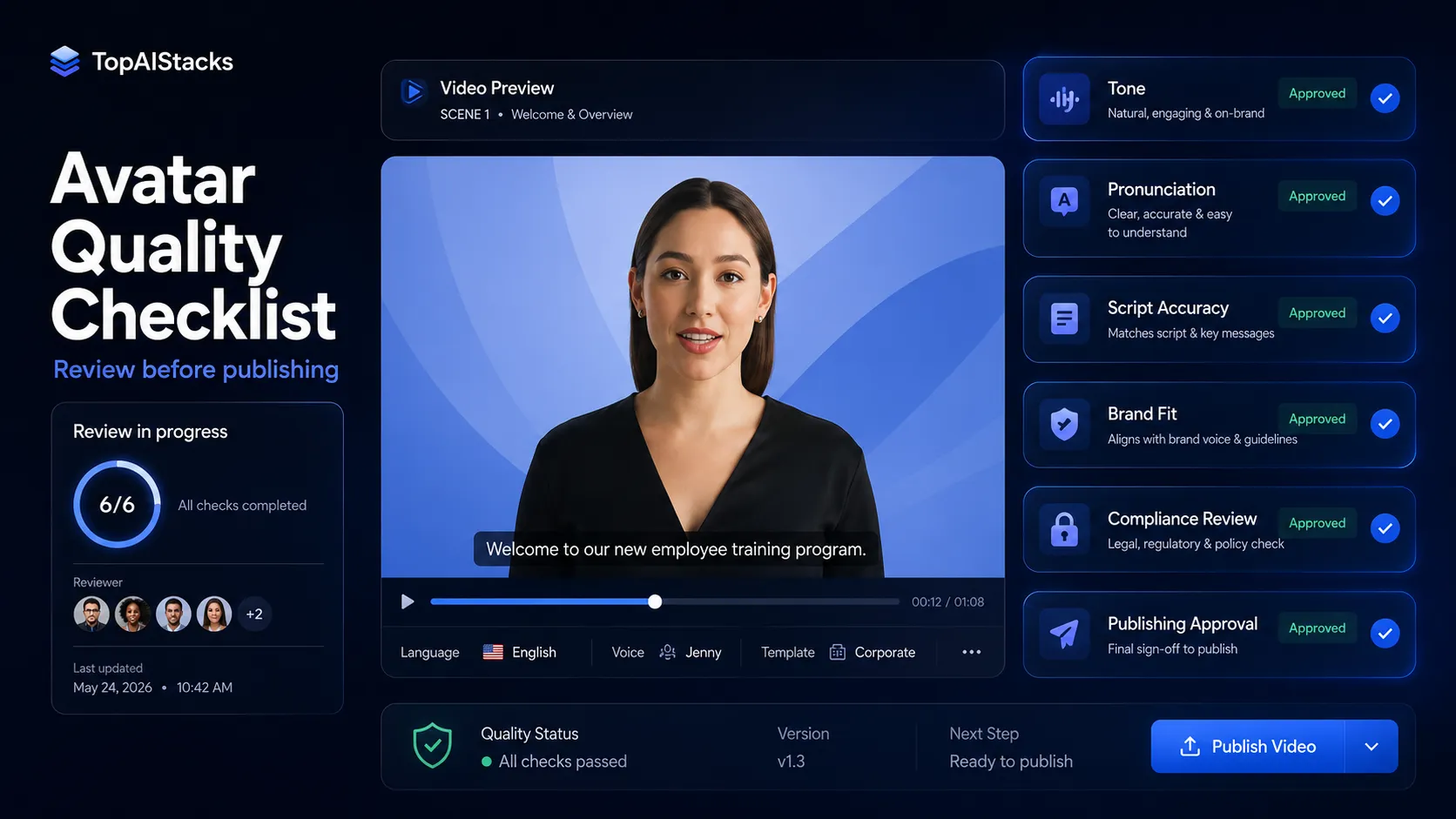
Another reason to slow down is governance. AI avatar video can feel polished, but polished does not automatically mean appropriate. Teams still need script review, pronunciation checks, accessibility checks, legal review where relevant, and a clear approval process before videos go live.
Real workflow fit
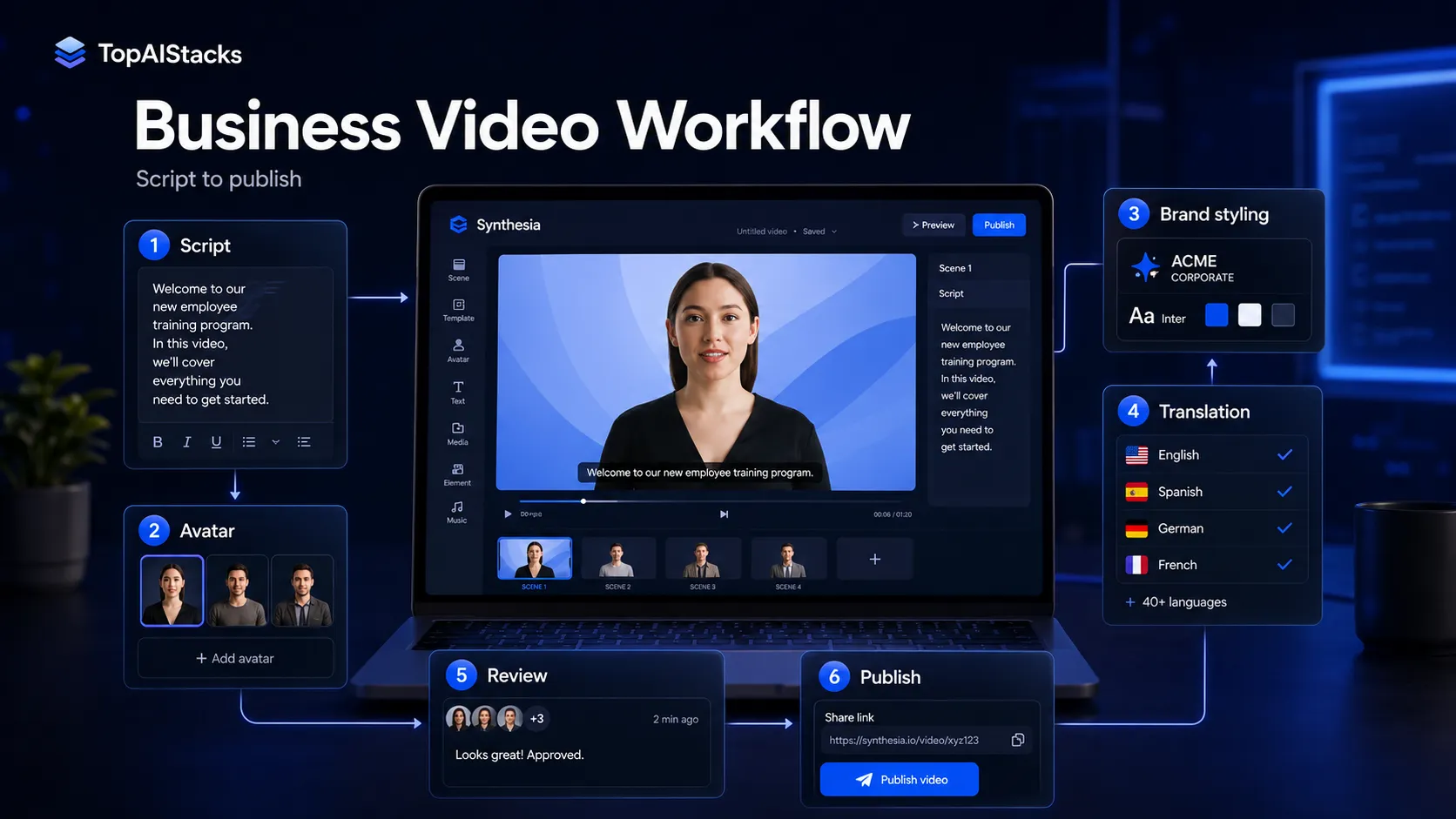
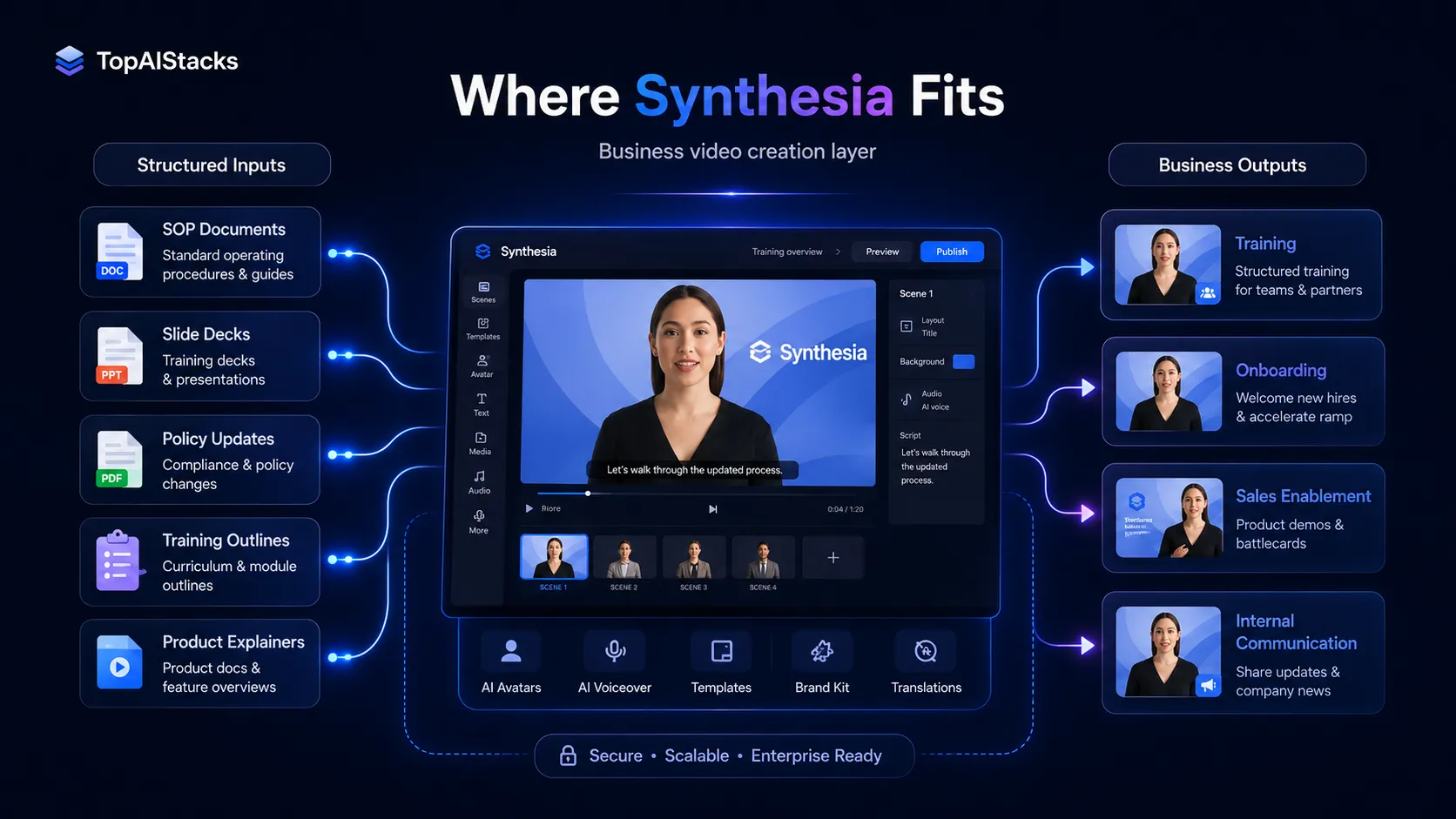
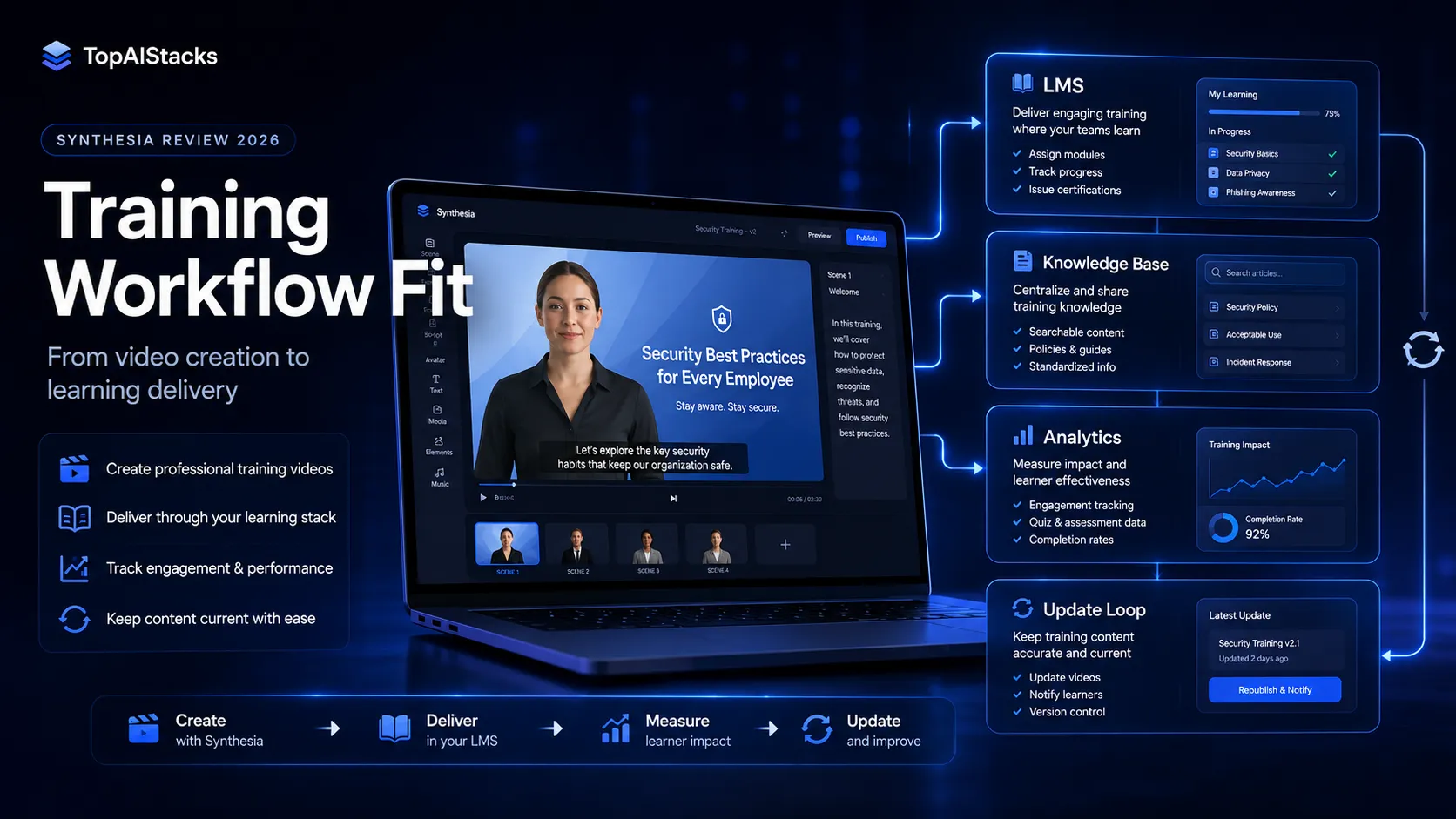
Synthesia fits best when the source material is already structured: a script, support article, policy document, SOP, training outline, slide deck, or product explanation. The platform can then help turn that message into a presenter-led video, localize it, and keep it easier to update.
This matters because most business video bottlenecks are not only creative. They are operational. Who records it? Who edits it? Who translates it? Who updates it when the policy changes? Who checks that the current version is the one people are watching?
Synthesia is useful because it attacks that operational layer. It is less useful when the main problem is creative direction, storyboarding, cinematic quality, or viral social pacing.
Where Synthesia fits in an AI stack
In a practical AI stack, Synthesia sits after planning and scripting but before publishing.
A realistic workflow might look like this: use ChatGPT or Claude to draft a script, use Notion or Google Docs for review, use Canva AI for supporting visuals, use Synthesia to create the avatar video, then publish into an LMS, internal portal, sales enablement hub, or video library.
That is the healthier way to think about it. Synthesia should not be the place where the entire message is invented and approved in one pass. It should be the video creation layer after the team already understands the goal, audience, script, and review standard.
What Synthesia does well
Synthesia’s strongest advantage is repeatability. Once a team has a use case, style, review workflow, and video format, it can produce more business videos without starting from scratch.
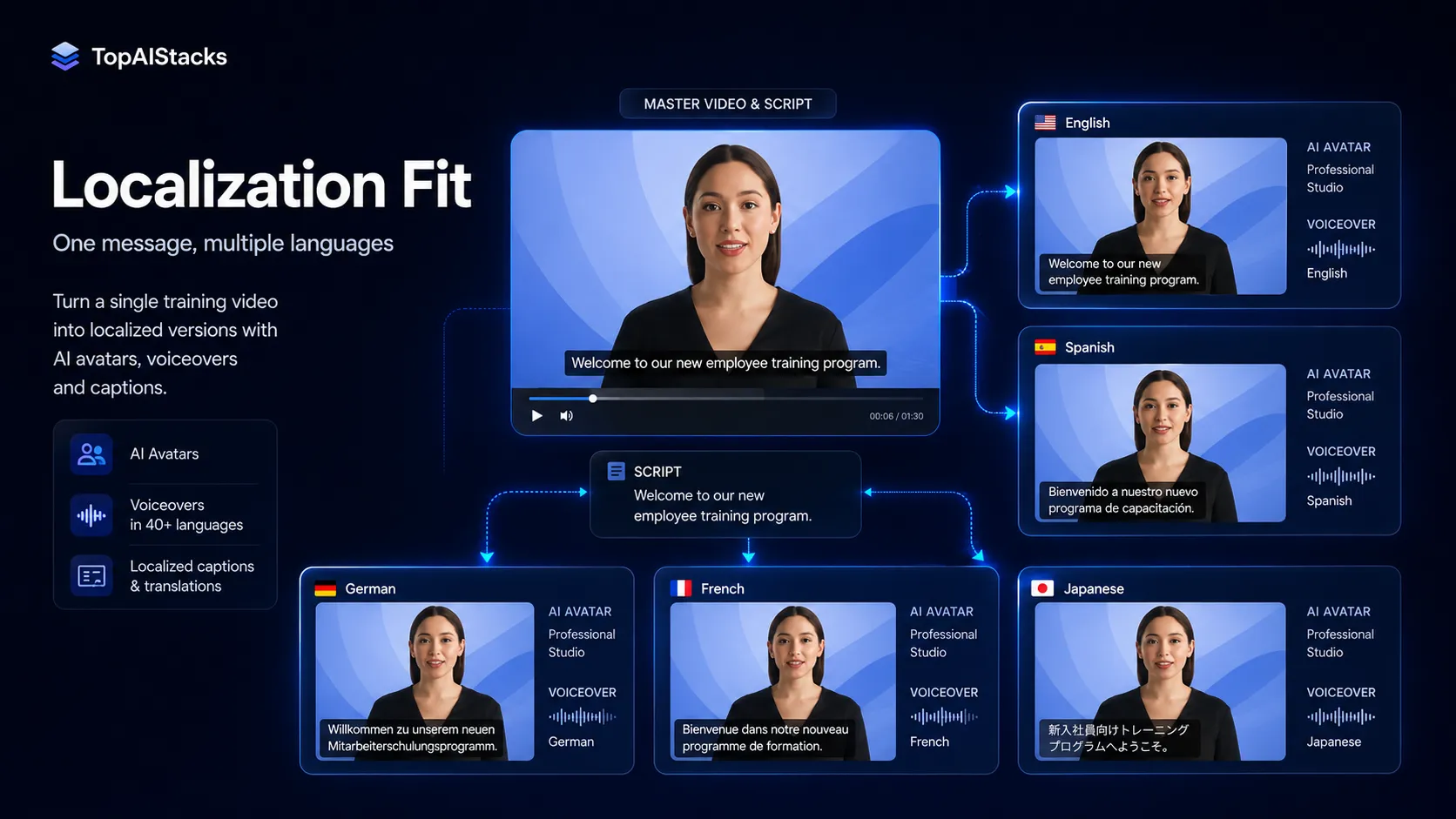
The second advantage is localization. For global teams, translating one approved message into multiple video versions can be more useful than making one beautiful English-only asset. This is especially relevant for compliance, HR, support, and product education.
The third advantage is business readiness. Features such as avatars, brand controls, collaboration, translation, publishing, analytics, and LMS-oriented workflows make Synthesia feel more like a production system than a simple text-to-video generator.
Where Synthesia falls short
The obvious weak spot is creative flexibility. Synthesia is built around avatar-led business communication. That is useful, but it also gives the output a certain shape. If the buyer wants cinematic scenes, rich B-roll, fast creator edits, documentary-style footage, or highly customized motion design, Synthesia is not the best first tool.
The second weak spot is trust. AI avatars can save time, but they can also feel wrong if the tone, pronunciation, facial movement, or message context is off. That matters more in HR, compliance, healthcare, finance, education, or customer-facing communication.
The third weak spot is pricing evaluation. Public plans are easier to understand than pure custom pricing, but teams still need to estimate video volume, collaborators, credits, dubbing needs, exports, and Enterprise governance. Without that estimate, the buyer may underbuy, overbuy, or judge the tool too narrowly on monthly price.
Pricing judgment
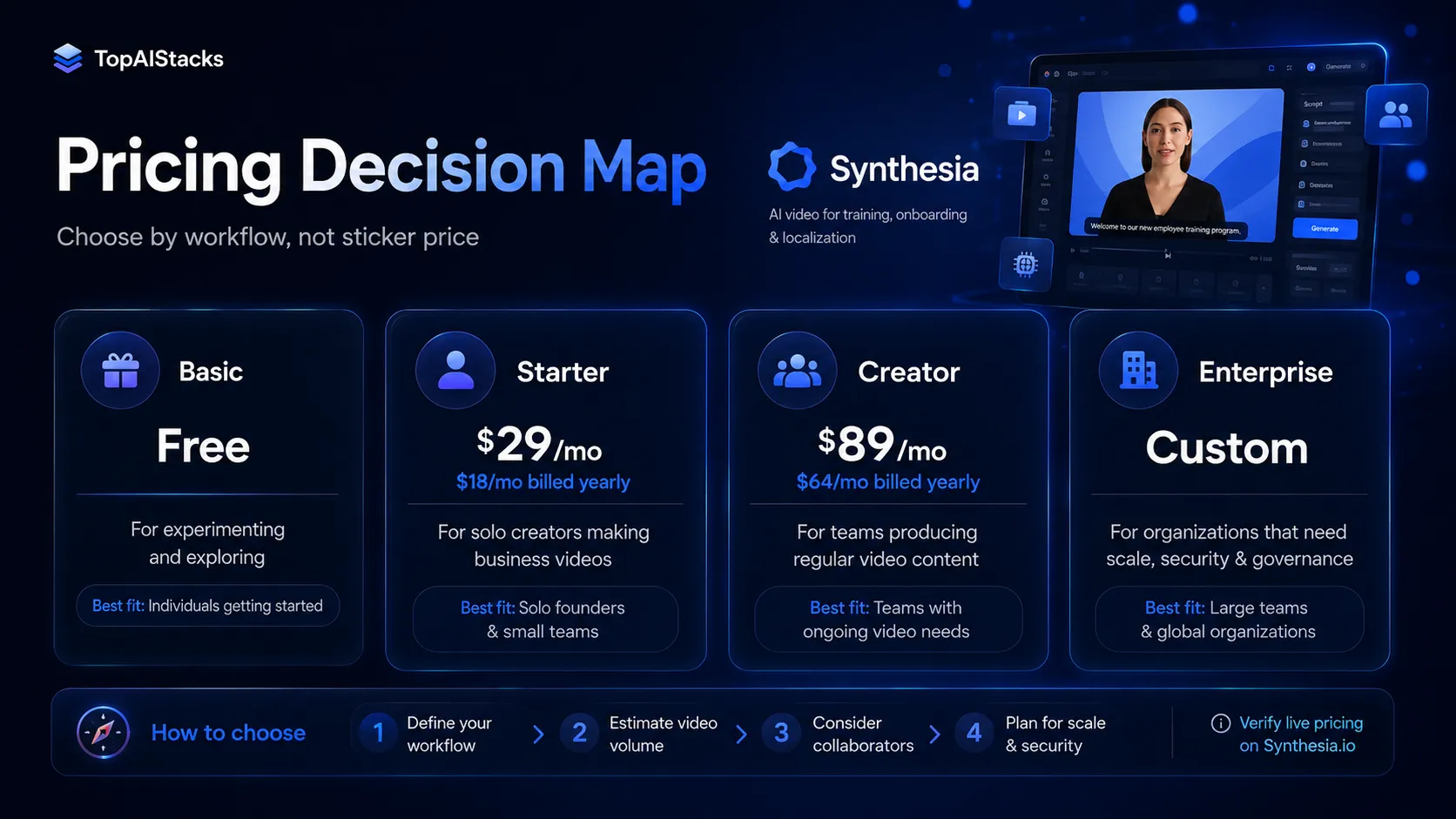
Synthesia’s current public pricing gives buyers a clearer starting point than many enterprise-leaning AI video platforms. At the time of this review, the public pricing page shows a Basic free path, Starter, Creator, and Enterprise.
Starter is listed at $29/month or $18/month when billed yearly. Creator is listed at $89/month or $64/month when billed yearly. Enterprise is custom-priced. Synthesia also describes free testing paths such as a free AI video, a product tour, and sales demo options.
The safer way to judge pricing is not “Is $29 or $89 expensive?” The better question is “How many useful videos can our team produce and maintain with this?” If Synthesia replaces repeated filming, basic editing, translation coordination, and internal update cycles, the pricing can make sense. If it only produces a few nice-to-have videos, it may feel like another SaaS subscription.
Best alternatives to compare
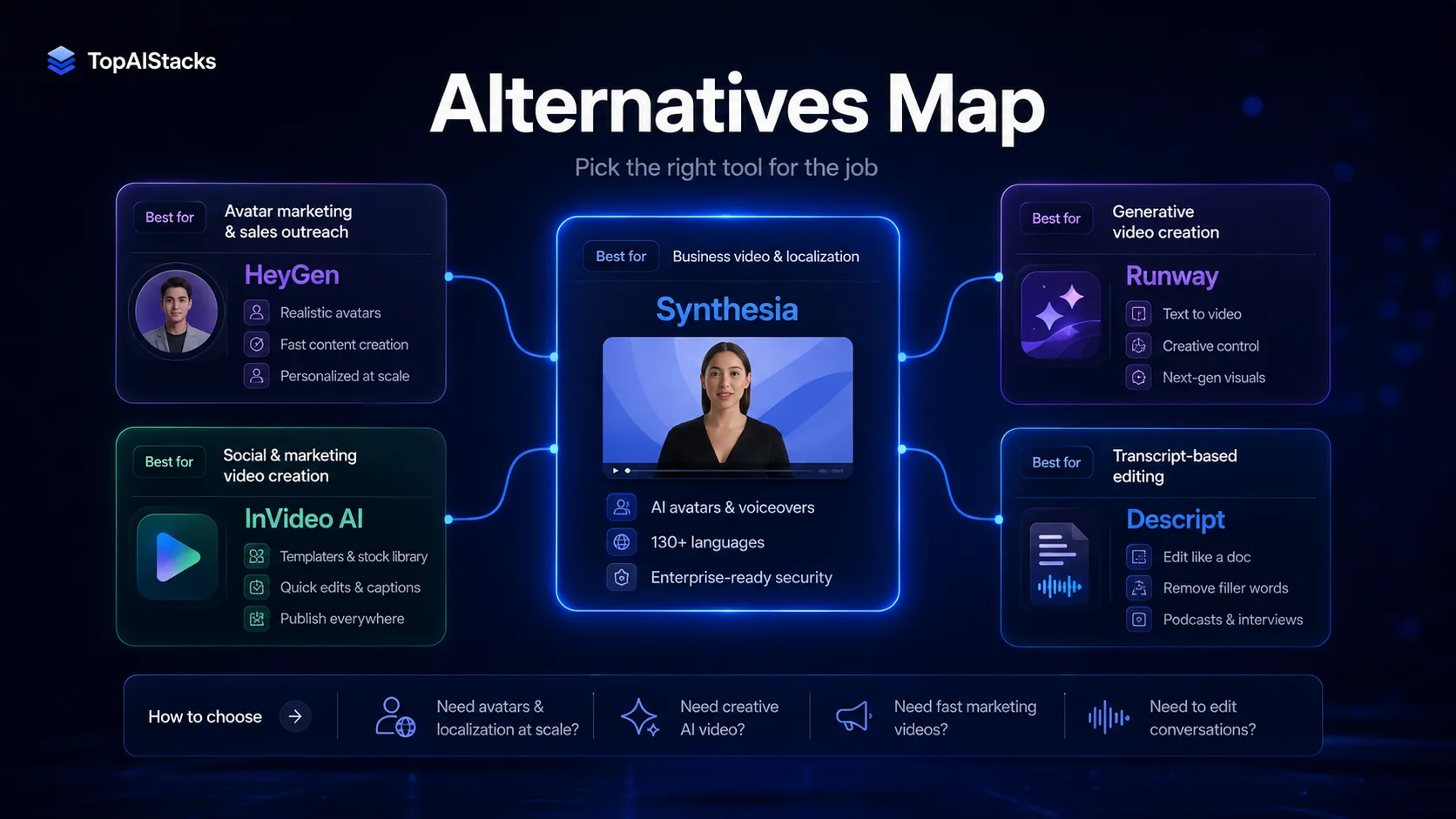
The most direct alternative is HeyGen. Compare HeyGen first if your use case leans toward marketing avatars, creator-style videos, personalized video, or sales outreach. Compare Synthesia first if your workflow is more about training, onboarding, governance, and multilingual internal communication.
Runway is not the same kind of tool, but it is a relevant alternative when the buyer says “AI video” and really means visual generation. If the goal is cinematic AI scenes or creative experimentation, Runway makes more sense than Synthesia.
InVideo AI is a better comparison for fast social and marketing content. Descript is a better comparison when the workflow starts with real recordings, transcripts, screen captures, and editing rather than avatar-led generation.
Final decision
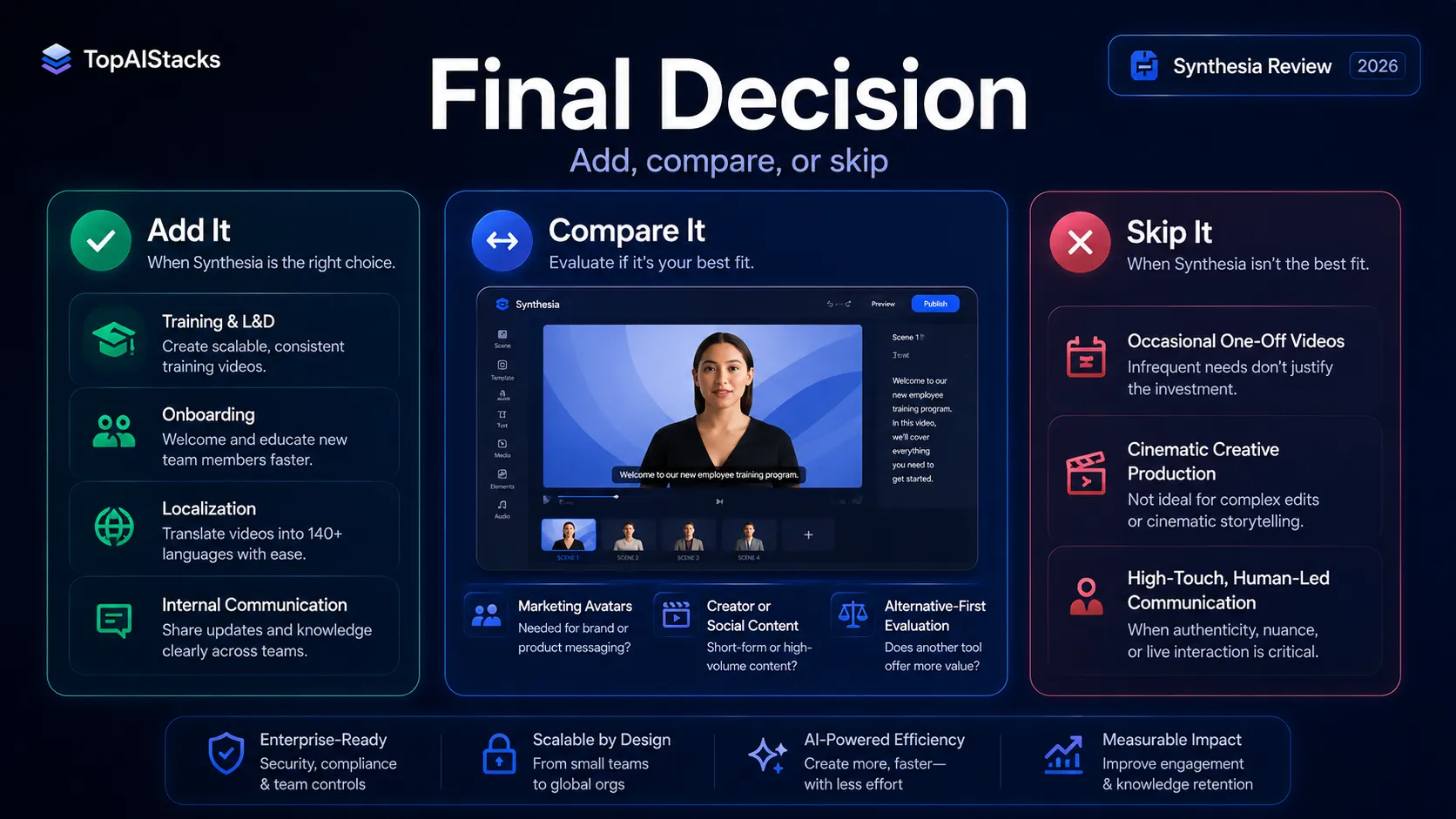
Add Synthesia to your stack if your team repeatedly creates training, onboarding, sales enablement, compliance, or internal communication videos and wants a more scalable way to update and localize them.
Compare it first if your use case is marketing avatar video, social content, or creative AI video. In that case, HeyGen, InVideo AI, Runway, or Descript may be the better starting point depending on the job.
Skip it for now if you only need occasional videos, if your brand relies on high-touch human presence, or if you do not yet have a review process for AI-generated presenter content.
Frequently asked questions
Is Synthesia worth it in 2026?
Does Synthesia have a free plan?
How much does Synthesia cost?
Is Synthesia better than HeyGen?
Can Synthesia replace a video production team?
Who should skip Synthesia?
Where Synthesia fits in a stack
AI video creation and localization layer
Does not replace
- – Script strategy and instructional design
- – Brand review and legal approval
- – Advanced motion design or cinematic video production
- – Human presenters for high-trust executive, customer, or sensitive messages
- – Distribution systems such as LMS, YouTube, or internal knowledge platforms
Pairs well with
Head-to-head comparisons
heygen vs synthesia →
Synthesia is usually better for structured business training and governance; HeyGen is often easier to compare for marketing-style avatar videos and creator-led campaigns.
synthesia vs invideo ai →
Synthesia fits training and internal communication; InVideo AI fits faster social and marketing videos.
Top alternatives to consider
If Synthesia is not the right fit, these are the most common alternatives.
HeyGen is the closest direct comparison if the buyer wants AI avatar videos with a stronger marketing, creator, and personalized-video angle.

Runway is a better comparison when the buyer wants generative video, visual experimentation, or cinematic AI video rather than structured avatar training.

InVideo AI is worth comparing for faster social and marketing videos where templates, stock assets, and creator-style production matter more than avatar governance.
Review methodology
Editorial review based on Synthesia's official homepage, current pricing page, public product positioning, help and security-linked product context, and current third-party market coverage. No hands-on testing was conducted unless explicitly stated.
This review is based on public product information and current research, not direct hands-on testing.
Not covered: Hands-on output quality benchmarking · Enterprise contract negotiation · Private security review or procurement assessment