
InVideo AI Review
InVideo AI review for prompt-to-video, credits, YouTube workflows, social content, pricing fit, and alternatives like Runway and HeyGen.
Useful for fast prompt-to-video and social content workflows, but credit complexity and output control keep it situational.
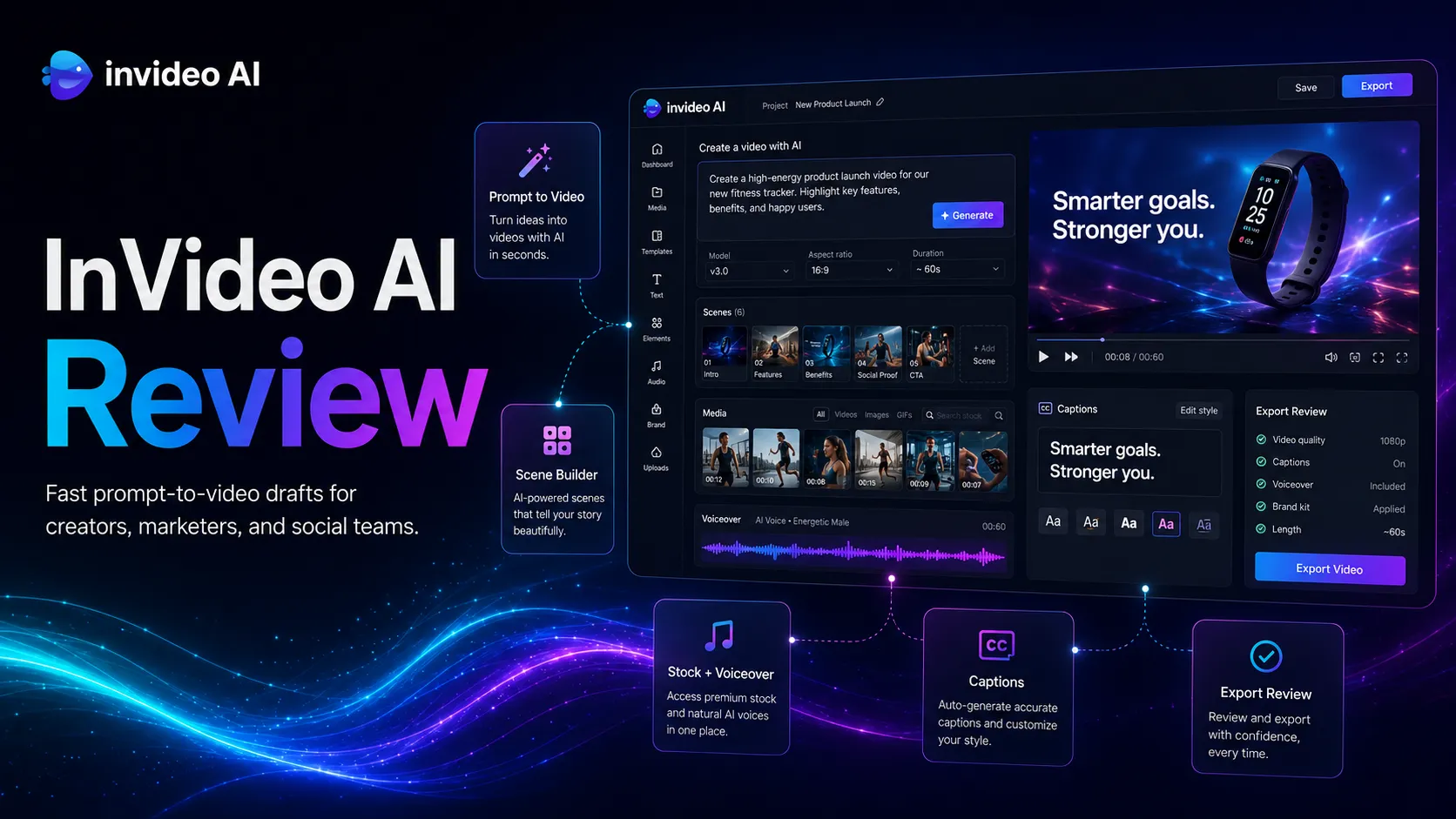
Use it if…
- ✓ You need a fast way to produce social video drafts from prompts, scripts, product ideas, or repurposed content.
- ✓ Your workflow values speed, stock media, voiceover, captions, and simple text-based edits more than frame-perfect editing.
- ✓ You already have a review process for brand accuracy, claims, rights, and final publishing quality.
Skip it if…
- – You need cinematic generation, precise creative control, or advanced timeline editing as the core job.
- – You do not want to manage AI credits, model costs, monthly reset behavior, or top-up decisions.
- – Your videos require verified footage, legal signoff, or exact product representation that cannot be checked quickly.
Review scorecard
Scored by workflow fit, ease of use, value, and stack compatibility. Weights reflect importance for typical buyers.
| Criteria | Score | ||
|---|---|---|---|
| Workflow fit | 8.0 | ||
| Output usefulness | 7.5 | ||
| Ease of use | 8.0 | ||
| Pricing clarity | 6.5 | ||
| Stack compatibility | 7.5 | ||
| Weighted overall | 7.6 / 10 | ||
On this page
Quick verdict
InVideo AI makes the most sense if you are trying to publish more video without turning every idea into a full editing project. The tool is strongest as a draft engine for YouTube, Shorts, ads, explainers, and social posts. I would be more careful if your work depends on exact visuals, strict brand claims, or a simple monthly budget with no credit math.
My practical take is this: add InVideo AI when speed is the bottleneck, not when final polish is the bottleneck. It can help you get from idea to video draft quickly. The safer move is to treat every output as a first cut that still needs a human pass.
Who should use InVideo AI
Picture a small content team with a backlog of blog posts, product angles, and affiliate explainers. The team does not have a full-time editor, but it still needs short videos for YouTube, Shorts, TikTok, and Instagram. In that workflow, InVideo AI has a clear job: turn rough ideas into structured video drafts fast enough that the team can decide what deserves final polish.
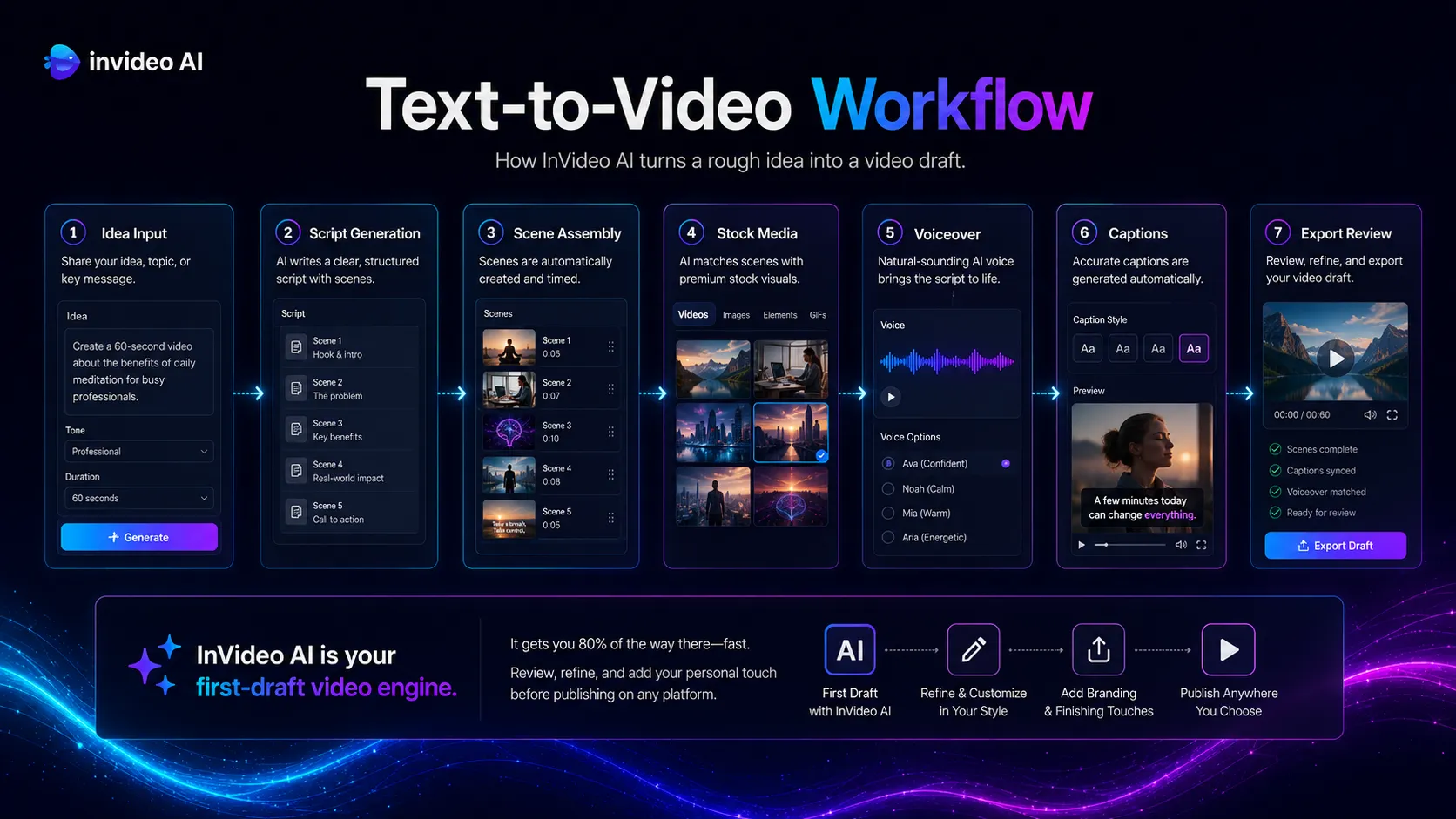
It is a good fit for creators who need repeatable formats more than handcrafted edits. Faceless YouTube videos, simple ads, list-style explainers, product summaries, and repurposed educational clips are the natural use cases. You still need taste, fact checks, and brand judgment, but you do not have to begin with a blank timeline.
Who should skip InVideo AI
Skip InVideo AI if the job is serious filmmaking, detailed visual storytelling, or exact scene control. A instruction-first tool can help with drafts, but it cannot reliably replace a skilled editor who understands pacing, music, transitions, footage rights, and brand nuance.
I would also pause if your team cannot tolerate credit uncertainty. InVideo’s current public materials make credits a core part of the buying decision, and model prices can change. If your finance or production process needs a predictable cost per video, compare alternatives and run a small trial before committing.
Real workflow fit
The workflow starts to make sense when you treat InVideo AI as a bridge between writing and publishing. A script from ChatGPT or Claude can become a rough video. Canva can supply brand assets. Descript, CapCut, or a human editor can clean up anything that feels off. YouTube or a scheduler becomes the publishing layer.
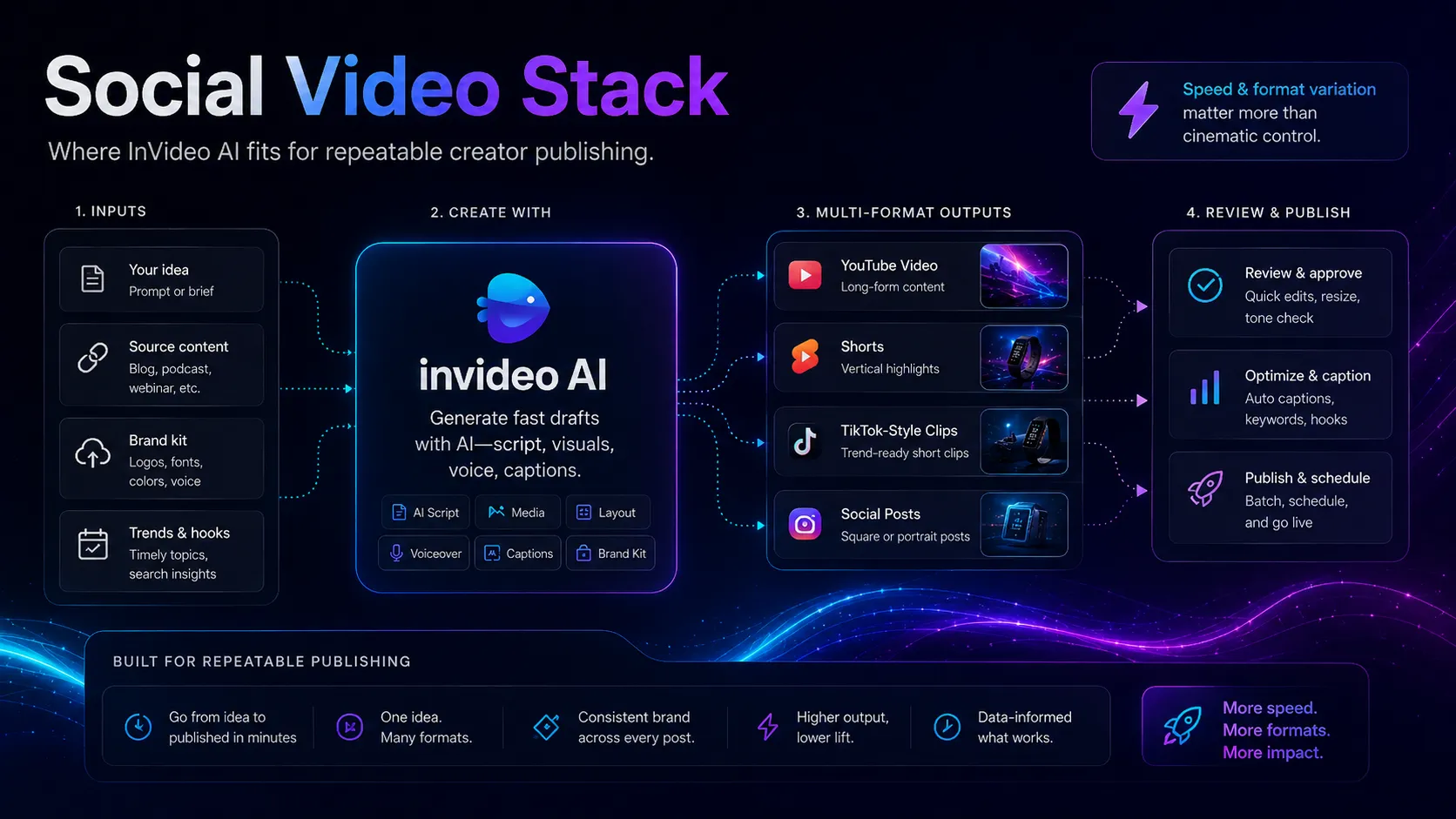
The feature that sounds small but matters is text-based editing. If you can ask for scene changes, voice changes, music changes, and caption edits in plain language, non-editors can move faster. The friction appears after the draft exists. You still have to ask whether the stock footage is generic, whether the voice fits the brand, and whether the video makes claims that should be checked.
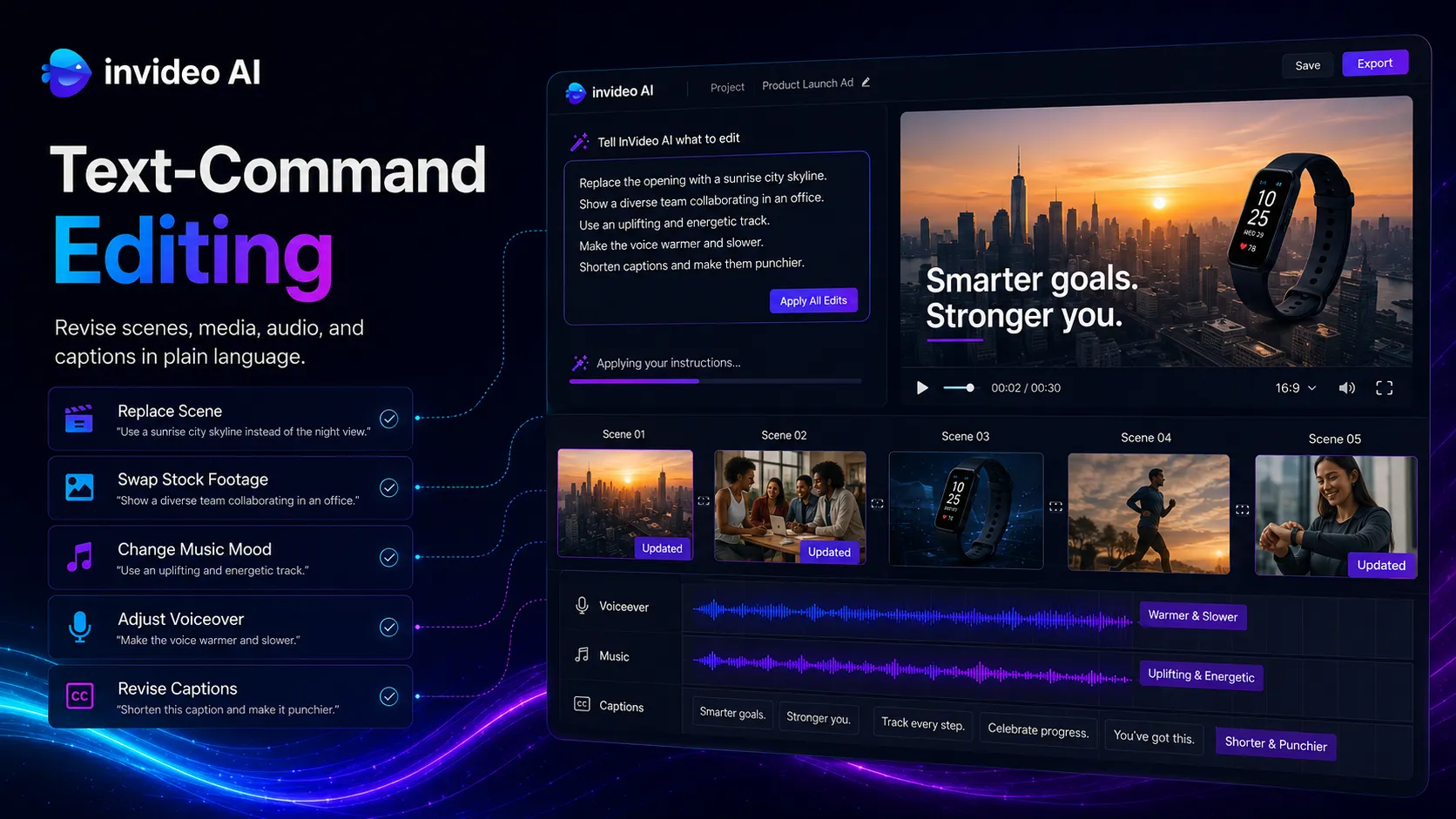
I did not include a video embed in this review because I could not verify a specific current official YouTube video URL with enough confidence during research. That is the right tradeoff for a buyer-safe review. A missing demo is better than a made-up one.
Where InVideo AI fits in an AI stack
The right way to think about InVideo AI is as the video assembly layer. It sits after ideation and scripting, but before final brand review, manual editing, and publishing. It can replace some first-pass video assembly work. It does not replace source-of-truth research, legal review, or a professional editor for high-stakes campaigns.
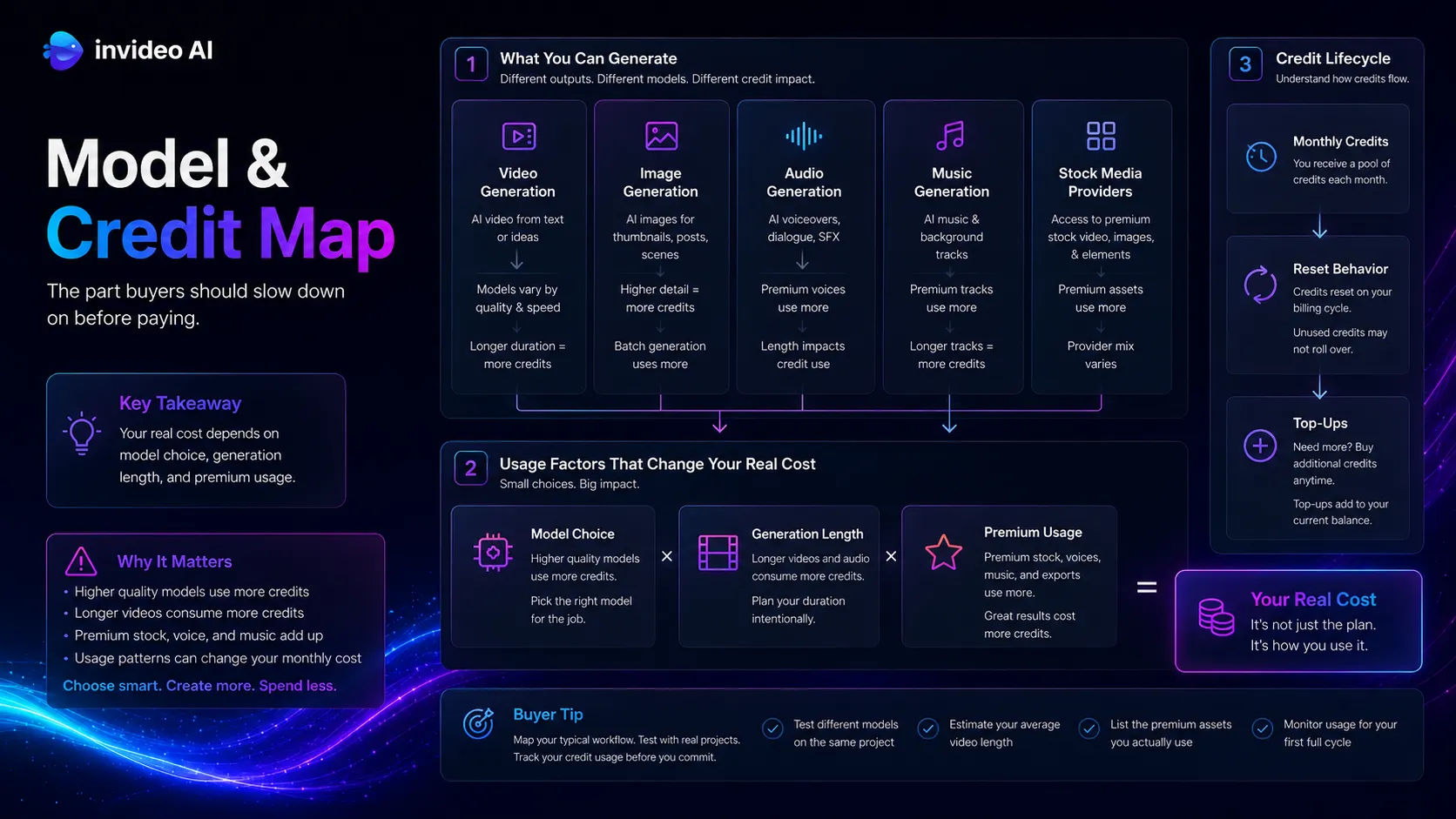
It pairs naturally with ChatGPT or Claude for scripts, Canva AI for design assets, ElevenLabs for more deliberate voice work, Descript or CapCut for editing cleanup, and YouTube for distribution. If your team already has those pieces, InVideo AI is easier to evaluate because you can test it as one layer rather than expecting it to do every video job.
What InVideo AI does well
Its biggest strength is speed from idea to draft. You can start with a topic, a product angle, or a content brief and move toward scenes, voiceover, captions, music, and stock media without building everything manually. That does not make the output automatically good. It does make experimentation cheaper in time.
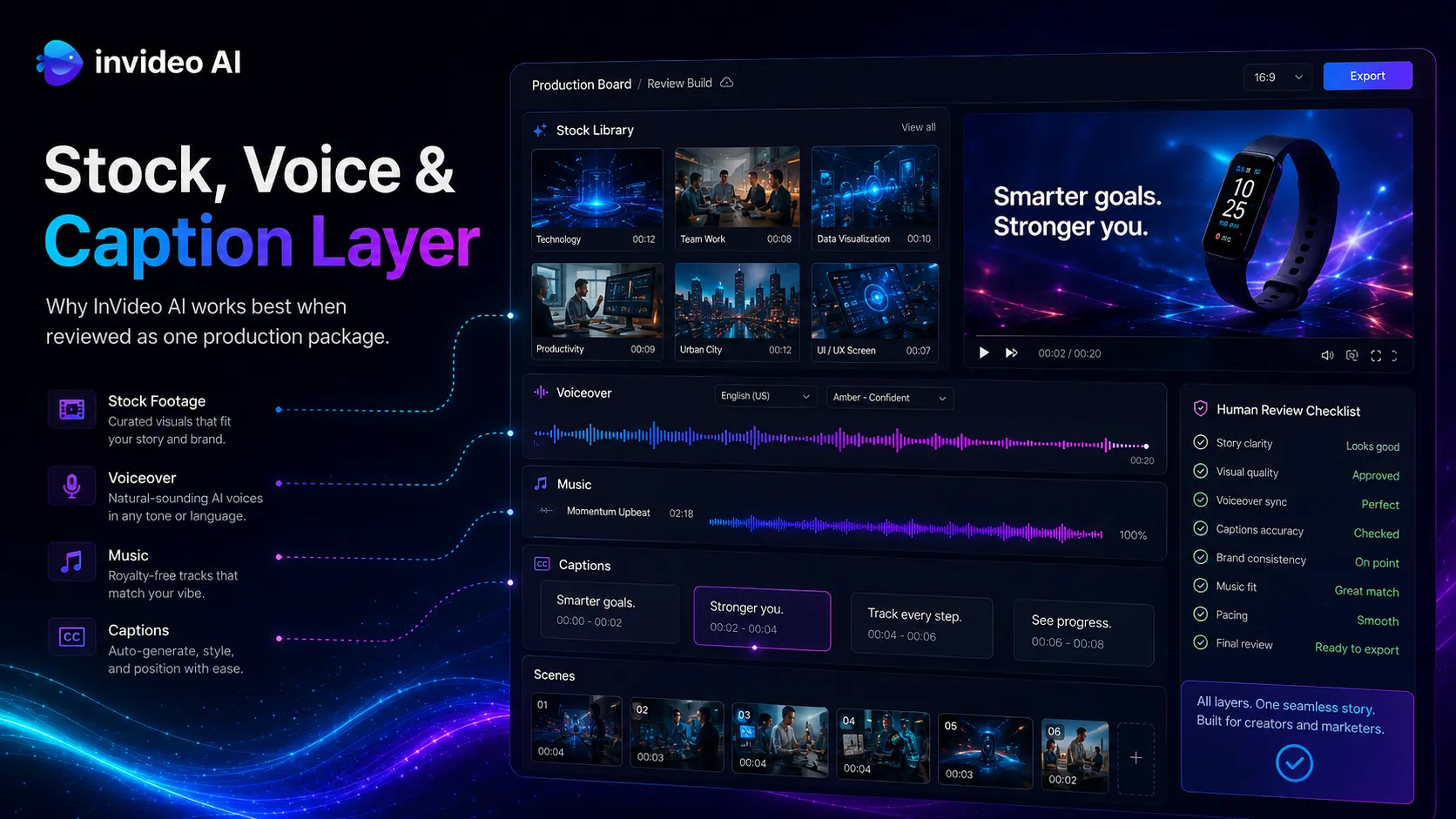
It also helps non-editors talk to video software in plain language. This is where the product feels more practical than a traditional video editor for many marketing teams. If the video is a quick explainer, a social post, or a test ad, the ability to revise by instruction can matter more than timeline depth.
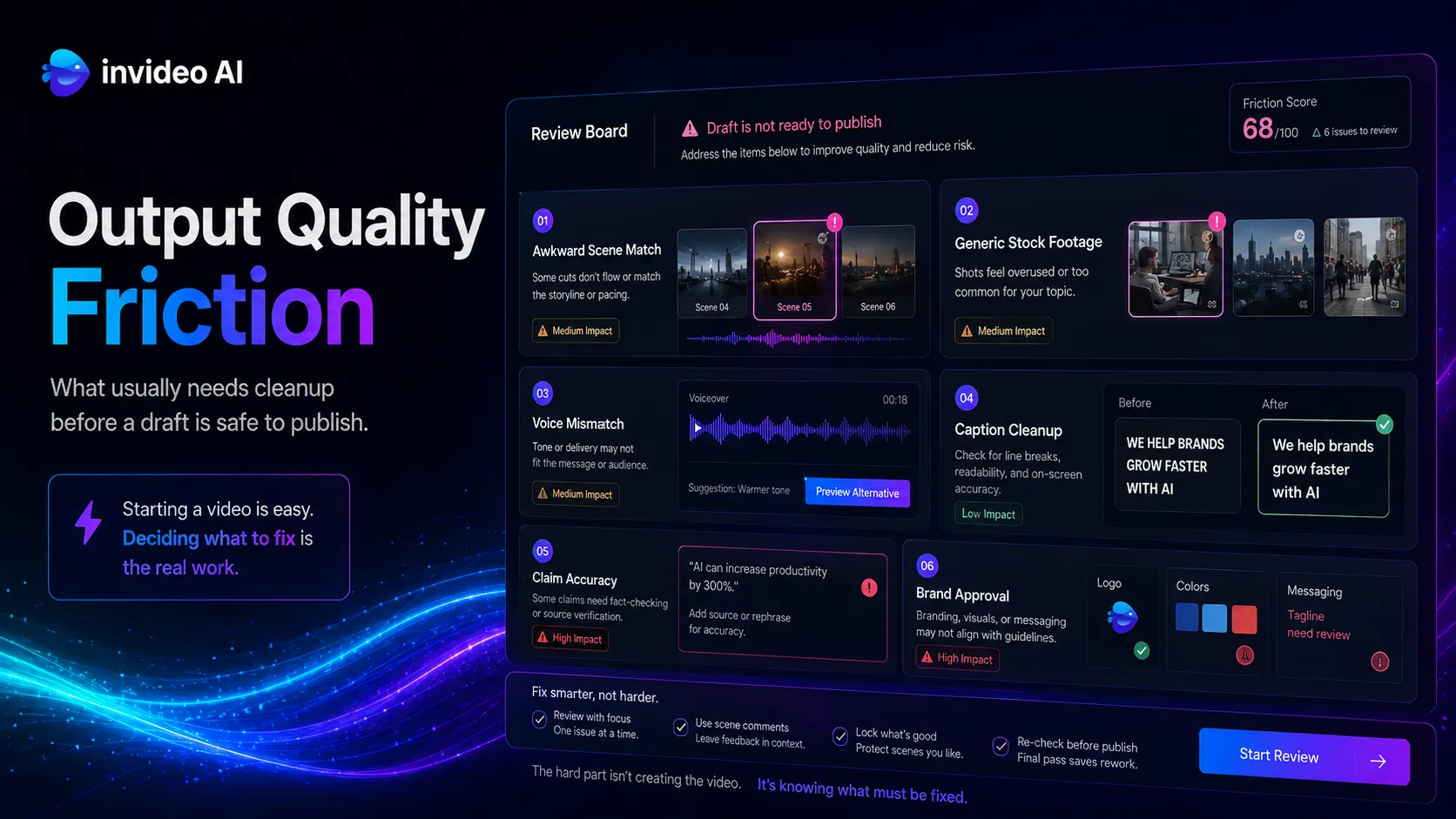
The part I would watch closely is output sameness. Fast video tools can drift toward generic stock footage, predictable pacing, and voiceovers that sound close enough at first but feel thin after repeated use. The tool is useful, but it needs a human editor’s taste at the last mile.
Where InVideo AI falls short
The first limitation is control. If you care about exact shots, detailed sound design, custom motion, or continuity across a longer creative piece, InVideo AI is not the safest primary tool. A text instruction can get you close, but close is not always acceptable when brand, product, or trust is on the line.
The second limitation is pricing clarity. Credits, model costs, reset behavior, and top-ups make sense for a platform that routes work across multiple AI models. They are also harder for a buyer to estimate than a simple editor subscription. I would not move a team onto a paid plan until you know how many drafts you expect to create each month.
Privacy and likeness also deserve attention. InVideo’s privacy policy includes customer-generated content and avatar-related face data language. That does not make the product unsafe by itself. It does mean teams should set rules around uploaded assets, consent, and who can generate avatar or voice-based material.
Pricing judgment
Based on the current public pricing and credits pages, I would treat InVideo AI pricing as a usage model, not just a subscription. Paid plans include access to multiple models, the v4 agent, stock providers, credits, and top-ups, while credits reset and unused plan credits do not roll over. That changes the buying question from “Can I afford the monthly plan?” to “How many useful videos will I create before the credits reset?”
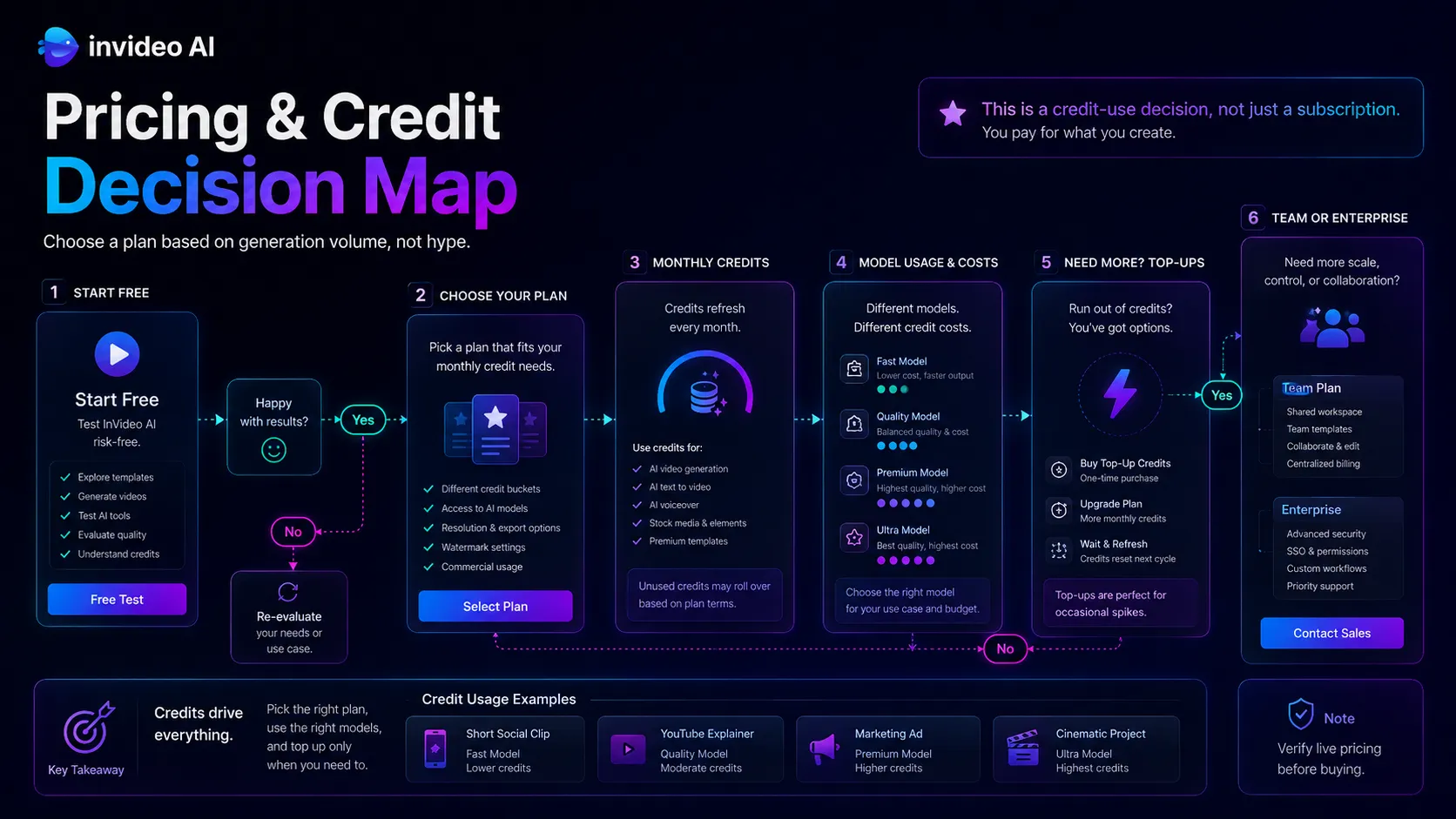
Stay free or start small if you are testing video formats. Pay only when the tool becomes part of a weekly publishing rhythm. Compare alternatives first if your main need is cinematic generation, avatar video, or transcript-based editing. Verify current pricing on the official pricing page.
Best alternatives to compare
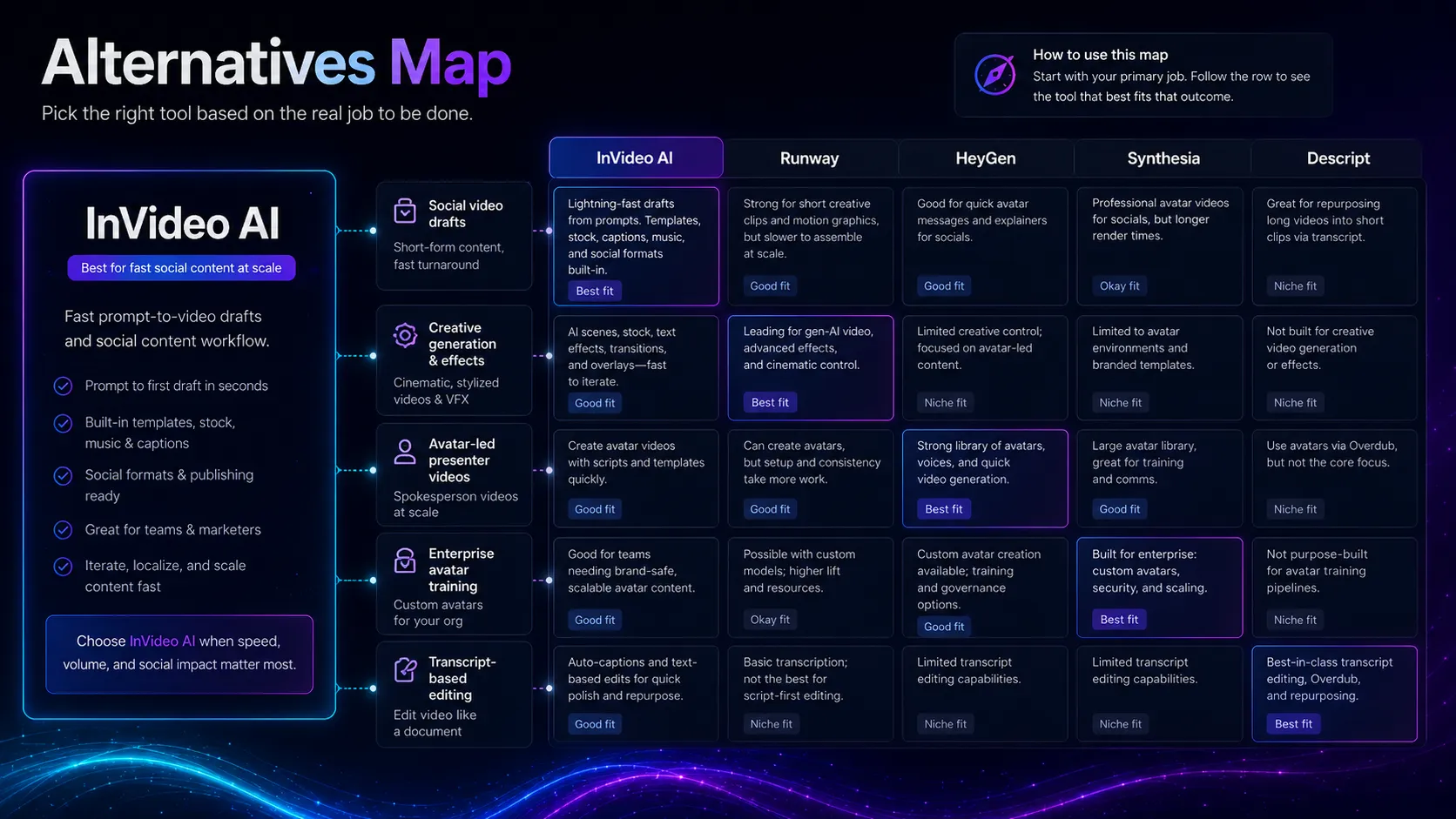
Runway is the cleaner comparison if your real need is creative video generation, effects, and visual experimentation. InVideo AI is more practical for text instruction-to-social-video workflows, but Runway is stronger when the image itself is the product.
HeyGen is the better comparison if you need avatar-led explainers, presenter videos, localization, or sales and training clips. InVideo AI can touch avatar and video generation workflows, but HeyGen is usually the more focused avatar-video route.
Synthesia is worth comparing for corporate training and structured business communication. It is less of a creator-social-video tool and more of a controlled avatar content system for teams.
Descript belongs in the conversation if you already have recorded footage or audio. It is not trying to be the same text-to-video engine, but it can be the better editing layer after a draft exists.
Final decision
Add InVideo AI to your stack if you need fast text-to-video drafts for social posts, YouTube content, explainers, ads, or repurposed written content, and you have a human review step before publishing.
Compare Runway, HeyGen, or Descript first if your main job is cinematic generation, avatar-led business videos, or editing real recorded media by transcript.
Skip InVideo AI for now if your team needs exact creative control, predictable cost per video, strict source verification, or publish-ready output with no manual review.
Frequently asked questions
Is InVideo AI worth it?
Does InVideo AI have a free plan?
Is InVideo AI better than Runway?
Can InVideo AI replace a video editor?
What should buyers check before paying for InVideo AI?
Where InVideo AI fits in a stack
Prompt-to-video and social video production layer
Does not replace
- – A professional editor for exact cuts, motion design, color, sound, and final quality control.
- – A legal or brand review process for claims, likeness, rights, and stock usage.
- – A dedicated cinematic generation tool when visual experimentation is the main job.
Pairs well with
Top alternatives to consider
If InVideo AI is not the right fit, these are the most common alternatives.

Runway is the cleaner comparison when the buyer wants creative video generation, visual effects, and deeper scene experimentation rather than prompt-to-social-video production.

HeyGen is a better comparison when the buyer needs avatar-led presenter videos, localization, and business explainer content.
Synthesia is worth comparing for corporate training, internal enablement, and structured avatar videos where enterprise governance matters.
Review methodology
Editorial review based on current public product information, official pricing and credits documentation, official privacy documentation, official feature pages, and third-party review context. No hands-on testing was conducted unless explicitly stated.
This review is based on public product information and current research, not direct hands-on testing.
Not covered: Hands-on output quality benchmarking · Enterprise contract terms · Private stock media licensing review · Internal moderation performance testing