
Notion Review
Notion review for buyers comparing docs, wikis, projects, AI features, pricing, and whether one workspace is better than separate tools.
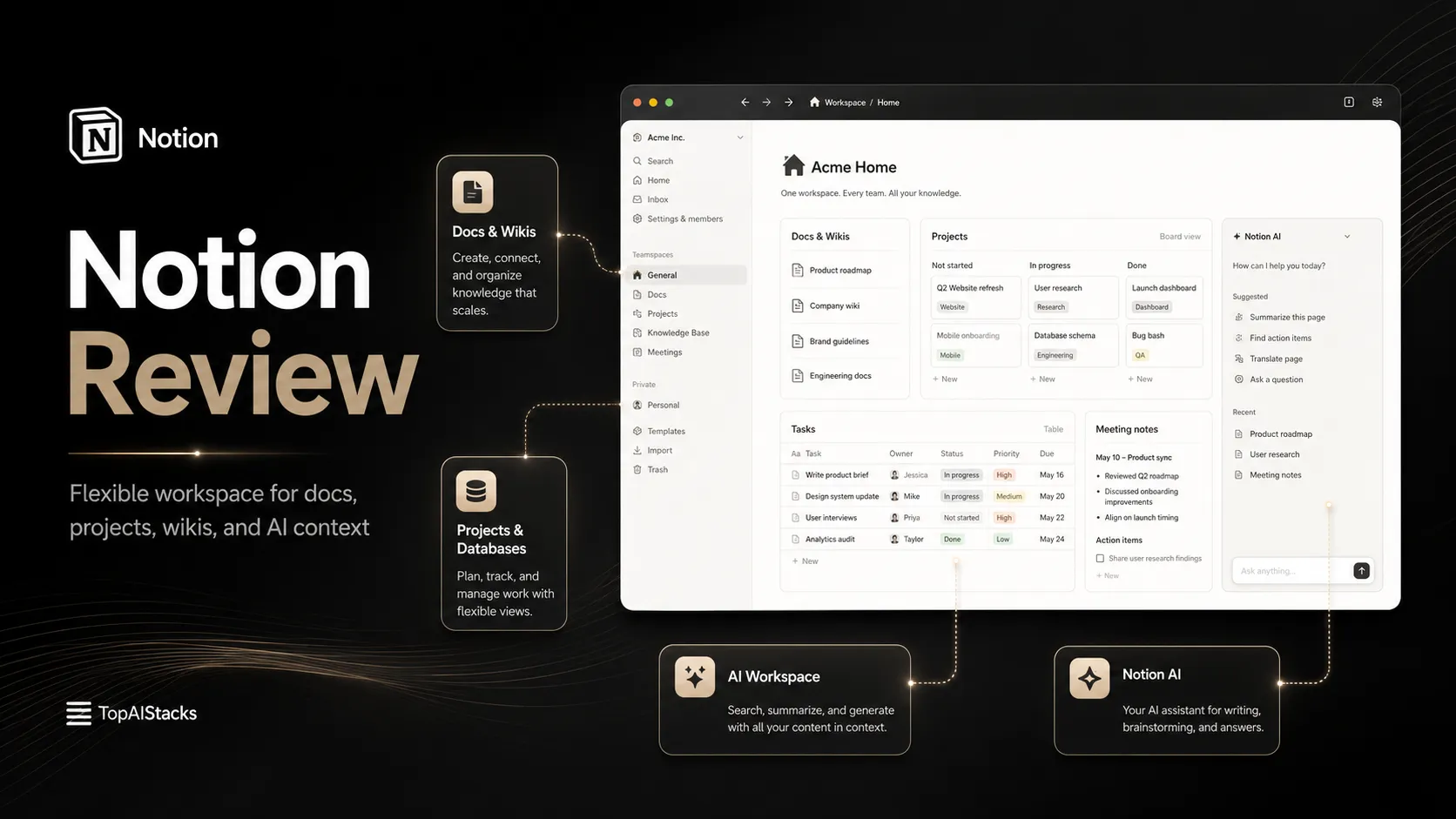
Strong workspace value for teams that want flexible docs, wikis, projects, and AI context in one place, but weaker for rigid project management.
Use it if…
- ✓ You want one flexible workspace for docs, wikis, databases, lightweight projects, and team knowledge.
- ✓ You are willing to invest some time in structure so the workspace does not become a messy dumping ground.
- ✓ You want AI features to work inside your existing team context rather than in a separate chat window.
Skip it if…
- – You need strict project governance, advanced sprint planning, or deep reporting out of the box.
- – You only need a plain writing document or fast personal notes with minimal structure.
- – You do not want to maintain permissions, database design, page ownership, and workspace hygiene.
Review scorecard
Scored by workflow fit, ease of use, value, and stack compatibility. Weights reflect importance for typical buyers.
| Criteria | Score | ||
|---|---|---|---|
| Workflow fit | 8.7 | ||
| Output quality | 8.0 | ||
| Ease of use | 8.2 | ||
| Pricing clarity | 7.8 | ||
| Stack value | 8.6 | ||
| Weighted overall | 8.3 / 10 | ||
On this page
Quick verdict
Notion is still one of the easiest tools to recommend badly.
That sounds harsh, but it is the real buyer problem. People see Notion, open a few polished starter pages, and assume the product will automatically create a calm workspace. It will not. Notion gives you a very flexible place to connect notes, docs, databases, projects, and team knowledge. The catch is that flexibility needs judgment.
For a solo operator, Notion can become a personal operating system. For a small team, it can become the place where decisions stop disappearing into Slack. For a growing company, it can become a shared knowledge layer that sits between meetings, docs, projects, and AI search. But if nobody owns the structure, Notion slowly turns into a prettier version of the same mess.
The buying question is not just “Can Notion do this?” Most of the time, yes, it probably can. The sharper question is whether your team will maintain it after the first week of excitement fades.
Who should use Notion
You should look seriously at Notion if your work keeps spilling across too many small tools. One page for notes. Another app for tasks. A Google Doc for strategy. A spreadsheet for content planning. Slack threads for decisions. A half-forgotten wiki nobody trusts. That is where Notion starts to make sense.
Notion is especially strong for solopreneurs, small teams, startup operators, content teams, product teams, and internal knowledge bases. It is useful when you need a place that can be a document today, a database tomorrow, and a team dashboard next month.
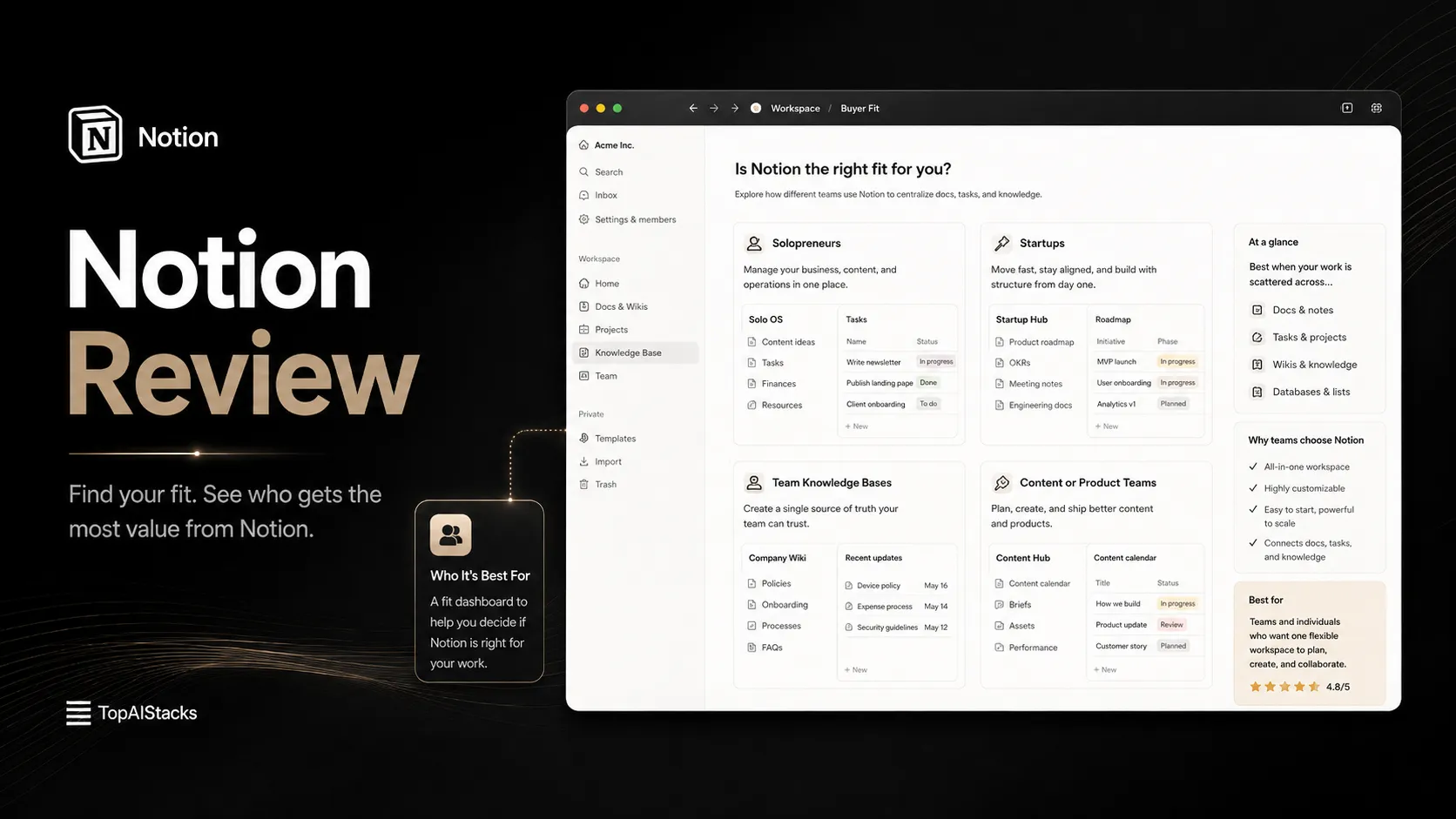
You are the right buyer if you want a system that adapts to your workflow instead of forcing you into a fixed layout. You are also the right buyer if you are willing to make boring decisions about naming, owners, permissions, page structure, and what belongs where.
That last part matters. Notion rewards teams that treat knowledge as a product. It punishes teams that treat every page as a temporary scratchpad.
Who should skip Notion
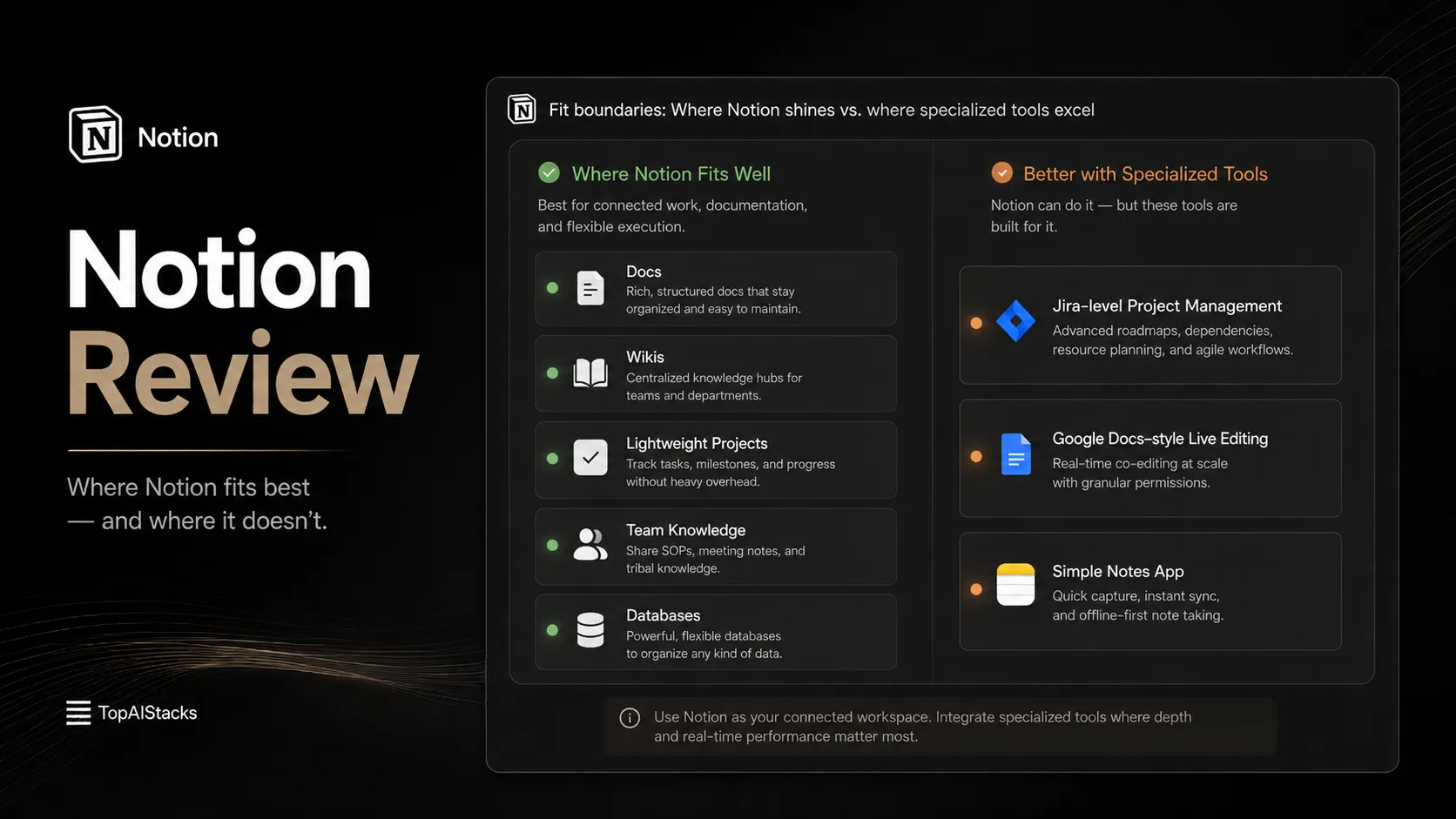
Skip Notion if your main need is strict project execution. If you live inside sprint boards, burndown reports, advanced dependencies, workload planning, and operational dashboards, you may be happier with a dedicated project management tool.
Also skip it if you only want a fast note-taking app. Notion can hold notes, but that does not mean it is the best simple note app for everyone. The blank-page freedom that makes Notion powerful can feel slow if you just want to capture thoughts and move on.
A second group should be careful: teams that already have low documentation discipline. Notion will not fix that by itself. It gives you a better place to write things down, but it cannot force people to document decisions, update stale pages, or stop creating duplicate databases.
If you know your team will not maintain the workspace, choose a more opinionated system.
Real workflow fit
The best Notion workflows usually start with a small frustration.
A founder cannot find the latest product notes. A content team has five versions of a calendar. A client project has status updates in email, Slack, and a private spreadsheet. Someone asks, “Where is the source of truth?” and the room goes quiet.
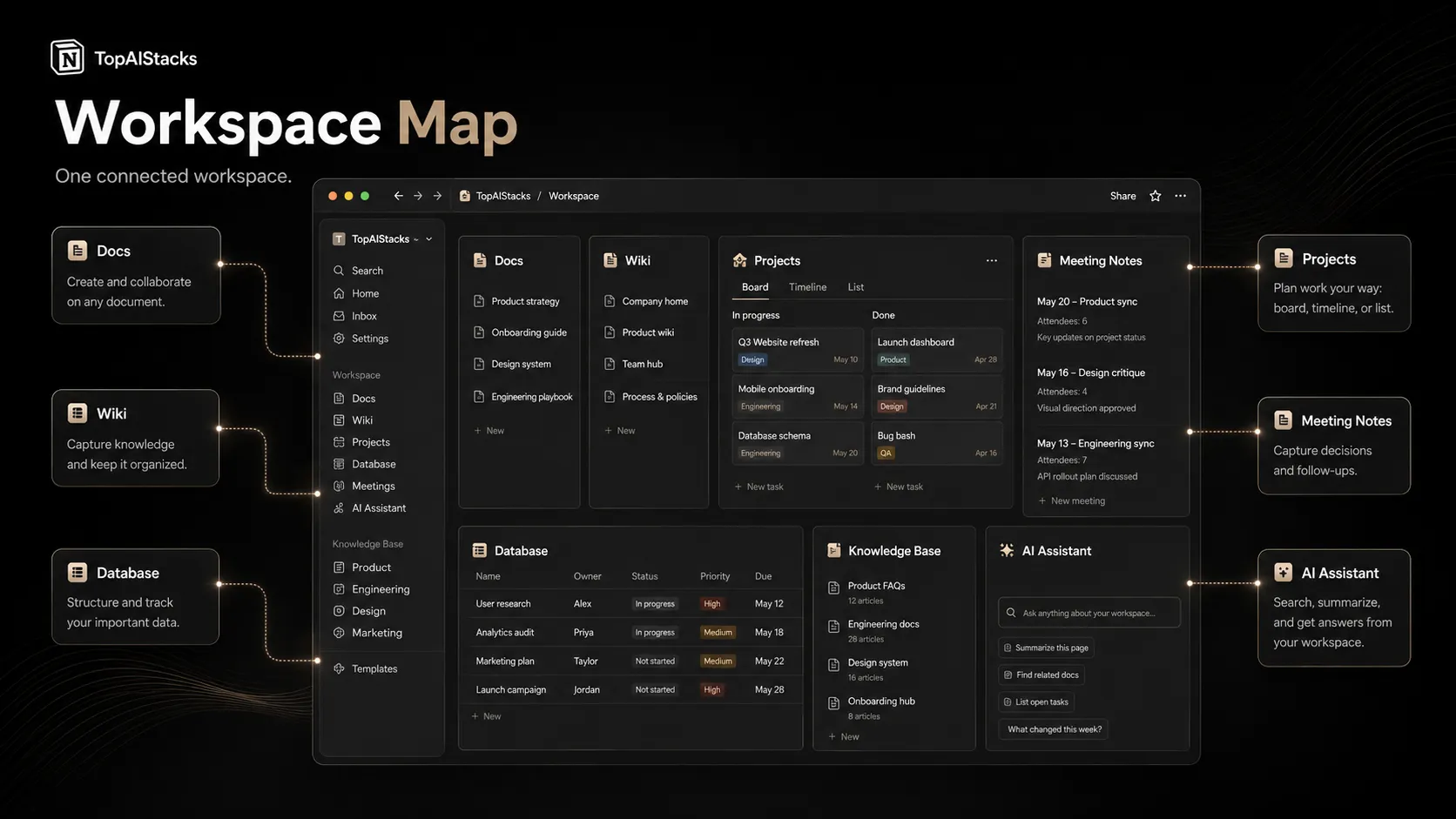
Notion is built for that exact pain. A useful setup usually has a few core pieces: a company wiki, a project database, meeting notes, repeatable page setups, ownership fields, status fields, and dashboards for different teams. When done well, people stop asking where things live.
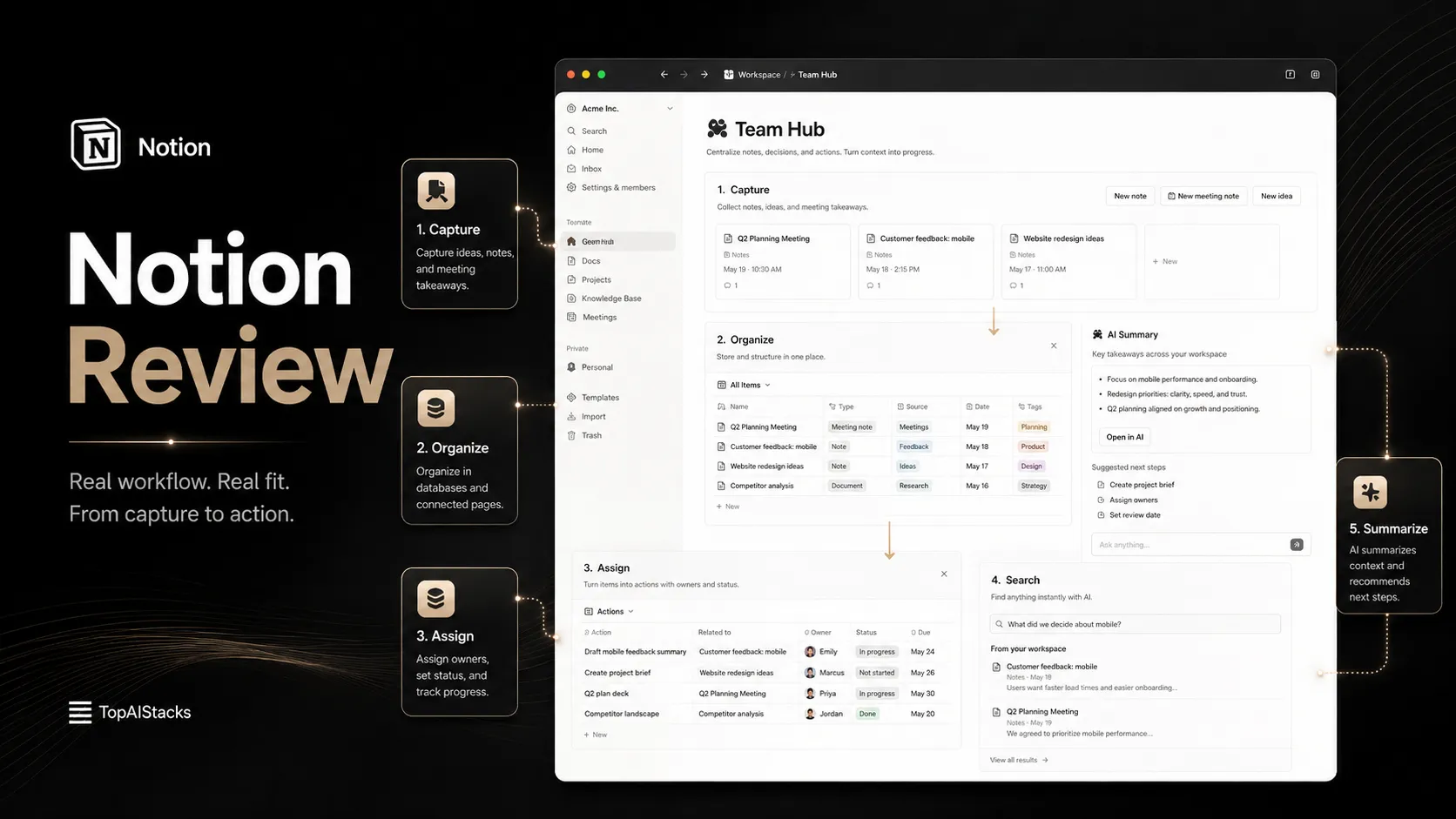
The official OpenAI customer story is a good example of the workflow shape: shared research, product work, engineering knowledge, go-to-market enablement, and AI-powered retrieval all sit inside one connected knowledge system. That does not mean every team will get OpenAI-level discipline, but it shows the type of operating layer Notion is trying to become.
The warning is simple: Notion is not magic storage. It is a workspace. The difference is upkeep. If you do not create rules for where information goes, even the best database eventually becomes another junk drawer.
Where Notion fits in an AI stack
In an AI stack, Notion should sit close to the center, but not at the top.
ChatGPT and Claude are better for open-ended thinking, drafting, and reasoning. Slack is still where many conversations happen. Google Workspace is still strong for classic documents, spreadsheets, and email-heavy collaboration. Zapier, Make, and n8n are stronger for broader automation.
Notion fits between those systems as the memory layer. It is where decisions, meeting outputs, project context, research notes, SOPs, and reusable knowledge can live.
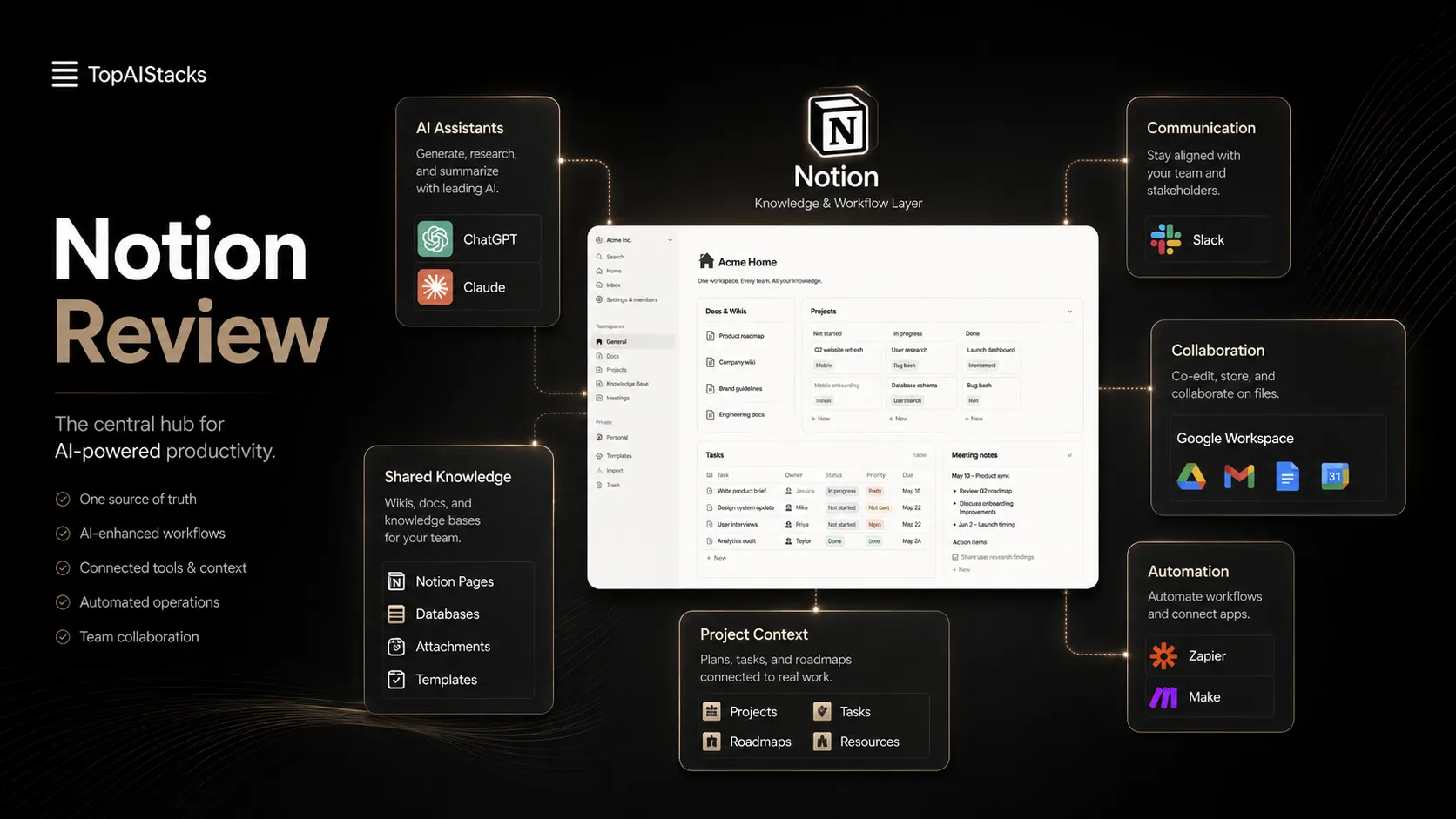
That is also why Notion AI matters. The public product positioning now leans heavily into agents, AI Meeting Notes, Enterprise Search, and connected context. For buyers, the important point is not “AI writing.” The better question is whether AI can search and act inside the same workspace where your team already keeps its knowledge.
If your workspace is clean, Notion AI becomes more useful. If your workspace is messy, the AI layer has less reliable context to work with.
What Notion does well
Notion’s strongest feature is not any single block or database. It is the way simple pieces can be combined.
A doc can become a database entry. A database can become a calendar. A wiki can connect to projects. A project page can hold decisions, files, and meeting notes. A public page can become a simple site. A form can feed a database. That modularity is the reason Notion keeps showing up in many different workflows.
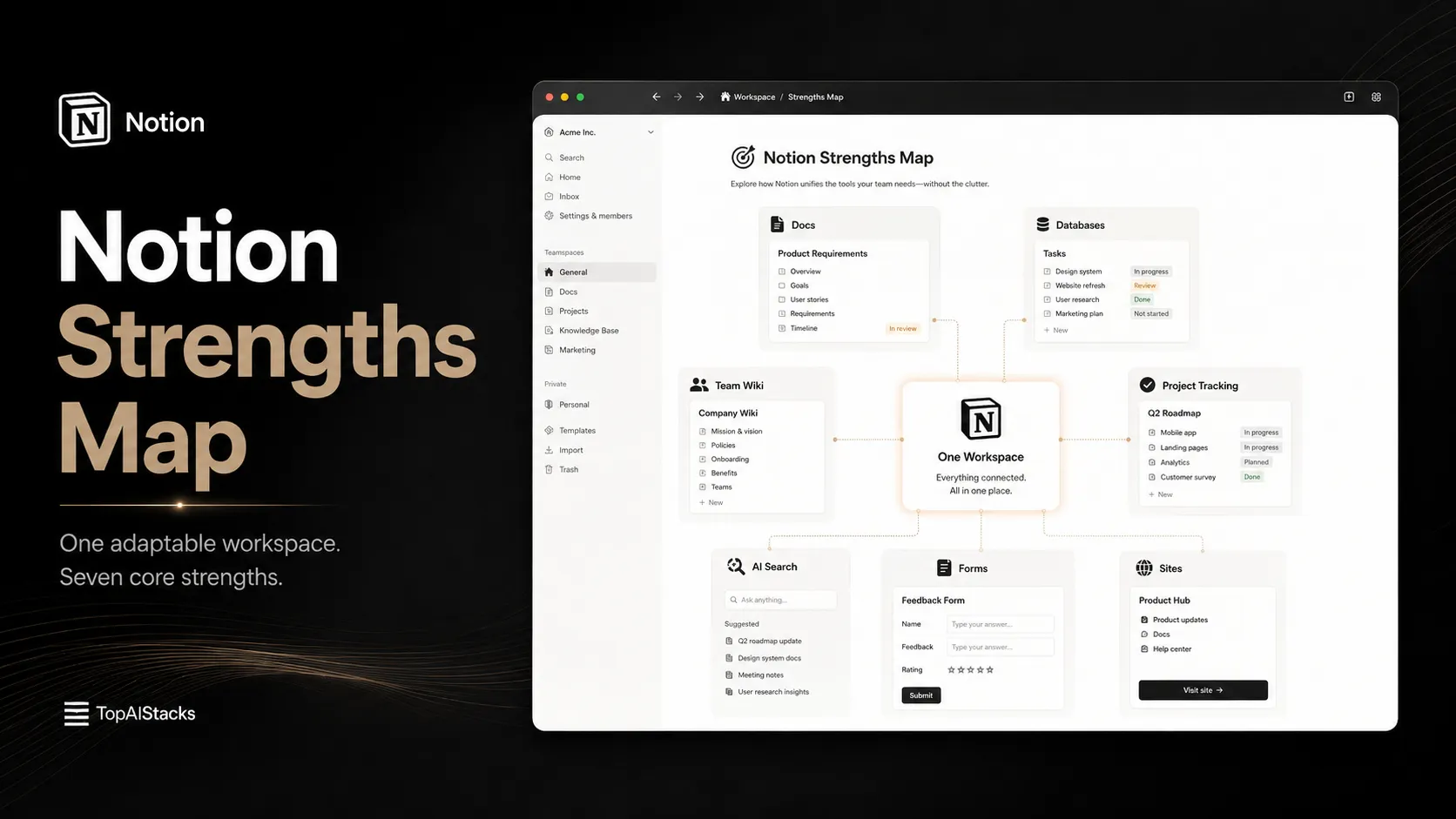
Notion also does a good job serving different maturity levels. A solo creator can run a lightweight content planner. A startup can build an internal wiki. A manager can run meeting notes and project dashboards. A larger team can look at Business or Enterprise features for permissions, admin controls, security, AI, and connected search.
The product feels strongest when you use it to reduce context switching. It feels weaker when you try to make it behave like a specialized tool in every category.
Where Notion falls short
The biggest weakness is that Notion lets you overbuild.
A beginner starts with a simple project tracker. Two hours later, there are formulas, relations, rollups, custom views, icons, dashboards, and a home page nobody asked for. The workspace looks impressive, but the team still does not know what to update.
That is the Notion trap.
Notion is also not the cleanest answer for every project workflow. Dedicated tools can be better for advanced task management, time tracking, sprint planning, workload views, approval chains, and reporting. Google Docs can still feel faster for pure writing collaboration. Obsidian can feel better for personal knowledge work when local ownership and backlinks matter.
Security and AI also need careful review. Notion’s official AI security documentation says customer data is not used by default to train Notion or AI subprocessors models, and Enterprise workspaces have different data retention handling with LLM providers. That is helpful, but serious teams should still review security, retention, permissions, and compliance needs before putting sensitive work into any AI-connected workspace.
Pricing judgment
Notion’s public pricing is understandable at a base level: Free is listed at $0 per member per month, Plus at $10 per member per month, Business at $20 per member per month, and Enterprise uses custom pricing. The public pricing page also highlights yearly billing savings, plan differences, AI capabilities, admin controls, connections, guest limits, file upload limits, page history, and security features.
That said, the real pricing decision is not only “Free vs Plus.” It is “What kind of workspace are we building?”
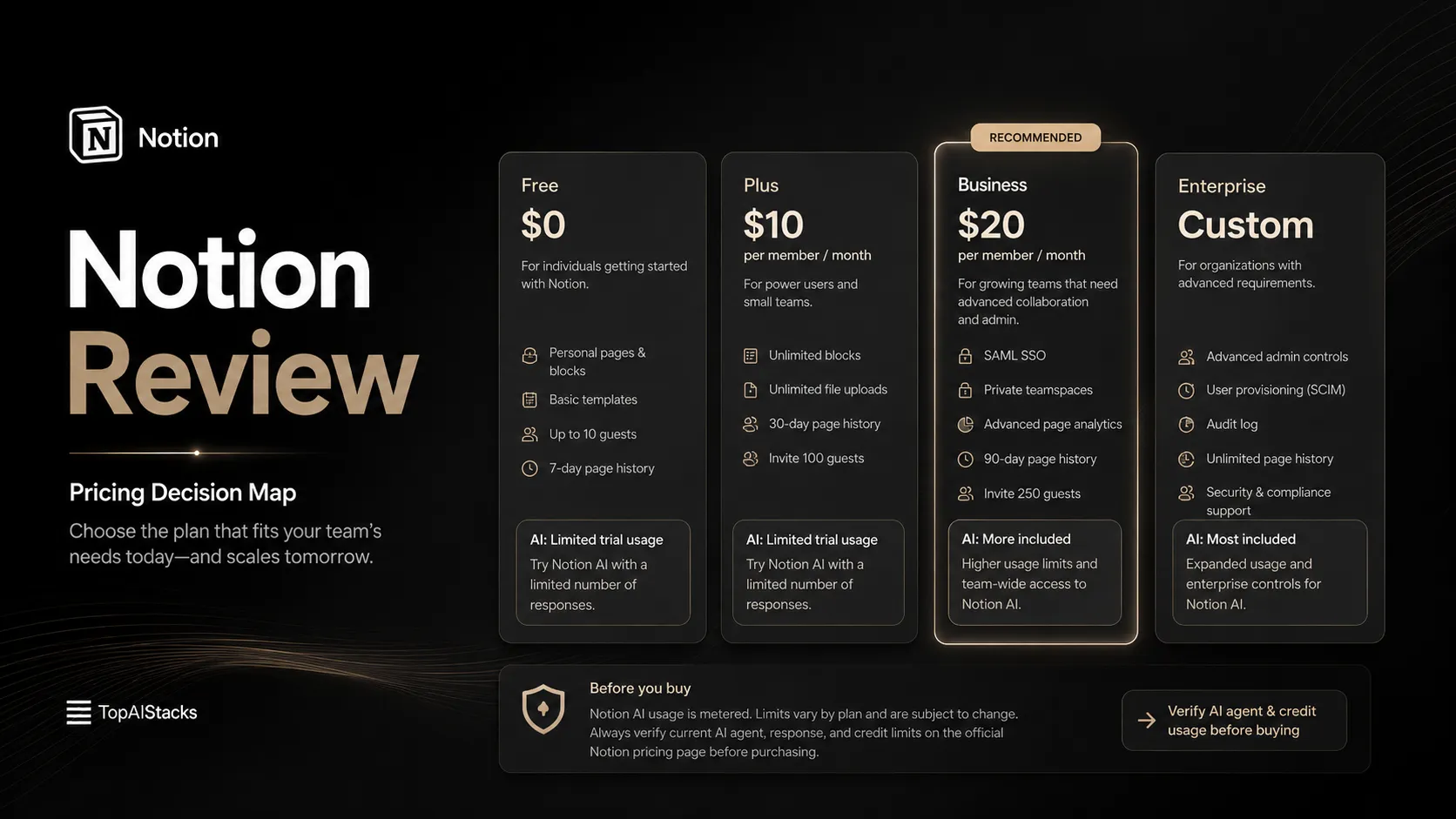
For individuals, the Free plan is genuinely useful for testing whether Notion fits your thinking style. For small teams, Plus can make sense when collaboration, file uploads, guests, and shared workspace use become serious. For growing businesses, Business becomes more interesting because Notion positions AI capabilities, meeting notes, enterprise search, and admin controls more heavily there.
The watch item is AI and agent usage. Notion currently positions core AI features as included on Business and Enterprise plans, with limited trial usage on other plans. Custom Agents and credits introduce another layer that buyers should verify before budgeting. Do not assume the base plan tells the whole cost story.
Best alternatives to compare
Compare Notion by buyer job, not by feature list.
Coda is the cleaner comparison if you want documents that behave more like internal apps. Obsidian is the better comparison if you care about personal knowledge management, local files, and backlink-heavy thinking. ClickUp is a stronger comparison if the main job is project execution. Google Docs is still the comparison if your team mostly needs familiar live document editing. Notion AI is worth comparing only when the decision is about adding AI inside an existing Notion workspace.
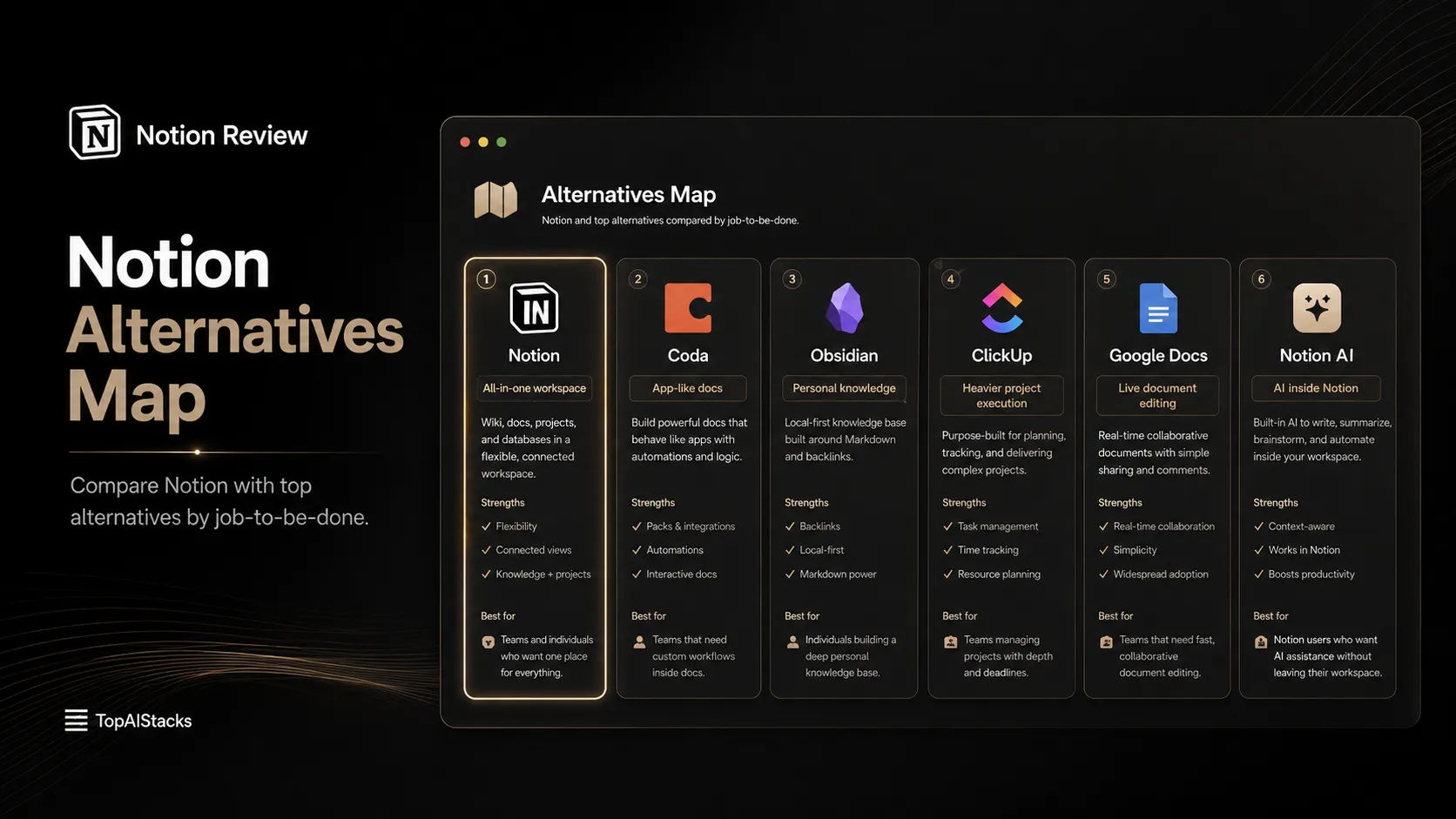
The wrong move is comparing Notion with every popular productivity tool at once. That creates noise. Start with the job you are trying to solve: company wiki, personal notes, project tracker, content calendar, meeting memory, AI search, or client portal. Then compare only the tools that are strong at that job.
Final decision
Use Notion if you want a flexible workspace that can become the operating layer for docs, projects, knowledge, and AI-assisted context. It is especially useful when your biggest problem is scattered information, not a lack of features.
Skip it if you need a rigid project system, a plain notes app, or a tool that tells your team exactly how to work from day one.
My honest take: Notion is not too broad if you give it a job. It becomes too broad when you expect it to define the job for you. For the right buyer, that flexibility is the point. For the wrong buyer, it is the whole problem.
Frequently asked questions
Is Notion worth it in 2026?
Does Notion have a free plan?
Is Notion AI included?
Who should skip Notion?
Where Notion fits in a stack
Productivity and knowledge workflow layer
Does not replace
- – Dedicated enterprise project management, spreadsheet-heavy analytics, real-time document editing, communication tools, and mature automation systems
Top alternatives to consider
If Notion is not the right fit, these are the most common alternatives.
Coda is worth comparing when the buyer wants docs that behave more like custom apps and structured team workflows.
Obsidian is stronger for personal knowledge management where local notes, backlinks, and long-term ownership matter more than team workspace collaboration.

Notion AI is not a full replacement for Notion, but it is worth comparing when the buying question is mainly about AI features inside an existing Notion workspace.
Review methodology
Editorial review based on current public product information, official Notion product and pricing pages, official help resources, and current public customer story material. No hands-on testing was conducted unless explicitly stated.
This review is based on public product information and research, not direct hands-on testing.
Not covered: Hands-on benchmark testing · Private enterprise contract terms · Unpublished roadmap details