
Runway Review
Runway review for buyers comparing AI video generation, credits, pricing, workflow fit, risks, and alternatives.
Excellent for short-form AI video generation and creative exploration, less ideal for budget buyers or long-form editing.
Use it if…
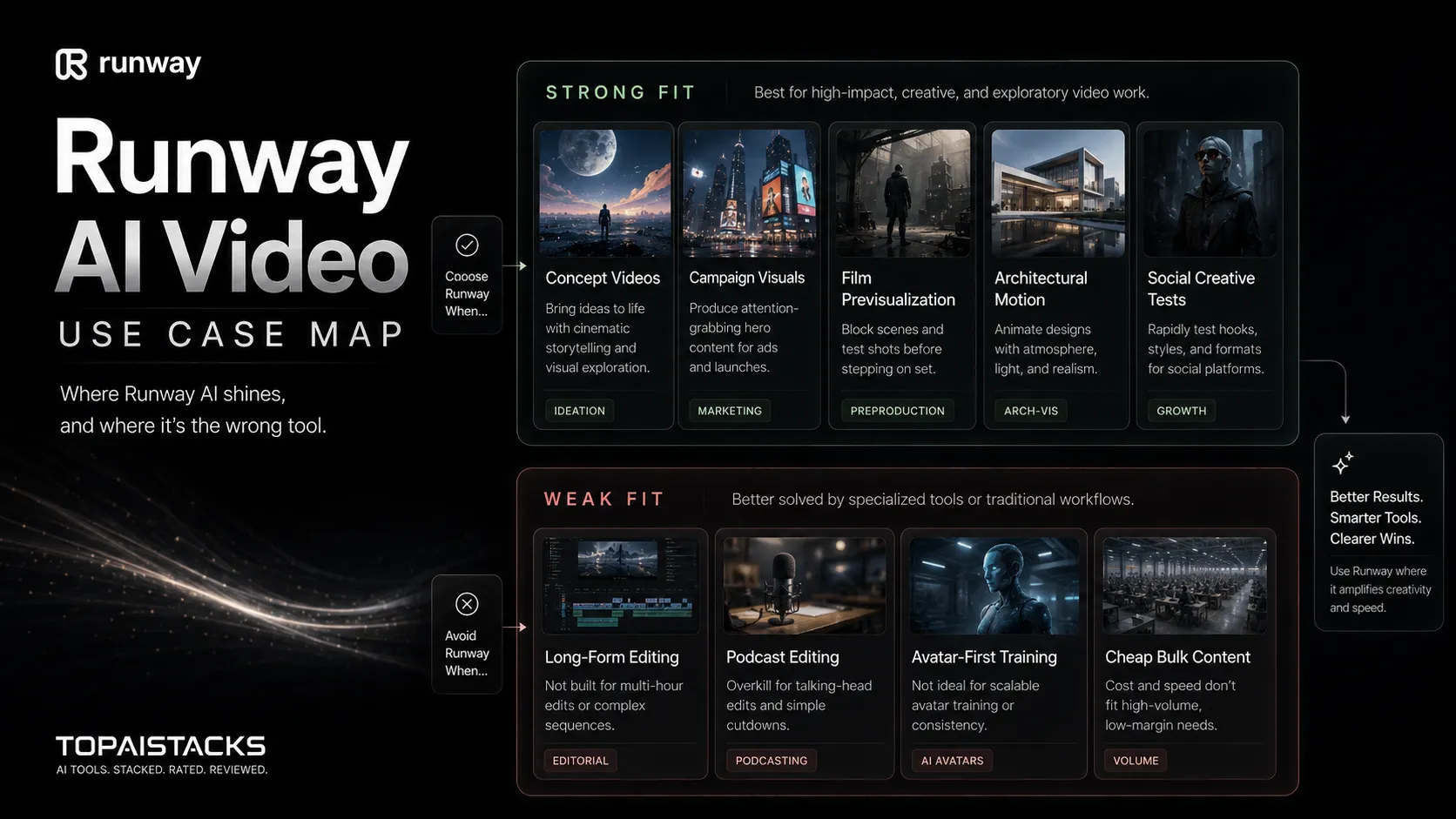
- ✓ You need cinematic AI video clips, image-to-video generation, or experimental video assets for campaigns and creative production.
- ✓ You already have scripting, editing, audio, storage, and publishing tools around it.
- ✓ You are willing to treat credits as a production budget, not as an unlimited playground.
Skip it if…
- – You mainly need long-form editing, podcast editing, or simple social templates.
- – You cannot tolerate credit burn from iterations, failed generations, and creative testing.
- – Your team has not decided how it will review synthetic media, rights, brand safety, and disclosure.
Review scorecard
Scored by workflow fit, ease of use, value, and stack compatibility. Weights reflect importance for typical buyers.
| Criteria | Score | ||
|---|---|---|---|
| AI video generation quality | 8.9 | ||
| Workflow fit | 8.4 | ||
| Pricing and credit clarity | 7.5 | ||
| Creative control | 8.6 | ||
| Risk and governance | 7.4 | ||
| Weighted overall | 8.2 / 10 | ||
On this page
Quick verdict
Runway is impressive, but the buying decision is not as simple as “AI video is cool, so pay for it.” The better question is whether you have enough short-form video work to justify a credit-based creative system.
For a creator, it can turn rough visual ideas into clips fast enough to change how you test hooks, scenes, and campaign concepts. For a marketing team, it can sit between the written brief and the final edit. For a filmmaker, it can help with previsualization and creative exploration before heavier production work begins.
The friction is cost and control. Video generation rewards iteration, and iteration uses credits. You may need several attempts before one clip feels usable. If your team expects Runway to behave like a normal editor with predictable effort per output, the first month can feel messy.
My practical score is 8.2 out of 10. Runway is a strong AI video creation layer for teams that already understand review, editing, rights, and publishing. It is not the safest first purchase for someone who only wants cheap long-form video production.
Who should use Runway
Use Runway if you already have a creative workflow and need a stronger way to generate video assets inside it. I would look at it first if you are making campaign mood clips, product concept visuals, YouTube B-roll ideas, social creative tests, or film previsualization.
The buyer who gets the most value is not the person typing random ideas for fun. It is the person who arrives with a brief, reference frames, a visual direction, and a clear standard for what counts as usable.
Runway also makes sense for teams that already pair tools. You might use ChatGPT or Claude for creative briefs, Canva AI for supporting graphics, ElevenLabs for voice, Descript or CapCut for editing, and YouTube or social platforms for publishing. In that stack, Runway does not have to do everything. It only has to create the visual material that would be slow or expensive to produce manually.
Who should skip Runway
Skip Runway if you need a predictable, low-cost video editor. It is not the same buyer job as editing a podcast, cutting a webinar, making a talking-head training course, or assembling simple template videos.
You should also be careful if your team has no approval process for synthetic media. AI video can look polished enough that people stop asking basic questions. Is the scene misleading? Is the brand comfortable using generated people or places? Does the asset need disclosure? Can you prove where the inputs came from? Those questions matter more with video than with a simple blog draft.
If your main need is avatar training videos, compare HeyGen and Synthesia first. If your main need is quick social videos from a script, compare InVideo AI. If your main need is lightweight campaign design, Canva AI may be enough.
Real workflow fit
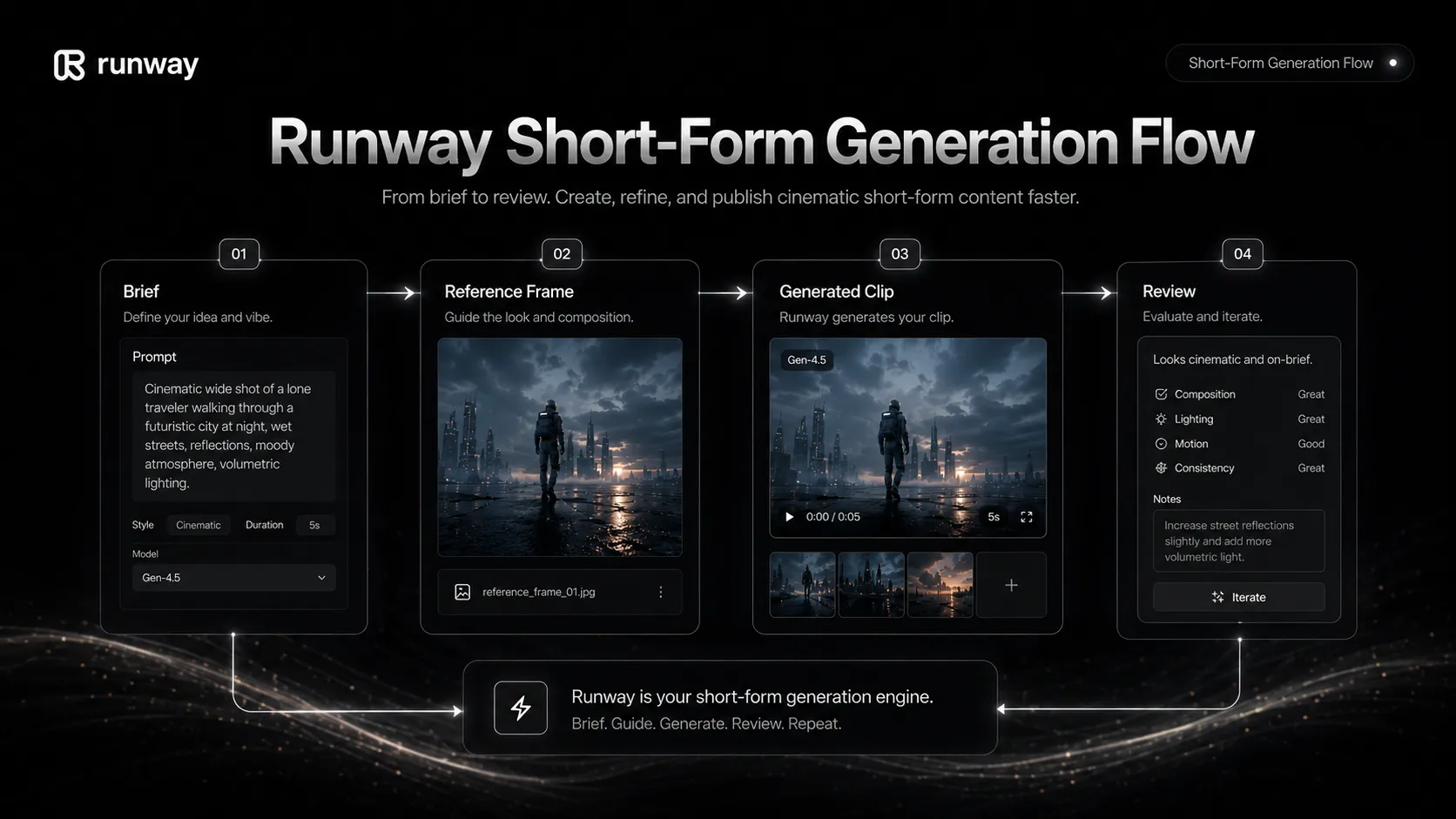
Runway works best as a middle layer in the creative process. The work usually starts with an idea, visual reference, script fragment, product angle, or scene direction. Runway helps turn that into generated video material. Then another tool or human process turns that material into a finished asset.
That sounds obvious, but it changes how you judge the product. A weak Runway workflow is one where you type a vague idea, burn credits, and hope the model understands your taste. A stronger workflow is one where you specify motion, framing, subject, mood, timing, and review criteria before generation.
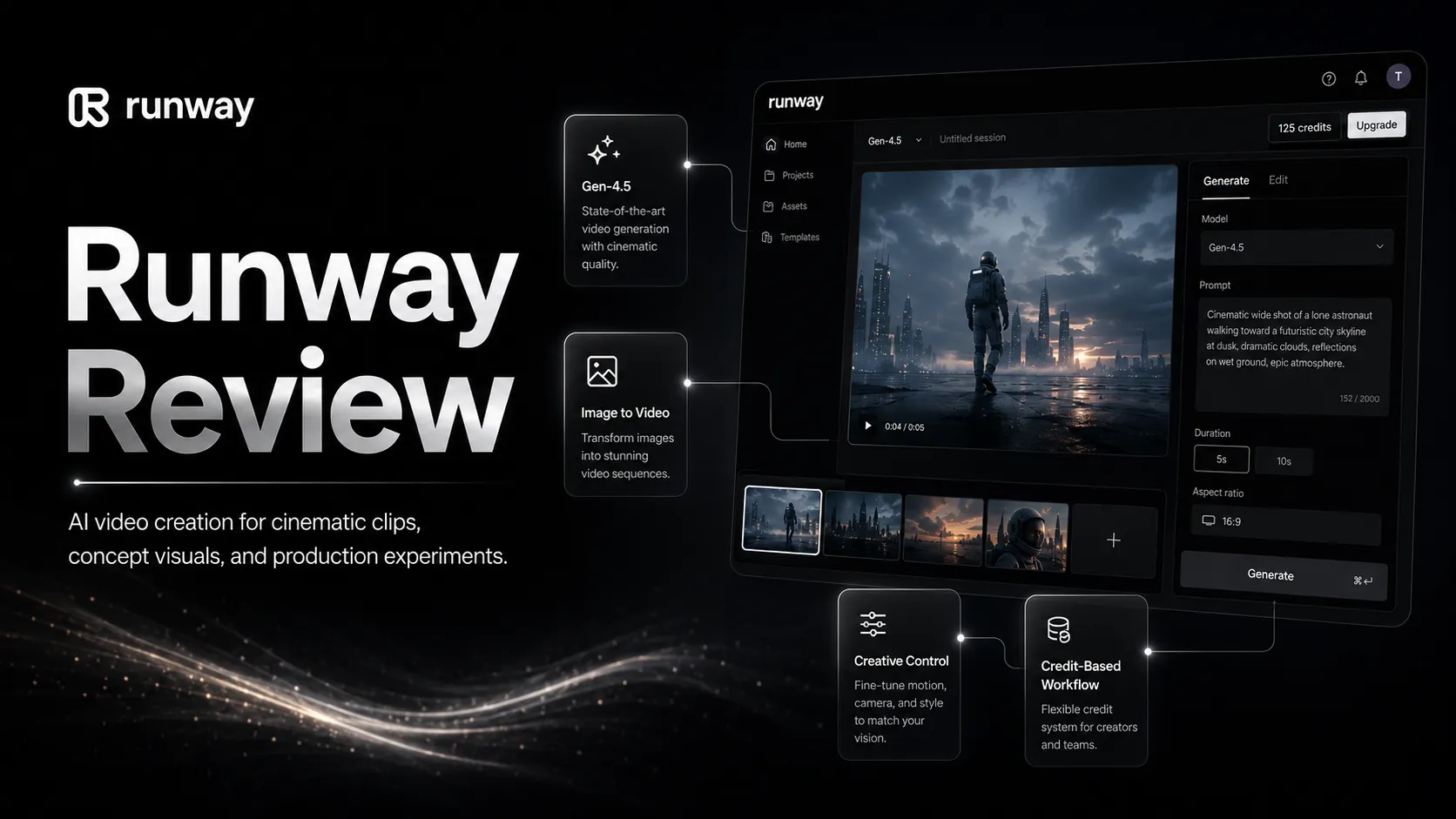
Runway’s official product positioning now spans video generation, image generation, audio, workflows, Runway Characters, GWM-1, Gen-4.5, Aleph, Act-Two, and model access across creative production. That breadth is useful, but it also means buyers should decide which lane they are really buying for.
Where Runway fits in an AI stack
Runway is the AI video creation layer. It should not be treated as your writing tool, audio tool, storage system, publishing platform, or full approval workflow.
A practical stack might look like this: ChatGPT or Claude for creative direction, Runway for generated visual clips, ElevenLabs for voice, Descript or CapCut for editing, Canva AI for thumbnails and static assets, Google Drive for asset storage, then YouTube or social channels for publishing.
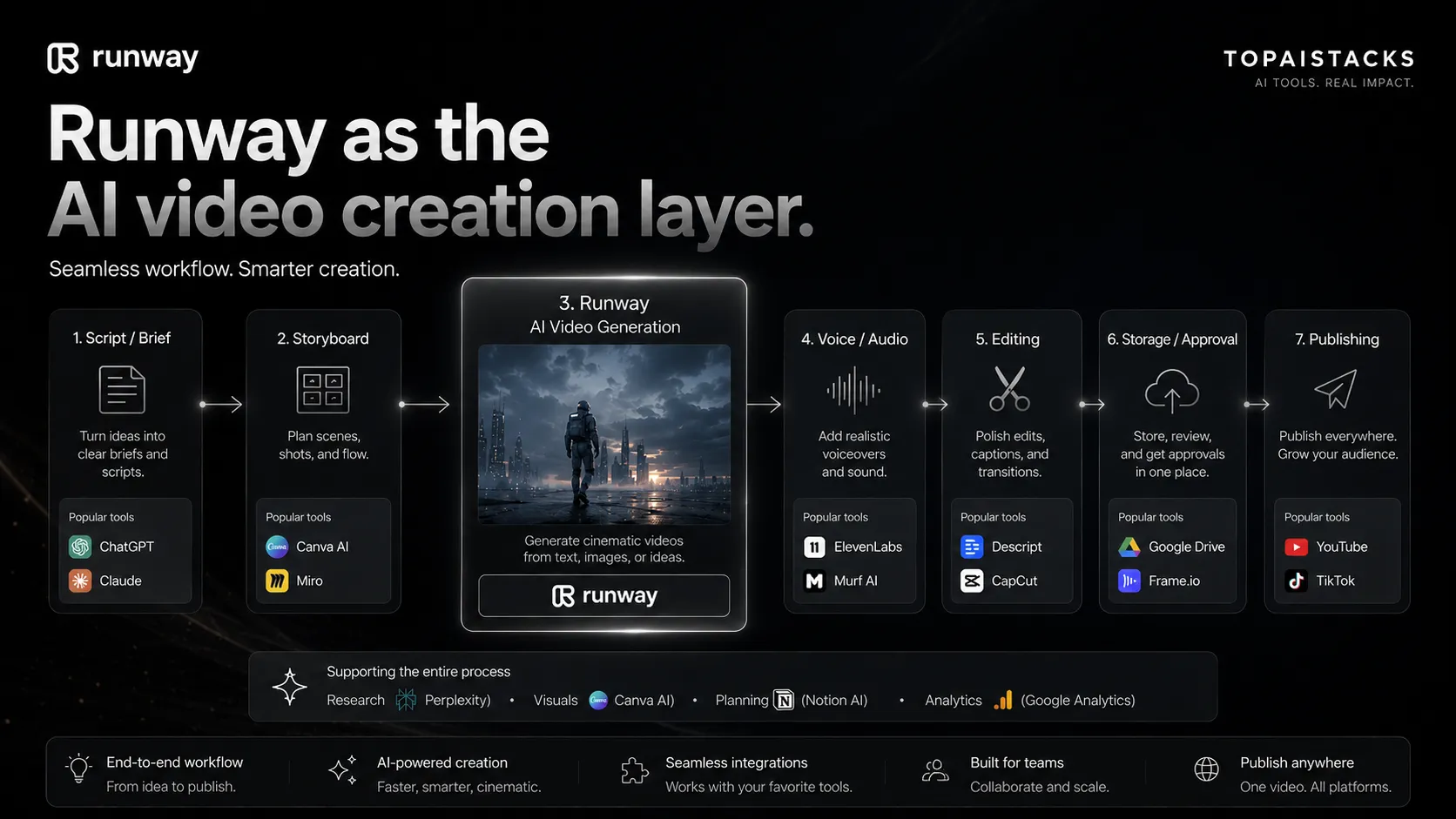
This matters because buyers often blame the generation tool for workflow problems around it. If your script is unclear, the clip will feel random. If your voiceover does not match the scene, the final video will feel stitched together. If no one reviews brand safety, the output may be visually strong but unusable.
Runway can be a serious creative layer, but it works better when the rest of the stack is already mature.
What Runway does well
Runway’s biggest strength is visual experimentation. You can test scene ideas, motion directions, product moods, or cinematic concepts without booking a shoot. For teams that need many creative directions before choosing one, that speed can matter.
The platform also has serious category momentum. Runway’s own site highlights Gen-4.5, GWM-1, Runway Characters, Aleph, Act-Two, and partnerships or use cases across media, entertainment, education, architecture, and research. That does not mean every buyer needs all of it. It does mean Runway is not a small wrapper around one model.
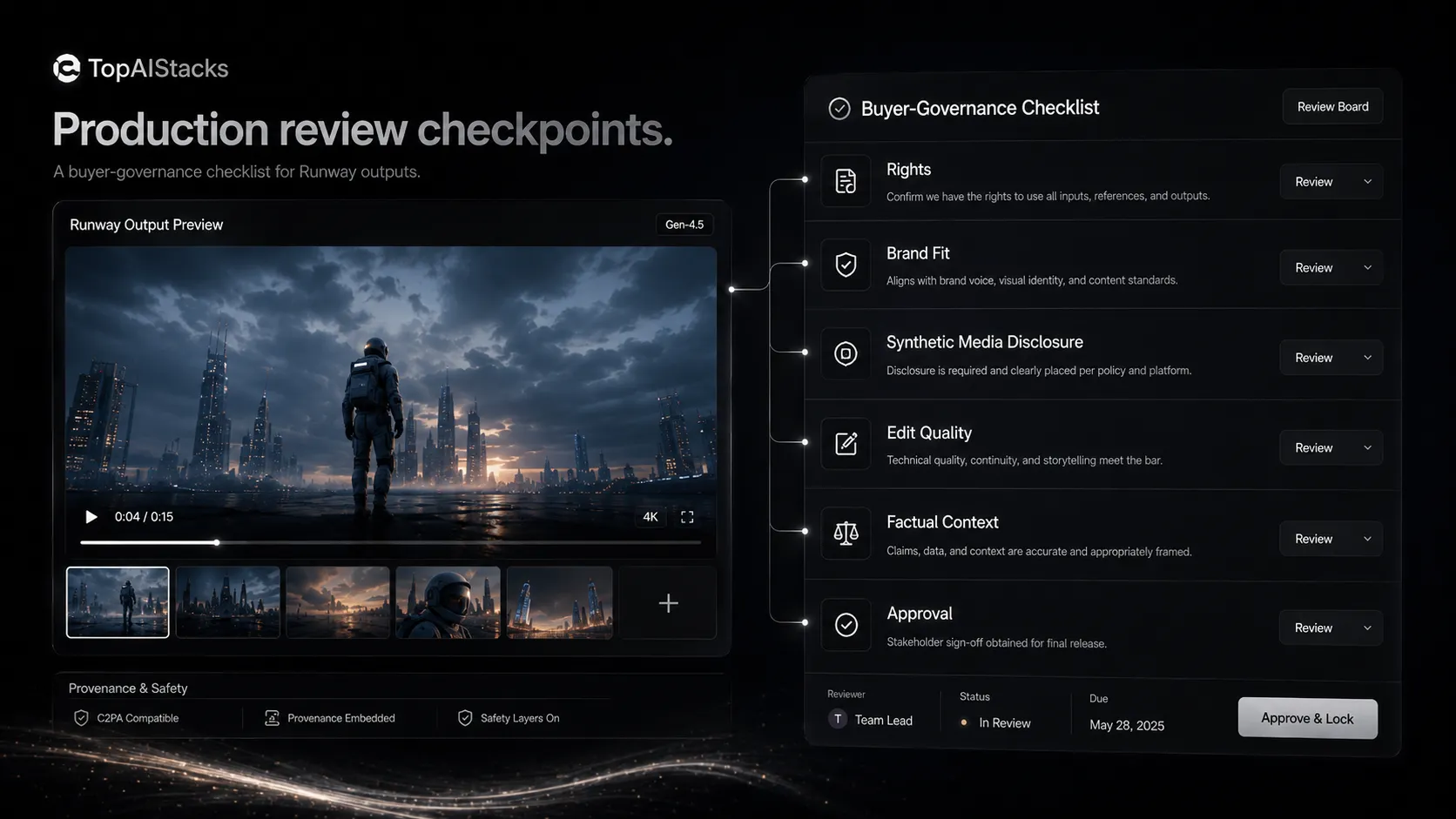
Another positive is that Runway publishes more security and safety context than many smaller AI video tools. The security page describes SOC 2 Type II certification, encryption in transit and at rest, role-based access, subprocessors, incident response, and enterprise trust controls. The safety page describes usage policy layers, red teaming, input and output detection, human review, account enforcement, and C2PA provenance signals.
That does not remove all risk. It does give enterprise buyers a better starting point for due diligence.
Where Runway falls short
The first weakness is predictability. AI video still has the classic problem of looking impressive in demos and uneven in production. You may get a beautiful clip that is almost right, then spend credits trying to fix a detail that a human editor would handle differently.
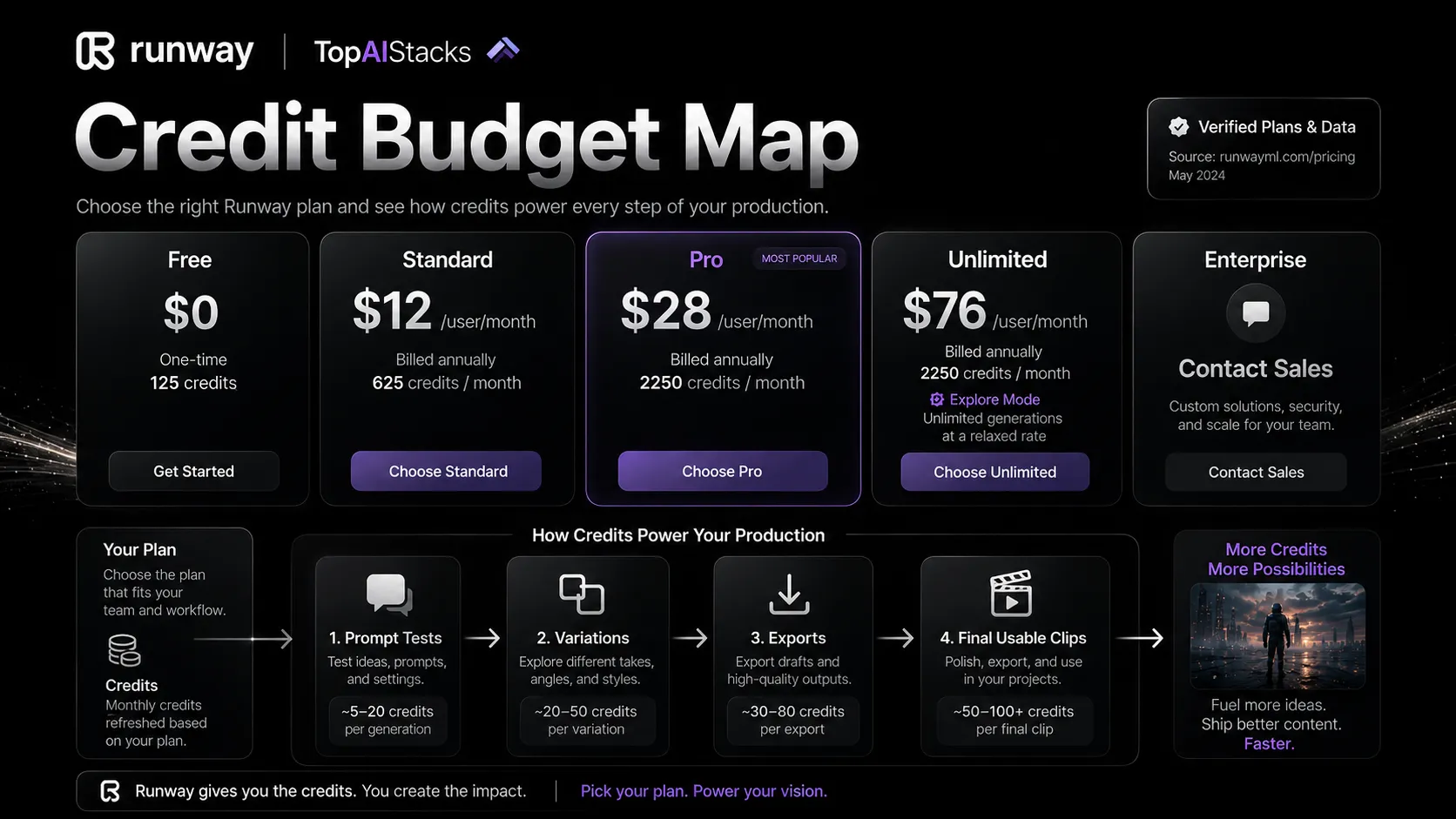
The second weakness is cost control. Credits make sense for a compute-heavy product, but the buyer has to think like a producer. How many attempts will one usable clip take? How much testing does your team need per campaign? Are you buying for occasional experiments or weekly production?
The third weakness is governance. AI video sits closer to brand identity, likeness, misinformation, and rights questions than many other AI tools. Reuters has reported a class-action lawsuit alleging Runway used YouTube videos in model training without permission. Those allegations are not the same thing as a final legal finding, but they are enough reason for serious buyers to watch the legal landscape and keep internal usage rules clear.
Pricing judgment
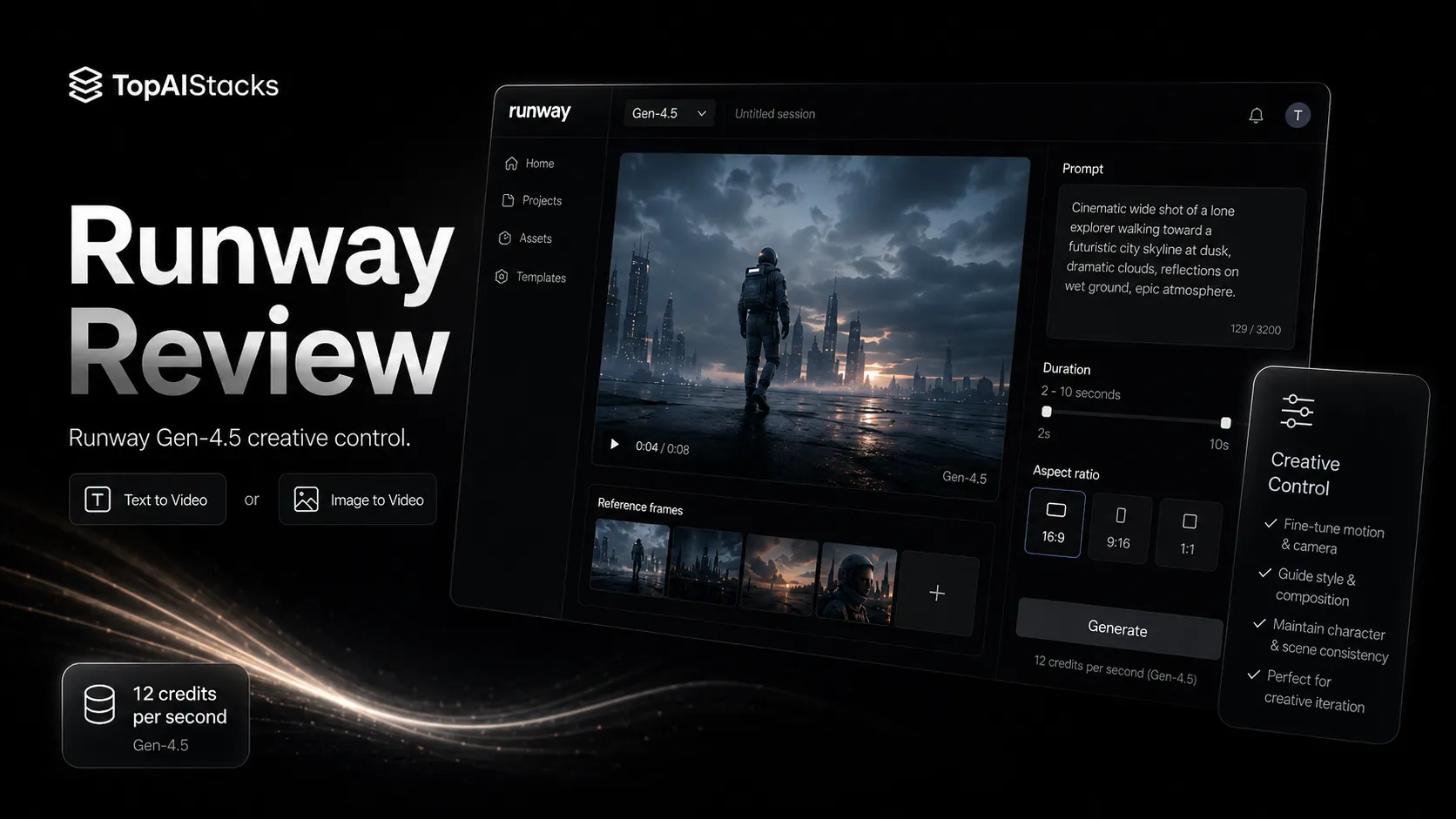
Runway’s public pricing page currently lists a Free plan with 125 one-time credits. It also lists Standard at $12 per user per month billed annually, Pro at $28 per user per month billed annually, Unlimited at $76 per user per month billed annually, and Enterprise via contact sales.
The Free plan is useful for exploration, but 125 credits is not much if you are trying to test multiple visual directions. Standard is the more realistic starting point for individuals and small teams that need access to more tools, export options, monthly credits, storage, watermark removal, and broader model access. Pro is for heavier users who need more credits and storage. Unlimited is for teams that can benefit from relaxed-rate Explore Mode.
My pricing advice is simple. Test with Free, but do not judge the paid value only by the first good clip you generate. Count how many attempts it takes to reach that clip. If you need Runway every week, Standard or Pro may make sense. If you only need occasional visuals, your money may go further in a lighter video or design tool.
Best alternatives to compare
The best Runway alternative depends on the video job.
Compare HeyGen if you need avatar-led marketing, localization, sales enablement, or product demo videos. Compare Synthesia if the job is corporate training, HR onboarding, or scripted presenter content. Compare InVideo AI if you want fast script-to-video workflows for social publishing. Compare Canva AI if your real need is campaign graphics and lightweight video layouts.
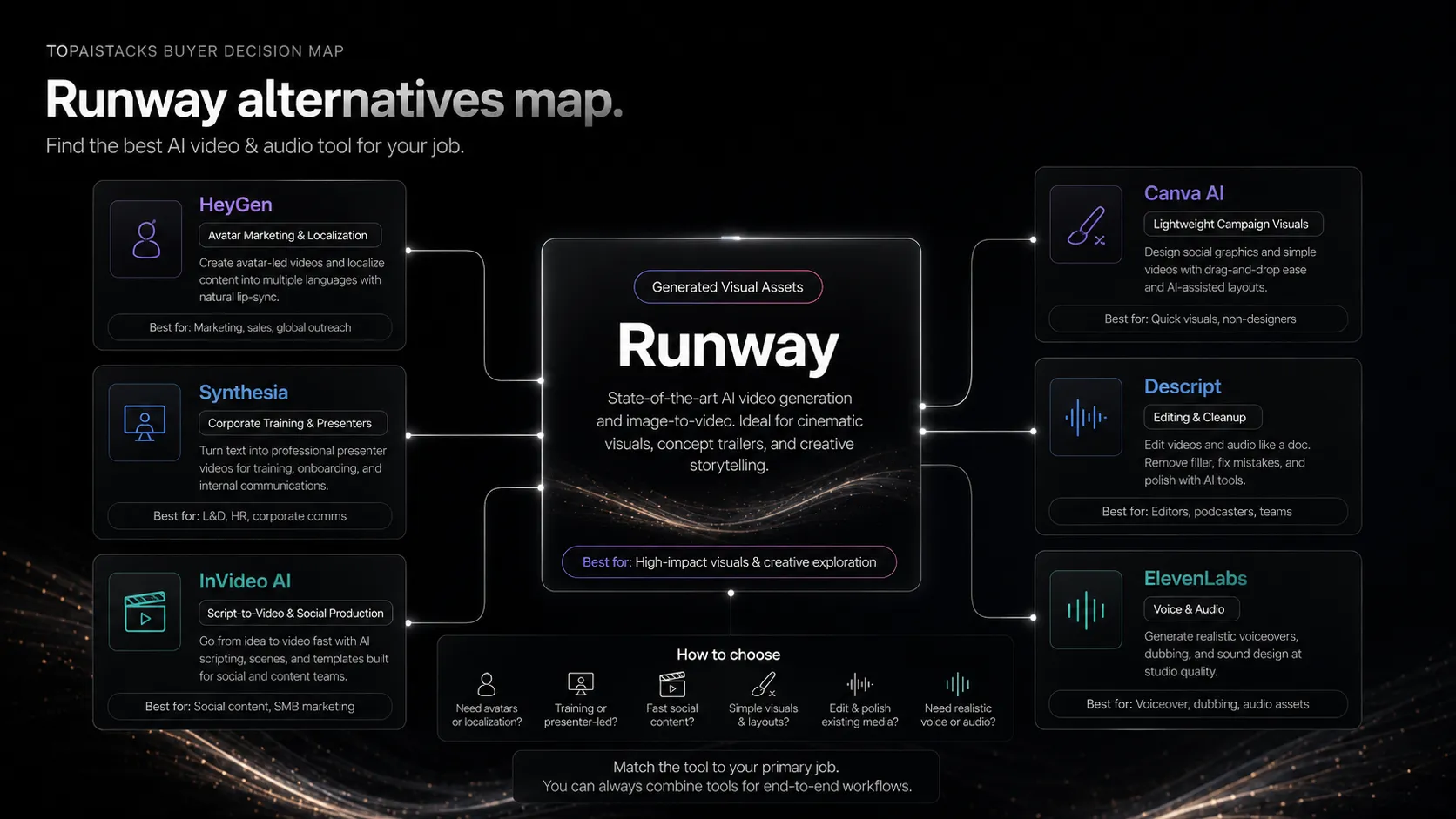
You can also pair instead of replace. Runway plus Descript can be stronger than either tool alone if you need generated visuals and clean editing. Runway plus ElevenLabs can help with voice-led creative clips. Runway plus Canva AI can support thumbnails, campaign layouts, and visual packaging.
That is the more honest comparison: not “which AI video tool is best,” but “which part of the video workflow are you trying to improve?”
Final decision
Buy Runway if you have recurring short-form AI video work and enough creative discipline to use it well. It is strongest when you bring a real brief, clear visual direction, and a post-generation review process.
Do not buy it just because AI video looks exciting. The exciting part is easy. The hard part is deciding which clips are usable, which ones are safe to publish, and which ones are worth another round of credits.
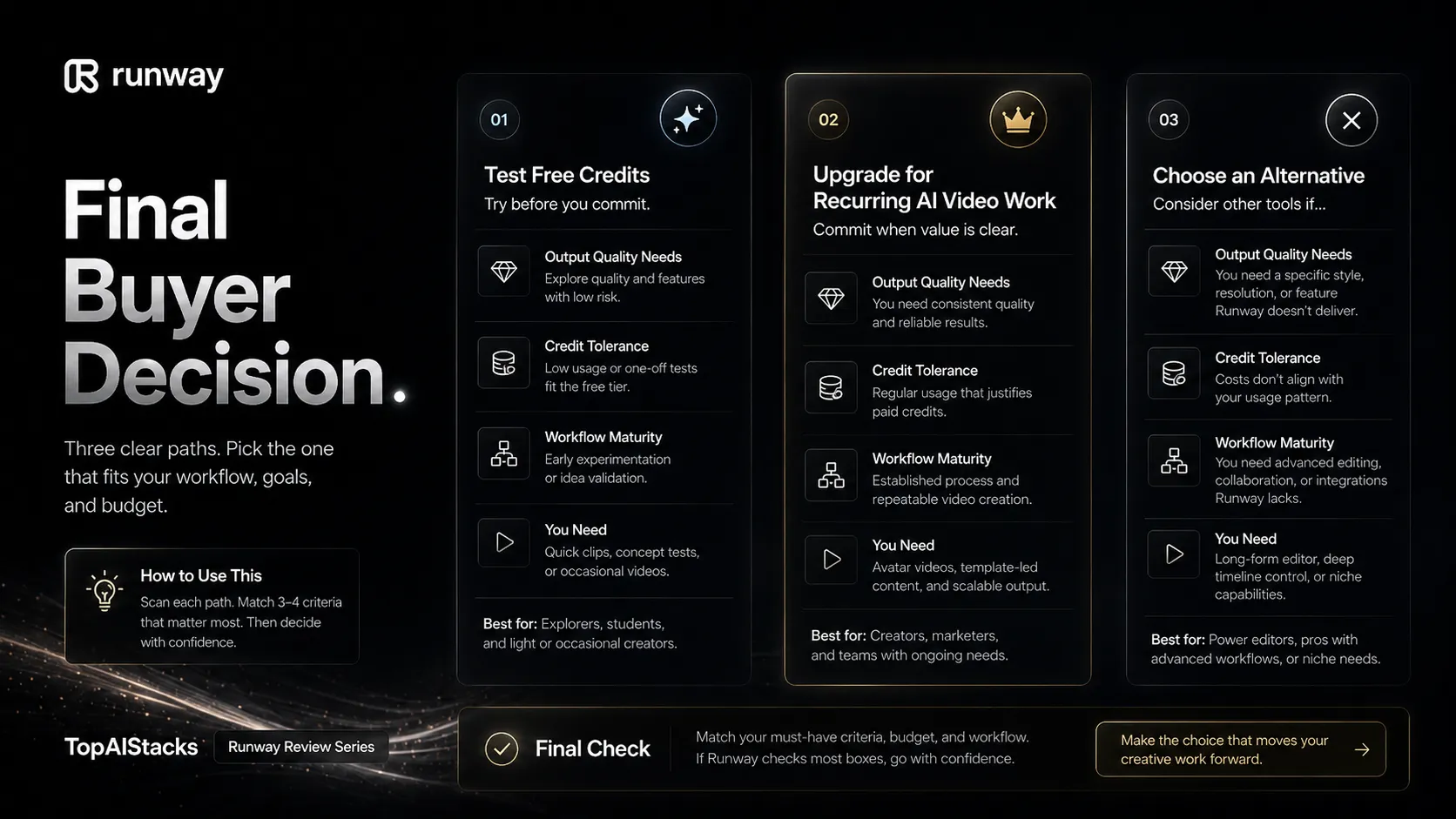
For creators and teams already building video content, Runway is a serious tool to test. For buyers who want cheap volume, simple editing, or avatar-led training content, it may be too powerful in the wrong direction.
Frequently asked questions
Is Runway worth it?
Does Runway have a free plan?
Who should use Runway?
What are the best Runway alternatives?
Where Runway fits in a stack
AI video creation layer
Does not replace
- – Full video editing
- – Script planning
- – Audio production
- – Brand review
- – Legal and rights review
- – Publishing workflow
Pairs well with
Head-to-head comparisons
Top alternatives to consider
If Runway is not the right fit, these are the most common alternatives.

HeyGen is a better comparison when the buyer wants talking-head avatar videos, localization, and presenter-style marketing or training content.
Synthesia is more natural for enterprise training, HR onboarding, and scripted avatar lessons where polished presenter workflows matter more than cinematic generation.

InVideo AI can be a better fit for buyers who want script-to-video and template-led social production rather than high-end generative video exploration.
Review methodology
Editorial review based on Runway official product pages, public pricing information, security and safety pages, terms, current third-party coverage, and the active TopAIStacks review criteria. No hands-on benchmark testing was conducted.
This review is based on public product information and current research, not direct hands-on testing.
Not covered: Hands-on render quality testing · Enterprise contract review · Legal advice on generated media rights · Private security assessment