Rytr Review
Rytr review for buyers comparing cheap AI writing, short-form copy, pricing, workflow fit, risks, and alternatives.
Strong value for short-form AI copy and light rewriting, but limited for serious SEO, governance, and long-form editorial work.
Use it if…
- ✓ You need a low-cost assistant for short drafts, rewrites, email copy, captions, CTAs, and paragraph polishing.
- ✓ You want something simpler than a full content platform and cheaper than many higher-end AI writing tools.
- ✓ You already have a human editor, SEO workflow, and publishing process around the writing assistant.
Skip it if…
- – You need deep keyword research, content briefs, SERP analysis, internal linking, or full editorial planning.
- – You need strict team governance, approval workflows, and enterprise content controls.
- – You want a tool to generate customer reviews, legal claims, medical copy, or other high-risk content without review.
Review scorecard
Scored by workflow fit, ease of use, value, and stack compatibility. Weights reflect importance for typical buyers.
| Criteria | Score | ||
|---|---|---|---|
| Short-form copy fit | 8.0 | ||
| Ease of use | 8.2 | ||
| Pricing value | 8.4 | ||
| Long-form and SEO depth | 5.9 | ||
| Governance and risk control | 5.8 | ||
| Weighted overall | 7.4 / 10 | ||
On this page
Quick verdict
Rytr is the kind of tool that looks almost too simple if you have been living inside ChatGPT, Claude, Jasper, or a full SEO stack. That is also the reason it can still make sense. You choose a use case, add context, pick a tone, and get a draft you can edit.
For a freelancer writing captions, emails, CTAs, landing-page snippets, or short paragraphs, that simplicity is useful. You do not need a 40-step workflow just to produce five headline options. You need something cheap, fast, and easy to clean up.
The tradeoff is that Rytr is not a serious content operating system. It does not replace keyword research, editorial judgment, source checking, brand governance, or SEO optimization. If you expect finished articles from it, you will probably be disappointed. If you use it as a short-copy assistant, it is much easier to justify.
Who should use Rytr
Rytr fits buyers who already know the copy job they need done. You have a product page that needs CTA variations. You need a few email openings. You want caption ideas for a small campaign. You need to rewrite a paragraph that sounds stiff. That is where Rytr feels practical.
Freelancers and solopreneurs are the clearest fit because the pricing is low and the workflow is not heavy. You can test the free plan, then upgrade only when the monthly character limit becomes a real bottleneck. Small teams can also use it as a lightweight idea generator, as long as someone still owns final editing.
I would especially consider Rytr if you write in bursts. Maybe you do not need an AI writer every day, but when you need it, you want ten variations quickly. In that case, Rytr is less about replacing your writing process and more about removing the blank-page pause.
Who should skip Rytr
Skip Rytr if your real problem is SEO performance. A cheap writing assistant will not decide which keyword cluster to target, what search intent to satisfy, what competitors are missing, or how to structure internal links. For that job, you still need tools like Surfer SEO, Frase, Semrush, Ahrefs, Google Search Console, or a proper editorial workflow.
You should also skip it if your team needs strict approvals, shared campaign governance, heavy brand voice management, advanced collaboration, or detailed compliance controls. Rytr’s appeal is simplicity. That same simplicity can become a limitation once multiple people start producing public-facing copy at scale.
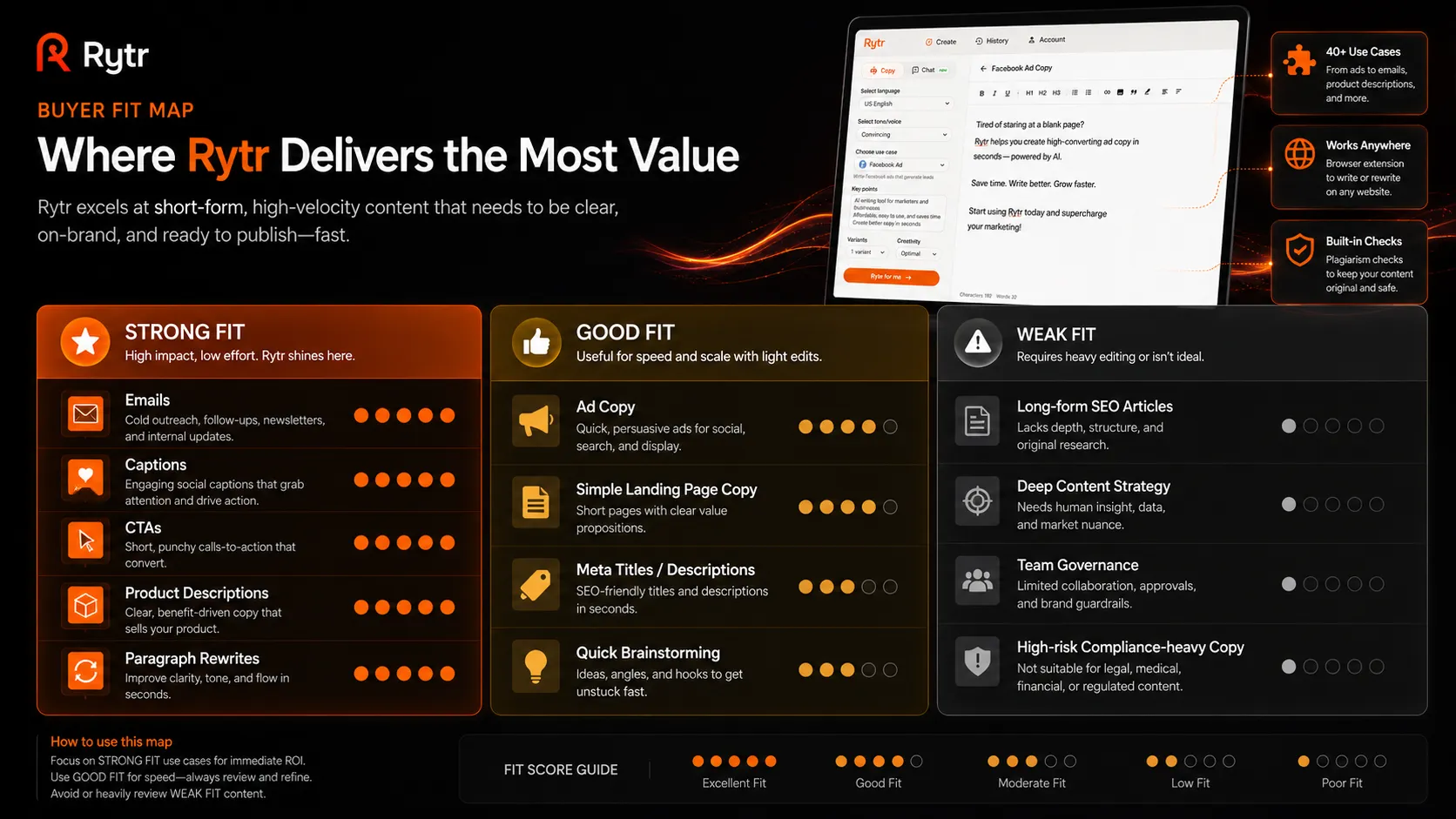
The other group that should be careful is anyone writing reviews, testimonials, regulated claims, or factual comparisons. Rytr can help you phrase copy, but you still own the truth of what gets published. That is not a small detail.
Real workflow fit
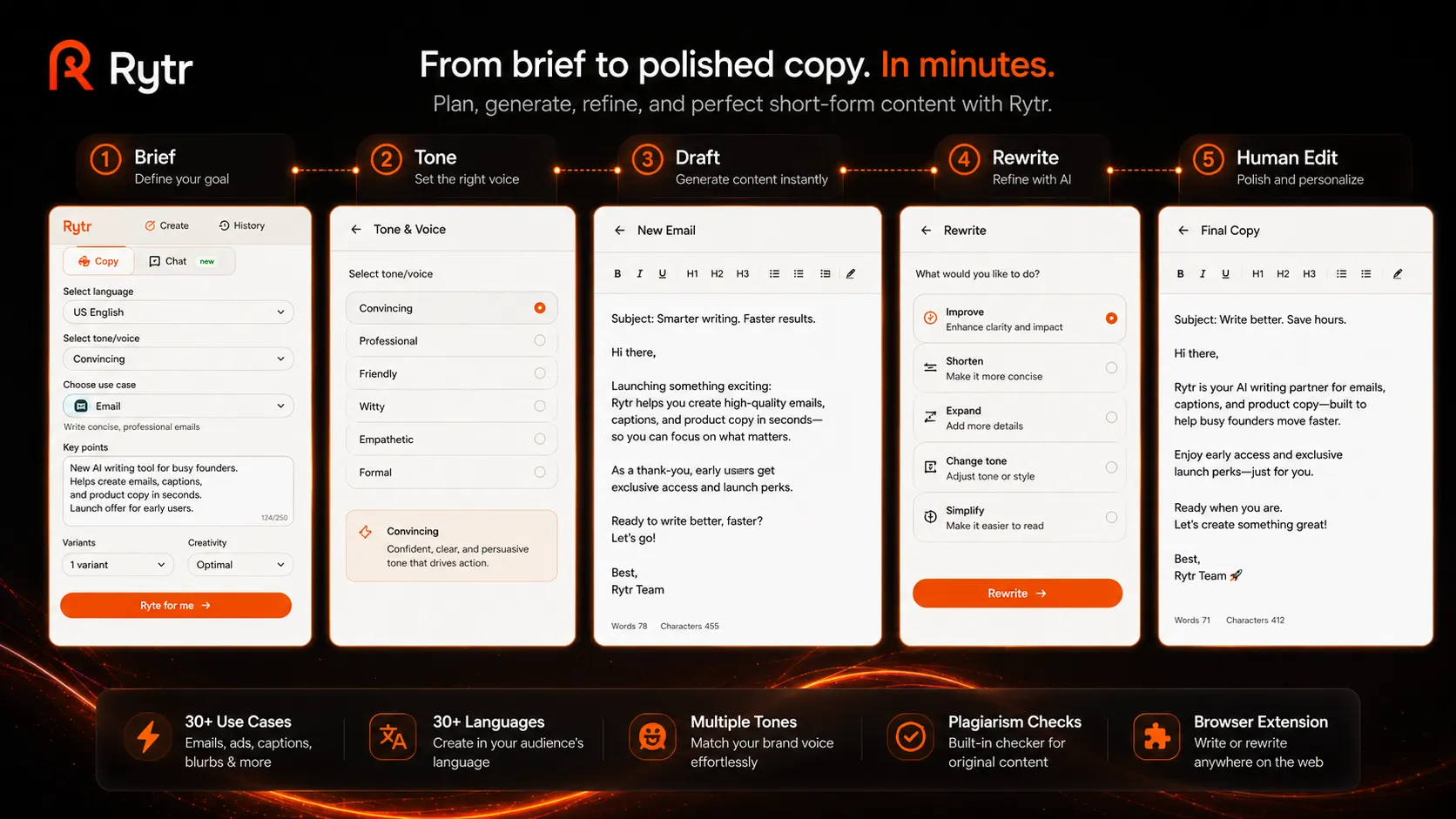
The best Rytr workflow is modest. Start with a specific brief. Tell it the audience, product, angle, and tone. Generate several options. Keep the parts that help. Then edit with a human standard.
That sounds less exciting than saying the tool writes content for you, but it is closer to how the product should be used. The more context you give it, the more usable the output becomes. The less context you give it, the more generic the copy feels.
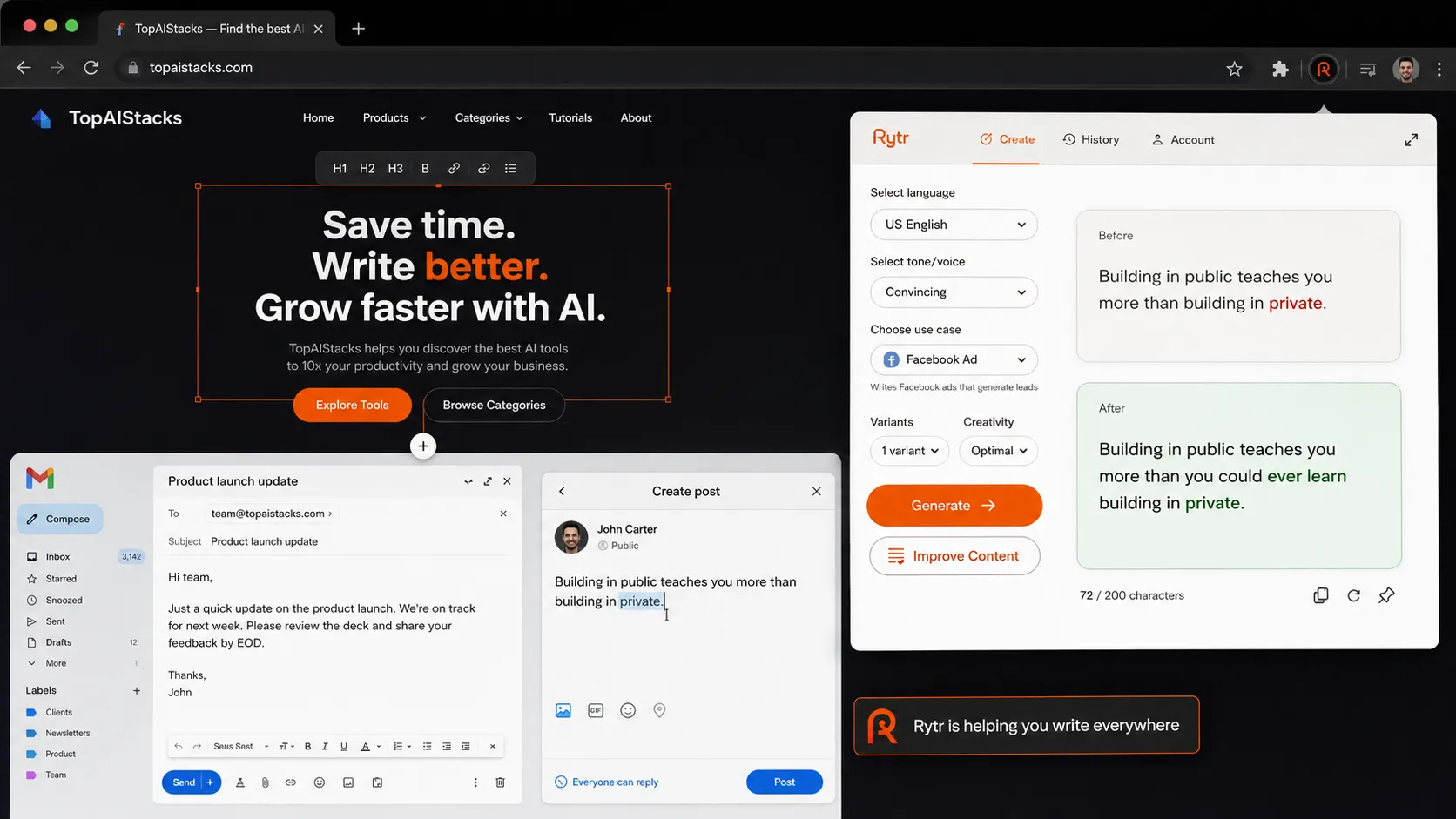
The browser extension is a meaningful part of the workflow because short copy often happens in scattered places. Email, social posts, forms, replies, web copy, and rough notes do not always live in one content platform. If Rytr helps in those surfaces, it becomes a small assistant rather than another dashboard you forget to open.
Where Rytr fits in an AI stack
In an AI stack, Rytr sits in the drafting layer. It is not the research layer, the SEO layer, the design layer, or the publishing layer. That distinction matters because it prevents you from expecting too much from a low-cost writing tool.
A cleaner stack would look like this: ChatGPT or Claude for deeper thinking and outlines, Rytr for quick copy variations, Grammarly for polish, Surfer SEO or Frase for search optimization, Canva AI for visuals, and WordPress or another CMS for publishing.
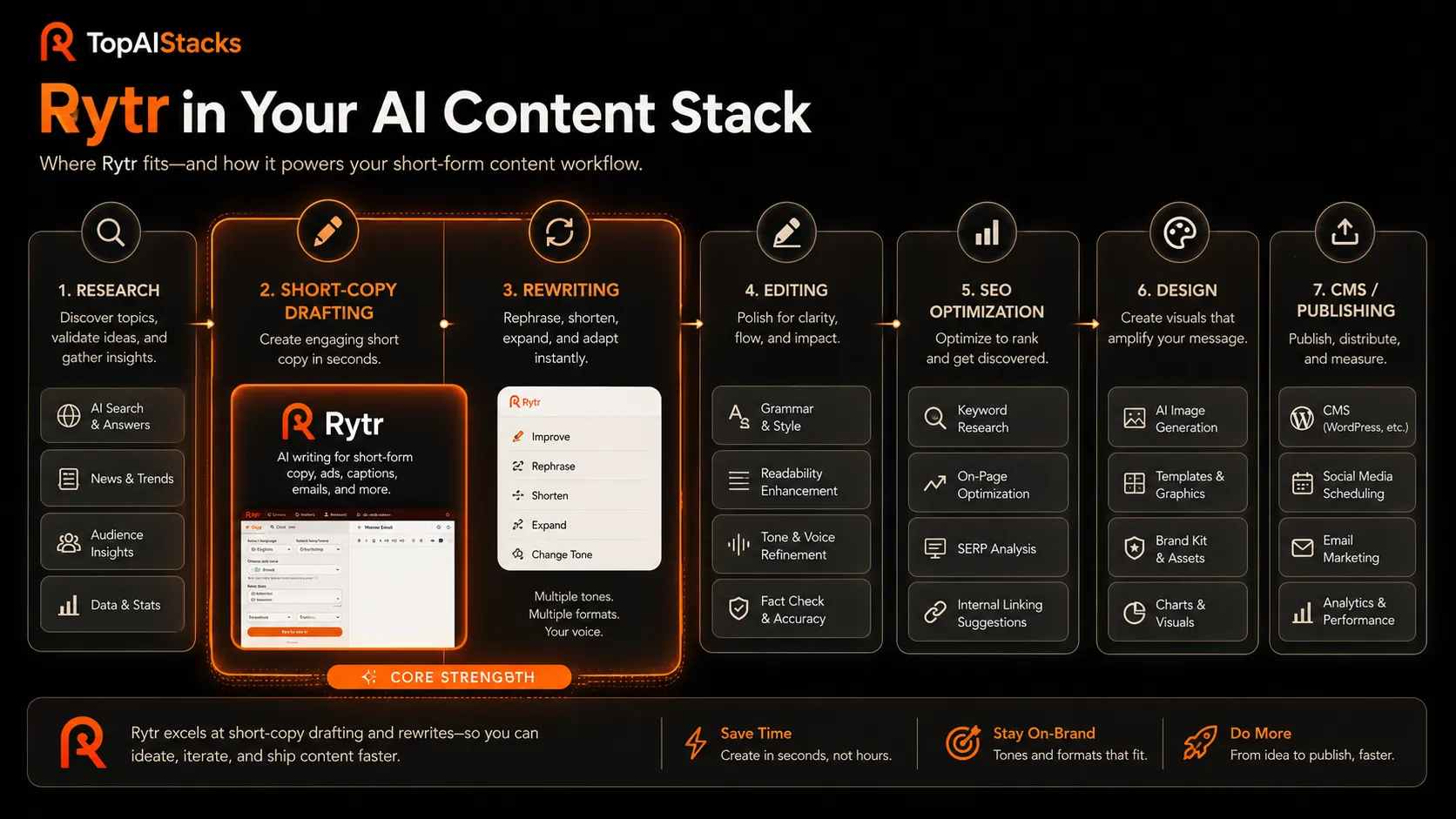
If you already have ChatGPT Plus or Claude Pro, you may wonder why you need Rytr at all. The answer is not raw intelligence. It is workflow convenience. Rytr packages common writing jobs into simple use cases and tones, which can be faster when the task is narrow.
What Rytr does well
Rytr does well when the writing job is small and clearly framed. Need five versions of a CTA? Useful. Need a product description starter? Useful. Need a paragraph rewritten in a more casual tone? Useful. Need social caption angles? Also useful.
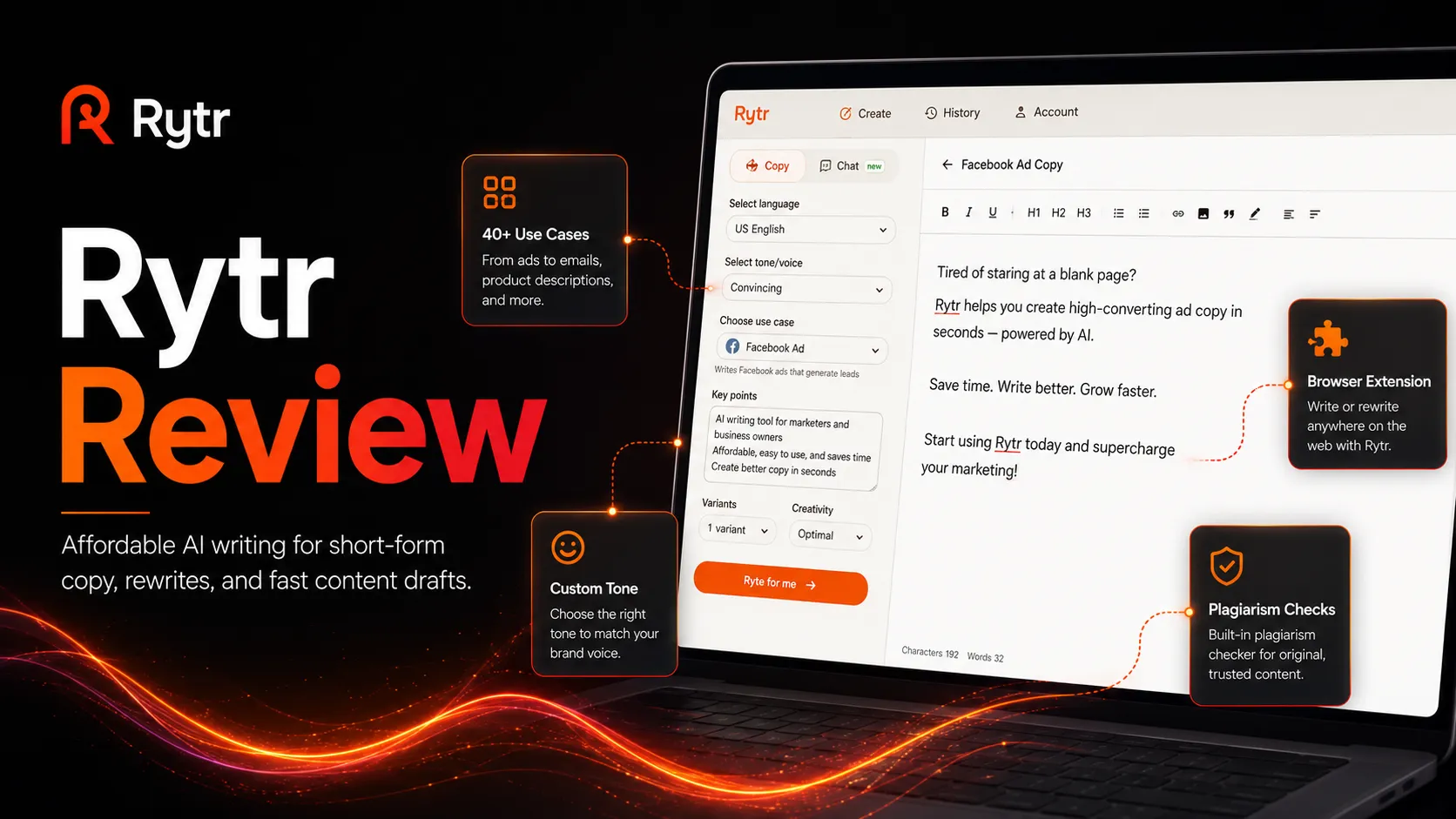
Its official positioning around 40+ use cases, tones, custom voice, Chrome extension access, and plagiarism checks lines up with that kind of usage. It is built for practical copy production, not deep editorial planning.
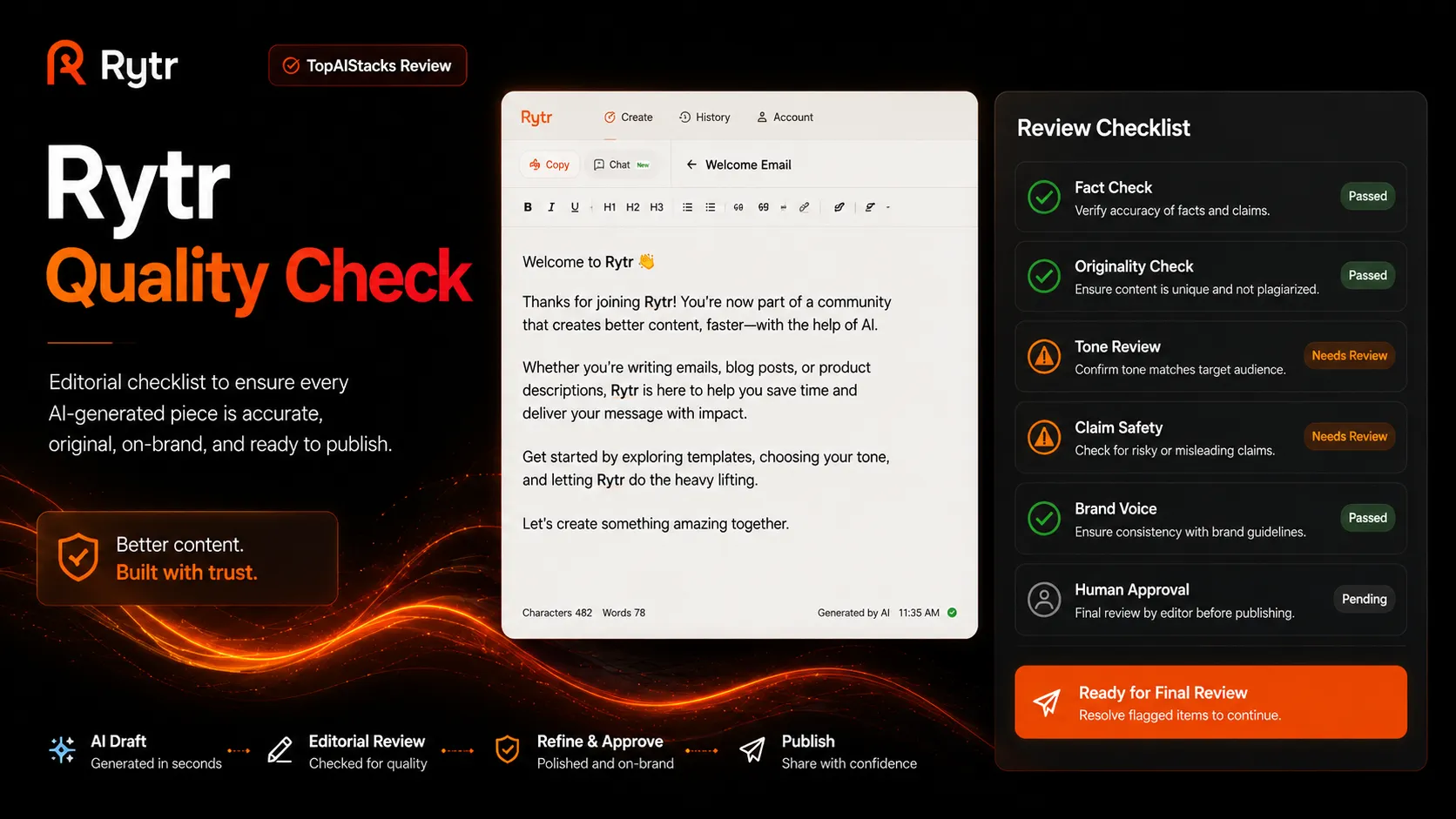
The strongest value is probably speed per dollar. If your use case is light, you may not need a more expensive writing suite. You just need a fast first pass that gives you something to edit.
Where Rytr falls short
Rytr falls short when the job needs judgment. A good article is not just paragraphs. It needs structure, evidence, examples, search intent, internal links, product understanding, and a reason for the reader to trust the page. Rytr can help with pieces of that work, but it does not own the system.
The output can also become generic if the input is generic. That is true for most AI writing tools, but it matters more with lightweight tools because they are often used with short instructions. If you give Rytr one sentence of context, do not expect a nuanced buyer argument.
There is also a trust issue around high-risk content. Rytr’s own terms place responsibility for generated content on the user. That means you should be careful with factual claims, health claims, financial claims, testimonials, customer reviews, and anything that could mislead a buyer.
Pricing judgment
Rytr’s public pricing is one of its main advantages. The official pricing section lists a Free plan at $0 per month with 10,000 characters per month, 40+ use cases, 20+ tones, and Chrome extension access. It also lists Unlimited at $7.50 per month and Premium at $24.16 per month on the pricing page I reviewed.
That makes Rytr easier to test than many writing platforms. The free plan is enough to understand the workflow. The Unlimited plan looks like the natural upgrade for individuals who want more volume. Premium makes more sense for freelancers handling multiple tones, languages, and client brands.
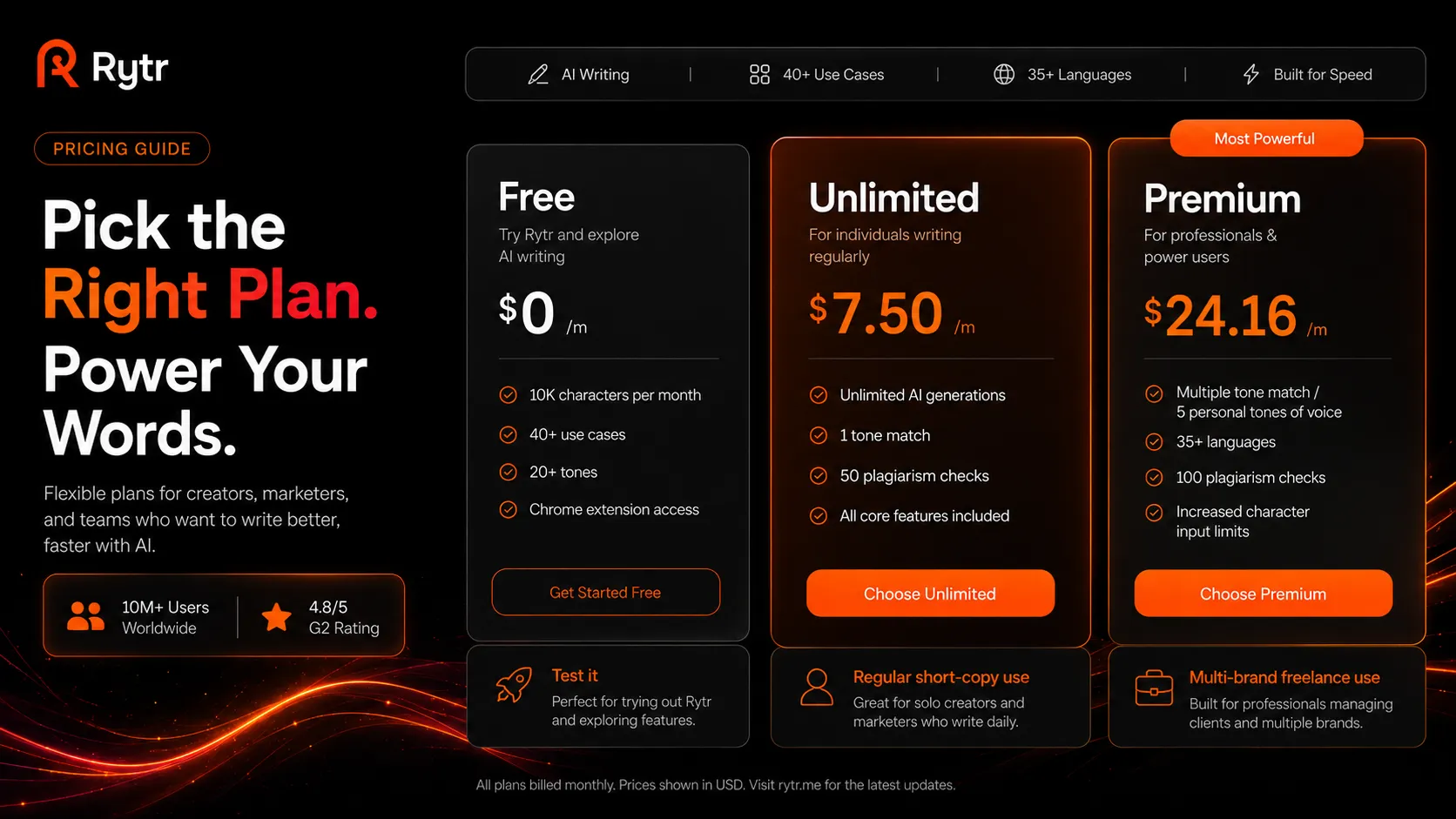
My advice is simple: start free, then upgrade only after you know which use cases you repeat. Do not pay because the tool looks affordable. Pay when the copy volume is real.
Best alternatives to compare
Rytr should be compared by buyer job, not by the vague label of AI writer. Copy.ai is better to compare if you need go-to-market content workflows and sales or marketing automation. Writesonic is the more relevant comparison if your writing workflow leans toward SEO-style content. Jasper is worth comparing if brand voice and campaign workflow matter more than budget.
For pure editing, Grammarly is the better comparison. For deeper reasoning, ChatGPT and Claude are better general assistants. You may still use Rytr alongside them, but you should not pretend all of these tools are solving the exact same problem.
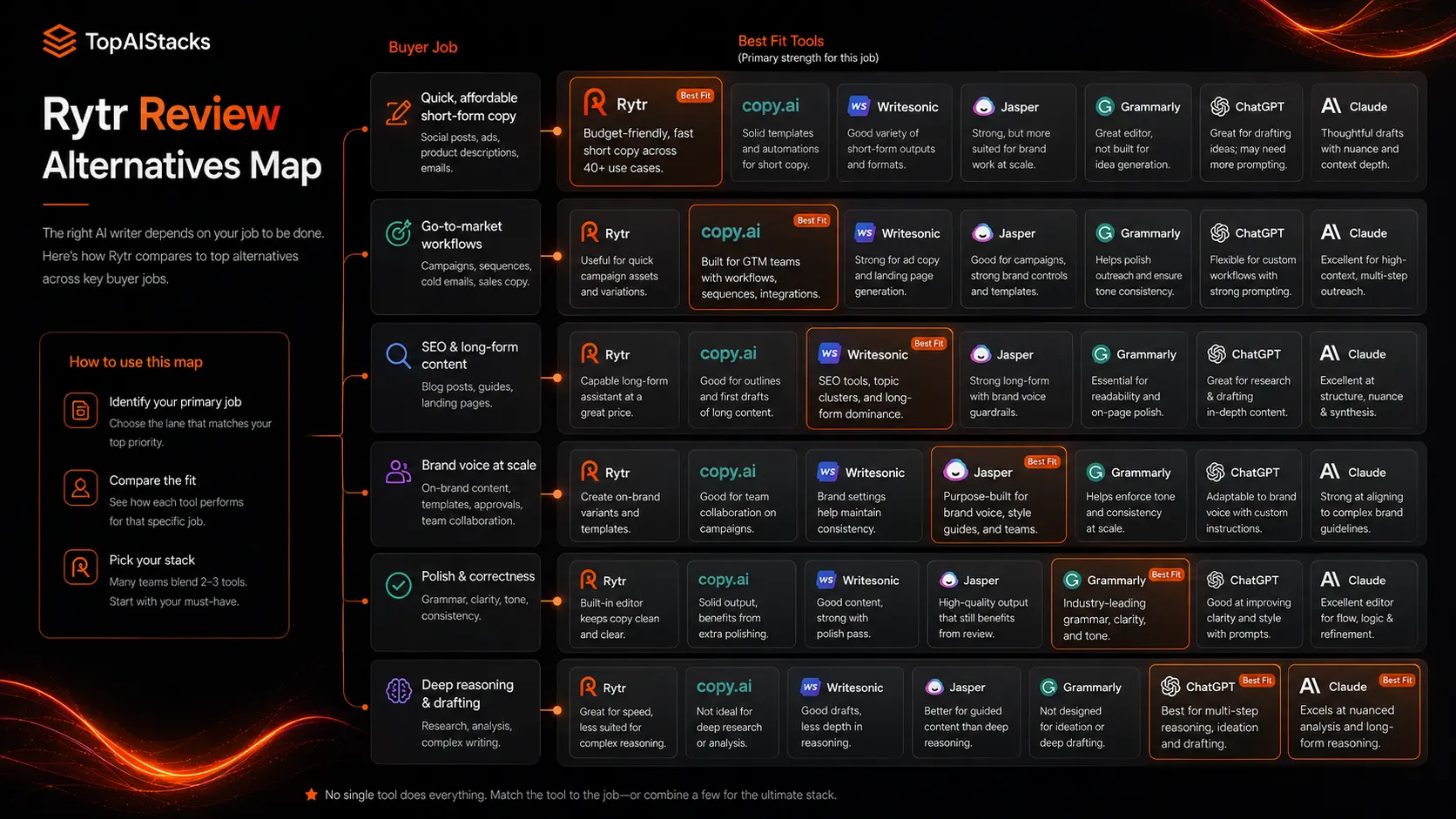
If you are already paying for ChatGPT or Claude and only need occasional short copy, Rytr may be redundant. If you want a simpler interface with packaged use cases and a lower-cost path, it still has a place.
Final decision
Rytr is worth using if you keep the promise small. It is a budget-friendly assistant for short-form copy, quick rewrites, captions, emails, CTAs, and light marketing drafts. That is a real job, and Rytr handles it in a simple way.
I would not build an entire content operation around it. I would not ask it to carry SEO strategy. I would not use it for risky claims without review. And I would not treat generated copy as publish-ready just because it sounds smooth.
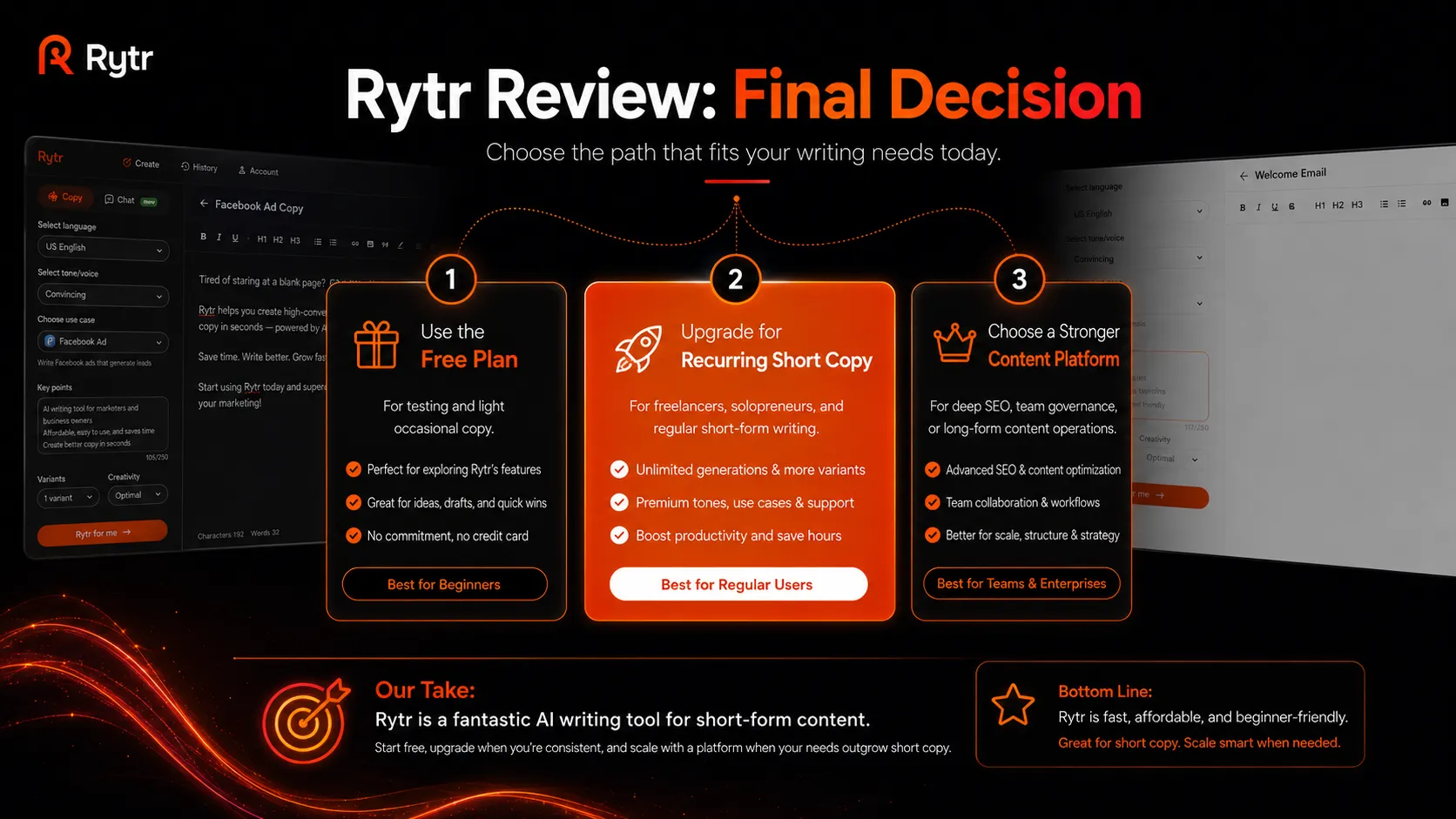
For the right buyer, Rytr is a sensible low-cost helper. For the wrong buyer, it will feel like a thin layer over work that still needs strategy, sourcing, editing, and judgment. The safest move is to test the free plan, identify two or three repeated copy jobs, then decide whether the paid plan actually saves enough time to matter.
Frequently asked questions
Is Rytr worth it in 2026?
Does Rytr have a free plan?
Is Rytr good for SEO articles?
Who should compare Rytr with Copy.ai or Writesonic?
Can Rytr replace a writer?
Where Rytr fits in a stack
AI writing and content drafting layer
Does not replace
- – Human editing
- – SEO research
- – Content strategy
- – Brand governance
- – Fact-checking
- – Publishing workflow
Head-to-head comparisons
Top alternatives to consider
If Rytr is not the right fit, these are the most common alternatives.
Copy.ai is a better comparison for go-to-market teams that need workflow automation, sales content, and broader campaign operations.
Writesonic is a stronger comparison when buyers want AI writing with more search-content and marketing workflow depth.
Jasper is a better fit for teams that want brand voice, campaign workflows, and more structured marketing content operations.
Review methodology
Editorial review based on Rytr official product pages, public pricing information, terms, privacy resources, G2 review context, current public coverage, and the active TopAIStacks review criteria. No hands-on benchmark testing was conducted.
This review is based on public product information and current research, not direct hands-on testing.
Not covered: Hands-on output quality testing · Private workspace security review · Enterprise contract review · Legal advice on generated content use