
Zapier Review
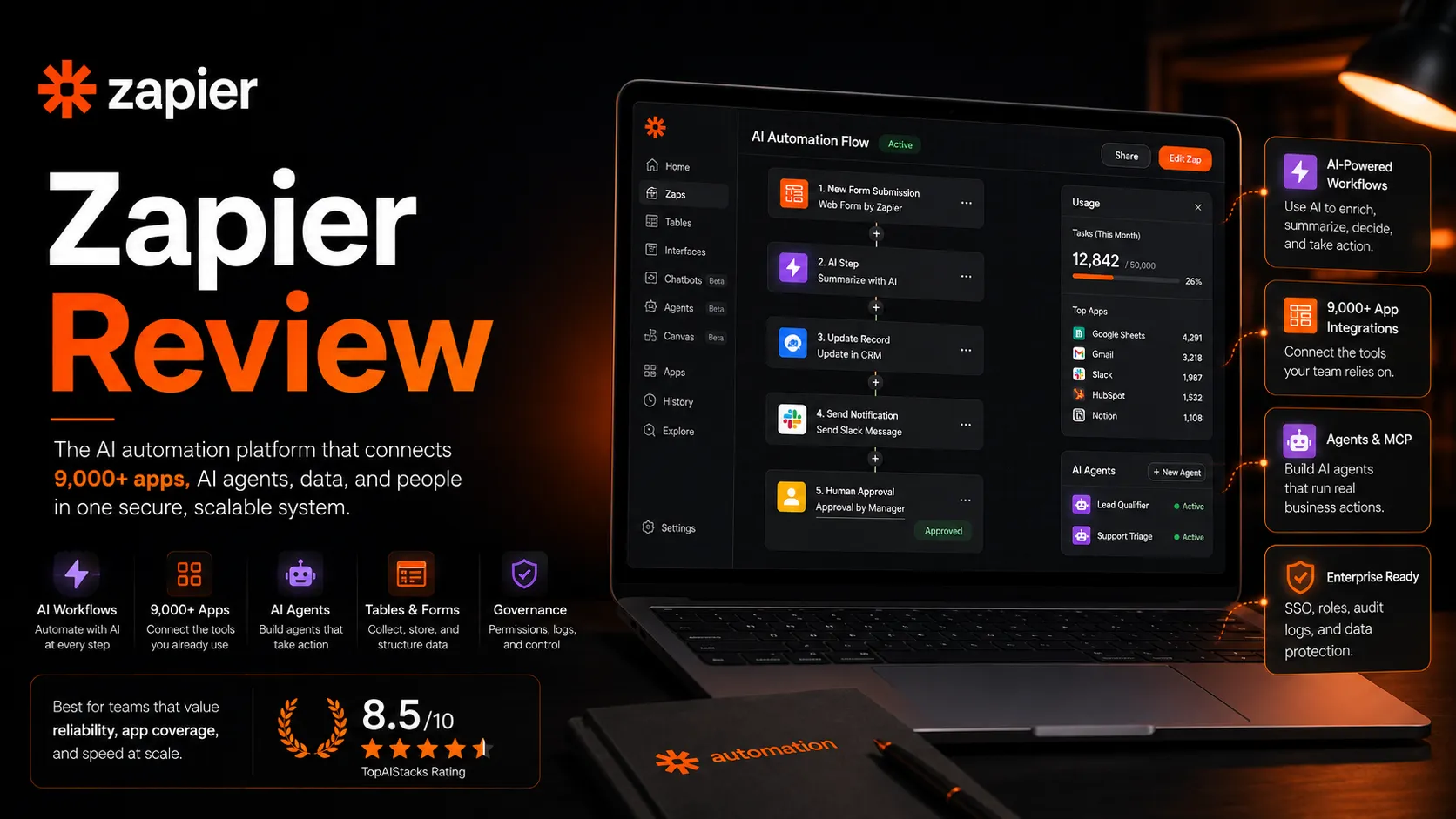
Zapier review for AI automation buyers: workflow fit, pricing, AI agents, integrations, alternatives, and when to compare Make or n8n.
Excellent app coverage and AI automation breadth, with task pricing and workflow complexity as the main tradeoffs.
Use it if…
- ✓ You want the easiest path to connect AI assistants, forms, spreadsheets, CRMs, support tools, and team apps.
- ✓ Your team needs broad app coverage, shared automations, and a platform that non-developers can actually maintain.
- ✓ You are building AI workflows where model output needs to trigger real actions in business systems.
Skip it if…
- – You mainly need cheap high-volume automation and can handle a steeper builder.
- – You need deep custom backend logic, local control, or self-hosted infrastructure.
- – Your workflows are not documented enough for automation to be reliable.
Review scorecard
Scored by workflow fit, ease of use, value, and stack compatibility. Weights reflect importance for typical buyers.
| Criteria | Score | ||
|---|---|---|---|
| Workflow fit | 9.0 | ||
| Output quality | 8.0 | ||
| Ease of use | 9.0 | ||
| Pricing clarity | 7.0 | ||
| Stack value | 8.5 | ||
| Weighted overall | 8.3 / 10 | ||
On this page
Quick verdict
Zapier is still the automation tool I would put in front of a non-developer first. Not because it is always the cheapest. It usually is not. The reason is simpler: when an AI workflow needs to touch Gmail, Slack, HubSpot, Google Sheets, Airtable, Notion, a form, a CRM, a support desk, or a project tracker, Zapier is often the fastest path from idea to working process.
The practical question is no longer just “Can Zapier connect app A to app B?” It can do that. The better question in 2026 is whether Zapier should become the connector layer between your AI tools and your business systems.
That is where Zapier is most interesting now. Zaps still matter, but the platform has expanded around Tables, Forms, Canvas, Chatbots, Agents, MCP, SDK access, and governed AI automation. That makes Zapier more useful for teams that want AI to take real actions. It also makes the buying decision less casual. You need to think about task volume, connected app permissions, approval steps, and who owns broken automations.
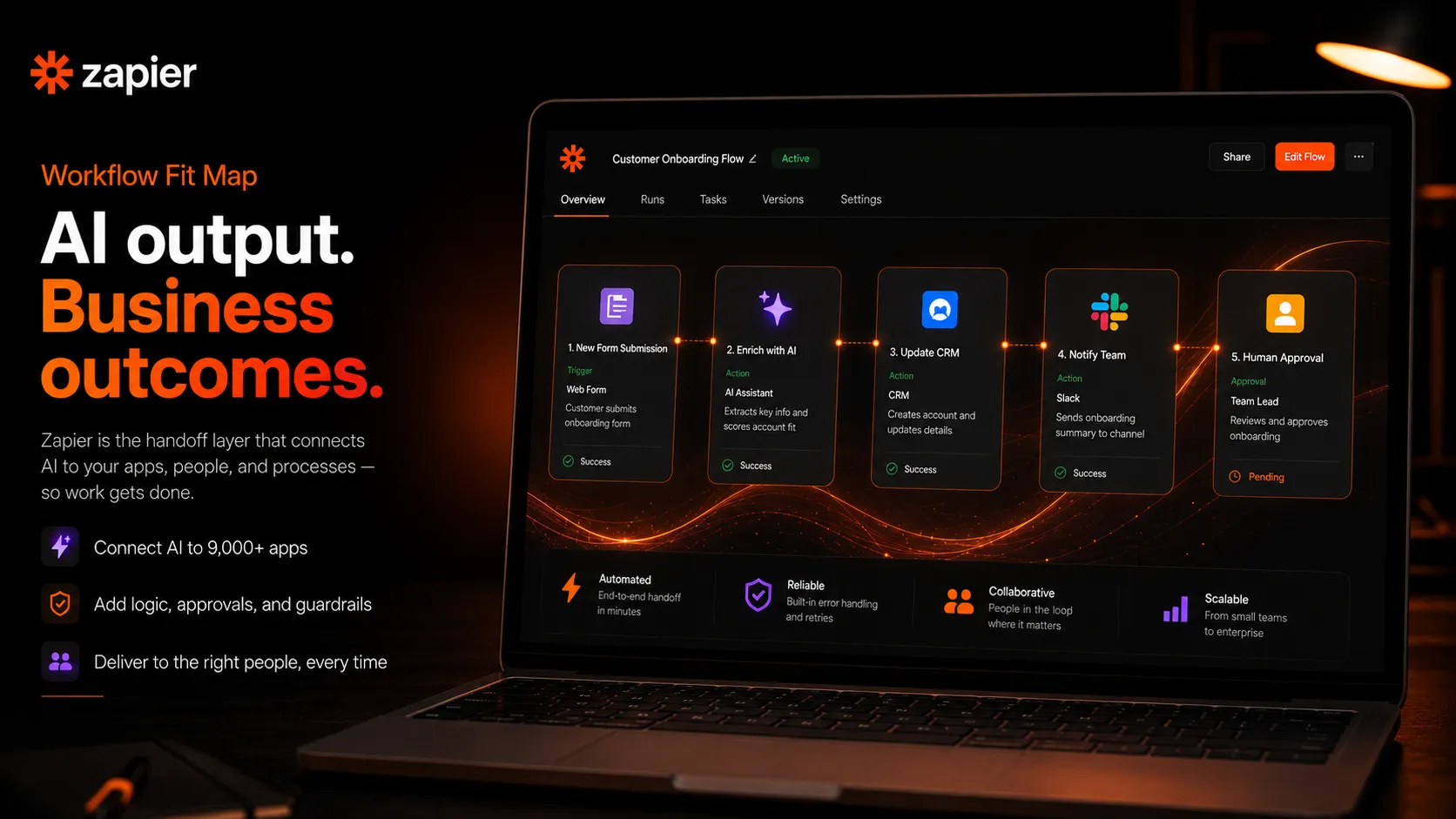
My practical take: add Zapier when speed, app coverage, and maintainability matter more than saving every task credit. Compare it first when the workflow is complex, high-volume, or technical enough that Make or n8n might fit better.
Who should use Zapier
Zapier is best for operators, marketers, founders, support teams, sales teams, and internal teams that know the workflow they want but do not want to involve engineering every time.
It is especially useful when your AI workflow has to leave the chat window. A draft becomes a CRM note. A form response becomes a support ticket. A sales call summary becomes a coaching task. A lead gets scored, routed, enriched, and assigned. A spreadsheet row triggers an email, a Slack alert, and a database update.
This matters because many teams already have AI tools, but the output gets stuck. Someone still copies, pastes, files, routes, labels, and updates records by hand. Zapier’s value is not that it makes AI smarter. It makes AI output operational.
The best-fit buyer usually has at least three traits:
First, they already use several cloud apps. Second, their team repeats the same handoffs every week. Third, they need the workflow to be understandable by non-developers. If all three are true, Zapier earns a serious look.
Who should skip Zapier
Skip Zapier, or at least compare it carefully, if your main bottleneck is heavy data transformation, custom backend logic, or very high automation volume.
The friction point is not the first Zap. The first Zap is usually easy. The friction shows up when workflows multiply, task usage climbs, app permissions get messy, and no one remembers which automation updates which record.
I would also be careful if the team has unclear process ownership. Automation makes good processes faster. It makes bad processes more confusing. If your input data is inconsistent, your approval rules are vague, or your CRM fields are not well-maintained, Zapier will not magically fix that. It will simply move messy data faster.
Developers and technical operators should also compare n8n. Power users who like visual scenario building should compare Make. Zapier is the friendlier choice for many teams, but friendliness is not always the same as control.
Real workflow fit
Zapier fits best as the middle layer between tools. It listens for a trigger, applies logic, moves data, calls AI where useful, and sends the result somewhere else.
A practical AI workflow might look like this: a Typeform response arrives, Zapier adds the lead to a CRM, enriches the record, asks an AI step to classify urgency, routes the lead to the right owner, and posts a summary in Slack. That is the kind of workflow where Zapier feels natural.
A weaker fit would be a complex internal data pipeline with branching transformations, versioned logic, strict testing requirements, and high-volume record processing. You can build sophisticated things in Zapier, but once you need engineering discipline, error budgets, and reusable internal components, a more technical route may be safer.
The important habit is to separate “workflow automation” from “process thinking.” Zapier can execute the workflow. You still need to decide what should happen, what should not happen, who approves risky actions, and where exceptions go.

Where Zapier fits in an AI stack
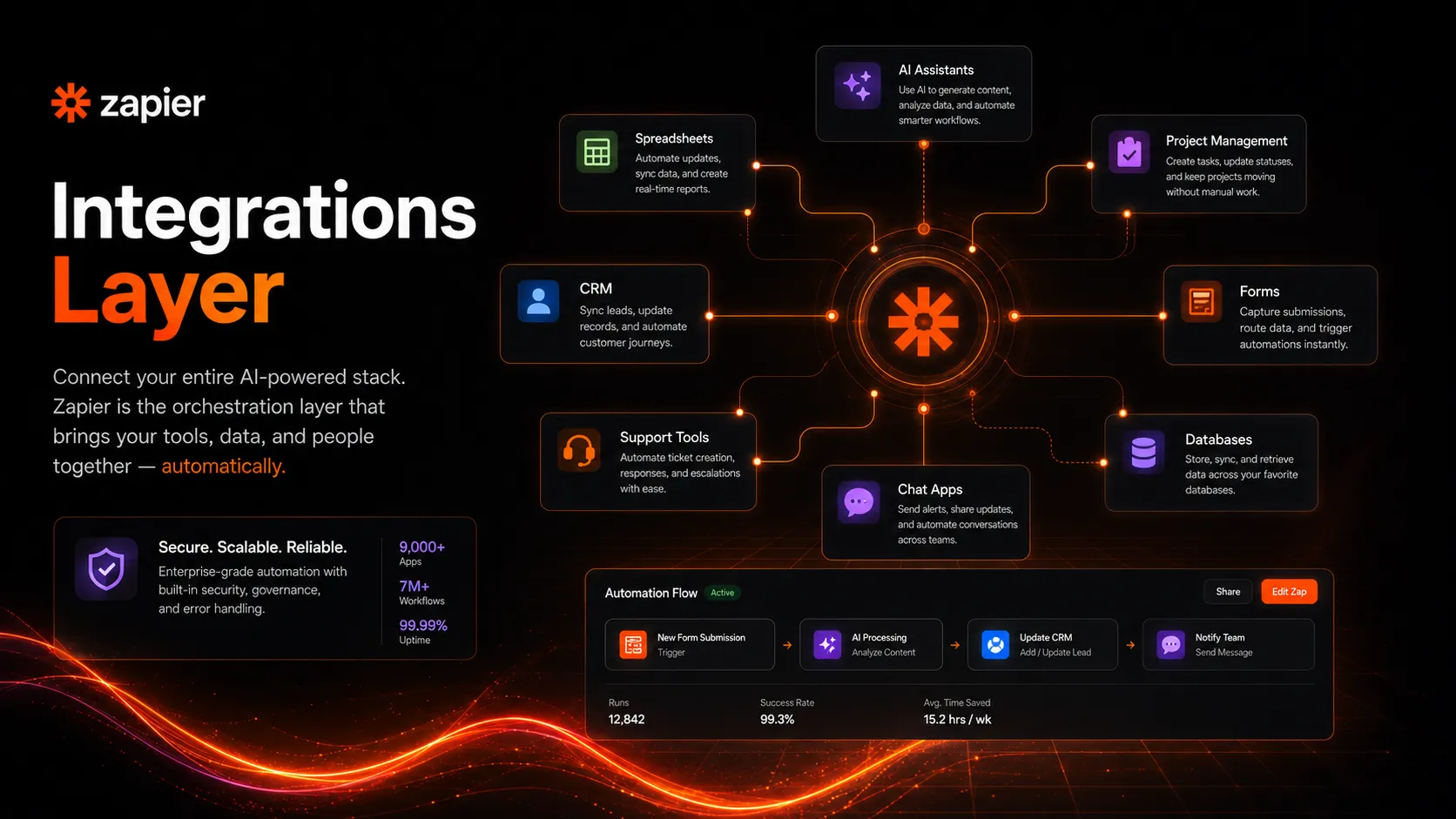
In an AI stack, Zapier is not the model. It is not the content brain. It is not the CRM. It is the connective tissue.
ChatGPT or Claude can help reason, draft, summarize, classify, and transform working text. Airtable, Google Sheets, HubSpot, Notion, Slack, and other apps hold the work. Zapier sits between them and decides what happens next.
That role has become more important as teams move from isolated AI experiments to AI actions. It is one thing to ask an assistant for a summary. It is another thing to let AI classify an inbound support issue, update the ticket, notify the right person, and log the outcome.
Zapier’s current direction makes sense here. The platform now leans into AI workflows, AI agents, chatbots, MCP, and governance. The stronger the action layer becomes, the more important permissions and logs become. AI automation without guardrails is not productivity. It is operational risk with a friendly interface.

What Zapier does well
Zapier’s biggest strength is still coverage. A broad app ecosystem reduces the number of times a buyer has to ask, “Can this even connect?” That sounds basic, but it matters when your workflow spans CRM, email, docs, chat, forms, billing, spreadsheets, and support tools.
The second strength is approachability. Zapier is not always simple, but it is usually more approachable than tools built for technical operators. For a founder, marketer, or ops person, that can be the difference between “we should automate this someday” and “this is live today.”
The third strength is platform breadth. Zaps handle classic workflow automation. Tables can hold operational data. Forms can collect inputs. Chatbots and Agents create AI surfaces. MCP and SDK routes point toward AI assistants and developer tools. You do not have to use all of that, but the combined direction makes Zapier more than an old-school trigger-action tool.
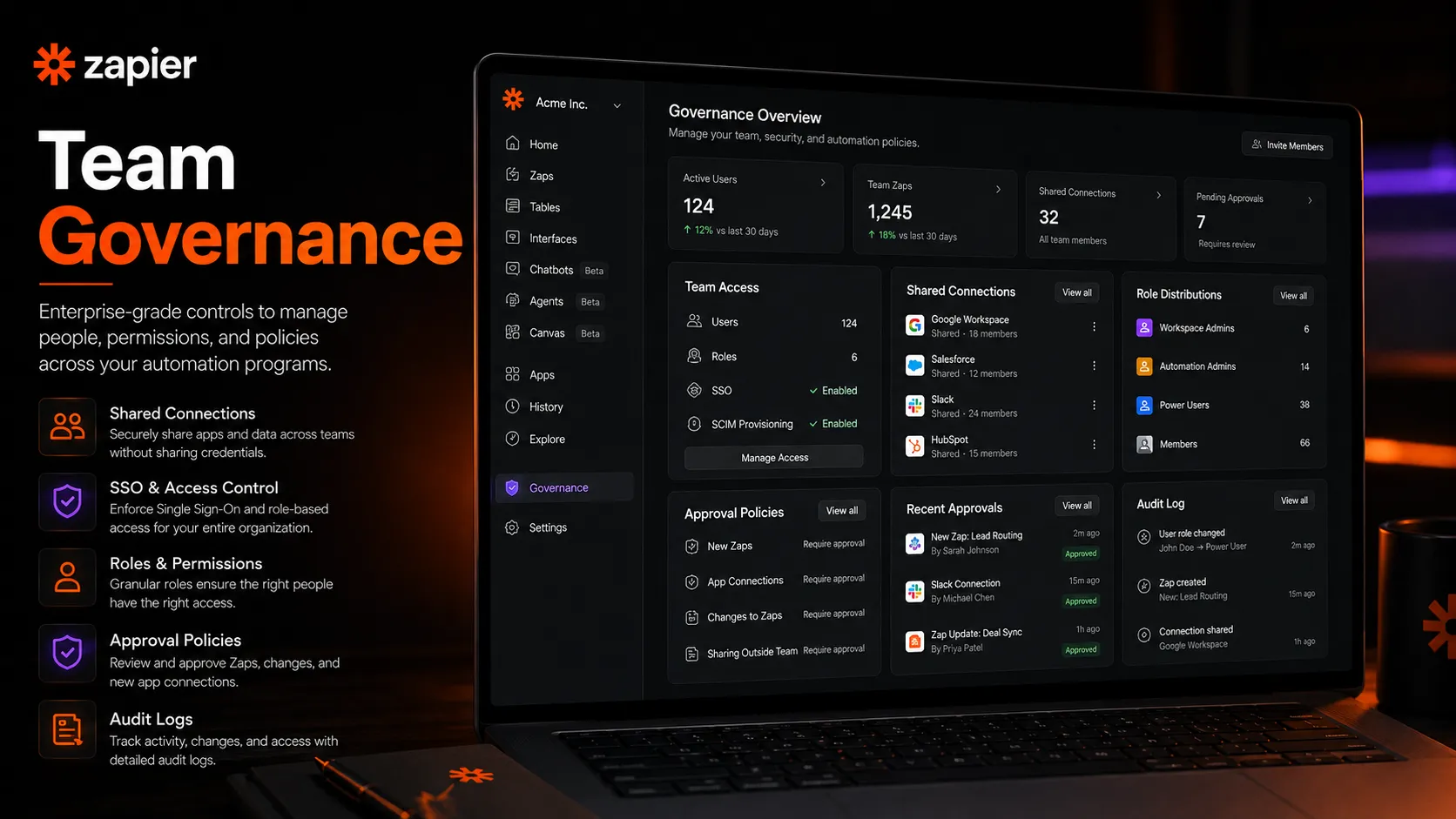
The fourth strength is team readiness. Once you move beyond personal automations, shared app connections, permissions, admin controls, support, and governance start to matter. Zapier has a clearer business path here than many small automation tools.
Where Zapier falls short
The main weakness is cost sensitivity. Zapier can feel inexpensive when you have a few automations. It can feel very different when task volume grows, workflows become multi-step, and multiple teams start building.
The second weakness is that complex logic can become harder to reason about than expected. Zapier is friendly, but a workflow with many branches, conditions, delays, retries, and edge cases still requires careful design. At that point, Make’s visual builder or n8n’s technical control may feel more natural.
The third weakness is maintenance. Someone has to own the automations. Apps change. Fields change. OAuth connections break. People leave. A Zap that was obvious to the person who built it may be mysterious to everyone else six months later.
The fourth weakness is buyer confusion. Zapier now has the core automation platform, Agents, Chatbots, Tables, Forms, and more. That breadth is useful, but it also means buyers should slow down before assuming one plan covers every AI automation need at the limits they want.
Pricing judgment
Zapier’s pricing is not hard to find, but the buying decision is more layered than the plan cards suggest.
The public pricing page currently lists the main platform Free plan at $0 with 100 tasks per month. Professional starts at $19.99 per month when billed annually. Team starts at $69 per month when billed annually. Enterprise is contact-for-pricing. Zapier also lists a 14-day Professional trial for new accounts, and Team or Enterprise trials require contacting sales.
That is only part of the picture. The pricing page also has separate sections for Agents and Chatbots. Agents currently list a Free plan with 400 activities per month and a Pro plan at $33.33 per month billed annually. Chatbots currently list a Free plan, a Pro plan at $13.33 per month billed annually, and an Advanced plan at $66.67 per month billed annually.
So the practical pricing question is not simply “What does Zapier cost?” It is “How many tasks, activities, chatbots, users, premium apps, and shared workflows will we actually use?”

My pricing judgment is straightforward: Zapier is easy to justify when it replaces repetitive work that clearly wastes time or causes errors. It is harder to justify when the team is casually automating low-value tasks without monitoring volume.
Best alternatives to compare
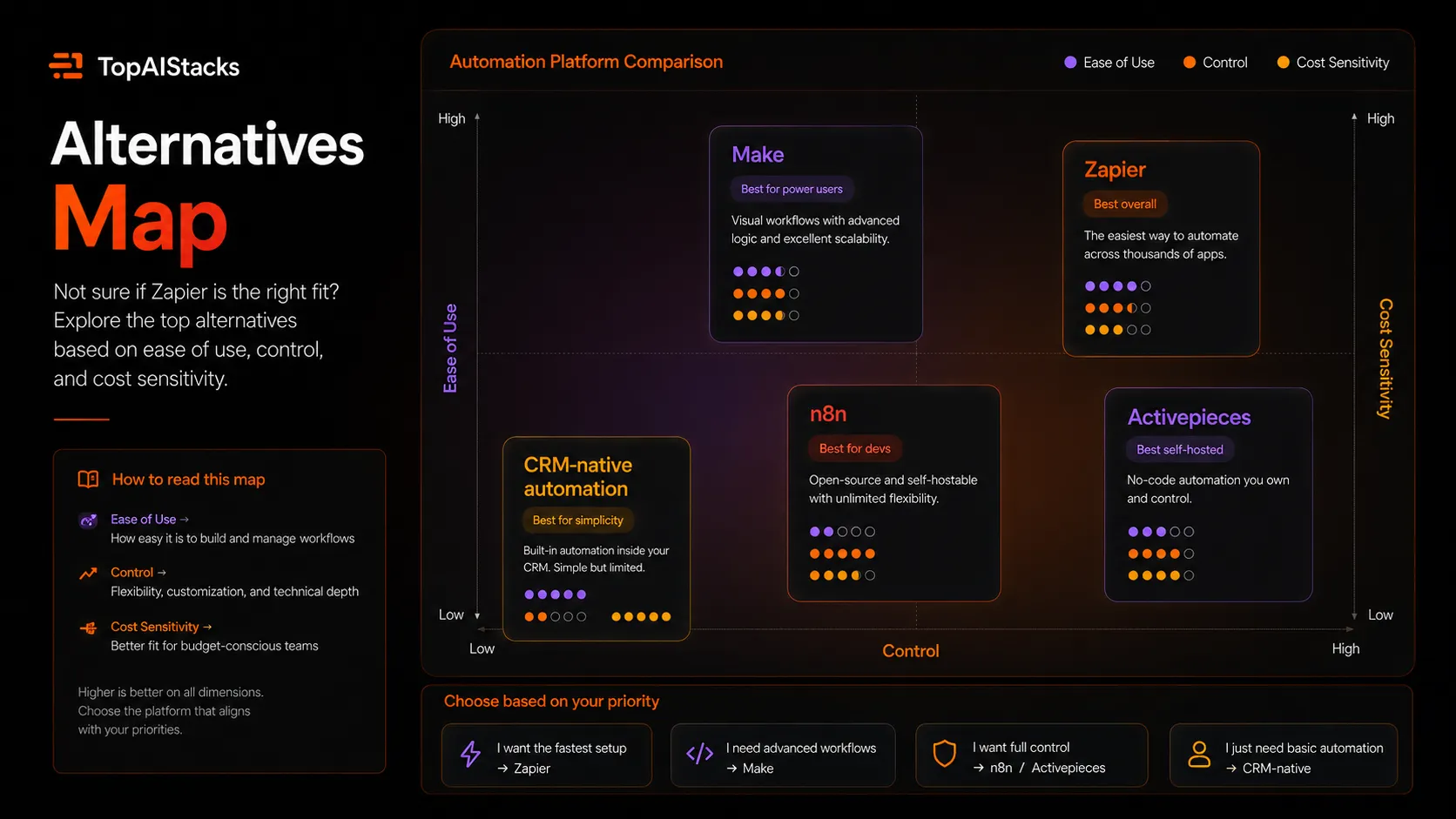
Compare Make if you want visual workflow control and may have higher operation volume. Make can feel more flexible for scenario logic, but it has a steeper learning curve for casual users.
Compare n8n if your team is technical, wants self-hosting, or needs deeper workflow control. n8n is not as beginner-friendly for many business users, but it is more attractive when ownership, infrastructure, and customization matter.
Compare Activepieces if you want a lighter open-source style option and can accept a smaller ecosystem. It can be a good fit for teams that like the direction of open automation but do not need Zapier’s massive coverage.
Also compare native workflows inside your main system. If almost everything happens inside HubSpot, Salesforce, Notion, Airtable, or a support platform, the built-in automation layer may be enough. Zapier becomes more valuable when the workflow crosses systems.
Final decision
Add Zapier to your stack if you need the fastest reliable way to connect AI tools with the business apps your team already uses. It is a strong fit for marketing ops, sales ops, support operations, founders, agencies, and internal teams that need automation without waiting for engineers.
Compare it first if your workflows are high-volume, logic-heavy, or technical. Make and n8n can be better fits when cost control, visual scenario design, self-hosting, or deep customization matters more than instant app coverage.
Skip it for now if you do not yet have clear processes. Zapier will not decide your operating rules for you. The safer move is to document the workflow, clean the data, choose approval points, then automate the repeatable parts.

My bottom line: Zapier is not the cheapest automation layer and not the most technical one. It is the most practical first automation layer for many AI-enabled teams because it connects the messy middle of real work: apps, approvals, data, messages, records, and people.
Frequently asked questions
Is Zapier worth it in 2026?
Does Zapier have a free plan?
How much does Zapier cost?
Does Zapier include AI agents?
Is Zapier better than Make?
Is Zapier better than n8n?
Where Zapier fits in a stack
AI automation connector layer
Does not replace
- – Clean process design
- – Human approval for risky actions
- – Data governance
- – Dedicated backend engineering for complex systems
- – Workflow monitoring ownership
Head-to-head comparisons
Top alternatives to consider
If Zapier is not the right fit, these are the most common alternatives.

Make is usually worth comparing when the buyer wants more visual control, complex scenarios, and potentially better cost efficiency at higher operation volumes.

n8n is stronger for developers or operators who want self-hosting, deeper control, and more technical workflow ownership.
Activepieces is worth checking when the buyer wants a lighter open-source automation route and does not need Zapier's huge app ecosystem.
Review methodology
Editorial review based on current public product information, official Zapier product pages, official pricing pages, and market context. No hands-on testing was conducted unless explicitly stated.
This review is based on public product information and research, not direct hands-on testing.
Not covered: Hands-on reliability testing · Enterprise contract review · Private task overage pricing · Custom security assessment