HeyGen Review
HeyGen review for avatar videos, localization, pricing fit, trust checks, and when to compare Synthesia, Runway, or InVideo AI.
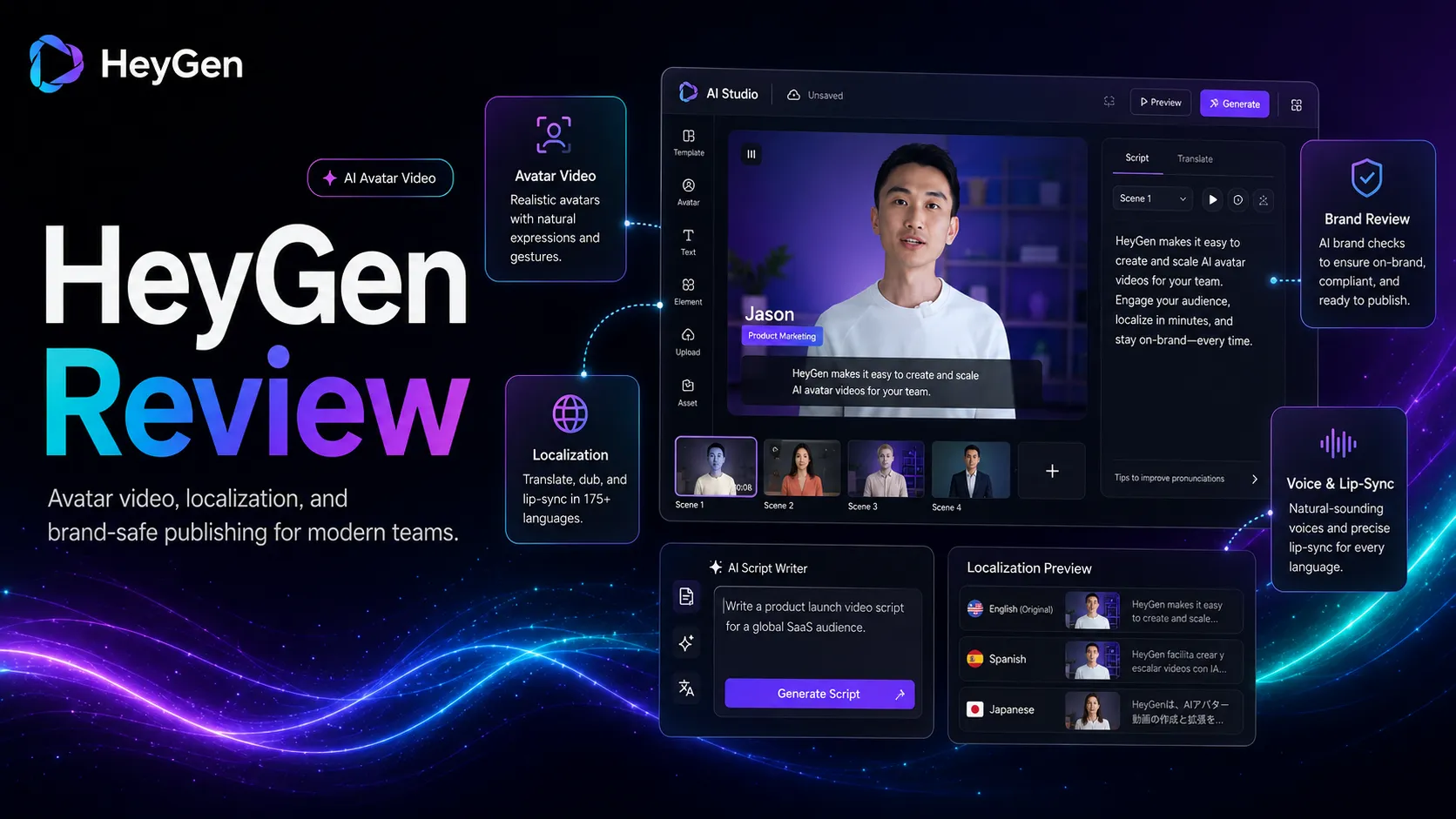
Strong fit for avatar-led marketing, localization, and training video workflows, but not a full creative video studio.
Use it if…
- ✓ You need a repeatable way to turn scripts, PDFs, slides, or existing videos into presenter-led business content.
- ✓ You care about localization, lip-sync, avatars, and brand review more than cinematic originality.
- ✓ You can set clear internal rules for consent, disclosure, and approval before publishing avatar videos.
Skip it if…
- – You need a traditional video editor with full manual control over footage, pacing, effects, and audio mixing.
- – You are creating high-stakes likeness or voice content without written permission and review.
- – You only need simple social videos from text prompts and do not need avatar or localization depth.
Review scorecard
Scored by workflow fit, ease of use, value, and stack compatibility. Weights reflect importance for typical buyers.
| Criteria | Score | ||
|---|---|---|---|
| Workflow fit | 8.7 | ||
| Output usefulness | 8.2 | ||
| Ease of use | 8.5 | ||
| Pricing clarity | 7.4 | ||
| Trust and safety fit | 7.8 | ||
| Weighted overall | 8.2 / 10 | ||
On this page
Quick verdict
HeyGen is a practical AI video tool when your team needs a repeatable way to create presenter-style videos without filming every version from scratch.
That sentence matters because a lot of people approach HeyGen as if it is a magic video studio. I would not frame it that way. The stronger use case is narrower and more useful: you have a script, a training point, a product explanation, a sales message, or an existing video that needs localization. HeyGen gives you a way to turn that into an avatar-led video workflow.
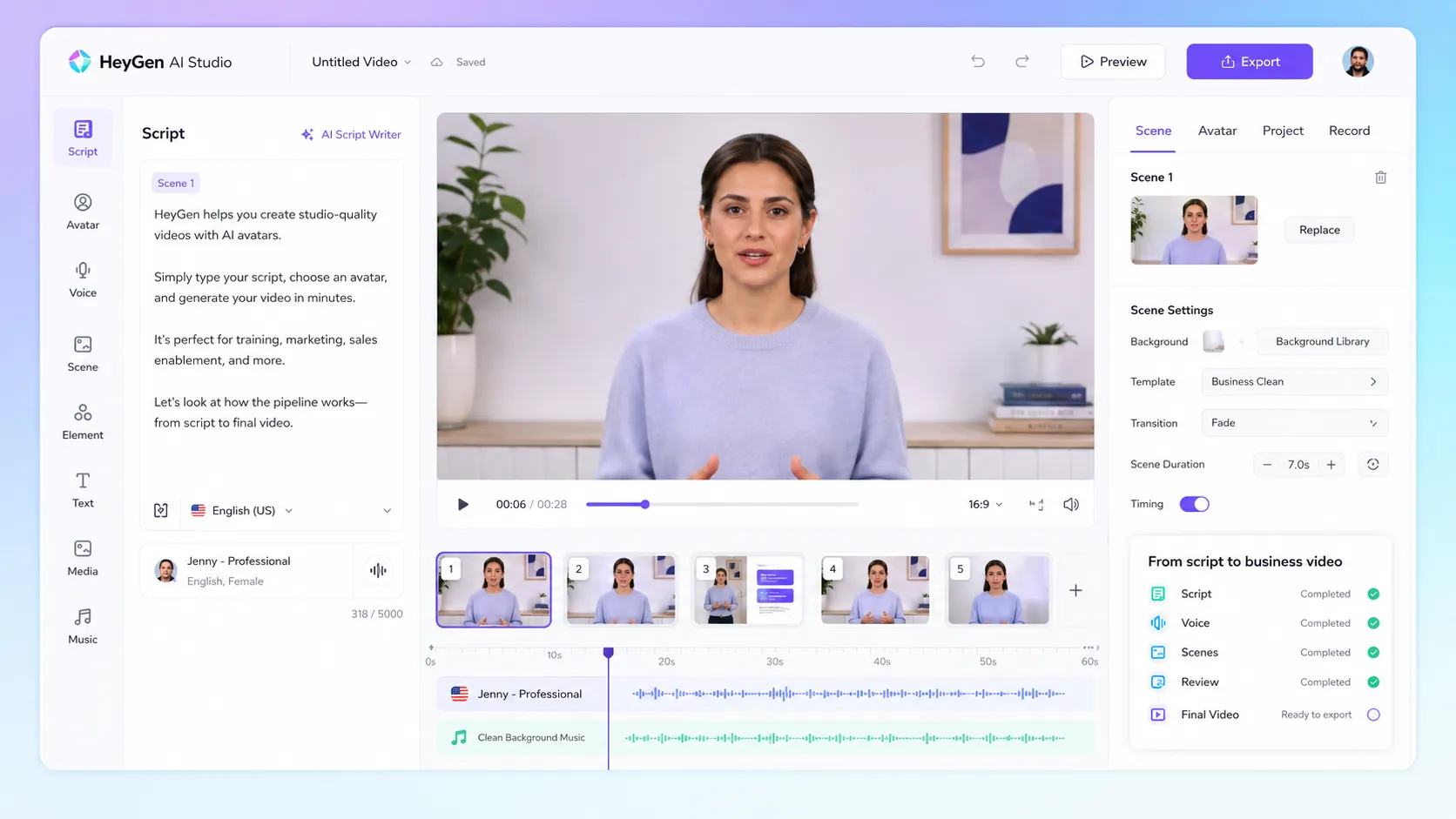
The current public product is broader than a simple avatar generator. HeyGen now talks about script-to-video, photo-to-video, product ads, UGC-style content, digital twins, AI translation, voice cloning, lip sync, AI Studio, and API workflows. That is a lot. The buyer risk is not that HeyGen has too few features. The risk is buying it before you know which video job you actually need it to do.
My practical take: add HeyGen to the shortlist if you need avatar-led video production or localization at a pace that a normal camera workflow cannot support. Compare it first if your team is choosing between corporate training video, social video, and creative video generation. Skip it for now if you are only curious about avatars and do not have a repeatable video use case.
Who should use HeyGen
HeyGen fits marketers, educators, sales teams, trainers, and creators who already know what they want to say but do not want to record every video manually.
The first strong fit is marketing. If your team creates product explainers, launch clips, onboarding messages, webinar snippets, or social product videos, HeyGen can reduce the friction of getting a presenter on screen. You still need a good script. You still need editing judgment. But you may not need a camera, lighting, voice recording, and another filming session for every small update.
The second strong fit is learning and development. Training teams often need consistent lessons, policy updates, onboarding videos, and internal explainers. A repeatable avatar workflow can be useful here because the format is predictable. The goal is not artistic surprise. The goal is clear delivery, version control, and faster updates.
The third fit is localization. HeyGen’s public positioning leans heavily into translation, dubbing, lip sync, and multilingual video. That is meaningful if your team has one source message that needs to work across markets.
HeyGen also makes sense for solo creators who need talking-head style videos but do not want to be on camera every time. That can work for education, affiliate explainers, course content, and simple brand updates. The line I would draw is this: use HeyGen when a presenter helps the message. Do not use it just because an avatar looks impressive in a demo.
Who should skip HeyGen
Skip HeyGen if you need real creative video direction, not avatar video production.
Runway is a better comparison if your work is about cinematic visuals, generative scenes, effects, or experimental video. Descript is a better fit if your pain is editing recorded interviews, podcasts, screen recordings, or voice tracks. InVideo AI is a better comparison if your main job is generating quick stock-footage social videos from prompts.
You should also skip, or at least pause, if you are not ready to handle consent. HeyGen’s own ethics language says custom avatars and videos depicting avatars should be created or shared with expressed permission. That is not a small detail. If your team is using a person’s face, voice, or likeness, you need approval before production, not after the video is already exported.
Another poor fit: teams that want a totally predictable monthly cost but do not want to think about credits, add-ons, video length, custom digital twins, export resolution, or seat pricing. The public pricing page is clearer than many AI video tools, but real usage can still get nuanced once you move past testing.
Real workflow fit
The real HeyGen workflow starts before HeyGen.
You need the idea, the script, the audience, the language, and the approval rules first. Then HeyGen can help turn that input into a video format. If your script is weak, the avatar will not save it. If your brand tone is off, the video can feel synthetic even when the rendering looks good.
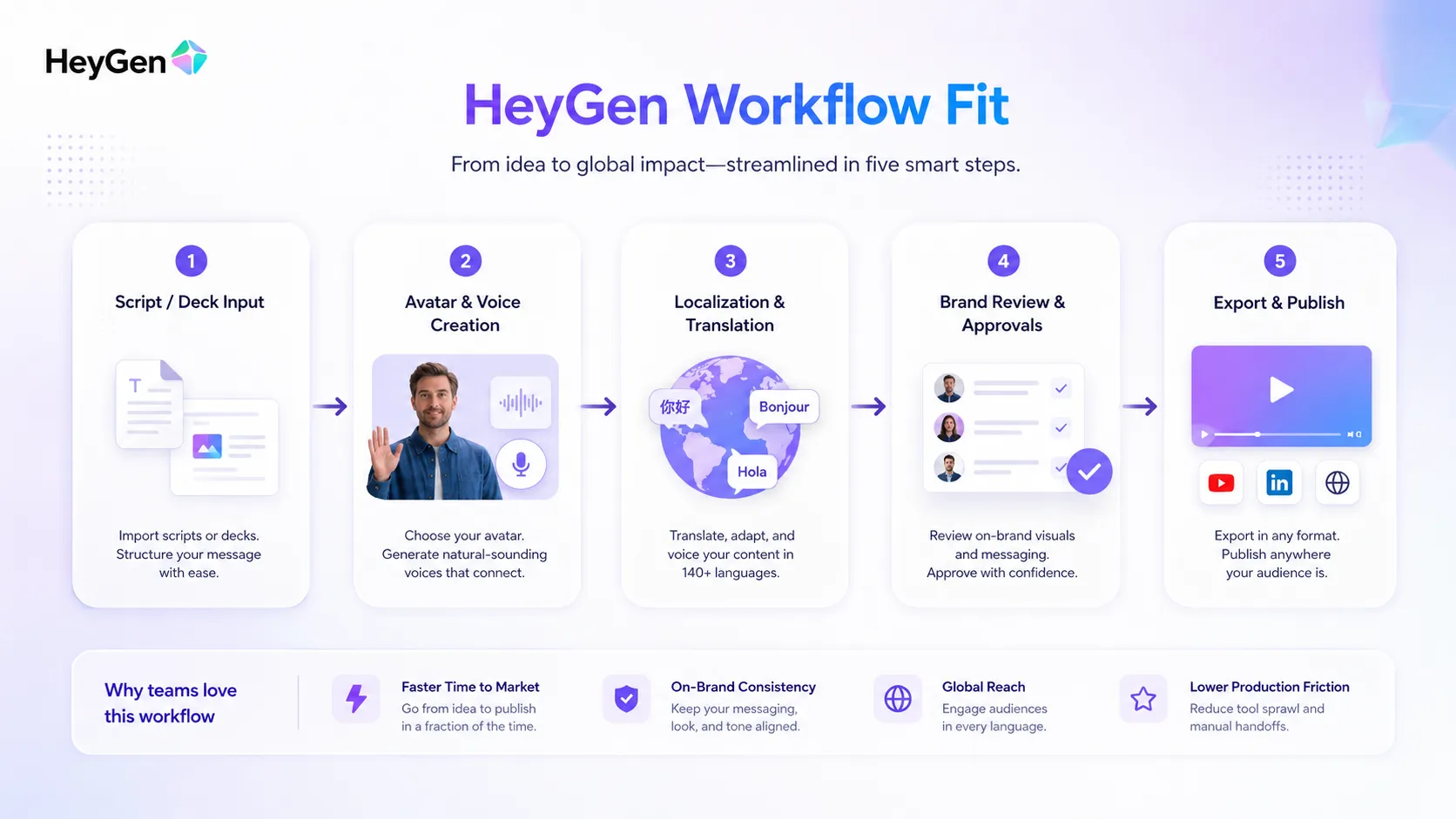
A reasonable workflow looks like this:
Use ChatGPT or Claude to draft the script. Use your own editor to make it shorter and more direct. Use Canva AI or brand templates for supporting visuals. Use HeyGen for the avatar, voice, video generation, translation, or localization layer. Use Descript, CapCut, or another editor if the final cut needs more pacing work. Publish through YouTube, a learning platform, a sales workflow, or your CMS.
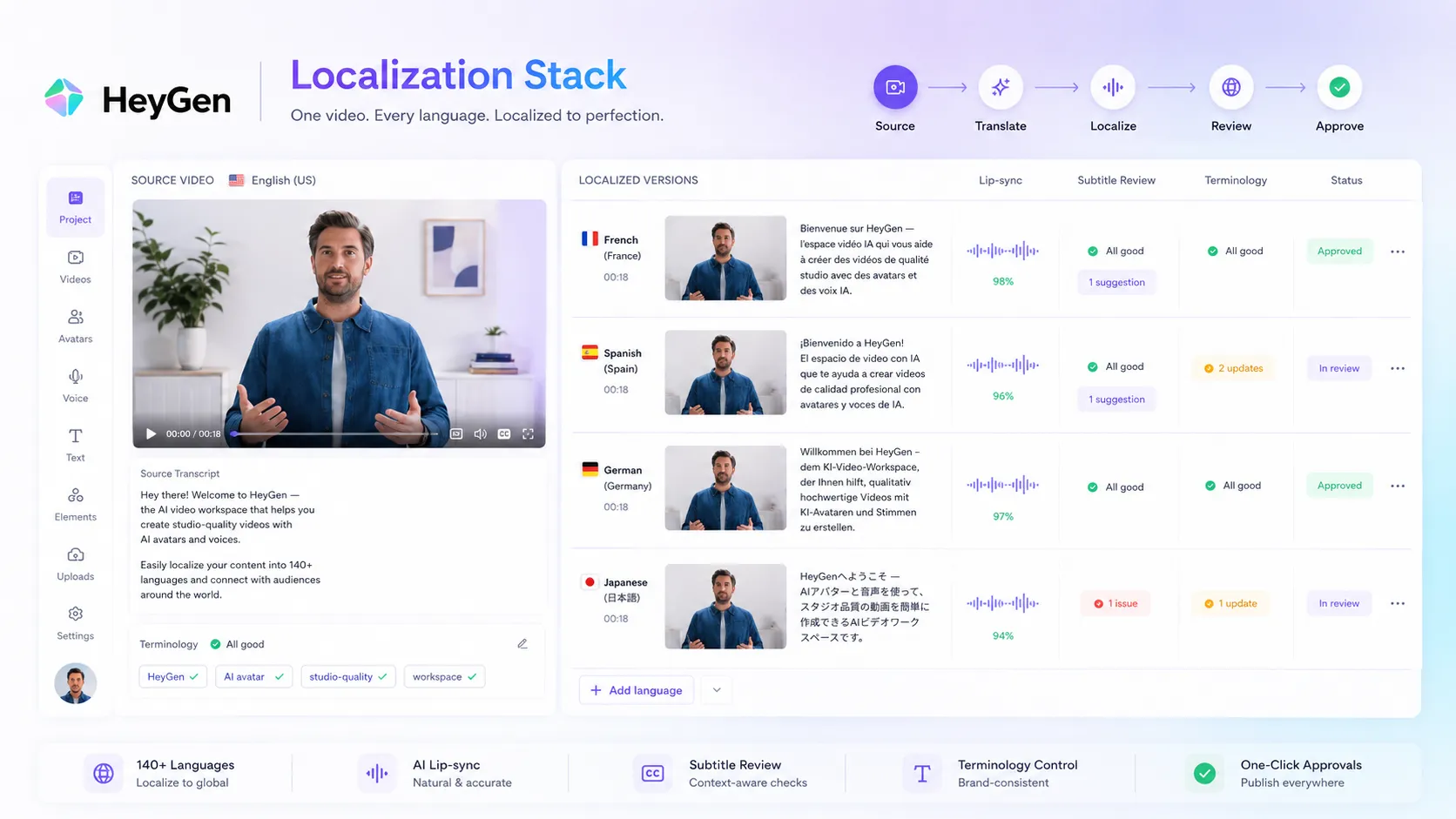
That is where HeyGen feels useful. It is not the whole video department. It is the part of the stack that makes presenter video, language variation, and avatar-led delivery easier to repeat.
Where HeyGen fits in an AI stack
HeyGen belongs in the AI video production layer.
It pairs naturally with writing tools, design tools, editing tools, and publishing tools. It does not replace them. The better your inputs are, the more useful HeyGen becomes.
For a content team, HeyGen might sit after script writing and before final editing. For a training team, it might sit between lesson planning and LMS upload. For a sales team, it might sit between messaging strategy and outbound delivery. For a localization team, it might sit between the source video and translated market versions.
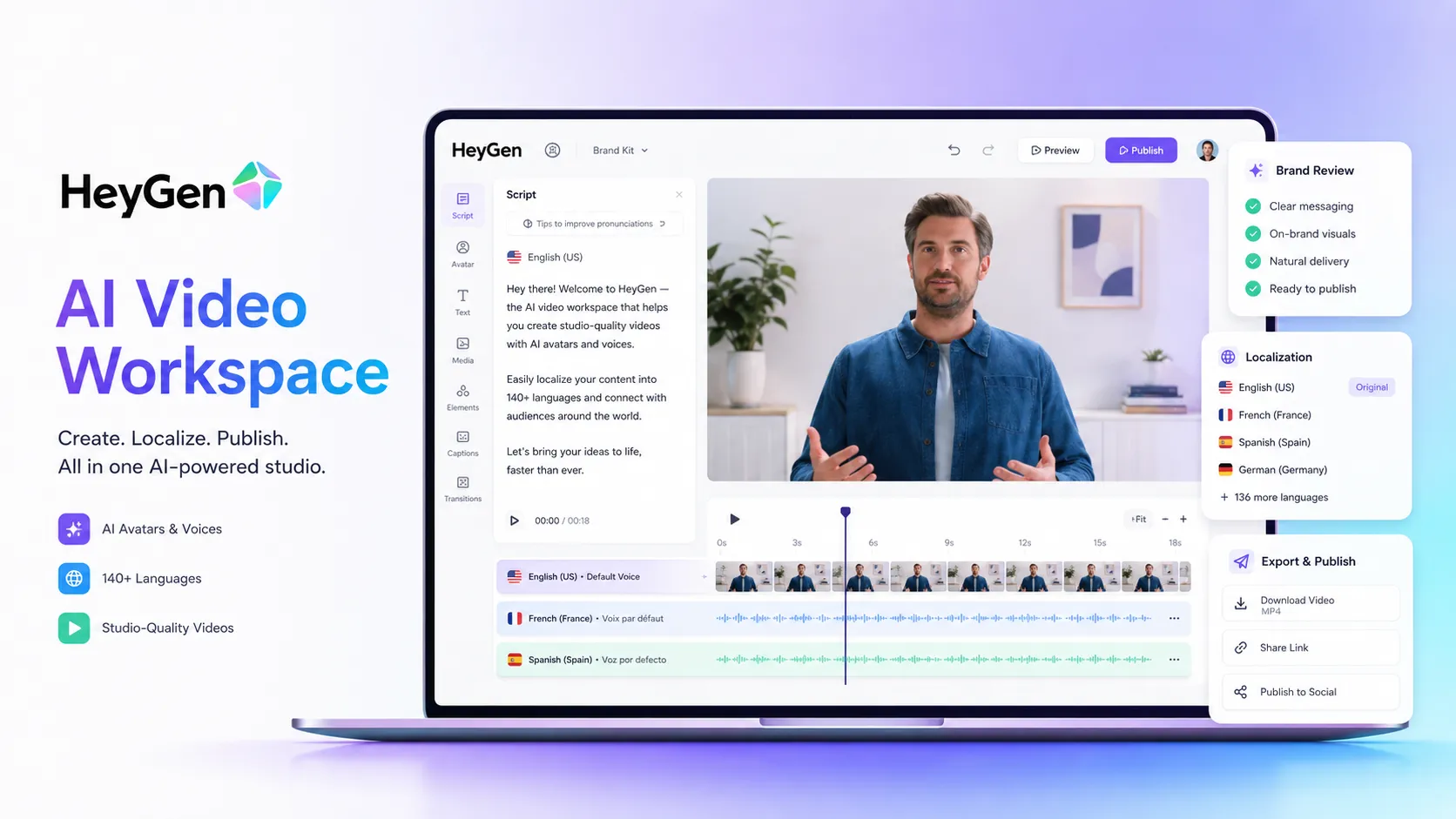
The strongest stack fit is this: use HeyGen for video versions of content that already deserves to exist. Do not use it as a way to mass-produce weak videos at higher volume.
What HeyGen does well
HeyGen’s biggest strength is lowering the activation energy of video.
A normal presenter video needs a person, camera, lighting, voice, retakes, editing, and scheduling. HeyGen can compress some of that into a software workflow. For internal training, product explainers, basic sales videos, and repeatable marketing clips, that can be enough to justify testing.
The second strength is localization. HeyGen publicly emphasizes 175+ languages and dialects, translation, voice cloning, lip sync, and subtitles. When a team has one video that needs to become many market versions, that workflow can save time compared with re-recording every version.
The third strength is team packaging. Business and Enterprise paths include items like collaboration, SAML/SSO, centralized billing, team management, SCORM export, LMS integrations, and workflow integrations. Those are not exciting creator features, but they matter when a company wants AI video inside a real process.
The fourth strength is the free entry point. The Free plan is limited, but it lets a buyer test the feel of the product before committing to a larger plan.
Where HeyGen falls short
The weak spot is expectation management.
Avatar video can look polished and still feel wrong. That is especially true for emotional messages, sensitive topics, founder-led communication, healthcare claims, financial advice, political topics, or anything where the audience expects a real person to take responsibility for the message.
HeyGen also does not remove the need for brand review. In fact, it makes review more important because video can travel fast. A bad line in a blog post is one thing. A bad avatar video with a cloned voice or recognizable likeness is a different risk.
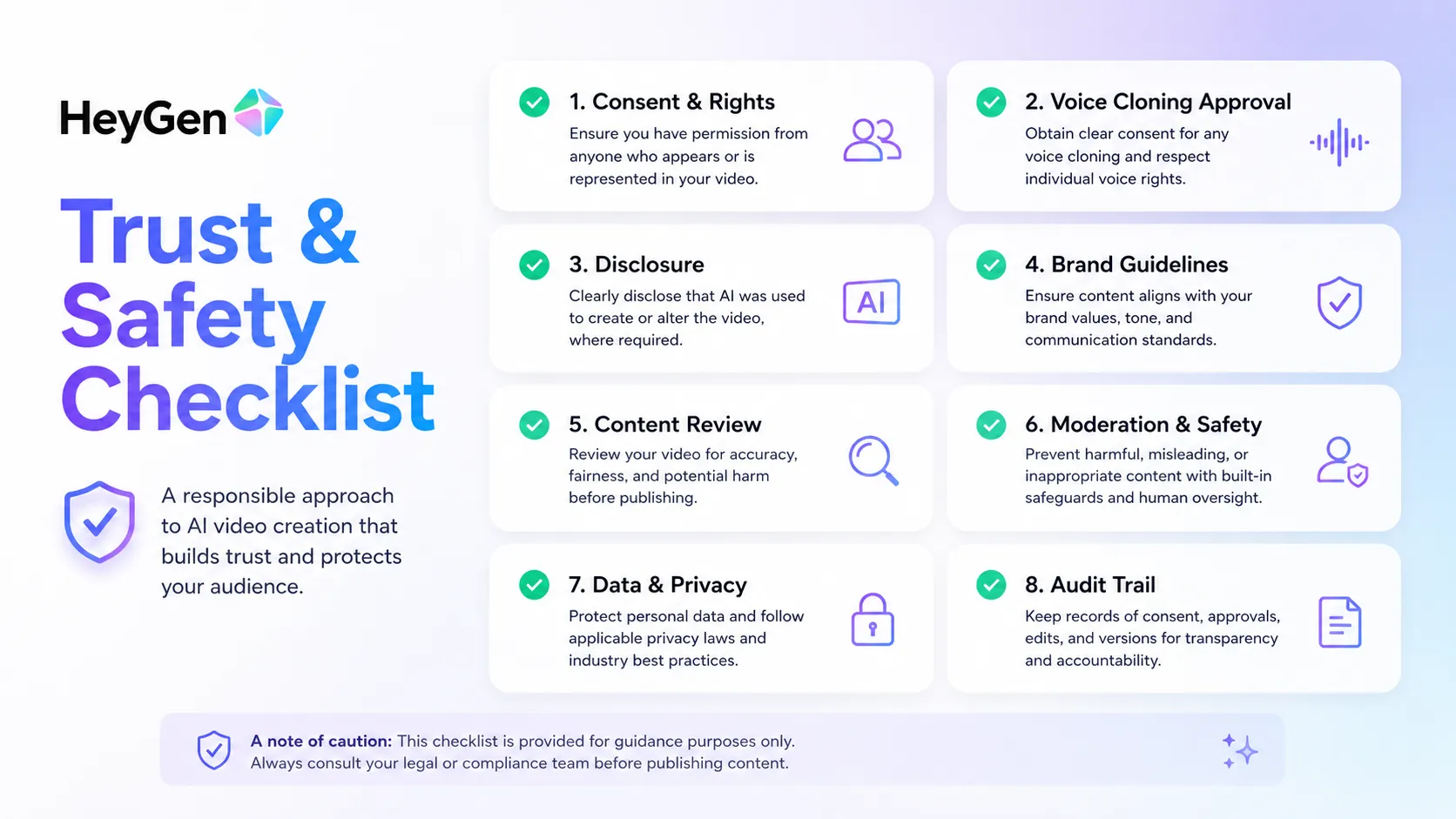
The other limitation is creative control. If you are thinking like a filmmaker, HeyGen may feel boxed in. If you are thinking like a training manager or content operations lead, that structure may be exactly the point.
Pricing judgment
HeyGen’s public pricing currently gives buyers a usable ladder, but you still need to read the plan details carefully.
The Free plan is listed at $0/mo with 3 videos per month, videos up to 1 minute, access to Avatar IV and Video Agent, standard processing, stock digital twins, 1 custom digital twin, and 30+ languages. That is enough for basic testing, not serious production.
The Creator plan is listed at $29/mo and includes 600 credits, videos up to 30 minutes, 1080p export, fast processing, unlimited photo avatars, watermark removal, voice cloning, advanced AI models, 175+ languages and dialects, and credit rollovers.
The Pro plan is listed at $49/mo with 1,000 credits, 4K export, faster processing, and more flexible usage. The Business plan is listed at $149/mo with 1,500 credits, longer video limits, collaboration, SAML/SSO, billing controls, team management, SCORM export, LMS integrations, and integrations with tools such as n8n, Make, HubSpot, and Zapier. Enterprise is contact sales.
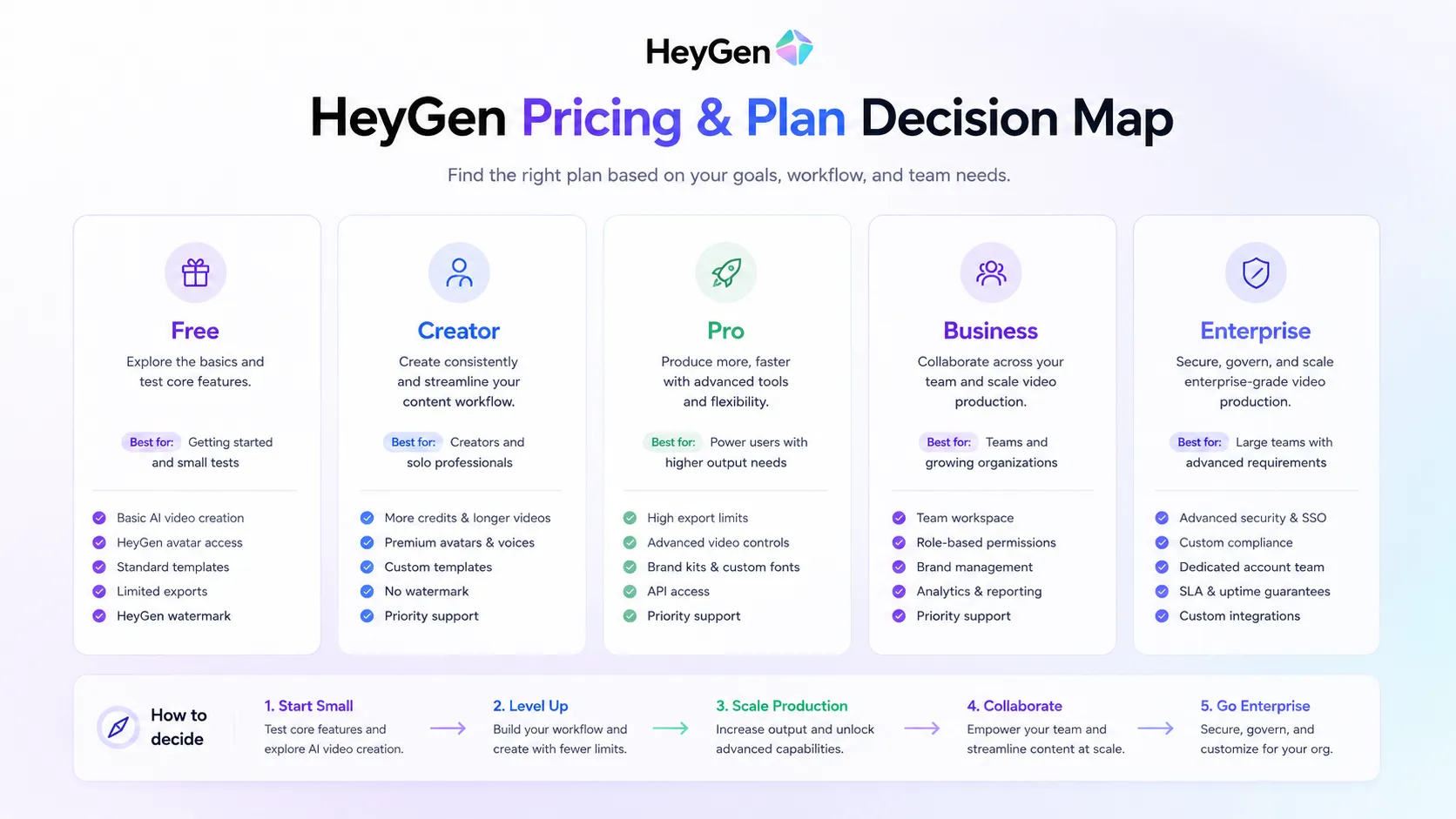
My pricing judgment is simple: test on Free, move to Creator only if you have a real monthly video workflow, consider Pro when export quality or usage matters, and consider Business only when collaboration, governance, and training integrations matter. Do not buy a higher plan just because the avatar demo looks impressive.
Best alternatives to compare
Compare HeyGen against the job you actually have.
If the job is corporate avatar training, compare Synthesia. It is the natural alternative for structured learning, HR, onboarding, and enterprise-style avatar workflows.
If the job is prompt-to-video for social media, compare InVideo AI. It is more relevant when you want stock footage, voiceover, music, and quick publishing instead of a presenter-led format.
If the job is creative generation, compare Runway. It is the better creative lab when you want generative visuals, cinematic experimentation, and video effects.
If the job is editing, compare Descript. It will not replace HeyGen for avatar generation, but it can be much more useful when your real problem is editing recorded audio and video.
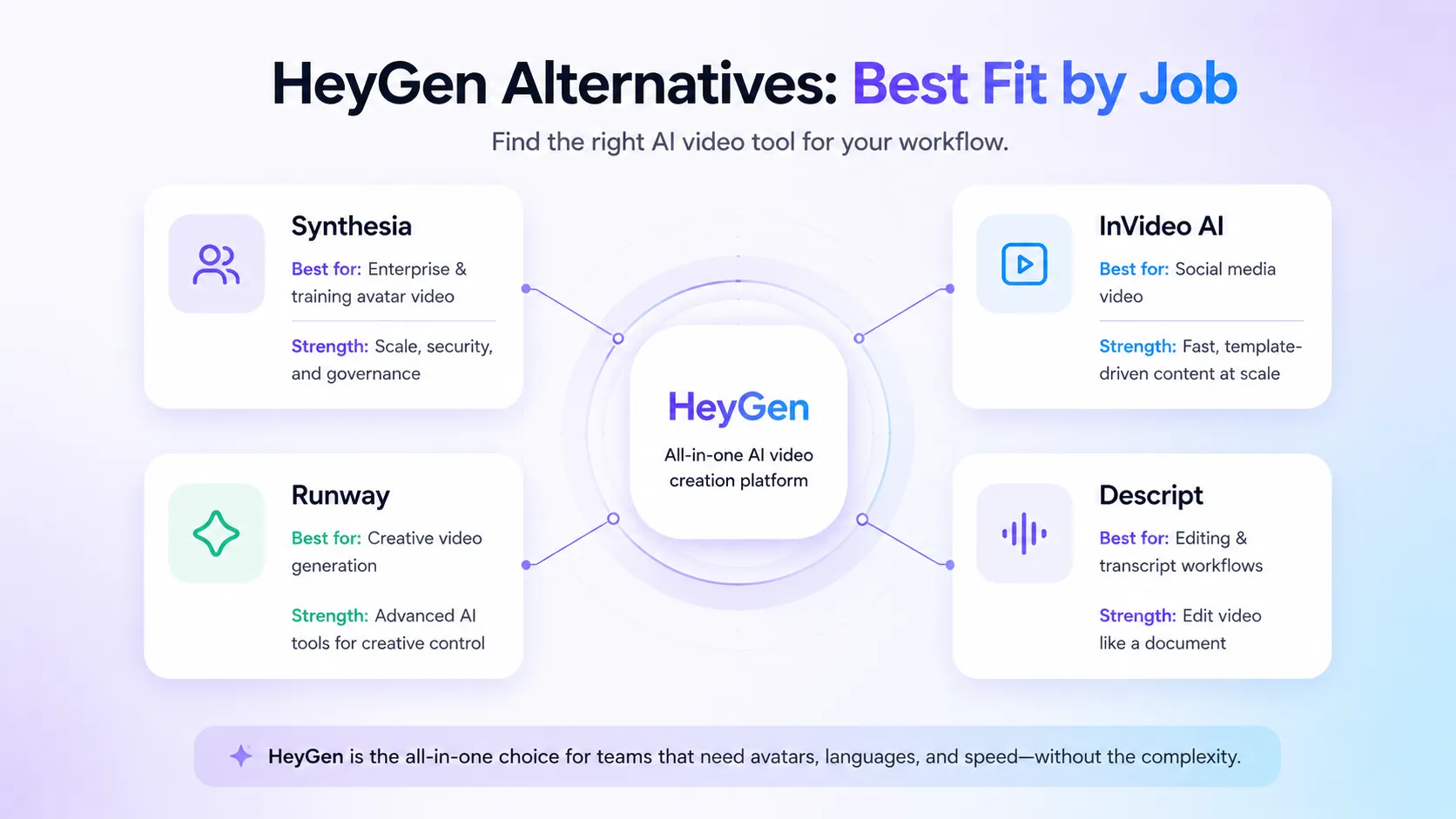
The biggest mistake is comparing these tools only by feature count. The better question is: what kind of video are you trying to make every week?
Final decision
Add HeyGen to your stack if your team repeatedly needs avatar-led explainers, product demos, training videos, sales clips, or localized video versions, and you already have a review process for script, brand, consent, and publishing.
Compare it first if you are still deciding between avatar videos, social videos, creative generated scenes, and transcript-based editing. HeyGen is strong, but it is not automatically the best answer for every AI video workflow.
Skip it for now if your use case is vague, if you do not have permission to use the likeness or voice involved, or if your brand needs human presence more than production speed.
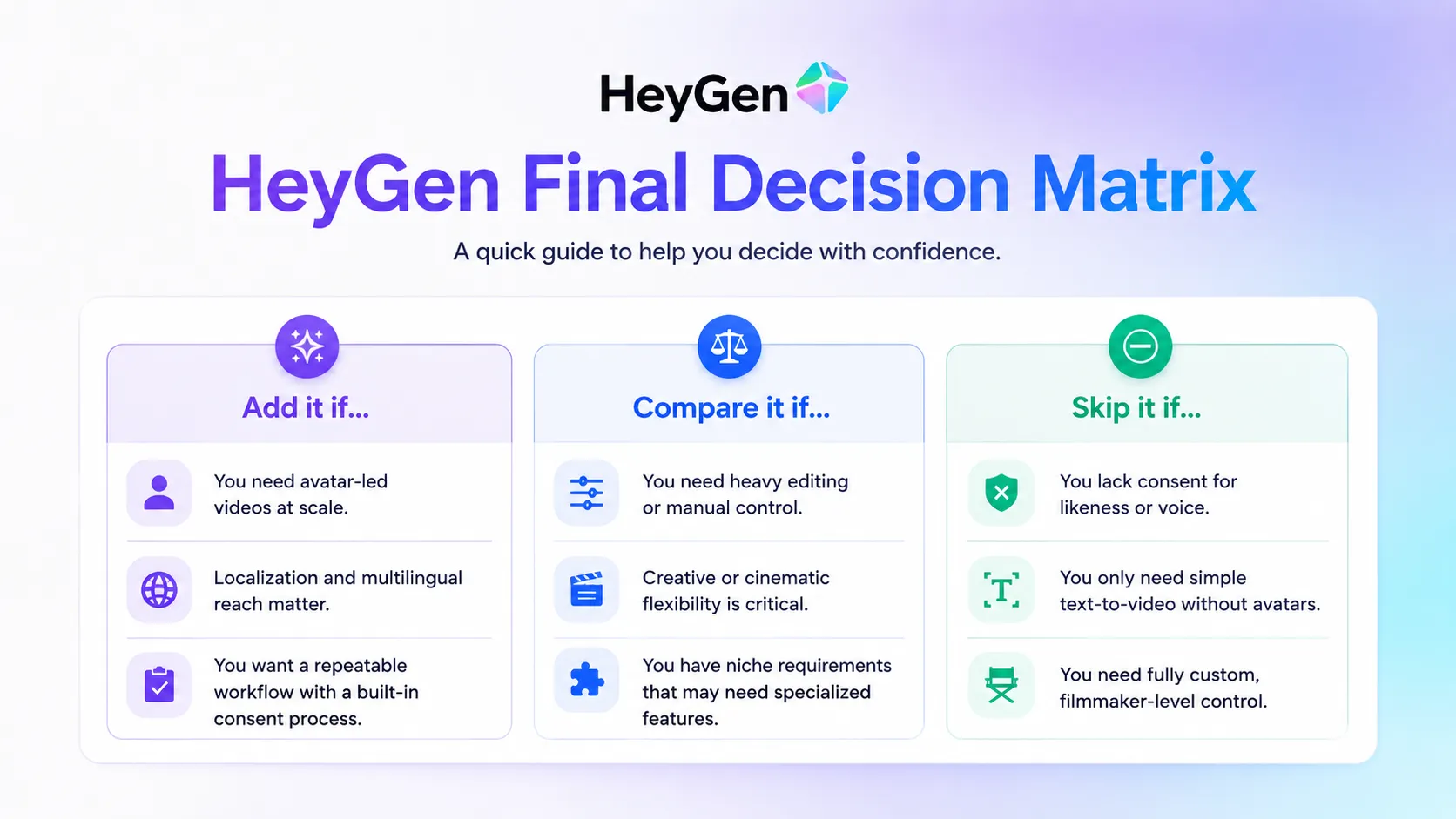
My final verdict: HeyGen is a strong AI video stack layer for teams that need speed, localization, avatars, and repeatability. It is not a replacement for creative judgment, consent management, or a real video strategy.
Frequently asked questions
Is HeyGen worth it in 2026?
Does HeyGen have a free plan?
What is HeyGen best used for?
Is HeyGen better than Synthesia?
Should I use HeyGen for someone else's face or voice?
Where HeyGen fits in a stack
Avatar video and localization production layer
Does not replace
- – A full video production team for high-end creative campaigns.
- – A professional editor for complex footage, sound, and motion graphics.
- – Legal, brand, and consent review for likeness or voice use.
Pairs well with
Head-to-head comparisons
heygen vs synthesia →
HeyGen is more appealing for creator-style avatar video and localization tests; Synthesia is usually the cleaner comparison for structured enterprise training workflows.
heygen vs invideo ai →
HeyGen is stronger when the presenter and translation layer matter; InVideo AI is better when the buyer wants fast stock-footage social videos.
heygen vs runway →
HeyGen is practical for business avatar content; Runway is more useful for creative video generation and visual experimentation.
Top alternatives to consider
If HeyGen is not the right fit, these are the most common alternatives.
Synthesia is the closer comparison when the buyer wants corporate training, HR, and enterprise avatar video workflows.
InVideo AI is worth comparing when the buyer wants prompt-to-social-video production more than avatar presenters.

Runway is a stronger creative comparison when cinematic generation, visual experimentation, and video effects matter more than avatars.
Review methodology
Editorial review based on current public product information, official pricing pages, trust and safety pages, security pages, and public market context. No hands-on testing was conducted unless explicitly stated.
This review is based on public product information and current research, not direct hands-on testing.
Not covered: Hands-on output quality benchmarking · Enterprise contract terms · Private security documentation · Internal moderation performance testing