Otter.ai Review
Otter.ai review for teams comparing AI meeting notes, transcription limits, privacy tradeoffs, pricing, and Fireflies or Fathom alternatives.
Strong for meeting-heavy teams that need searchable notes, weaker for teams without clear recording and sharing rules.
Use it if…
- ✓ You have enough recurring meetings that manual notes are already breaking down.
- ✓ You want transcripts, summaries, searchable history, and action capture in one meeting workflow.
- ✓ Your team can set clear rules for consent, sharing, retention, and admin ownership.
Skip it if…
- – Your team rarely meets or only needs occasional file transcription.
- – You do not want a meeting assistant joining calls or recording conversations.
- – You need a tool focused primarily on video recording, clips, or async video updates.
Review scorecard
Scored by workflow fit, ease of use, value, and stack compatibility. Weights reflect importance for typical buyers.
| Criteria | Score | ||
|---|---|---|---|
| Workflow fit | 8.4 | ||
| Output usefulness | 7.8 | ||
| Ease of adoption | 8.0 | ||
| Pricing clarity | 7.2 | ||
| Governance fit | 6.9 | ||
| Weighted overall | 7.8 / 10 | ||
On this page
Quick verdict
Otter.ai makes the most sense when meetings are already leaking value.
You know the pattern. A customer says something important. A manager promises a follow-up. Someone mentions a date, a risk, or a decision. Two days later, the team is digging through Slack threads and half-written notes trying to remember what was actually said.
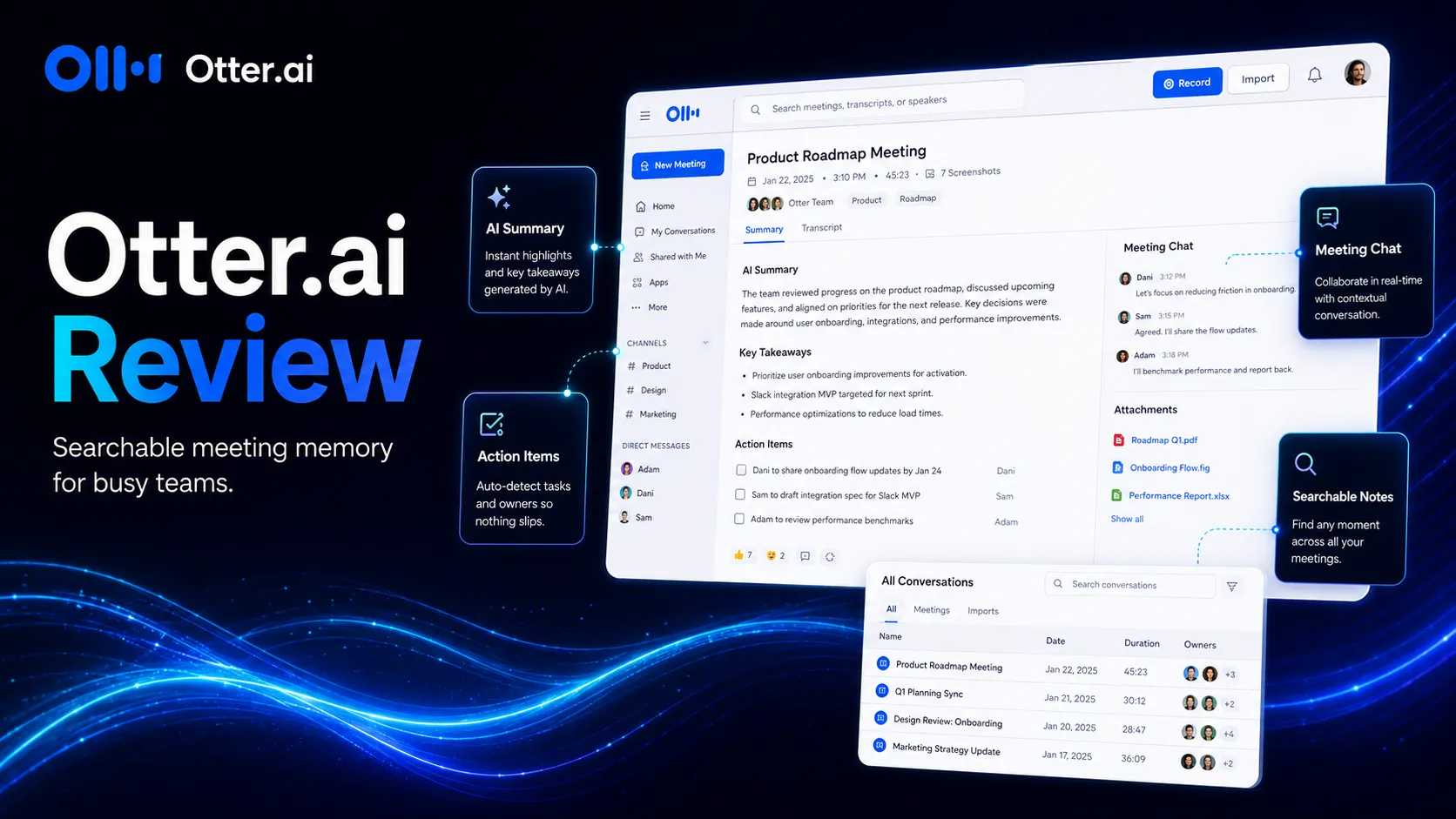
That is the job Otter.ai is trying to own. It is not just a dictation app anymore. The stronger pitch is meeting memory: live transcription, summaries, action items, AI Chat, search, and integrations that help conversations turn into something your team can reuse.
I would not treat it as a magic meeting brain. For sensitive calls, legal discussions, HR conversations, or client meetings with strict expectations, the practical issue is not only transcript quality. It is consent, sharing, retention, and ownership. If your team has those rules, Otter.ai can be useful. If not, it can create a new problem while solving an old one.
For most buyers, my score is 7.7 out of 10. Good fit for meeting-heavy teams. Less compelling for light users or teams that have not decided how AI notetakers should behave in the room.
Who should use Otter.ai
Otter.ai is easiest to justify when your week has enough meetings that manual notes no longer scale.
That includes remote teams that discuss decisions on Zoom, Google Meet, or Microsoft Teams, sales teams that need call notes and follow-up context, consultants who need clean client-session records, and managers who want action items without typing through the entire call.
The best buyer is not just someone who wants a transcript. The best buyer is someone who regularly asks, “What did we decide last Tuesday?” Otter.ai becomes more valuable when the answer needs to be searchable, shareable, and connected to follow-up work.
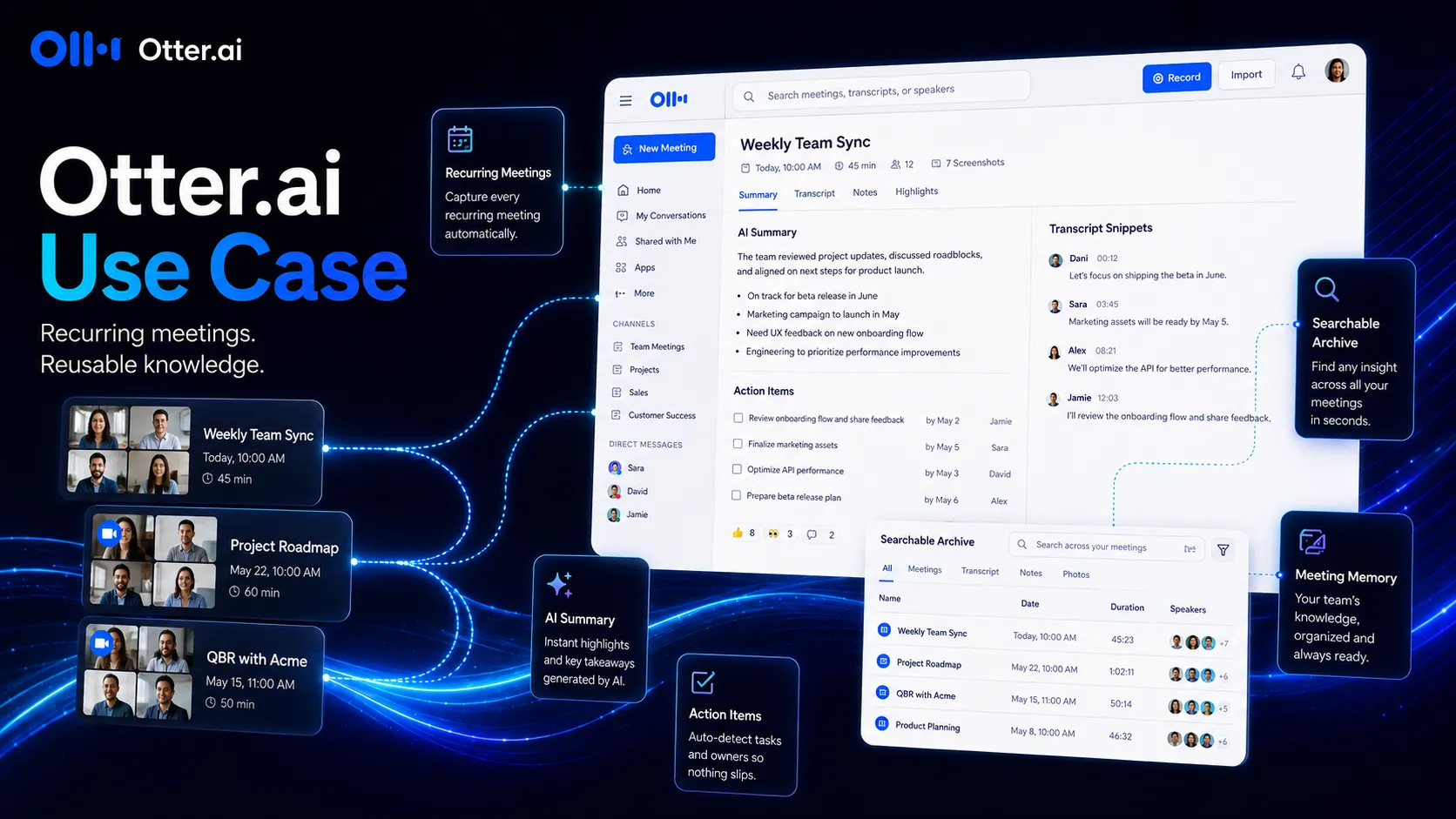
It also fits users who need a low-friction starting point. The public Basic plan gives enough room to test the habit before paying, though serious users will hit limits quickly if meetings are frequent.
Who should skip Otter.ai
Skip Otter.ai if your team does not want an AI assistant joining calls or recording conversations.
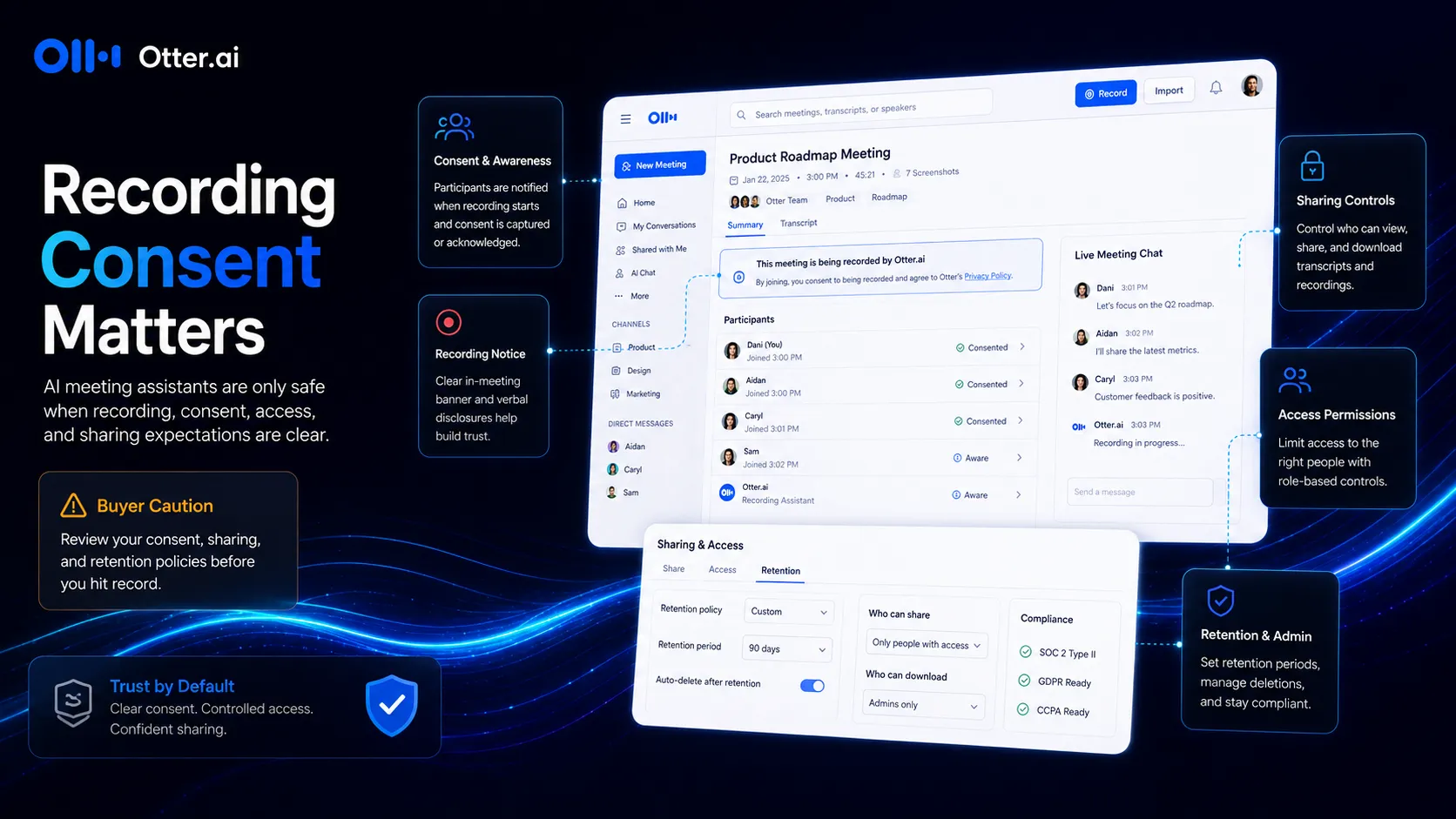
That sounds obvious, but it matters. Meeting tools feel simple until a bot enters a client call, a transcript gets shared too widely, or a private side conversation stays in the recording. For some teams, that risk is manageable. For others, it is the whole reason to avoid AI notetakers unless legal, security, and operations agree on clear rules.
You should also skip it if you only need occasional file transcription. A free recorder or lower-cost transcription tool may be enough. And if your main need is video recording, clips, async updates, or sales CRM automation, Otter.ai may not be the cleanest first choice.
Real workflow fit
The real Otter.ai workflow starts before the meeting.
A calendar event happens. Otter joins or records. During the call, the tool captures live transcript context. After the call, the value shifts into summary, action items, search, sharing, and follow-up.
That is why I see Otter.ai less as a “note app” and more as a capture layer. It sits between the meeting itself and the places where work continues.
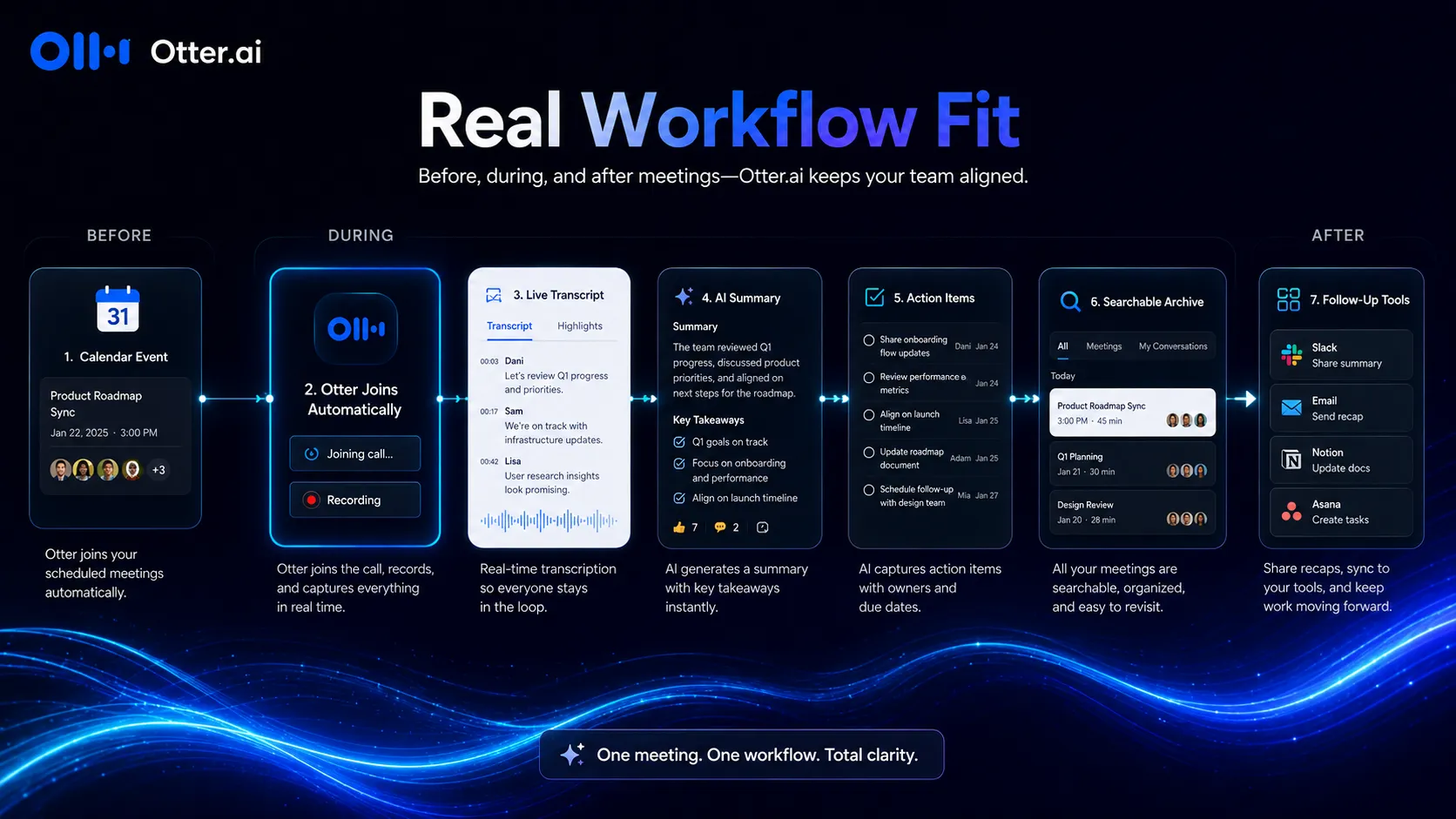
The friction point is review. AI notes can make a messy meeting feel more organized, but they can also make a rough summary look more final than it should. For customer commitments, technical decisions, pricing discussions, or hiring feedback, someone still needs to check the output.
Use Otter.ai to reduce note-taking drag. Do not use it to remove accountability.
Where Otter.ai fits in an AI stack
In a practical stack, Otter.ai should sit close to your meeting platforms and your follow-up tools.
The input side is obvious: Zoom, Google Meet, Microsoft Teams, mobile recording, imported files, and scheduled calls. The output side is where the buying decision gets sharper. Does the transcript need to go to Notion? Slack? A CRM? A task system? A manager’s review process?
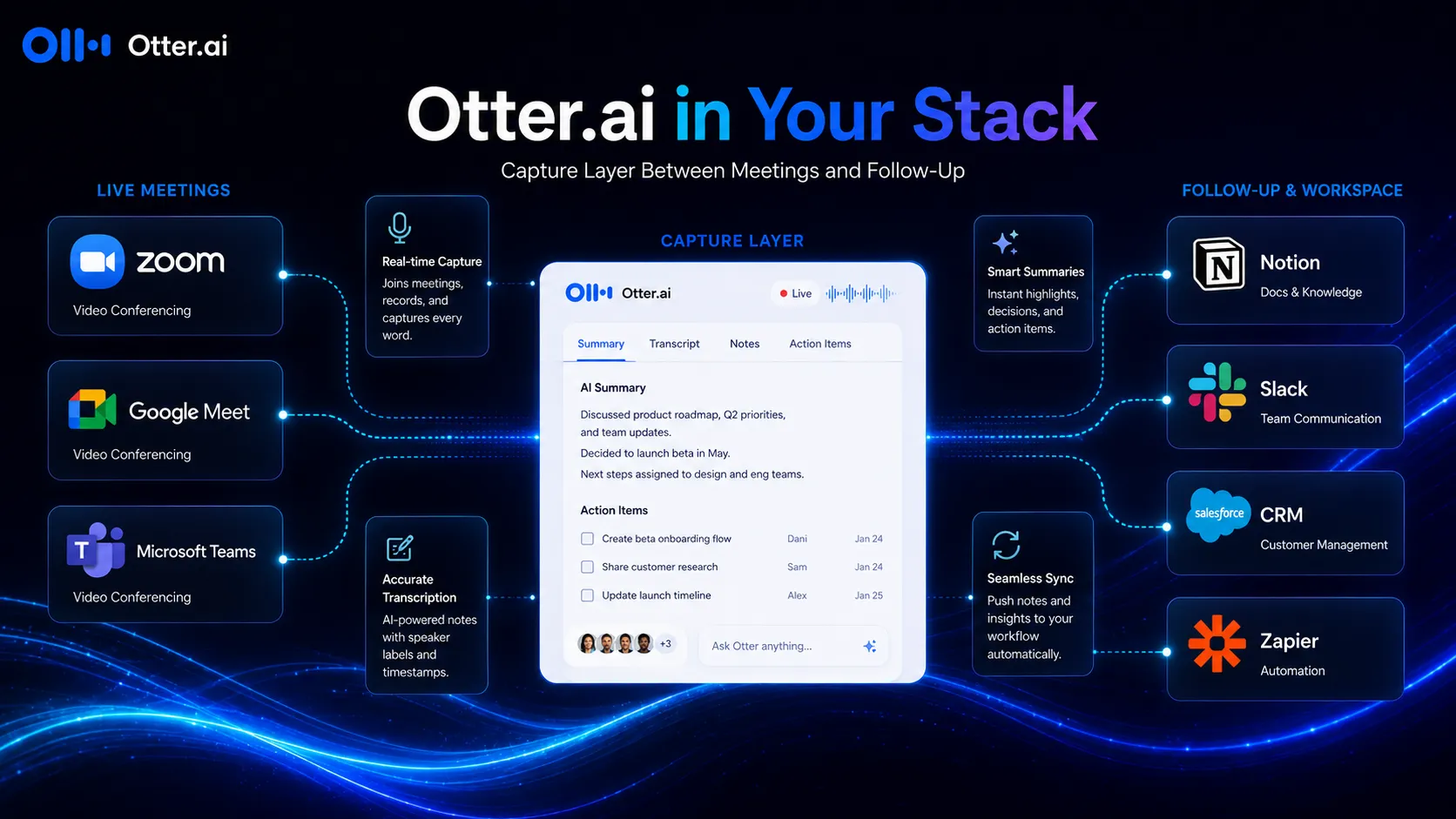
For a solo consultant, Otter.ai plus a notes app may be enough. For a sales team, compare it harder against Fireflies.ai because CRM workflow becomes more important. For a Microsoft-heavy organization, Microsoft Copilot may be more natural if Teams and Microsoft 365 governance are already central.
Otter.ai is not the whole productivity stack. It is the part that catches what people said before the work disappears.
What Otter.ai does well
Otter.ai’s clearest strength is meeting recall.
The transcript is not the only asset. Search, speaker identification, summaries, takeaways, playback, exports, and meeting history are what make the product useful after the call ends. The official pricing table also shows that higher plans expand the practical workflow with more minutes, longer meetings, more imports, integrations, and administrative controls.
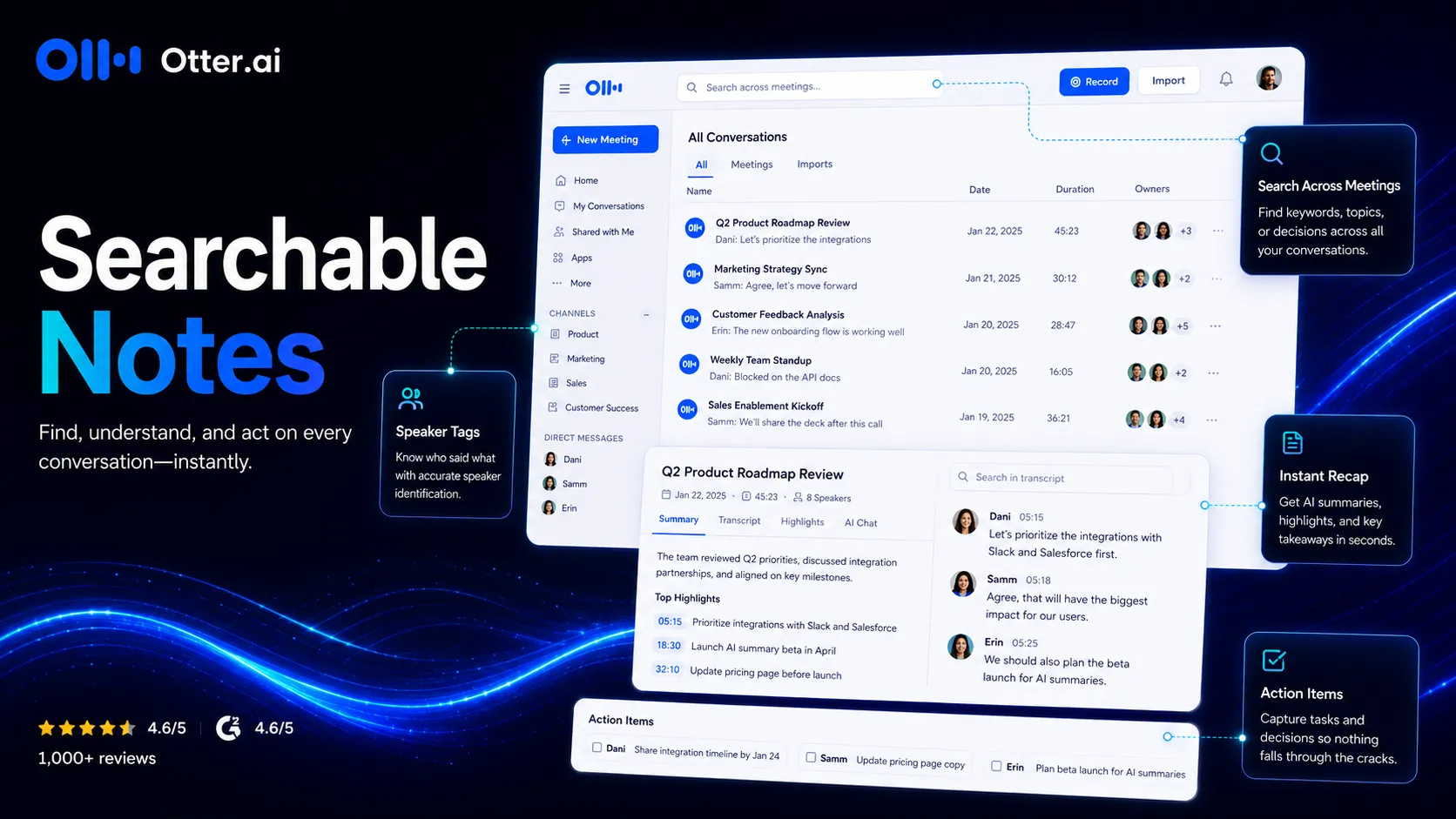
The other strength is habit design. Otter.ai can become part of normal meeting behavior without forcing every user to learn a heavy workspace. That matters. The best meeting-note tool is often the one people actually use every week.
I also like that the plan structure gives individuals a way to test the workflow before dragging an entire team into procurement.
Where Otter.ai falls short
The weak spot is not simply “AI can be wrong.” Every buyer already knows that now.
The bigger weakness is that Otter.ai sits inside a socially sensitive workflow. Meetings contain private opinions, client context, roadmap hints, hiring feedback, internal conflict, and sometimes regulated information. A searchable transcript can be incredibly useful. It can also be a liability if the team has weak rules.
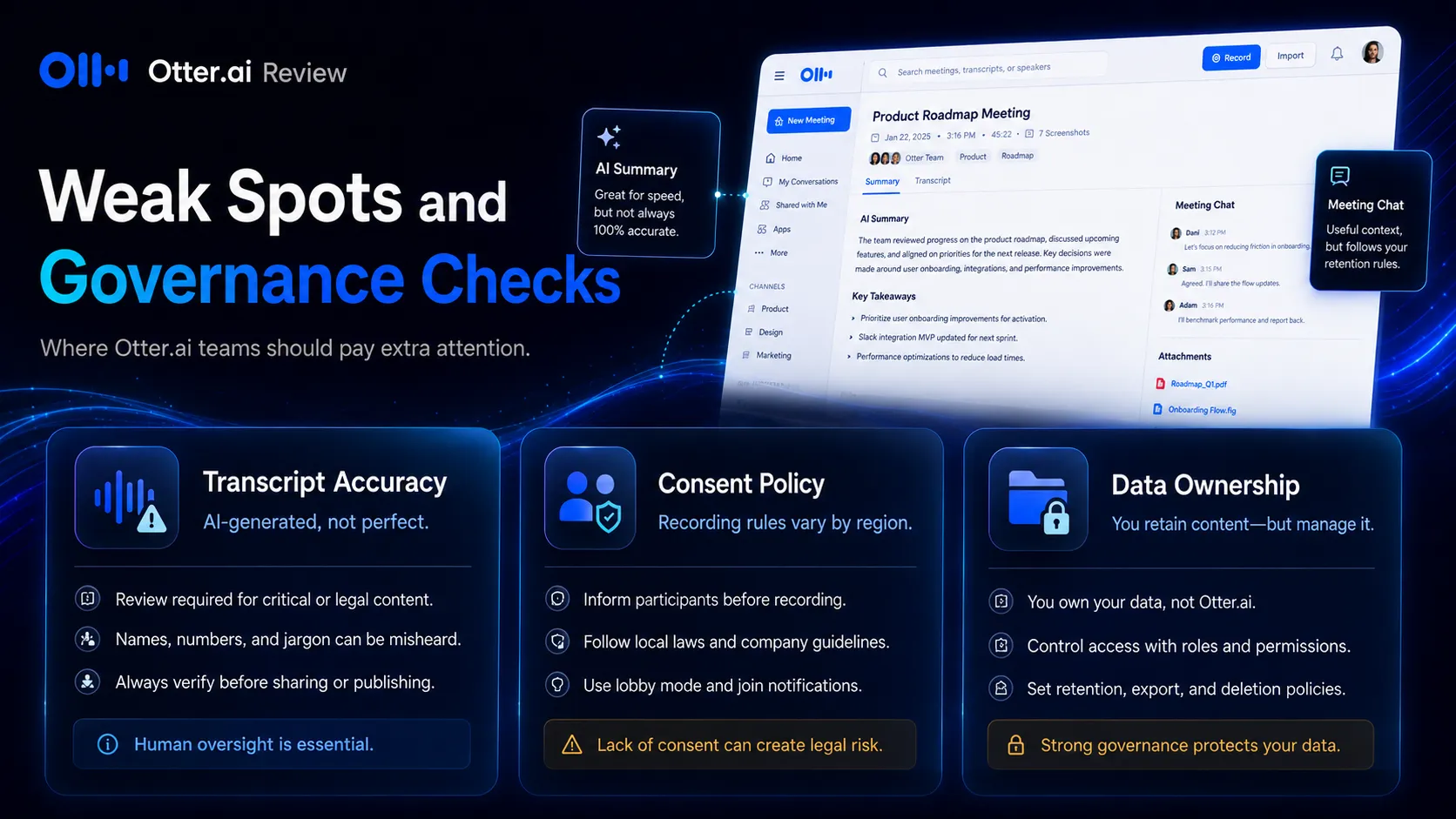
Transcript quality is also situational. Accents, cross-talk, poor microphones, noisy rooms, and domain-specific jargon can affect accuracy. Custom vocabulary and speaker features can help, but they do not remove the need for review.
Finally, buyers need to watch plan limits. Minutes, imports, meeting length, AI Chat query limits, integration access, and admin controls all matter. Do not choose only by the first paid price.
Pricing judgment
Otter.ai pricing is understandable, but not simple.
The Basic plan is useful for testing because it includes 300 monthly transcription minutes and access to core meeting-note features. Pro is the first serious individual plan. Business is where team use gets more realistic with unlimited meetings and stronger controls. Enterprise is where SSO, SCIM, domain capture, API, webhooks, custom controls, and HIPAA add-on conversations enter the picture.
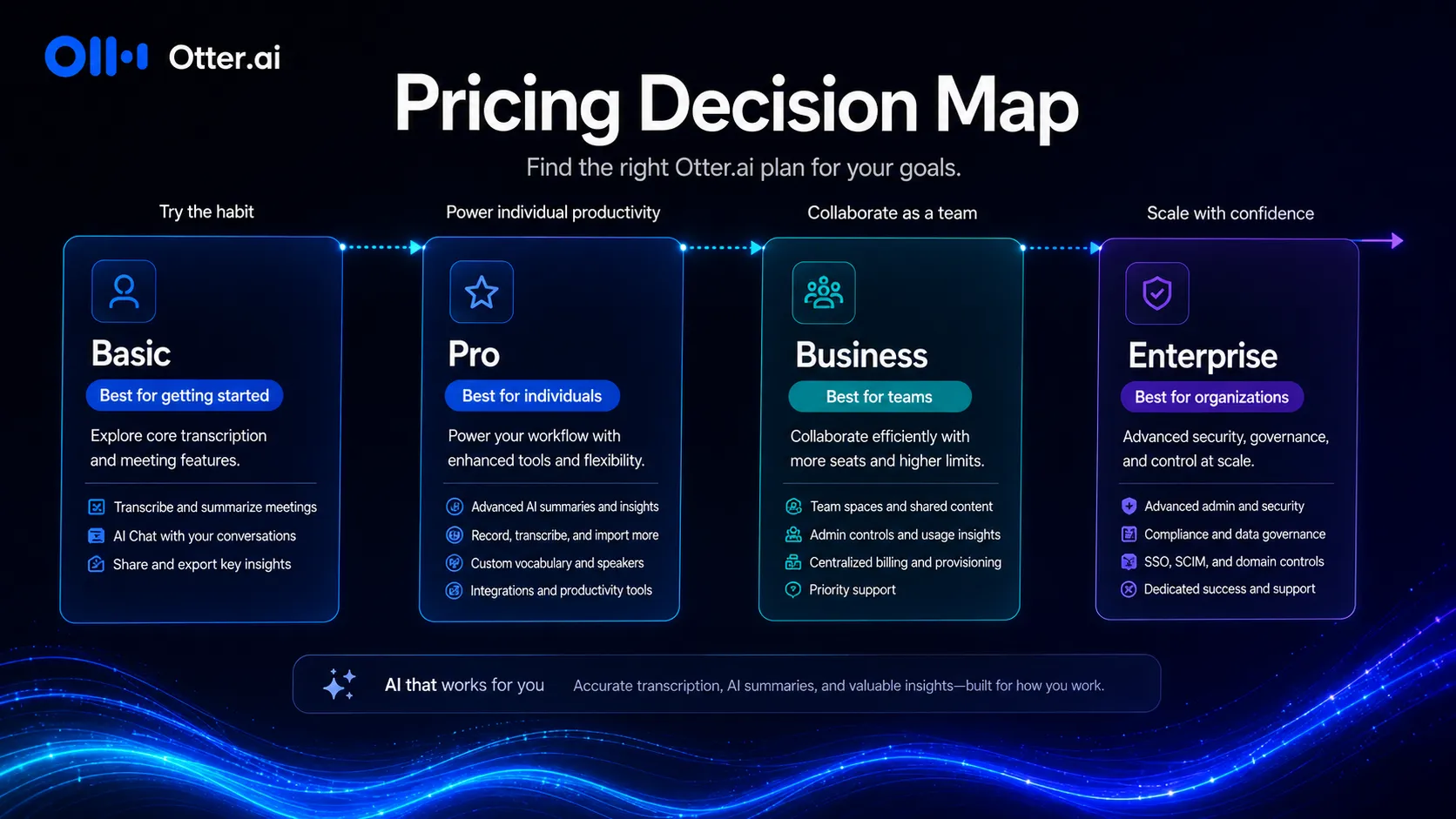
My practical take: start with Basic only to test whether the meeting-note habit sticks. Move to Pro if you are an individual with recurring meetings. Consider Business if a team needs shared workflows, higher limits, admin oversight, and more serious collaboration. Look at Enterprise only when governance, integrations, security controls, and large-team administration matter.
For a small team, the expensive mistake is not paying for Otter.ai. It is paying before deciding who owns the notes, who can share them, and which meetings should never be recorded.
Best alternatives to compare
Compare Otter.ai by job, not by feature count.
If you care about sales calls, CRM notes, and customer conversation workflows, compare Fireflies.ai first. If you want a lightweight meeting-summary experience, compare Fathom. If call clips and async review are important, compare tl;dv. If your organization is already deep inside Microsoft 365, compare Microsoft Copilot before adding another meeting assistant.
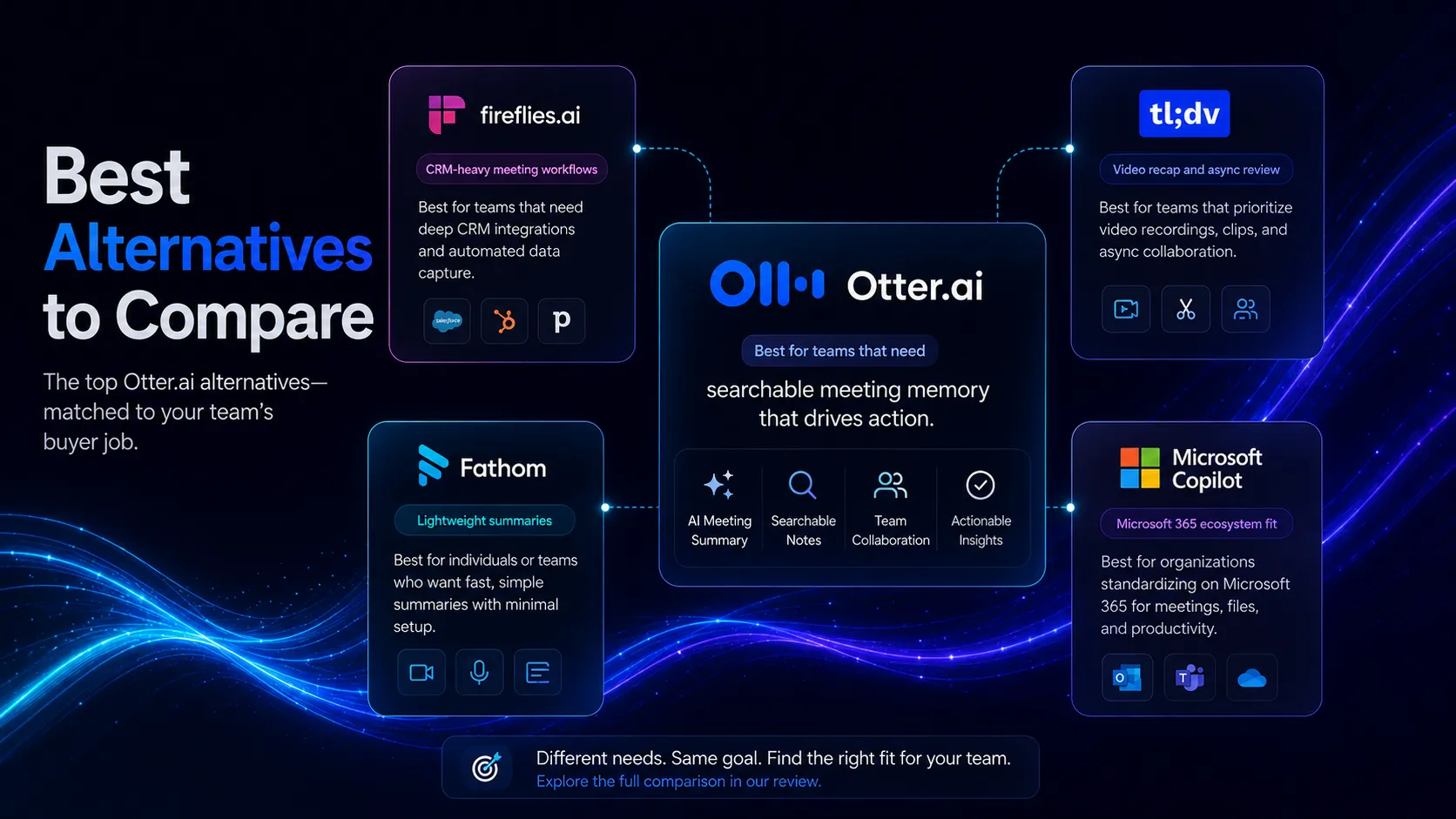
Otter.ai’s best lane is broad meeting memory. Fireflies.ai leans harder into sales and CRM. Fathom is often simpler. tl;dv is more video-call recap oriented. Microsoft Copilot is more ecosystem-native for Teams-heavy companies.
That is the real shortlist.
Final decision
Use Otter.ai if your meetings are already creating knowledge that your team loses too often.
It is a good fit when the problem is recurring, not occasional. Weekly sales calls, client check-ins, internal planning meetings, interviews, and cross-functional updates are the kinds of workflows where Otter.ai can pay back time.
Skip it if you do not have meeting rules yet. The tool can capture more than your team is ready to manage. Before rollout, decide which meetings are recorded, how participants are notified, who owns the notes, how long records are kept, and who can export or share transcripts.
My bottom line: Otter.ai is a strong AI meeting-memory layer for teams that meet a lot and govern their recordings well. It is not the best default for every team, but when the meeting workflow is real, the value is real too.
Frequently asked questions
Is Otter.ai worth it?
Does Otter.ai have a free plan?
Who should use Otter.ai?
What should buyers check before paying?
What are the best Otter.ai alternatives?
Where Otter.ai fits in a stack
AI meeting memory and note automation layer
Does not replace
- – Meeting facilitation
- – Human review of important decisions
- – Recording consent policy
- – CRM hygiene and task ownership
Pairs well with
Head-to-head comparisons
Top alternatives to consider
If Otter.ai is not the right fit, these are the most common alternatives.
Fireflies.ai is often the closer comparison when CRM logging, searchable call archives, and sales-team workflow matter more than Otter's simpler meeting memory angle.
Fathom can be a better fit for users who want fast meeting summaries with less emphasis on building a broad transcript library.
tl;dv is worth comparing when clipped calls, shareable meeting moments, and asynchronous review matter.
Review methodology
Editorial review based on current public product information, official product pages, official pricing pages, official enterprise and security-related plan details, and current third-party coverage. No hands-on testing was conducted unless explicitly stated.
This review is based on public product information and current research, not direct hands-on testing.
Not covered: Hands-on transcript accuracy benchmark · Private enterprise contract review · Legal advice about recording consent